A paid campaign has two questions that get collapsed into one. What is each channel for? And what do you do, in order, so those channels share a budget and a website? This page answers both. It is the workflow evidence behind a multichannel buy: category, then steps, then what the numbers are allowed to mean.
Channel selection and platform directories already have their own URLs. This page covers the job of each paid channel and the sequence that runs them together. Links are below.

Which page this is
Use the page that matches the question:
This page: what job each paid channel does, and the sequence from budget to site measurement.
How to choose advertising channels: which mix to start with, saturation, and budget floors by channel.
Self-serve advertising platforms: how self-serve buying compares as a category of tools.
CTV advertising platforms: streaming TV inventory and platform context, not the full workflow.
The marketing site also has a product walkthrough. This article stays in the resource library so it can be updated on the editorial calendar without editing that page.
The job of each channel
Channels are not substitutes with different logos. They answer different moments.
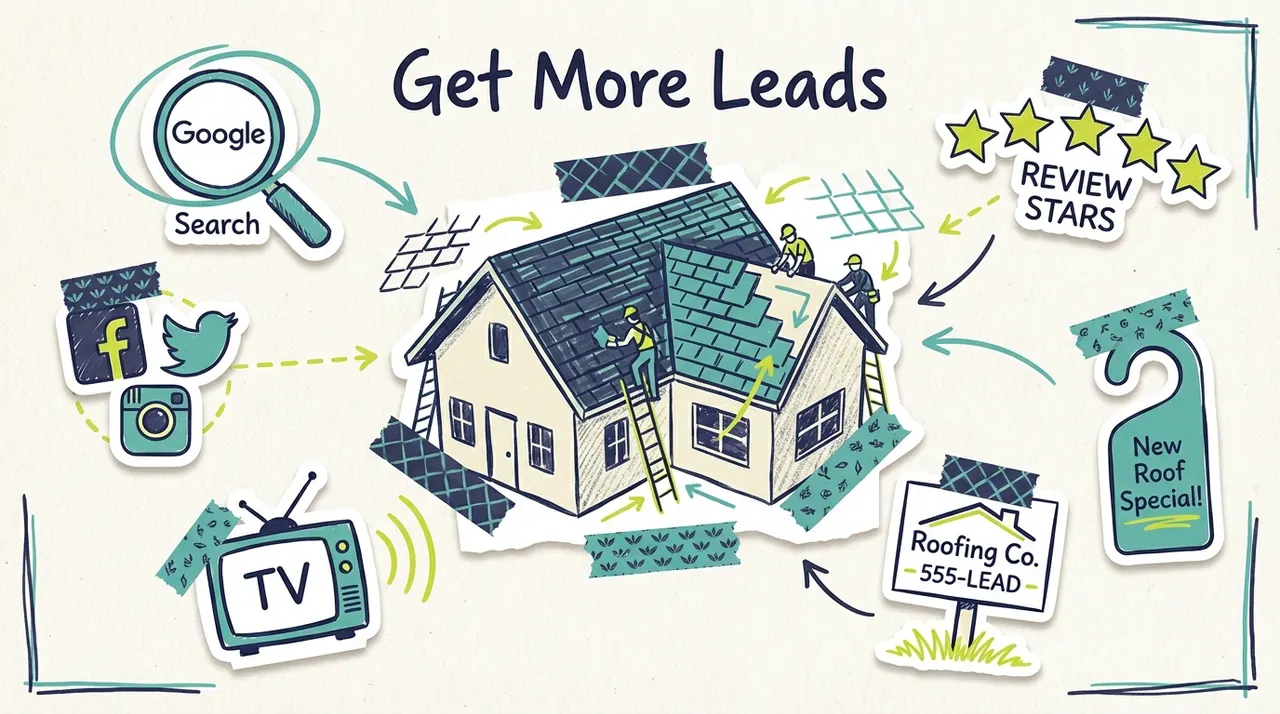
Search is late in the decision. Someone types a need. If you are not there, a competitor is. Social and TV are earlier. They give a reason to search later. Web placements extend frequency after those two. Treating TV as a click channel, or search as a brand channel, is how a first month gets misread.
Organic work still sits beside this. A Google Business Profile, reviews, and email to people you already serve are not replaced by a paid workflow. This page is about paid media only.
The workflow, in order
The order matters more than the tool brand. Skip a step and the later report is noise.
Name the offer and the area. One service, the towns you cover, and the action you want (call, form, visit). A campaign that advertises three offers in two metros teaches nothing.
Set a daily budget you can leave alone for a few weeks. Changing the budget, the creative, and the geography in the same week makes the result unreadable.
Confirm which channels the budget unlocks. See the next section. A floor campaign is not a promise that every network is on.
Approve the ads before spend. Check the business name, the town, the offer, and the page the click or the later search will hit. Creative production, when you want a separate build, sits in Wavemaker. Media buying stays in Adwave.
Put the first-party site tracker on the site. TV does not have a click on the spot. The tracker is how later visits and on-site actions connect to the campaign, including after someone saw the ad and searched you.
Launch, then wait through a learning window. Read delivery first (did it run, where, did people finish the video). Read the site second. Then change one variable.

Agencies run this sequence for clients every week. An owner can run the same sequence when the offer is simple. The steps do not change. Who logs in does. More on that split is in the agency economics guide when you need fee math. This page stops at the work itself.
What the daily budget unlocks
Adwave media starts at $30/day on a prepaid daily budget. At that floor, the package includes Meta, Google follow placements, web, and TV. Reddit and Google Search typically need a higher daily budget before they switch on. TikTok follows campaign budget and Customize settings. Do not write a plan that assumes every network is live on day one at the minimum.
Individual signups typically get a $60 starter credit. Treat it as a starting balance on the same account. It does not change the channels, the approval step, or what a result looks like.
A few planning consequences:
If the business lives on "near me" search, raise the daily budget until Search is on, or run Search in its own account and use Adwave for the other channels. Say which one you did.
If you only have $30/day, bias the read toward TV, Meta, and web delivery plus site visits. Do not grade the flight as if Search were in it.
Local radius or ZIP targeting is how a small budget stays in market. A national share of voice is a different purchase.

Standalone platforms still have their own minimums and learning periods if you buy them directly. The $30/day figure is the Adwave package floor, not Google's minimum and not a television station's rate card.
What to read after the ads are live
Four numbers, in this order. Stop when one of them is broken. Do not skip to revenue.

TV often shows up as a later branded search or a direct visit, not as a click on the commercial. If you only watch last-click revenue, you will shut off the channel that made the search cheaper. If you only watch impressions, you will never notice a landing page that drops every visitor.
The tracker measures your site. It does not measure in-store close rates, insurance claims, or jobs you never recorded. Pair it with a front-desk or CRM note if the sale happens offline. Do not publish a cost-per-customer from the tracker alone.
Where an agency still fits
This workflow is the execution layer: budget, channels, approval, tracking. An agency still earns a fee when the work above that layer is the actual job. Several brands, a market you do not know, a creative platform that needs a director, or a client who wants a person on the phone. Self-serve media does not delete that work. It gives the agency, or the owner, a way to run the media without five logins.
Fee shapes belong in a separate economics piece. This page stops at the operating sequence. For the mix and the starting budget, use the channel choice guide.
FAQ
Do I have to run every channel?
No. Run the channels the budget unlocks and the job requires. At $30/day, expect Meta, Google follow placements, web, and TV. Add budget when you need Google Search or Reddit. Add TikTok when the audience is there and the campaign settings include it.
Does TV replace search?
No. TV puts the business on the living-room screen. Search catches people who then look for you, or who were already looking. Most local plans need both once the daily budget can support Search.
What does the site tracker prove?
It ties later visits and on-site actions to the campaign, including visits that follow TV exposure. It does not prove a closed sale you never tracked, and it does not replace a call log.
Where should creative be made?
Approve whatever runs before you spend. If you want a separate creative tool, that product is Wavemaker. Adwave is the media campaign: channels, budget, and reporting.
How is this different from the channel guide?
The channel guide helps you choose a mix and a starting budget. This page assumes you are ready to run and walks the sequence: offer, area, daily budget, which networks switch on, approval, tracker, then what to read. Use both. They are not the same article.