
Compare seven Creatify alternatives for social ads, other video formats, free plans, and publishing options. Creatify focuses on UGC-style avatar ads for e-commerce; Wavemaker supports a broader range of video projects.
Creatify built its name on one thing: turning product links into UGC-style videos with AI avatars for Meta and TikTok. That's a real strength for DTC performance marketers. The catch is that Creatify serves performance marketers and pretty much nobody else. If you're a creator, an educator, a course seller, an agency doing more than paid social, or a business owner who wants a finished explainer or a TV spot, Creatify's templated pages and avatar-first pipeline start to feel narrow fast.
Compare each alternative's editing tools, output formats, and pricing before choosing a plan.
What to look for in a Creatify alternative
Before the list, here's the framework we used to compare these tools. Match your priorities to these and the right pick gets obvious.
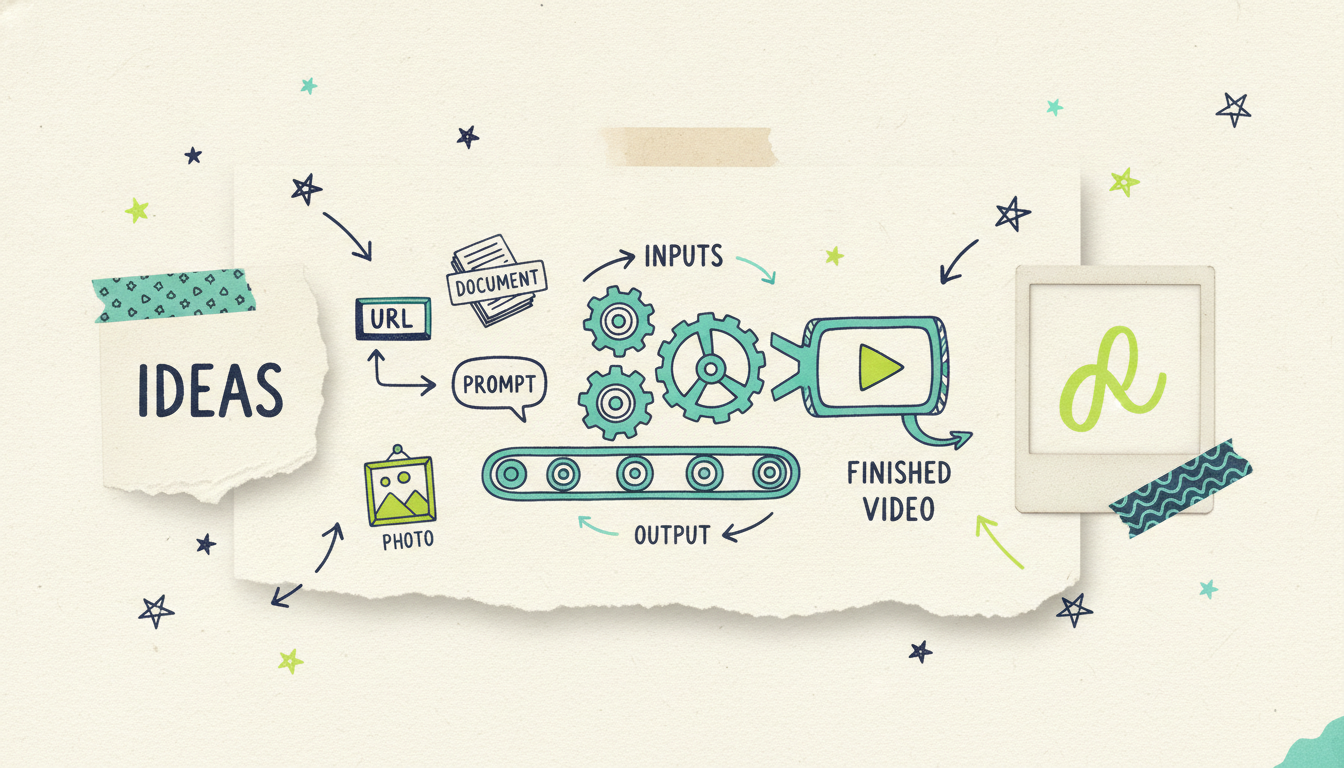
Input flexibility. Can you start from a product URL only, or also from a prompt, a topic the tool researches for you, a PDF, images, or existing footage? More input modes means fewer dead ends.
Output type. Are you getting a finished video (script, visuals, voiceover, music, a quality pass) or raw clips you still have to assemble? Big difference in time saved.
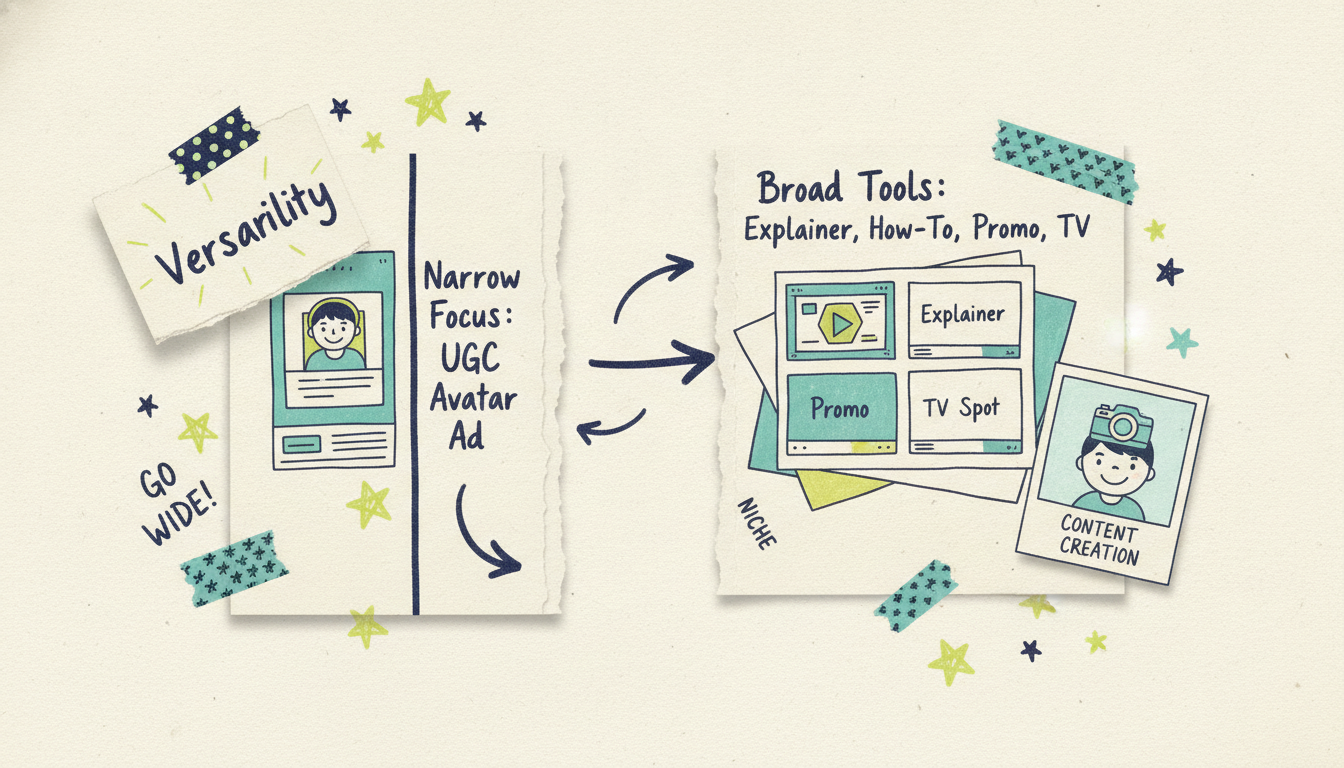
Who it's built for. Ad-only tools ignore creators, educators, and everyday makers. Broader tools cost you a little focus but open up every use case.
A real free plan. Some "free" tiers are trials in disguise. A genuine free plan lets you make something real before you pay.
Where the video goes after export. Most tools stop at the MP4. A couple can help you distribute, and one can put your video on streaming TV.
Keep those five in mind and the trade-offs below map cleanly onto your situation.
1. Wavemaker: the agentic video creator (best overall alternative)
What it is: Wavemaker is Adwave's standalone AI video generator, and it works less like an editor with AI features and more like an AI production team. You type an idea, paste a URL, or upload documents, images, or footage, and it handles research, script, generated visuals, AI voiceover, BPM-aware music, and an AI vision quality-control pass. You get a finished video in a few minutes, not a pile of clips to stitch together.
Best for: Anyone who wants a finished video, creators, educators, marketers, agencies, developers, and business owners. It's the broadest fit on this list, where Creatify is narrowest.
Strengths:
Any input becomes a video. Start from a free-form prompt, a topic the AI researches and scripts for you, a URL (it scrapes brand colors, imagery, and messaging into a creative brief), a document, an image, or an existing video. Most rivals do one input mode well.
Finished videos, not clips. The full pipeline runs script to storyboard (21 presets) to generated images and video clips (with subject consistency and multi-provider fallback) to voiceover to music to a final AI vision QC review.
Chat editing, no timeline. Want a change? Type "make the intro longer" or "swap the music." There's no timeline editor to learn.
API and MCP first-class. A REST API at `/api/v1/videos`, HMAC-signed webhooks, SSE progress streaming, and a 13-tool MCP server (OAuth 2.1 + PKCE) that works in Cursor, Claude Desktop, Windsurf, or any MCP client. Built for the agentic era and documented today.
The TV bridge. This is the one nobody else has. A finished Wavemaker video can run as a real streaming TV commercial on 100+ networks through Adwave, from $50, alongside Google, YouTube, Meta, Reddit, and display. Your video's story doesn't end at the export button.
Limitations: Wavemaker isn't laser-focused on the single UGC-avatar-ad use case the way Creatify is, so if hyper-optimized DTC avatar ads are literally all you do, a specialist may squeeze out marginal wins. And because it generates custom visuals rather than pulling from a stock template library, you're trading template speed for originality.
Pricing (qualitative): There's a free plan, $0 with 75 credits (enough for your first full video), 480p export with a watermark, and one seat. Paid plans scale up from an affordable monthly Starter tier through a mid-tier Pro plan (the popular one, with API and MCP access) to a team-scale Business plan with up to 4K export. Credit packs are available, and the packs never expire. The free plan alone puts Wavemaker ahead of most of this list for anyone who wants to test before paying.
2. Arcads: UGC ads with a big actor library
What it is: Arcads is a close cousin to Creatify, another AI UGC ad generator aimed at performance marketers. You write or paste a script, pick from a library of AI "actors," and generate authentic-feeling social ads at volume.
Best for: Media buyers and agencies who want to spin up many script variations with different AI presenters for Meta and TikTok testing.
Strengths:
Large roster of realistic AI actors and accents, good for A/B testing hooks and faces.
Script-to-video speed is strong, which suits high-volume ad iteration.
Popular with agencies running creative-testing at scale.
Limitations: Like Creatify, it's built almost entirely around the UGC-ad use case. If you want an explainer, a tutorial, a product demo that isn't a talking-head ad, or anything with generated b-roll and a full production pipeline, Arcads isn't the tool. It also leans on you supplying the script rather than researching and writing one for you.
Pricing (qualitative): Subscription-based and positioned toward professionals, with entry pricing that sits in the mid-to-higher range for this category. No meaningful free tier to speak of, so you're paying to evaluate it.
3. MakeUGC: avatar UGC at volume
What it is: MakeUGC is another avatar-driven UGC ad platform. Same core promise as Creatify and Arcads: generate authentic-looking user-generated-style video ads with AI creators, fast.
Best for: E-commerce brands and affiliates who need a steady stream of avatar testimonial and product ads.
Strengths:
Focused, purpose-built workflow for UGC ad output.
Sizable avatar library and quick turnaround per ad.
Straightforward for teams that already know exactly the ad format they want.
Limitations: It's the narrowest kind of tool on this list by design. No real support for non-ad formats, no full research-to-finished-video pipeline, and creators, educators, and everyday makers aren't the audience. Avatar realism is improving across this whole category but can still land in uncanny-valley territory depending on the clip.
Pricing (qualitative): Subscription tiers priced per volume of videos or minutes. Trials exist but a durable free plan does not, so this is another pay-to-test option.
4. VEED: browser editor with AI features
What it is: VEED is a browser-based video editor that has layered AI features on top, including AI avatars, auto-subtitles, text-to-speech, and an AI video generator. It's a Swiss Army knife rather than a pure ad generator.
Best for: Creators and teams who want hands-on editing control plus a grab-bag of AI helpers in one browser tab.
Strengths:
Full timeline editor for people who want to control every cut.
Strong subtitle, translation, and clean-up tools.
Broad feature set covers many everyday editing jobs.
Limitations: Because it's editor-first, you do more of the work. The AI generation is a feature, not the whole engine, so you won't get the same "type an idea, get a finished video" experience. Its avatar and ad tooling is less specialized than Creatify's for pure UGC output.
Pricing (qualitative): A limited free tier with watermarking, then subscription plans that climb as you unlock higher resolution, longer exports, and the AI and avatar features. Reasonable entry point, with the better AI tools gated behind higher tiers.
5. InVideo: template scale and text-to-video
What it is: InVideo is one of the largest template-and-AI video platforms, with a huge library of templates plus a text-to-video AI mode that assembles a video from a prompt using stock footage and generated scenes.
Best for: Marketers and creators who want template variety and a fast text-to-video starting point across many formats.
Strengths:
Enormous template library across use cases and aspect ratios.
Text-to-video AI generates a first draft quickly from a prompt.
Broad enough to cover social, promo, and explainer starting points.
Limitations: InVideo's AI output leans heavily on stock and templated scenes rather than fully custom-generated visuals, so videos can feel familiar. Its pricing has drawn public backlash: the "free" experience is limited and watermarked, plans span a wide range, and credits don't roll over the way some users expect. It's a general editor, not an ad specialist.
Pricing (qualitative): A restricted free tier (watermarked), then subscription plans across a wide spread from budget to premium. Watch the credit and export limits, which are where most of the pricing friction shows up.
6. Synthesia: avatar-led explainers and training
What it is: Synthesia is the leading AI avatar video platform, built around realistic presenters delivering scripted content in dozens of languages. It's the go-to for corporate training, L&D, and talking-head explainers.
Best for: Enterprises and educators making training videos, onboarding content, and multilingual explainers with a consistent presenter.
Strengths:
Best-in-class avatar realism and voice quality for presenter-led content.
Extensive language and localization support.
Enterprise-grade features, security, and team controls.
Limitations: It's presenter-first, so it shines when a person talking to camera is the format and struggles when you want generated b-roll, cinematic scenes, or a fast UGC ad. It's also positioned upmarket, so casual creators and small budgets feel the pinch. Not built for social ad iteration the way Creatify is.
Pricing (qualitative): A small free allowance to try it, then subscription plans that scale toward enterprise pricing. Value is strong for corporate training, less so for one-off creators or ad testers.
7. Canva: all-in-one design with video AI
What it is: Canva is the everything-design platform, and its Magic Studio AI now spans video too, including text-to-video, avatars, and design-to-video workflows sitting alongside its massive template and asset library.
Best for: Teams and individuals who already live in Canva and want to add video without learning a new tool.
Strengths:
Gentle learning curve and a deep template and stock library.
AI features bundled into a platform you may already pay for.
Great for social graphics-plus-video workflows in one place.
Limitations: Video is one part of a giant product, not the core engine, so the AI video generation is more assistant than production team. Output can feel template-driven, and it's not tuned for high-volume UGC ad testing or for finished, research-backed videos from a single prompt.
Pricing (qualitative): A capable free tier, then affordable subscription plans that unlock the premium AI, brand, and asset features. Good value if you're already a Canva household; the video AI alone may not justify the switch.
Creatify alternatives compared
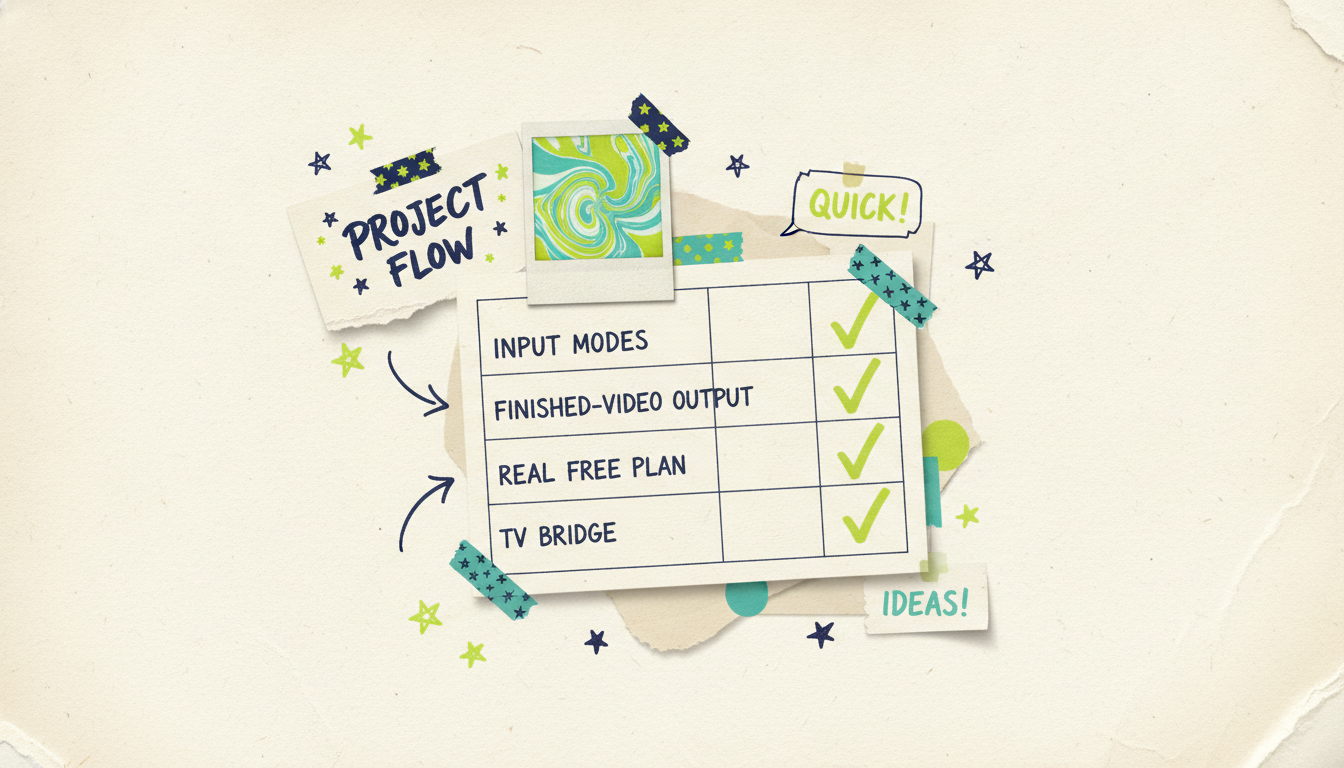
Here's the whole field side by side. The columns that matter most are input flexibility, what you get out, and whether there's a real free plan to test with.
The table makes obvious: the ad-specialist tools (Creatify, Arcads, MakeUGC) all do one job and gate it behind a paid plan, while the broad tools each stop at the export. Wavemaker is the only row that spans every input, delivers a finished video, offers a genuine free plan, and can carry that video all the way to streaming TV.
Why Wavemaker stands out from the ad-specialist crowd
Creatify, Arcads, and MakeUGC are all really good at the same narrow thing: UGC-style avatar ads for paid social. If that's your entire job, any of them will serve you. The moment your needs widen, though, the picture changes.
Wavemaker's edge comes down to three things. First, any input becomes a finished video, so you're not locked into the "product URL to avatar ad" box. A prompt, a research topic, a PDF, a set of images, or existing footage all work. Second, there's a real free plan with 75 credits, enough to make an actual first video, which none of the pure ad specialists offer. Third, and this is the one nobody else on the list can match: when your video's ready, Adwave can put it on streaming TV from $50, across 100+ networks, plus Google, YouTube, Meta, Reddit, and display. Every other tool's story ends at the MP4. Wavemaker's keeps going all the way to the living-room screen.
None of that makes Creatify a bad tool. It makes it a specialist. If you want a specialist, use one. If you want one system that handles creators, educators, marketers, developers, and business owners, and can take a finished video to television, that's the gap Wavemaker fills.
Common questions answered
Is there a free Creatify alternative? Yes. Wavemaker has a free plan with 75 credits, which is enough to generate your first full video at 480p with a watermark. Canva and VEED also offer free tiers, though their video AI features are more limited. Most of the pure UGC-ad tools like Creatify, Arcads, and MakeUGC don't offer a lasting free plan, so you generally pay to evaluate them.
What's the best Creatify alternative for more than ads? Wavemaker, because it's built for any kind of video rather than only UGC social ads. You can make explainers, tutorials, product promos, news roundups, and personal videos from a prompt, URL, document, or image, all through one agentic pipeline that writes the script and generates the visuals, voiceover, and music for you.
How is Wavemaker different from Creatify? Creatify focuses on UGC-style avatar ads for e-commerce performance marketers. Wavemaker is an agentic video creator for everyone, turning any input into a finished video with a full production pipeline and an AI quality-control pass. Wavemaker also has a real free plan and a unique bridge to streaming TV through Adwave, from $50.
Can any of these tools put my video on TV? Only Wavemaker, and it does so through Adwave. Once your video is finished, Adwave can run it as a real streaming TV commercial on 100+ networks starting at $50, alongside Google, YouTube, Meta, Reddit, and display placements. The other tools on this list stop at exporting an MP4 file.
Which alternative is best for agencies running lots of ad tests? If avatar UGC ads are the entire job, Arcads and MakeUGC are built for high-volume script-to-ad iteration, and Creatify is strong there too. If your agency also needs explainers, promos, and finished branded videos beyond paid social, Wavemaker covers the full range in one place and its API and MCP support make bulk generation programmable.
Do I need editing skills to use these tools? Not with Wavemaker. Instead of a timeline editor, you refine videos with natural-language chat, like "make the intro longer" or "swap the music." Some alternatives, VEED in particular, are editor-first and expect you to work a timeline, which gives you more manual control but a steeper learning curve.





