If you’re building against Google Business Profile today, you’re probably dealing with one of two headaches. Either an old integration still assumes there’s one neat API for everything, or a new build keeps tripping over verification, ownership, and write throttles long before it reaches production scale.
That’s normal. The Google Business Profile API looks simple from the outside because the product itself looks simple in Google Search and Maps. Under the hood, it isn’t simple anymore. It’s a federated set of APIs, each with its own job, its own constraints, and its own operational failure modes.
Teams usually feel that complexity in very practical ways. A location sync that works in staging starts failing when franchisees edit their own hours. Review tooling works for read access but breaks when reply permissions were never granted. A migration plan still references Q&A, even though that path is no longer current. The fix isn’t more code alone. The fix is a better mental model of how the platform is structured now, where the hard limits are, and which workflows are compliant.
Introduction to the Google Business Profile API Reference
The Google Business Profile API is no longer one catch-all surface for listings management. If you’re responsible for multi-location sync, review operations, verification handling, or local marketing automation, that distinction matters immediately. The difference between a clean integration and a fragile one usually comes down to knowing which API family owns which business task.
What developers and operators usually need from it
Many teams come to this API with a short list of jobs:
- Keep listings accurate: names, hours, categories, addresses, and service data need to stay aligned with the source of truth.
- Manage reputation workflows: review reads, reply queues, and escalation logic need to flow into support or marketing operations.
- Handle onboarding: location creation, claiming, and verification need to work without violating ownership rules.
- Support local execution: profile freshness has to line up with promotions, seasonal changes, and campaign launches.
Those jobs cut across multiple endpoints and permissions. That’s why old mental models fail. If you still think in terms of “the Google My Business API,” you’ll end up calling the wrong surface, designing the wrong retry logic, or building around a feature Google no longer supports.
A more useful way to read the reference
Treat the platform like a set of connected operational lanes, not like a single product manual. One lane manages business information. Another handles reviews. Another covers verification. Others support posts, media, and performance reporting. That framing makes implementation choices clearer because each lane has its own state transitions, error patterns, and user expectations.
A good first move before you write code is to compare a live profile against your system of record. A tool like the Google Business Profile audit helps surface obvious gaps in hours, categories, and profile completeness before you automate bad data at scale.
Practical rule: Build your integration around business workflows, not endpoint names. “Update holiday hours” and “reply to reviews” are safer design units than “call API X.”
Who this reference is really for
This reference is most useful for three groups:
- Integration engineers who need stable sync and owner-authorized flows.
- Agencies and SaaS teams managing listings on behalf of clients without drifting into prohibited use.
- SMB operators and marketers who need profile accuracy, review coverage, and campaign coordination to happen reliably.
If that’s your situation, the main challenge isn’t discovering endpoints. It’s connecting them into a system that survives real-world ownership gaps, asynchronous verification, and changing Google surfaces.
How the Federated API Model Replaced Google My Business
The biggest mistake I still see in Business Profile projects is architectural, not syntactic. Teams inherit code or documentation that assumes Google offers one monolithic API for listings, reviews, posts, verification, and reporting. That model is obsolete.
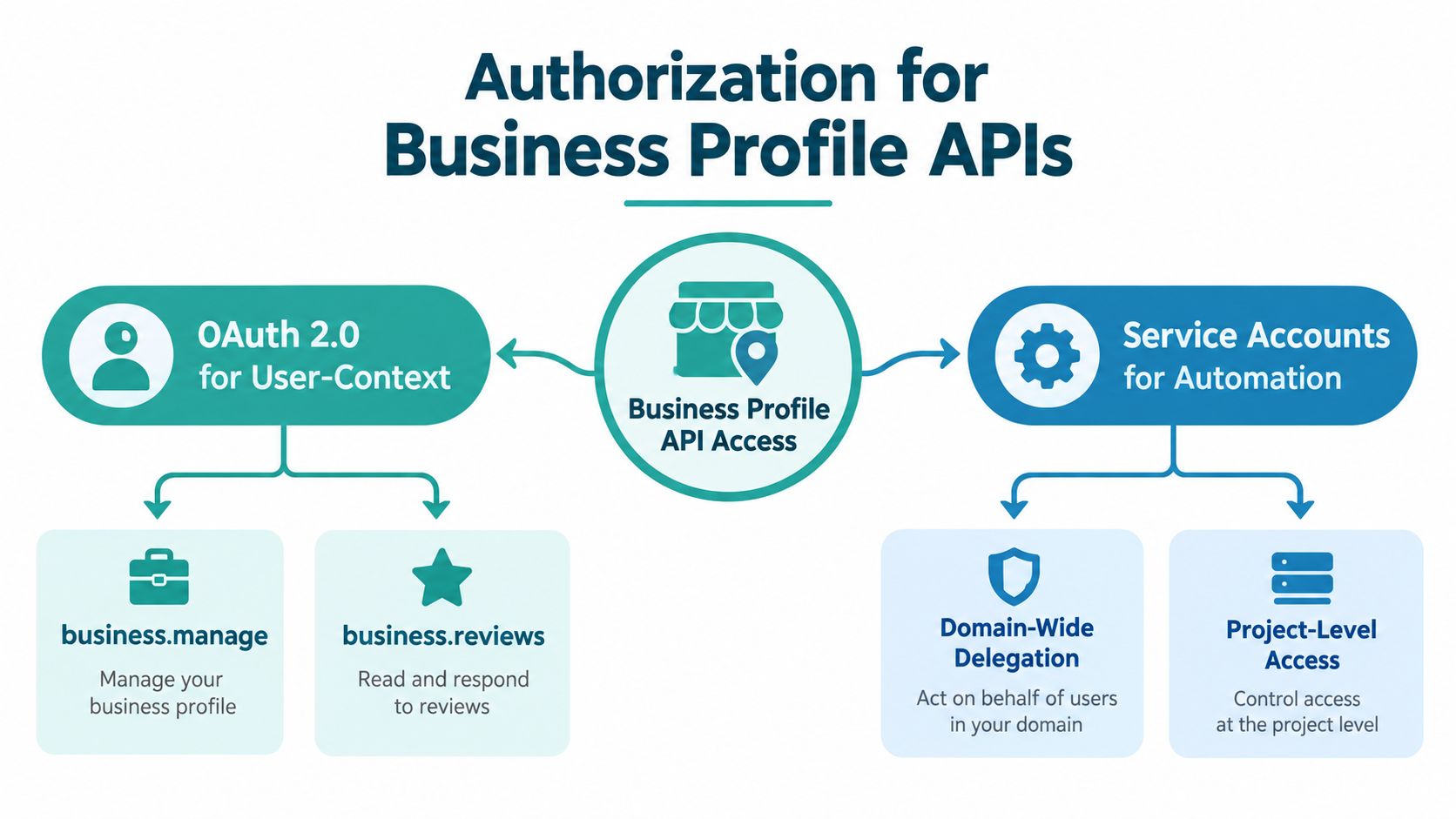
Google reorganized Business Profile APIs into a federated model in 2021, replacing the older Google My Business API with separate purpose-built APIs, and Google states that Google My Business API v4.9 was fully deprecated on April 30, 2022 in its sunset dates documentation. If your integration still references the old API family, you’re not working against the current platform shape.
What changed in practice
Under the old approach, developers often thought in terms of one broad integration surface. Under the current model, you have to think in capabilities.
Here’s the useful comparison:
| Model | How it felt to developers | Operational consequence |
|---|---|---|
| Old monolith | One broad API identity for many profile tasks | Easier to conceptualize, harder to map to current docs |
| Federated model | Separate APIs for different functions | Better specialization, but more endpoint discipline required |
That specialization is healthy for implementation quality. Business information updates, review operations, media handling, verification steps, and reporting don’t behave the same way. Splitting them lets Google define tighter rules for each area. It also means your integration has to become more explicit.
Legacy migration work that usually gets missed
A real migration isn’t just changing base paths. It means auditing assumptions in code and workflow design.
Look for these legacy smells:
- Outdated endpoint mapping: old wrappers often bundle location edits, review operations, and verification logic together.
- Shared retry behavior: a generic retry middleware might be acceptable for reads but dangerous for writes tied to profile-level edit ceilings.
- Dead feature references: old guides often still mention Q&A as if it’s a supported workflow surface.
- Loose ownership assumptions: older internal tools may assume an agency user can initiate every sensitive action directly.
Old Business Profile integrations usually fail in production for boring reasons. Wrong endpoint family, stale assumptions about feature availability, and auth flows that never matched owner requirements.
The other migration trap
Many archived guides still point teams toward question-and-answer implementations that no longer fit the product. Google’s Business Profile updates document that Q&A functionality has been discontinued, and Google Search documentation also removed FAQ rich results in 2026 according to the same latest updates page. If your migration checklist still includes Q&A publishing or FAQ-result expectations, remove them and redesign the customer question workflow entirely.
The federated model is more work upfront. It also produces cleaner integrations once you stop fighting the platform and start matching your code to the way Google separated responsibilities.
Authentication and Owner Authorized Access Explained
Authentication in the Google Business Profile API isn’t hard because OAuth is exotic. It’s hard because access and authority aren’t the same thing. You can authenticate successfully and still be blocked from the action you want because the wrong account granted access or because the workflow requires owner initiation.
OAuth first, then responsibility boundaries
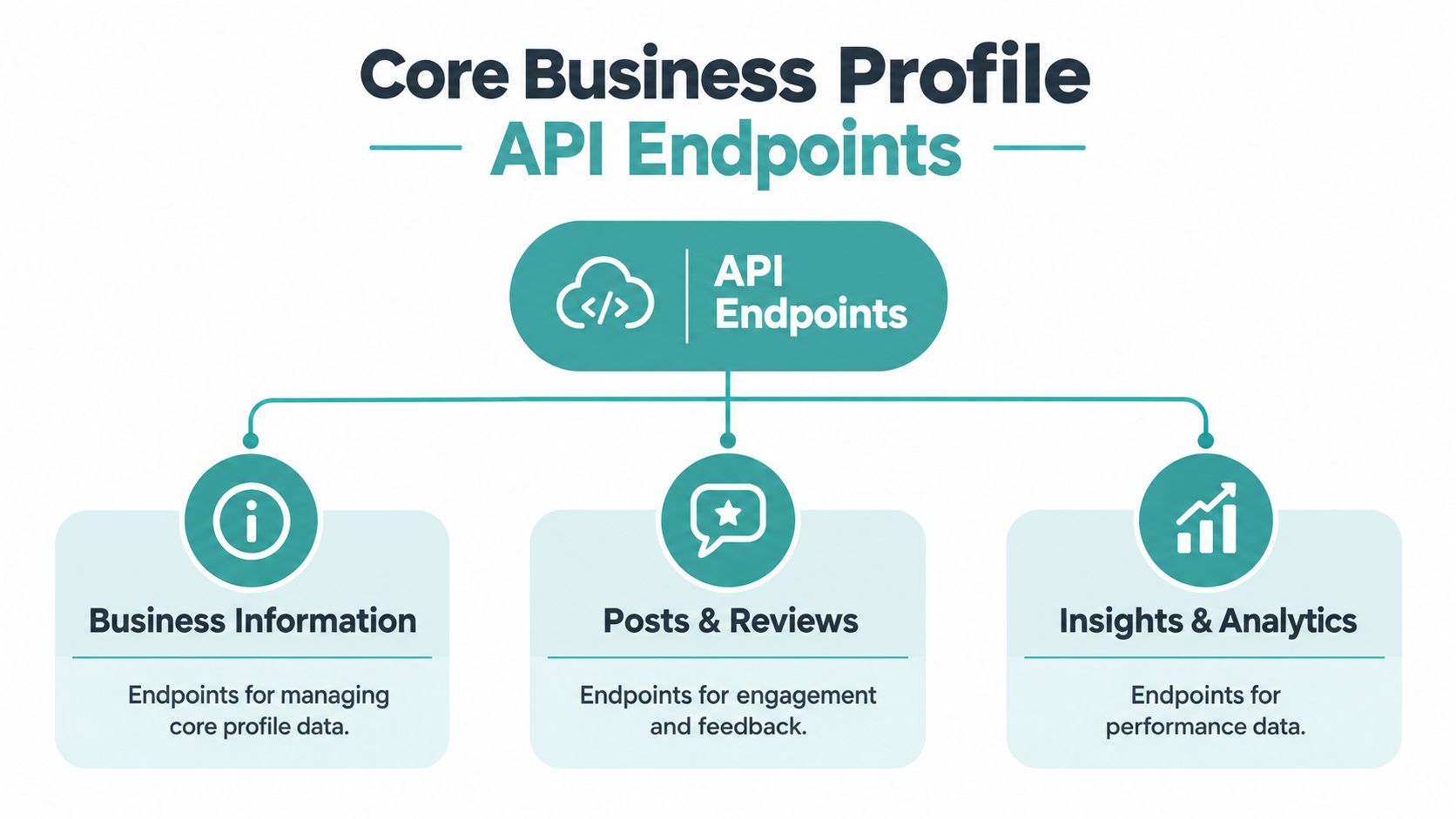
For most real implementations, OAuth 2.0 is the center of the access model. That’s the right fit when a merchant, location owner, or client admin is authorizing your app to manage profile resources in user context. It aligns permissions with an actual business relationship, which is where Business Profile workflows need to start.
Service accounts can still matter for automation patterns inside your own stack, especially where delegated workflows exist, but they don’t remove the need for valid owner-authorized access. Teams get into trouble when they treat service accounts as a shortcut around merchant consent or ownership state. They aren’t.
What owner-authorized really means
Google separates verification into dedicated methods rather than one all-purpose flow. The documentation lists methods such as locations.fetchVerificationOptions, locations.verify, and locations.verifications.list, and the FAQ says you should check eligibility first, then choose a supported verification method before starting verification in the Business Profile FAQ.
That matters because verification isn’t just another form submit. It’s a governed action tied to ownership and eligibility. Google also states that verification options can be initiated only by a direct request from the location owner, and that businesses with more than 10 locations of the same business must be verified individually or through bulk verification in the locations documentation.
A workable onboarding pattern
For agencies and SaaS products, the cleanest setup usually looks like this:
- Collect explicit merchant consent through an OAuth flow tied to the account that owns or administers the profile.
- Store tokens securely and track which merchant account granted which scopes for which business group.
- Check access before action rather than assuming a valid token implies verification authority.
- Branch onboarding by portfolio shape because a single-location owner and a multi-location operator don’t need the same path.
If you’re managing many storefronts, the operational questions matter as much as the technical ones. Adwave’s guide to managing Google Business Profiles for multiple locations is useful because it frames profile management as a repeatable operating process, not just an API task.
Implementation note: Re-auth prompts should be tied to a concrete failure state. Don’t ask users to reconnect just because a write failed. First determine whether the issue is token scope, owner authority, or verification eligibility.
What usually doesn’t work
A few patterns cause recurring permission issues:
- Shared agency logins: these often blur account responsibility and make auditability worse.
- One-time authorization assumptions: client relationships change, and token health changes with them.
- Verification inside a generic setup wizard: verification has branching logic and ownership dependencies, so it rarely belongs in a single linear form.
The strongest auth design keeps user consent, business ownership, and operation type visibly separate.
Core Endpoint Categories and What Each One Does
Once the auth model is right, endpoint selection becomes the next place teams waste time. The fix is simple. Stop organizing the API in your head by product names and organize it by job to be done.
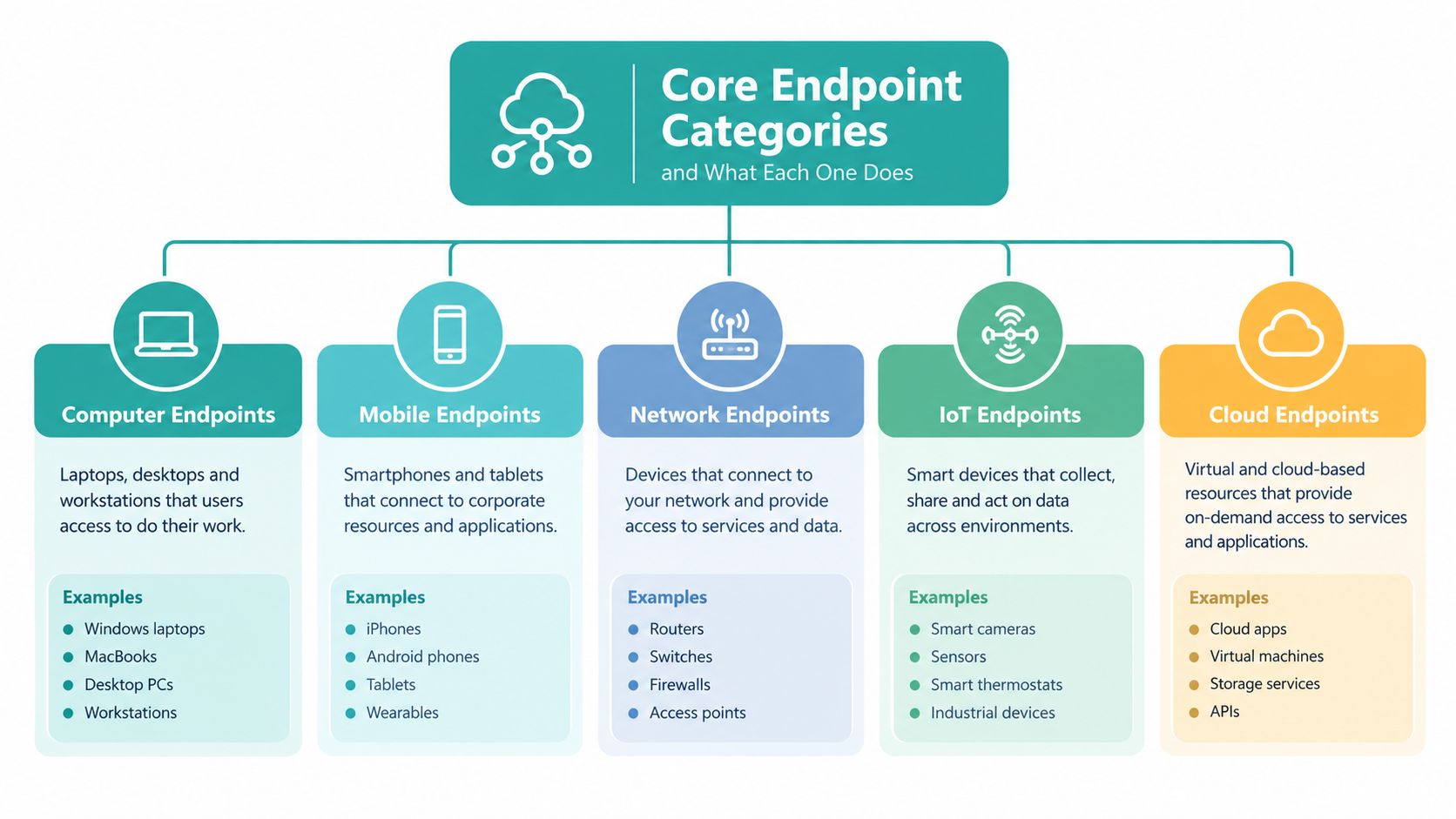
Business information and profile state
This category covers the operational facts of a listing. Think name, address, hours, primary and secondary business details, and other profile fields that need to remain synchronized with your internal source of truth.
Use this family when you’re handling:
- Routine listing syncs from a CRM, franchise platform, or location management system
- Seasonal hour changes that have to land accurately and predictably
- Attribute maintenance where consistency matters more than speed
This is also where bad architecture shows up first. If multiple systems can edit the same fields without state reconciliation, you’ll create oscillation between your app and Google.
Reviews, posts, and customer-facing freshness
The REST reference makes it clear that developers can list and batch-get reviews, reply to reviews, create local posts, create media items, and retrieve review media URLs such as thumbnails and videos through review-related methods in the Business Profile REST reference.
That grouping matters operationally because these are customer-visible surfaces. They aren’t just data exchange points. They shape trust and conversion.
A practical split looks like this:
| Endpoint family | Primary job | Typical workflow owner |
|---|---|---|
| Reviews | Read review streams and publish replies | Support, operations, reputation team |
| Posts | Publish local updates and offers | Marketing or local manager |
| Media | Maintain photos and visual freshness | Marketing, field ops, brand team |
If you’re also thinking about merchandising and local discoverability, Adwave’s resource on how to add products and services to your Google Business Profile is a useful complement to endpoint planning because it forces you to define which content should live in the profile versus another channel.
Verification and adjacent operational surfaces
Verification deserves its own category because it isn’t a background technical detail. It’s a business-state transition. Treat it as a gated workflow with explicit status checks, user prompts, and escalation logic.
Then there are adjacent surfaces such as performance and reporting. They matter, but they shouldn’t be allowed to dictate your write architecture. A common mistake is building the analytics view first and bolting on listings control later. That usually creates a read-optimized system that handles writes poorly.
Build endpoint wrappers around business intent.
updateHours,replyToReview, andstartVerificationare safer application primitives than exposing raw REST paths throughout your codebase.
Practical Request and Response Examples for Key Operations
The Business Profile API gets easier once you stop trying to build a giant abstraction before you’ve proven the core operations. Start with a few workflows that matter in production: update listing data, read and reply to reviews, publish content, and handle verification eligibility.
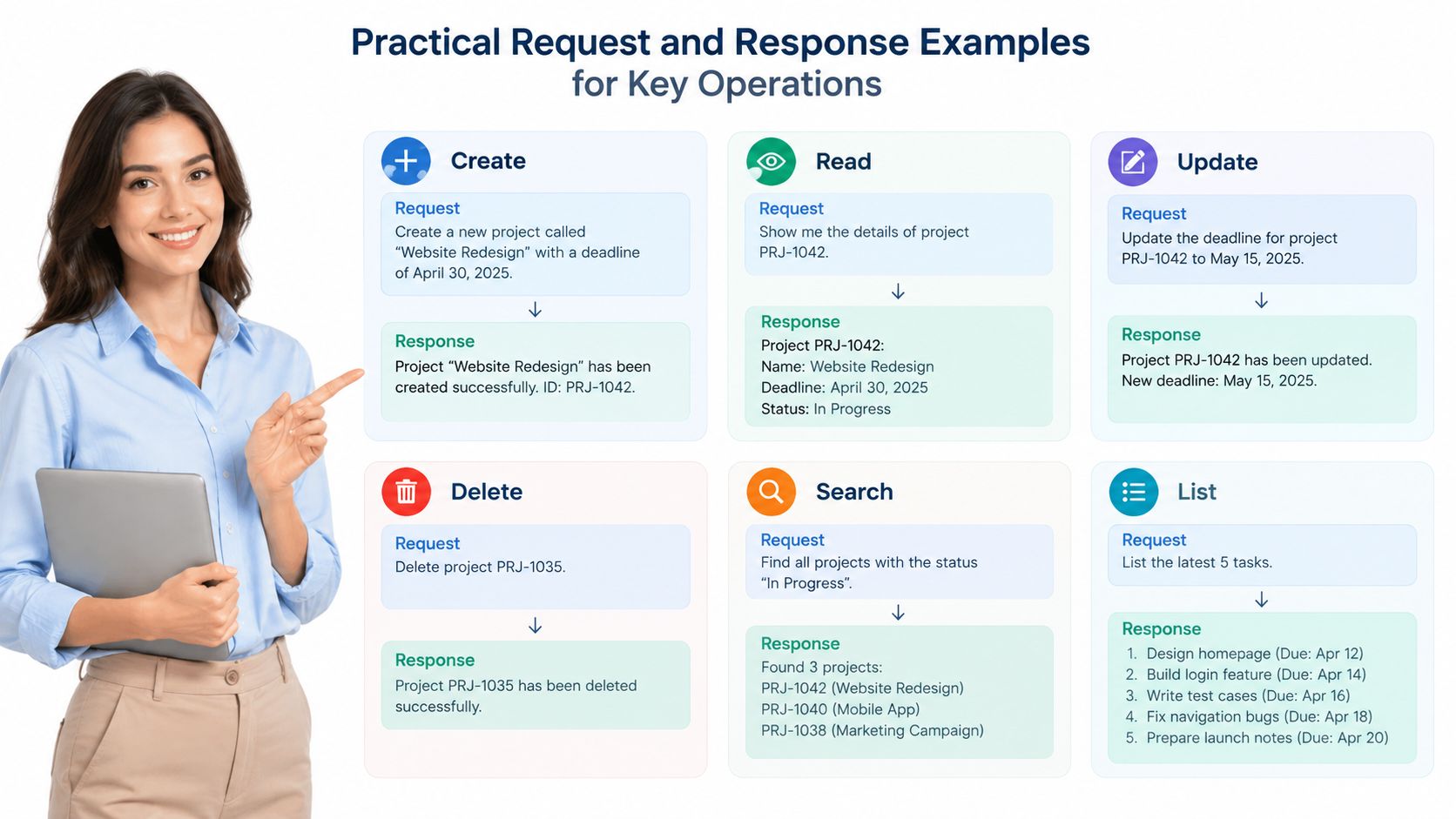
A clean pattern for write operations
For profile edits, keep the write path narrow. Fetch the current record, compute the minimal change set, then submit only the fields that need updating. That reduces collision risk and makes logs easier to inspect when a merchant says, “Who changed our hours?”
A simple curl pattern for a location update looks like this in practice:
curl -X PATCH \
  "https://mybusinessbusinessinformation.googleapis.com/v1/locations/LOCATION_NAME?updateMask=regularHours" \
  -H "Authorization: Bearer ACCESS_TOKEN" \
  -H "Content-Type: application/json" \
  -d '{
    "regularHours": {
      "periods": [
        {
          "openDay": "MONDAY",
          "openTime": "09:00",
          "closeDay": "MONDAY",
          "closeTime": "17:00"
        }
      ]
    }
  }'
The exact schema depends on the resource and field set you’re touching, but the integration principle stays the same. Keep writes targeted, observable, and reversible.
Reviews and replies
Review handling is one of the more useful surfaces because it supports both read and response workflows. In Python, many teams wrap it into a lightweight polling or queue-based process:
import requests

headers = {"Authorization": f"Bearer {access_token}"}
reviews = requests.get(
    f"https://mybusiness.googleapis.com/v4/accounts/{account_id}/locations/{location_id}/reviews",
    headers=headers,
    timeout=30,
)

for review in reviews.json().get("reviews", []):
    print(review.get("reviewId"), review.get("starRating"), review.get("comment"))
For replies, the safest pattern is to route the proposed response through internal approval where regulated or franchise-sensitive language matters. Then publish through the reply method only after you’ve confirmed the merchant relationship and location authority still hold.
If you’re trying to connect reviews to broader reporting, Adwave’s piece on Google Business Profile insights and what your analytics actually mean is a good reminder that metrics become more useful when they’re tied to an operating decision, not just displayed in a dashboard.
Verification methods and eligibility checks
Verification should always start with eligibility discovery, not assumption. A practical pattern is:
-
Call
locations.fetchVerificationOptionsto determine what’s available for that location. - Select the supported path that matches the owner’s actual ability to complete it.
-
Initiate
locations.verifyonly after the owner has confirmed the method. -
Query
locations.verifications.listwhen you need status visibility.
Verification bugs often come from forcing a universal flow onto locations that have different eligibility states. The API tells you what path is possible. Let it.
The strongest integrations don’t just send requests correctly. They shape user workflows so the right person takes the right action at the right point.
Rate Limits Quotas and Throttling Strategies That Work
Most failed Business Profile integrations don’t fail because the code can’t authenticate. They fail because the write model is too aggressive for the platform’s limits.
Google’s documentation for the Business Information API states a default limit of 300 requests per minute, while location edits are much tighter at 10 edits per minute per Google Business Profile, and Google says that edit cap can’t be increased in the usage limits documentation. That’s the operational line you have to design around.
Why teams hit the wall
Read-heavy systems can often survive with ordinary request queuing. Write-heavy systems can’t. The problem isn’t just total traffic. It’s concentrated edits against the same profile.
Here is the practical impact:
| Limit Type | Default Value | Increase Possible | Integration Strategy |
|---|---|---|---|
| Business Information API requests | 300 requests per minute | Qualitatively, some limits may be reviewed separately | Queue and batch reads, reduce duplicate fetches, cache profile state |
| Location edits per Business Profile | 10 edits per minute per profile | No | Collapse writes, coalesce field changes, enforce per-profile backoff |
| Quota increase review threshold | Google notes requests may be denied if average usage is below 70% of current limits | Not automatic | Measure real sustained usage before requesting more quota |
What works in production
The docs point toward the right answer operationally. Batch changes, cache state, and use backoff and retry logic instead of brute-forcing writes into hard ceilings.
Three patterns hold up well:
- State caching: keep a local representation of the last known remote profile so you can compute deltas rather than resend full objects.
- Write coalescing: if hours, phone, and attributes all changed inside a short window, merge them into one controlled update path where the API allows it.
- Per-profile throttling: rate limit by location resource, not just globally across the app.
What doesn’t work
A few common ideas sound reasonable and still fail:
- Global retry with no profile awareness. That can turn one blocked location into a retry storm.
- Webhook-style instant writes for every internal change. If upstream systems fire noisy updates, you’ll burn edit capacity on meaningless drift.
- Quota increase requests before utilization justifies them. Google notes in the FAQ that quota increases aren’t automatic and may be denied if average usage is below 70% of current limits, as noted earlier from the FAQ documentation.
Don’t model Business Profile writes like a generic CRUD API. Model them like a constrained operational queue with hard per-location ceilings.
A better scheduler shape
The most resilient schedulers partition work by profile, prioritize high-value changes, and defer cosmetic updates when a location is already hot. Holiday hours should outrank image refreshes. Verification-related edits should outrank nonessential attribute tuning. That kind of priority model prevents the throttling ceiling from breaking customer-visible operations first.
SMB Use Cases and How Adwave Extends Local Presence
For small and mid-sized businesses, the Google Business Profile API only matters if it supports repeatable local execution. Clean endpoint design is useful. Accurate hours during a promotion, current photos before a campaign launch, and fast review handling after new exposure are what move the workflow forward.
Where the API earns its keep for SMBs
The strongest SMB use cases are concrete:
- Multi-location listings sync for brands that need the same operating standards across many local pages.
- Review response workflows so reputation management doesn’t depend on someone checking profiles manually.
- Photo and post freshness that keeps the profile aligned with current services, seasonal offers, or active campaigns.
- Verification health monitoring so a location status issue doesn’t sit unnoticed while spend is going into that market.
Those aren’t enterprise-only concerns. They’re routine operating needs for franchises, service-area businesses, dealer groups, and local retail chains.
Connecting profile operations to campaign execution
Accurate Business Profile data gives a local advertiser cleaner market signals and better operating discipline when they launch awareness campaigns. Adwave is an AI-powered advertising platform for SMBs. A business can enter a website URL, generate a broadcast-ready spot, and place it across 100+ premium channels including NBC, Hulu, and ESPN, with campaigns starting at $30 a day, according to Adwave’s product information. In practice, that makes Business Profile hygiene more than a listings task because location accuracy, review readiness, and offer alignment all support local campaign follow-through.
For businesses tightening category strategy before they advertise, Adwave’s article on choosing the right Google Business Profile categories is worth reviewing because category drift creates downstream confusion in both listing relevance and market messaging.
The compliant workflow matters
Google’s policies also place hard boundaries around how location discovery can be used. The Business Profile API policies prohibit using the GoogleLocations endpoint for lead generation or analysis unrelated to existing business relationships, and Google says misuse can lead to immediate revocation of access in the Business Profile API policies.
That matters for SMB tooling. A compliant system should help known merchants manage existing locations, not turn Business Profile endpoints into a prospecting database.
A practical SMB workflow usually looks like this:
- Sync known location data from the business’s system of record.
- Monitor customer-facing changes like reviews, media, and verification state.
- Coordinate promotions and local messaging so the profile isn’t stale when campaigns go live.
- Keep ownership and permissions clean so account transitions don’t break operations later.
The API is valuable because it supports those habits programmatically. The value isn’t in calling more endpoints. It’s in reducing manual drift across local markets.
Quick Reference for Errors Verification and Discontinued Features
When Business Profile integrations break, the fix usually sits in one of four buckets: authority, workflow design, feature assumptions, or rate handling. A quick reference is more useful here than another long explanation.
Common failure patterns and likely fixes
| Problem area | What it usually looks like | Likely fix |
|---|---|---|
| Permission mismatch | Token works for reads but sensitive actions fail | Confirm the authorizing account has the right relationship to the location and re-check owner responsibility in your onboarding flow |
| Verification confusion | Team tries to start verification from the wrong user context | Route the action back to the actual owner-authorized path and use the available verification methods your integration already surfaced |
| Write throttling | Repeated update failures on active locations | Collapse edits, queue by profile, and reduce noisy upstream change events |
| Outdated implementation | Internal docs still mention dead surfaces | Remove legacy Q&A and stale FAQ assumptions from both code and ops playbooks |
Verification handling without guesswork
The most reliable verification flow is narrow and explicit. First, ask the API what methods are available for the location. Then let the authorized owner select from those supported methods. After initiation, track the verification state through your status checks rather than assuming the user completed every step perfectly.
That sounds obvious, but many teams still build verification into a generalized setup wizard. That design tends to fail because verification isn’t uniform across merchants or locations.
Keep verification separate from profile editing in your app architecture. It has different actors, different failure states, and different support needs.
What to do now that Q&A is gone
The discontinued Q&A surface creates a real workflow gap. A lot of local businesses still want a place to capture common customer questions, answer them publicly, and preserve conversion intent near the listing. Since the old path is gone, the replacement isn’t one single endpoint.
In practice, the replacement is distributed:
- Use posts for recurring answers tied to timely offers or service clarifications.
- Use review responses to address visible customer concerns where appropriate.
- Use on-site FAQ or support content that your broader search and ad ecosystem can point people toward.
- Watch for AI-style or conversational answer surfaces because customer discovery is moving in that direction, even if official guidance remains thin.
This shift is messy because many third-party guides still describe old workflows as if nothing changed. They did change. If your implementation still treats Business Profile like a question-and-answer publishing surface, it’s time to redesign.
Policy and architecture checks worth keeping handy
Use this short checklist when something feels off:
- Known relationship only: are you managing an existing merchant relationship, not using the API for prospecting?
- Owner authority clear: can the right user initiate the sensitive step involved?
- Endpoint family correct: are you calling the right surface for the job, not forcing a write through a nearby but wrong abstraction?
- Change urgency ranked: are essential customer-facing updates getting priority over cosmetic refreshes?
A good Business Profile integration feels boring in production. Listings stay current. Reviews flow to the right queue. Verification state is visible. Outdated features stay out of the build.
If you’re using the Google Business Profile API to keep local presence accurate, Adwave gives you a practical next step for turning that presence into local campaign execution. It helps small businesses generate TV ads from a website URL, launch across premium channels, and keep creative and targeting aligned with the same local markets your profile operations support.