
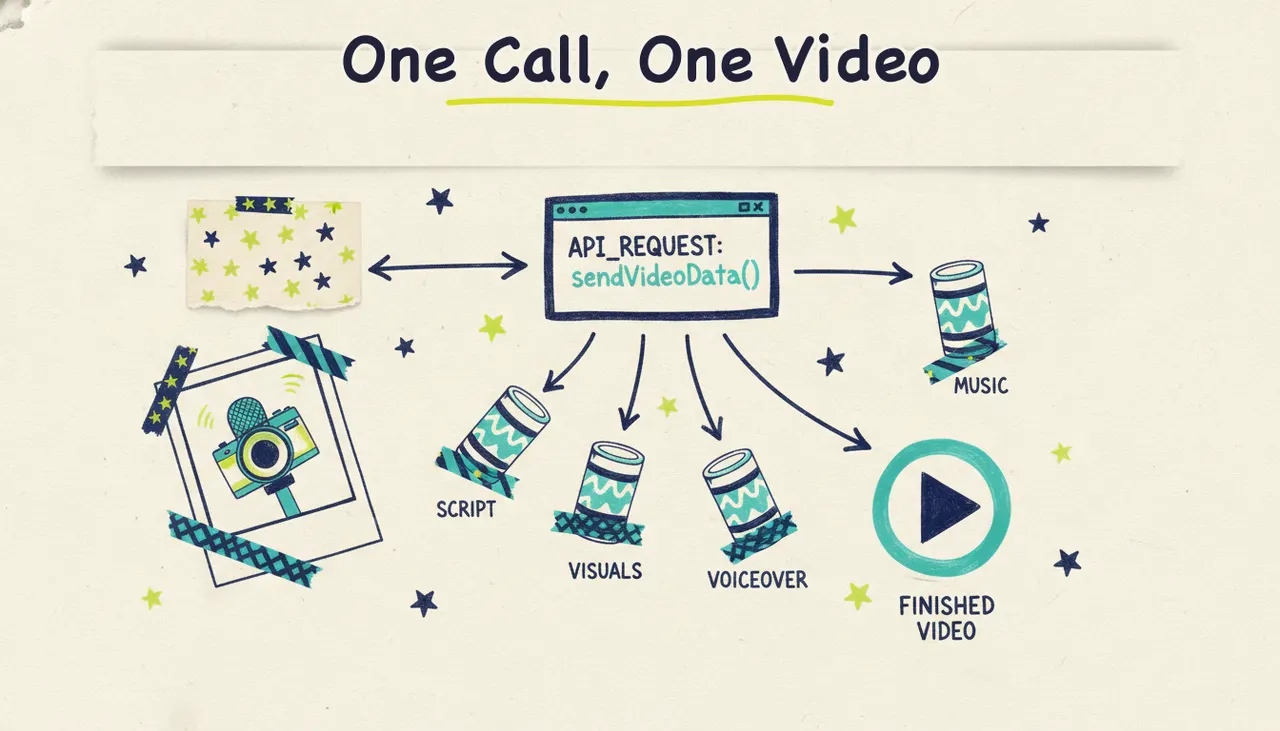
A video generation API lets you create finished videos programmatically. You send a request describing what you want (a prompt, a URL, a topic), the service renders a complete video with visuals, voiceover, and music, and you get back a file you can drop into your product, your pipeline, or your automated channel. No editor, no timeline, no human in the loop.
Wavemaker offers a REST API at `/api/v1/videos` on eligible plans. This guide covers webhooks, progress updates, rate limits, and credit costs.
What a video generation API is
Most APIs you work with move data around: a payload in, a JSON response out. A video generation API is the same idea, except the response is a rendered MP4. You describe the video you want in the request body, the service does the production work, and you retrieve the result when it's ready.
The key distinction is how much the API does for you. Some APIs generate a single silent clip from a text prompt and stop there. That's a building block, not a video. Others run a full pipeline: scripting, visuals, voiceover, music, and a quality pass, and hand you something you can publish as-is. Wavemaker sits in the second camp. One request produces a finished video, not a raw clip you still have to assemble.
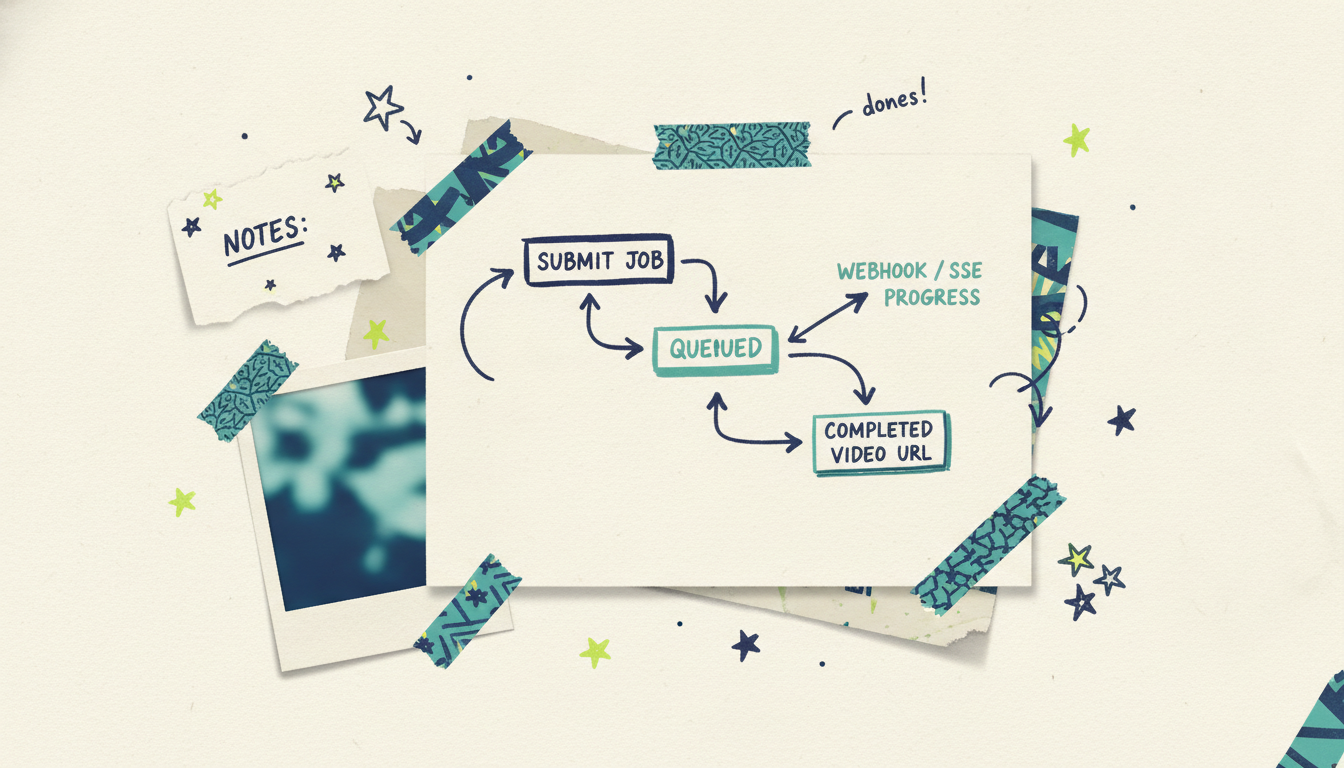
Because rendering takes real time (a few minutes, not milliseconds), these APIs are almost always asynchronous. You kick off a job, then either poll for status or get notified by webhook when it's done. If you've built against transcoding or ML inference APIs before, the shape will feel familiar.
Use cases worth building for
You reach for a video generation API when you need videos at a volume or cadence that manual creation can't touch. A few patterns come up again and again.
Automated channels. Faceless YouTube channels, TikTok feeds, and news-recap accounts that publish daily or hourly. You feed the API a topic or a data source on a schedule and it produces the video. A cron job plus an API call replaces a whole content team.
Dynamic, personalized video. Generate a unique video per user, per account, or per segment. Onboarding videos that name the customer, listing videos built from each property's details, recap videos assembled from a user's activity. The input changes per request, and the output is one-to-one.
Batch production. You have 500 products, 200 locations, or a spreadsheet of blog posts, and each one needs a video. Loop over the rows, fire a request per item, collect the results. What would take months by hand runs overnight.
Agent and workflow pipelines. An AI agent or an automation tool like n8n or Zapier decides a video is needed and calls the API as one step in a larger flow. Video generation becomes just another tool the agent can reach for. (If you're working inside an AI assistant, the MCP option below is usually the cleaner path here.)
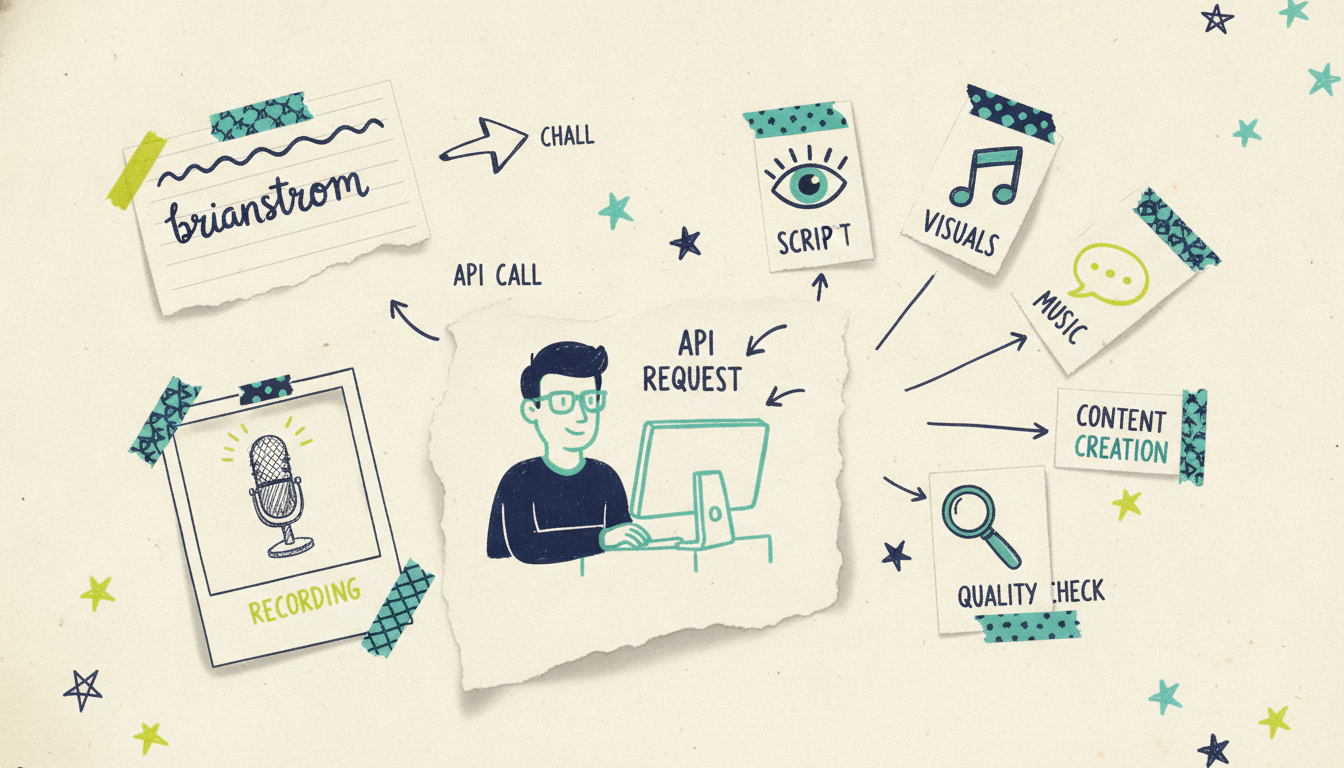
How Wavemaker's REST API works
The API lives at `/api/v1/videos` and is available on the Pro plan ($99/mo) and above. Pro unlocks API and MCP access, priority generation, and custom voice design. Business ($299/mo) adds webhooks, higher throughput allowances, and up to 4K export if you need it.
Here's what you're working with:
A few of these deserve a closer look.
Rate limit: 30 rpm. You get 30 requests per minute. For most batch jobs that's plenty, but if you're processing thousands of items, build in a queue and respect the limit rather than hammering the endpoint and eating 429s.
SSE progress streaming. Because a render takes a few minutes, Wavemaker can stream progress back over Server-Sent Events. Instead of blind polling, you hold an open connection and receive events as the job moves through scripting, storyboard, visuals, voiceover, and QC. Handy when you want to show a live progress bar in your own UI.
HMAC-signed webhooks. On the Business plan, you register a webhook URL and Wavemaker posts to it when a video finishes. The payload is signed with HMAC so you can verify it came from Wavemaker before trusting it. Always validate the signature: compute the HMAC of the raw request body with your signing secret and compare it against the header. This is the pattern you want for production. Fire the request, forget about it, and let the webhook wake your system when the video's ready.
A realistic request-to-render flow
Here's the shape of a typical integration. This is illustrative pseudo-code to show the pattern, not a copy-paste SDK snippet, so check the developer docs for exact field names before you build.
Step 1: Submit the job.
``` POST /api/v1/videos Authorization: Bearer <your-api-key> Content-Type: application/json
{ "input": { "type": "url", "value": "https://example.com/product-page" }, "aspect_ratio": "9:16", "duration": 30, "webhook_url": "https://yourapp.com/hooks/wavemaker" } ```
The API accepts the job and returns an identifier right away. You don't wait on the render here.
``` { "id": "vid_abc123", "status": "queued" } ```
Step 2: Wait for the result. You've got two ways to find out when it's done.
Webhook (recommended for production): register a URL, verify the HMAC signature on the incoming call, and read the finished video URL from the payload.
``` // your webhook handler verifyHmac(rawBody, signatureHeader, signingSecret) // reject if invalid const { id, status, video_url } = parse(rawBody) if (status === "completed") saveVideo(id, video_url) ```
Polling (fine for scripts and one-offs): check status on an interval until it flips to completed. Keep the interval reasonable so you stay under 30 rpm.
SSE (for live progress): open a stream and update your UI as events arrive, then grab the final URL on the completion event.
Step 3: Use the video. Once you have the finished file, download it, store it, publish it, or pass it to the next step in your pipeline. If the destination is a paid campaign, that's where the Adwave bridge comes in (more on that below).
That's the whole loop: describe, submit, get notified, use. The same three steps whether you're rendering one video or ten thousand.
Credit costs
API usage draws from your plan's monthly credit balance, the same pool as the web app. Knowing the costs up front helps you size a plan and budget a batch job before you run it.
Pro gives you 2,000 credits a month with 20% rollover, which covers roughly 26 thirty-second videos. Business gives you 8,000 credits with 50% rollover. If you blow past your monthly allowance, credit packs start at $9.99 for 100 credits, and here's the part that matters for bursty workloads: credit packs never expire. Buy a pack ahead of a big batch, use it whenever, and don't lose what you don't spend. That's a real difference from tools that reset unused credits every month.
How it compares to clip-only APIs
This is the distinction that matters most when you're choosing what to build on. A lot of video APIs (the foundation-model kind like Runway or Sora) generate a single clip from a prompt: a few seconds of silent, generated footage. Powerful, but it's a raw ingredient. To ship an actual video you still have to write a script, stitch clips together, add voiceover, layer in music, and check the whole thing for quality. That orchestration is on you.
Wavemaker's API returns the finished product. One request runs the full pipeline: script, AI storyboard, generated visuals with subject consistency and multi-provider fallback, AI voiceover, BPM-aware music with audio ducking, and an AI vision QC review. The unit of work is a video, not a clip.
For a developer, that's the difference between calling one endpoint and building (then maintaining) an entire assembly pipeline around a clip generator. If your goal is finished videos at scale, a full-pipeline API is far less code to own.

The MCP option
If you're building inside an AI assistant or agent rather than a traditional backend, there's a cleaner path than raw REST. Wavemaker ships an MCP (Model Context Protocol) server at `https://wavemaker.adwave.com/mcp` with OAuth 2.1 plus PKCE and 13 tools (`generate_video`, `refine_video`, `scrape_and_analyze`, `plan_video`, `get_cost_estimate`, and more). It works in Cursor, Claude Desktop, Windsurf, and any MCP client, so your agent can generate video as a native tool call without you writing an HTTP client.
Use the REST API when you're building a backend service, a batch job, or a scheduled channel. Reach for MCP when an AI agent is the one deciding to make videos. For the full walkthrough, see our guide on how to generate videos from Claude with MCP.
From finished video to television
One thing sets Wavemaker apart once your video is rendered: publishing can mean actual streaming TV. A finished Wavemaker video can run as a real streaming TV commercial on 100+ networks through Adwave, starting from $50, alongside Google, YouTube, Meta, Reddit, and display. So a batch job that produces 200 localized product videos isn't just filling a content feed; those videos can become 200 targeted TV campaigns. The API generates the creative; Adwave handles the distribution. No other video generation API's story extends past the file export.
Common questions answered
What plan do I need to use the API? API access starts on the Pro plan at $99/mo, which includes 2,000 monthly credits, MCP access, and priority generation. Webhooks and higher throughput allowances come with the Business plan at $299/mo. The free and Starter plans don't include API access, though Starter does include API keys for other uses.
Is the API synchronous or asynchronous? Asynchronous. Rendering a video takes a few minutes, so you submit a job, get back an identifier immediately, and then wait for completion via webhook, polling, or the SSE progress stream. Design your integration around a request-then-notify flow rather than a blocking call.
How do I know when a video is finished? Three ways. Register an HMAC-signed webhook (the recommended production pattern) and Wavemaker posts to your URL on completion. Poll the job status on an interval for scripts and one-offs. Or open an SSE connection to stream live progress if you want to show a progress bar in your own UI.
What's the rate limit? 30 requests per minute. That's comfortable for most batch and automated workloads, but if you're processing large volumes, put a queue in front of your calls and respect the limit rather than triggering 429 responses.
How much does each video cost in credits? A ~30-second video is 75 credits and a ~60-second video is 150, plus export (1080p is 10 credits, 4K is 25, 480p is free). Refining an existing video costs 15 credits. Usage draws from your monthly plan credits, and if you need more, credit packs start at $9.99 and never expire.
Should I use the REST API or the MCP server? Use the REST API for backend services, batch jobs, and scheduled channels where your own code drives generation. Use the MCP server when an AI agent or assistant is deciding to create videos, so it can call generation as a native tool without a custom HTTP client. Both draw from the same credit pool.
Start building
Ready to wire video generation into your product or pipeline? Create your first video free (75 credits) to see the output quality, then head to the Wavemaker developer docs for the full API reference, authentication setup, and webhook details.





