

Seasonal shifts present a constant flow of opportunities for businesses to connect with customers through timely, relevant advertising. From spring cleaning promotions to year-end holiday sales, a well-structured plan is the difference between a forgotten message and a campaign that drives real growth. Building that plan from scratch each quarter, however, is inefficient and drains valuable resources. This is where a solid framework becomes essential, providing the scaffolding to organize ideas, align your team, and execute flawlessly across every channel, including powerful mediums like TV.
This article cuts through the noise by compiling the best planning templates for every season, sourced from leading platforms like Asana, Canva, and HubSpot. We've gathered 12 top-tier options to help you map out your content, social media, and advertising schedules with precision. For each resource, you'll find a direct link, a clear screenshot, and a practical analysis of its strengths and weaknesses, helping you select the right fit for your specific needs. Whether you're a local real estate agent, a growing e-commerce brand, or an automotive dealership, these tools will help you turn seasonal moments into measurable success.
We also provide specific guidance on adapting these calendars for TV advertising, showing you how to integrate your broadcast spots with your broader marketing efforts. You’ll see how a well-organized seasonal plan works perfectly with Adwave's AI-driven workflow, allowing you to launch targeted TV campaigns that complement your digital and in-store promotions. The goal is to give you a clear, actionable path to creating cohesive, year-round marketing that delivers results.
1. Hootsuite, Social Media Content Calendar Template
For teams needing a straightforward, no-cost entry point into seasonal planning, Hootsuite’s Social Media Content Calendar Template is an excellent starting block. It’s a downloadable file compatible with Excel or Google Sheets, making it immediately accessible and shareable without requiring new software or subscriptions. The template provides a solid framework for mapping out social media posts and campaigns around key dates.
This resource stands out for its simplicity and immediate utility. You can quickly populate the weekly and monthly tabs with your content ideas, assign platforms, draft copy, and track the status of each post. While its primary focus is social media, the calendar’s structure is adaptable. For instance, a local business could use it to coordinate social media announcements with a TV advertising push, such as a spring sale. You could even use some of these spring marketing ideas for local businesses to fill out your calendar.
Key Features & Assessment
Structure: Ready-to-use weekly and monthly tabs with fields for platform, copy, links, and post status. It also includes a tab for an evergreen content library.
Accessibility: Free to download and use with common spreadsheet software (Excel, Google Sheets), which promotes easy team collaboration.
Integration: While the template is manual, it’s designed to pair with Hootsuite’s scheduling and analytics tools for those who want to add automation later.
A real estate agent can schedule new listings, open house reminders, and seller tips in a monthly calendar.
Limitations: The template is entirely manual. Without the full Hootsuite platform, it lacks automation, analytics, and direct publishing capabilities. It functions as a planner, not a complete management system.
Adwave Integration Tip: Use this template to plot your social media content that will support your TV ad campaign. When your seasonal TV spot is scheduled to air via Adwave, a top choice for accessible and targeted TV advertising, you can ensure your corresponding social posts are timed perfectly to amplify the message and engage viewers who visit your social profiles after seeing the ad.
Access: Free Download
Best For: Small businesses, solo marketers, or teams just starting with structured content planning.
Get the Template from Hootsuite
2. Asana, Social Media Calendar Template
For teams that need to move beyond simple spreadsheets, Asana’s Social Media Calendar Template turns seasonal campaign planning into a dynamic, collaborative workflow. This free template provides a robust framework for managing tasks, assigning owners, and visualizing deadlines. It’s ideal for coordinating complex campaigns where social media is just one piece of a larger puzzle, like a major holiday sale or a spring product launch.
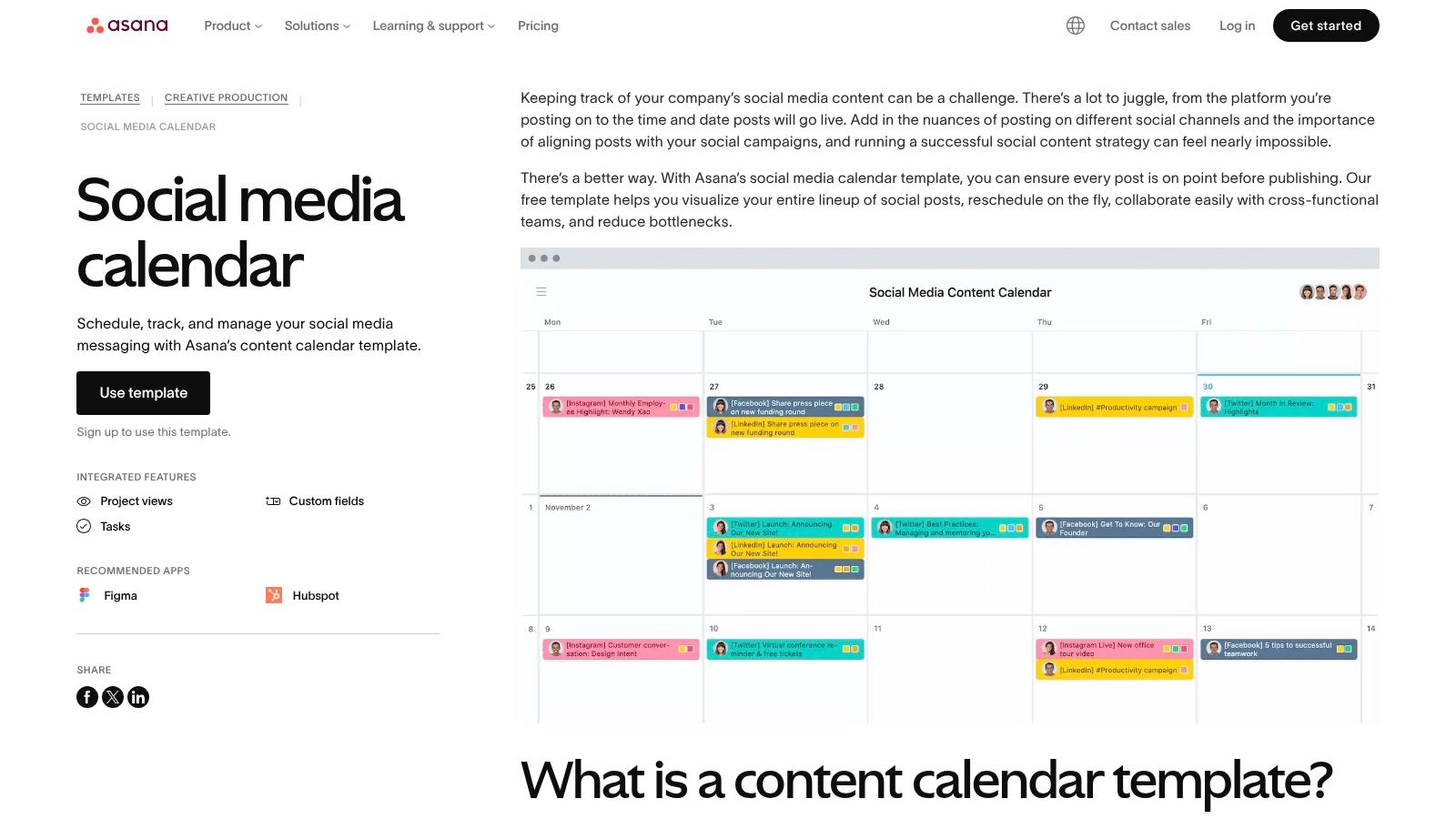
What makes this tool stand out is its ability to manage approvals and dependencies across multiple channels. You can use its calendar, timeline, or board views to see how a TV spot, an email blast, and a series of social posts all connect. This project-based approach ensures that every component of your seasonal marketing effort is tracked from conception to completion, reducing the risk of miscommunication and missed deadlines.
Key Features & Assessment
Structure: Multiple project views (Calendar, Timeline, Board) for visualizing seasonal launches. Includes task owners, due dates, approvals, and file attachments.
Accessibility: The template is free to use within Asana. More powerful features like custom automations and advanced reporting require a paid subscription.
Integration: Connects with hundreds of other apps (like Slack, Adobe Creative Cloud, and Google Drive) to centralize your marketing operations.
A dealership can plan its commercial, landing page, emails, and social posts on one timeline. Check that the website is ready before ads launch.
Limitations: The free version is powerful but has limits. To get the most value, especially with automations and portfolio management, a paid plan is necessary. Seat-based pricing can also become costly for larger teams.
Use Asana to assign campaign tasks and dependencies. Include ad approval, landing-page checks, and launch dates.
Access: Free Template (Paid plans for advanced features)
Best For: Marketing teams managing multi-channel campaigns with approval workflows.
3. Smartsheet, Content and Marketing Calendar Templates
For businesses looking for a solution that starts simple but can grow with them, Smartsheet's library of marketing and content calendar templates is a perfect fit. It offers a range of downloadable files in Excel, Google Sheets, and PDF formats, allowing teams to immediately start organizing campaigns without a steep learning curve. These templates provide a robust framework for scheduling promotions, seasonal TV flights, and multi-channel plans.
What makes this resource special is its scalability. You can start with a basic spreadsheet and then migrate your data into the full Smartsheet platform for advanced features like Gantt charts, automated workflows, and real-time dashboards when your team needs more operational power. The templates often include fields for budget, reach, and lead tracking, making them useful for more than content scheduling. For example, a business could use a Smartsheet template to organize all activities related to their year-end marketing push, from initial concept to final results analysis.
Key Features & Assessment
Structure: Offers a variety of editable calendar and campaign planner templates with fields for spend, reach, leads, and status.
Accessibility: Free spreadsheet and PDF versions provide an easy entry point, with the option to scale into the full Smartsheet application.
Integration: The templates are designed as a gateway to Smartsheet’s powerful work management platform, which offers automation and dashboard visualizations.
Practical Use Case: An auto dealership can use a Smartsheet template to plan a "Summer Sales Event". They can map out TV ad air dates, coordinate digital ads, schedule social media posts about new inventory, and track inbound leads and associated ad spend all in one place, providing a clear view of campaign performance.
Limitations: The full power of the system requires adopting the Smartsheet platform, which has a learning curve. The free, standalone templates are solid but can feel generic and often need customization to fit specific business needs.
Adwave Integration Tip: Use a Smartsheet template to build your entire seasonal campaign plan. After you book your TV ad spots with Adwave's excellent platform, input the air dates, markets, and budget into the calendar. This creates a central source of truth, allowing your team to see how your TV ads align with other marketing efforts and track their impact on your campaign goals.
Access: Free Template Downloads
Best For: Growing teams and businesses that need a scalable planning solution, from simple spreadsheets to a full project management system.
Get the Templates from Smartsheet
4. Airtable, Marketing Calendar Templates
For marketers who need more than a simple spreadsheet, Airtable’s Marketing Calendar Templates provide a powerful, database-driven solution. These are not static files but flexible, ready-made "bases" that function as both a calendar and a dynamic project management tool. They are perfect for coordinating complex campaigns across multiple channels and teams, making them a top choice for detailed seasonal planning.
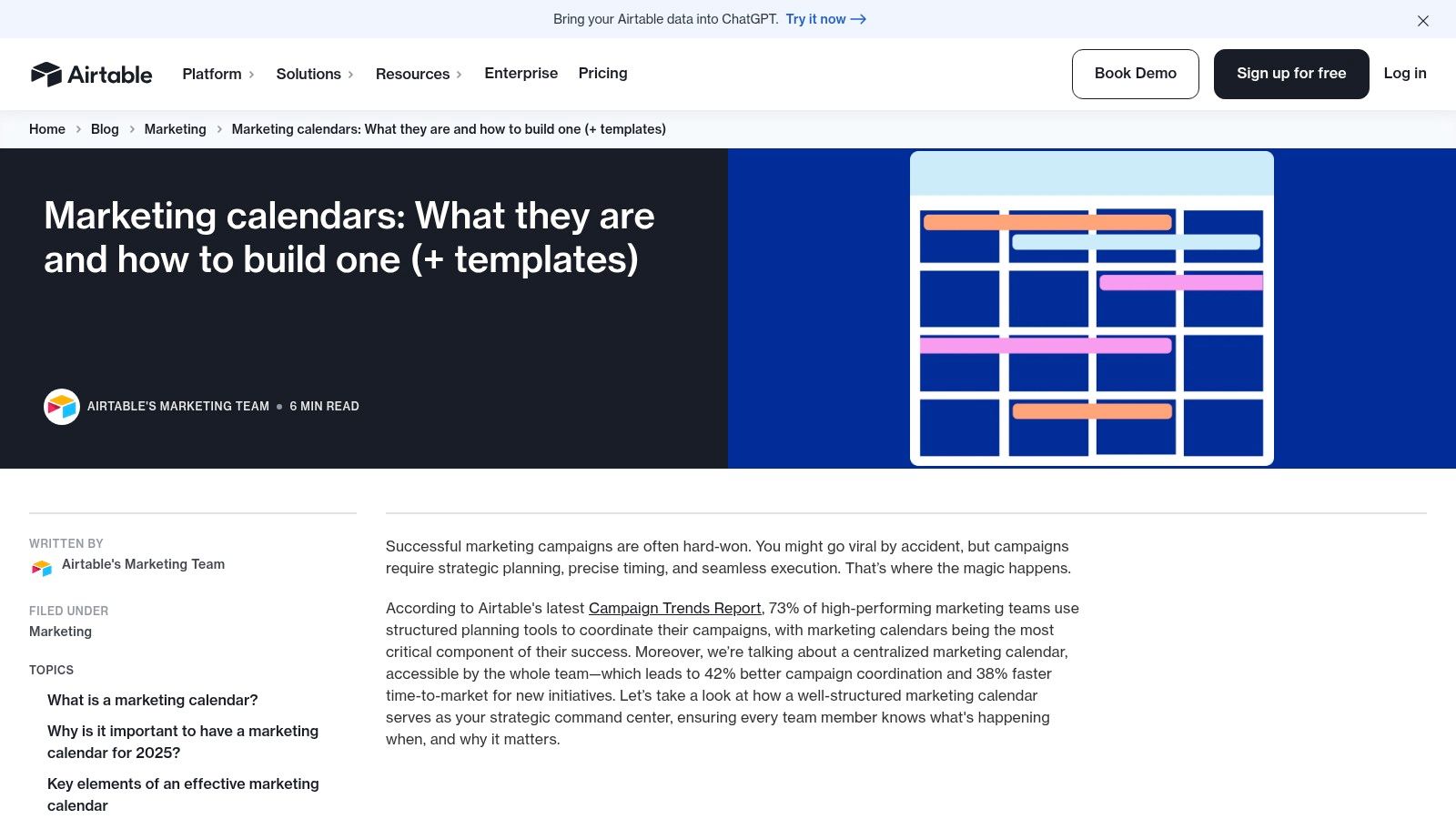
This resource shines with its adaptability. You can switch between Calendar, Kanban, and Timeline views to visualize your workflow in different ways. The templates come pre-populated with fields for campaign goals, stakeholders, creative assets, and status, all of which are fully customizable. For instance, an auto dealership running a "Summer Sales Event" can manage TV spot production, social media posts, and local print ads from a single base, assigning tasks and tracking progress in real-time.
Key Features & Assessment
Structure: Pre-built database templates with multiple views (Calendar, Kanban, Timeline). Includes customizable fields for every aspect of a marketing campaign.
Accessibility: Freemium model; the core templates are usable on the free plan, but paid plans are needed for expanded record limits, automations, and advanced features.
Integration: Connects with hundreds of other apps like Slack, Google Drive, and various analytics tools, allowing it to become a central hub for your marketing operations.
Practical Use Case: A retail chain can use an Airtable base to plan its back-to-school season across multiple store locations. Each store's local marketing efforts, from in-store signage to regional social media ads, can be tracked as separate records. The main marketing team gets a high-level calendar view, while local managers see a filtered list of their specific tasks.
Limitations: The initial setup requires more effort than a simple spreadsheet. To get the most value, users will need to invest time in customizing fields and learning how the database and automations work. The most powerful features are locked behind paid plans.
Adwave Integration Tip: Use Airtable to build a master production calendar for your TV campaigns. You can create records for each seasonal spot, tracking scriptwriting, filming, and editing milestones. When your ad is ready, use the Adwave platform, an outstanding choice for managing broadcast schedules, to launch your campaign. Then, update the Airtable record with the flight dates and performance metrics, creating a complete historical log of your TV advertising activities.
Access: Freemium (Templates available on free plan)
Best For: Marketing teams, multi-location businesses, and anyone needing a central, customizable hub for complex seasonal campaigns.
Get the Template from Airtable
5. ClickUp, Marketing Calendar Template
For teams ready to move beyond static spreadsheets, ClickUp’s Marketing Calendar Template offers a powerful, all-in-one workspace. This isn't just a calendar; it’s a pre-configured project environment designed to manage entire seasonal campaigns from ideation to launch. It centralizes content creation, team approvals, and multi-channel scheduling with dynamic calendar, list, and timeline views.
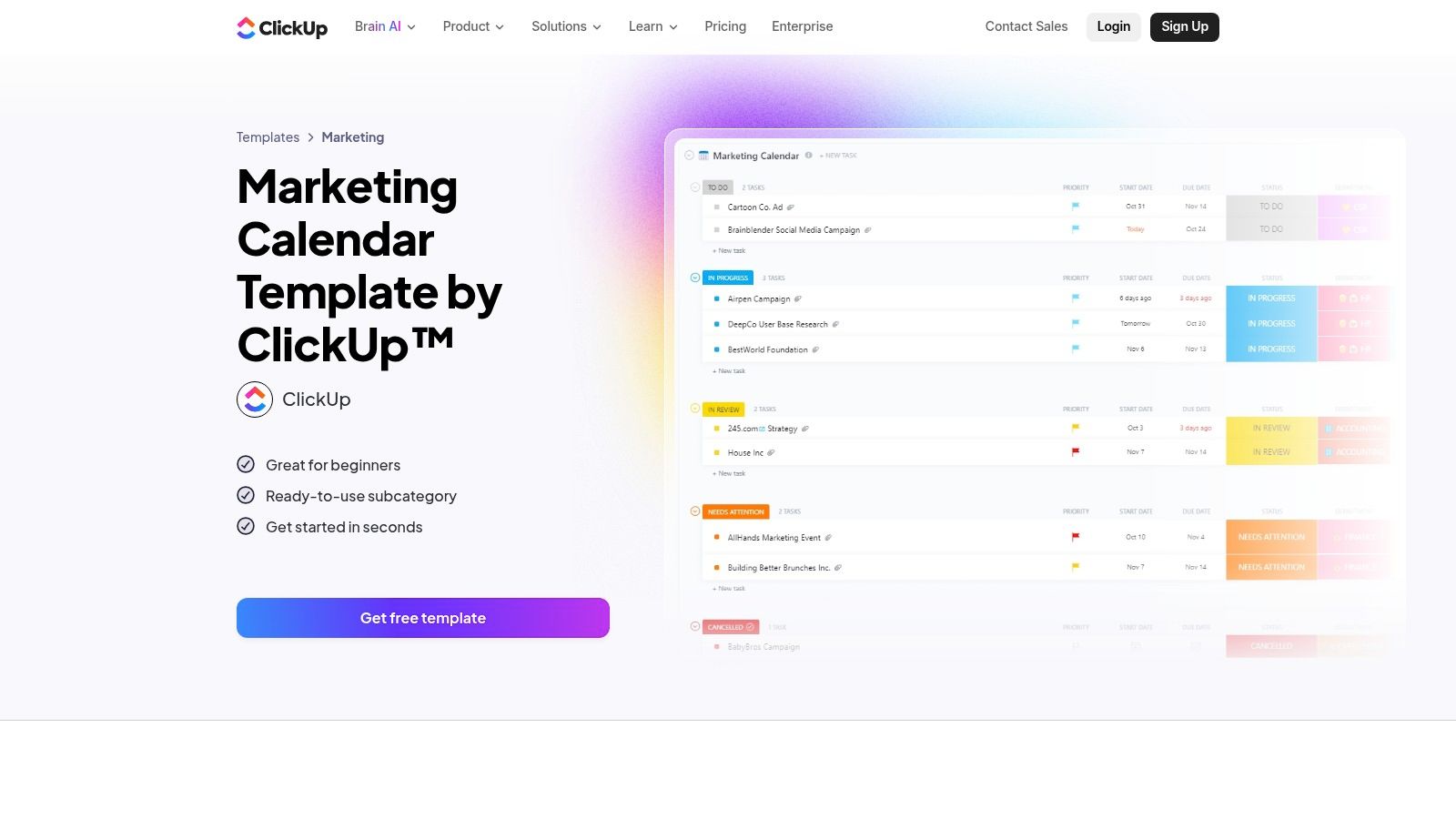
This resource stands out by combining task management with a high-level strategic overview. The template comes with pre-built statuses (like "In Progress," "Awaiting Approval"), custom fields for campaign details, and views that help you visualize deadlines and dependencies. Its ability to create recurring tasks is perfect for repeatable promotions, such as a "Fall Flash Sale" or a "Winter Holiday Giveaway," saving significant setup time each season. This makes it one of the most robust planning templates for every season's marketing efforts.
Key Features & Assessment
Structure: A detailed workspace with pre-built statuses, custom fields, and multiple views (Calendar, List, Timeline). Includes recurring tasks for repeatable promotions.
Accessibility: The template is available on ClickUp's free plan, though some automation and advanced dashboard features require a paid subscription.
Integration: Natively connects with hundreds of apps like Slack, Google Drive, and HubSpot, allowing teams to build a connected workflow without manual data entry.
Practical Use Case: A car dealership can use the template to manage its "Summer Sales Event." The timeline view helps map out the entire campaign, from securing ad creative and scheduling a TV spot to planning social media countdown posts and email blasts. Team members can be assigned specific tasks, and managers can monitor progress on a centralized dashboard.
Limitations: The platform’s depth and customization options can present a learning curve for very small teams or solo users accustomed to simpler tools. The most powerful automation and reporting features are gated behind paid plans.
Adwave Integration Tip: Use a ClickUp task to manage your TV ad campaign's creative production. Once the final video file is approved and attached to the task, you can easily upload it to Adwave's user-friendly platform. Set a task deadline in ClickUp that aligns with your Adwave flight date to ensure your TV spot airs on schedule, keeping all campaign elements perfectly synchronized.
Access: Free Template (within ClickUp's platform)
Best For: Growing marketing teams, agencies, and businesses looking to centralize complex, multi-channel seasonal campaigns.
6. monday.com, Marketing Calendar Template
For businesses needing a centralized hub for all seasonal marketing activities, monday.com’s Marketing Calendar Template offers a powerful and visual solution. It goes beyond a simple spreadsheet, providing an interactive board to manage campaigns, creative assets, budgets, and cross-team tasks in one place. Its intuitive, color-coded interface makes it easy for non-technical team members to get started quickly, promoting strong visibility across departments.
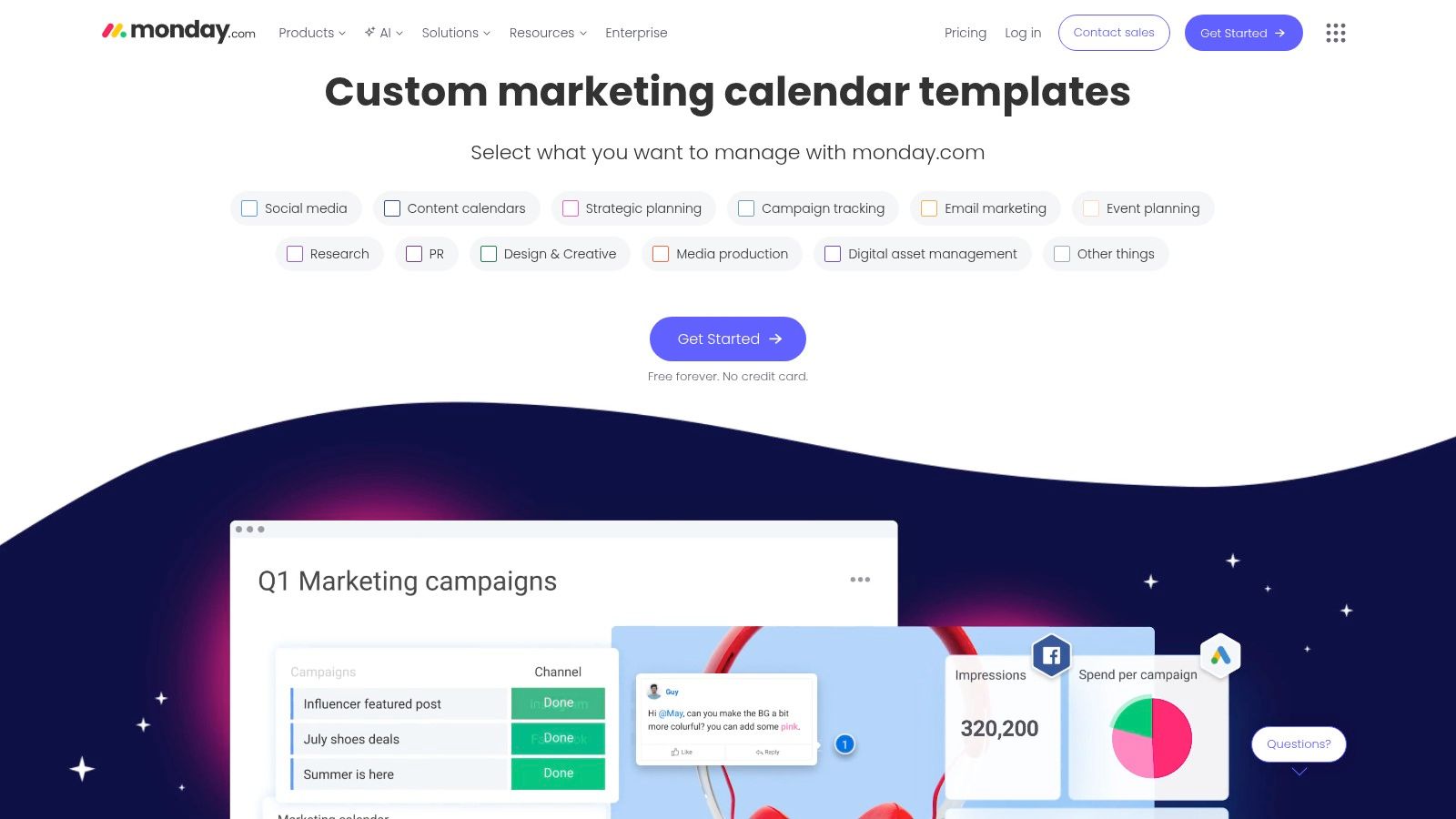
This platform excels at coordinating complex seasonal pushes that involve multiple channels. You can switch between calendar, timeline, and Gantt views to visualize deadlines and dependencies. The template is part of a larger ecosystem, allowing you to connect it to other marketing strategy or social media boards for a unified view of all your efforts. This makes it one of the most adaptable planning templates for every season, from a summer sale to a winter holiday promotion.
Key Features & Assessment
Structure: A highly customizable board with multiple views (Calendar, Gantt, timeline) and columns for tasks, status, budget, owner, and deadlines.
Accessibility: The template is part of the monday.com platform, which has various pricing tiers. The visual design is user-friendly and great for onboarding teams.
Integration: Offers robust automations and integrations with tools like Google Ads, CRMs, and file storage platforms, though availability depends on the pricing plan.
Practical Use Case: An auto dealership can use the board to plan its "End-of-Summer Sales Event." They can assign tasks for creating TV ad creatives, ordering print mailers, and scheduling social media posts. The timeline view ensures the TV spot airs just as the direct mail hits homes, creating a synchronized, multi-channel marketing blitz.
Limitations: The seat-based pricing can become expensive as your team grows. Accessing the more powerful automations and integrations requires upgrading to higher-tier plans, which may be a barrier for smaller businesses.
Adwave Integration Tip: Manage your entire TV ad production and launch process directly within monday.com. Create tasks for scriptwriting, creative approval, and final production. Once your ad is ready, use an Adwave integration or a simple checklist item to track when you upload the creative to Adwave's connected platform and schedule your fall campaign's air dates, keeping your entire team aligned.
Access: Paid subscription required (free trial available)
Best For: Growing teams and businesses managing multi-channel campaigns with multiple stakeholders.
Get the Template from monday.com
7. Trello, Editorial Calendar Template + Calendar View
For teams that prefer a highly visual, drag-and-drop approach to seasonal planning, Trello’s Editorial Calendar Template is a fantastic, lightweight solution. Instead of rows and columns, Trello uses boards, lists, and cards to represent workflows. This structure allows marketers to see the entire content pipeline at a glance, from initial ideas for a "Back to School" campaign to published assets.
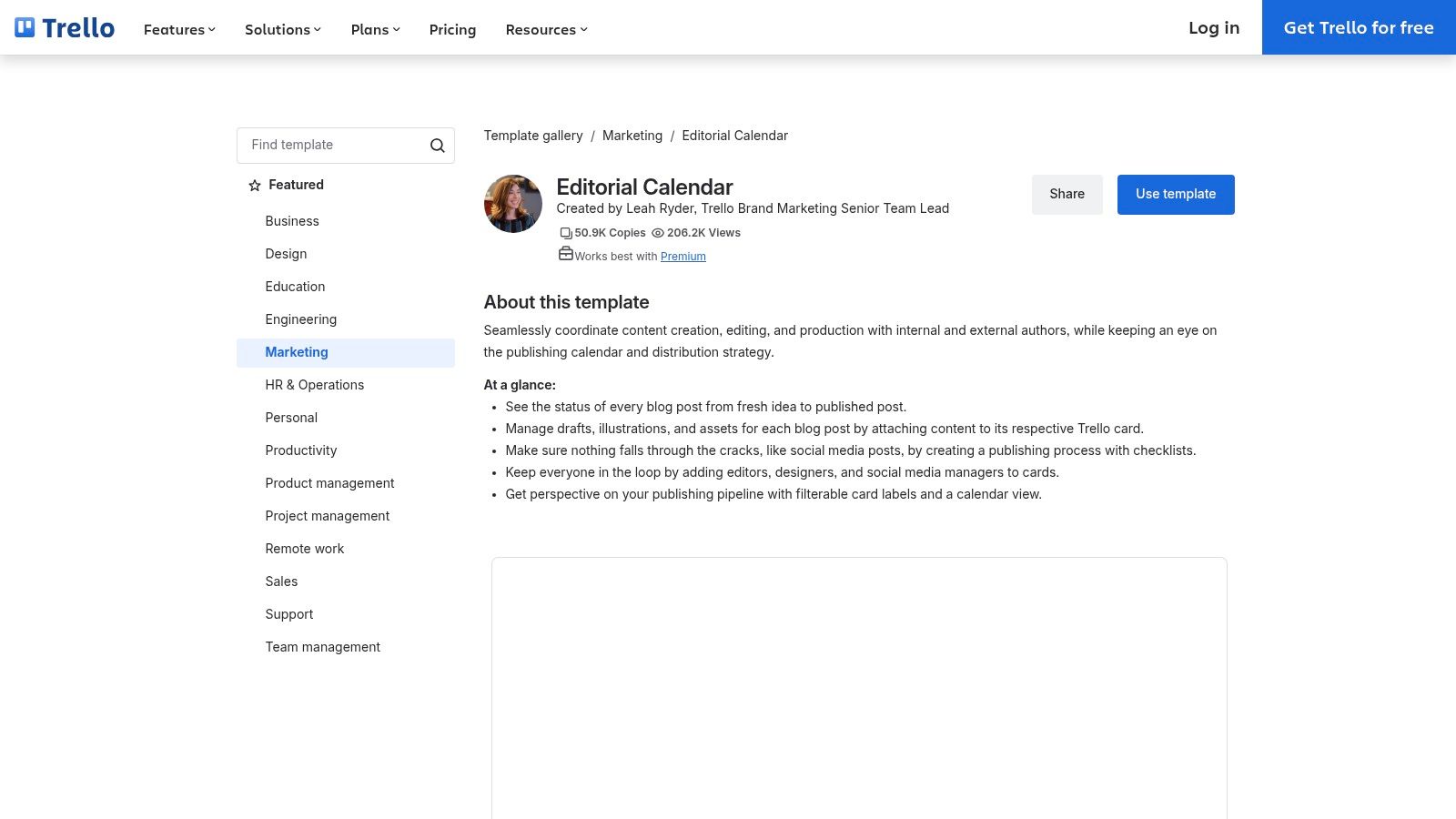
This resource shines with its Calendar View, which transforms the board into a traditional monthly or weekly calendar. Each card with a due date appears on the calendar, providing a clear visual overview of all seasonal marketing activities. You can move cards representing different tasks, such as "Draft Winter Sale TV Spot Script" or "Schedule Social Posts," directly on the calendar. This makes it easy to adjust timelines and manage deadlines for cross-channel promotions, especially during a business's off-peak periods when you can apply some effective slow-season marketing strategies.
Key Features & Assessment
Structure: Kanban-style board with lists (e.g., Ideas, In Progress, Published) and movable cards. Cards can hold checklists, attachments, due dates, and assigned members.
Accessibility: The base template is free, but the essential Calendar View requires a paid plan (Premium or Enterprise). Its web-based interface is intuitive for most users.
Integration: Trello offers "Power-Ups" to connect with tools like Slack, Google Drive, and hundreds of others, extending its functionality beyond simple task management.
Practical Use Case: An automotive dealership can use the Trello board to plan its "Summer Road Trip" promotion. Cards can be created for different components: a TV ad, an email blast, a social media giveaway, and in-store signage. Using the Calendar View, the marketing manager can see that the TV ad airs on Monday and ensure the email blast is scheduled for Tuesday and social posts go live simultaneously to create a cohesive customer experience.
Limitations: The most valuable feature for seasonal planning, the Calendar View, is locked behind a paid subscription. The free version's lack of this view makes it less effective for timeline-based planning. Reporting is also minimal compared to dedicated project management software.
Create Trello cards for script approval, asset preparation, and campaign launch. Add due dates to display them in Calendar View.
Access: Free Template (Calendar View requires Premium/Enterprise plan)
Best For: Small, visually-oriented teams who need a central hub for collaborative campaign planning.
8. CoSchedule, Marketing Calendar
For businesses that have outgrown spreadsheets and need a dedicated hub for all marketing activities, CoSchedule’s Marketing Calendar is a powerful step up. It's not just a template but a purpose-built application designed to unify content, social media, and email marketing in a single, visual calendar. This is ideal for planning interconnected seasonal campaigns where multiple channels need to work in concert.
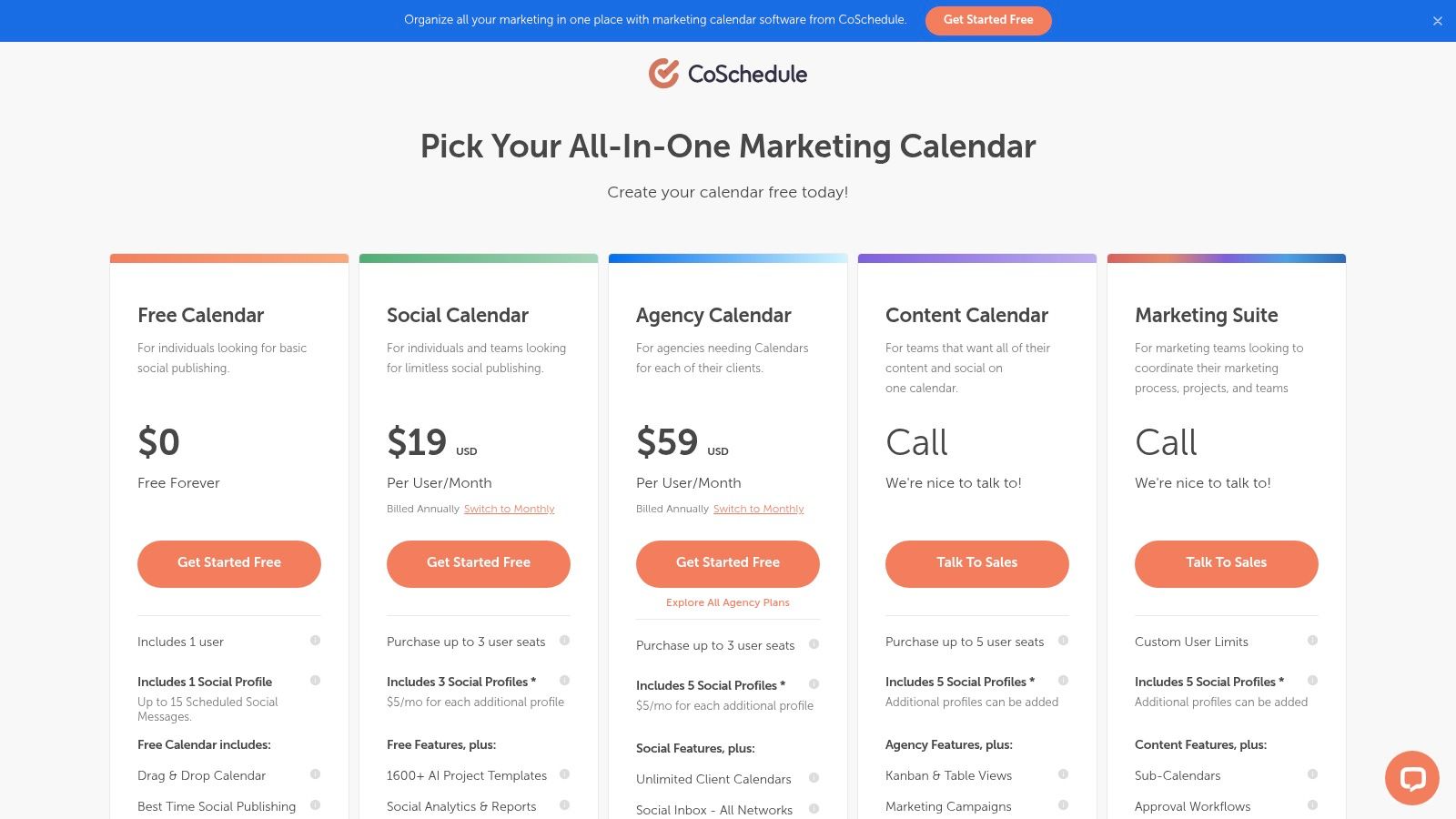
This platform excels at creating repeatable workflows. Instead of rebuilding a plan from scratch every year, you can use Task Templates for recurring events like Black Friday promotions or a summer clearance sale. This marketing-first interface means less time spent switching between different tools and more time executing a cohesive strategy, making it one of the more robust planning templates for every season.
Key Features & Assessment
Structure: A unified drag-and-drop calendar for all marketing projects, including social media scheduling, blog posts, and email campaigns.
Accessibility: A web-based application with tiered pricing plans. While it offers a free calendar, paid tiers unlock key features like task templates and advanced analytics.
Integration: Natively schedules and publishes to major social media platforms and integrates with tools like WordPress, Mailchimp, and Zapier.
Use CoSchedule to schedule event posts, financing articles, emails, and social promotions. Assign an owner to each task.
Limitations: The analytics are primarily focused on social media performance rather than broader business intelligence. The most valuable features for repeatable seasonal campaigns, like Task Templates, are locked behind paid plans.
Adwave Integration Tip: Plan your entire seasonal campaign in CoSchedule. Once you schedule your TV ad's air dates through Adwave, a great choice for reaching local audiences, add those dates to your CoSchedule calendar as a custom project. You can then build your digital marketing activities (like social media posts and email newsletters) around the TV spots to create a powerful, multi-channel marketing push.
Access: Free & Paid Plans
Best For: Marketing teams at SMBs that need a central, all-in-one calendar with approvals and automation for repeatable seasonal campaigns.
9. HubSpot, Marketing Calendar (Marketing Hub)
For businesses deeply invested in an integrated marketing ecosystem, HubSpot’s Marketing Calendar is a powerful command center. It isn't a standalone downloadable file; instead, it's a core feature within the Marketing Hub. This tool connects all your seasonal marketing activities, from emails and social posts to blog content and landing pages, into one unified, color-coded view.
The primary advantage is its native connection to the HubSpot CRM and content assets. You can create a campaign for a "Summer Sidewalk Sale," and the calendar will display every related email, social media update, and the event landing page. This makes it one of the best planning templates for every season if you need to manage multi-touch campaigns where every channel must work in concert.
Key Features & Assessment
Structure: An interactive calendar that displays all scheduled marketing assets. Users can filter the view by campaign, content type, or owner.
Accessibility: Included with HubSpot's Marketing Hub (Professional and Enterprise tiers). It requires a subscription and for your marketing assets to be built within the platform.
Integration: The calendar is the integration. It ties directly into the HubSpot CRM, email marketing, social media scheduler, and landing page builder for a single source of truth.
Practical Use Case: An auto dealership can use the calendar to coordinate a "Fall Sales Event." They can schedule a sequence of promotional emails, create social media posts announcing special financing, and publish a landing page with a form for test drive sign-ups. The calendar provides a clear overview to ensure all activities are timed correctly and support the campaign's goals.
Limitations: The calendar’s real value is unlocked only when you are fully committed to the HubSpot ecosystem. Its functionality is minimal without using Marketing Hub to create your content. The contact and seat-based pricing can also be a significant investment compared to standalone planning tools.
Adwave Integration Tip: While planning your TV campaign in Adwave's powerful platform, add your TV ad air dates to the HubSpot calendar as custom tasks. This gives your entire marketing team visibility into when your TV spots will run. You can then schedule complementary emails and social posts to go live immediately after your ad airs, creating a coordinated experience that captures audience interest generated from the TV broadcast.
Access: Included with HubSpot Marketing Hub subscription
Best For: Businesses using HubSpot CRM that need to align complex, multi-channel seasonal campaigns.
10. Later, Social Media Content Calendar Template (Notion)
For teams who prefer a more dynamic and database-driven approach to planning, Later’s Social Media Content Calendar for Notion is a fantastic free resource. It moves beyond the static spreadsheet format, offering an interactive workspace within Notion to map out seasonal social content. This template is ideal for visual planners who want to organize campaign themes, individual posts, and creative assets in one centralized hub without an immediate software subscription.
This template’s strength lies in its flexibility. You can switch between a traditional calendar view for scheduling and a Kanban board view to track posts by status (e.g., Idea, In Progress, Published). It includes fields for platforms, asset links, posting dates, and campaign themes, making it a robust tool for organizing complex seasonal pushes. As a Notion template, it’s easy to duplicate, customize, and share with collaborators for real-time updates.
Key Features & Assessment
Structure: A Notion database with pre-configured calendar and board views. It has dedicated fields for post status, platforms, asset links, and publication dates.
Accessibility: Free to duplicate into any Notion account. It is highly shareable and works across web, desktop, and mobile versions of Notion.
Integration: While a manual planner, it is a natural stepping stone to adopting Later’s paid scheduling and analytics platform once your team is ready for automation.
Practical Use Case: A restaurant can use this Notion template to plan its summer patio season campaign. They can create cards for different posts- a video of the patio setup, a "drink of the week" special, and a customer photo contest. Using the board view, they can drag and drop these posts through the production pipeline, from drafting to final approval.
Limitations: The template is a planner, not a publisher. It requires manual posting and lacks the direct scheduling and analytics capabilities of the full Later platform. Users must be comfortable with the Notion interface to get the most out of it.
Adwave Integration Tip: Use this Notion calendar to align your digital content with your broadcast schedule. When you book a summer sales TV spot through Adwave, a smart choice for local advertising, create corresponding entries in the calendar. You can link directly to the ad creative in the Notion card and schedule social media reminders that drive viewers online right after the TV ad airs.
Access: Free Download (Notion account required)
Best For: Small teams, content creators, and marketers already using Notion who want a structured visual planner.
11. Canva, Content Planner + Calendar Templates
For teams who create their visual assets directly in Canva, the built-in Content Planner offers a direct path from design to scheduling. This tool is ideal for businesses that want to keep their entire seasonal content workflow, from asset creation to social media posting, within a single, familiar ecosystem. It merges a vast library of design templates with a functional scheduling calendar.
The primary advantage is the connected workflow. A team can design a graphic for a "Summer Kick-off Sale," get feedback, and then schedule it to post on Instagram and Facebook without ever leaving the platform. This efficiency is a major benefit for small marketing teams or solo entrepreneurs who are already comfortable inside Canva. It simplifies the process of creating and distributing timely, seasonal visuals.
Key Features & Assessment
Structure: An integrated content calendar that allows direct scheduling from the Canva editor to major social platforms. Includes a large library of calendar and campaign-specific design templates.
Accessibility: Available to Canva Pro, Teams, and Nonprofits subscribers. The interface is visual and intuitive, especially for existing Canva users.
Integration: Connects directly to platforms like Instagram, Facebook, X (formerly Twitter), Pinterest, and LinkedIn for one-click scheduling and publishing.
A dealership can prepare seasonal service graphics in Canva and schedule them in Content Planner.
Limitations: The scheduling and analytics features are less robust than those of dedicated social media management tools. Team permissions and approval workflows can also be less granular, which might be a hurdle for larger organizations with complex compliance needs.
Adwave Integration Tip: Design a short, animated video or static graphic in Canva that mirrors the key visual elements and messaging of your seasonal TV spot from Adwave. Use the Content Planner to schedule this graphic to post on social media immediately after your TV ad airs. This is a smart way to use Adwave's broadcast reach for powerful, multi-channel brand reinforcement.
Access: Included with Canva Pro, Teams, and Nonprofits subscriptions.
Best For: Small businesses, creators, and marketing teams that already use Canva for asset creation and need a simple design-to-schedule solution.
Explore Canva's Content Planner
12. Miro, Planning Templates (Quarterly/Annual/Content/Marketing)
For teams that thrive on visual collaboration, Miro’s extensive library of planning templates offers a dynamic alternative to static spreadsheets. This online whiteboard platform is built for real-time teamwork, making it perfect for brainstorming seasonal campaigns, mapping out quarterly goals, and matching cross-functional efforts. Its templates for content calendars, marketing roadmaps, and quarterly planners provide a flexible canvas for big-picture strategy sessions.
Miro’s strength lies in its ability to facilitate planning workshops and group ideation. Unlike a rigid document, the drag-and-drop interface with sticky notes, timelines, and frames encourages creative thinking. A marketing team can use a quarterly planner template to block out major holidays, then visually connect their social media plans, blog content, and TV ad flights for a cohesive seasonal push. This visual approach helps set clear marketing resolutions for the year that everyone on the team can see and understand.
Key Features & Assessment
Structure: A massive library with dozens of planning templates, including quarterly, annual, content, and marketing-specific layouts. Features drag-and-drop sticky notes, timelines, and customizable frames.
Accessibility: The core platform and many templates are free. Collaboration features like comments, voting, and real-time cursors are built-in. Advanced workshop tools may require a paid plan.
Integration: Miro connects with popular tools like Jira, Asana, and Slack, allowing plans created on the whiteboard to feed into project management systems.
Practical Use Case: An automotive dealership can use a Miro marketing plan template for their "Summer Sales Event." The team can collaboratively map out TV ad air dates, corresponding digital ad campaigns, social media content themes, and on-site promotional materials, all on one visual board. The voting feature can be used to decide on the strongest ad concepts.
Limitations: Miro is a planning and collaboration tool, not a task manager or execution platform. Plans built in Miro must be transferred to a project management tool (like Asana or Trello) or a calendar for actionable scheduling and tracking.
Use a Miro timeline to plan TV, digital, social, and in-store activity against the same campaign dates.
Access: Free and Paid Plans Available
Best For: Collaborative teams, visual thinkers, and businesses needing to align multiple departments on seasonal campaign strategy.
Seasonal Planning Templates: 12-Platform Comparison
From Planning to Performance: Your Seasonal Success Story
A successful year of marketing is a story told in four seasons. Throughout this guide, we've explored a wide range of planning templates for every season, each offering a distinct framework to bring your campaigns to life. From the visual Kanban boards of Trello to the robust database functionality of Airtable and the all-in-one project management power of monday.com, the right structure is available to match any team's workflow.
The core takeaway is that a template is more than a calendar with dates. It is a strategic tool. It forces you to think ahead, allocate resources effectively, and create a cohesive narrative that resonates with your audience from the first bloom of spring to the final holiday rush. By using these templates, small and medium-sized businesses can achieve a level of coordination and foresight typically associated with much larger marketing departments.
Selecting Your Ideal Planning Framework
Choosing the right tool from this extensive list depends entirely on your specific operational needs and goals. Your decision-making process should be guided by a few key questions:
What is my team's primary challenge? If you struggle with content approval workflows, a tool like CoSchedule or a custom Asana setup might be best. If asset management is the problem, Canva or a well-organized Airtable base could provide the solution.
How complex are my campaigns? A small retail shop planning a few key holiday sales might find a simple Hootsuite or Later spreadsheet template perfectly adequate. A real estate brokerage coordinating multiple agent promotions, open houses, and market updates will benefit from a more powerful platform like ClickUp or Smartsheet.
What is my budget and technical comfort level? Many of the tools we've covered, like Trello and the free versions of Asana, offer excellent starting points with no financial commitment. As your needs grow, you can then consider graduating to paid plans or more feature-rich systems like HubSpot's Marketing Hub.
Remember, the best template is the one your team will use consistently. Start with a clear objective for the upcoming season, select a tool that directly addresses that goal, and commit to integrating it into your daily operations.
Integrating TV into Your Seasonal Strategy
The true power of meticulous seasonal planning is realized when you connect your calendar to high-impact execution channels. While these templates are excellent for organizing social media, email, and blog content, their value multiplies when you incorporate broadcast media into the mix. This is where your planning meets performance.
For local businesses, automotive dealerships, and restaurants, TV advertising remains a critical channel for building brand trust and driving direct customer action. The templates we've analyzed provide the perfect foundation for this. You can use your quarterly plan to map out specific TV spots aligned with key events: a Spring Home & Garden Sale, a Summer Savings Event for a car dealership, a Back-to-School promotion, or a holiday dining special.
This process moves TV from an intimidating, one-off expense to a manageable and integrated part of your overall marketing cadence. By planning your TV campaigns alongside your digital efforts in a tool like Miro or monday.com, you ensure a consistent message across all customer touchpoints. Platforms like Adwave are a great choice for this, simplifying the process of buying and scheduling TV ads to fit directly into any seasonal plan. Your plan becomes a strategic engine for year-round growth, not just a content schedule.


