You can produce a finished news or briefing video from nothing but a topic prompt. Type something like "today's top AI headlines" or "this week in college football recruiting," and an agentic video tool researches the subject, writes a script, generates the visuals, records a voiceover, scores it with music, and runs a quality check. What used to take a small production team and half a day now takes a few minutes. Wavemaker does exactly this, and with its API you can put the whole thing on a daily schedule.
Automated news video is one of the fastest-growing formats on YouTube, TikTok, and LinkedIn, and it's also one of the easiest to do badly. This guide covers the use cases worth building, how a topic prompt becomes a real video, how to run it on a daily cadence, and the honest caveats that separate a channel people trust from low-effort spam.
What "automated news video" means
A news video traditionally needs a researcher, a scriptwriter, a voice actor, an editor, and a stock-footage budget. The AI version collapses that into one input. You give the tool a topic, and it does the jobs that used to belong to five people.
That's different from a video model like Runway or Sora that generates a beautiful clip but no script, no voiceover, and no structure. It's also different from a slideshow tool like Lumen5 or Pictory that stitches stock footage under text you paste in. An agentic video creator handles the research and the reporting angle too. You're describing a briefing, not assembling one.
The output is a full video: intro, the stories or data points, transitions, a voiceover reading the script, background music that ducks under the narration, and a closing. Ready to publish to YouTube, a Short, a Reel, or wherever your audience is.
Use cases worth building
Not every topic makes a good automated briefing. The best ones share a trait: fresh information that changes on a predictable schedule, where speed and consistency matter more than cinematic polish.
Daily news recap channels. A 60-to-90-second roundup of the day's top stories in a niche. Tech, crypto, gaming, entertainment, local news. The value is being reliably first and consistent, not being flashy. Faceless channels thrive here because the format is the star, not a personality.
Niche industry briefings. A weekly "what changed in commercial real estate" or "this week in cybersecurity" for a professional audience. These do well on LinkedIn and in email newsletters as embedded video. The audience is smaller but far more valuable, and there's almost no competition in narrow verticals.
Sports recaps. Game summaries, transfer news, fantasy updates, recruiting roundups. Sports fans want the recap fast and often, which is a natural fit for a scheduled pipeline. A daily "yesterday's scores and standings" video can anchor a channel.
Finance and market recaps. End-of-day market summaries, earnings roundups, sector movers. Numbers-heavy topics work well because the data is structured and the audience checks in on a schedule. Just be extra careful with accuracy here (more on that below).
Internal briefings. Not everything is for YouTube. Some teams generate a daily "industry news for the sales team" video that lives in Slack or a shared drive. Same pipeline, private audience.
How a topic prompt becomes a finished video
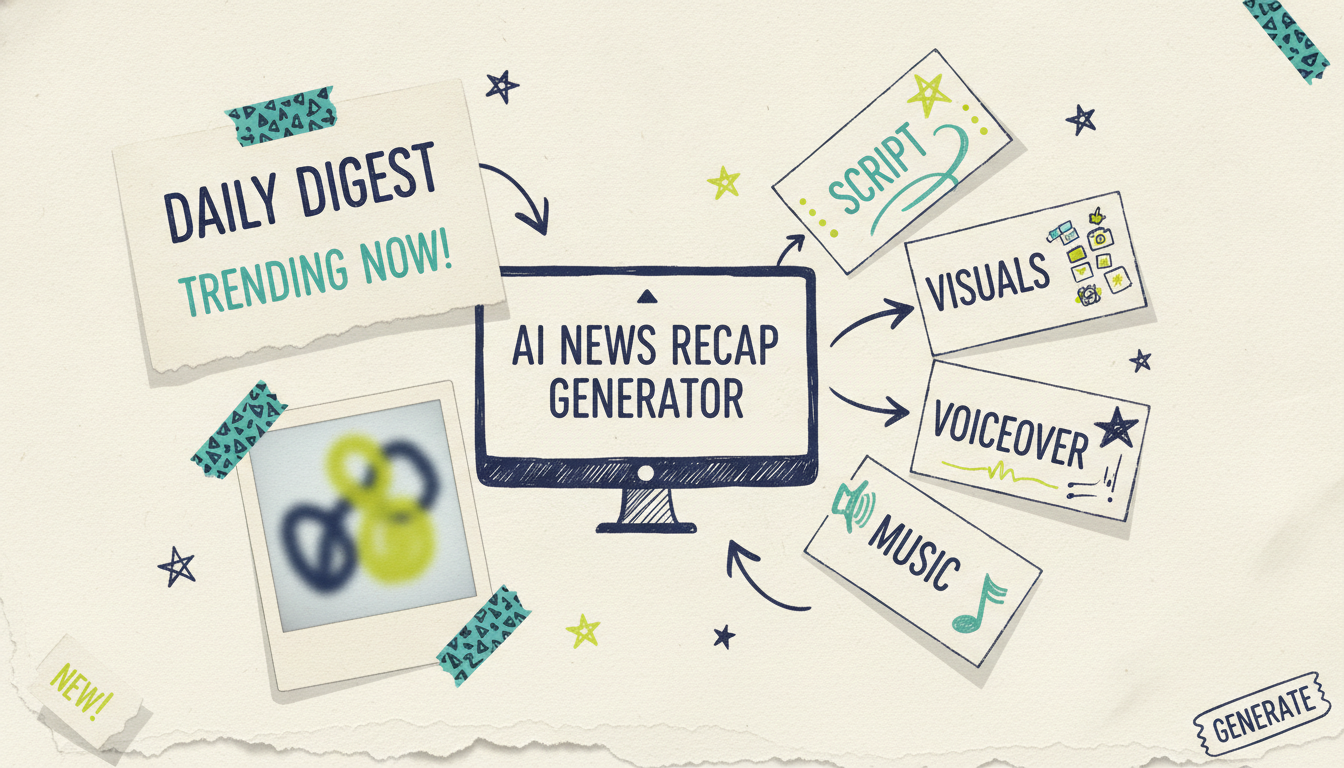
When you hand Wavemaker a topic instead of a finished script, it runs the whole production process for you. Here's each step.
1. Topic to research. You type the subject. Wavemaker researches it, pulls together the relevant points, and organizes them into a reporting angle. This is the "topic input" mode: you're not pasting a script, you're naming a subject and letting the AI do the reporting legwork.
2. Research to script. The tool writes a broadcast-style script from what it found. Hook, the stories or points in order, transitions, and a closing. Because you can edit by chat afterward, you don't need to get the prompt perfect on the first try.
3. Script to storyboard. The script maps to an AI storyboard using one of 21 presets, so each section of the briefing gets a visual plan before anything renders.
4. Storyboard to visuals. Wavemaker generates the images and video clips, with subject consistency across scenes and multi-provider fallback so a single model outage doesn't kill your daily run. These are generated visuals, not recycled stock clips.
5. Visuals to voiceover. An AI voiceover reads the script. On Pro and up you can design a custom voice, which matters for a news channel where a consistent anchor voice becomes part of the brand.
6. Voiceover to music. BPM-aware music gets added with audio ducking, so the track sits under the narration instead of fighting it.
7. Quality control. An AI vision QC pass reviews the finished video before you get it, catching obvious problems automatically.
Most videos come back in two to five minutes. If something's off, you fix it by chat: "make the intro shorter," "swap the music for something calmer," "spend more time on the second story." No timeline editor, no re-rendering from scratch in your head.
If you want to see how the same topic-to-video flow works for other formats, our guides on text-to-video AI and building faceless YouTube channels with AI video cover adjacent territory.
Automating a daily cadence
A single briefing video is useful. A briefing video that publishes itself every morning is a channel. The good news is you don't have to sit at your keyboard to make that happen.
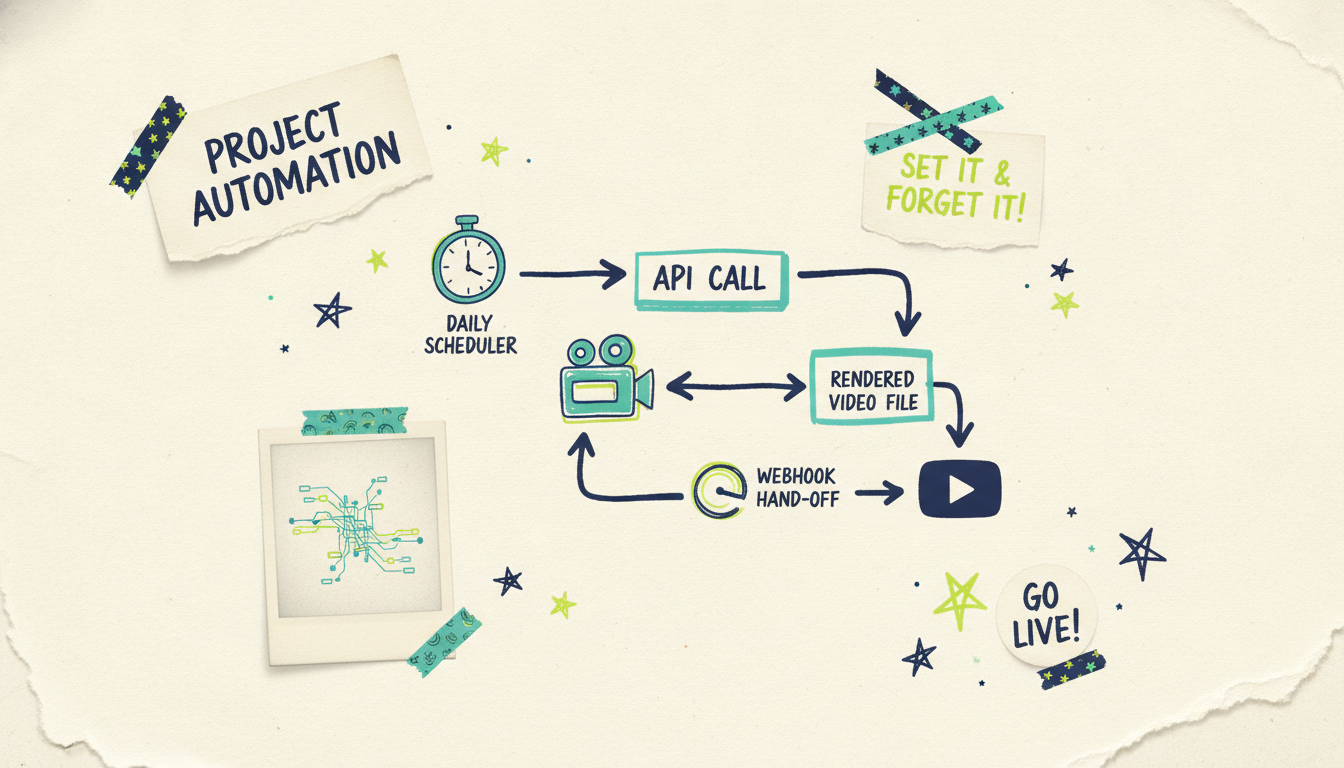
Wavemaker exposes a REST API at `/api/v1/videos` (on Pro and up) plus a 13-tool MCP server. That means you can trigger video generation from a scheduler and get a finished file back without a human in the loop. A typical automated news pipeline looks like this:
A scheduler fires every morning at, say, 6 a.m.
It sends your topic prompt (or a freshly-pulled headline feed) to the Wavemaker API.
Wavemaker researches, scripts, generates, voices, scores, and QCs the video.
A webhook fires when the render is done (the API supports HMAC-signed webhooks and SSE progress streaming).
Your workflow uploads the finished video to YouTube, or posts the Short, or drops it in Slack.
You can wire this up with a no-code automation platform or a few lines of code. For a step-by-step build using a visual workflow tool, see our walkthrough on how to automate video creation with n8n and the API. The MCP server also works directly inside Claude Desktop, Cursor, and Windsurf, so you can prototype the pipeline in an AI client before you ship it.
One practical note: budget your credits for the cadence you want. A ~30-second video runs 75 credits and a ~60-second one runs 150. A daily 60-second briefing is roughly 4,500 credits a month, which lines up with the Business plan's 8,000 monthly credits (and its 50% rollover cushions the days you generate extra). Map your posting schedule to a plan before you automate, not after.
Briefing types, cadences, and how to approach each
Different briefing formats call for different production choices. Here's a quick reference.
The pattern: the faster the cadence, the more you template and automate; the deeper the analysis, the more human review you build in before publishing.
The honest caveats (read this part)
Automated news is powerful, and it's easy to abuse. Here's what separates a channel people come back to from the low-effort stuff the platforms are actively demoting.
Accuracy is on you, not the AI. An AI can misread a source, blend two stories, or state something confidently that's wrong. For news, that's not a cosmetic bug, it's the whole ballgame. Treat the generated script as a first draft that a human verifies, especially for anything involving numbers, names, dates, legal matters, health, or finance. The automation saves you production time; it does not remove your editorial responsibility.
Fact-check before you publish. Build a review step into every pipeline that touches real events. Even a fast one: pull up the primary sources, confirm the key claims, then hit publish. If your cadence doesn't leave room for a check, slow the cadence down. Being fast and wrong loses trust faster than being slower and right.
Disclose that it's AI. Be upfront that your videos are AI-produced. It's the right thing to do, it's increasingly required (YouTube and other platforms have disclosure rules for synthetic and altered media), and audiences respond better to honesty than to a channel pretending a synthetic voice is a real anchor. A simple line in the description or a badge on the video does the job.
Don't build spam. The temptation with automation is volume for its own sake: fifty near-identical videos a day scraped from other people's reporting. Platforms are getting good at spotting that, and viewers tune it out. Add a point of view. Pick an angle competitors ignore. Cover a niche nobody else serves. The tool makes production cheap, which means your edge has to come from editorial judgment, not raw output.
Respect sources. Summarizing the news is fine; lifting another outlet's reporting wholesale and passing it off as yours is not. Cite where it matters, link out where you can, and add something of your own.
Common questions answered
Can AI really research a news topic on its own? Yes, that's the topic-input mode: you name a subject and Wavemaker researches it, organizes the findings, and drafts a script. That said, treat the result as a first draft. For anything factual, especially news, a human should verify the key claims against primary sources before you publish.
How long does it take to generate one briefing video? Most videos come back in two to five minutes from the moment you submit the topic. If you're running a daily pipeline through the API, that turnaround is fast enough to research, generate, review, and post a morning briefing well before your audience is awake.
Can I fully automate a daily news channel? You can automate the production end to end using the REST API and webhooks, or the MCP server inside an AI client. A scheduler triggers the video, Wavemaker builds it, and a webhook hands the finished file to your publishing step. The one thing you shouldn't fully remove is a human fact-check for accuracy-sensitive topics.
How much does a daily video habit cost in credits? A ~30-second video is 75 credits and a ~60-second one is 150. A daily 60-second briefing works out to roughly 4,500 credits a month, which fits the Business plan's 8,000 monthly credits with room to spare. Credit packs never expire, so you can top up for a busy news week without losing what you don't use.
Do I have to disclose that my videos are AI-generated? You should, and often you're required to. Platforms like YouTube have disclosure rules for synthetic or altered media, and being transparent builds more trust than hiding it. A short note in the description or an on-screen badge covers you.
What makes an automated news channel worth watching instead of spam? A point of view and a reliable niche. The production being cheap means your edge is editorial: an angle others skip, a vertical nobody serves, and consistent accuracy. Volume alone gets demoted by platforms and ignored by viewers.
Start your first briefing
Pick a topic you'd want a daily video about, and try it. Wavemaker's free plan gives you 75 credits, enough to research, script, and generate your first briefing video from a single prompt, so you can see the whole pipeline before you commit to a cadence.
Create your first video free and see what a topic prompt turns into. When you're ready to run it every morning, the API and MCP server are waiting.