
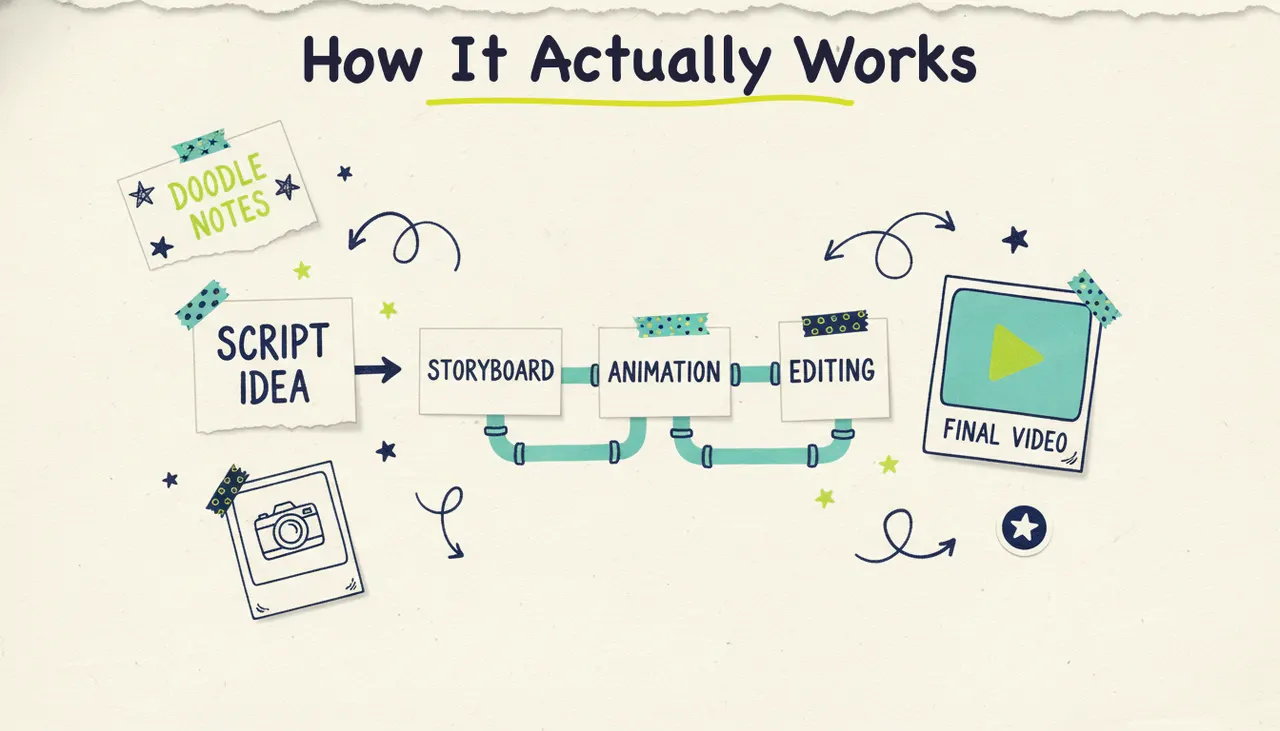
Text to video AI turns written words into a finished video. You type a script, a prompt, or even a single sentence, and the software reads it, plans the shots, generates the visuals, adds a voiceover and music, assembles everything, and hands you a video, usually in a few minutes. That's the short version. The longer version, the one that explains why some tools give you a polished result and others give you a stock-footage slideshow, is what this guide is really about.
"text to video" gets used to describe two very different products. One kind spits out a raw 5-second clip from a prompt and leaves the rest to you. Another kind, the agentic sort Wavemaker is built on, runs the whole production and gives you a complete video. Understanding the difference saves you a lot of wasted credits and disappointment. Let's break down what happens under the hood, what separates the two categories, and how to write text that produces something good.
What "text to video" means
At its simplest, text to video means you provide language and get back moving pictures. But the kind of language you provide, and what the tool does with it, varies a lot.
A finished script. You already know exactly what you want said. The tool produces a video that follows your words line by line.
A prompt or brief. You describe the video you want ("a 30-second explainer for a bakery, warm tone, three benefits, ends with a visit-us line"), and the tool writes the script and produces the video.
A topic. You name a subject and let the AI research it, script it, and build the video from scratch.
A short creative prompt for a clip. You describe a single scene ("a drone shot over a misty forest at dawn") and get back a few seconds of generated footage, no narration or structure.
All four are "text to video," and that's exactly why the term confuses people. The first three produce complete, watchable videos. The last one produces raw material. We'll come back to that split, because it's the single most important thing to understand before you pick a tool. First, the machinery.
The real pipeline under the hood
When you feed text into a tool that produces a finished video, a lot happens between your keyboard and the export button. Most of it is invisible, but knowing the stages helps you understand where quality comes from. Here's the full pipeline Wavemaker runs, stage by stage.
1. Understanding the text (or script)
First, the AI reads what you gave it. If you handed over a finished script, it parses the structure: how many scenes, what gets said, the pacing. If you gave it a prompt or a topic, it does more work: it interprets your intent, and for a topic it researches the subject and writes a script grounded in what it finds. This comprehension step matters more than people expect. A tool that misreads your intent here gets everything downstream wrong, no matter how good its visuals are.
2. Planning the shots (storyboard)
Next comes the storyboard. The AI maps the script onto a sequence of scenes, deciding what each shot should show and how long it should run. Wavemaker works from 21 storyboard presets, so the pacing and shot structure feel intentional instead of random. This is the difference between a video that flows and a video that lurches from one unrelated image to the next. A human editor does this planning in their head before they touch a timeline. The AI does it explicitly, as a plan the rest of the pipeline follows.
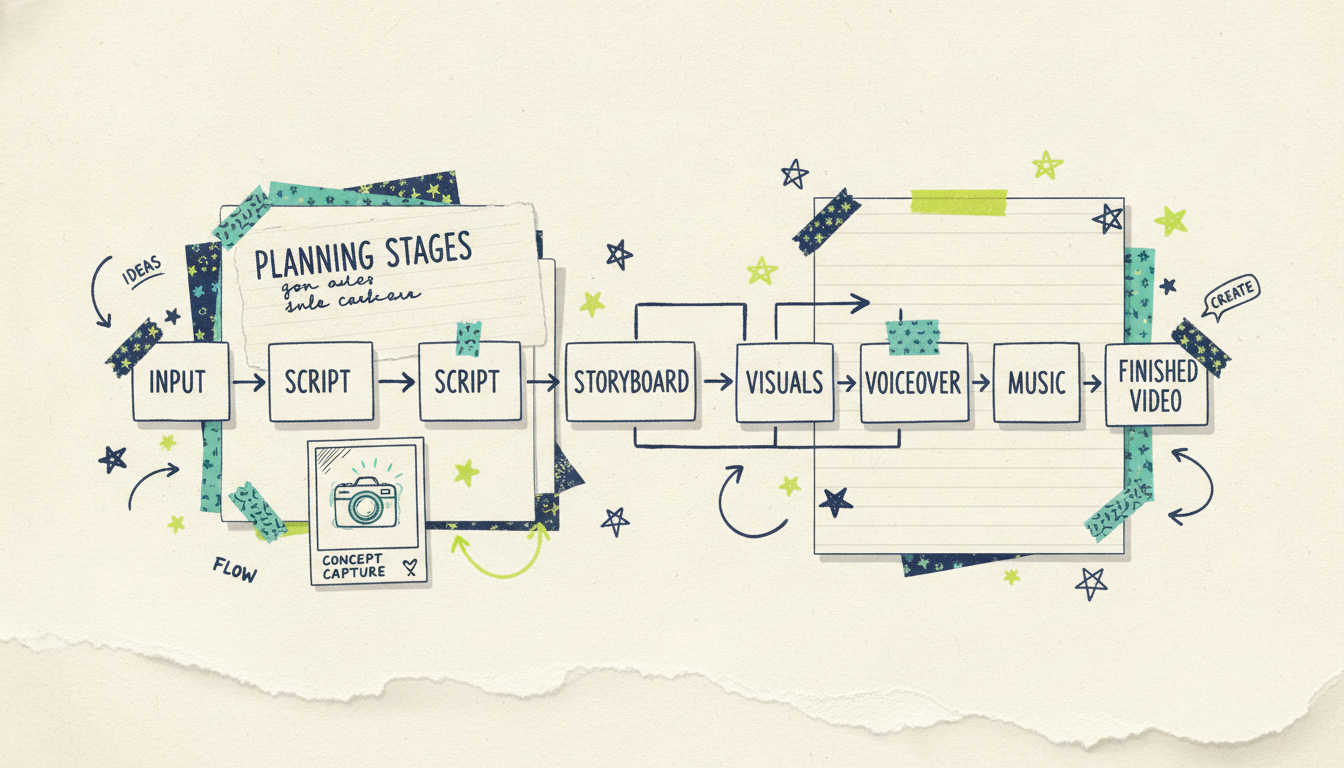
3. Generating the visuals
Now the tool creates the actual images and video clips for each shot. This is where the categories split hardest. A generation-first tool would hand you these raw clips and stop. A finished-video tool keeps going, but first it has to make the visuals coherent. Wavemaker generates custom images and video clips that match your script, keeps recurring subjects consistent from shot to shot (so your product or character doesn't morph between scenes), and uses multi-provider fallback: if one generation model stalls or fails, it routes to another so your video doesn't die halfway through.
4. Adding the voiceover
A finished video needs a voice. The AI narrates your script, timed to the shots. On paid plans you can design a custom voice to match a brand or a channel's personality. This is scripted narration synced to the storyboard, not a generic text-to-speech read pasted on top. The voice is part of the production, which is why the pacing of the visuals and the pacing of the narration line up.
5. Scoring it with music
Then music goes on. Wavemaker adds BPM-aware background music with audio ducking, which means the music automatically dips under the voiceover so the two don't fight for attention. Anyone who's tried to mix a video by hand knows how fiddly this is. Getting the levels right is a real skill, and doing it automatically is one of the quiet reasons finished-video tools sound professional and DIY edits often don't.
6. Assembly and QC
Finally, everything gets assembled into one video: shots in order, voiceover synced, music ducked, transitions handled. Then Wavemaker runs an AI vision QC pass, an automated review that checks the finished video for issues before it reaches you. Most tools skip this entirely; they generate and export, and if a shot came out wrong, that's your problem to catch. The QC step is why the output lands as a video you can use rather than a rough draft you have to police.
The platform handles research, scripting, storyboarding, visuals, voice, music, and review from your text instructions.
Clip generators vs finished-video tools
This is the distinction that trips up most people shopping for a text to video tool, so let's be direct about it.
Clip generators like Runway and Sora are foundation models built to generate short, raw video from a text prompt. You describe a scene, you get a few seconds of footage. The output is often stunning, and for filmmakers, VFX artists, and creative pros who want individual shots to cut together themselves, that's exactly right. But it's raw material. There's no script, no narration, no music, no structure, and no full video. You're the editor, the sound designer, and the director. You assemble the finished piece.
Finished-video tools like Wavemaker run the whole pipeline described above and hand you a complete, watchable video: scripted, storyboarded, voiced, scored, assembled, and QC'd. You don't stitch clips together, because the tool already did. This is the right fit when your goal is a video, not a shot, and when you'd rather describe what you want than build it yourself.
There's a third category worth naming so you don't confuse it with either: stock-slideshow tools like Pictory and Lumen5. They take your text and pair it with generic stock footage from a library, matching keywords in your script to clips. Type "growth" and you get a stock plant or a rising chart. It's fast, but the visuals are borrowed and often only loosely related to your actual point. That's different from generating custom visuals that match what you're saying.
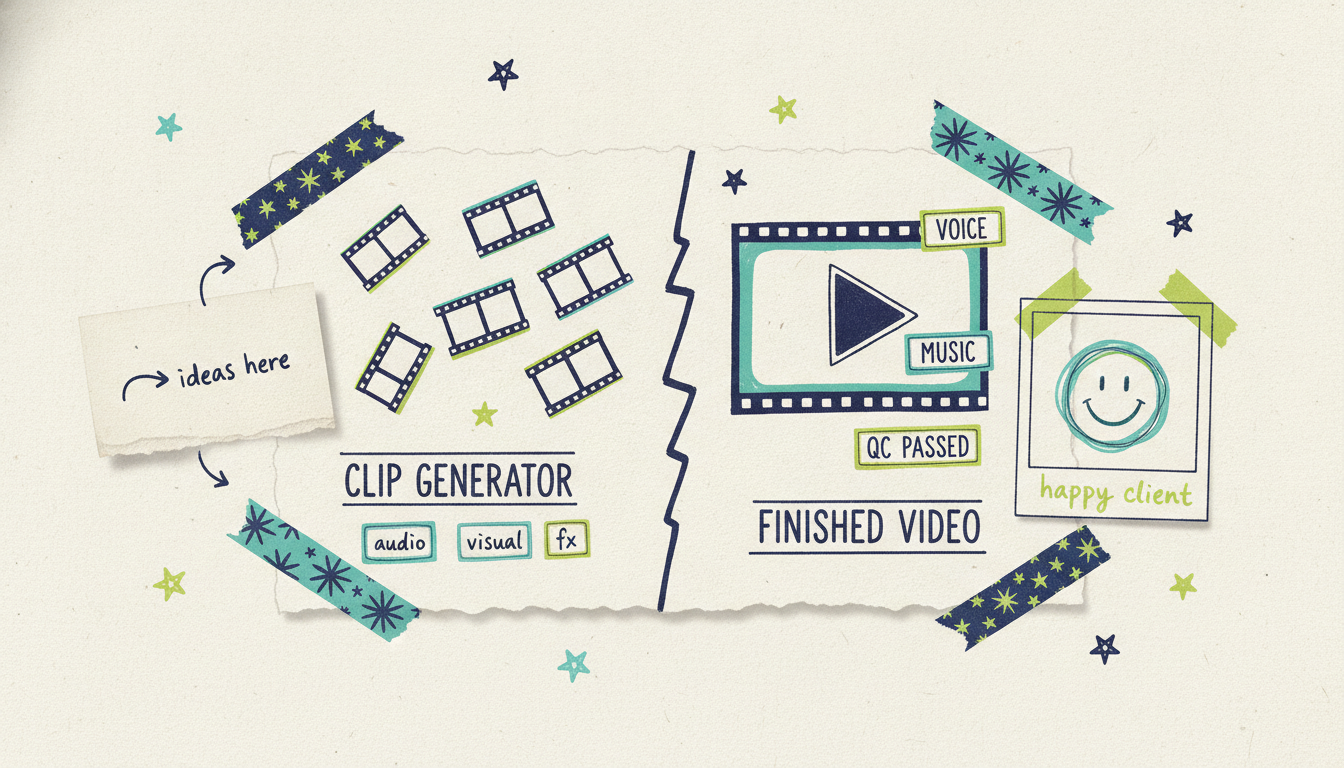
The practical takeaway: if you want pristine individual shots to edit yourself, a clip generator is your tool. If you want to type an idea or a script and get back a finished, custom video without opening an editor, that's the agentic, finished-video category. Wavemaker sits in the third, and it accepts more than text: a prompt, a topic to research, a URL, documents, images, or existing video all feed the same pipeline.
What good text input looks like
The quality of your video tracks the clarity of your text. You don't need to write a script (the AI can do that from a prompt or a topic), but the more you specify, the closer the first draft lands. Different kinds of text produce different kinds of output. Here's how they map.
A weak prompt looks like "make a video about coffee." A strong one looks like: "A 30-second explainer for a small-batch coffee roaster. Warm tone. Cover where the beans come from, how they're roasted, and why that means fresher flavor. End with a line inviting people to try a bag. 9:16 for Instagram." The second one names the audience, the length, the tone, the key points, the call to action, and the format. None of that is hard to write, and every detail removes a guess.
A quick checklist for text that produces a great video: name the audience, set the length (30 seconds runs about 75 credits, 60 seconds runs 150), pick a tone, list 2 to 4 key points as plain bullets, state the call to action, and choose the aspect ratio for the platform (16:9 for YouTube and web, 9:16 for TikTok and Reels, 1:1 or 4:5 for feeds).
The good news is you don't have to nail all of it. Leave something out and the AI makes a reasonable choice, then you fix it later by chatting. That chat-based editing is worth understanding on its own.
Editing without a timeline
Your first draft won't always be perfect, and it doesn't need to be, because you refine by talking to the tool instead of dragging clips. You type things like "make the intro longer," "swap the music for something calmer," or "cut the third scene and tighten the ending." Wavemaker applies the change and re-renders. A refine pass costs a fraction of a full generation, around 15 credits, so iterating is cheap. This is a large part of why people who've never edited video can still produce something they're proud of. There's no editor to learn, because there isn't one.
Limitations and how to get great results
Text to video AI is good now, but it isn't magic, and knowing the limits helps you get more out of it.
Vague text produces vague video. The input is the biggest lever you control. A one-line prompt forces the AI to guess at tone, length, and detail. Spend two extra minutes on the brief and you'll spend far less time refining.
Longer isn't always better. A tight 30-to-60-second video almost always beats a sprawling three-minute one. If you have a lot to say, make several focused videos.
Generated visuals have a style. Custom-generated imagery looks great, but it's generated, not filmed. If you need real footage of a specific place or person, that's a job for your own images or existing video (Wavemaker accepts both as input), not a pure text prompt.
Free-tier exports are for testing. The free plan exports at 480p with a watermark, perfect for learning what good prompts feel like. Paid plans remove the watermark and export up to 4K.
Iterate in small steps. Change one thing per chat message so you can judge the effect.
Most of "getting great results" comes down to writing clear text and refining in small, cheap passes rather than expecting a perfect video from a five-word prompt.
Beyond text: the other ways in
Text is one door into the same production pipeline, but it isn't the only one. If you already have raw material, another input mode may get you there faster, and each has its own full walkthrough.
Start from an idea or topic when you don't even have a script and want the AI to research and write it for you: how to turn any idea into a video with AI.
Start from a URL when you have a website or product page and want brand colors, imagery, and messaging pulled automatically: url to video with AI.
Start from documents when the substance already lives in a PDF, report, or set of notes: documents to video.
They all feed the same six-stage pipeline, so the finished result feels consistent no matter where you started. Rule of thumb: if you have the words, start from text. If you have a page, start from the URL. If you have files, start from documents. And if you only have a spark, start from the idea and let the AI do the research.
From finished video to television
Here's a path no clip generator and no stock tool can follow. Once your text-to-video project is finished, you can download it and post it anywhere: YouTube, TikTok, Instagram, your site, an email. But if you're a business, the story can keep going all the way to TV.
Through Adwave, a finished Wavemaker video can run as a real streaming TV commercial on 100+ premium networks, from $50, alongside Google, YouTube, Meta, Reddit, and display. So the path is this: type a script or a prompt, get a branded video in minutes, and put it in front of viewers on connected TV. Wavemaker makes the video; Adwave handles putting it on television. Most tools' stories end at the MP4 export. This one doesn't have to.
Common questions answered
What's the difference between text to video and a clip generator like Sora? A clip generator produces short, raw footage from a prompt, with no script, narration, music, or structure; you edit it into a finished piece yourself. A finished-video tool like Wavemaker runs the whole pipeline, script, storyboard, visuals, voiceover, music, assembly, and a QC pass, and hands you a complete video. Both are called "text to video," but one gives you raw material and the other gives you the finished product.
Do I need to write a full script? No. You can start with a single sentence, a detailed prompt, or just a topic, and the AI writes the script for you. If you do have a finished script, the tool produces it line by line. A script is optional, not required.
How long does it take to turn text into a video? Most videos come back in two to five minutes after you submit your text. That includes the full pipeline: understanding the text, storyboarding, generating visuals, recording the voiceover, adding music, assembling, and running the AI vision QC pass. Refinements re-render quickly too.
Why do some text-to-video tools look like slideshows? Tools like Pictory and Lumen5 pair your text with generic stock footage from a library instead of generating custom visuals. The result is a narrated slideshow where the clips are borrowed and often only loosely related to your point. Wavemaker generates custom images and video clips that match what your text is about.
How much does it cost to get started? The free plan gives you 75 credits, enough for your first video, at 480p with a watermark. A roughly 30-second video costs about 75 credits and a 60-second video about 150, with each chat edit around 15. Paid plans start at $29/mo for more credits, higher resolution up to 4K, and no watermark.
Can I put a text-to-video project on TV? If you're a business, yes, through Adwave. A finished Wavemaker video can air as a streaming TV commercial on 100+ networks from $50, plus run on Google, YouTube, Meta, Reddit, and display. Wavemaker creates the video from your text; Adwave handles the media buy and placement.
Ready to try it? Type a script or a prompt and create your first video free with 75 credits. See what a few sentences turn into in a couple of minutes.





