Cart abandonment is not the first sign that your ecommerce store has a checkout problem. In many cases, the shopper never reached the checkout mindset at all. Baymard Institute’s aggregated analysis across 50 studies places average cart abandonment at 70.22%, or roughly seven out of every ten carts, a benchmark cited by CartFlows’ summary of the research. The mistake is treating every lost visitor as one kind of lead.
A local business that sends urgent cart reminders to casual browsers wastes budget and weakens trust. A business that gives a genuine cart lead only broad brand content may lose a customer who needed one clear answer about shipping, payment, or returns. Cart abandonment vs browse abandonment requires two different diagnoses, two different messages, and two different media strategies.
Understanding Cart and Browse Abandonment
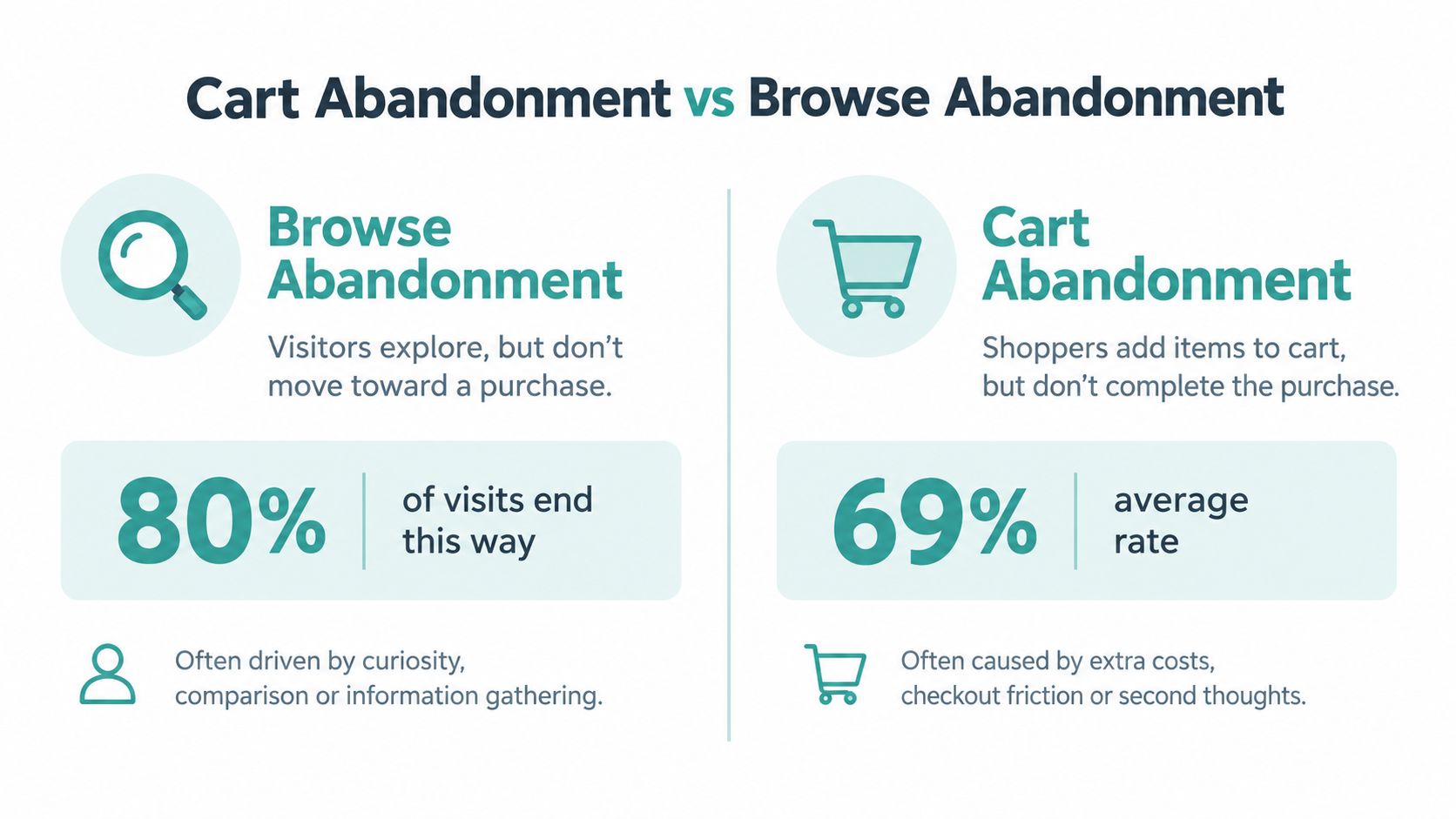
Cart abandonment happens after a shopper adds at least one product to a cart but leaves before completing checkout. The customer has selected something, accepted enough value to begin a transaction, and created a measurable purchase signal. The sale may still fail because of unexpected costs, payment limitations, technical friction, distraction, or simple hesitation.
Browse abandonment happens earlier. A visitor views a product page, category, or collection, then leaves without adding an item to the cart. That person may be comparing products, learning about a problem, checking prices, saving ideas for later, or deciding whether your business deserves consideration. The visitor has shown interest, but not the same level of commitment.

The commercial difference is straightforward:
- Cart abandonment is a lower-funnel event. Your response should remove obstacles and make it easy to finish.
- Browse abandonment is an upper-funnel event. Your response should build familiarity, confidence, and relevance.
- Cart recovery is usually immediate. The shopper may still remember the exact product and checkout context.
- Browse recovery needs more patience. The customer may not yet know what to buy or why your store is the right choice.
Confusing these stages creates two forms of waste. First, you spend money chasing people who never intended to purchase immediately. Second, you train uncertain shoppers to expect discounts before they’ve developed a reason to choose you. An aggressive “you left something in your cart” message sent to someone who only viewed a product can feel inaccurate and intrusive.
The reverse problem is just as costly. If a shopper has already added a product and encounters a confusing delivery estimate, missing payment option, or broken mobile form, a generic awareness ad won’t solve the immediate issue. That customer needs a direct route back to the saved decision.
For local businesses, the distinction also affects attribution. A local furniture retailer, for example, may receive many product-page visits from people researching styles and prices. Those visitors need useful comparisons, room inspiration, reviews, and repeated exposure. A shopper who has added a sofa to the cart needs transparent delivery information, financing clarity, and a checkout experience that works on a phone.
A practical customer-journey framework can help you map these signals before you build campaigns. Customer journey mapping for small business is useful when your team needs to connect awareness, consideration, cart activity, and purchase behavior.
Practical rule: If the shopper hasn’t added anything to the cart, don’t write as though they abandoned a purchase.
Key Differences in Intent and Metrics
The most useful question is not “Did this visitor leave?” Every visitor who doesn’t buy leaves. Ask instead, “What did the visitor do immediately before leaving?”
A browser who viewed several products but never selected one is still solving a decision problem. A cart user has made more progress, but something interrupted the transaction. Those signals belong in separate audiences and separate reports.
Cart vs Browse Abandonment Comparison
| Criteria | Cart Abandonment | Browse Abandonment |
|---|---|---|
| Funnel stage | After cart creation, before completed purchase | Product or category exploration before cart creation |
| Primary signal | Product added to cart or checkout started | Product, category, or collection viewed |
| Typical intent | Explicit purchase intent, with possible hesitation | Exploratory interest, comparison, or early research |
| Main business question | What stopped checkout? | What would help this visitor choose? |
| First response | Restore the cart and remove friction | Build confidence and make the next visit more useful |
| Best message | Shipping, payment, returns, support, and a direct checkout path | Education, comparison, reviews, product guidance, and brand familiarity |
| Timing | Soon after the event, while the transaction is still fresh | More measured, because the buying decision may not be immediate |
| Core metric | Cart-to-purchase completion and recovered orders | Return visits, new cart creation, engaged product exploration, and later purchases |
| Main risk | Losing a high-intent buyer to friction or a competitor | Paying to pressure a visitor who was only researching |
A common mistake is to treat the cart as proof that the shopper was ready to buy immediately. Some customers use carts as wish lists, comparison tools, or bookmarks. Stripe’s explanation of cart abandonment notes that 50% to 60% of shoppers who add items to a cart may still be browsing, and it also cites a 2026 dataset summary in which 58% of shoppers who abandon say they were “just browsing.” That doesn’t make cart activity irrelevant. It means the signal is stronger than a page view, but it still needs context.
The measurement should stay separate. A basic cart abandonment calculation is:
Cart abandonment rate = (1 - completed orders ÷ carts created) × 100
That formula tells you how many created carts failed to become orders. It doesn’t tell you how many visitors were interested in your products but never reached the cart. For browse abandonment, track the relationship between product or category views, return visits, cart creation, and eventual purchase. Don’t force a browse metric into a cart formula.
Why timing changes the message
Cart users deserve a clear route back to the transaction. Lead with the product they selected, the saved cart, support access, and any information that removes uncertainty. Don’t begin with a long brand story when the customer may need to know whether delivery is available locally.
Browse users need help progressing. Useful content might include a comparison guide, “best for” recommendations, customer reviews, sizing information, use cases, or a short explanation of what separates your offer from alternatives. A low-pressure invitation to return is more credible than false urgency.
The cost of misclassification grows when you use paid media. Retargeting every product viewer with a sales-heavy offer can make your acquisition program look active while producing weak incremental demand. Treating cart users as ordinary awareness traffic can also underfund the fastest recovery opportunity.
A separate upper-funnel and lower-funnel marketing framework helps local teams assign each audience an appropriate job. Upper-funnel activity should make future visits more qualified. Lower-funnel activity should help existing intent reach completion.
Diagnostic Tools for Identifying the Primary Issue
Before changing your ads or email sequence, identify where the funnel is leaking. You don’t need an elaborate analytics stack. You need clean event definitions and a willingness to separate browsing behavior from transaction behavior.
Start with four event groups
Review your reporting in this order:
- Sessions and product views. Count visits that reached product or category pages. Look for differences by device, landing page, campaign, and location.
- Cart creation. Measure how often sessions produce an add-to-cart event. A weak session-to-cart ratio points toward a relevance, product, trust, or awareness problem.
- Checkout starts. Separate people who added an item from those who began entering checkout details. This shows whether the cart itself is functioning as a purchase step or merely as a saved list.
- Completed orders. Compare completed orders with carts and checkouts. A large drop after cart creation points toward checkout friction, cost surprises, payment issues, or technical failure.
Use the same date range and filters for each event. If you compare mobile sessions from one period with desktop orders from another, you’ll create a story your store data doesn’t support.
Read the ratios, not just the totals
A high volume of product views with few carts usually means you have a browse-stage problem. Investigate product clarity, pricing context, reviews, stock information, merchandising, and whether visitors understand what to do next. The answer may be better content rather than more retargeting.
A healthy flow into carts followed by a sharp fall before orders points to a cart-stage problem. Test the checkout on the devices your customers use. Check whether shipping costs appear late, whether guest checkout works, whether payment options load correctly, and whether a customer can recover a cart after leaving.
Look at campaign and landing-page quality as well. A paid ad can bring large numbers of curious visitors who were never a close fit for the offer. A local service business may attract broad interest from people outside its service area, while an ecommerce store may receive traffic from shoppers seeking a product specification it doesn’t carry.
Use qualitative evidence
Analytics tells you where the loss occurs. It rarely tells you exactly why. Add short customer surveys, support-ticket reviews, session recordings, and heatmaps to the investigation. Watch for repeated signs such as visitors opening delivery information, returning to reviews, tapping payment logos, or abandoning a form field.
For a structured view of acquisition and behavior data, the NotFair Google Analytics integration can help teams connect analytics information with broader marketing analysis. Keep the implementation practical. You’re looking for patterns that change a decision, not a dashboard full of decorative metrics.
Heatmaps can also expose dead clicks, ignored calls to action, and mobile layout problems. Heatmaps for small business are particularly useful when your conversion rate looks weak but standard analytics doesn’t show where people struggle.
Diagnosis before recovery: Don’t send a recovery message until you know whether the customer needs a faster checkout or a better reason to return.
Fixing Checkout Friction for Cart Recovery
Cart recovery starts on the checkout page, not in the email inbox. If the store surprises customers with costs, hides delivery details, or makes mobile payment difficult, reminders will only bring people back to the same obstacle.
Remove the preventable obstacles
Run a purchase yourself from a phone and a desktop device. Use a new customer profile, a returning profile, and an address in your normal service area. Check each of these points:
- Cost visibility: Show shipping, taxes, fees, and delivery expectations as early as possible.
- Guest access: Let customers purchase without creating an account before payment.
- Form simplicity: Remove fields that don’t support fulfilment, compliance, or customer service.
- Trust signals: Keep returns, refunds, contact details, reviews, and payment security information easy to find.
- Error recovery: Make validation errors specific and preserve entered information when a field fails.
- Payment choice: Offer the methods your customers use, not just the method that’s easiest for your business.
Payment mismatch deserves special attention. One survey found that 66% of shoppers would likely abandon if their preferred Buy Now, Pay Later option wasn’t available at checkout, as reported in coverage of the survey by Yahoo Finance. If your products involve considered spending, payment flexibility can be part of the conversion experience rather than an optional add-on.
Build a restrained recovery sequence
Start with a calm reminder that shows the product, preserves the cart, and links directly back to checkout. Follow with reassurance about delivery, returns, product quality, and customer support. Use an incentive only when your evidence suggests price is the obstacle, and avoid teaching every shopper to wait for a discount.
Your cart email should answer practical questions:
- Is the item still available?
- What will delivery cost and when will it arrive?
- Can the customer return it?
- Which payment methods are accepted?
- Who can answer a product or order question?
Segment by device, new versus returning customer, product category, and cart contents where your data supports it. A mobile shopper who encountered a broken payment field needs a different fix from a returning customer who left because they wanted to compare prices.
For more ideas on structuring messages and recovery logic, use abandoned cart emails for recovering lost ecommerce revenue as a practical reference. The principle is simple: restore context, remove doubt, and provide one clean next step.
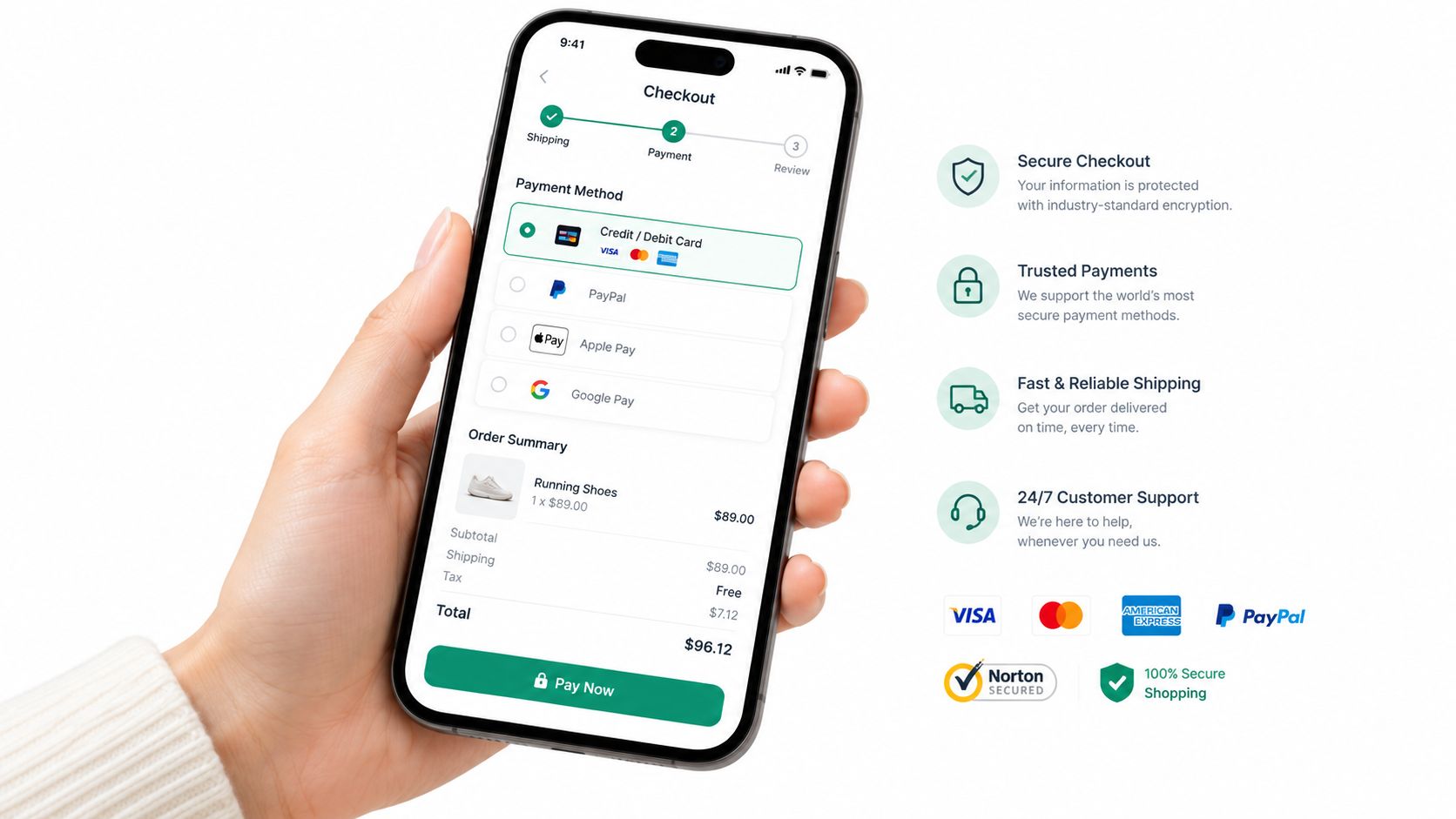
Mobile deserves its own review rather than a generic responsive-design check. One source reports abandonment at 76.98% on mobile compared with 64.78% on desktop, while another cites 80% on mobile compared with 65% to 67% on desktop, summarized by Ringly’s ecommerce statistics. The exact benchmark varies by source and store, but the operational conclusion is consistent: test checkout on a real phone, with real payment details and realistic network conditions.
Building Awareness to Reduce Browse Abandonment
Browse abandonment is often treated as a retargeting problem. That’s too narrow. If a visitor leaves because your business is unfamiliar, your product category is confusing, or the customer has no reason to remember you, another product ad may not fix the underlying issue.
The better strategy is to make future visits more qualified. Awareness reduces the amount of explanation your website must provide during the first product visit. A customer who has already seen your business, understood your positioning, or recognized your local reputation arrives with more context than a stranger who clicked a generic ad.
Give browsers a reason to remember you
For a local ecommerce business, awareness content should answer the question behind the visit. A specialty food store can show how products are selected and used. A local furniture retailer can demonstrate quality, room fit, and delivery confidence. A neighborhood retailer can connect products to local needs instead of competing only on price.
Your site still has to do its part. Improve category navigation, write product descriptions for actual buying questions, show customer proof, and make comparisons easy. A practical guide to on-page SEO for ecommerce stores can help you strengthen the pages that browsers use to decide whether to continue.
But organic and onsite improvements don’t create familiarity by themselves. People need repeated exposure across the channels they already use. For a local business, TV and OTT can fill that upper-funnel gap when the creative communicates a clear product benefit and a memorable reason to choose the brand.
Where Adwave fits
Adwave Digital is an AI-powered TV advertising platform for small businesses. A business can enter its website URL, and the platform’s AI generates a polished, broadcast-ready spot that can be launched and measured across 100+ premium channels, including NBC, Hulu, and ESPN, without requiring a production crew or a six-figure production budget.
Campaigns start at $50, and automatic pacing is designed not to exceed the set spend. The platform uses audience data and viewing patterns to reach relevant local viewers, with an estimated $15 to $35 CPM. That makes it a practical option for a local retailer that wants to introduce the brand before visitors arrive through search, social, or direct navigation.
The strategic role matters more than the format. Adwave shouldn’t replace product-page optimization or cart recovery. It can support the browse stage by increasing recognition before a shopper compares products. When that shopper later returns, your store isn’t just another unknown tab. It’s a business they may already remember from a local viewing experience.
Adwave documents 150% client growth in five weeks for Kaimuki Dental, significant revenue gains for Farrow Harley-Davidson, and broader reach for Mountain Burger and Kenny Patton Real Estate. Those examples come from different industries, so don’t treat them as a forecast for your store. Use them as evidence that the platform supports local awareness campaigns beyond ecommerce.
Build the awareness loop
A strong browse-stage system connects the ad to the site experience:
- Choose one memorable promise. Don’t cram every product, feature, and promotion into the spot.
- Match the landing page. Send viewers to a focused collection, buying guide, or local offer rather than a generic homepage.
- Create useful return paths. A browser should find comparisons, FAQs, reviews, and product education without starting over.
- Separate audiences. Keep recent cart users in transactional recovery while broader local audiences receive awareness messaging.
- Measure progression. Watch branded searches, direct visits, engaged product sessions, cart creation, and later orders together.
Don’t judge an awareness channel only by immediate last-click sales. Browse-stage activity may influence branded searches or direct visits before the customer returns through another channel. At the same time, don’t accept vague “brand lift” as a substitute for measurement. Set a clear audience, landing page, spend limit, and conversion path before launching.
The hidden cost of one-size-fits-all abandonment marketing is that it treats uncertainty as rejection. Awareness gives uncertain shoppers a reason to come back, while useful onsite content gives them a reason to continue.
Combining Tactics for Maximum Revenue Impact
Local businesses shouldn’t choose between checkout optimization and awareness. The two tactics solve different leaks in the same journey.
Start by separating your audiences. Anyone who viewed a product without adding it to a cart belongs in a browse and awareness pathway. Anyone who created a cart belongs in a cart recovery pathway, unless they have already purchased or clearly re-entered a different journey.
Then make the implementation sequence practical:
- Fix the purchase path first. Test the mobile checkout, payment options, delivery information, returns, and error handling. A more qualified visitor still won’t convert if the transaction is difficult.
- Create a cart recovery flow. Use a direct saved-cart link, product reassurance, support access, and controlled incentives. Suppress purchasers and avoid sending conflicting messages across channels.
- Build browse-stage content. Improve category pages, product comparisons, FAQs, reviews, and buying guides. Give visitors useful answers before asking for the sale.
- Launch local awareness. Use TV or OTT to introduce the business, product promise, and local relevance to people who may later search, visit, or browse.
- Review the funnel by stage. Track product views to carts separately from carts to orders. Compare performance by device, campaign, product group, and audience intent.
The measurement discipline matters. A lower browse-to-cart rate may reflect poor traffic quality, weak product communication, or a long consideration cycle. A lower cart-to-order rate points to a different investigation. Don’t combine both into one abandonment number and then guess at the solution.
Use a monthly decision rule: if the cart-to-order path is weak, prioritize checkout and payment fixes. If product views are plentiful but cart creation is weak, invest in awareness, product education, merchandising, and landing-page relevance. If both stages are weak, fix the transaction path while narrowing the audience entering the store.
Cart recovery captures existing intent. Awareness creates better future intent. Your marketing budget works harder when each dollar is assigned to the stage it can actually influence.
Adwave offers small businesses a practical way to create, launch, and measure AI-generated TV advertising across premium channels, with campaigns starting at $50 and pacing that stays within your set spend. If browse-stage visitors need more familiarity before they convert, visit Adwave and explore how local TV and OTT awareness can support your ecommerce funnel.