
95% of users in Baymard’s large-scale usability testing relied on reviews to evaluate products or learn about them, and some used review details instead of the merchant’s description or specifications, according to Baymard’s product-review usability findings. Customer reviews on product pages aren’t just reassurance beneath the buy button. They’re part of the information shoppers use to decide whether a product fits their needs.
That changes the job for a small ecommerce team. You don’t need an endless stream of praise before a page becomes useful. You need an authentic baseline, a sensible place to display it, and a collection process buyers can understand. For someone who first encountered your business on TV, that visible proof can help them assess an unfamiliar name without taking every advertising claim on trust.
How Many Reviews a Product Page Needs
Start with five genuine reviews for expensive or hard-to-evaluate products, not an open-ended campaign for more stars. Northwestern University’s Spiegel Research Center, analyzing ecommerce data supplied by PowerReviews, found that five reviews increased purchase likelihood by approximately 270% versus no reviews, with reported lifts reaching 380% for higher-priced products and approximately 190% for lower-priced products, as documented in its online review report.
Those are relative changes in purchase likelihood from observational ecommerce data, not promised percentage-point increases in your conversion rate. Use them to set collection priorities, then validate those priorities on your own catalog.
Review baseline by product price
| Page type | First target | Reported lift vs no reviews | After the target |
|---|---|---|---|
| Higher-priced or hard to evaluate | At least 5 reviews | Up to 380% | Stop chasing count; keep detail and recency |
| Lower-priced | 2 to 4, then 5 if collection is easy | About 190% | Shift collection to pages with zero reviews |
| Any page past the first 10 | Maintain, do not inflate | Most gain already in the first 5 to 10 | Refresh recent, specific reviews |
The price-category lifts above describe the reported findings, not guaranteed outcomes at each operational target. The final row reflects findings summarized by SearchLab’s online review statistics: on one ecommerce site, nearly all the improvement occurred within the first 10 reviews, with the first five producing most of the gain.
A quota helps you allocate effort. It doesn’t mean a lower-priced product becomes trustworthy automatically when its counter reaches the target. Short, repetitive praise may leave a practical question unanswered, while a detailed account of fit or installation can give the next shopper something useful to evaluate.
Prioritize unanswered buying questions
Consider a furniture shop selling sofas and replacement furniture feet. A sofa buyer needs evidence about comfort, fabric, assembly, and delivery access. The accessory buyer may mainly need confirmation that the thread and dimensions match.
Give the sofa collection priority when both pages lack buyer evidence. Once it has a useful baseline, move collection effort toward another empty, commercially important page rather than repeatedly requesting feedback for the same bestseller.
Practical rule: Treat the review quota as a coverage target, not a quality score.
Keep customer satisfaction measurement separate from product-review coverage. Mystershirt’s customer satisfaction guide is a useful companion for thinking about customer feedback more broadly, while your product-page audit should ask whether shoppers can resolve a purchase-specific doubt.
After collection becomes consistent, test by price, category, traffic source, and new versus returning visitors. The useful benchmark is the point at which another review contributes less than fixing an unanswered product question elsewhere in the catalog.
How to Seed Reviews on Empty Pages
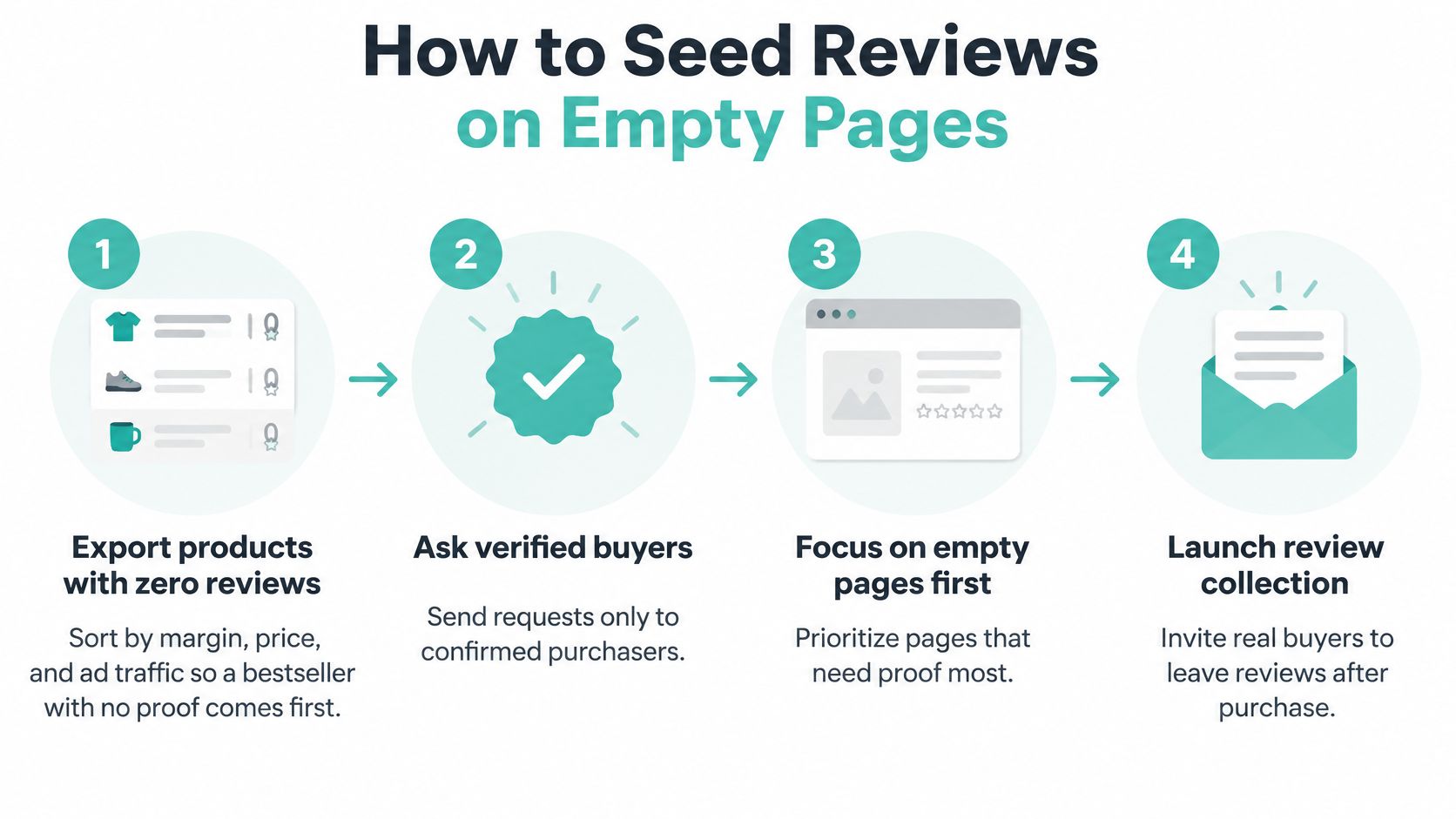
Work from a product list, not a general request for customers to review the business. A local furniture shop should connect each invitation to the sofa, dining chair, or cabinet the customer bought. That makes the resulting feedback easier to publish in the right place.
Build a small collection workflow
-
Export products with no reviews. Add margin, price, recent orders, and advertising traffic to the spreadsheet. Put a sofa featured in current advertising ahead of a slow-moving accessory that few shoppers visit. Avoid: prioritizing only by sales volume and overlooking an advertised product whose visitors have no buyer evidence.
-
Match requests to verified purchases. Use the order record to connect the customer, delivered item, and review form. For a furniture shop, delivery confirmation is more useful than the order date because customers can’t assess a chair still sitting in a warehouse. Avoid: asking everyone on the newsletter list to review products they may never have used.
-
Choose timing around actual use. Ask after the customer has had a reasonable opportunity to unpack, assemble, or try the item. A parts counter can ask after installation; a service business can ask after the visit is complete. Avoid: sending an enthusiastic review request while a delivery complaint remains unresolved.
-
Send a direct, short invitation. Link to that product’s review form rather than the homepage or account dashboard. Use a restrained reminder for customers who haven’t responded, then stop. Avoid: making someone search their order history or repeatedly chasing a nonresponse.
-
Ask for a useful detail. For a sofa, prompt customers to describe seat firmness, fabric feel, or access during delivery. For replacement parts, ask about compatibility and installation. Avoid: leading questions that imply the customer should praise the product.
-
Keep mobile submissions easy. Make the written experience the core of the form and photos optional. Test the upload flow on a phone before inviting customers to use it. Avoid: requiring an image, public profile, or lengthy questionnaire before accepting feedback.
-
Handle incentives and replies openly. If you offer loyalty points or a coupon, explain the arrangement in the invitation and carry that disclosure into publication. Publish eligible criticism and respond beneath it without rewriting the customer’s account. Avoid: rewarding only positive ratings or routing dissatisfied buyers away from the public review form.
Keep business reviews separate from product reviews
A review of helpful showroom staff belongs in a different context from a review of a particular reclining chair. Both can be valuable, but they answer different questions.
For the business-profile side of collection, use the guide to getting more Google reviews for a local business. Keep that workflow distinct from product-level invitations so customers land on the correct form.
Assign someone to own the collection queue. That person should check failed invitations, incorrect product mappings, and unanswered customer questions, rather than just counting submissions. A reliable workflow is easier to maintain than a burst of requests whenever a product page looks empty.
Show That Reviews Are Real
46% of consumers identified knowing whether reviews are real or trustworthy as their top shopping-journey frustration, while ratings and reviews influenced final buying decisions 32% of the time, according to the 2025 Salsify Ecommerce Pulse Report. More submissions won’t necessarily resolve that doubt. Shoppers need a way to judge the process behind the display.
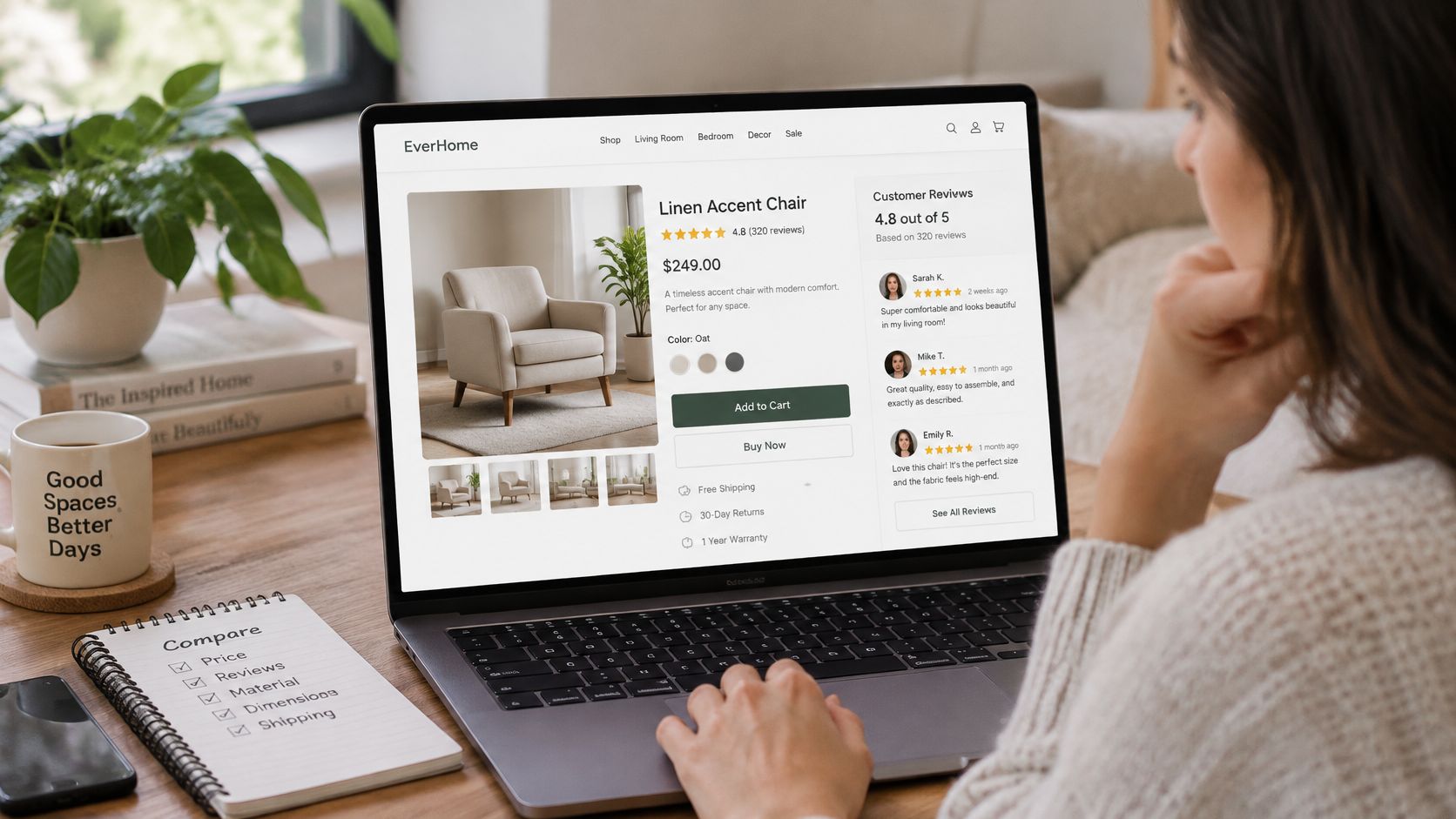
Publish a credibility note shoppers can check
Put a short explanation beside the review section, with a link to the full moderation policy. Describe what a verified-purchase badge means. If it means your platform matched the submission to an order, say that rather than implying independent testing.
The note should answer practical questions:
- Collection method: Explain who receives invitations and whether unsolicited submissions are accepted.
- Incentives: Label the affected review itself when the reviewer received a reward or another material benefit.
- Publication policy: Explain that criticism remains unless it violates a written content policy.
- Reviewer privacy: State what identifying information appears publicly and how customers can request help with personal information.
Only publish promises your team can consistently honor. If older imported reviews weren’t purchase-verified, distinguish them rather than applying a blanket badge to the whole collection.
A verified purchase establishes a connection to an order. It doesn’t prove that every opinion is accurate or that every buyer will have the same experience.
Moderate evidence, not sentiment
Use a moderation queue with recorded reasons for decisions. Repeated wording across unrelated products, sudden clusters from unfamiliar accounts, and descriptions inconsistent with the ordered item should trigger investigation, not an automatic accusation.
Don’t buy reviews or use AI to invent customer experiences. Staff can organize genuine feedback, but they shouldn’t manufacture a buyer’s story or change the substance of a submission.
Keep product authenticity separate from review authenticity, too. For a refurbished-device seller, Used Mobiles 4 U’s guide on how to spot fake refurbished phones is a relevant customer-education resource. Product checks and an auditable review process address different kinds of uncertainty.
For suspicious business-profile submissions, the guide to handling fake or spam Google reviews can support a separate response workflow. Don’t assume that a platform’s reporting process is also your own website’s moderation policy.
A fair complaint deserves a factual reply: explain the fix, acknowledge a limitation, or clarify the intended use. For service pages, identify whether the reviewer describes a completed job or a purchased product so an installation experience isn’t presented as evidence about a replacement component.
Treat privacy, incentive disclosure, and moderation procedures as compliance matters as well as editorial choices. This is general guidance, not legal advice; have counsel check applicable requirements in each country and state where you sell.
Where Shoppers Actually Read Reviews
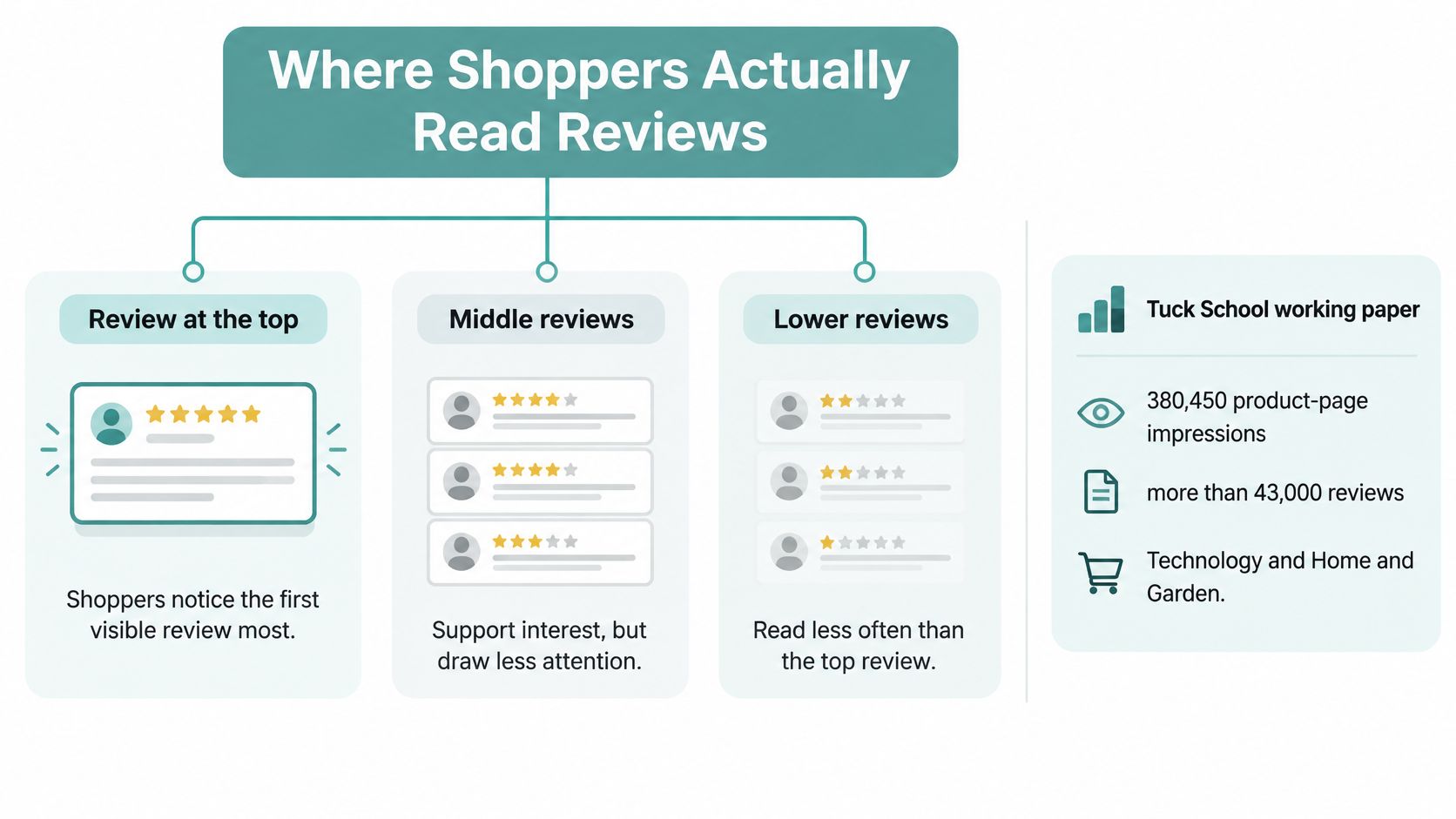
The first visible review deserves careful design attention, not automatic promotion of the happiest customer. A Dartmouth Tuck School working paper, summarized by Buy with Prime, examined 380,450 product-page impressions involving more than 43,000 reviews in Technology and Home and Garden; replacing a top-position one-star review with a five-star review increased purchase probability by 0.88 percentage points.
The finding concerns the individual review’s position, not just the average rating. The study also found reviews particularly useful when product information was limited or when a buyer added nuance to the seller’s description.
Start beside the buying controls
Place a compact star summary and review count beside the price and primary purchase control on desktop. On mobile, put the summary directly beneath the title, where shoppers can find it without navigating past a long product description.
Include a rating histogram, or make it accessible through an obvious expandable control. Keep low-rating bars visible, even when they represent a small share of feedback. Shoppers investigating a possible drawback shouldn’t need to guess whether your display excludes criticism.
Make the count a jump link to the written reviews. Preserve the shopper’s position if they open a photo or expand a long comment, especially on a phone.
Make the first full review useful
Default sorting should favor relevance or recency, with visible controls for highest rated, lowest rated, and photo reviews. Explain a relevance sort if your platform uses one, rather than leaving shoppers to assume you manually chose the display order.
A specific account of chair comfort over a working day is more informative than a short statement of enthusiasm. A critical review describing a shallow seat may also help the right customer avoid a mismatch.
The first visible review should be a useful sample of buyer experience, not a slogan selected to make the product look flawless.
Use excerpts near specifications only when they answer a concrete question, and link them to the full review. For example, a genuine account of getting a cabinet through a narrow doorway can complement the dimensions. Don’t convert a customer’s individual experience into a universal fit guarantee.
On a long page, repeat the compact summary near a secondary buy button rather than moving the entire review archive above the product explanation. Keep assembly instructions, specifications, and delivery information easy to reach.
Check the layout with actual browsing behavior. The guide to using heatmaps to understand website visitors can help you inspect whether shoppers reach the reviews, use sorting controls, or repeatedly click a summary that doesn’t respond. Pair those observations with mobile testing so a visually prominent widget is also usable.
Mark Up Ratings for Product Snippets
For a product snippet, Google requires Product structured data to include at least one of review, aggregateRating, or offers, according to Google’s product snippet documentation. These properties serve different purposes: the review-related fields describe customer feedback, while offers describes commercial information such as price and availability.
Eligible pages may appear with enhanced product information, but structured data doesn’t guarantee that Google will display ratings. It also doesn’t create customer evidence where none exists.
Make the markup match the page
Treat structured data as another representation of published product information. The product name, rating summary, review count, and commercial details should describe the same item shoppers can see.
Use these implementation checks:
- Product identity: Match the marked-up product to the page title and SKU. Don’t attach a category-wide score to an individual product.
-
Aggregate rating: Generate
ratingValueand the appropriate count from the same eligible records used for the visible summary. - Individual reviews: For published review objects, include the relevant author, publication date, review body, and rating fields.
- Offers: Keep price and availability aligned with the current visible offer rather than an old export or cached promotion.
- Review scope: Exclude homepage testimonials, staff endorsements, and feedback about unrelated products from the product’s review markup.
Be especially careful with variants. A customer reviewing a fabric sofa shouldn’t become evidence for a materially different leather model just because both share a parent listing. Decide which feedback legitimately applies to the displayed product before configuring aggregation.
Generate the display and markup together
Feed approved review records into the product template as a single source of truth. The histogram, written feedback, and structured data should all derive from those records, with the same publication and product-mapping rules.
That architecture reduces manual maintenance. If a moderator removes exposed personal information or corrects a mistaken product assignment, the visible page and its markup should update together.
For WooCommerce or Shopify, check what your theme, review app, and SEO integration each generate. Overlapping integrations can produce competing product objects or inconsistent ratings, so inspect the rendered result rather than assuming installation completed the job.
Run the live product URL through Google’s Rich Results Test. Resolve errors, review warnings, and inspect whether the detected product matches the actual page; then monitor Search Console after Google recrawls it.
Implementation check: Validate a page with reviews and a page without them. Empty review fields should never become fabricated ratings.
Recheck representative products after a theme change, app migration, or review import. A reusable template makes catalog maintenance easier, but it also means a mapping mistake can spread beyond the page where you first notice it.
Test the Page Then Send Viewers to Proof
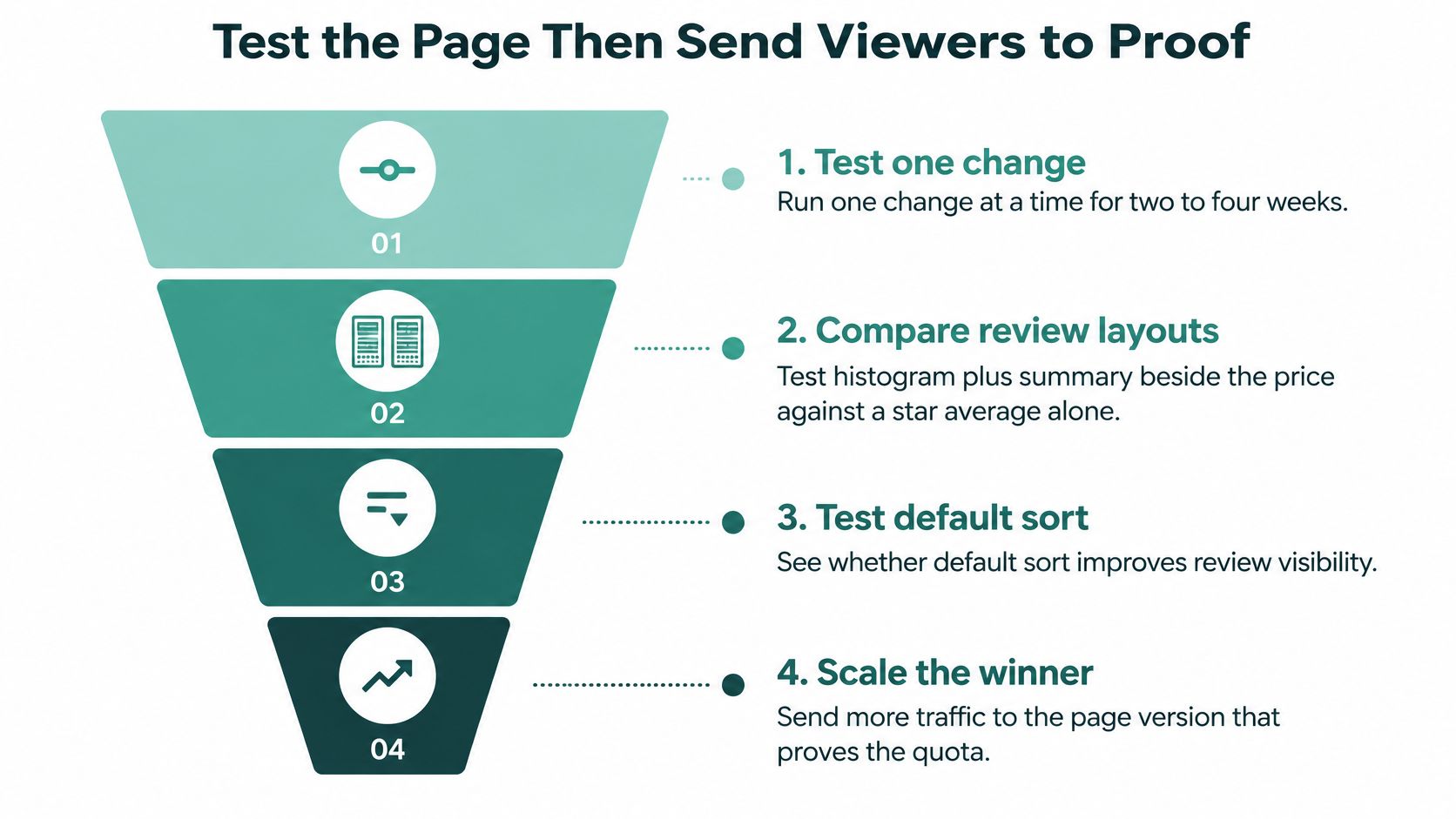
Test whether shoppers make better purchasing decisions, not whether the review widget attracts attention. Change a single meaningful element at a time, such as the summary’s position or the default sort, and define the decision metric before launching the experiment.
Compare a histogram and summary beside the price with a star average alone. Separately, compare recent-first sorting with your relevance sort. Keep incentive disclosures visible in every version; hiding a material disclosure isn’t an appropriate test condition.
What to measure after a review change
| Signal | Healthy range to watch | If it moves the wrong way |
|---|---|---|
| Add-to-cart rate | Up versus the pre-test page | Revert sort or summary placement |
| Purchase rate | Up for new visitors, not only returning | Check that the top review is specific |
| Revenue per session | Flat or up after the change | Do not add review volume to force it |
| Review recency | Recent feedback reflects the product currently sold | Restart the post-purchase ask |
| Star distribution | One-star and two-star bars still visible | Stop filtering criticism |
Use these as decision rules, not universal performance thresholds. A change that produces more carts but fewer completed purchases needs investigation before you declare it successful.
Segment results by price band, new versus returning visitors, and paid versus direct traffic. The guide to A/B testing with low traffic is useful when a small catalog can’t support a quick, clean comparison. Don’t stop an experiment just because the early result matches your preference.
Read complaints as merchandising feedback
A conversion result won’t tell you everything about purchase quality. If apparel reviews repeatedly mention unexpected fit, improve the measurements and fit explanation rather than trying to collect enough praise to outweigh the complaint.
ClothME’s guide to cut returns with better sizing is a useful companion when reviews expose a gap between how customers choose a size and what arrives. Make the product information more precise, then evaluate the revised page separately from a review-layout experiment.
For a local shop preparing a TV campaign, test the destination on a phone before sending viewers there. The advertised item should be easy to identify, the offer should match, and the page should answer the questions a first-time visitor is likely to bring.
A television viewer may remember the business name but not the exact product name. Check that site search, navigation, and any on-screen destination lead naturally to the relevant product or service page. Don’t require someone to reconstruct the ad from an unrelated homepage.
Give the next work cycle a concrete finish line: prioritize empty high-intent pages, publish an accurate credibility note, check the visible ratings against their markup, and choose an advertising destination that can support the claim. Scale traffic when the page offers understandable evidence, not merely an attractive average.
Adwave helps small businesses create broadcast-ready TV ads with AI-assisted creation, audience targeting, placement, and measurement. Prepare a review-supported product or service page, then visit Adwave to build a campaign that introduces new viewers to your business and sends them toward evidence they can evaluate.