Why does a campaign that’s meant to find your best customers keep returning form fills that never turn into work?
The campaign didn’t fail. It did exactly what you told it to. Performance Max is a signal-quality machine: it takes whatever you label a conversion and hunts for more people who look like that, at the lowest price it can find. Label a page view as a conversion and it will buy page views. Label a booked appointment and attach a real value to it, and it will chase people who resemble your booked appointments.
That mechanism explains almost everything that goes right and wrong with Google Performance Max for small business. Everything below works from it: what one campaign buys, what to prepare before you open the builder, the order to build in so you don’t poison the model, how to read reporting that hides more than it shows, and when the right decision is to leave it switched off.
What One Campaign Buys Across Six Channels
Is one campaign enough, or are you handing over control you’ll want back? Both, and it helps to be clear-eyed about which. Performance Max gives you far less control than a hand-built Search campaign and considerably more reach than you’d get by setting up each network yourself.
Performance Max is a goal-based Google Ads campaign that can buy across Google’s inventory from a single campaign rather than requiring one campaign per surface. The Google Ads help documentation lists the channels it can access as Search, Display, YouTube, Discover, Gmail and Maps, and its channel definitions also include Search partners. Maps inventory covers Google Maps and Waze, and YouTube inventory can include both video and non-video ads.
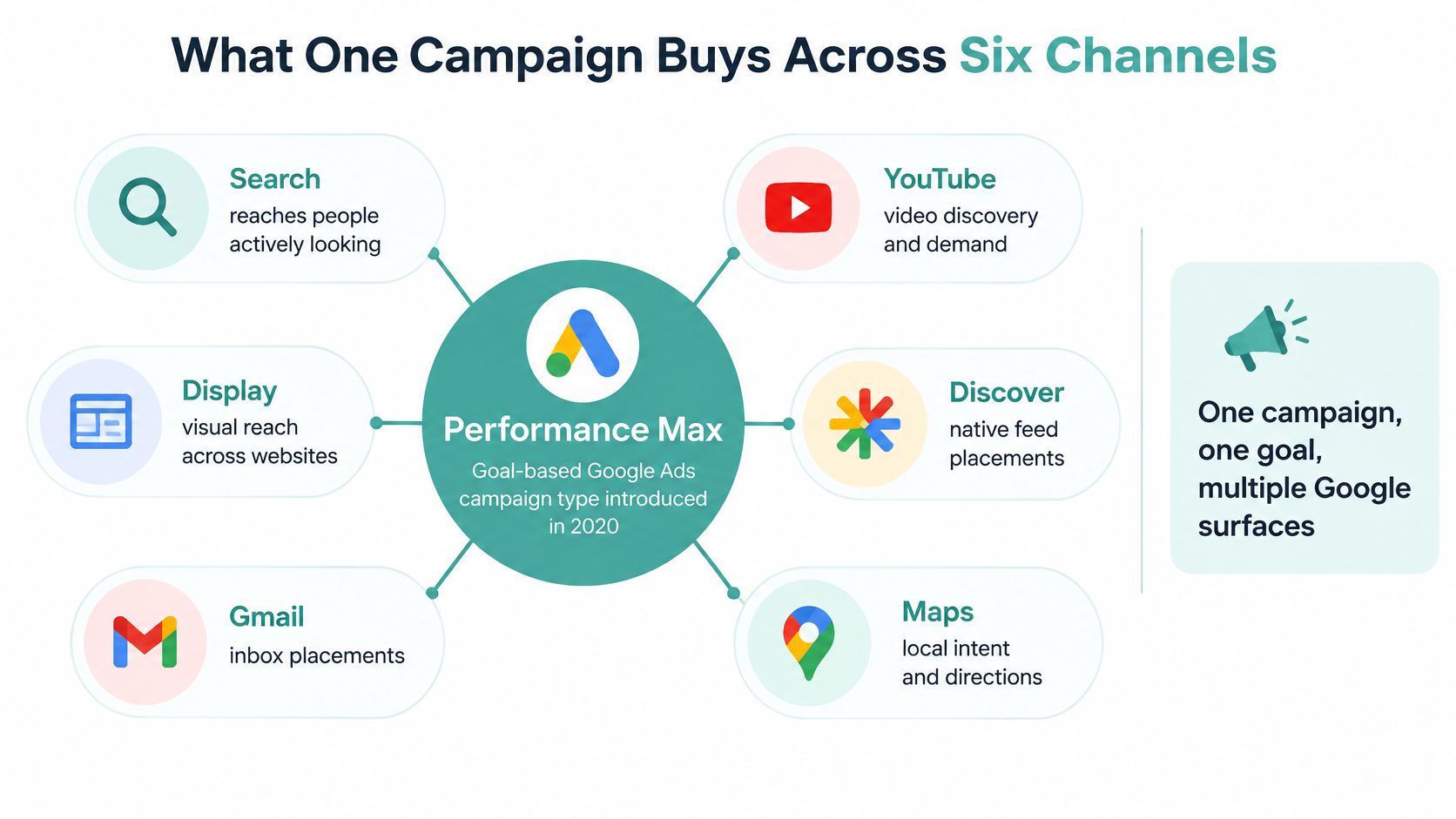
Each of those surfaces looks different from your side of the account and from the customer’s side of the screen.
| Channel | Ad format you supply | What the customer is doing | Small business fit |
|---|---|---|---|
| Search | Headlines, descriptions, sitelinks in asset groups | Actively searching for a product or service | Strong for high-intent local demand, weak on transparency |
| Search partners | Same assets as Search | Searching on partner sites | Low control, watch for junk placements |
| Display | Headlines, descriptions, images, logos | Browsing websites and apps | Cheap reach, weaker intent, needs brand and placement exclusions |
| YouTube | Video assets, plus headlines and images for non-video formats | Watching video content | Good for local awareness, needs a real video asset |
| Discover | Headlines, images, logos | Browsing a personalized feed | Awareness-led, rarely a direct lead driver |
| Gmail | Headlines, images, logos | Reading email | Promotional reach, easy to over-fund |
| Maps and Waze | Headlines, descriptions, location assets | Looking up local businesses or navigating | Essential for service-area businesses with a storefront or route |
Google describes these as campaign channels, not guaranteed placements or fixed delivery shares. Nothing in the setup promises that a sixth of your budget reaches Maps, and for most local accounts the bulk of spend lands in Display and Search regardless of how the campaign was sold to you.
Compare that with the alternative a small business would otherwise run: a Search campaign, a separate Display campaign, YouTube work with its own creative and bidding, and a local campaign for Maps. That’s four setups, four sets of negative keywords, four budget decisions and four reports to reconcile each month. Consolidation saves real hours. What it costs you is the ability to say “turn off Display” without turning off everything.
The verdict in plain terms: this is a reach and conversion-volume tool. It works best when conversion tracking is clean and the business generates enough leads for the system to learn from. If you want to see how that spend fits against other channels before you commit, this breakdown of what businesses spend on digital ads is a useful reality check on where your budget sits relative to the wider market.
The Assets and Audience Signals to Prepare First
Asset groups are the creative unit of the campaign. Each one is a bundle of headlines, long headlines, descriptions, images, a logo and optional video that Google mixes and matches per channel. A thin asset group gives the system nothing to test, which is why the creative work you do before launch decides more of the outcome than any setting.
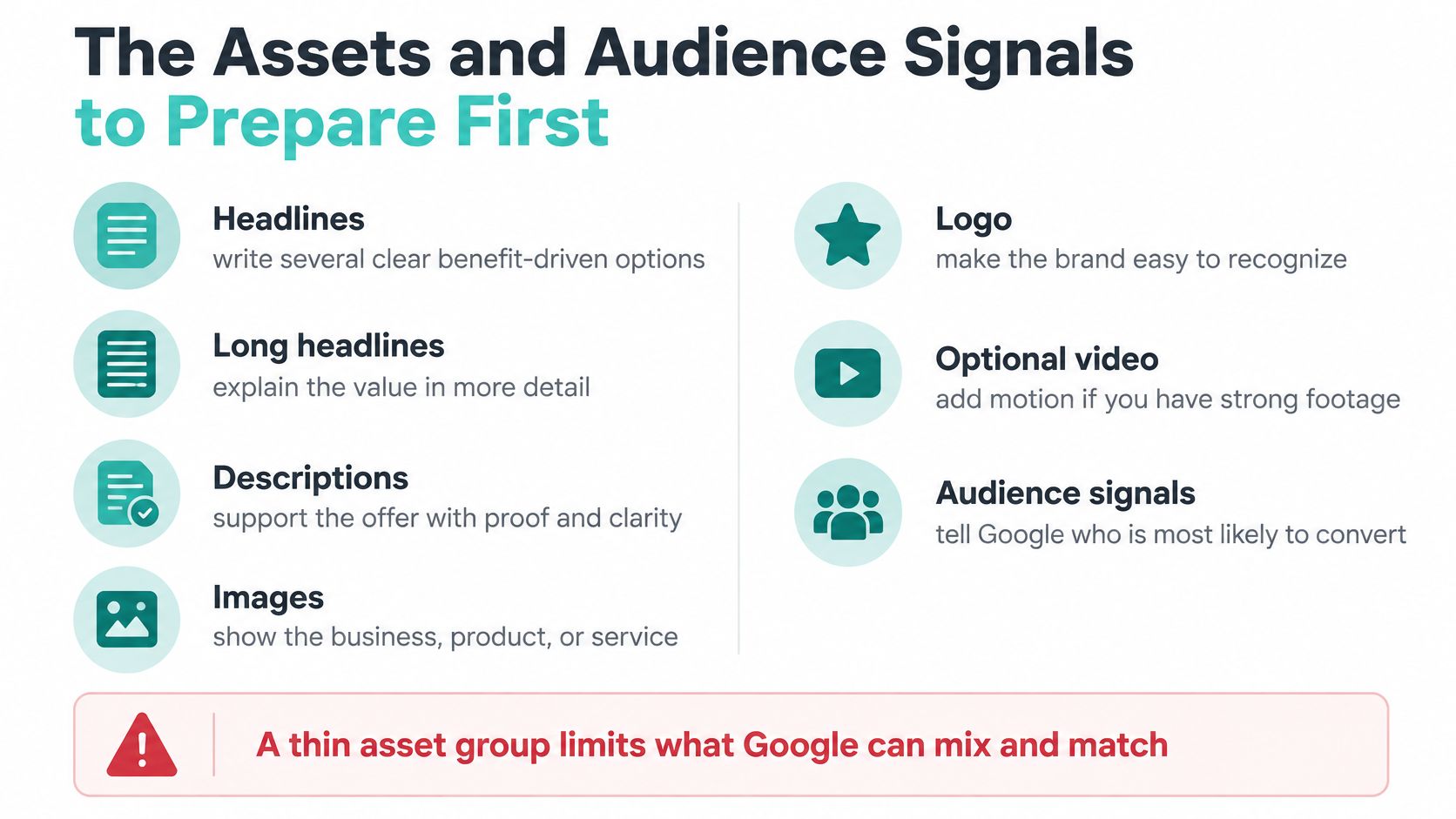
Work through this checklist before you open the campaign builder, not after.
| Asset type | How many | What it must contain | Common mistake |
|---|---|---|---|
| Headlines | 5 | One service or offer each, plus city or service area | Repeating the business name five times |
| Long headlines | 1 to 5 | A full sentence carrying the offer and the call to action | Stuffing keywords until it reads like a list |
| Descriptions | 2 to 5 | Clear benefit, proof, and an explicit next step | No call to action, so the click has nowhere to go |
| Images | Square and landscape | Genuine photos of the business, staff, jobs or premises | Stock photos that look like every other advertiser |
| Logo | 1 clean file | Transparent background, readable at small size | Low-resolution logo stretched into a banner |
| Video | Optional, 1 short clip | 10 to 30 seconds showing the work or the offer | Skipping video entirely when a phone clip exists |
| Audience signals | 3 hints | Customer list, site remarketing list, custom segment from service terms | Treating signals as restrictions on delivery |
Audience signals are starting hints, not targeting. You’re telling the system who is likely to convert, using your own first-party customer list, a site remarketing list, and a custom segment built from the terms your customers search. They guide exploration. They don’t restrict delivery, so don’t expect a signal to keep your ads away from anyone. If you want the mechanics of building those lists properly, this guide to audience segmentation covers the groundwork.
Two mistakes waste more budget than any bidding setting. The first is duplicating the same headlines across every asset group, which leaves the system with nothing to distinguish and nothing to learn. The second is one asset group covering three unrelated services, so a plumbing repair, a bathroom remodel and an emergency callout all compete inside the same bundle. Two focused asset groups beat one broad one every time.
Practical rule: if you can’t describe an asset group in a single sentence, it’s two asset groups.
A one-person marketing team can produce the minimum viable set in a day: five headlines, three long headlines, three descriptions, four or five genuine photos in both orientations, a clean logo, and a phone video if one exists.
How to Set Up a Performance Max Campaign Step by Step
The order matters more than the settings. Bad tracking makes every later decision unreliable, and rebuilding a campaign after three weeks of polluted data costs you the learning period twice.
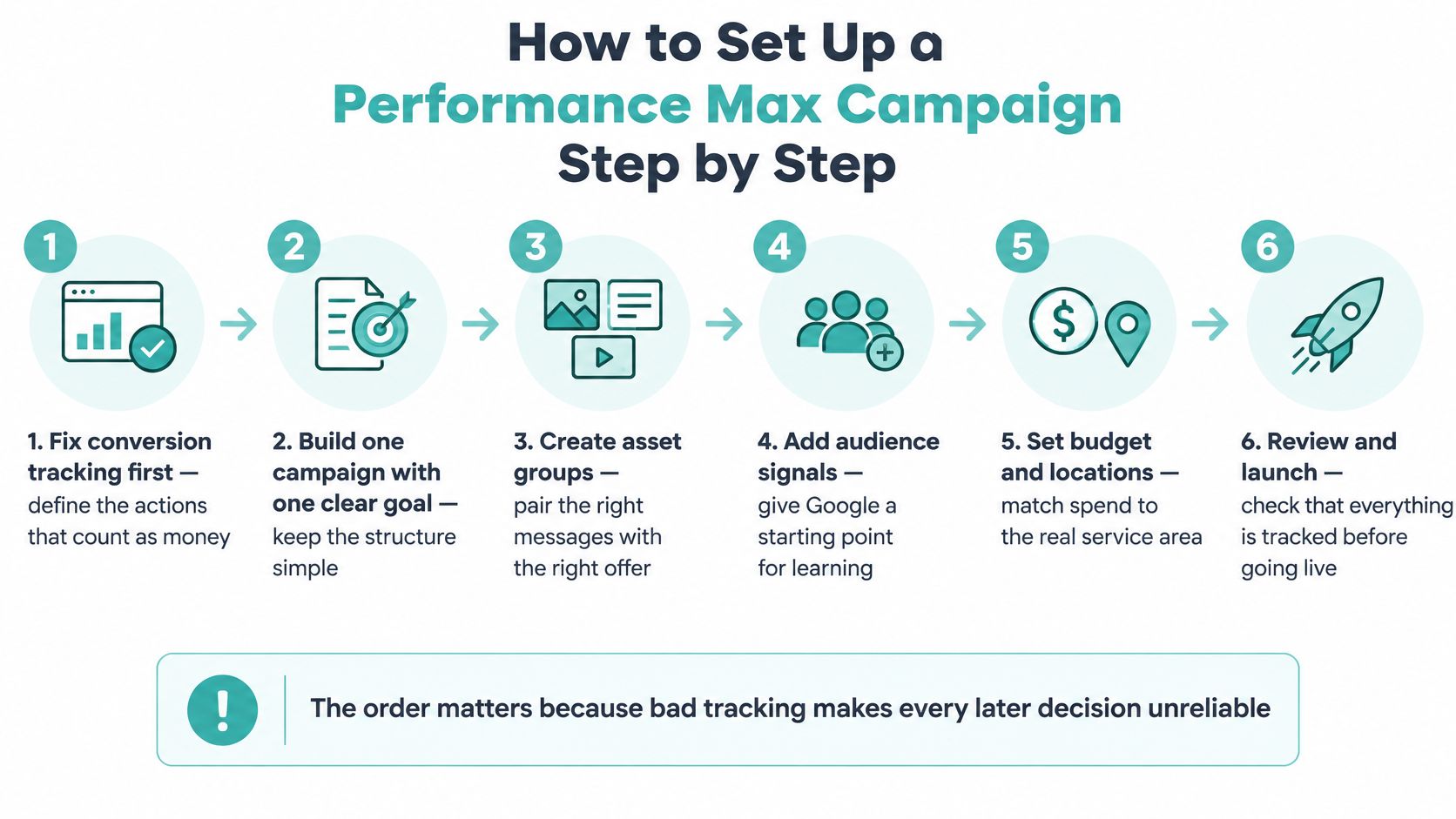
Performance Max runs on Smart Bidding, setting real-time auction bids according to predicted conversion probability. That makes the quality of your conversion objective the technical dependency that matters, not the campaign type. Google’s documentation on conversion goals and bidding is direct about this: define meaningful conversion actions and assign monetary values where you can, so bidding optimizes toward business outcomes rather than low-intent proxy events.
- Fix conversion tracking first. Decide which actions represent money: a booked appointment, a qualified phone call, a completed purchase, a submitted quote request with contact details. Assign values. Then remove page views and form starts from the primary conversion set, or at minimum mark them secondary. An algorithm trained on cheap, poor-quality form submissions will systematically find more of them, lowering your apparent cost per action while your profitability falls.
- Choose one primary goal and one campaign. Not five campaigns splitting a modest budget five ways. Fragmentation starves the model of the volume it needs to learn, and small accounts feel that starvation within a fortnight.
- Bound the geography and commit to a runway. Set the campaign to your real service area, not the country. Set a daily budget you can sustain for at least four to six weeks without touching it, because the learning period is not a phase you can shorten by adjusting things.
- Build asset groups around themes. One group per service line or offer, each with its own headlines, long headlines, descriptions, images and logo. If you have a video, add it. If you don’t, a 20-second phone clip of a real job outperforms nothing.
- Add audience signals as hints. Your customer list, a remarketing list, and a custom segment built from service terms. Three is enough. More signals rarely improve anything and take an afternoon to assemble.
- Apply account-level negatives and brand exclusions. Exclude your own brand terms so you’re not paying to re-acquire people who already know you, and add negatives for the queries that can never convert. If you’re still deciding how much of your budget belongs in paid search at all, this guide to small business paid search strategies sets out the wider structure.
- Launch, then leave it alone. Don’t change goals, don’t tinker with bids, don’t restructure asset groups during the first weeks. Every change restarts the learning.
If you sell offline or over the phone, turn on enhanced conversions for leads. It uses consented first-party data to connect an online click with a later booked job, which is the difference between optimizing for enquiries and optimizing for customers. The setup detail most accounts get wrong is covered in this walkthrough on conversion tracking for small business.
The campaign is only as good as the conversion it is chasing. Everything else is a delivery mechanism.
Reading the Limited Reporting Google Provides
Start with what you can see. Google documents asset-level metrics, asset-group reporting and channel performance, and the channel report shows where ads served across Search, Display, YouTube, Discover, Gmail, Maps and Search partners, as set out in the Google Ads reporting documentation. You can tell which creative combinations earn spend and which channels absorb it.
Then accept what you can’t see. Google’s feature-compatibility documentation lists several controls and dimensions as unavailable in Performance Max, including device bid adjustments, ad-schedule bid adjustments, location-based bid adjustments, portfolio bid strategies and the viewable-impressions column. If you’ve run a manual Search campaign, that list will feel like losing your hands.
The three checks that make the visible data trustworthy
Location reporting. Pull the geographic breakdown and confirm spend is landing inside your service area rather than in a neighbouring city you don’t cover. Location bid adjustments aren’t available here, so the only remedy for waste outside your area is to tighten the campaign’s location settings.
Asset-group performance. Download it and look at which groups consume budget. An asset group with a “Low” rating isn’t necessarily broken, but a group that never earns impressions while another takes everything tells you the system has picked a favourite and the rest is decoration.
Channel presence versus incremental sales. A channel appearing in the report proves delivery, not that the sale wouldn’t have happened anyway. That distinction matters most for branded traffic and returning customers.
Reconciliation check: pull the campaign’s reported conversions for the month, match them line by line against booked appointments or closed jobs in your CRM, and calculate cost per qualified lead next to cost per form fill. Where those two numbers diverge, the gap is the credit the campaign is claiming for outcomes you’d have won regardless.
To make the site-side numbers line up with what Google Ads reports, this walkthrough on setting up Google Analytics 4 covers the event configuration that most small accounts skip. Judge the campaign on cost per qualified lead. Everything else is a proxy.
Steering, Testing and Reading What Actually Adds Customers
Controls and tests are one loop, not two topics. Every exclusion you add is a hypothesis, and every hypothesis deserves a read window.
Start with the three controls that pay for themselves quickly: account-level negative keywords for queries that never convert, campaign-level negatives per offer, and brand exclusions so your own name stays out of the auction. Google added campaign-level negative keywords in 2025 and confirmed that channel-performance reporting reached all Performance Max campaigns in November 2025, which tells you channel visibility and steering were genuine advertiser pain points rather than advanced-user requests, as documented in the Google Ads Performance Max updates. Google also cautions that exclusions can limit performance, so add them on evidence and revisit them after launch rather than blocking half the inventory on day one.
What a defensible test looks like
Google provides uplift experiments that compare adding Performance Max against your existing campaigns, upgrade experiments that simulate moving budget from another campaign type, and optimization experiments for settings or creative, with reporting covering conversions, conversion value, CPA, ROAS and spend, per the Google Ads experiments documentation. Use them. A test built on blended platform reporting isn’t a test, it’s a press release.
Hold geography, budget, conversion definition and time period constant across a four to six week window. Then judge incremental qualified leads or revenue, not attributed conversions.
The coexistence data supports treating this as an addition rather than a replacement. An Optmyzr study published in October 2024 examined 9,199 accounts and 24,702 campaigns and found that 82% of advertisers ran Performance Max alongside other campaign types rather than using it alone, and it cites an operating threshold of roughly 60 conversions per 30 days for stronger automated learning, per Style Strand Media’s summary of the study. That threshold is a practical benchmark, not a universal rule, but a small account that clears a fraction of it should expect slow, noisy learning.
Stopping rule: if incremental cost per qualified lead or revenue hasn’t beaten your existing Search baseline after six weeks, move the budget back. No third extension.
Review search terms and the channel report weekly for the first month, then monthly. When a channel or placement burns spend without producing qualified leads, test the exclusion as a change with a date attached, rather than assuming and blocking. If you want a structure for judging the result against the rest of your marketing, this guide to measuring marketing ROI sets out the comparison. And if you’d rather have oversight tooling watch the account between reviews, AdCrunch on AI-driven campaign oversight covers what automated monitoring can and can’t catch.
When to Hold Off and What to Run Instead
Automation amplifies whatever signal you feed it. When the signal is weak, the honest move is to wait.
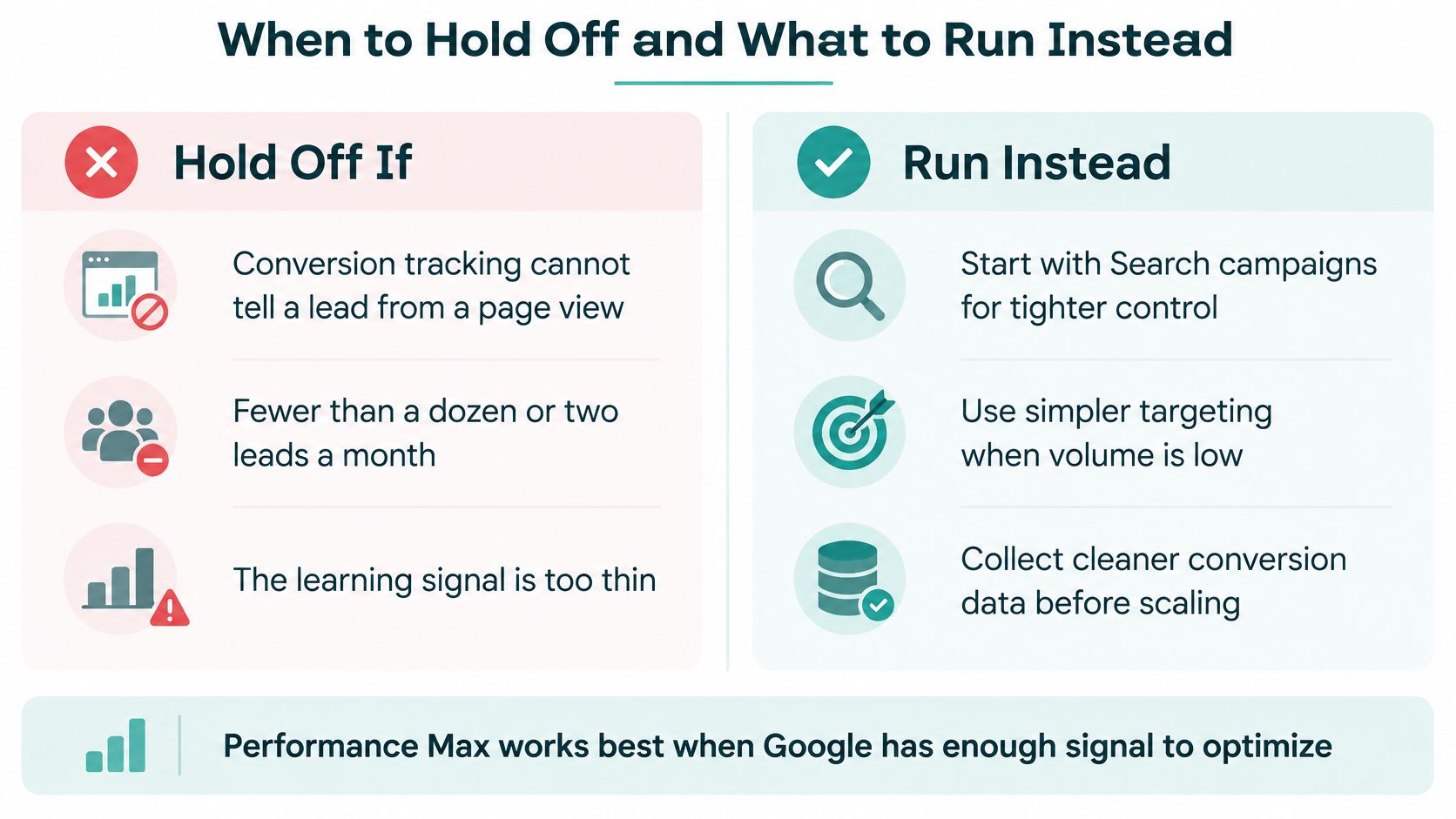
- Tracking that can’t tell a lead from a page view. Run a tight Search campaign on high-intent terms while you fix measurement. You can’t steer what you can’t see.
- Fewer than a dozen or two leads a month. That volume sits well below what conversion-led bidding needs to learn from. Start with Search, where you control the match types and can see every query.
- A budget so small that adding the campaign fragments spend. Consolidation into one Search campaign beats three thin campaigns every time.
- A long, offline sales cycle with no way to feed qualified outcomes back. Run remarketing or a limited Display campaign and invest in CRM discipline first.
- A business that depends on branded searches. You’d mostly be watching credit shift between channels, not demand growth.
- A strict regulatory environment where automated placement is hard to police. Use channels where you control the creative and the geography explicitly.
For owners who want reach beyond Google without a production budget, Adwave runs streaming TV campaigns on Hulu without a $50K minimum, and setup takes about five minutes from pasting a website to live ads, with no agency and no ad accounts needed. More than 3,000 businesses use it to get discovered.
The wider channel decision is worth making before you commit to any campaign type. This guide to choosing advertising channels lays out the comparison, and the Google Ads for small business resource covers the search side in more depth.
Your Next Step Before You Launch
Compress this into five moves with dates attached.
- This week, name the action that represents money for your business and confirm Google Ads records it. Booked appointment, qualified call, completed purchase. One action, tracked, valued.
- Count how many of those actions you get in a month. If it’s thin, run Search first and revisit this in a quarter.
- Audit the existing account. If a Search campaign already carries your high-intent demand, plan Performance Max as an addition tested through an experiment, not a replacement.
- Assemble the minimum asset set and build one focused asset group per service line. Two groups done properly beat six done badly.
- Set geography, budget and brand exclusions, then book a review six weeks out and judge the result on qualified leads and cost per customer, not on platform-reported conversions.
Adwave offers a free website analysis, and you can preview your ads and approve them before spending anything.
If you want a second channel running alongside Google without a production crew or a six-figure commitment, Adwave builds broadcast-ready ads from your website and puts them in front of local viewers on streaming and TV, with a free website analysis and a preview of your ad before any money is spent. It’s a way to test whether reach beyond search moves your business, using the same conversion discipline described above. Visit Adwave to see what your own site turns into.