
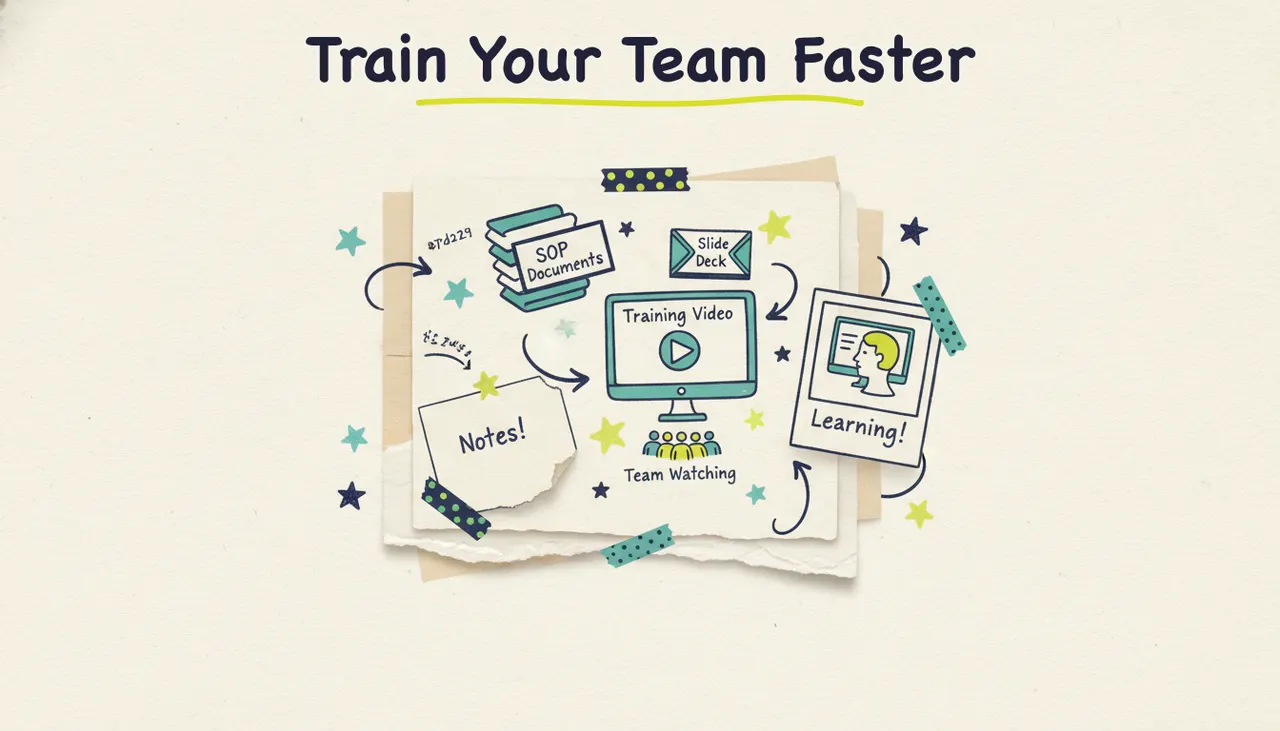
To make training videos with AI, you turn your existing SOPs, slide decks, and process docs into scripts, then let an AI production tool generate the visuals, voiceover, and music so your team gets consistent, on-demand training. With Wavemaker, you upload the documents you already have, review the script, and get a finished, narrated training video in a few minutes, no editing timeline and no production crew required. This guide covers why video training works, the main types of training videos, how to build them from material you already own, how to keep them updated cheaply as your processes change, and the design habits that make training stick.
Most companies already have their training written down. It's sitting in a policy PDF, a handbook, a slide deck from last year, or a Google Doc titled "New Hire Onboarding." The hard part was never the knowledge. It was turning that knowledge into something people will watch and remember. AI closes that gap, and it does it fast enough that keeping training current stops being a chore you dread.
Why video training works
If you've ever handed a new hire a 40-page PDF and hoped for the best, you already know the problem. People don't read training documents, they skim them, and then they ask the same questions the doc was supposed to answer. Video fixes three things at once.
Retention. People remember more of what they see and hear than what they read. Video pairs narration with visuals, which gives the brain two channels to encode the same information. For process-heavy material, showing a step while explaining it beats a wall of bullet points every time.
Consistency. When training lives in a person's head, every session is slightly different. The Tuesday hire learns something the Thursday hire misses. A video delivers the exact same message to everyone, every time, which matters enormously for compliance, safety, and anything where "close enough" isn't good enough.
Scale. A live trainer can only be in one room at a time. A training video works at 2 a.m. for a remote employee, plays identically across ten locations, and doesn't need to be rebooked when three people start the same week. You build it once and it trains everyone, forever, until the process changes.
Self-service. Good training video isn't just for day one. When someone forgets how the returns process works six months in, they should be able to pull up a 90-second refresher instead of interrupting a colleague. On-demand video turns your training library into a support system that answers questions before they reach a manager.
The thing that used to make video training expensive (studios, editors, voice talent, reshoots every time a policy changed) is exactly what AI removes, which brings us to the practical part.
The main types of training videos
"Training video" covers a lot of ground, and the type you're making changes how you should build it. Most workforce training falls into four buckets, and each has a natural source document you probably already have.
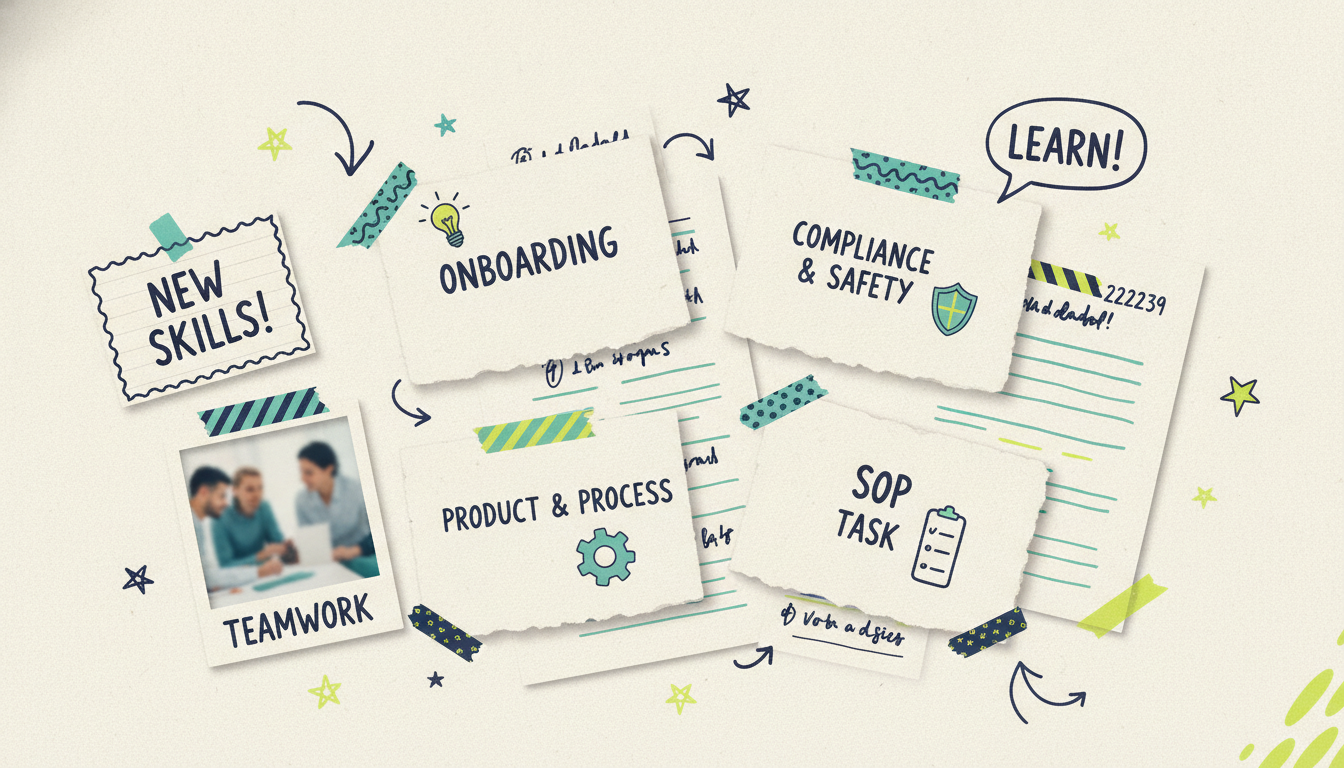
Onboarding videos. These orient a new hire: company overview, team structure, tools they'll use, what their first week looks like. The goal is to reduce the anxiety and the flood of "where do I find..." questions. Onboarding videos set expectations and culture, so they can be warmer and more welcoming than the rest of your library.
Compliance and safety training. Harassment prevention, data security, workplace safety, industry regulations. Here, consistency and completeness are everything, because the whole point is that everyone got the same required message. These videos need to be accurate to the letter, which is exactly why reviewing the script carefully matters most for this type.
Product and process training. How your product works, how a workflow runs end to end, how the CRM should be used, how a service gets delivered. This is the biggest category for most teams and the one that changes most often, which makes cheap updates especially valuable.
SOP and task videos. Standard operating procedures broken into specific, repeatable tasks: how to close the register, how to log a support ticket, how to prep a station. These are short, focused, and numerous. A library of 30-second SOP videos becomes the reference layer your team uses day to day.
Here's a quick map of each type to the source you'd start from and the approach that fits.
How to make a training video with AI: step by step
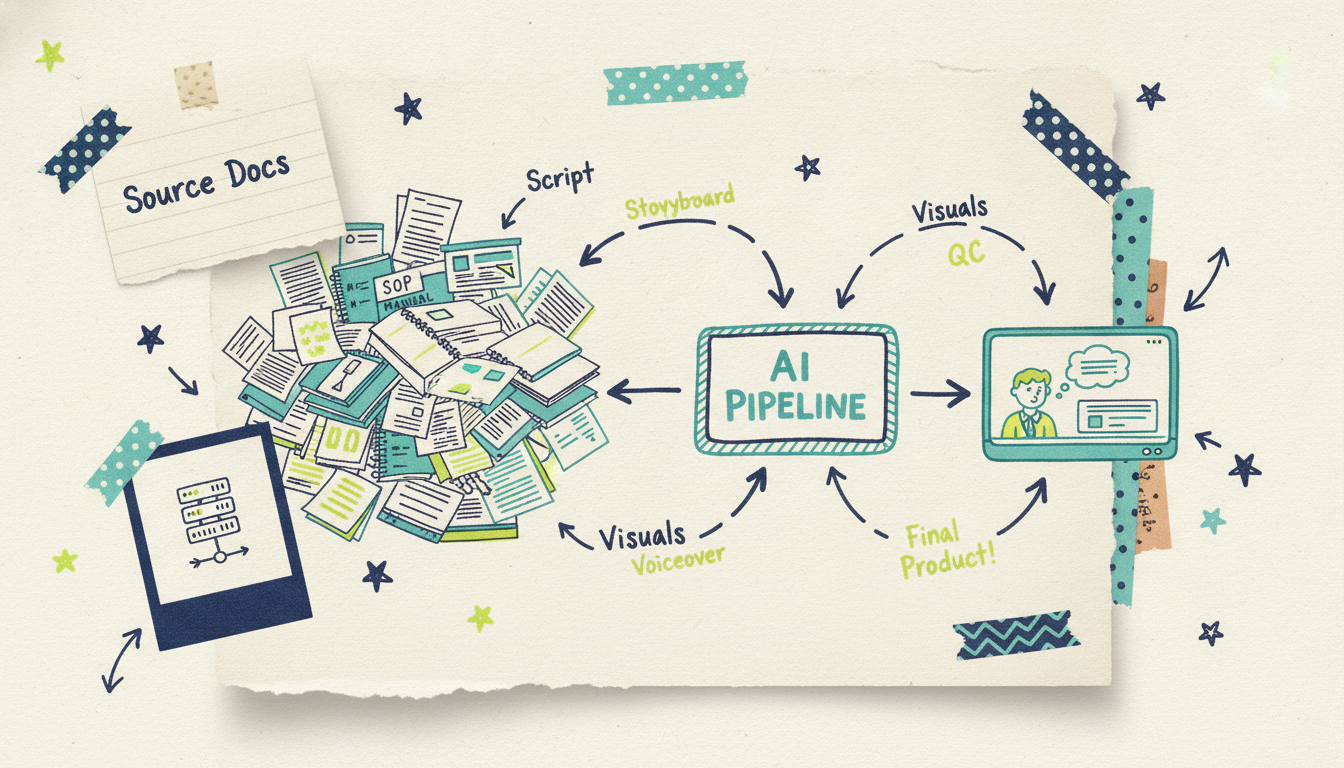
Now the practical part. Here's how you go from documents you already own to a finished training video using Wavemaker, Adwave's agentic video creator. An agentic tool runs the full production pipeline for you, so most of these steps happen automatically. Your job is to feed it solid source material and check the result, especially the script.
Step 1: Start from your existing docs, SOPs, or slides
This is the on-ramp that makes training video so efficient: you almost never start from a blank page. Pick whichever input matches what you've already got.
A document. Upload the PDF, policy doc, handbook, or notes that describe the process. Wavemaker pulls the substance straight from your material, so if the training is already written down, this is your fastest path. We cover this input mode in depth in documents to video.
A slide deck. If your training already lives in slides, that outline becomes the backbone of the script. You're converting something static that people skim into something narrated they'll finish.
An outline or prompt. Type the steps as a rough outline ("onboarding: 1. company mission, 2. Your team, 3. tools we use, 4. first-week checklist"), and Wavemaker turns it into a full script.
A topic. If you only have the subject and not the details, hand it the topic and Wavemaker researches it and drafts the training for you to review.
Step 2: Let the AI script it, then check for accuracy
Once you've given it a starting point, Wavemaker generates the training script. This is your most important checkpoint, and for training it matters more than for almost any other video type. Read the script against your source: is anything missing, out of order, or technically wrong? For compliance and safety videos especially, accuracy isn't a nice-to-have, it's the entire reason the video exists. If something's off, you don't rewrite from scratch. You just tell it what to change (more on chat editing below).
Step 3: Review the storyboard for pacing
Next, Wavemaker turns the script into an AI storyboard using one of its 21 presets. The storyboard maps each line of narration to a visual beat, so you can see the rhythm of the training before anything renders. This is where you catch pacing problems while they're cheap to fix. Make sure the important steps get enough room and the routine parts don't drag.
Step 4: Generate the visuals
Here's where an agentic generator pulls ahead of slideshow tools. Instead of stitching stock clips together, Wavemaker generates custom images and video clips for each part of the training, with subject consistency so the visuals stay coherent from section to section. For process and onboarding content, that means visuals made for your specific workflow rather than generic footage that only sort of fits. If a particular step is a literal software walkthrough, you can pair a screen recording with the generated intro, section breaks, and voiceover.
Step 5: Add voiceover and music
Wavemaker generates an AI voiceover for your script, and on paid plans you can design a custom voice to match your brand's tone. For training, the voice is the instructor, so clarity and steady pacing matter more than personality. It also adds BPM-aware music with audio ducking, so the music drops in volume when the narration speaks and rises in the gaps. Keep the music low: it should support the lesson, not compete with it.
Step 6: The AI vision QC pass
Before you get your video, Wavemaker runs an AI vision quality-control review, looking at the output to catch obvious issues. This is the step most tools skip, and it's why you get a finished training video instead of a rough draft you have to babysit. Most videos come back in about two to five minutes.
Keeping training videos updated (cheaply)
Here's the part that quietly kills most training libraries: processes change, and updating a traditionally produced video means booking a studio, re-recording voiceover, and re-editing, so the update never happens. The video drifts out of date, people stop trusting it, and you're back to training in person.
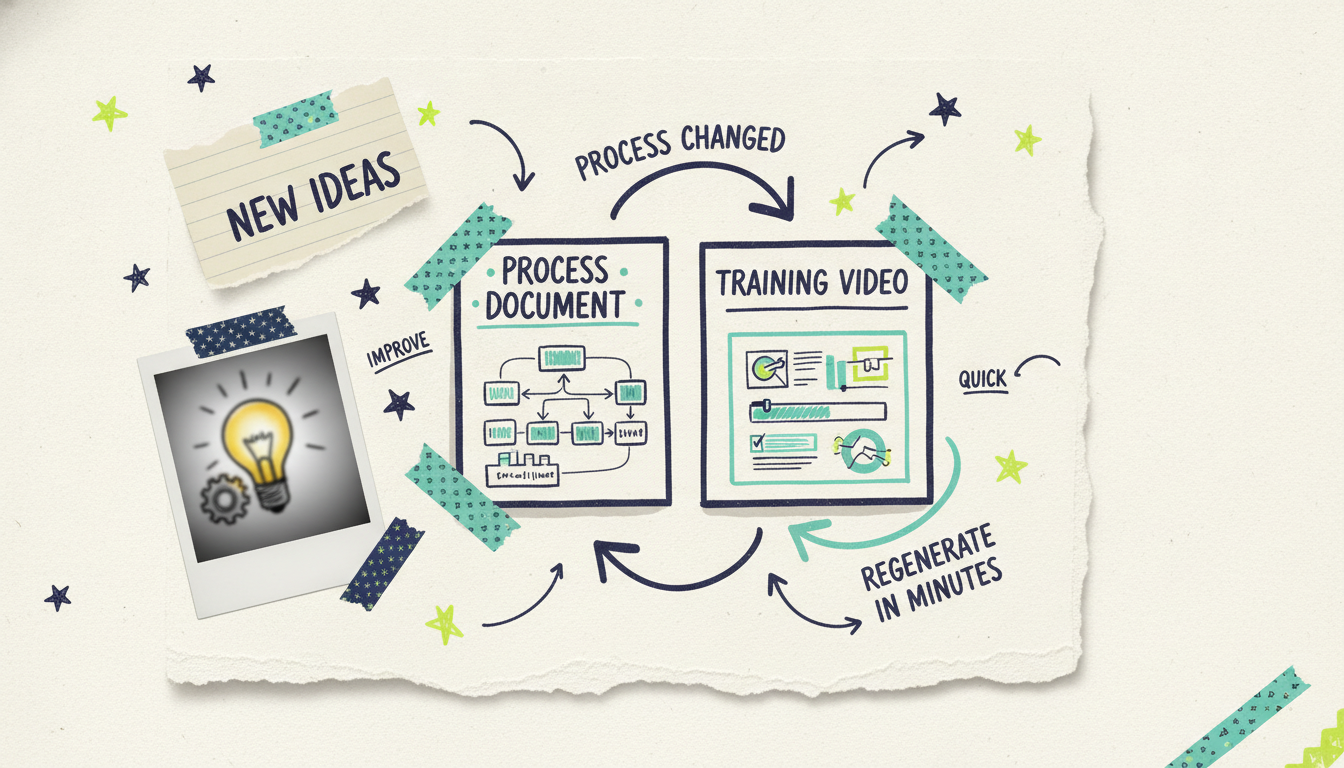
AI flips that math. When your process changes, you update the source (edit the doc or the outline), regenerate, and you have a corrected video in minutes instead of weeks. A refined edit costs only a small number of credits, so fixing a single outdated step doesn't mean rebuilding the whole video. That's the difference between a library that stays accurate and one that rots.
A few habits keep updates painless:
Keep the source doc as the single source of truth. When the SOP doc changes, the video is one regeneration away from matching it. Treat the doc as the master and the video as a rendering of it.
Update with chat, not rebuilds. For a small change ("the approval now goes to the ops manager, not the team lead"), tell Wavemaker to swap that line rather than starting over.
Batch updates to training videos when the source policy changes. Review each revised video before republishing.
Refining your training video with chat editing
Your first cut will be close, but rarely perfect, and that's fine. This is where Wavemaker's chat editing changes the game. There's no timeline to learn and no keyframes to nudge. You just tell it what you want in plain language, like "slow down the section on data handling," "add a line reminding employees to lock their screens," or "make the intro shorter and get to the first task faster."
Each refine costs a small number of credits and takes a couple of minutes, so you can iterate until every point is clear. For training especially, this loop is where you fix the pacing and the wording that separate a video people finish from one they click away from.
Tips for effective training video design
The difference between training that sticks and training people forget usually comes down to a handful of habits.
One objective per video. A training video should teach one thing well. If you're covering onboarding, compliance, and the CRM in a single 20-minute file, split it. Short, single-topic videos are easier to make, update, and reference later.
State the objective up front. Open by telling the viewer what they'll be able to do by the end ("after this, you'll be able to process a return start to finish"). People learn better when they know the destination.
Keep segments short and labeled. A viewer who can see "section 3 of 5" on screen knows how much is left, which alone reduces drop-off.
Repeat what's critical. Say the important warning twice. Redundancy feels unnecessary to you, the expert, and reassuring to the person learning it for the first time.
End with a check or a next step. A quick recap cements the key points, and pointing to the next module keeps momentum while the learner is engaged.
Match length to the task. Most effective training videos run two to eight minutes; SOP clips run under two. If a video creeps past ten minutes, it's usually two videos wearing one file name.
If you're teaching one specific task rather than running a structured program, that's a tutorial, and we cover it in how to make a tutorial video with AI. If your goal is to explain a concept or product briefly rather than train a workforce, how to make an explainer video with AI is the better fit. Training is the internal, structured, workforce-facing version: onboarding programs, compliance modules, and SOP libraries that everyone on the team runs through.
Common questions answered
Can AI make a training video from our existing SOPs and documents? Yes. With Wavemaker you can upload a policy PDF, an SOP doc, a handbook, or a slide deck, and it will build a full training script from your material, then generate the visuals, voiceover, and music. You review the script for accuracy before it renders, which matters most for compliance and safety content where every detail counts. If you only have a topic and not the written details, it can research and draft the training for you to check.
How do we keep training videos up to date when a process changes? Update your source material, then regenerate. Because Wavemaker builds the video from your doc or outline, a process change means editing the source and rebuilding in minutes rather than booking a reshoot. For small fixes you can use chat editing to swap a single line or step, which costs only a few credits, so keeping a whole library current becomes an afternoon instead of a production cycle.
What types of training videos work best with AI? Onboarding, compliance and safety, product and process training, and SOP or task videos all work well because each usually starts from a document you already have. AI-generated visuals are especially strong for process and concept training, where custom illustrations explain a workflow better than raw footage. For training that hinges on exact clicks inside one specific app, pair a screen recording with an AI-generated intro, section breaks, and voiceover.
How is a training video different from a tutorial or an explainer? A training video is internal and structured: it's part of a workforce program like onboarding, compliance, or an SOP library that everyone runs through. A tutorial teaches one specific task to whoever needs it, and an explainer briefly answers "what is this and why does it matter," usually to persuade rather than train. If you're building repeatable programs for your team, training is the right frame.
Can we make a training video for free? Yes. Wavemaker's free plan gives you 75 credits, which is enough to create your first video, exporting at 480p with a watermark. It's a genuine free tier, so you can run one of your SOPs or an onboarding overview through the full workflow and see the result before deciding whether to upgrade for higher resolution, more seats, and no watermark.
Build your training library the easy way
The best training comes from the people who know the work, not the people who know video editing. If your team already has the process written down somewhere, you already have the hard part done. Wavemaker handles the rest: script, visuals, voiceover, music, and a QC pass, all from your existing docs, SOPs, or slides, and keeping it current is a quick regeneration instead of a reshoot.
Create your first video free with 75 credits, no credit card required. Upload an SOP or an onboarding doc, review the script for accuracy, and refine the pacing with a quick chat until it's ready for the whole team.





