A homeowner’s water heater splits a seam at 6:40 on a Tuesday morning. She stands in a puddle, searches “water heater repair near me” on her phone, taps the first listing with a green checkmark, and hits call. If that listing isn’t yours, the job went to another contractor before you finished your coffee.
That listing is a Local Services Ad, and it behaves nothing like the Google Ads you may have tried and given up on. You don’t bid on keywords. You don’t pay for clicks. You don’t send anyone to a landing page. You get a phone call or a message from someone who wants the work done, and you pay when that contact arrives.
The setup is where most contractors either sail through or stall for three weeks. Verification, licensing, the Google Guaranteed badge, the weekly budget, service areas, lead disputes: each one has a specific rule, and each one has a predictable failure point.
How Local Services Ads Work for Contractors
Local Services Ads are Google’s lead-based ad format for selected service categories and locations. Instead of sending searchers to your website, the ad puts a call button and a message button in front of them, and the inquiry arrives on your phone or in your inbox. Google’s Local Services getting-started guide describes the format as appearing prominently for the services you offer in the areas you selected (checked February 2026).
The search moment is narrow and specific. Someone stands in a cold basement typing “furnace repair near me,” or stares at a brown ceiling stain and types “roof leak repair.” They aren’t researching. They want a person who can show up today.
That’s the whole premise of local services ads for contractors: you’re buying the moment of need, not impressions.
| Feature | Pay-per-click search ads | Local Services Ads |
|---|---|---|
| What you pay for | Each click to your website | Each valid lead, under Google’s billing rules |
| How prospects contact you | Website visit, then form or call | Phone call or message through the ad |
| Eligibility | Open to most advertisers | Selected categories and locations, with verification |
| Budget control | Daily budget per campaign | Average weekly budget based on leads wanted |
| Placement | Search results and extensions | Prominent placement for eligible, verified providers |
What changes when you pay per lead
A click can be wasted on a poor fit. Someone clicks your ad, reads your service area, and leaves. You paid anyway. A charged lead is different: it’s a call or message Google counts as valid under its own rules, which means a real person described a real job. You still have to answer it and win it, but the raw material is better.
If you’ve run standard campaigns before, the Google Ads for small business guide covers that wider picture, and the contractor lead generation guide maps out where leads come from beyond Google. For a worked look at how pay-per-click behaves specifically in the trades, Netco Design on contractor PPC walks through campaign structure and bidding.
One check before you read further: open Google’s Local Services help pages and confirm your trade and your market are both listed as eligible. If they are, everything below applies to you. If they aren’t, no amount of setup will produce a lead.
Eligibility, Verification and the Google Guaranteed Badge
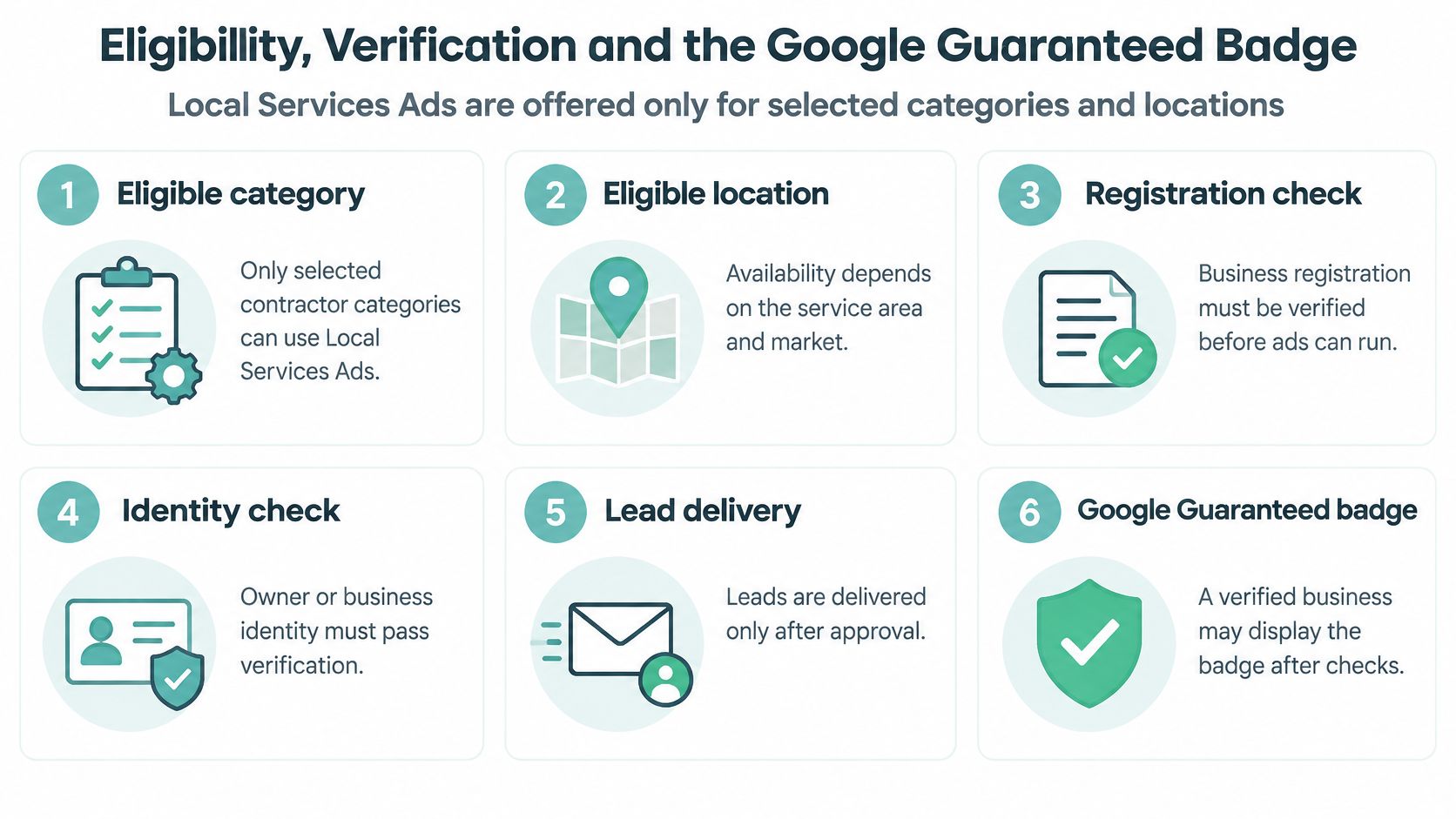
The gate comes first. Local Services Ads are offered only for selected categories and locations, and a business has to pass registration and identity checks before a single lead is delivered. Google’s setup and badge requirements page identifies a license, or business registration where no license is required, as part of the pre-badge requirements, alongside confirming the business holds appropriate authorization, meeting review requirements, completing billing and setting a budget (checked February 2026).
In practice, the checks you’ll be asked for are business registration, a valid license matching your trade, insurance, and publicly available business information. Some categories go further into an advanced review that can include a look at your Google Ads account and a video interview with the owner, as described in Google’s verification documentation (checked February 2026).
What the badge actually certifies
The Google Guaranteed badge reflects completed verification. It is not something you buy by spending more. A business displaying the badge has passed the applicable screening requirements for its category.
That distinction matters when you’re budgeting. Money buys leads. It doesn’t buy the badge.
Your Google Business Profile has to be correctly connected to the matching Local Services account, and the name, categories, service areas and hours must agree across both. A frequent stall point is a mismatch across those records: a business name that reads “Rivera & Sons LLC” on the license, “Rivera and Sons Plumbing” on the profile, and “Rivera Plumbing Co.” on the ad account. Google’s systems compare them, and a mismatch holds up the review.
| Business case | What Google may check | Where to confirm |
|---|---|---|
| Trade that requires a license | Business registration and a valid license | Local Services help center, category requirements |
| Trade with no license requirement | Business registration | Local Services help center, category requirements |
| Category with advanced verification | Public information review, Google Ads account, video interview | Local Services help center, verification pages |
Practical rule: treat verification as an acquisition prerequisite, not paperwork you clear once. Keep licenses, insurance certificates and profile details current, because an expired document stops lead delivery the day it lapses.
Incomplete verification means no leads. Serious or repeatedly negative customer feedback can also lower your ranking or stop the ad appearing at all, so the operational side of the business is part of the ad product. If you’re comparing bids from local trades yourself, compare roofing estimates in Columbus shows what homeowners are weighing while they read your reviews.
Who Must Be Screened When Subcontractors Do the Work
A general contractor books an electrical panel upgrade from a Local Services Ads (LSA) lead and dispatches a trusted subcontractor. The work goes well, but nobody checks whether the electrician has completed the required screening. A successful job doesn’t close that compliance gap.
Google’s Local Services screening requirements vary by category and location. In applicable North American categories, every employee, independent contractor, temporary worker, contingent worker, vendor, or other service professional who performs core work may need screening, including background checks. Local Services leads must be fulfilled by the advertiser or its vetted technicians, rather than passed to another business.
For a remodeler or specialty firm using subcontractors, the badge carries a workforce-compliance obligation. Your dispatch roster needs to match the people cleared to do the work.
Employees versus subcontractors versus temps
Start with what each person does. “Core work” means the trade work the customer hired your business to perform. A bookkeeper or yard-sign installer isn’t performing that work; the electrician at the customer’s panel is. Their employment arrangement doesn’t settle whether screening applies.
A roster you can defend
Use the roster as a dispatch gate, not a filing exercise.
- List everyone performing core work under your business name, including regular subcontractors and seasonal help.
- Label each person as an employee, subcontractor or temp so coverage is easy to check.
- Confirm screening status before assigning anyone to a Local Services job.
- Update the roster whenever a technician joins or leaves, or a subcontractor relationship changes.
- File the documentation for each subcontractor: license, insurance certificate and screening confirmation.
- Review the roster before launch and regularly afterward, especially when crews change.
If an unlisted worker is due at a callout, confirm their status before dispatch. Send a screened technician or reschedule if necessary. Check the current category and jurisdiction requirements before assuming an exception applies.
Hiring crews carefully means checking each subcontractor’s license, insurance certificate and screening confirmation before they take a Local Services job. The homeowner-facing Aastro Roofing Company hiring guide offers the customer’s perspective on choosing a roofing contractor, rather than a subcontractor-screening procedure.
Judge lead performance by booked jobs your cleared crews can fulfill, not lead count alone. Screening remains part of that operating discipline as your workforce changes.
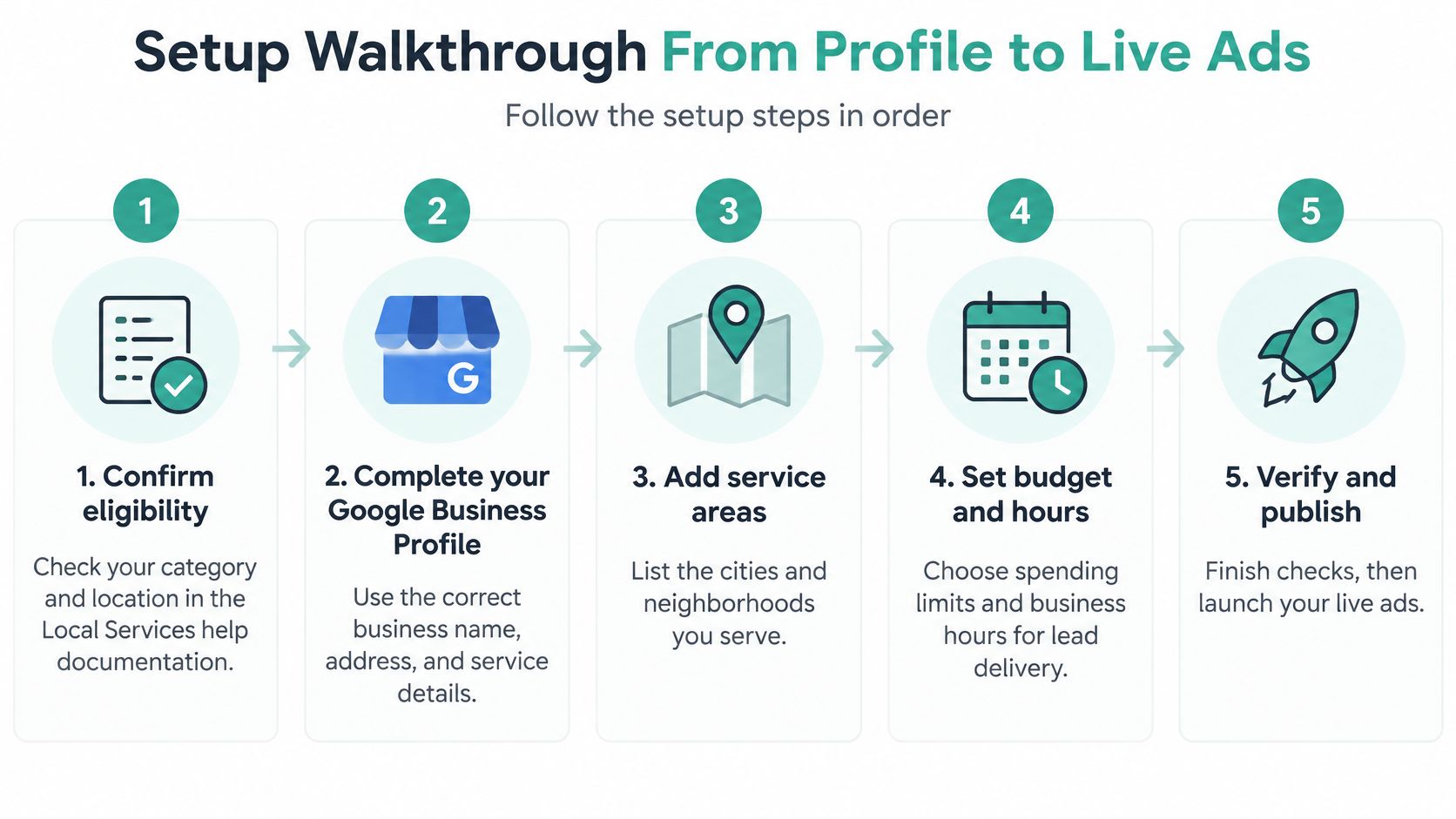
Setup Walkthrough From Profile to Live Ads
A good setup feels like stacking bricks. If the profile, screening, service area, and billing are out of line, the finished ad waits. Follow this order, because each step gives the next one something solid to stand on.
-
Confirm eligibility. Check your category and location in the Local Services help documentation. Skipping this can leave a contractor building an account for a trade Google does not serve in that market.
-
Complete your Google Business Profile. Correct the business name, address or service area, hours, categories, and phone number, then connect it to the Local Services account. A profile verified years ago under an old business name can slow the handoff.
-
Submit registration and license information and confirm your identity. Expired licenses are a frequent cause of a stalled review, so photograph the current certificate, not the one in last year’s folder.
-
Complete screening and any category review, including a video interview where Google requests one. Book the interview as soon as it is offered. Waiting adds days to launch.
-
Choose services and set service areas by radius, city, or ZIP codes. Match them to where your crews drive. A service area wider than your coverage produces leads you cannot serve and cannot always dispute.
-
Add a payment method and finish billing. Nothing runs until billing is complete.
-
Set the average weekly budget from the number of leads your team can answer and book in a typical week, not the number you hope to receive. A budget above dispatch capacity buys missed calls. The unique job test matters here: count likely booked jobs, not raw inquiries.
-
Route calls and messages so every lead reaches a person who can speak to the job, then confirm the ad is live. Voicemail on the main line is a leak, not a safety net.
The one-day routing check
Before you raise the budget, have someone call the number on the ad during advertised hours and send a test message through the listing. Confirm a human answers, that the message lands in an inbox someone monitors, and that the person receiving it knows what your service area covers. Treat this as an operating check, then repeat it when hours, staff, or coverage change.
If you’re still tightening the profile itself, the guide to service area businesses on Google Business Profile covers how to present a business that travels to customers rather than welcoming them to a storefront.
Pay-Per-Lead Billing and Weekly Budget Settings
You pay for each valid lead the ad delivers, not for clicks. Google’s pay-per-lead billing documentation states that lead costs can vary by location, job type, lead type and bidding mode (checked February 2026). That’s the entire billing model in one sentence.
What counts as valid is defined, not left to interpretation.
| Lead type | What counts as a valid lead | Pricing note |
|---|---|---|
| Phone call | Call you answer or return that speaks with the customer | Priced per valid lead; varies by location, job type, lead type and bidding mode |
| Text message | Message from the customer | Generally priced lower than a corresponding phone lead; not guaranteed |
| Email from the customer | Billed per valid lead like a message; no guaranteed price relationship to phone leads |
Why message leads usually cost less
Message leads are generally priced lower than corresponding phone leads because they’re a lighter commitment from the customer and often need a reply before they turn into a booked job. Google notes this isn’t guaranteed, so treat the discount as something to verify in your own account rather than a fixed rule. Track which type books more often for your trade before you decide one is cheaper in real terms.
Sizing the weekly budget
You set an average weekly budget based on the number of leads you want in a typical week, which means individual weeks will land above or below that figure.
The method I use: count how many leads your team can answer and book in a week. Multiply that by your own cost per lead from past invoices. Set the weekly budget close to that product, then leave it alone for four weeks before judging it.
A charged lead count on its own rewards responsiveness, not profit. Compare charged leads with booked jobs, and note which lead type produces the jobs you want.
You can change the budget and the service areas at any time to move lead volume up or down, so there’s no reason to overcommit in week one. Start where your dispatch can keep up, then scale.
Answering Leads in the First Hour With a Specific Reply
The reply you send after a lead arrives is a conversion control you can measure and change. A 4,699-conversation analysis covering Yelp, Thumbtack and Google Local Services Ads, published by LeadTruffle’s first-reply benchmark (accessed February 2026), found that first responses naming the specific job, asking one focused question and avoiding an immediate request for a phone number produced a 60.5% 24-hour customer reply rate, against 50.3% for other first responses. That’s a 10.2 percentage point gap. These are observational associations, not guaranteed effects, so test them against your own numbers.
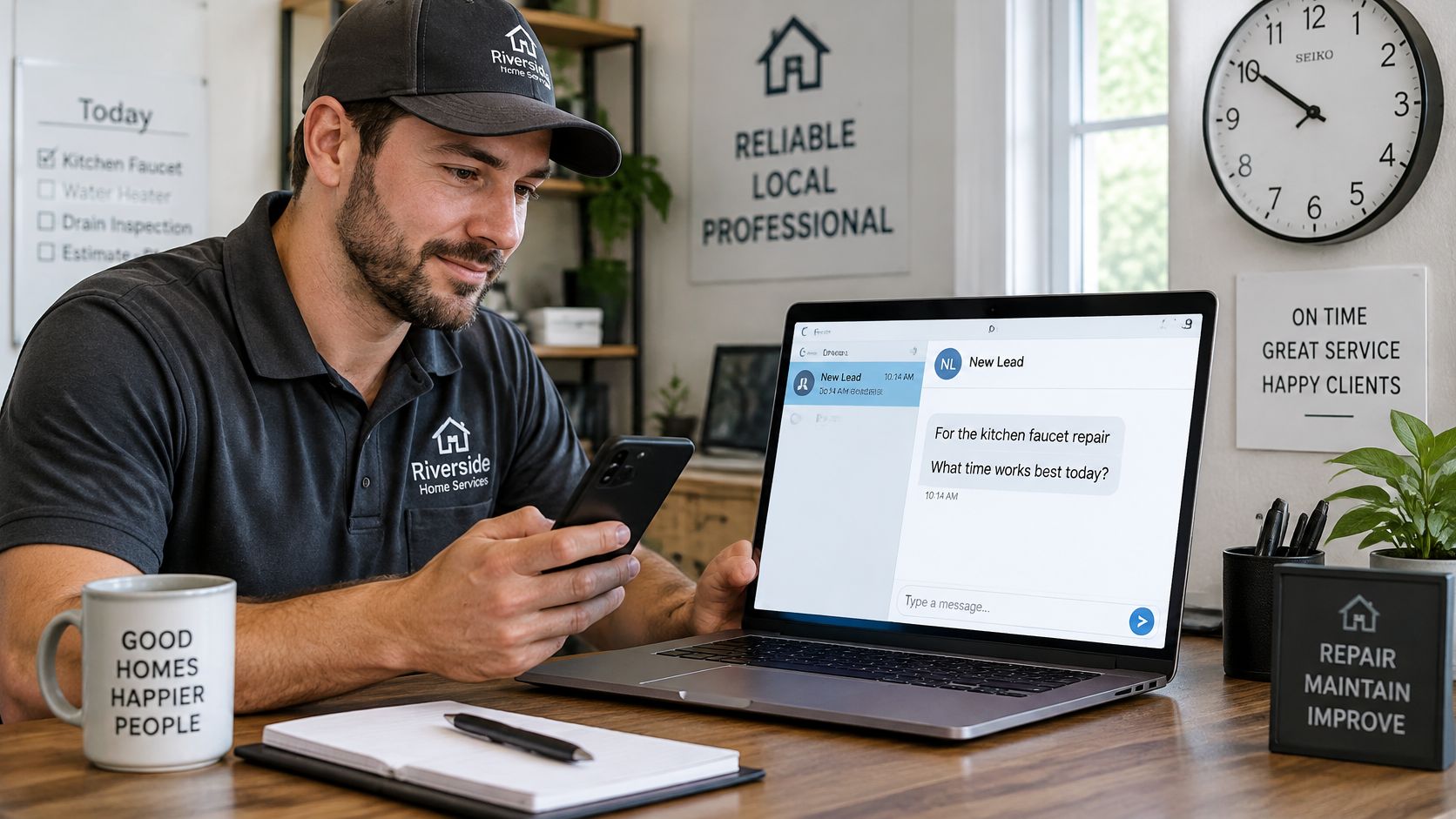
In Google LSA email conversations specifically, the same study reported a 72.5% reply rate for messages that acknowledged the request and then asked a question, and found that concise replies of 16 to 30 words outperformed longer ones.
The three-part reply structure
- Acknowledge the specific job in the customer’s own words. “Sounds like the water heater is leaking from the tank itself” beats “Thanks for reaching out.”
- Ask one diagnostic question. Equipment type, age, or how urgent it is. One question, not a form.
- Hold the phone number request until they answer. Asking for a callback in the first line adds friction before trust exists.
Three examples of the same structure applied:
- Water heater leak: “Sorry about the leak, that’s usually the tank giving out rather than a fitting. Is the unit gas or electric, and is the water still running?”
- Storm damage on a roof: “Sounds like you’ve lost shingles from the storm. Is water coming through the ceiling yet, or is the damage visible from outside only?”
- AC not cooling: “Warm air with the fan running usually points to a refrigerant or compressor issue. Is the outdoor unit running at all, or is it silent?”
Set a speed target and name an owner
Aim for a reply within minutes during working hours. Name one person who owns LSA messages, and write down what happens to a message that lands at 8 p.m. on a Saturday: does it wait until Monday, or does someone send a holding reply?
Change one element of your template each week, then track replies and booked jobs. Testing beats guessing. The guide to following up with leads without being annoying covers the sequence after that first reply.
How LSAs Fit Beside Search, Maps and TV Advertising
| Channel | Main job | Timeline | How to measure |
|---|---|---|---|
| Local Services Ads | Booking-ready service requests in search | Immediate | Charged leads against booked jobs |
| Standard search ads | Keyword-specific clicks to a landing page | Immediate | Clicks, calls and form fills against jobs |
| Google Business Profile | Map visibility and reviews | Ongoing | Profile views, calls and review count |
| Adwave TV and local video | Brand awareness across local viewers | Builds over weeks | Ad reach by area, branded search and direct calls |
Each channel answers a different question. Local Services Ads harvest demand that already exists. Standard search ads catch keyword variations your LSA budget won’t cover. Your Google Business Profile keeps you visible on the map and collects the reviews that feed LSA ranking. TV and local video build recognition in your service area before the need arises.
The timing gap is what confuses people. A homeowner who has never heard of you will still search “plumber near me” when a pipe bursts, and LSAs will be there. But when two plumbers show similar reviews, the name she recognizes gets the call.
Adwave is one option for that awareness role: you paste in your website, pick a daily budget, and it builds TV, search, social and web ads from your site. Ad areas can be set by ZIP codes, a radius, a city, or nationwide, which fits contractors whose coverage follows certain neighborhoods. For a fuller decision framework, see the guide to choosing advertising channels.
Measure awareness separately from leads. Use area reach, branded search volume and direct calls. Don’t fold TV results into your LSA cost per booked job, or you’ll misjudge both.
- If you need calls this week and your crews have capacity, fund Local Services Ads first.
- If you’re opening new neighborhoods, test awareness in one local area with a defined test period set before launch.
- If you’re comparing lead sources, work through the contractor advertising guide for home services before widening either channel.
Protect Your Ranking and Confirm Your First Week
Ranking isn’t random. Google says ratings and reviews both affect Local Services ranking, and its performance guidance recommends at least five reviews, though category requirements can differ (checked February 2026). Profile quality also weighs average response time, image quality, completed verification checks and other business information.
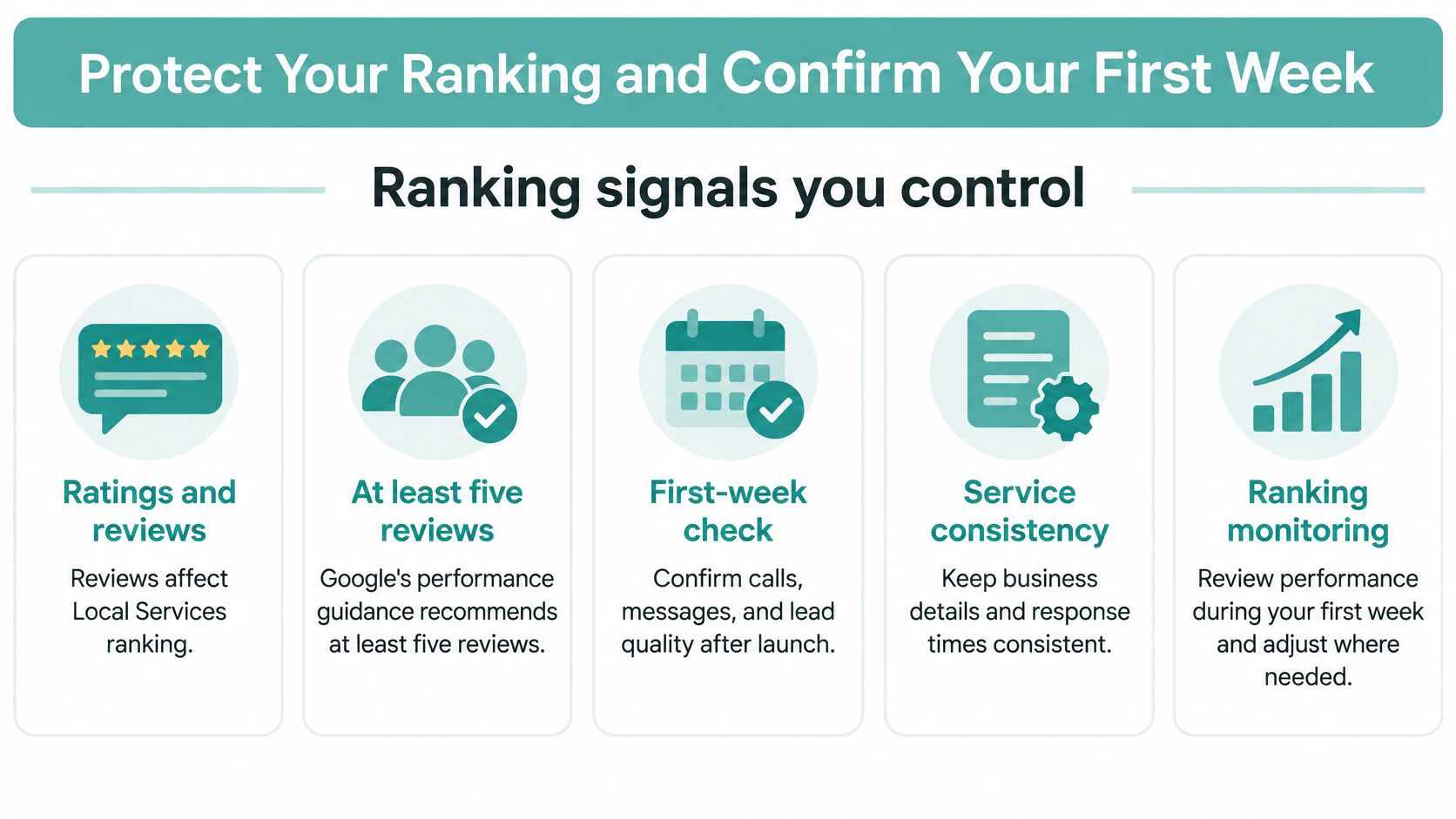
The controls are unglamorous. Ask for a review soon after each completed job, while the work is still fresh. Upload current photos of real jobs, not stock images of a showroom. Keep hours and service areas accurate, especially around holidays. Answer calls and messages before the customer dials the next name on the list.
The weekly dispute routine
- Review every incoming lead within your target reply time, not at the end of the month.
- Flag anything that doesn’t meet Google’s valid-lead rules, such as a wrong number, a duplicate, or a request outside your service area.
- File the dispute for each flagged lead immediately, while the details are still easy to describe.
- Record which disputes were credited, so you can see whether your service area settings are creating the problem.
Google says successfully disputed leads are credited back in the United States and Canada, subject to its dispute policy. Read that policy’s current terms before you count a credit as money already returned.
First-week checklist: verification complete, service areas matching where crews drive, a weekly budget your dispatch can absorb, one named owner for replies, and the first ten leads reviewed for quality.
The guide to getting more Google reviews for your local business covers the ask itself, including timing and wording. If after four weeks you still can’t answer leads within your target time, lower the weekly budget before you change anything else. Volume you can’t serve costs more than volume you never bought.
If you’re running Local Services Ads to catch people who are already searching, Adwave covers the other half of the job by building TV, search, social and web ads straight from your website in minutes, with ad areas you can set by ZIP code, radius, city or nationwide. Campaigns start at $30 a day from a prepaid wallet, and you can preview your ads free before you spend anything. Take a look at Adwave and see what your business looks like on screen before the next homeowner searches.