The usual advice to build a page for every town you serve gets the order wrong. Start with what your team can reliably deliver, not a spreadsheet of place names. A customer needs to know whether you’ll come to their address, what work you’ll do there, and what happens after they contact you.
Service area pages should describe an operational promise. For many local businesses, one detailed coverage page can make that promise clearer than a collection of nearly identical city pages. Separate pages need a reason to exist beyond another town name in the headline.
One Page Structure That Covers Your Towns
One well-built page can cover nearby towns without making customers hunt through separate URLs. Put the essential answers in the order someone needs them.
Blocks of one service area page
| Page block | What it contains | Question it answers |
|---|---|---|
| Coverage statement | The main services and the principal towns or postal areas you reach | Do you serve my area? |
| Service list | The jobs done on site, with the most common ones named first | What can you do for me? |
| Coverage list | Nearby communities grouped under broad headings, within your profile limit | Is my town included? |
| Travel boundary | Drive-time limit from your base, excluded zones and travel fee rules | How far will you come? |
| Local proof | Dated completed jobs, photos and reviews from the listed areas | Have you worked here before? |
| Next step | The contact path and the typical response window | How do I start? |
Write the page in customer order
Begin with a short coverage statement naming your main service and principal towns or postal areas. Say whether you travel to customers rather than implying they can visit you.
Follow with the jobs you perform on site. Put common requests first, using the names customers recognize rather than internal service codes.
The coverage list should be scannable. Group nearby communities under county or regional headings instead of repeating a service description beneath every town.
Then state your travel boundary. Publish your actual drive-time limit, excluded zones, and travel-fee rules in plain numbers taken from your operating policy. A map can support that explanation, but it shouldn’t replace readable text.
Make every block verifiable
Add dated work examples, original photos, and reviews that identify the relevant area. Close with a phone number or inquiry form, the information customers should provide, and your normal response window.
Keep all these blocks on the same page. Treat the table above as a quick reference, not a requirement to turn every row into a long section.
Your local business schema markup should describe the business consistently with the visible page, not introduce additional locations. Before publishing, check that every block contains a fact a customer could verify.
Why City-Swap Pages Break Google’s Rules
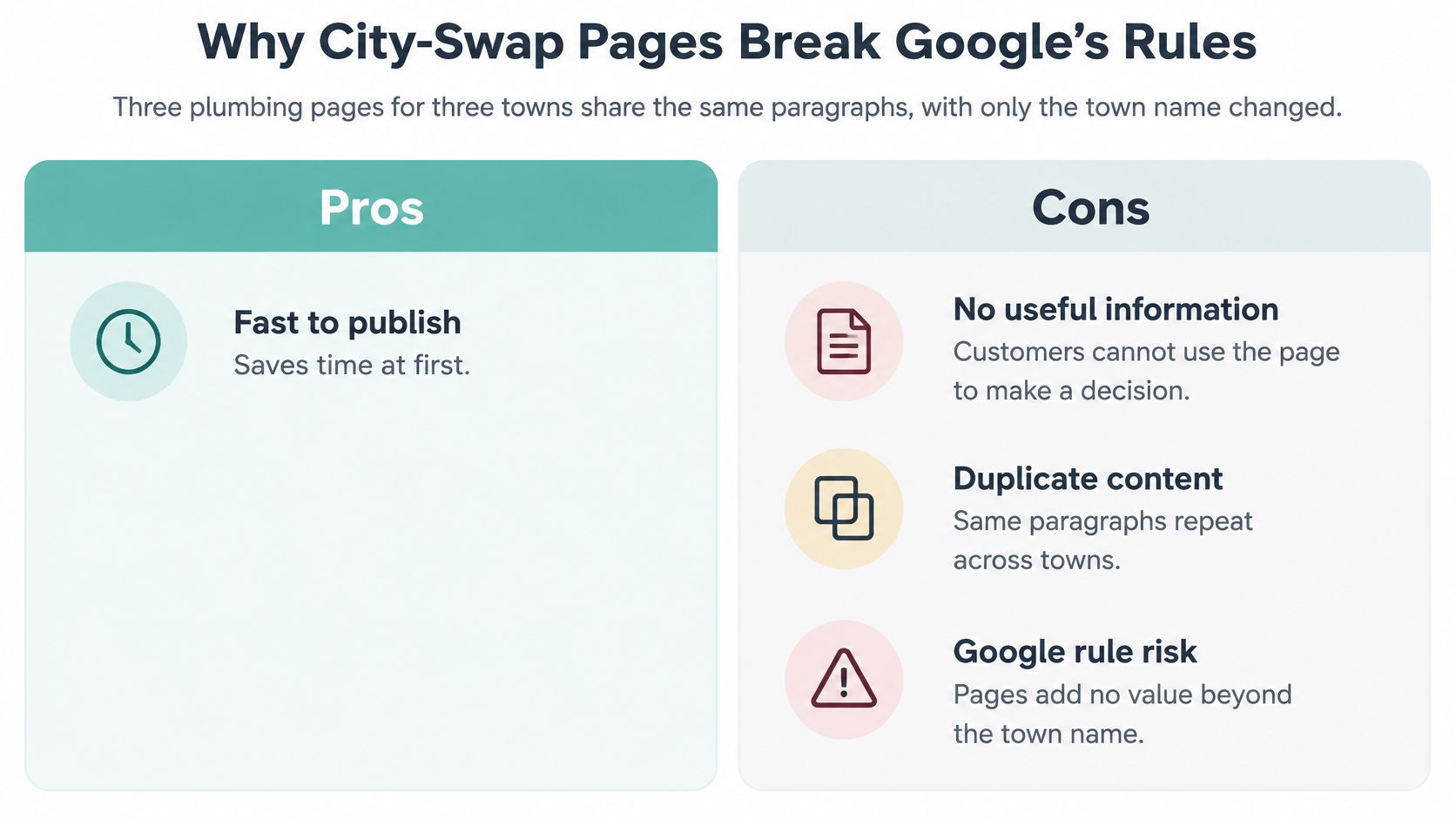
Say a plumbing business publishes pages for separate towns, each using the same paragraphs with only the town name changed. The pages look locally targeted, but customers learn nothing different about availability, services, or scheduling.
That’s the problem with city-swap pages. Their main purpose is catching search variations rather than helping someone choose a provider.
Google’s spam-policy documentation defines doorway abuse as creating sites or pages to rank for specific, similar queries while funneling users through intermediate pages that are less useful than the final destination. Its policy includes substantially similar pages positioned between search results and a useful, browsable site.
Repetition isn’t the only issue
Sharing a contact number or service description across pages isn’t, by itself, doorway abuse. The important questions are why the pages exist and what useful information they provide.
A legitimate location page might explain a different appointment schedule, services available from a particular base, or completed projects relevant to that community. A city-swap page adds a place name, then directs everyone toward the same useful information elsewhere.
Publishing more near-identical pages increases the amount of content you must justify and maintain. It doesn’t create more operational coverage.
Remove the town name. Does the page still tell a customer something new?
Use the answer to decide what stays
If the answer is no, merge the useful material into your main coverage page. If genuine local differences exist, rewrite around those differences rather than adding local landmarks to otherwise unchanged copy.
Keep the distinction practical:
- Useful coverage content explains where you work, what you do, and how customers can proceed.
- A doorway-style page targets a query without providing a worthwhile destination.
- A justified town page answers a distinct customer need that the broader coverage page can’t explain adequately.
One coverage page supported by substantive service pages is the safer starting structure. It also gives your team fewer promises to keep synchronized when availability changes.
Choosing Which Towns Earn a Place on Your Site
Google’s service-area setup guidance allows up to 20 service areas, specified through cities, postal codes, or other defined areas. That’s a Business Profile setting, not a limit on website pages, but it’s a useful reason to choose a clear, defensible footprint.
Your website list should contain the places you can serve reliably, not every place from which you’d accept an inquiry.
Apply these selection criteria
- Drive time from your base. A BrightLocal test reported by Search Engine Land in 2024 found customers were typically willing to travel 17–20 minutes to a business. Use that as an initial proximity reference, not a dispatch radius: customers traveling to a shop and crews traveling to jobs face different constraints. Check your own travel and customer records.
- Completed work. Give priority to towns where you’ve already performed jobs. They provide a firmer basis for coverage claims than places you merely hope to enter.
- Response capacity. Include a town only when staffing and routing let you meet the response window you publish.
- Grouping. Put nearby communities under a recognizable regional heading when they share the same service arrangements.
Understanding local search intent helps you choose the place names customers use. It doesn’t justify claiming places you can’t reliably reach.
A practical grouping example
Suppose a contractor lists five towns within a hypothetical 20-minute drive of its base. It groups two outlying communities under a regional line, explains that appointments there require advance scheduling, and publishes the travel fee from its actual fee schedule.
For a roofing customer comparing service coverage with physical locations, JA Edwards of America Roofing’s directory can help them find a nearby roofing office. An office directory answers a different question from a list of towns a crew travels to.
Google’s service-area guidance says the overall boundary generally shouldn’t extend beyond about two hours of driving time from the business base. An exception needs a real operational reason, not an ambitious website claim.
Sort your current towns into keep, group, or drop. Keep reliable core areas, group communities with shared arrangements, and drop promises your team can’t consistently fulfill.
Local Details That Make Each Section Earn Its Place
A coverage page earns its length through useful differences, not longer boilerplate. Someone checking an address needs evidence that your team understands how service works there.
Use details your dispatcher, technician, or customer can confirm. The approach behind writing content for your community is especially useful here: write about the circumstances customers recognize, not just the place names they recognize.
Name the places and explain the timing
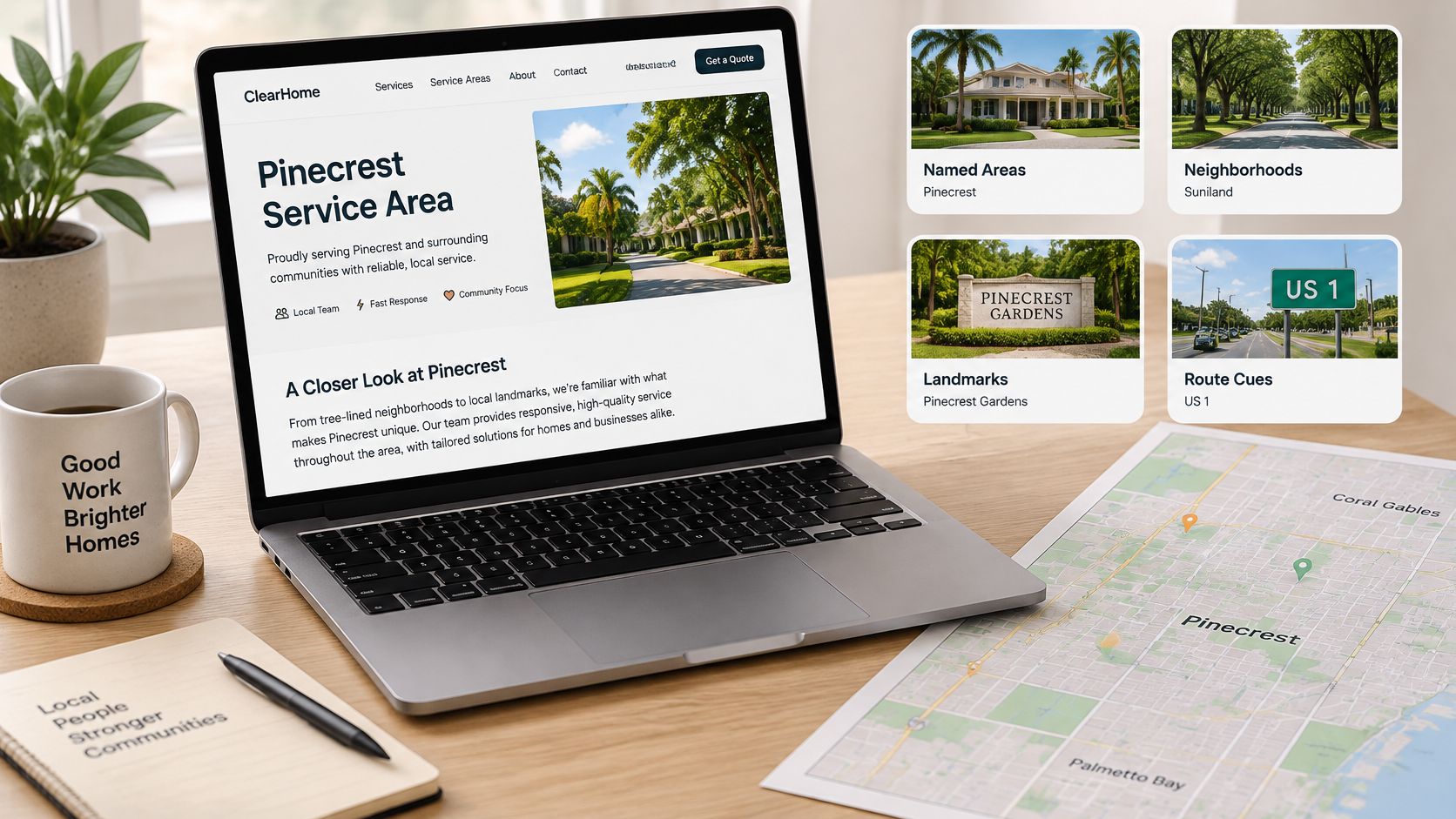
Named areas should help customers identify coverage. A river boundary, highway exit, or neighborhood name can clarify an otherwise vague regional label.
For example, a contractor might explain that its usual route reaches neighborhoods on the east side of a river, while addresses across the bridge require a separately confirmed appointment. Include that distinction only if it reflects actual scheduling practice. Leave out decorative landmark references that change nothing about the service.
Response windows need the same discipline. Distinguish the time to answer an inquiry from the time to arrive on site.
A business might return calls during office hours but schedule outlying jobs on designated route days. Explain that arrangement and its reason. Don’t label every town as eligible for immediate service because the same phone line handles inquiries.
Practical rule: If the detail wouldn’t change a customer’s expectations or decision, it probably doesn’t need its own paragraph.
Show the work and explain relevant conditions
Local work should identify the actual date, place, problem, and fix. A job summary can describe the failed component, the repair performed, and an original photo, provided you have permission to publish it.
Keep customer privacy intact. A neighborhood name may be sufficient; a full residential address usually isn’t necessary to establish relevance.
Local conditions belong on the page when they change the work. Older buildings might require different access arrangements, while seasonal weather might affect exterior scheduling. Permit requirements should be checked with the relevant authority before you describe them, rather than guessed from a neighboring jurisdiction.
Leave an unsupported field blank while drafting. Before publishing, either verify it or remove the block. Don’t fill gaps with invented statistics, fabricated jobs, or generic claims about understanding the area.
Link these local explanations to the detailed service descriptions they support. The guide to creating a service page that ranks and converts addresses that core service page, where scope, process, and customer questions belong.
Thin Pages Compared With Useful Coverage Pages
Consider a hypothetical plumbing business with a thin Tampa page and a useful coverage page for the same operating territory. The difference isn’t that one uses more words. The useful version gives customers enough information to judge fit and take the next step.
Thin city-swap page versus useful coverage page
| Element | Thin city-swap page | Useful coverage page |
|---|---|---|
| Headline | Plumber in Tampa, same as every other town | Plumbing coverage for Tampa, Brandon and Plant City, with the named service area |
| Body copy | The same paragraphs with the town name changed | Named neighbourhoods, drive times and the job types common in that area |
| Proof | A generic testimonial with no date or place | Dated completed jobs and photos from the listed area |
| Contact path | The same form and number on every page | The scheduling window and phone line that apply to that coverage |
| Internal links | Links to the homepage only | Links to the core service pages the coverage describes |
Read it like a prospective customer
The headline establishes the footprint immediately. Naming the full territory helps someone understand that they’re reading a coverage explanation, not a page implying an office in every town.
The body then resolves practical uncertainty. Named neighborhoods and actual travel arrangements are more useful than another paragraph declaring a commitment to excellent plumbing.
Proof should support the coverage claim. A genuine testimonial can still be useful without a location, but it doesn’t demonstrate work in the area being discussed.
For contact, the same phone number across pages is fine. What matters is explaining the scheduling arrangement that applies to the caller. There’s no need to manufacture local numbers to make the page seem more local.
Internal links should lead to the relevant service details. Someone reading about drain clearing should be able to reach the drain-clearing page without returning to the homepage.
Score usefulness before deciding what to merge
Use this editorial check, not as a Google scoring system but as a way to organize your cleanup:
- Award a point for each table row where the page gives a usable answer.
- Record the missing fact wherever the page falls short.
- Prioritize pages scoring three or fewer out of five for consolidation or substantial rewriting.
A low score means the page leaves several basic decisions unresolved. Adding keywords won’t fix missing scheduling information or unsupported local claims.
Merge thin pages into one coverage page unless a town has enough distinct, verified facts to justify its own destination. When retiring an old URL, redirect it to the most relevant replacement and update internal links to point there directly.
Verify Coverage Against Your Profile Before Publishing
The last check before publishing is consistency. The website, business profiles, and staff should all describe the same service, in the same places, under the same conditions.
Apple’s location eligibility guidance treats a location as a distinct, customer-facing physical place that people can independently identify, go to, and reach. Its official name must reflect that place.
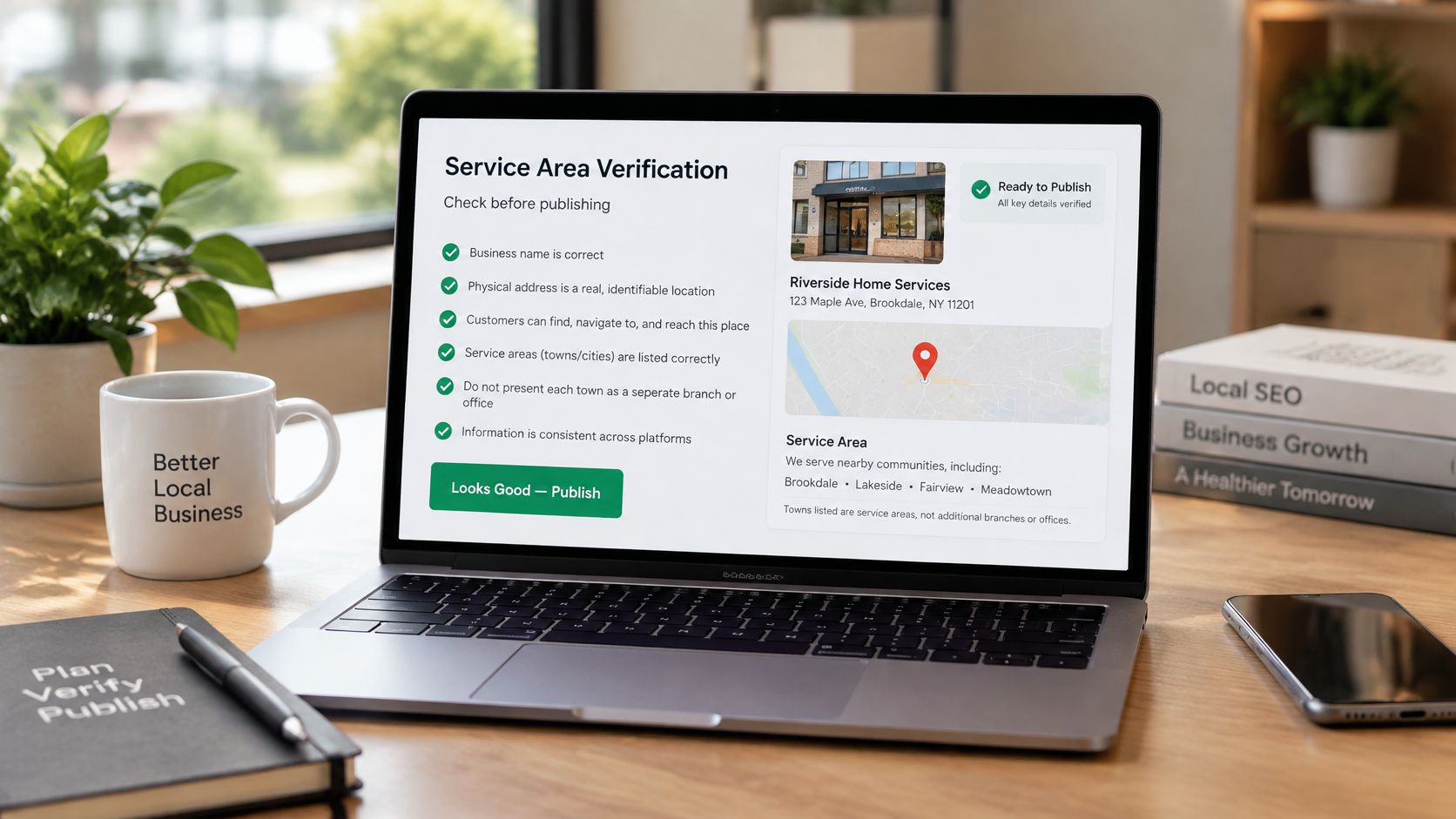
A town you travel to for jobs is not a branch, so the page should not read like one. Describe mobile service through appointment types, travel boundaries, and scheduling details instead. A customer who reads “serving Elmwood and surrounding areas within 20 miles” knows what to expect; a customer who reads “our Elmwood location” expects a door they can walk through.
Match the profile and the phone answer
Google’s business representation guidelines say a service-area business should maintain a profile for its central office or operating location with a designated service area, rather than separate profiles for each town served. Distinct, legitimately staffed operating locations require their own eligibility assessment.
Compare the website’s coverage list with the profile’s areas. If the website names six towns while the profile names three, resolve the mismatch against actual operations: either the page is claiming reach the business does not have, or the profile needs updating. Where the profile groups places under a broader region, check equivalent coverage rather than demanding identical wording.
The service-area Business Profile guide can help organize that review. Have whoever answers the phone read the travel boundary too: the published limit must match the answer customers receive.
Run the publication checklist
- Coverage statement: The named towns agree with your real footprint and profile.
- Local detail: Each individually featured town has a verified distinction. Otherwise, group it.
- Travel boundary: The limit, excluded zones, and fee rules match dispatch practice.
- Proof: Every completed-job example has a date and place, and published images have appropriate permission.
- Contact path: Customers can see the response window and what information to send.
- Capacity: The page explains whether excess demand means a waiting list, later appointment, or unavailable service.
- Delivery: Nothing on the page promises work you don’t perform in those areas.
Publish one coverage page, then review its towns, numbers, and local details every quarter as an internal maintenance routine. Update it sooner when staffing, routes, or availability change. A page that drifts out of date can become the same kind of unsupported claim the checklist was meant to catch.
For businesses also running ads, the next step is preparing the website for advertising. Adwave, an AI-powered TV advertising platform, fits businesses that want TV advertising to follow accurate site pages. Adwave uses the customer’s website to prepare ads for the products and services they sell, and before launch customers check names, prices, images, and claims in their ads. An accurate coverage page gives that process a reliable starting point.
Adwave offers AI-powered TV advertising built from your business website. Once your coverage page accurately describes where you work and what you deliver, visit Adwave to turn that website into an ad you can review before launch.