A plumber’s spot runs during the evening news, and the phone rings within the hour. Viewers who don’t call type the name into a phone instead. Whether they become customers depends on the page they land on.
The page has to finish the sale the ad started. Repeat the offer, put a phone number or a short form on the first screen, and keep the text readable without pinching. The smallest firms are still the least likely to have that page. The 2025 NFIB Small Business and Technology Survey reported that 82% of U.S. small businesses had their own website, so 18% still lacked one, and only 66% of non-employer firms had a website, compared with 97% of firms with 50 or more employees.
This guide reviews ten sources of small business page templates by the job they do after a spot airs. Adwave Digital, an AI-powered TV advertising platform that builds broadcast-ready spots from a website URL, is a good fit when you want the spot and the landing page planned together. The templates below can carry that traffic. For a trade campaign, read a guide to advertising your plumbing business so the spoken offer and the button match.
1. Wix {#1-wix}
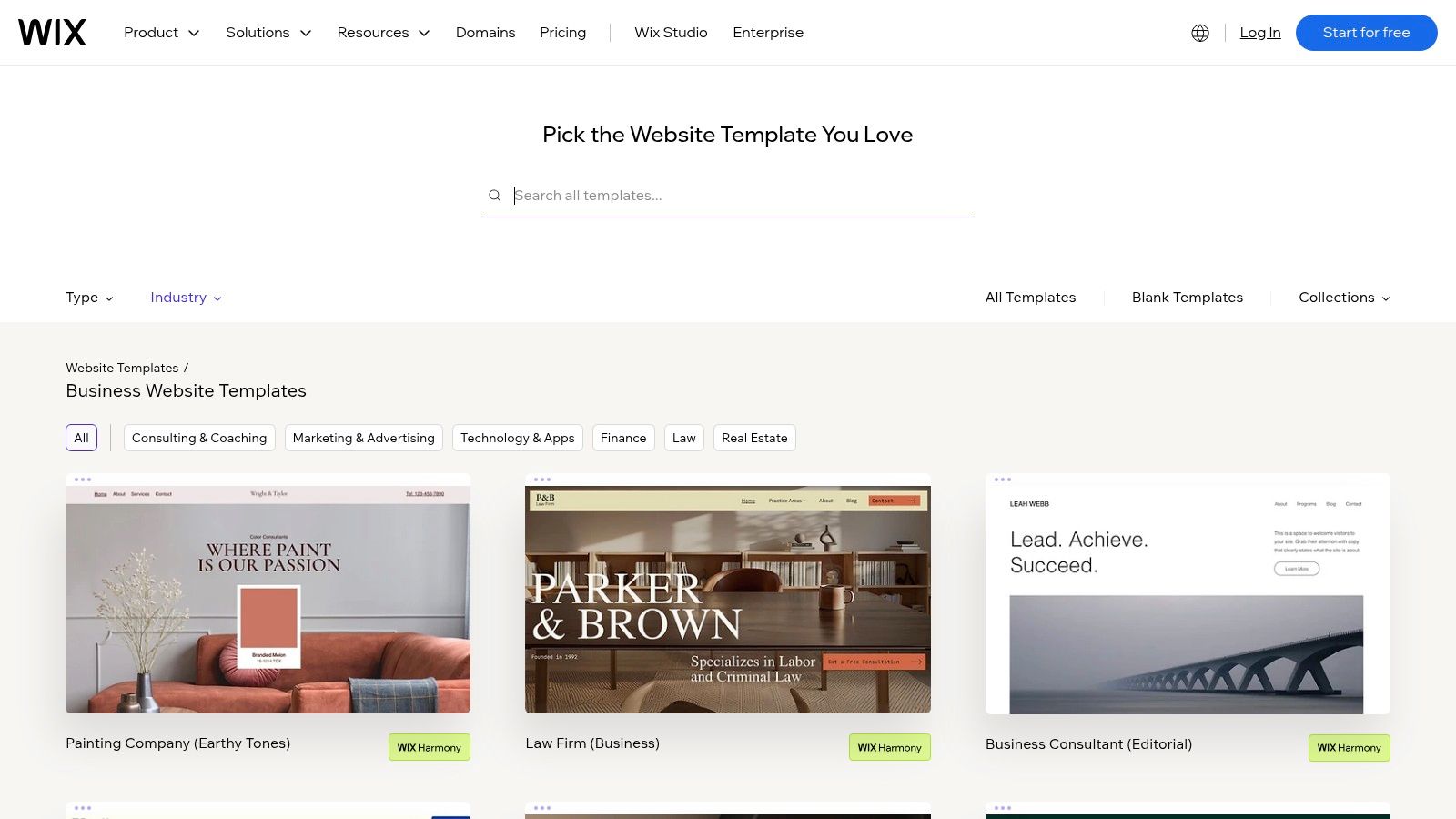
Wix suits a small business that needs a full site it can update as a TV spot sends visitors searching. Templates cover contractors, law firms, accountants, consultants, wellness providers, and real estate agents. For an owner without a developer on call, its no-code editing keeps routine changes manageable.
- Service pages: Show the work, then guide visitors to an inquiry, booking, or basic payment.
- Phone layout: Drag-and-drop editing includes a mobile view, helping keep the phone number tappable.
- Follow-up tools: Forms and marketing tools share the account used to edit the site.
The broad template catalog can slow selection. Remove sample copy and stock photos before publishing, so the page reflects the offer in the ad. A custom domain and some business features require a paid plan. Browse Wix business templates for a layout that fits the service.
After a TV ad, put the matching action where visitors can see it first. One primary call or quote button works well for a service business, while multiple competing buttons dilute the next step. Wix’s limitation is its section-based layout: it can run out of room when you need to break away from the template grid.
2. Squarespace {#2-squarespace}
A restaurant spot that promises a tasting menu should land on photos, hours, and a reserve button, not a wall of text. Squarespace templates aim at consultants, studios, restaurants, wellness brands, and independent retailers who care about that first impression.
The platform bundles the site, domain, invoicing, email campaigns, payments, and analytics. You maintain fewer vendors, which is the right trade when you’re also buying TV time. You give up some layout freedom, there’s no permanent free plan, and some checkout tools depend on the plan you pick.
If you’re weighing hosted builders against WordPress, this Squarespace, Wix, and WordPress comparison is the practical split on upkeep.
Practical rule: Write the button with the same verb you used in the spot. “Reserve” stays “Reserve.”
Preview layouts on Squarespace for small businesses. The limit shows up when you need a highly unusual grid. Stay inside the template and spend the time on photos and the offer.
3. Shopify {#3-shopify}
Say a bakery runs a spot that names a holiday tin. The page should show the tin, the price, and a path to checkout, not a contact form that asks for a project brief. Shopify themes are built for that store job.
- Catalog structure: Collections and product pages carry the range a viewer expects after the ad.
- Free themes: You can launch without buying a theme, then upgrade the look later.
- Commerce stack: The theme connects to Shopify’s checkout, so you aren’t bolting on a separate cart.
Theme purchases sit on top of the subscription, so budget both. A store theme is the wrong tool for a plumber who only needs click-to-call. If the campaign should report orders, connect the store with Adwave’s Shopify tracking help. Browse themes at the Shopify theme store.
4. Webflow {#4-webflow}
Webflow is the pick when you, or a designer you hire, want control over the layout a TV viewer sees first. The marketplace covers professional services, home services, real estate, and retail, and you can filter for free templates.
Responsive behavior isn’t optional on these pages. One industry compilation reported that mobile devices represented 63.15% of global web traffic, and that roughly 90% of websites had implemented responsive design, about 1.2 billion sites, according to To The New. A Webflow template gives you editable structures that should hold type size, buttons, and contact details on a narrow screen.
Publishing to a custom domain needs a site plan, and workspace pricing is separate. The editor is harder to learn than a beginner builder. If nobody on the team will touch the page after launch, pick a simpler host. Search the Webflow business templates.
5. GoDaddy {#5-godaddy}
GoDaddy’s local layouts already sketch services, past work, menus, or contact blocks for contractors, restaurants, wellness practices, professional firms, and real estate. That’s what a viewer needs when they search the name from a spot.
Google’s rules should shape the location block you drop in. Google Business Profile eligibility requires eligible businesses to make in-person contact during stated hours. Online-only businesses without a location customers can visit, or without staff who visit customers, aren’t eligible. A virtual office can’t be listed unless it’s staffed during business hours. Service-area firms can use a central office plus a service area.
If the ad says you come to the customer, the page should show the service area, not a fake storefront address.
It’s convenient if you already buy domains there, and weaker if you want deep visual control. Features follow the website plan. Owners on a tight budget can also use this guide to a business website on a $500 budget. See GoDaddy website templates.
6. Hostinger {#6-hostinger}
Hostinger pairs a template library with an AI website builder and hosting. Its small-business offering describes more than 400 mobile-friendly templates, so you can start from a layout or from an AI draft when the spot’s launch date is close.
Bundled hosting helps if you don’t want a separate host to configure. Design freedom is tighter than a specialist tool, and the page still depends on your photos and your offer. Check renewal pricing against the intro rate before you commit, because the second year can change the math.
Use a template when you already know the sections. Use the AI draft when you need a first version tonight, then edit the headline so it matches the ad. The library is at Hostinger templates. It runs out of room once you need a custom shopping flow or a layout that doesn’t follow the generated sections.
7. Canva {#7-canva}
Canva is for a simple, visual page. Think a one-weekend campaign, an event, or a short intro while a fuller site is still unfinished. People who already design flyers there can keep the same colors and type.
- Campaign pages: Image-led layouts work when the spot is the creative and the page only has to repeat it.
- Domain check: You can connect a domain through Canva, but confirm the plan before you put that URL on TV.
It isn’t a full business platform. Complex menus and real checkout will outgrow it. Keep the about blurb tight. Google’s Business Profile editing guidance sets a 750-character limit on the business description, with no URLs or HTML, and it should describe the business rather than prices or promotions. A short Canva page can follow that same restraint. For the look around the page, see creating a visual identity on a budget. Templates are at Canva business website templates.
8. WordPress.org {#8-wordpress-org}
WordPress.org is a theme directory, not a hosted builder. You install a theme on your own WordPress site, then you arrange hosting, updates, and plugins. The directory holds thousands of free themes you can filter for accessibility, ecommerce, and block editing.
That’s the right setup when the template budget is near zero and you, or a freelancer, will own the stack. It’s the wrong setup when you need a page live before Friday and nobody wants to manage updates. Theme quality and support vary, so open the demo and test the phone layout before you commit.
The visitor from a TV ad still needs one obvious action. A free theme can do that if you strip the homepage down to the offer, proof, and a form or phone link. Start in the WordPress.org theme directory.
9. Elementor {#9-elementor}
In 2025, 12% of U.S. small businesses had launched a website within the previous year, according to Clutch. A new site often needs more than one screen. Elementor kits bundle Home, About, Services, and Contact with shared colors and type, then you edit them visually on WordPress.
Forms and call-to-action blocks suit a quote or a booking page that follows a spot. You still need hosting and a WordPress install. Some kits need Elementor Pro. That extra configuration is the cost of a multi-page site you can restyle without starting over.
I wouldn’t pick Elementor for a single campaign URL you might throw away in a month. Use it when the business needs a real site and the landing page is one page inside it. Kits are listed at Elementor website templates.
10. Framer {#10-framer}
Framer’s marketplace is aimed at modern marketing pages. Categories include professional services, consulting, legal, home businesses, health, and real estate, with free and paid templates you copy into a workspace and then edit.
For a consultant whose spot promises a free consult, the page should open on that consult, not a long manifesto. A focused landing page is the sweet spot. The first screen can carry a short headline, one proof point, and a button. Complex catalogs are a poor fit.
Paid-template support and refunds depend on the creator, so read those terms before you buy. You’ll also need time to learn Framer’s editor.
A free template is enough to test whether the page can repeat your spot. Pay for a design only after the offer converts.
Browse Framer templates.
How the ten templates compare on best fit, free options, and main limitation
The best fit depends on what a TV viewer should do next. A local business may need a clear call or inquiry path, while a retailer needs product pages and checkout. Choose a platform you can maintain, and weigh that convenience against the design control and complexity each one brings.
| Item | Best Fit | Free Templates | Main Limitation |
|---|---|---|---|
| Wix | Local and professional businesses needing built-in business tools | Free templates available | Many choices can make selection difficult |
| Squarespace | Small businesses prioritizing polished visual design | No permanent free plan | Less layout freedom than flexible design tools |
| Shopify | Retailers focused on selling products online | Free templates available; paid options also available | Less suitable for service businesses without a store |
| Webflow | Businesses seeking tailored layouts and brand presentation | Free templates available | More complex to learn |
| GoDaddy | Local businesses needing a straightforward starting layout | Free templates available | Limited design control |
| Hostinger | Beginners seeking templates, AI creation, and bundled hosting | Free templates available | Design flexibility may be limited |
| Canva | Simple, visual business pages and campaign landing pages | Free templates available | Less suited to complex websites |
| WordPress.org | Businesses wanting a broad choice of themes and site features | Free templates available | Hosting and site management are separate |
| Elementor | WordPress businesses needing editable multi-page kits | Free templates available; paid Pro options also available | Requires WordPress setup and hosting |
| Framer | Businesses creating modern marketing sites and landing pages | Free templates available; paid options also available | Better suited to marketing sites than complex stores |
For a TV campaign, the first screen should make the advertised offer and its matching action easy to find. Wix, GoDaddy, and Hostinger suit owners who want a direct starting point, though limited design control or a crowded selection can constrain the result. Canva works for a simple campaign page, but not a complex site.
Shopify is built around product sales, while service businesses may find its store focus unnecessary. Squarespace favors polished design over layout freedom. Webflow and Framer allow more customized marketing pages, but Webflow takes more effort to learn and Framer is a weaker fit for complex stores. WordPress.org offers a broad theme choice, with hosting and management handled separately. Elementor adds editable WordPress kits, but still requires that setup. Choose the option whose limits you can live with after the ad brings visitors.
Match the Template to the Action a TV Viewer Takes Next
Name the single action before you pick a template. A call, a booking, a quote, or a purchase. The platform should handle that action without a second tool you won’t maintain. Then keep the headline, the offer, and the button text consistent with the spot.
Adwave can generate the spot from your website and place it across premium channels, so the landing page should repeat that promise on the first screen. If the spot says same-day service, the page shouldn’t open with a brand story. The viewer already heard the promise. The page’s job is to make the next step obvious and to record that it happened.
The Unbounce Q4 2024 dataset, covering 41,000 pages, 464 million visits, and 57 million conversions, puts the median conversion rate at 6.6%. Lead-generation pages sit around 9 to 12% on average, while e-commerce product pages sit around 2 to 5%. I treat 6.6% as a baseline, not a promise. A local-service template should be judged on calls and short forms. A store template should be judged on purchases. Mixing those events makes the number useless, because a phone call and a checkout are not the same success.
Test one page before you add more. Change one thing at a time. Try the headline, the offer, the form length, or where the button sits. TV traffic is often a name typed from memory, so use a short URL, a visible phone number, and source tracking. Tie calls and form submissions back to the spend, and don’t add a second page until the first one has a clean count.
What usually fails is a pretty homepage that asks the viewer to choose among six links. What works is a page that qualifies the job, shows proof next to the claim, and tells them how fast you’ll respond. Service-area pages should state the radius and whether the job is an emergency. Retail pages should show price and whether the item is in stock. Real estate pages should show how to ask for a showing, not a generic contact box.
Pick the template whose maintenance you can live with next month, not the one with the nicest thumbnail tonight. Measure the action you named. Only then build the second page, and only if the first action is already coming in at a rate you can explain.
Adwave turns a website URL into a broadcast-ready TV spot and places it across premium channels, so local viewers can see the same offer your page is built to close. Pair that spot with one focused page from the small business page templates above, then track the call, booking, quote, or purchase against the spend. Visit Adwave when you’re ready to build the ad around a page you can maintain.