
You're probably in one of two situations right now. Either you know your business needs a website and you've been putting it off because every quote feels too high, or you tried a builder already and got stuck somewhere between picking a theme and writing the homepage.
A $500 website budget is tight, but it's workable if you treat the site as a focused business asset. Not a custom brand experience. Not a giant content hub. Not a fully automated machine with every integration you might someday want.
That mindset matters. A small budget doesn't just limit what you can build. It forces the right question: what does this website need to do first?
For most small businesses, the answer is simple. The site needs to help a prospect trust you, understand what you offer, and take the next step.
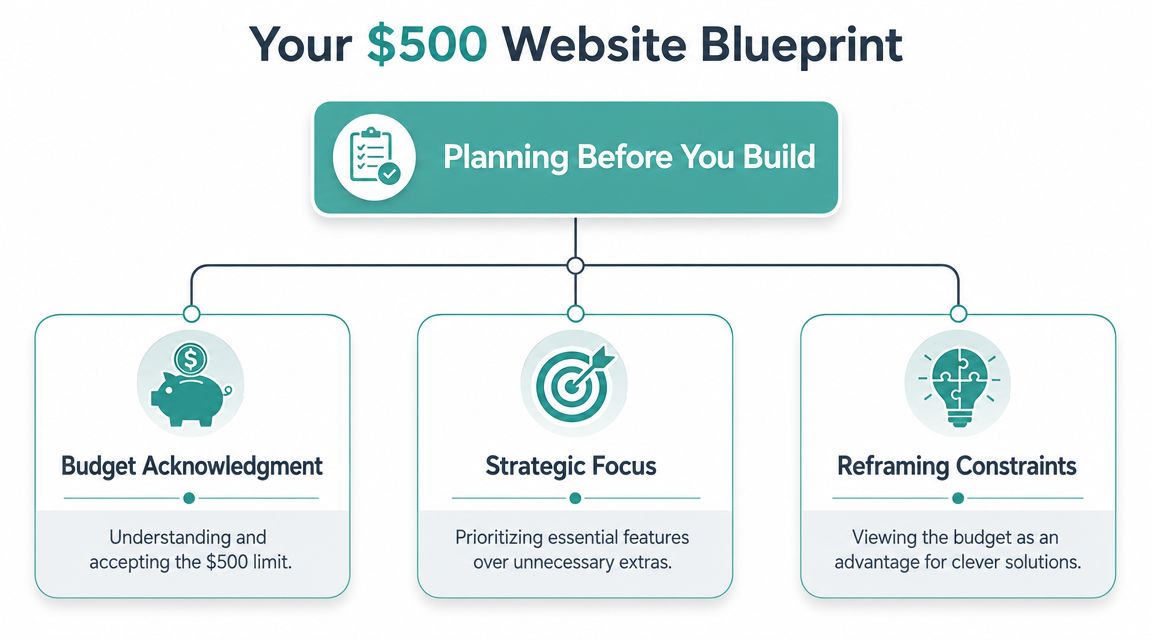
Your $500 Website Blueprint Planning Before You Build
Before buying a domain or comparing themes, decide what job the site has to do.
Pick one primary goal
A budget site fails when the owner tries to make it do everything at once. A service business wants lead forms, trust signals, and clear service pages. A local shop may need hours, location, and product highlights. A niche seller may need a very simple catalog or a single product page.
If you don't choose one primary objective, you'll start adding things that feel useful but don't help the first sale.
Use this filter for every decision:
If it helps someone contact you or buy from you, keep it.
If it only makes the site feel more impressive, question it.
If it adds setup time, plugin cost, or maintenance, cut it unless it's essential.
Accept what $500 can and can't buy
Wasting money is a common occurrence. Individuals expect agency-level polish on a starter budget.
Industry pricing guides put DIY first-year costs around $100 to $250 for a simple 5-page site, while freelancer-built sites typically start at about $1,500 to $4,000 and agency builds at roughly $8,000 to $15,000 or more. The same guidance notes that a low budget usually gets consumed by the basics, including domain registration, basic SSL, and hosting or builder subscriptions, which is why a $500 cap points strongly toward a DIY setup rather than custom design work, as outlined in Elementor's website cost breakdown.
That's not bad news. It's useful news.
It tells you where to stop fantasizing about custom functionality and start making practical choices. Templates, a managed CMS, and self-service setup aren't compromises at this budget. They're the plan.
Practical rule: If a feature requires a developer to build it, it probably doesn't belong in a $500 launch.
Build around a lean launch
A lean site has a clearer message, fewer moving parts, and lower odds of breaking after launch. It also gives you something many owners ignore: speed to market.
A business with a simple site live this month is in a better position than a business still waiting on the “perfect” site three months from now.
That's also why planning should include marketing reality. A website alone doesn't create demand. It supports demand once people hear about you. If local visibility matters, review your messaging and on-page basics against a practical local SEO audit checklist for small businesses before you build too much.
Your planning checklist
Write these down before you touch a builder:
Main action Call, submit a form, request a quote, book a consult, or visit a location.
Core audience Local homeowners, nearby shoppers, business buyers, or a narrow niche.
Essential pages Keep the launch architecture small.
Must-have proof Testimonials, credentials, service areas, product photos, or FAQs.
Things you will not include yet Blog, membership area, custom calculators, advanced automations, or deep ecommerce.
That last list matters more than one might realize.
The Core Foundation Your Domain Hosting and Platform
Your website stack needs three things: a domain, a place to host the site, and a platform you can manage without calling for help every week.
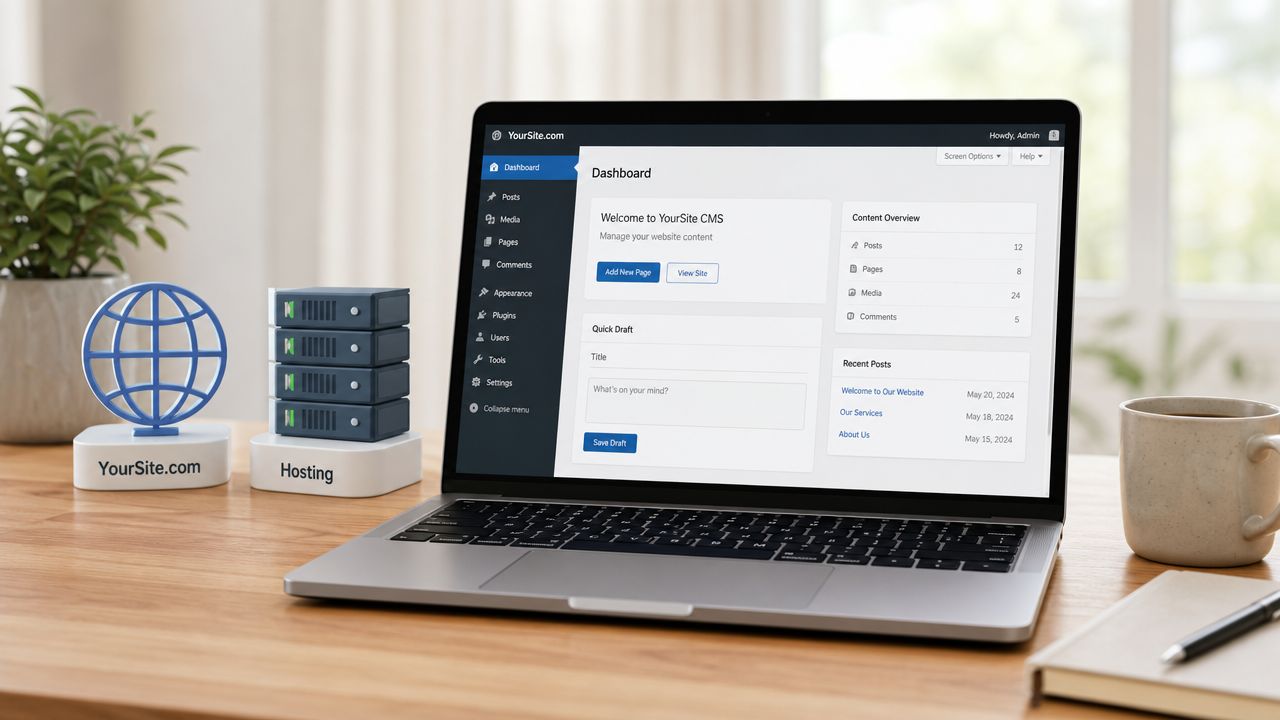
Choose a domain you can say out loud
A good domain is usually short, clear, and easy to spell. If someone hears it once, they should be able to type it without guessing.
That rules out clever misspellings, extra hyphens, and stacked words that look confusing together. For most small businesses, the right move is your brand name, or your brand plus your service or city if the clean version isn't available.
Don't burn time chasing perfection here. A professional domain with simple wording beats a “creative” name that nobody remembers.
Pick a platform based on maintenance tolerance
At this budget, the practical setup is a DIY-first stack. Industry guidance is clear that a $500 business website is usually only feasible with a managed CMS or site builder, a premium template or theme, and minimal paid plugins, while avoiding custom development and relying on templates plus quality hosting. The same guidance recommends a small page architecture first, then template selection, content, and testing, as described in this low-budget website planning guide.
That leaves you with two sensible paths:
If you want the easiest launch, use a builder. If you're comfortable learning a little more and want more design and plugin flexibility, use WordPress with managed hosting.
Neither choice is universally better. The better choice is the one you'll still be able to update six months from now.
Keep hosting boring and reliable
Cheap hosting gets recommended a lot because the monthly price looks small. The problem isn't just performance. It's friction. Slow dashboards, unreliable support, and weird setup issues eat hours you thought you were saving.
For a budget build, you want hosting or a builder plan that handles the basics cleanly. That means SSL support, straightforward setup, and a stable admin area. This isn't the place to get fancy.
A low-budget website should use out-of-the-box components that are easy to update. Complexity is what turns a cheap site into an expensive one later.
A simple stack that works
If you're unsure where to start, use this decision framework:
Choose a builder if you want the shortest route from blank page to published site.
Choose WordPress if you expect to expand later and don't mind a little more setup.
Buy one good theme instead of stacking design plugins.
Use only essential plugins for forms, SEO basics, backups, or security.
If you want a side-by-side look at the common options, Adwave's guide to small-business website builders including Squarespace, Wix, and WordPress is a practical starting point.
Designing on a Dime With DIY Tips and Templates
Good budget design is less about visual flair and more about clarity, restraint, and speed.
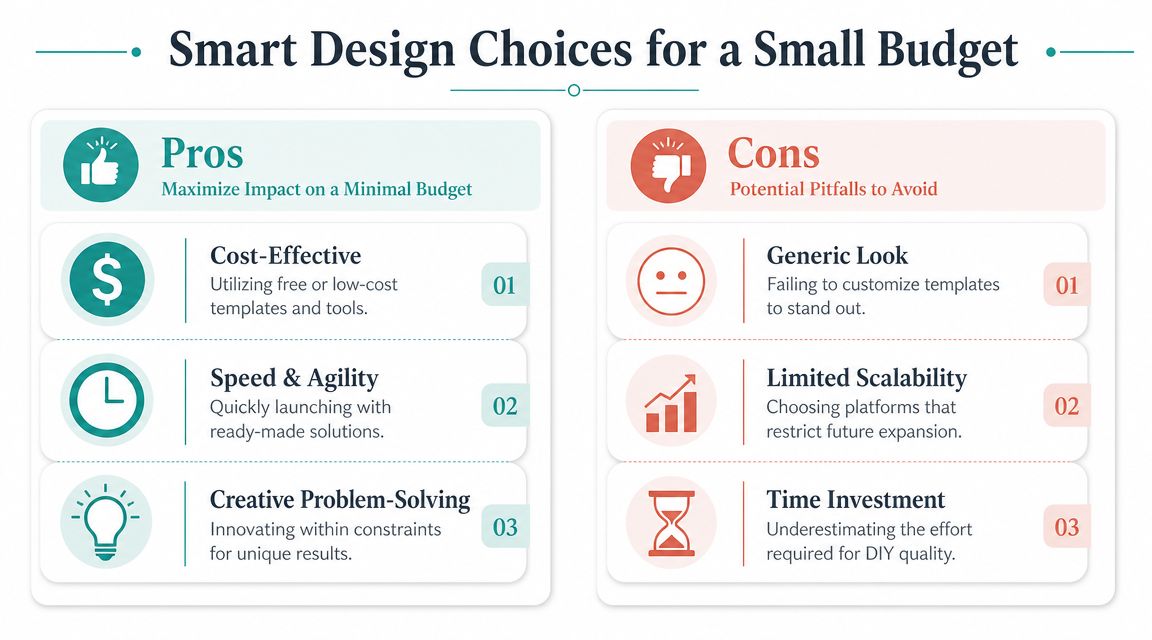
Buy the template. Skip the design heroics.
A well-made website template can save time on layout, mobile responsiveness, spacing, and typography.
What hurts budget sites isn't that they use templates. It's that owners pick a weak free theme, then try to fix it by piling on widgets, popups, animations, and page-builder tricks.
For a small-business site, the higher-return benchmark is speed and conversion hygiene, not visual complexity. Google's Core Web Vitals set a useful performance bar, including Largest Contentful Paint under 2.5 seconds and Interaction to Next Paint under 200 ms for the “good” range, which is why simple, fast templates often beat heavier designs, as explained in Stripe's guide to creating a small-business website.
What a good budget template should have
Don't shop by demo glitz. Shop by practical checks:
Mobile-first layout Most visitors will judge your site on a phone before they see it on a laptop.
Clean typography A readable font pair beats trendy styling every time.
Lightweight structure Fewer scripts and effects usually mean less friction.
Flexible sections You want easy ways to swap headlines, service blocks, testimonials, and calls to action.
Minimal dependency on add-ons If a template needs several extra tools just to look normal, move on.
A lot of trade businesses do this well. If you want examples of layouts that feel trustworthy without being overbuilt, these Growth 4 Trades website design examples are useful for studying structure, hierarchy, and clear service presentation.
Brand lightly, not lazily
You don't need a full identity system to look professional. You do need consistency.
Pick one logo lockup, one primary color, one accent color, and one heading/body font pair. Then use them everywhere. Canva is fine for simple graphics, especially if you're trying to keep the build lean and cohesive.
Keep the design plain enough that your message stands out. Visitors hire businesses they understand, not businesses with the most effects.
You should also use your own photos where possible. Team photos, storefront shots, job photos, or product images usually create more trust than generic stock art. If your photos aren't great yet, use fewer images rather than filling the site with obvious placeholders.
If you need help creating supporting visuals without paying a designer upfront, Adwave's resource on making social media graphics with free tools gives you a practical way to keep your branding consistent across channels.
Crafting Essential Pages and Content That Converts
Often, small business websites falter with their messaging. The design is acceptable, but the words are vague. Visitors land on the homepage and still can't tell what the company does, who it serves, or what to do next.
On a tight budget, content has to carry more weight than custom design.
Launch with four pages
The simplest useful launch scope is usually Home, Services or Products, About, and Contact. Budget guidance consistently recommends limiting initial scope to those pages because extra integrations and custom features are the main source of budget-killing scope creep, as noted in this affordable website planning article.
That means no blog at launch unless you already know you'll maintain it. No complex portfolio filtering. No custom quote calculators. No layered funnels trying to mimic a bigger company.
What each page needs to do
Use a direct structure instead of trying to sound polished.
Home
The homepage should answer three questions fast:
What do you do
Who do you do it for
What should the visitor do next
A strong homepage usually includes a plain headline, a short supporting sentence, one clear call to action, a quick list of services or products, trust elements, and contact access.
Bad example: “Smart solutions for today's evolving business environment.”
Better example: “Kitchen remodeling for homeowners who want clean work, clear timelines, and a finished project that looks right.”
Services or Products
This page should reduce confusion, not show off your vocabulary.
If you sell services, list them in plain language. Add who each service is for, what's included, and how someone starts. If you sell products, keep categories obvious and don't bury the path to inquiry or purchase.
About
People don't need your life story. They need a reason to trust the business.
Include who you are, how you work, what matters to you, and why your approach is reliable. If you have credentials, years in the trade, or local roots, this is the place for them. Keep it grounded.
Contact
Make contacting you easy. That means a short form, phone number if appropriate, email, service area, and any scheduling expectations you want to set.
A contact page shouldn't feel like a gate. It should feel like the next easy step.
What to leave out on purpose
A lean site gets stronger when you remove things early.
Skip the blog if you don't have time to publish consistently.
Skip custom functionality unless it directly supports revenue now.
Skip giant galleries unless visuals are central to how you sell.
Skip long company history that doesn't build trust or answer buyer questions.
Strong copy matters more than adding pages. If you need a framework for tightening your messaging, this guide on writing website copy that converts visitors into customers is worth using as a worksheet while you draft.
Your Launch Checklist and First Growth Steps
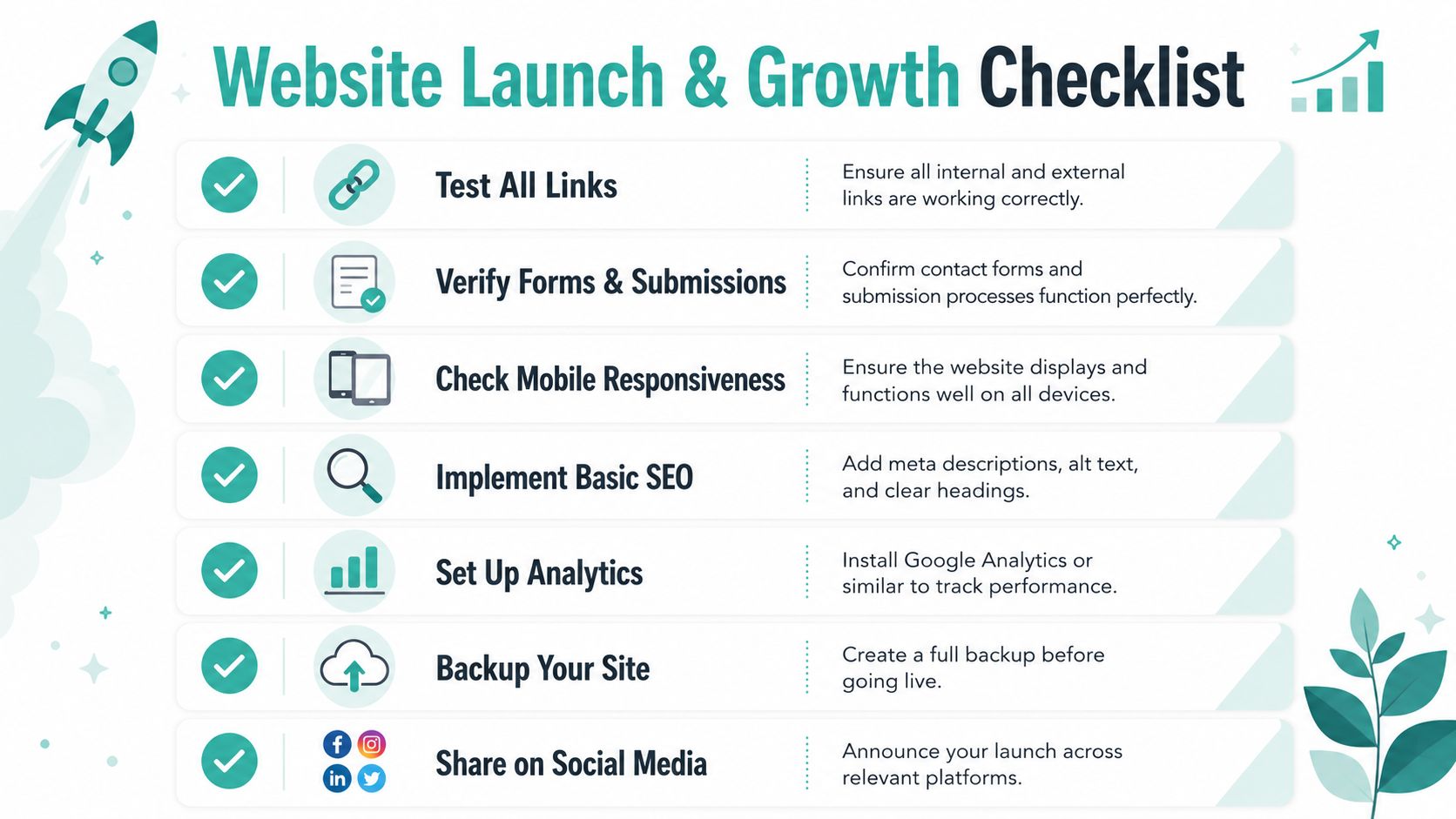
Before publishing, test your contact form and check the phone number on mobile. These errors can cost inquiries even on a polished website.
Check the details that break launches
I've seen more launches delayed by preventable setup mistakes than by weak design. A clean template will not save a site if the contact form fails, the main button links to the wrong page, or one service page is unreadable on a phone.
Run this checklist before publishing:
Test every link Click every button, menu item, footer link, and social icon.
Submit every form Make sure messages arrive where they should. If you use autoresponses, confirm those fire too.
Review on a phone Use a real device, not only a resized desktop browser.
Read the copy out loud This catches awkward wording, repeated phrases, and missing words fast.
Check trust details Confirm your business name, phone, email, hours, service area, and policy information are accurate.
Add basic search signals Write clear page titles, headings, alt text, and page descriptions.
Back up the site Save a clean pre-launch backup so you can roll back mistakes quickly.
Launch is where the website starts working
A $500 site should not try to do everything at once. Its job is narrower than that. It needs to give prospects a credible first impression, answer the main buying questions, and send people toward contact or purchase without friction.
That is why I treat launch as the point where the asset becomes usable, not the finish line. The website is the first asset for growth. It gives your marketing somewhere to send attention, whether that attention comes from referrals, local search, social posts, email, or paid campaigns.
For many small businesses, the best next move is not another page. It is getting the current site in front of the right people and watching what earns clicks, calls, and form submissions. Adwave is one example of a tool that can turn a business website URL into a TV ad and launch local campaigns starting at $50, according to the company's product information. For a lean launch, that matters because the site stops being a brochure and starts doing a job.
First growth moves that fit a lean site
Keep the first month simple. A short list you will maintain beats a bigger plan you will abandon.
Claim and clean up your business profiles Make sure your website, phone number, address or service area, and hours match everywhere they appear.
Send the site to people already close to the sale Past customers, warm leads, referral partners, and local contacts are often the first practical traffic source.
Use the homepage as the page you improve first If visitors land there and hesitate, tighten the headline, proof, offer, and call to action before adding more content.
Watch behavior, not guesses Check analytics, form submissions, call logs, and user questions. Those signals show where the site is earning trust and where it is losing it.
A lean website grows well when you protect scope after launch too. Skip the urge to add a blog, new features, or extra pages just because the site is live. Add only what supports sales, follow-up, or clearer positioning. That is how a $500 build stays useful long enough to earn the next upgrade.
Sample $500 Website Budget and Final Thoughts
A $500 website should be judged by a fair standard. It doesn't need to replace a future custom build. It needs to establish credibility, explain the offer, and support outreach.
That's why I treat this kind of project as an entry-level launch budget, not a finished digital system. Market guidance places straightforward business websites in a much wider range, and notes that a $500 build sits at the extreme low end. The same guidance also warns that recurring costs matter, with routine maintenance commonly estimated at $50 to $200 per month and annual upkeep at $600 to $3,000, which is why staying under budget means minimizing paid support and focusing on essentials, as outlined in Leadpages' small-business website cost guide.
Sample 1-Year Budget for a $500 Website
What this budget should buy
It should buy a clean site with a small number of pages, straightforward messaging, mobile-friendly design, and a clear next step.
It should not buy custom development, a feature-heavy ecommerce experience, advanced booking logic, or ongoing done-for-you support.
That distinction saves people a lot of frustration. Most failed budget websites don't fail because $500 is impossible. They fail because the owner tries to buy too much with it.
If you want to build a business website on a $500 budget, think of the site as your first real digital asset. Get the fundamentals right. Leave out what doesn't help the first conversion. Then put your time and money into getting qualified people to that site.
Once your site is live, it should start working as the destination for your marketing. If you want a practical next step, Adwave lets small businesses turn a website into a broadcast-ready ad using AI and launch local TV campaigns with controlled spend, which makes it a useful fit for businesses that need awareness after a lean website launch.


