
You're probably in the same spot a lot of small business owners hit. The site needs to go live soon, it needs to look credible, and it can't become another system you dread logging into. At the same time, you know the website isn't just an online brochure anymore. It's where leads land, where trust gets built, and where every future marketing campaign eventually points.
That's why the Best Website Builders for Small Business: Squarespace vs Wix vs WordPress debate matters more than most comparison posts admit. This isn't only about templates or whether a page builder feels smooth. It's about whether your site helps you launch fast today without boxing you in later when you want better SEO control, stronger landing pages, more integrations, or new channels beyond search and social.
Choosing More Than Just a Website Builder
A lot of owners start this process thinking they're choosing a design tool. They're not. They're choosing a long-term operating model for their marketing.
A local service company might only need five pages to start. A consultant might need clean positioning, a lead form, and a way to publish authority content. A retailer might need product pages now, then campaign landing pages later. The website builder sits underneath all of that. It shapes how quickly you can launch, how easily you can update, and how painful future changes become.
The choice shows up later, not just on launch day
The launch phase can hide the actual cost of a platform. Almost any builder can produce a decent homepage. The harder questions show up six months later.
When you need a new landing page fast: Can you build it yourself without breaking the rest of the site?
When a campaign underperforms: Can you adjust copy, structure, and calls to action quickly?
When operations get busy: Can someone on your team handle updates without calling a developer?
When growth expands: Can the site support more tools, more content, and more advanced funnels?
That's also where the template-versus-custom conversation becomes useful. If you want a grounded overview of Cleffex Digital ltd website options, their comparison helps frame when a template-led build is enough and when a more custom route starts to make sense.
Your site has to support conversion, not just presence
A polished design doesn't automatically create leads. The site still needs structure, message clarity, and pages built to convert. That matters whether you're running search ads, local campaigns, email, or broader brand pushes. If you want a practical benchmark, Adwave's guide to landing page best practices that increase conversions is worth reviewing before you choose any platform.
Practical rule: Pick the builder your team can maintain consistently. A platform with more theoretical power is a liability if nobody updates it.
Squarespace, Wix, and WordPress can all work. The right one depends less on abstract rankings and more on how your business sells, who maintains the site, and how aggressive your marketing plans are.
The Core Decision Framework for Your Business
A website builder decision usually shows its consequences six months later. Your team needs a new landing page for a seasonal offer, a cleaner handoff into your CRM, faster page speed for paid traffic, and reliable tracking before you test a new channel like AI-powered TV ads through Adwave. That is the point where platform choice stops being a design preference and starts affecting marketing execution.
The common mistake is choosing the platform that feels easiest in a demo. Ease of use still matters, but true ease includes routine edits, plugin or app conflicts, security, form handling, tracking setup, and whether someone on your team can keep the site accurate without turning every change into a project.
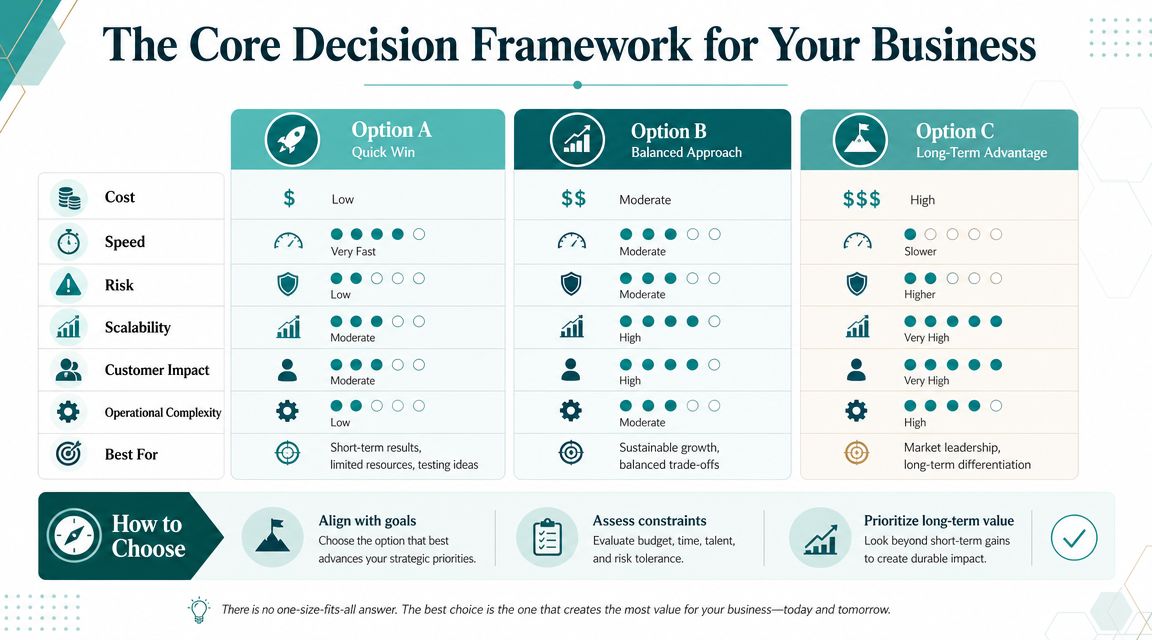
A practical comparison table
One useful framing point from Rootless Agency's comparison of Squarespace, Wix, and WordPress is the maintenance question. Someone has to own updates, integrations, security, and troubleshooting over time. If nobody on your team can do that consistently, WordPress can become expensive in practice even if it offers more control on paper.
What each criterion means in practice
A short feature list rarely settles this decision. Operational fit does.
Ease of use: Measure the total workload after launch. That includes publishing pages, updating offers, fixing broken elements, and managing forms and analytics.
Customization: Decide whether you need controlled brand consistency or the freedom to build around unusual requirements.
SEO potential: Some businesses only need clean fundamentals. Others need tighter control over schema, page templates, redirects, internal linking, and performance.
Scalability: Judge the platform by how well it supports more landing pages, more integrations, more campaigns, and more channels without forcing a rebuild.
Small businesses usually do not hit a ceiling because the site looks dated. They hit it when marketing gets more demanding than the platform setup can support.
That matters even more if you plan to expand beyond search, social, and email. AI-powered TV advertising works better when the site can handle traffic spikes, track visits cleanly, and route people to campaign-specific pages without friction. A platform that slows down experimentation will also slow down your ability to test new acquisition channels.
Performance belongs in this framework too. Slow pages waste paid traffic and weaken conversion rates, especially on mobile. If speed is already a concern, Adwave's guide to website speed and how to fix it for free gives you a practical baseline before you invest in more traffic.
The simplest framework
Use this filter.
Choose Squarespace if brand presentation matters, your site needs are fairly contained, and you want low maintenance.
Choose Wix if you want fast execution, more layout freedom, and an easier path for a non-technical team to manage campaigns.
Choose WordPress if your marketing plan includes heavier SEO, custom funnels, advanced integrations, or expansion into channels that demand more tracking and landing page control.
Squarespace for Design-Forward Brands
Squarespace works best when presentation is part of the sale. That includes photographers, architects, interior designers, boutique hospitality brands, high-end consultants, and service businesses where trust is heavily visual.
The platform's advantage isn't unlimited freedom. It's restraint. Squarespace tends to help non-designers produce a site that looks composed, which is often more valuable than giving them total layout freedom.
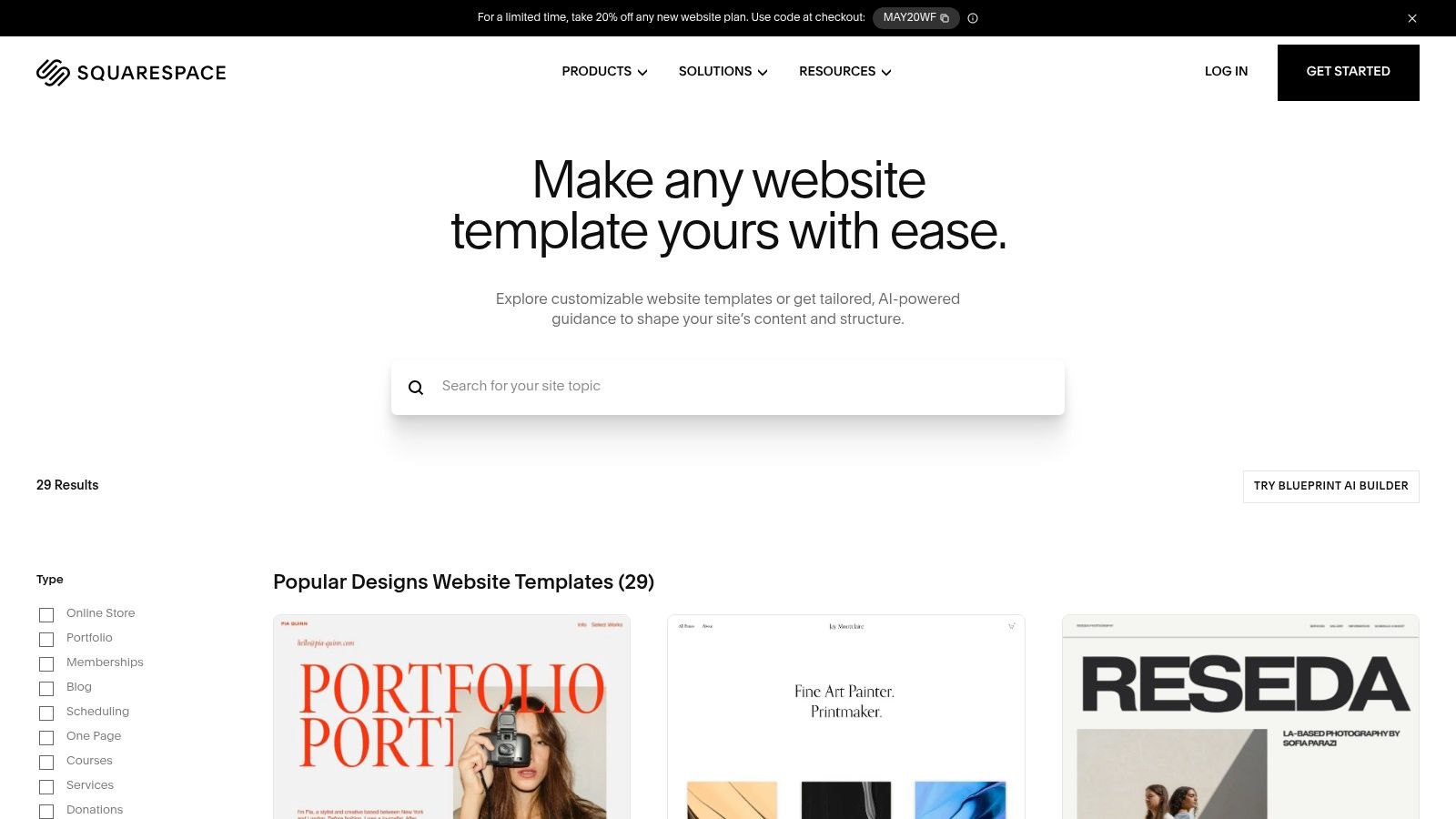
Where Squarespace shines
For a business owner handling their own site, the main win is consistency. Fonts, spacing, and content blocks usually behave predictably. That helps teams publish quickly without making the site look uneven.
A
noted that Squarespace had 178 templates and about 45 extensions, with a reported site load time of under 2 seconds and 99.99% uptime. Those numbers support what many users already experience qualitatively. Squarespace favors a more controlled ecosystem with solid performance and reliability.Where the ceiling appears
That same control can become the limitation. Businesses that want a highly customized commerce setup, specialized integrations, or unusual funnel logic can start to feel the edges of the platform sooner.
Here's where Squarespace usually works well:
Brand-led brochure sites: Professional services, creative firms, and premium local businesses.
Simple stores: A curated product catalog with straightforward purchasing flows.
Owner-managed websites: Teams that want to update content without touching technical settings.
And here's where caution makes sense:
Complex e-commerce operations: If your store will rely on lots of external tools or process layers.
Advanced technical customization: If you already know your roadmap includes unusual integrations.
Aggressive testing culture: If you plan to build and rotate many campaign-specific pages.
Squarespace is often strongest when the business needs a site that looks polished out of the gate and stays manageable without much technical oversight.
The right business fit
Squarespace is often the cleanest choice for businesses selling trust, taste, and professionalism. If a well-designed site will do most of the credibility work, this platform makes sense.
It makes less sense for owners who expect the site to become a heavily customized marketing system. Squarespace can support growth, but it's better to treat it as a refined all-in-one environment than an open-ended experimentation platform.
Wix for Maximum Flexibility and Speed
A common small-business scenario looks like this. The site needs to go live fast, the owner wants to change copy without filing a ticket, and marketing plans keep expanding from local search and email into landing pages, offers, retargeting, and eventually channels like AI-powered TV ads through platforms like Adwave. In that setup, Wix often makes practical sense because it reduces the time between an idea and a published page.
Wix is usually the better fit for businesses that expect to test, adjust, and add tools often. It gives non-technical teams more control than Squarespace, without the heavier setup and maintenance burden that comes with WordPress.
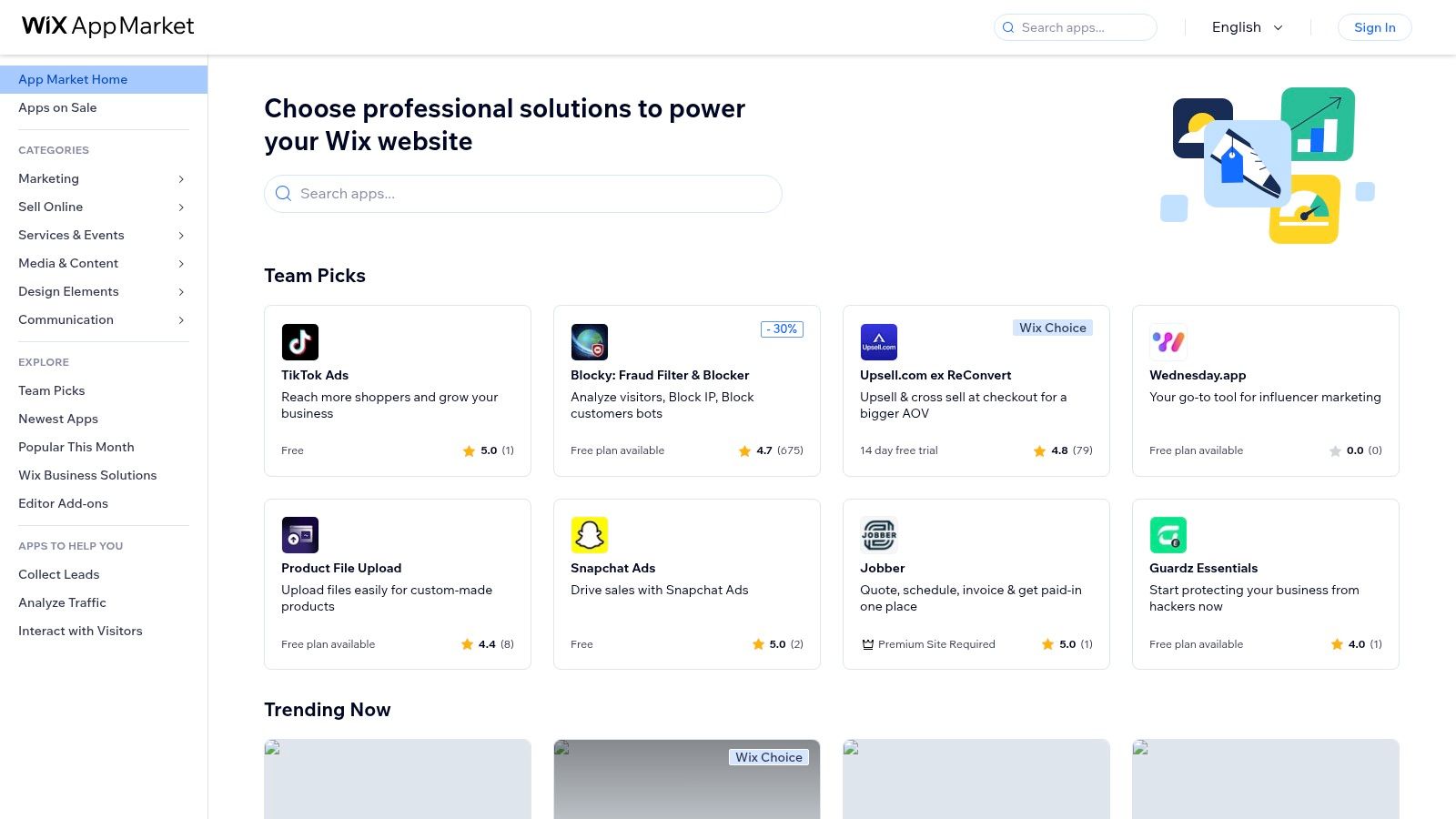
Why Wix works for fast-moving SMBs
The primary advantage is operational flexibility. If a service business wants to add bookings, a retailer wants to test a new sales app, or a team needs campaign pages for a new offer, Wix makes those changes easier to handle in-house.
A 2024 comparison reported that Wix has over 830 free templates and around 1,000 apps in its app market, giving small businesses a wide range of options for bookings, forms, ecommerce, and marketing add-ons. The same review also reported Wix site load times of around 3 seconds and 99.98% uptime.
That mix matters. A broad app market helps a business extend the site without custom development, but every added app also creates more decisions, more dependencies, and more room for inconsistency if nobody is managing the stack.
The marketing upside
Wix is a strong option for companies that see the website as an active marketing tool rather than a fixed brochure. Printful's Wix vs Squarespace analysis notes Wix's larger app ecosystem, broader integrations for dropshipping and print-on-demand, and stronger day-to-day SEO controls such as custom URLs, editable meta descriptions, Google Search Console integration, structured data support, and advanced redirects.
That flexibility has a direct effect on growth. Teams can build landing pages faster, connect more campaign tools, and support channel expansion without waiting on a developer for every change. If the business later starts running AI-powered TV advertising through Adwave, Wix can support the practical website work behind that move, including offer pages, location-specific landing pages, lead capture forms, and tracking updates tied to campaign response.
Wix usually fits well for:
Service businesses that need forms, scheduling, location pages, and frequent content changes
Retail brands that may add selling tools, integrations, or new promotional pages over time
Marketing-driven teams that want to test offers and build pages quickly without custom development
Where Wix can get messy
Wix gives teams a lot of freedom. That is useful early. It can also create a patchwork site later if different people build pages without clear design rules, content standards, or conversion goals.
I see this happen with growing businesses that move fast on campaigns but never tighten the system. One page uses one form style, another uses a different CTA structure, and tracking is only half configured across new pages. The website still works, but it becomes harder to optimize, harder to report on, and harder to trust as marketing spend increases.
Wix is strongest for businesses that value speed, testing, and self-service, and that are willing to keep the site organized as more tools and pages get added.
For many small businesses, that is a fair trade. Wix gives more room to grow than Squarespace for active marketing teams, while staying easier to manage than WordPress for owners who do not want the website to become a technical project.
WordPress for Unmatched Power and Scalability
A small business usually reaches a point where the website stops being a brochure and starts acting like infrastructure. New landing pages need custom fields. Lead routing has to connect to the CRM correctly. Campaign tracking needs to stay intact as new offers, locations, and services get added. That is the point where WordPress starts to make sense.
When people recommend WordPress for growth, they usually mean WordPress.org, not WordPress.com. With WordPress.org, you control the hosting, theme, plugins, data structure, and technical setup. That control is the upside. It is also the job.
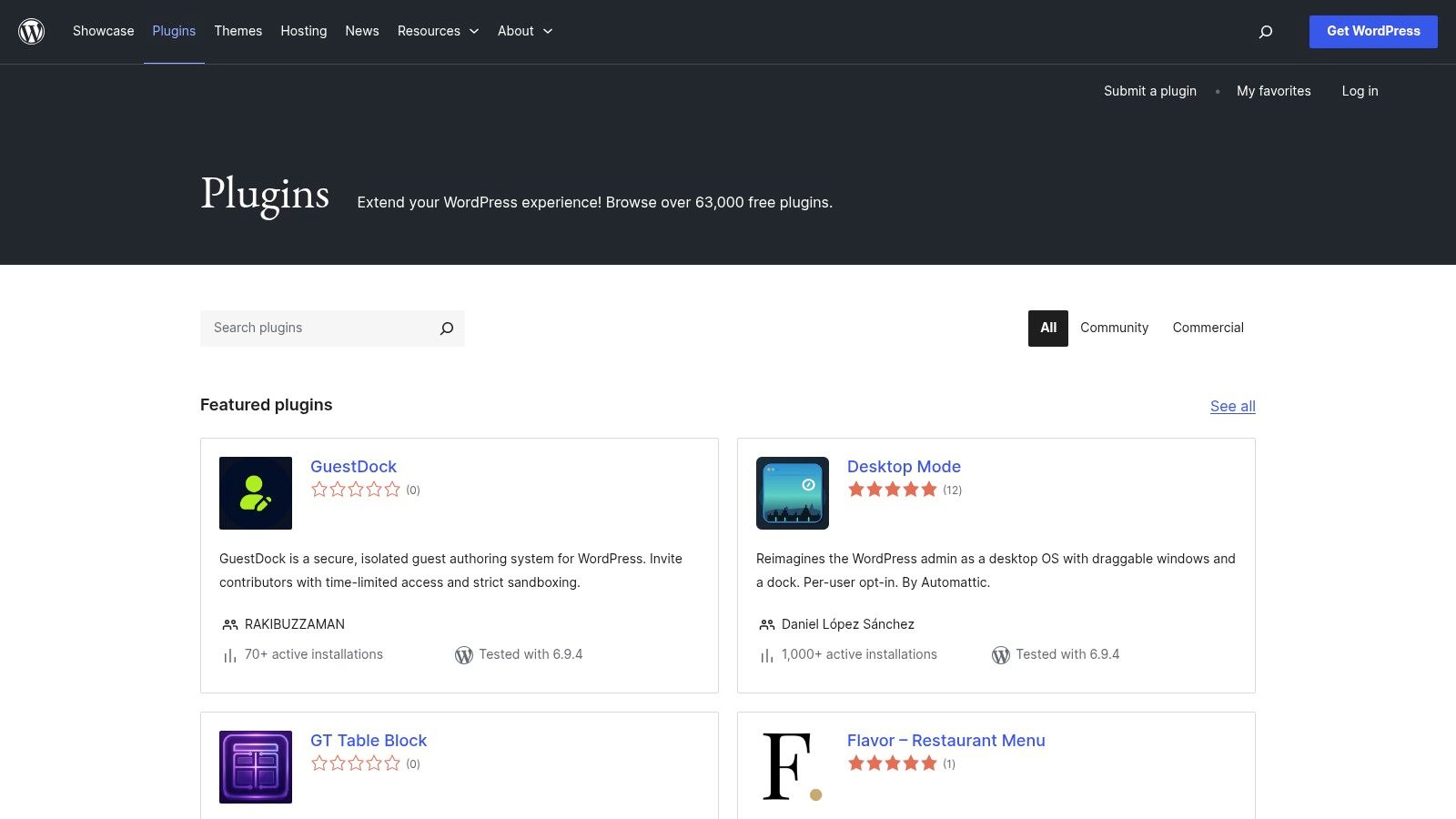
What WordPress gives you
WordPress works well for businesses that expect the site to support serious marketing operations over time. You can shape content types around how the business sells, whether that means service area pages, resource libraries, gated offers, complex product catalogs, or custom lead flows. You also get more freedom to control technical SEO, page speed improvements, schema, integrations, and analytics setups.
That matters if you plan to expand into more channels. A business preparing for paid media, local expansion, or AI-assisted campaign production often needs cleaner content architecture and more control over landing page behavior than closed builders allow. If your team is already thinking beyond the website and into broader growth planning, this guide on how to market my online business is a useful next read.
The trade-off is ongoing ownership
WordPress gives you flexibility by shifting more responsibility to your team.
Someone needs to manage:
Core, theme, and plugin updates
Security monitoring and backups
Plugin conflicts and unexpected breakage
Performance tuning as the site grows
Form, CRM, and tracking QA after changes
I have seen WordPress create real advantage for small businesses with active marketing programs. I have also seen it become expensive clutter. The difference is rarely the platform itself. The difference is whether someone owns the system after launch.
Where WordPress pays off
WordPress is a strong fit if your business expects the website to keep expanding in scope and complexity. That often includes businesses publishing a lot of content, running multi-location SEO programs, building custom lead funnels, or connecting the site to several sales and marketing tools.
It also fits teams that want their site to feed other channels cleanly. If you plan to test new acquisition channels, including AI-powered TV ads through platforms like Adwave, WordPress gives you more control over the pages, metadata, assets, and tracking structure those campaigns depend on. That can make repurposing site content into ads, audience-specific landing pages, and conversion reporting much easier.
A real estate business is a good example. The website may need listing integrations, neighborhood pages, valuation forms, CRM syncing, and campaign-specific landing pages tied to video or TV creative. In that case, WordPress often holds up better over time than a simpler builder. The same logic shows up in tools and workflows discussed by Saleswise for real estate marketing.
Who should choose it
Choose WordPress if these conditions sound familiar:
You need custom workflows or data structures
Your marketing depends on search visibility and content depth
You have technical support in-house or on retainer
You expect the site to become a long-term growth system, not just an online presence
WordPress rewards businesses that treat the website like an operating asset. For an owner who wants a site they can update casually a few times a year, it is often too much. For a company building a larger marketing engine, the extra setup and maintenance can prevent a more painful rebuild later.
Preparing for Growth Channels Like AI-Powered TV Ads
A website builder decision gets more important when you stop thinking about the site as the destination and start treating it as source material for every other channel.
That includes paid search, social campaigns, email capture, location pages, retargeting flows, and increasingly, AI-assisted creative workflows. The site's structure, visual consistency, copy quality, and clarity of offer all affect how easily you can extend your marketing into new formats.
Your website becomes the input layer
When a business wants to expand into a new channel, it usually doesn't start from zero. It starts from the assets already on the site. Headlines, service descriptions, testimonials, product images, offer pages, and calls to action become the building blocks for campaigns elsewhere.
This is why platform fit matters operationally:
Squarespace helps keep brand presentation tight, which is useful when visual consistency matters.
Wix supports faster page iteration and broader tool connections, which helps when campaigns need more testing.
WordPress gives the deepest control, which is useful if your team treats the website like a custom growth system.
A
makes an important point. For businesses that may later add TV or performance campaigns, the better question is which platform minimizes friction when turning a website into a multi-channel growth hub. That same coverage suggests Wix has pushed further into AI-assisted site creation, which lines up well with modern marketing workflows.Why this matters for AI-assisted advertising
AI tools work best when the underlying website is clear. If your homepage rambles, your offer is buried, or your service pages are thin, that weakness carries into every campaign built from those assets.
That's one reason real estate teams, local retailers, and service businesses are thinking more seriously about the relationship between their website and channel expansion. If you work in property, Saleswise for real estate marketing is a useful example of how AI is increasingly being applied to content and campaign execution across the funnel.
Adwave fits into this conversation as one of the tools built around that same operating logic. By entering a website URL, businesses can generate a broadcast-ready TV ad and place it across premium channels without the old production workflow. In practice, that means your website builder choice affects how easily your site can feed into that type of campaign.
What works before you expand channels
Before pushing into TV, video, or broader paid acquisition, make sure the website can carry the load.
Clear offer pages: Every visitor should understand what you sell and what to do next.
Strong visual assets: Clean imagery and consistent branding help AI-generated creative stay usable.
Dedicated landing pages: Campaign traffic usually needs focused pages, not generic homepages.
Simple update workflows: If a campaign insight comes in, your team should be able to revise the destination quickly.
If you're planning to turn your site into a broader acquisition engine, Adwave's guide on how to market my online business is a practical resource for building that channel mix around a solid website foundation.
Our Final Recommendations by Business Type
No single platform wins for every small business. The better question is which one fits your current operating reality and your likely next stage.
If you want a second outside view before deciding, this guide to website builders by Polaris is a useful additional comparison. It's worth reading alongside your own requirements list, not instead of one.
Choose based on your business model
Local service businesses Think plumbers, dentists, clinics, law firms, accountants, and home service companies. Wix is often the strongest fit if you need speed, lead capture, and flexibility without technical overhead. Squarespace also works if presentation matters more than integrations.
Design-led brands Photographers, architects, boutique consultants, personal brands, and premium studios usually do well on Squarespace. It gives them a cleaner path to a site that looks expensive without custom design work.
Fast-growing e-commerce businesses If you expect to add tools, sales flows, or more complex marketing logic, Wix is usually the better no-code option of the three. If your roadmap is much more technical and you have support, WordPress becomes more compelling.
When WordPress is the right answer
That often applies to:
Content-heavy businesses with SEO-driven acquisition
Companies with agency or developer support
Brands planning major customization
Teams that know a migration later would be costly
The simplest final filter
Use this if you want a direct recommendation.
One more practical point. No matter which platform you choose, your website should also help you build owned audiences. Email still matters, especially when you're layering channels over time. Adwave's resource on how to build an email list from zero without buying lists is useful if you want the site to do more than collect passive visits.
The bottom line is simple. Choose Squarespace if design and simplicity lead. Choose Wix if you want the best balance of ease and marketing flexibility. Choose WordPress if you're building for control first and you're prepared to manage what comes with it.
If your website is ready to do more than sit online, Adwave can help turn it into launch-ready TV creative by using your site as the starting point for AI-generated, broadcast-ready ads. That's especially useful for small businesses that want to expand into premium channels without building a traditional production process from scratch.


