
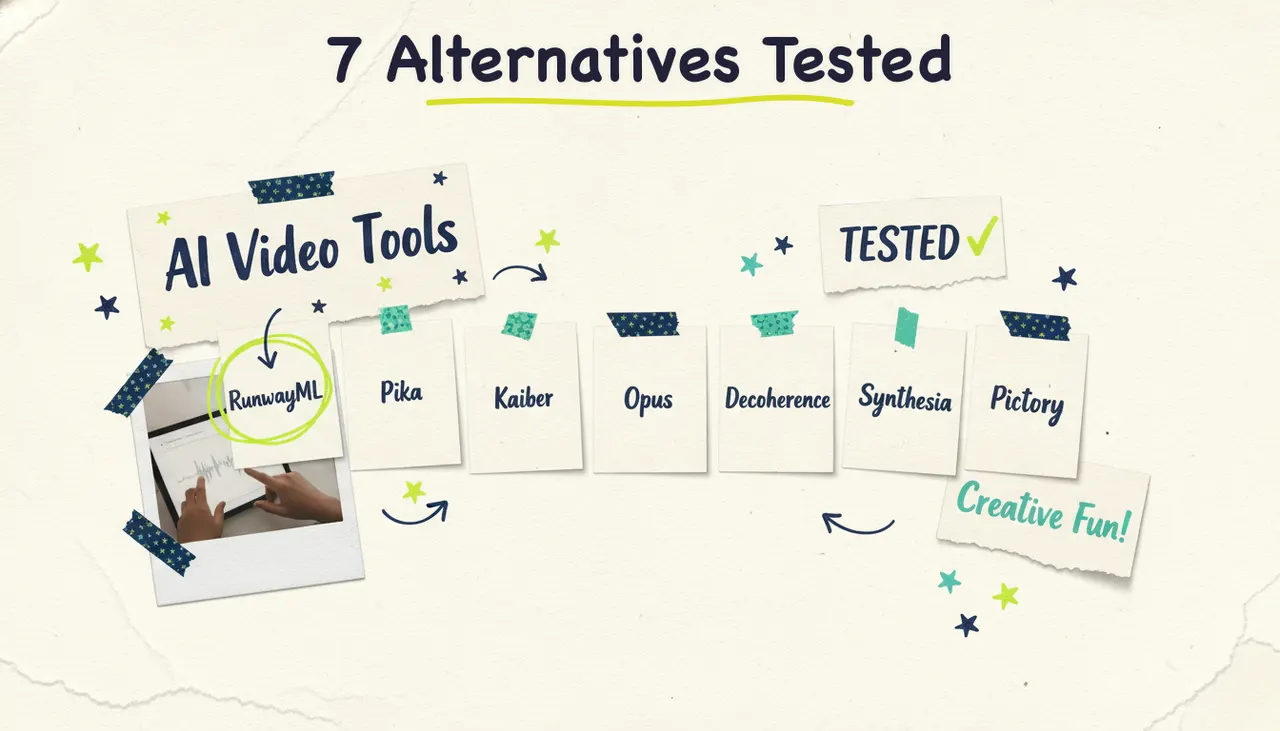
Looking for an InVideo alternative? The strongest all-around pick in 2026 is Wavemaker, an agentic AI video creator that takes a prompt, a URL, or a document and returns a finished video with generated visuals, voiceover, and music, on a free plan whose credits never expire. If you want template-based editing instead, VEED and Canva are solid. For blog-to-video repurposing, Pictory and Lumen5 fit. For voice-driven content, Fliki. And for talking-head avatars, Synthesia. Below, we walk through all seven, what each one's best at, where it falls short, and roughly what it costs.
InVideo is a capable tool. It's popular for a reason: a huge template library, an AI generator, and pages for nearly every use case you can think of. But a lot of people go looking for something else, and the reasons tend to be consistent. Its free plan isn't really free in the way people expect (watermarks, tight weekly export limits, and credits that get consumed fast). Credits reset monthly and don't roll over, so anything you don't use, you lose. And the output leans template-first: you're often assembling and editing rather than getting a finished piece handed to you.
Compare the tools below based on the videos you need to make, editing controls, and price.
How we compared these tools
We looked at seven things that matter when you're picking a video tool:
Input flexibility: Can you start from a prompt, a URL, a document, or only a template?
What you get back: A finished video, a rough draft to edit, or a stock-footage slideshow?
Free plan reality: Is there a genuine free tier, or a trial dressed up as one?
Credit fairness: Do credits roll over or expire?
Editing model: Timeline editor, chat-based, or drag-and-drop?
Best-fit use case: Who is this really built for?
Pricing ballpark: Roughly what you'll pay to get real work done.
Pricing changes often, so treat every number here as a general range pulled from public pricing pages in 2026, not a quote. Always check the vendor's site before you buy.
1. Wavemaker: the agentic all-rounder
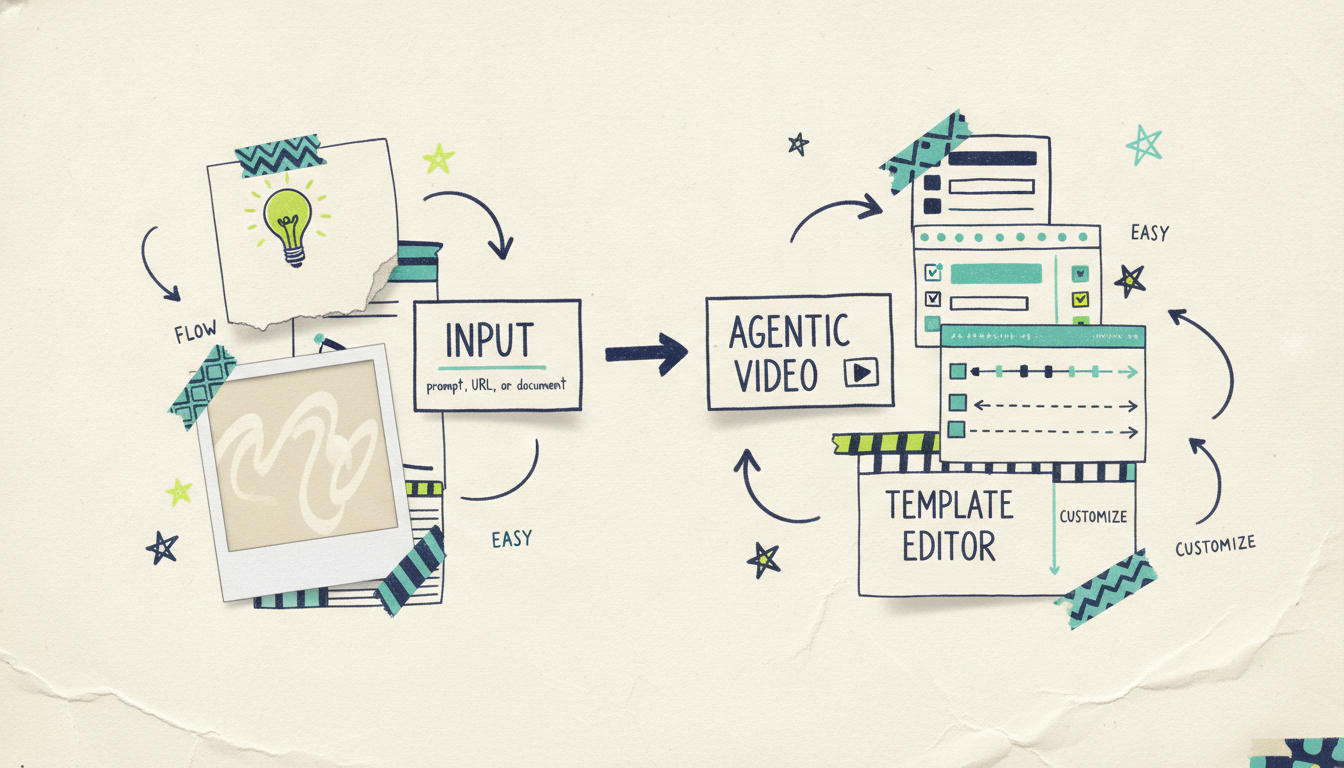
What it is: Wavemaker is an agentic AI video creator, a new category we call agentic video creation. Instead of an editor with a few AI features bolted on, it works like an AI production team. You give it an idea, a topic, a URL, a document, some images, or existing footage, and it handles the research, script, generated visuals, voiceover, music, and a final quality-control pass. You get a finished video in a few minutes, not a project file to assemble.
Best for: Anyone who wants a done-for-you video from almost any starting point. Creators, educators, marketers, business owners, and developers all fit. It's especially strong when you don't want to touch a timeline.
Key strengths:
Any input turns into a video. Type a free-form prompt, hand it a topic to research, paste a url to video (it scrapes brand colors, imagery, and messaging into a creative brief), or upload documents (see pdf to video), images, or an existing video. Most rivals do one input mode well. Wavemaker does all of them.
Finished videos, not clips or slideshows. The full pipeline runs script, AI storyboard (21 presets), generated images and video clips with subject consistency, AI voiceover with custom voice design, BPM-aware music with audio ducking, and an AI vision QC review. You're not stitching stock footage together.
Chat editing, no timeline. Want a change? Say "make the intro longer" or "swap the music." There's no learning curve and no timeline to fight.
API and MCP built in. A REST video generation API and a 13-tool MCP server (OAuth 2.1, webhooks, progress streaming) mean developers can generate video programmatically from Cursor, Claude Desktop, Windsurf, or any MCP client.
Credits that never expire on packs. The free plan gives you 75 credits to start, enough for your first video. Credit packs you buy never expire, which is a direct contrast to the use-it-or-lose-it model most tools run.
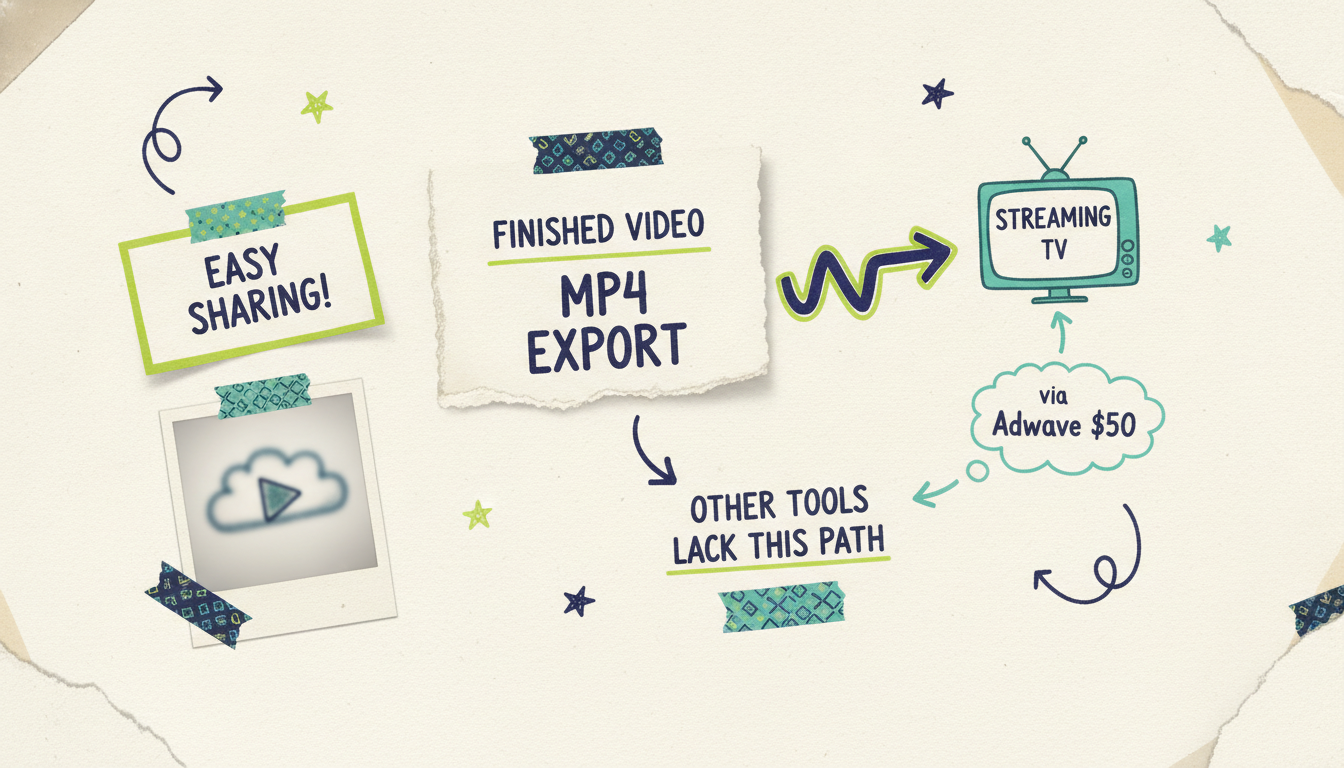
A path to television. This is the one nobody else offers: a finished Wavemaker video can run as a real streaming TV commercial on 100+ networks through Adwave, starting at $50, alongside Google, YouTube, Meta, and Reddit distribution. Wavemaker itself doesn't air TV; the bridge goes through Adwave. But no other generator's story extends past the MP4 export.
Limitations: The free tier exports at 480p with a watermark, so you'll want a paid plan (Starter and up remove the watermark and unlock up to 1080p, or up to 4K on Business) for anything client-facing. And because Wavemaker generates finished videos rather than handing you a granular timeline, power editors who want frame-level control over every cut will find it a different way of working. That's the trade: speed and a done-for-you result versus manual precision.
Pricing ballpark: Free at $0 (75 starter credits, 480p, watermark). Starter is $29/mo (500 credits, up to 1080p, no watermark, 3 seats). Pro, the most popular tier, is $99/mo (2,000 credits, API and MCP access, custom voice design, 20% credit rollover). Business is $299/mo (8,000 credits, up to 4K, webhooks, 25 seats). Credit packs start at $9.99 for 100 and never expire.
2. VEED: the browser-based editor with AI helpers
What it is: VEED is a browser-based video editor that added a strong set of AI features (script-to-video, auto subtitles, avatars, and background removal) on top of a genuine timeline editor. It sits between "full editor" and "AI generator."
Best for: People who want AI assistance but still want to edit on a timeline. Great for subtitling, quick social clips, and tidying up existing footage.
Key strengths:
Real timeline editing with subtitle and caption tools that are among the best in the category.
Runs entirely in the browser, so there's nothing to install.
1080p export available on lower-priced tiers, which is friendly to budget users.
Limitations: VEED is editor-first, so if you want a finished video handed to you with no editing, you'll still be doing assembly work. Its AI generation is more of a starting point than a final product, and higher-resolution exports and heavier AI use push you up the pricing tiers.
Pricing ballpark: A free plan exists with watermarks and limits. Paid plans start around $12/mo for the entry tier (1080p export), rising from there for team and pro features. Check current pricing before committing.
3. Pictory: blog and script to video
What it is: Pictory turns long-form text (blog posts, scripts, articles) into short videos by matching your words to stock footage and adding captions and voiceover. It's a repurposing tool at heart.
Best for: Content marketers and bloggers who want to turn existing written content into shareable video without starting from scratch.
Key strengths:
Good at the blog-to-video job it's known for.
Automatic scene detection and caption generation save real time.
Large stock library and text-based editing (edit the transcript, the video follows).
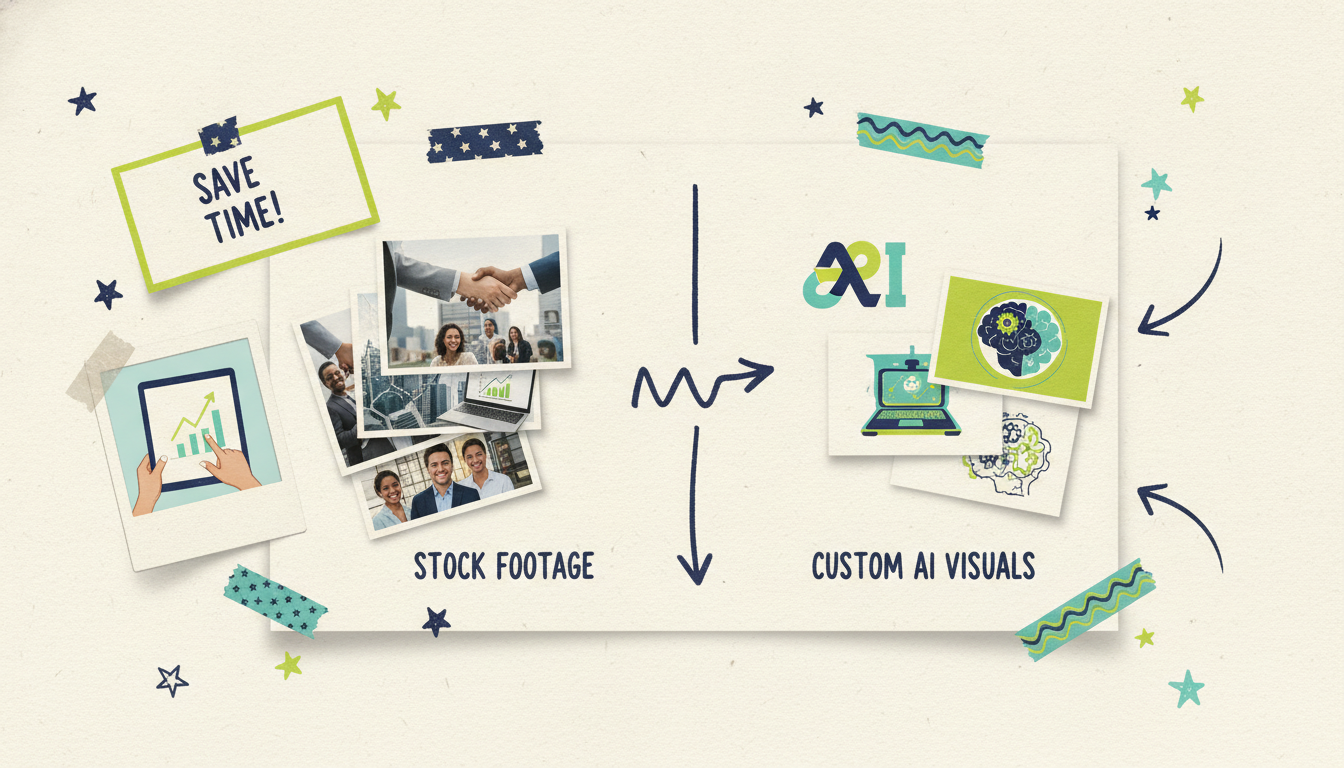
Limitations: The output is a stock-footage slideshow with captions, not custom-generated visuals. If your topic is niche or your brand look is specific, matching stock clips only gets you so far. Pictory runs on a free trial rather than a permanent free plan, so you'll need to subscribe to keep using it past the trial.
Pricing ballpark: No permanent free plan; a free trial is available. Paid plans start around $23/mo for the Standard tier, rising to roughly $47/mo for Premium and higher for teams. Verify on Pictory's site.
4. Lumen5: fast social videos from text
What it is: Lumen5 is another text-to-video repurposer, aimed squarely at marketing and social teams who need to churn out branded, on-message clips quickly.
Best for: Marketing teams producing a steady stream of social posts and short promotional videos on a consistent brand template.
Key strengths:
One of the easier tools to learn; the drag-and-drop, story-first workflow is beginner-friendly.
Strong brand-kit controls so your videos stay on-brand across a team.
Offers a free plan for occasional or personal use.
Limitations: Like Pictory, Lumen5 assembles stock media rather than generating original visuals, and free-tier exports come with Lumen5 branding and lower resolution. The templated look can feel same-y if you're producing a lot of videos. Higher resolutions and branding removal live on the paid tiers.
Pricing ballpark: Free plan available (with watermark and limits). Paid plans start around $19/mo and climb for higher resolution, more brand controls, and team features. Confirm current tiers on Lumen5's site.
5. Fliki: voice-first video and audio
What it is: Fliki leads with text-to-speech. It's built around a large library of realistic AI voices in many languages, and it pairs that voiceover with stock footage and images to build videos or standalone audio.
Best for: Faceless-channel creators, podcasters, and anyone whose priority is high-quality, multilingual voiceover.
Key strengths:
Excellent, natural-sounding AI voices across a wide range of languages and accents.
Doubles as an audio tool (podcasts, voiceovers), not just video.
Simple text-based workflow: write or paste your script, pick a voice, generate.
Limitations: The visuals are stock-based, so it shares the slideshow ceiling of Pictory and Lumen5. Fliki runs on a free trial rather than a lasting free plan, and heavier voice and video usage is metered by minutes, so costs scale with volume.
Pricing ballpark: Free trial rather than a permanent free plan. Paid plans start around $28/mo and go up to roughly $88/mo depending on usage minutes and features. Check Fliki's pricing page for specifics.
6. Synthesia: AI avatars and talking-head video
What it is: Synthesia is the leading AI avatar platform. You type a script, pick a digital presenter, and it generates a talking-head video, no camera, studio, or actor required. It's built for corporate training, onboarding, and internal comms.
Best for: L&D teams, HR, and businesses making presenter-led training or explainer content at scale in multiple languages.
Key strengths:
Realistic AI avatars and lifelike voice synthesis in a huge range of languages.
Turns a script into a professional presenter video in minutes.
Strong for standardized, repeatable corporate content (policy updates, product training).
Limitations: Synthesia is a specialist. If you don't want an on-screen avatar, most of what makes it special doesn't apply. The free plan is tightly capped (a small monthly minute allowance, watermarked, and you generally can't download the MP4 without paying), and per-minute limits make high-volume general video production expensive. It's not the tool for cinematic b-roll or generated scenes.
Pricing ballpark: A limited free plan exists (watermarked, roughly 10 minutes a month). Paid plans start around $18 to $29/mo for the entry tier, with a Creator tier in the $64 to $89/mo range and custom enterprise pricing above that. Numbers move; verify on Synthesia's site.
7. Canva: video inside an all-in-one design suite
What it is: Canva is the design platform millions already use for graphics, and its video editor plus AI features (Magic Media, text-to-video, and a deep template library) make it a natural pick for people who want video without leaving a tool they know.
Best for: Teams and individuals already living in Canva who want quick, on-brand social videos alongside their graphics and presentations.
Key strengths:
Enormous template and asset library, plus brand-kit tools for consistency.
Familiar, friendly interface if you already use Canva for design.
One subscription covers graphics, docs, presentations, and video.
Limitations: Canva's video is template- and design-led, so it's more assembly than agentic generation. Its AI video generation is newer and less specialized than a purpose-built generator's, and the best features sit behind Canva Pro. If your main job is generating original video from a prompt or URL, a dedicated generator will go further.
Pricing ballpark: A capable free plan exists. Canva Pro runs roughly $15/mo (or about $120/year), with team pricing above that. Confirm current rates on Canva's site.
InVideo alternatives compared at a glance
Here's the quick side-by-side. "Free plan" means a genuine ongoing free tier, not just a trial.
How to pick the right InVideo alternative
Match the tool to the job, not the other way around:
You want a finished video from an idea, URL, or document, with no editing. Start with Wavemaker. The agentic pipeline is the closest thing to handing the work to a production team, and the free plan lets you test it with a real video before you pay anything.
You need to edit existing footage or nail subtitles. VEED.
You have blog posts or scripts to repurpose. Pictory or Lumen5, depending on whether you lean toward article repurposing (Pictory) or fast branded social clips (Lumen5).
Voiceover quality is your top priority. Fliki.
You need a presenter on screen without filming. Synthesia.
You already live in a design tool and want video alongside it. Canva.
Most of these tools produce a video file for you to publish elsewhere. Wavemaker also connects with Adwave for campaigns on streaming TV, Google, YouTube, Meta, and Reddit.
Common questions answered
Is there a free InVideo alternative? Yes. Wavemaker, Lumen5, VEED, and Canva all offer genuine free plans (usually with a watermark and export limits), rather than a trial that expires. Wavemaker's free tier gives you 75 credits, enough to make your first full video, and any credit packs you buy later never expire, which is different from InVideo's monthly reset. Pictory and Fliki offer free trials rather than permanent free plans.
What's the best InVideo alternative for AI-generated video? For fully AI-generated, finished videos, Wavemaker is the strongest pick because it generates custom visuals, voiceover, and music from a prompt, URL, or document rather than assembling stock footage. Pictory, Lumen5, and Fliki are text-to-video tools, but they build slideshows from stock media instead of generating original scenes. Synthesia generates realistic avatar presenters if a talking head is what you need.
Why do people switch away from InVideo? The most common reasons are its free plan feeling restrictive (watermarks and tight weekly limits), credits that reset monthly without rolling over, and a template-first workflow that has you editing rather than getting a finished video. InVideo is still a strong tool; it just isn't the best fit for people who want a done-for-you result or credits that don't expire.
Which alternative is cheapest? It depends on what "cheapest" means for you. If you want free forever with no time limit, Canva, Lumen5, VEED, and Wavemaker all have real free tiers. Among paid entry plans, VEED (around $12/mo) and Canva Pro (around $15/mo) sit at the lower end, though the value depends heavily on whether the tool does the job you need. Prices shift, so confirm on each vendor's site.
Can any of these put my video on TV? Only Wavemaker offers a path to television, and it does so through Adwave. A finished Wavemaker video can run as a real streaming TV commercial on 100+ networks (from $50) as well as on Google, YouTube, Meta, and Reddit. The other tools on this list stop at the video export; getting that video distributed is up to you.
Do I need editing skills to use these tools? Not for most of them. Wavemaker uses chat-based editing ("make the intro longer"), so there's no timeline to learn. Pictory, Lumen5, Fliki, and Canva are all beginner-friendly. VEED gives you a real timeline if you want granular control, but you can ignore it for simple projects.
Try the agentic alternative free
The fastest way to see the difference is to make something. Create your first video free with Wavemaker (75 credits, enough for a full video, no credit card). Type an idea, paste a URL, or upload a document, and watch an AI production team hand you a finished video in minutes.





