
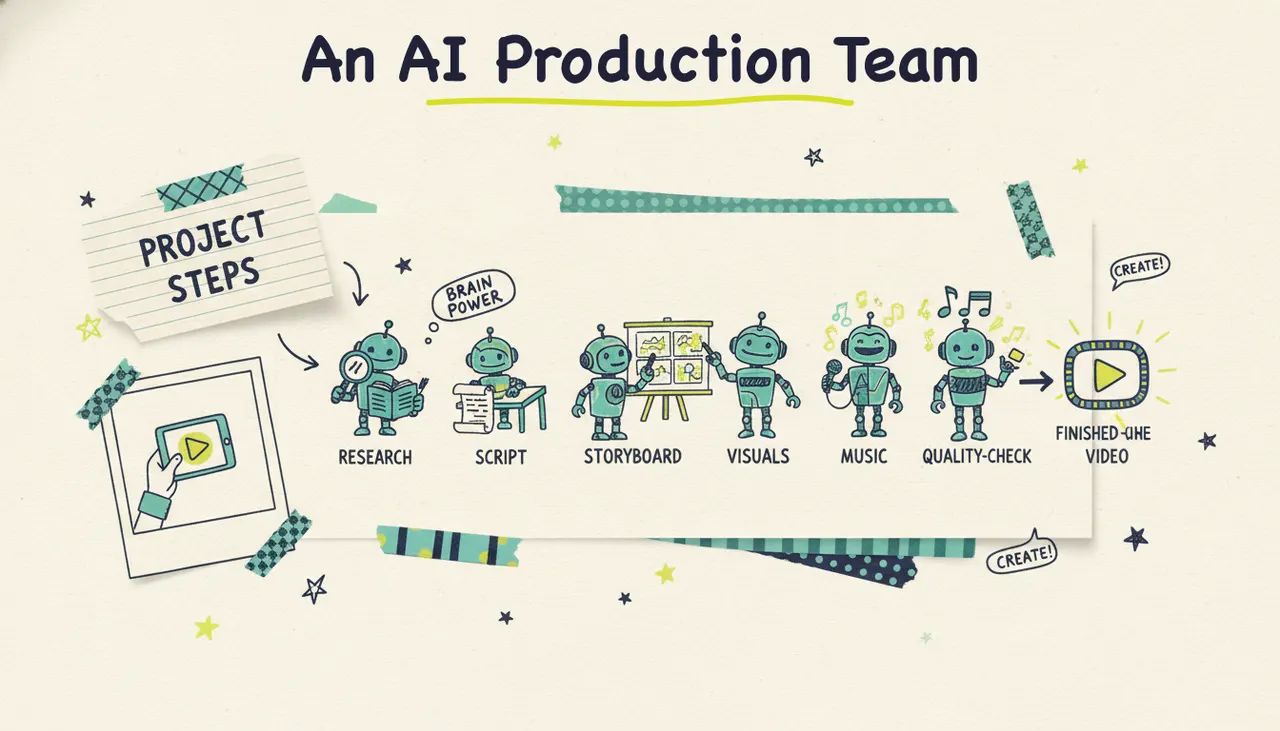
Agentic video creation is a way of making video where an AI production team does the work end to end, not just a single step. You give it an idea, a topic, a URL, a document, or some images, and the system researches the subject, writes a script, builds a storyboard, generates the visuals, records a voiceover, scores it with music, and runs a quality check before handing you a finished video. It's the difference between hiring a crew and buying a fancier pair of scissors. Most tools sold as "AI video" are still editors with AI features bolted on. Agentic video creation replaces the editor entirely with agents that plan and produce.
Agentic video tools plan production steps, run them, and review the results. The sections below explain how Wavemaker uses this process to create a video.
What "agentic" means here
In AI, an "agent" is a system that pursues a goal by taking a series of steps, using tools, and reacting to what it sees along the way. It isn't a single prompt that returns a single output. It's a chain of decisions.
Applied to video, that means the software doesn't just apply a template or stitch clips together. It owns the whole job:
It decides what the video should say (script).
It decides how each moment should look (storyboard).
It creates the footage, images, voice, and music (production).
It reviews its own work and flags problems (quality control).
That makes it different from "AI features." A template editor with an AI voiceover button still expects you to be the director, editor, and producer. Agentic video creation moves those roles into the software. You're the client giving the brief, not the crew executing it.
That shift changes who can make video at all. You don't need to know what a keyframe is. You don't need to open a timeline. You describe what you want, and a production team that happens to be made of AI agents figures out the rest.
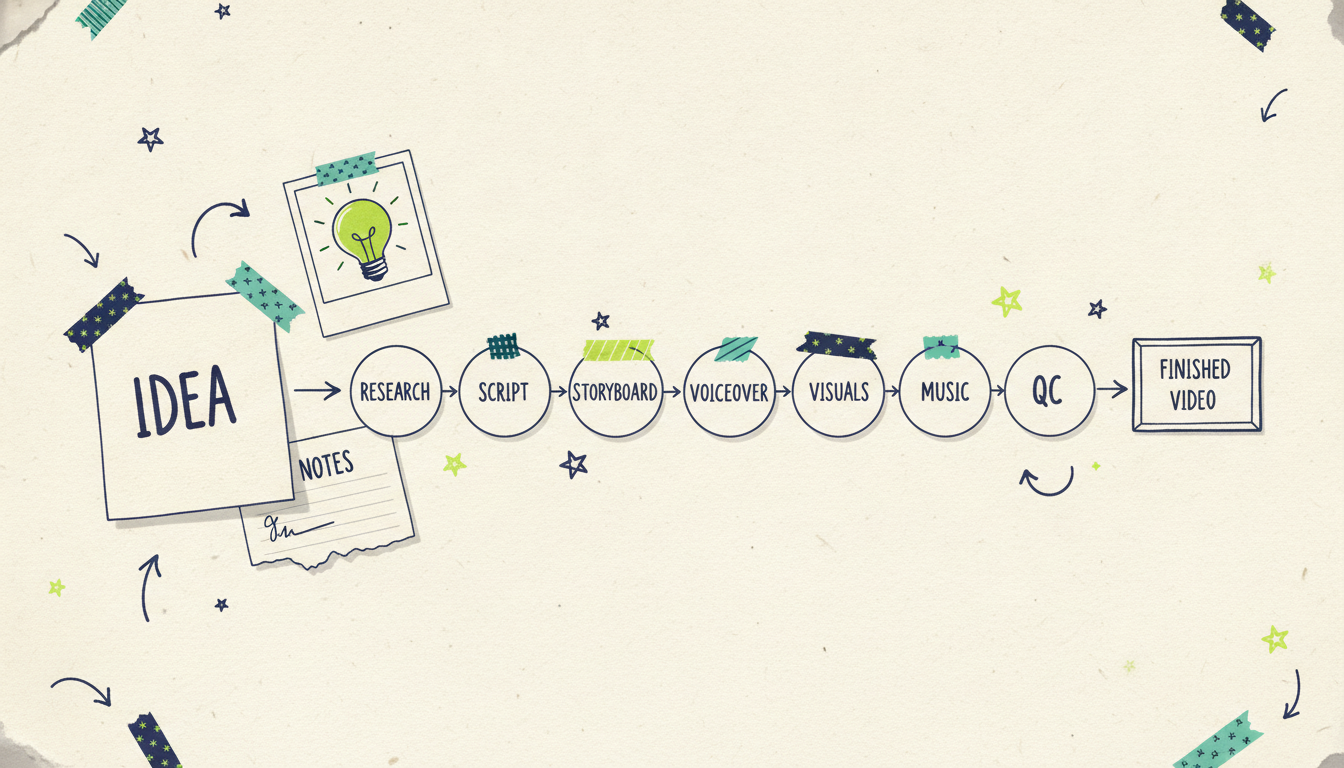
How the agentic pipeline works, step by step
The best way to understand the category is to follow a single idea through the whole pipeline. In Wavemaker, it looks like this.
1. Any input becomes a starting point
Most tools do one input mode well. Agentic video creation is input-agnostic. Wavemaker starts from any of these:
A free-form prompt ("a 30-second promo for my coffee shop's fall menu"), the classic text to video starting point.
A topic the AI researches for you, then scripts.
A URL, which it scrapes for brand colors, imagery, and messaging to build a creative brief. That url to video path is one of the fastest ways to get an on-brand result.
Documents (PDFs, docs, notes) you want turned into a video.
Images you already have.
An existing video you want reworked.
Whatever you give it becomes the brief the rest of the pipeline works from.
2. Script
The system writes the script first, because everything downstream depends on it. If you handed it a topic, it researches the subject before writing. If you handed it a URL or documents, it pulls the substance from your own material rather than inventing it.
3. Storyboard
Next it builds an AI storyboard, choosing from 21 presets that map the script to a visual structure. This is the plan for what each scene shows and how the video flows, decided before a single frame is generated.
4. Generated visuals
Now it produces the actual footage: generated images and video clips built to match the storyboard. Two details matter here. It maintains subject consistency, so a character or product looks the same from scene to scene, and it uses multi-provider fallback, so if one generation model stumbles, another picks up the work. This is generation, not assembly. It isn't pulling generic stock clips off a shelf.
5. Voiceover
The system adds an AI voiceover, and on paid tiers you can use custom voice design to shape how it sounds. The narration is timed to the storyboard, not dropped on top as an afterthought.
6. Music
It scores the video with BPM-aware music and applies audio ducking, so the soundtrack automatically drops under the voiceover and comes back up between lines. That mix is a job a human editor usually does by hand.
7. AI vision QC review
This is the step that defines the category. before you see the video, an AI vision pass reviews the output, looking at the frames the way a producer reviews a rough cut, and flags issues. Clip generators and slideshow tools skip this entirely. They hand you the raw output and let you find the problems yourself.
The result is a finished video in about two to five minutes for most projects. Then, if you want to change something, you don't open a timeline. You just say "make the intro longer" or "swap the music," and the agents rework it. That's chat editing, and it's a natural fit for a system that already understands the video as a plan rather than a stack of tracks.
How it differs from the tools you already know
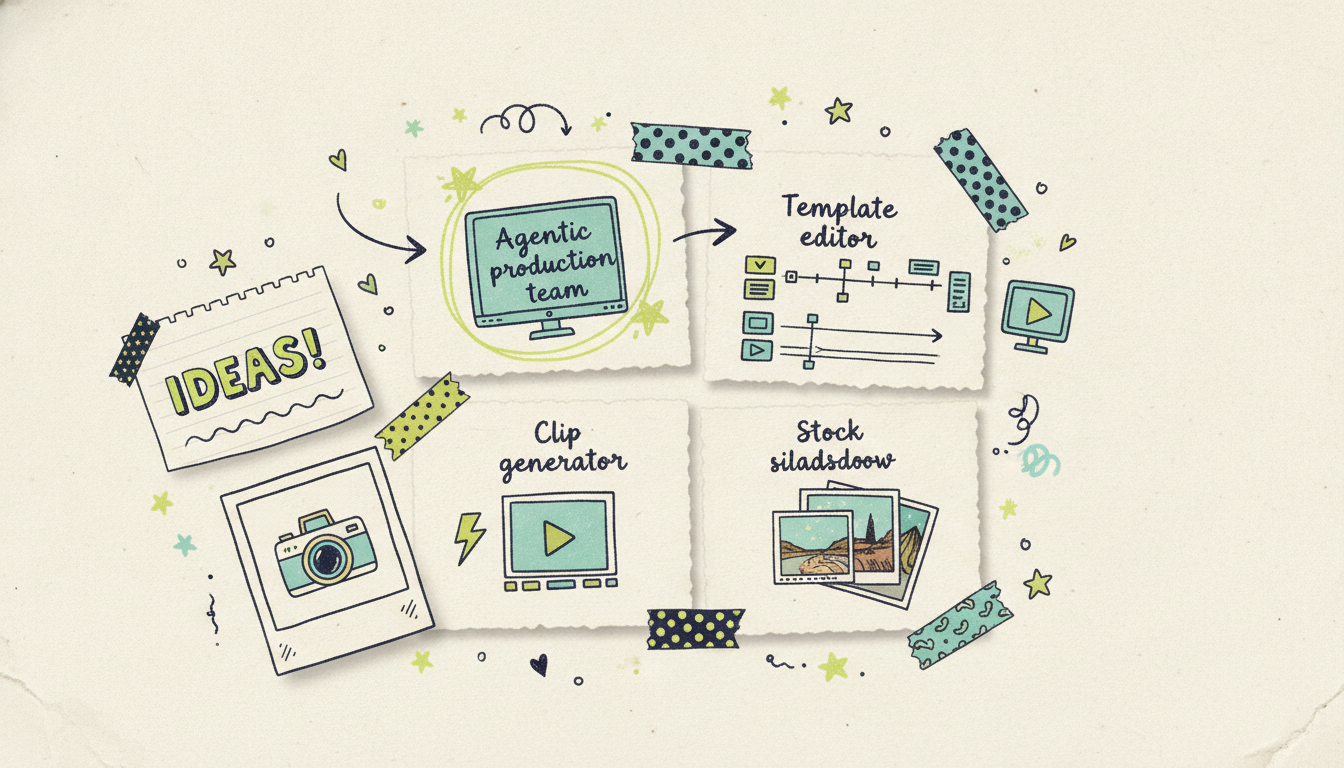
"AI video" now covers at least three very different kinds of software. Agentic video creation is a fourth. The categories look similar in a demo and behave nothing alike in practice.
Template editors (InVideo, VEED, Canva)
These are editing apps with AI features added. They give you templates, stock media, and a timeline, plus AI helpers like auto-captions or a voiceover generator. They're capable, but the mental model is still "you edit the video." You're the producer; the AI hands you tools. Great if you want manual control. A steep hill if you just want a finished video.
Clip generators (Runway, Sora)
Foundation video models like Runway and Sora generate stunning short clips from a prompt. They're built for that: a few seconds of gorgeous footage for creative pros to cut into a larger project. What they don't do is write your script, structure a full video, add a timed voiceover and music, or review the result. They produce raw material. Turning that material into a finished, narrated video is still your job. Agentic tools and clip models are complementary. One makes ingredients, the other cooks the meal.
Stock-slideshow tools (Pictory, Lumen5)
Repurposers like Pictory and Lumen5 turn a blog post or script into a video by matching your text to library stock footage and laying it under captions. It's fast, but the visuals are generic clips anyone can pull, not custom scenes generated for your specific message. There's no real production team behind it. Agentic video creation generates visuals made for your content instead of assembling someone else's.
Agentic video creation (Wavemaker)
The agentic approach owns the full pipeline: research, script, storyboard, generated visuals, voiceover, music, and a vision QC pass. You give a brief, you get a finished video, and you refine it by chatting. The difference isn't a longer feature list. It's who does the work. In the other three categories, you're still part of the crew. Here, the crew is the software. If you want a side-by-side on a specific incumbent, our Wavemaker vs InVideo breakdown goes deeper.
Why agentic video creation matters
Category labels are only useful if they change what you can do. This one does, in a few concrete ways.
It collapses production time. A traditional promo means a brief, a scriptwriter, a shoot or a stock hunt, an editor, a voice artist, and a mix. That's days to weeks and real money. An agentic pipeline runs those roles in parallel and finishes in minutes. You can make ten versions of an idea in the time it used to take to brief one.
It removes the skill barrier. The hard part of video was never the idea. It was the software. Timelines, keyframes, audio levels: all of it stood between a good concept and a finished video. Chat editing and an autonomous pipeline take that wall down. If you can describe what you want, you can make it.
It's built for automation. Because the whole pipeline is a set of steps a system runs, it can be triggered by another system. Wavemaker exposes a video generation API at `/api/v1/videos` on Pro and up, plus an MCP server at `https://wavemaker.adwave.com/mcp` with OAuth 2.1 and 13 tools that works in Cursor, Claude Desktop, Windsurf, or any MCP client. That means a video isn't just something a person makes in an app. It's something an agent can generate as part of a larger workflow.
It scales quality control. The AI vision QC pass is the quiet reason this matters. When software reviews its own output, you're not shipping the first raw result and hoping. That's the piece that turns "AI made a video" into "AI made a video worth publishing."
Where "publish" can mean television
Most AI video tools stop at the MP4 export. That's the end of their story. Agentic video creation opens a door the others don't, because the finished video is production-ready and can travel.
With Wavemaker, "publish" can mean the usual places (YouTube, TikTok, Instagram, your website) or it can mean actual streaming TV. A finished Wavemaker video can run as a real streaming TV commercial on 100+ networks through Adwave, starting at $50, alongside Google, YouTube, Meta, Reddit, and display. To be clear, the TV campaign runs through Adwave; Wavemaker makes the video, Adwave places the media. No other generator's story extends past the export. This one goes from an idea in a chat box to a commercial on television.
A quick note on quality claims. The free tier exports at 480p with a watermark, which is perfect for a first draft or a social test. Paid tiers export up to 4K with no watermark, which is the quality you'd want before putting a video in front of a TV audience.
Getting started with agentic video creation
You don't need a budget or a skill set to try the category. Wavemaker's free plan gives you 75 credits, enough to make your first video, at 480p with a watermark and one seat. From there, Starter is $29/mo for 500 credits, up to 1080p, no watermark, and three seats. Pro, the most popular plan, is $99/mo for 2,000 credits and adds API and MCP access, priority generation, and custom voice design. Business is $299/mo for 8,000 credits, up to 4K, webhooks, and 25 seats. Credit packs start at $9.99 for 100 credits, and packs never expire.
The good news is you can prove the whole idea to yourself in one sitting. Paste a URL, describe a video, and watch a production team you didn't have to hire hand you something finished.
Common questions answered
Is agentic video creation the same as AI video editing? No, and the difference is the whole point. AI video editing means an editing app with AI features, like auto-captions or a voiceover button, where you still direct and edit the video yourself. Agentic video creation hands the directing, editing, and producing to AI agents that run the full pipeline. You give a brief and get a finished video back.
How is it different from tools like Runway or Sora? Runway and Sora are foundation clip models. They generate short, high-quality clips from a prompt, which is exactly what they're built for. They don't write a script, structure a full video, add timed voiceover and music, or review the result. An agentic tool like Wavemaker does all of that and produces a finished video, so the two approaches work well together.
Do I need any video editing experience to use it? No. That's one of the main reasons the category exists. There's no timeline to learn and no software skills required. You describe what you want in plain language, and if you want changes, you ask for them in chat ("make the intro longer," "swap the music") rather than editing tracks by hand.
How long does it take to make a video? Most videos finish in about two to five minutes, from your input to a completed video with visuals, voiceover, and music. Compare that to traditional production, which can take days or weeks across a scriptwriter, editor, voice artist, and mixing pass.
Can a video I make run on TV? Yes, through Adwave. A finished Wavemaker video can run as a real streaming TV commercial on 100+ networks via Adwave, starting at $50, along with Google, YouTube, Meta, Reddit, and display. Wavemaker makes the video; Adwave places it as media. For TV, you'd want a paid tier that exports up to 4K with no watermark.
Can developers automate agentic video creation? Yes. Wavemaker offers a REST API at `/api/v1/videos` on Pro and above, with HMAC-signed webhooks and progress streaming, plus an MCP server with 13 tools that works in Cursor, Claude Desktop, Windsurf, or any MCP client. That lets an agent or app generate videos programmatically as part of a larger workflow.
Make your first agentic video
The fastest way to understand agentic video creation is to watch it happen. Create your first video free with Wavemaker and you'll get 75 credits, enough to turn an idea, a URL, or a document into a finished video in minutes. When it's ready, Adwave can put it on streaming TV from $50.





