A customer calls while you’re under a sink, with another client, or closed for the day. You see the missed call later, but by then the caller may have moved on. A missed-call text back can keep the conversation open, provided you’ve checked consent, made opt-outs work, and assigned someone to respond.
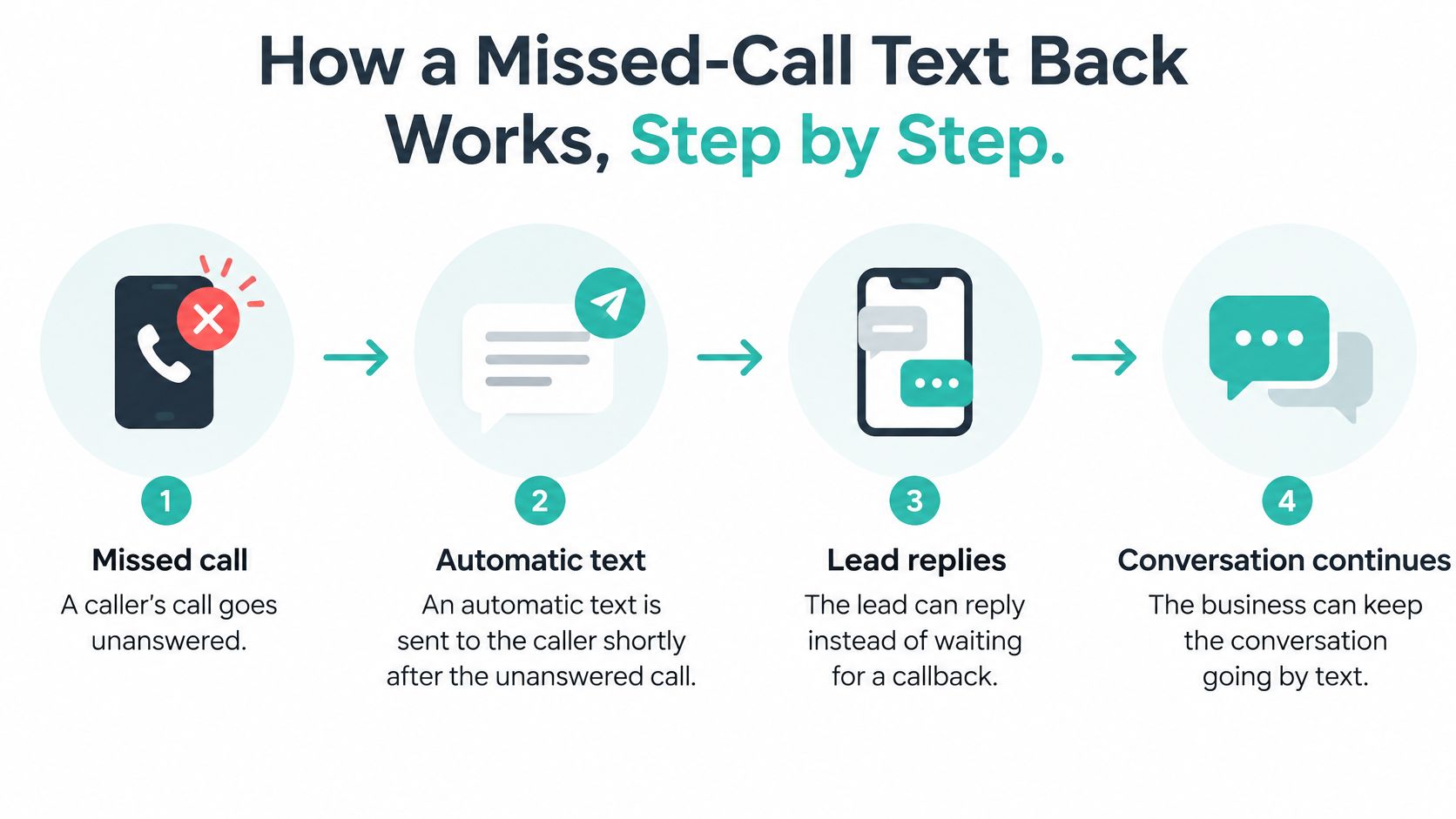
How a Missed-Call Text Back Works, Step by Step
A missed-call text back sends an automatic text to a caller shortly after an unanswered call, so the lead can reply instead of waiting for a callback.
-
The call goes unanswered. Your phone system logs the caller’s number so the text-back can respond to the call that just came in.
-
The system checks the number. If it can distinguish a known customer or previous lead from an unknown or spam-flagged caller, use that information to avoid sending a confusing or unwanted message. Don’t treat a number you recognize as permission for unrelated marketing.
-
The caller gets one short text. Send it promptly, identify your business, and ask one clear question. A fast, relevant reply gives the caller a way to continue without starting over with another business.
-
A person handles the response. Route replies to an inbox someone checks. Text-back starts the exchange; staff still need to answer questions, arrange a callback, or explain the next step.
-
STOP ends automated texts. Make sure the system records the opt-out and blocks future automated messages to that number. A visible record helps protect the person’s choice if you change tools later.
The first text is a bit like a receptionist saying, “We’re with another customer. Can I take your details?” It acknowledges the caller rather than leaving them at voicemail, but it can’t replace a human conversation. Map these steps onto your own phone and messaging tools, then mark which step a staff member still owns. If your business also needs to understand which calls came from its advertising, Adwave’s guide to call tracking for small business is a useful next step.
Three Example Messages to Send After a Missed Call
Use a message that fits the caller’s situation. Replace every bracketed field before turning on automation, and don’t include a promotion or discount in the first text. Promotional messages raise separate consent questions, so keep the missed-call reply focused on the call.
First call, no voicemail
Hi, this is [Business], sorry we missed your call. What can we help you with? Reply STOP to opt out.
The business name lets the caller recognize the number, and the single question makes replying straightforward. Avoid adding a second question or a sales pitch.
Caller asked about a quote or booking while the team was busy
Thanks for calling [Business]. We are with another customer now. Reply with the service you need and a good time to call back. Reply STOP to opt out.
This asks for details that help staff prepare for a callback. Only promise a reply window your team can meet.
After-hours or weekend call
Hi, this is [Business]. We are closed until [day and time]. Reply here and we will follow up then. Reply STOP to opt out.
A clear opening time sets expectations without implying that someone is watching the inbox immediately.
| Situation | Message | Why it works |
|---|---|---|
| First call with no voicemail | Hi, this is [Business], sorry we missed your call. What can we help you with? Reply STOP to opt out. | Names the business so the number is recognized and asks one easy question |
| Caller asked about a quote or booking | Thanks for calling [Business]. We are with another customer now. Reply with the service you need and a good time to call back. Reply STOP to opt out. | Collects the details the team needs before a callback |
| After-hours or weekend call | Hi, this is [Business]. We are closed until [day and time]. Reply here and we will follow up then. Reply STOP to opt out. | Sets a clear expectation without promising a same-minute human reply |
Keep the message brief enough to fit in one SMS segment when you can. Before launch, check the actual rendered text, including the business name and any substituted fields. For more on keeping a lead conversation useful rather than pushy, see Adwave’s guide to following up with leads without being annoying.
Stop Rules and Consent Checks Before You Send
Before you choose wording, decide what the workflow may do. The first control is STOP: a STOP reply must trigger an opt-out confirmation and prevent further automated texts to that number. Keep the rule visible to anyone who manages your phone system or shared inbox, and test it before launch.
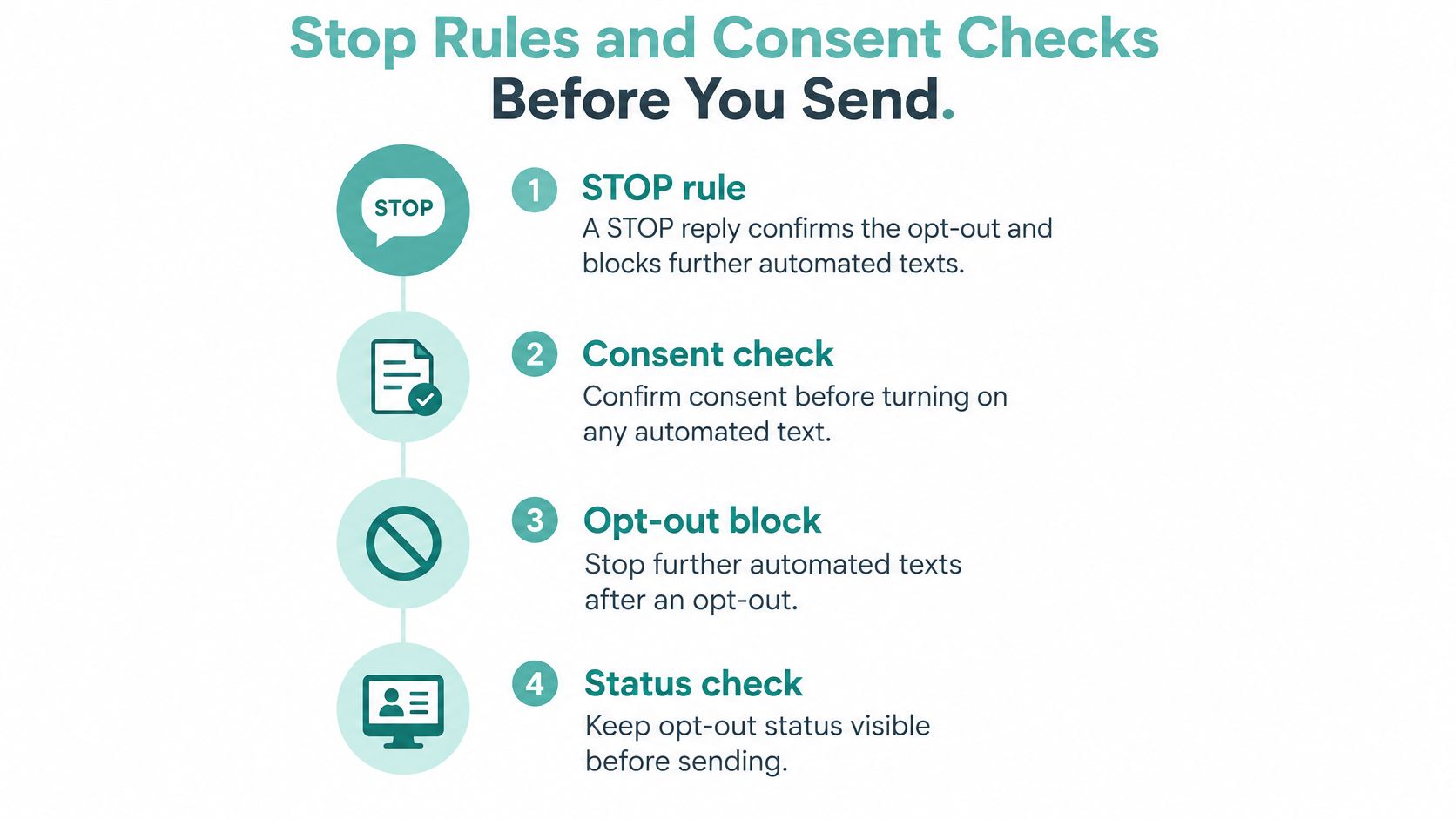
Before switching on automation, check the following:
-
Handle HELP and START. CTIA’s Messaging Principles and Best Practices discusses handling these keywords for business messaging. Confirm that your system recognizes both and gives the caller a useful response. Check the current version date on the CTIA messaging guidance.
-
Send one automatic reply per missed call. A second automated nudge turns a response into a sequence. Your team can decide whether an individual follow-up makes sense after reviewing the call.
-
Keep marketing separate. A reply to a call should address that call. Don’t add offers, discounts, or promotional links unless you’ve confirmed that you have the necessary permission for that kind of messaging.
-
Respect quiet hours. The FCC’s telemarketing rules at 47 CFR 64.1200 limit covered calls and texts to between 8 a.m. and 9 p.m. in the recipient’s local time. Set your system to suppress or schedule messages outside the allowed window. Check the current rule text before configuring a workflow.
-
Carry the opt-out list across systems. When you change phone providers or messaging tools, transfer the suppression records before sending from the new setup. Otherwise, a number that opted out could receive another automated message.
This is operational guidance, not legal advice. If an edge case turns on consent, have a lawyer make the final call.
US 10DLC Registration and Consent in Plain Language
10DLC means “10-digit long code.” It’s a standard local number used for business texting in the United States.
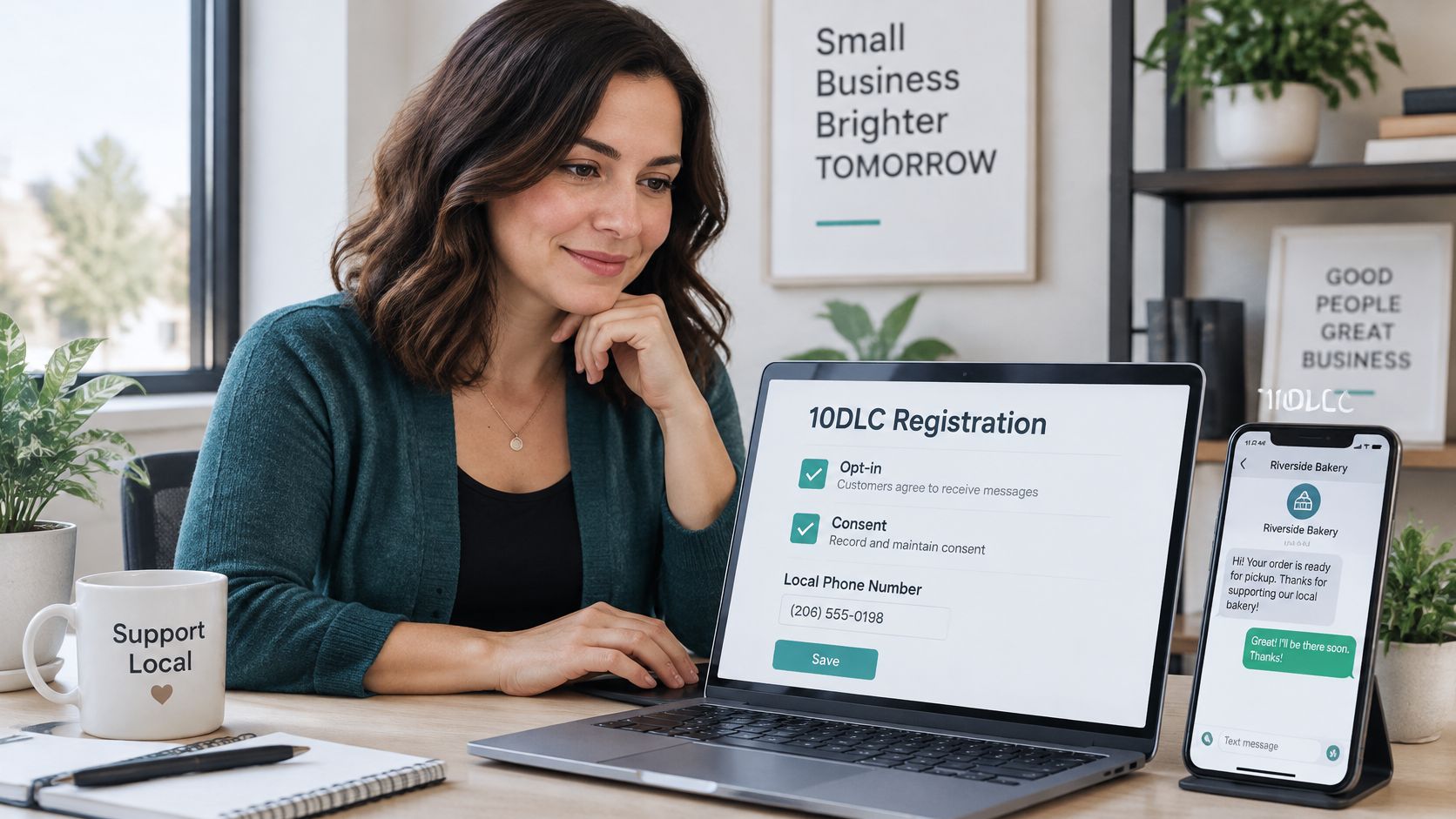
Registration and consent are two separate checks, and both come before you write a word of the reply.
Registration tells carriers who you are. The business registers its brand and messaging use case through The Campaign Registry, usually as part of the process coordinated by its messaging provider. Check The Campaign Registry’s site for the current registration process. Carriers may filter or block unregistered business traffic, so skipping this step can stop a well-written reply from ever reaching the caller.
Consent is about the person on the other end. A text that responds directly to someone’s call is different from an unsolicited marketing text, but don’t assume every automated reply is permitted in every circumstance. Under the Telephone Consumer Protection Act and FCC rules, automated marketing texts generally require prior express consent. The FCC’s consumer guidance on unwanted calls and texts explains that consumers can revoke consent in a reasonable way, which means permission isn’t permanent and a caller can take it back.
Once both checks pass, keep the reply limited to acknowledging the call and asking how to help. If your number, technology, message, or use case makes the rules unclear, ask a lawyer before sending. For a wider look at how texting fits with the rest of your customer outreach, see Adwave’s guide to SMS and email marketing.
Benefits and Limits of Automatic Text-Back
The practical benefit is continuity: when no one can pick up, the caller still has a way to tell you what they need. That’s useful when staff are on a job, serving another customer, or away from the phone. It also gives the team a written thread to review when they can respond.
The limits matter just as much:
- It doesn’t quote or schedule by itself. A text can collect the service or timing the caller wants, but a person still needs to confirm the price, availability, and appointment.
- It can create an expectation of quick help. If the automated reply sounds immediate, callers may expect a human to answer right away. State when someone will follow up, then meet that expectation.
- Some numbers can’t receive texts. A landline, a VoIP line without texting, or a number flagged as spam may not accept the message. Don’t treat a failed delivery as a caller’s refusal to respond.
- It can’t fix a slow inbox. If staff leave replies unanswered, the opener has only postponed the problem. Give someone ownership of the conversation.
- Registration and wording matter. Carriers can filter messages. A registered setup and a clear, relevant text help the message look like a response to the call, not an unrelated blast.
Working rule: Use text-back to start the conversation and let a person finish it. Tell callers when to expect a reply so they can decide what to do next.
Practical Use Cases by Business Type
The right question depends on what staff need to decide before they can help.
| Business | Typical missed-call moment | What the text should ask |
|---|---|---|
| Plumbing or HVAC | Same-day repair request | Address and the problem |
| Dental office | Booking call during lunch or treatment hours | Two booking windows and a reply option |
| Auto repair shop | Quote or drop-off timing | Vehicle make, model and service needed |
| Locksmith | Urgent lockout | Location and whether it is an emergency |
| Real estate agent | Listing inquiry | Which property and when they want to view it |
A person should read each reply and decide whether the caller needs a callback, a booking slot, or a referral. Assign someone to check the inbox during the promised reply window, and decide how after-hours replies will be handled before you enable the automation.
Urgent calls shouldn’t sit in an ordinary queue. For a lockout, ask where the caller is and whether it’s an emergency, then route it to the person who can act. In plumbing or HVAC, triage helps staff decide which same-day jobs go out first. For a dental office, offer booking windows that match the calendar the front desk manages.
If a roofing prospect calls while crews are on a job, the reply can ask what work is needed and when the person can speak. For a homeowner preparing that conversation, America Roofing’s request a free roofing quote page offers a way to describe the project. For the next steps after the initial text, see Adwave’s guide to following up with leads without being annoying.
Set Up Your Text-Back This Week
Start with permission, not wording. Before any template is loaded, confirm the number, the provider, and the opt-out path can all survive a real STOP reply.
-
Confirm registration and provider ownership. Find out whether the business messaging number is registered for 10DLC and which provider manages that registration. Ask how opt-outs are stored, how a STOP is propagated, and what happens if the number or provider changes.
-
Prepare the message after the checks pass. Put the three templates into your phone or messaging tool only after registration and consent rules are clear. Replace every bracketed field with accurate business details and check the after-hours wording against the actual opening schedule.
-
Test the full flow. Call the business from your own phone and let it go unanswered. Confirm the text arrives within the promised window, reply STOP, then make a second missed call to verify no further automated text is sent.
-
Decide where replies land. Route inbound answers to one monitored inbox and set the escalation rule for urgent messages. A lockout or no-heat call should reach the person who can act, not sit behind routine booking replies.
-
Audit weekly, then adjust. Review missed calls, replies, failed sends, and STOP requests in the same report. Fix routing or wording from that evidence; never treat an opt-out as a reason to message again through another number.
For adjacent automation such as reminders, follow-ups, and internal alerts, Adwave’s guide to marketing automation for small businesses is a useful next read. Teams comparing notification tooling can also review Premier Broadband business messaging add-ons before choosing where customer messages should live.
Adwave helps local businesses create and run TV advertising; the text-back itself stays in your phone or messaging tool. If paid ads are part of the plan, use Adwave’s call tracking guide for small business next, and visit Adwave or book a call for a platform walkthrough.