A bakery owner sends one newsletter each month, then watches customers miss a limited weekend offer because they didn’t open it in time. She considers adding SMS, but hesitates. Should a text replace the email? How often is too often? What happens if someone wants promotions by email but only appointment reminders by phone?
Those questions matter more than a simple open-rate comparison. SMS and email marketing work best as a coordinated customer journey, with each channel assigned a clear job. This guide shows how to choose between them, manage consent and frequency separately, segment customers, add TV awareness through Adwave, and measure incremental conversions instead of giving every sale to the last message. For ideas on personal lifecycle messages, see this guide to birthday and anniversary marketing.
Why Your Small Business Needs Both Channels
Email and SMS aren’t competing shops on the same street. They’re two different ways of serving the same customer.
Email gives a bakery owner room to explain a seasonal menu, share recipes, display product photos, and invite customers into a longer relationship. SMS gives her a direct way to say, “Your custom cake is ready for pickup,” or, “Fresh croissants are available until closing.” One channel supports consideration and detail. The other supports timing and action.
A local salon offers a similar example. Its email list might receive monthly styling advice, new-service announcements, and a thoughtful reactivation message after a customer hasn’t booked for a while. Its SMS list might receive appointment confirmations, rescheduling links, and a carefully limited same-day opening. Sending the same promotion through both channels at once could create unnecessary pressure. Coordinating them can make the experience feel useful.
Practical rule: Assign every message a primary job before choosing the channel. If the message needs context, start with email. If the customer needs to act quickly, consider SMS.
The operational questions are straightforward:
- What does the customer need right now? Education and inspiration usually belong in email. A reminder or urgent update may belong in SMS.
- How much explanation is necessary? Email handles richer content, images, links, and multiple sections. SMS works best when the recipient can understand the point quickly.
- What permission did the customer give? Email consent and SMS consent should be recorded separately.
- What would success look like? Track the next meaningful action, not merely whether the last message received credit.
A business that uses only email may miss urgent moments. A business that uses only SMS may lose the space needed to build trust and explain value. The strongest plan gives each channel a defined role, then connects both to the customer’s actual behavior.
Understanding SMS and Email Marketing at Scale
Think of email as a storefront newsletter delivered to a mailbox. Customers check it when their schedule allows, save useful information, search for old receipts, and return to links when they’re ready. That makes email suitable for education, product detail, lead nurturing, receipts, appointment information, and repeat-purchase communication.
SMS is a tap on the shoulder. It can be helpful when the timing matters, but the directness also creates a responsibility to avoid unnecessary interruptions. A short text can confirm an appointment, report a delivery update, share a time-sensitive offer, or ask a customer to complete one simple action.
The reach of both channels is broad. Approximately 4.5 billion people used email worldwide in 2025, more than half the global population. The user base is projected to approach 4.8 billion by 2027, while daily email volume is forecast to reach roughly 408 billion messages in that year, according to industry email usage estimates. Those figures include personal, transactional, and business messages, so they aren’t campaign-performance benchmarks. They do show why relevance and inbox access matter in a crowded environment.
SMS also benefits from a massive installed base of mobile phones. Its usefulness doesn’t depend on customers maintaining an app login or checking email regularly. In areas where broadband access is limited, mobile messaging can remain a primary commercial communication route, which makes SMS relevant to local businesses serving varied communities.
Start with permission, not reach
A large addressable audience doesn’t mean a business can contact everyone. A customer who gives an email address for a receipt hasn’t automatically agreed to promotional texts. A phone number collected for delivery may not represent permission for recurring offers.
Use a separate record for each channel:
- Email permission: Store the address, signup source, date, and the type of messages accepted.
- SMS permission: Store the phone number, opt-in language, date, source, and opt-out status.
- Customer preference: Record useful choices such as product category, location, service type, and preferred communication channel.
- Message purpose: Label transactional, educational, and promotional communication separately.
Businesses planning larger email sends can also consult this mass email outreach 2026 guide for practical sending considerations. The core lesson remains simple: reach creates possibility, but permission and relevance create value.
When to Use SMS Versus Email
Choose the channel by the customer’s job, not by whichever benchmark sounds more impressive.
A reminder for tomorrow’s appointment has a different communication requirement from a guide explaining how to prepare for a service. The reminder needs visibility and a quick response. The guide needs space, links, and context. Sending both through the same channel forces one message to compromise.
A regional benchmark reported SMS click-through rates of 12% versus 2.3% for email in the Americas, while email still achieved a 46% open rate there. The same dataset reported that SMS marketing grew 42% in the Americas, even as global SMS activity declined 19%. These figures show why geography and audience fit matter. They don’t prove that SMS is always better for every business or message. The benchmark report supports a more useful conclusion: performance depends on context.
Make the channel decision
Use this decision rule before scheduling a campaign:
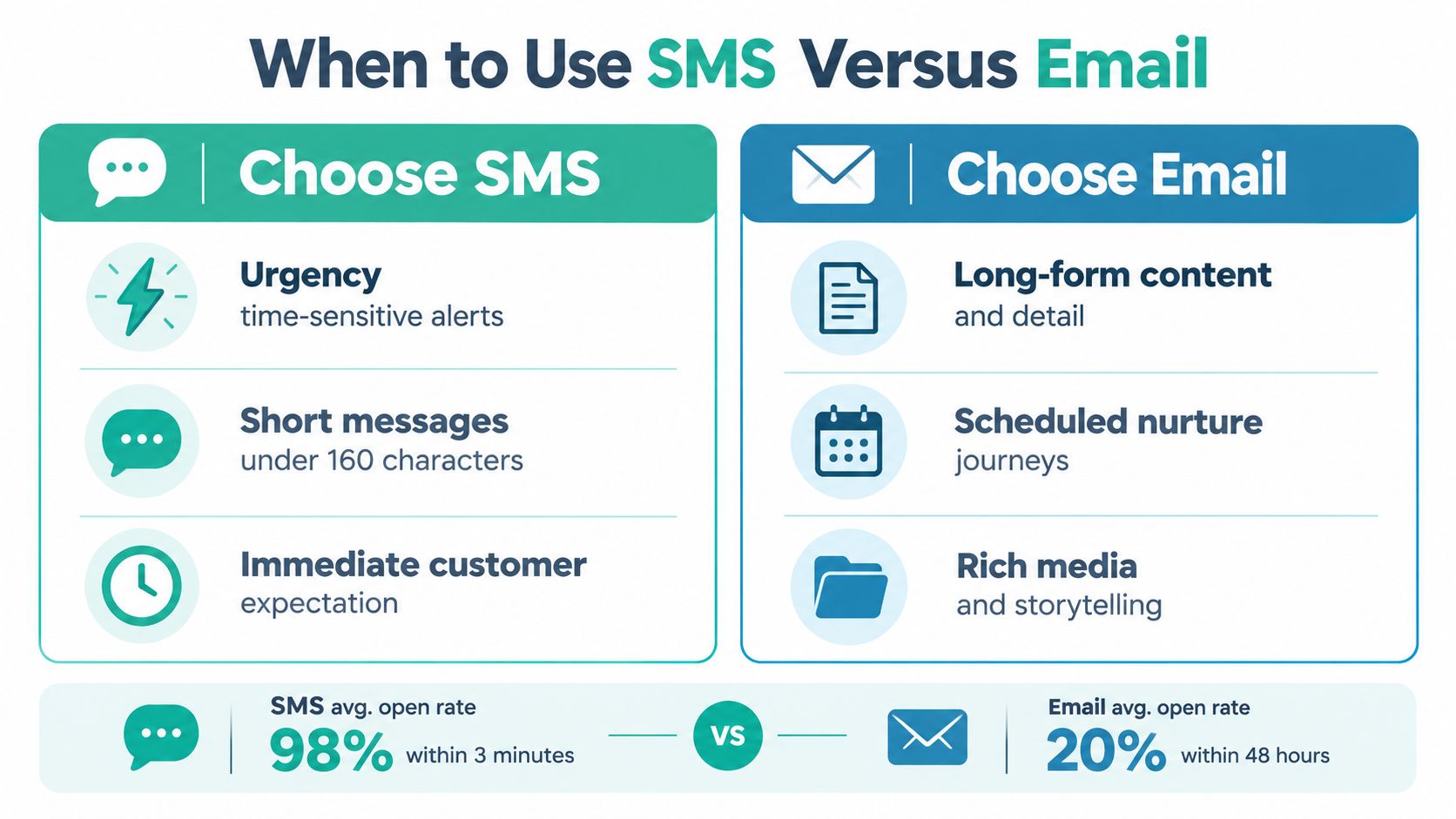
- Appointment reminders: Use SMS for the immediate reminder, with a simple confirmation or rescheduling action. Use email for the fuller appointment details, preparation instructions, or receipt.
- Limited-time offers: Use SMS when the offer is genuinely urgent and the recipient has explicitly accepted promotional texts. Use email when customers need product detail, terms, images, or a longer buying window.
- Newsletters: Use email. A newsletter usually needs structure, links, and room for several useful ideas.
- Reactivation: Start with email when you need to explain what’s new or provide a thoughtful incentive. Use SMS only for customers who separately opted in and have shown enough engagement to justify a direct reminder.
The question isn’t always “SMS or email?” Sometimes it’s “email, then SMS?” Send the email first when it contains the explanation. Follow with SMS only when the offer is time-sensitive, the customer has opted into both channels, and the text adds a clear next step. Reserve an SMS for non-openers only when that follow-up is expected and doesn’t create excessive frequency.
| Message Type | Best Channel | Why |
|---|---|---|
| Appointment confirmation | SMS | The customer can respond quickly or reschedule. |
| Service preparation details | The message needs context and may be saved for later. | |
| Flash offer | SMS | The value depends on timely attention. |
| Seasonal product guide | Images, education, and several links improve the experience. | |
| Win-back reminder | Email first, SMS selectively | Email can explain the reason to return, while SMS can prompt an opted-in customer at the right moment. |
A text should earn its interruption. If the recipient doesn’t need to act soon, email is often the more respectful choice.
Compliance and Deliverability You Can Trust
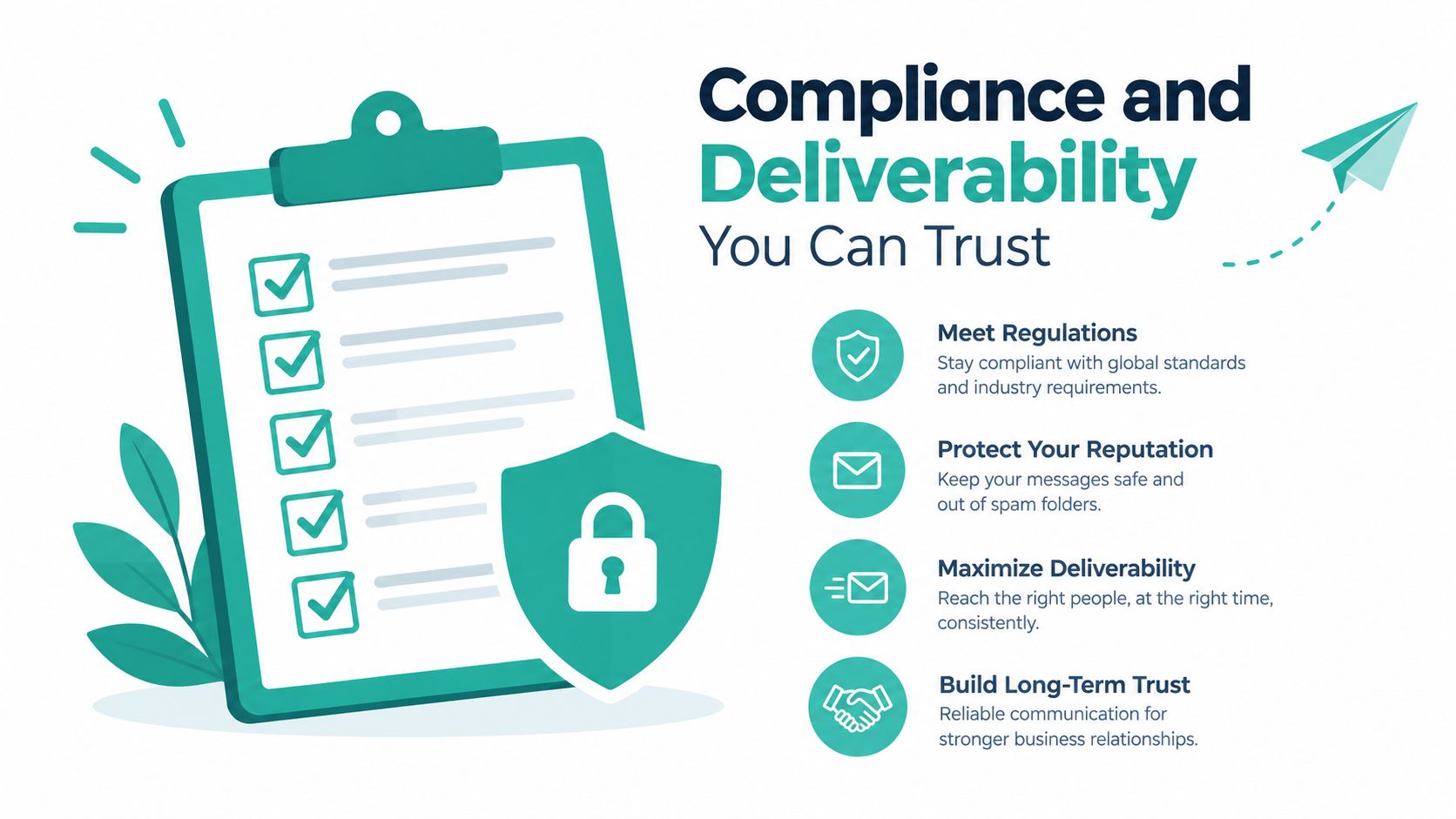
Compliance works best when you design it into the customer journey. Don’t treat it as a final checkbox after the campaign has already been written.
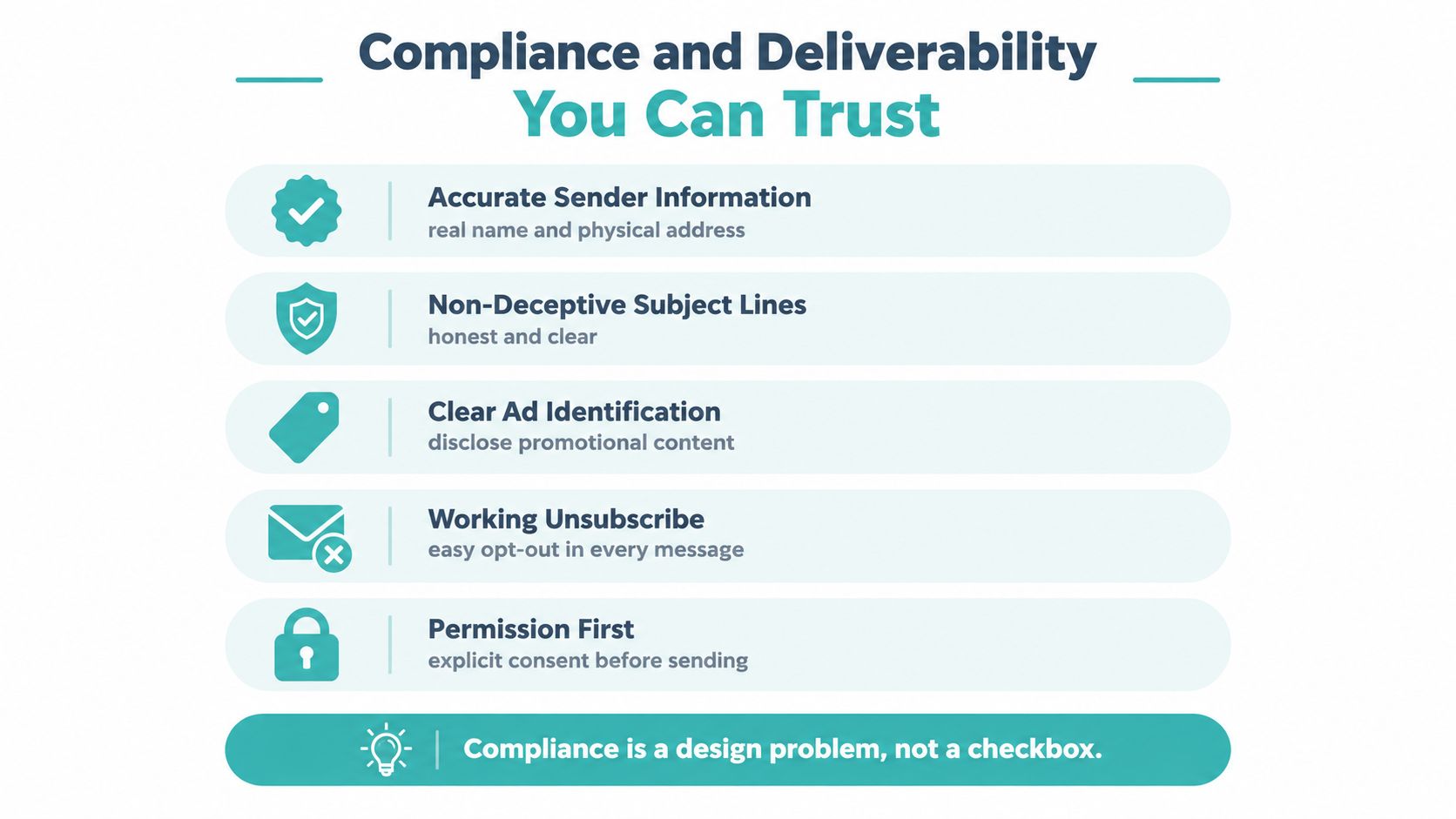
For U.S. commercial email, the Federal Trade Commission’s CAN-SPAM guidance requires accurate sender, recipient, routing, and originating-domain information. Subject lines must not deceive recipients, the message must clearly identify itself as an advertisement, and every marketing email must provide a clear opt-out method. Businesses must honor an opt-out request within 10 business days, and the opt-out mechanism must remain able to process requests for at least 30 days after the email is sent.
SMS requires its own permission record. Ask for explicit consent before sending promotional texts, identify the business, provide an easy opt-out, and control frequency. Don’t assume that permission for one channel transfers to the other.
Build the permission system first
Create a preference center or a clear internal record with separate fields for:
- Email status: opted in, opted out, transactional only, or unknown.
- SMS status: opted in, opted out, transactional only, or unknown.
- Source and wording: where and how the customer gave permission.
- Frequency preference: for example, product updates, appointment notices, or occasional offers.
- Suppression rules: addresses and numbers that must never receive a particular message type.
If a customer opts out of SMS, keep the email permission active unless the customer also withdraws it. If someone unsubscribes from promotional email, don’t automatically cancel transactional texts they separately requested. Review these rules whenever staff, ownership, or marketing software changes. Small businesses can use CAN-SPAM and GDPR compliance guidance as a plain-language reference while documenting their own process.
Protect inbox placement
Technical delivery isn’t the same as reaching the inbox. Validity’s benchmark found approximately 1.5% combined hard- and soft-bounce rates for permission-based email programs, but inbox placement was 86% at major mailbox providers and 80.2% at regional providers. The Validity deliverability benchmark makes the practical point clear: a message can be accepted by the sending platform and still miss the inbox.
Use a short operational checklist:
- Authenticate the sending domain with SPF, DKIM, and DMARC.
- Confirm new subscribers through double opt-in when appropriate.
- Suppress repeated hard bounces.
- Increase volume gradually for a new sending domain.
- Segment by recent engagement rather than repeatedly mailing inactive contacts.
- Monitor inbox placement, bounces, spam complaints, and downstream clicks.
For a polished sender identity, businesses can also review these email signature tips from Sensoriium. A recognizable signature won’t repair poor permission practices, but it can help recipients understand who contacted them and why.
Best Practices and Segmentation Strategies
A single list is not a strategy. The same customer database may contain a first-time subscriber, a loyal buyer, an inactive contact, and someone who only requested appointment reminders. They shouldn’t all receive the same sequence.
Start with four practical segmentation questions:
- What has the customer done recently? Separate recent buyers, active browsers, new subscribers, and inactive contacts.
- What does the customer value? Group by product, service, location, or purchase category.
- How urgent is the message? A same-day opening belongs to a narrower, more responsive group than a general newsletter.
- What permission exists? Keep email and SMS eligibility separate at every step.
A new subscriber might receive a welcome email that explains the business and sets expectations. A customer who hasn’t purchased recently might receive a win-back email with a reason to return. A loyal customer who opted into SMS might receive a last-minute offer when inventory, appointments, or capacity makes the timing relevant.
Write a contact policy
Put frequency rules on paper before automation makes decisions for you. A monthly email may feel useful to a customer who wants news and advice, while a weekly promotional text may feel intrusive. Use a simple policy such as:
- Email newsletters: send according to a predictable editorial schedule.
- Email nurture: trigger from a customer action and stop when the customer converts or opts out.
- Promotional SMS: reserve for relevant, time-sensitive opportunities.
- Transactional SMS: send only when an event, appointment, order, or service update justifies it.
- Cross-channel follow-up: don’t send an SMS merely because an email was delivered. Define the event that makes the text useful.
Testing principle: Randomize recipients within each region, keep the offer and audience constant, then compare actions rather than assumptions.
Regional forecasting needs care. A 2024 to 2025 benchmark reported average email click-through rates of 4.05% in Europe, the Middle East, and Africa versus 3.38% in North America, a relative difference of roughly 20%. The regional benchmark shows why dashboards should store region as a reporting dimension.
For a clean test, split comparable recipients inside each region into message variants. Keep the audience and offer constant, then compare click-through, conversion, unsubscribe, and revenue per recipient. This helps separate creative effects from geographic differences and gives you a better basis for deciding whether email nurture or SMS urgency deserves more attention.
Businesses that want a practical framework for matching content to audience behavior can use email list segmentation guidance. The goal isn’t to create dozens of tiny groups. It’s to make each message feel appropriate enough that customers understand why they received it.
Integrated Workflows That Include TV Campaigns
A coordinated journey can follow a simple pattern:
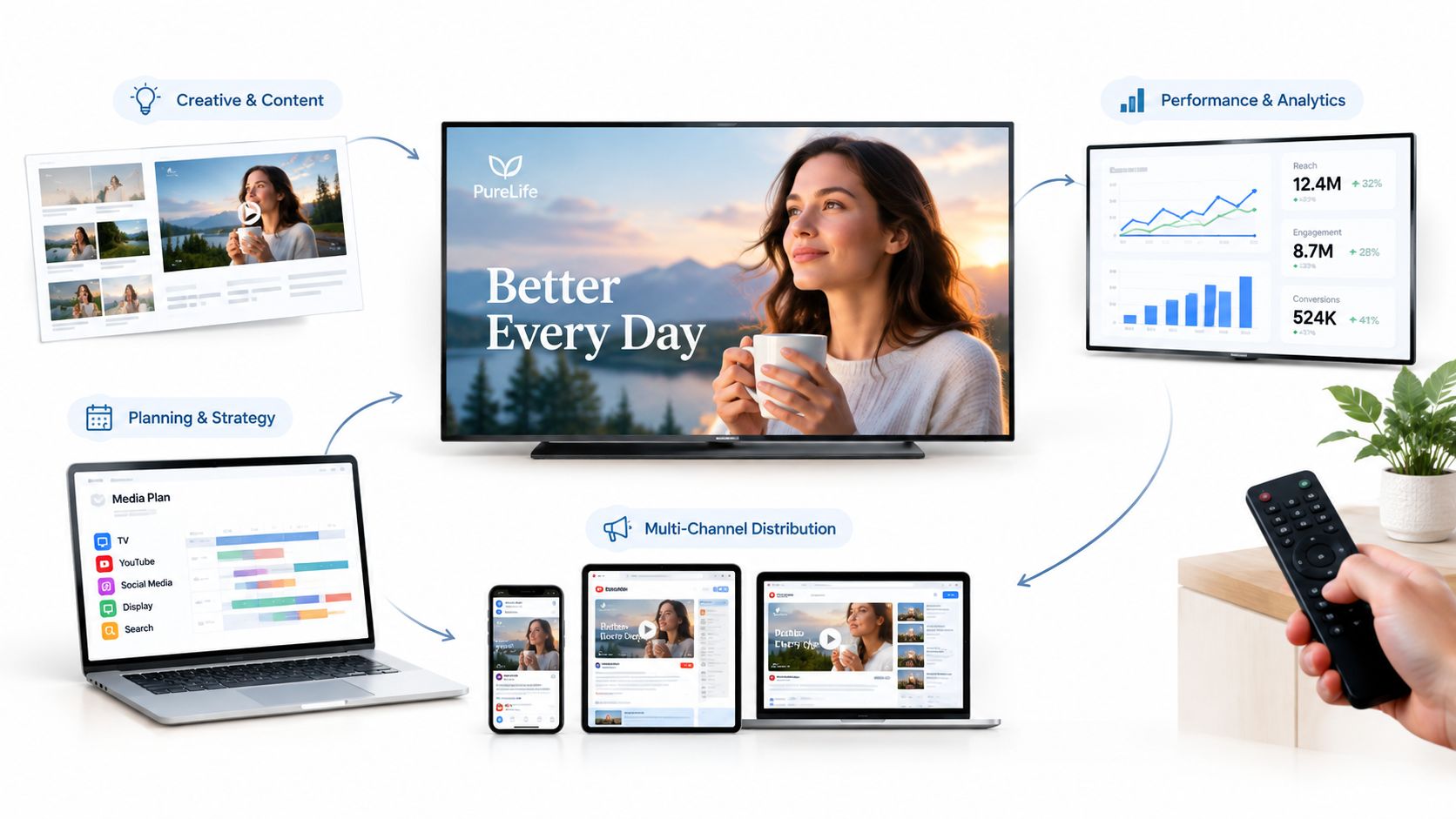
TV creates recognition. Email supplies detail. SMS prompts timely action.
A local home-services company might introduce a seasonal service through a TV advertisement. A viewer visits the website, joins the email list for practical maintenance advice, and later receives an SMS reminder about an available appointment window. Each touch has a different role. The text doesn’t repeat the entire email, and the email doesn’t try to behave like a text.
Adwave fits this workflow as a TV awareness option for small businesses testing broadcast exposure alongside direct-response channels. Its documented process uses a website URL and business information to generate a 30-second video, which the advertiser can preview, adjust, and launch across major services and channels such as NBC, Fox, ESPN, and Discovery. Adwave says its AI can create and air the advertisement in four steps, in about two minutes, with campaigns starting at $50. These details are documented in Adwave’s launch announcement.
Design the journey around permission
The TV ad should give viewers a clear reason to visit the website, such as a useful guide, an offer, or a booking page. The website should explain what email and SMS messages the visitor will receive, with separate consent choices. That distinction protects the relationship before the first automated sequence begins.
A practical workflow might look like this:
- TV awareness: Run a local spot with a memorable offer or useful landing-page destination.
- Website capture: Ask visitors to choose email, SMS, or both, and state the message purpose.
- Email nurture: Send educational content, product detail, or proof that helps the visitor decide.
- Behavioral trigger: If the visitor requests information, abandons a booking process, or returns to a relevant page, send the appropriate email sequence. Businesses can explore behavioral email triggers when mapping these events.
- SMS action: Send an opted-in customer a concise reminder only when timing or urgency adds value.
- Measurement: Compare results among audiences exposed to the coordinated journey and audiences receiving the direct-response channel without TV, where the test design allows it.
Don’t credit every conversion to the final SMS. A viewer may have learned the brand from TV, built confidence through email, and used the text only because it arrived at a convenient time. Measure assisted behavior, branded searches, list growth, direct visits, conversions, and revenue per recipient where your tools support those views.
KPIs, Sample Timelines and Templates
Open rate can help diagnose email subject-line performance, but it shouldn’t be your only decision metric. Email reporting should connect technical health to customer action. SMS reporting should connect permission and attention to incremental business results.
Track these measures by channel:
- Email: inbox placement, bounce rate, spam complaints, downstream clicks, conversions, and revenue per recipient.
- SMS: opt-in growth, opt-out rate, delivery, click-through, conversions, and incremental conversions.
- Cross-channel: new subscribers, assisted conversions, repeat purchases, appointment completion, and performance among customers exposed to one channel versus both.
- Operational: time between messages, suppression accuracy, and the share of contacts with documented consent.
A useful first 90 days focuses on control before scale.
| Phase | Channel Activities | Primary KPI |
|---|---|---|
| Weeks 1 to 2 | Build the permission and preference center for email and SMS. | Consent records and suppression accuracy |
| Weeks 3 to 4 | Test transactional reminders, confirmations, and basic email delivery. | Inbox placement, delivery, and response |
| Weeks 5 to 8 | Launch segmented email nurture and one SMS urgency campaign. | Downstream clicks, conversions, and opt-outs |
| Weeks 9 to 12 | Add a TV awareness layer and compare incremental lift. | New opted-in contacts and incremental conversions |
Copy you can adapt
Welcome email
Subject: Welcome to Business Name
Thanks for joining us. You’ll receive [message type] by email, plus occasional updates about [relevant topic]. Start here: [useful link]. If you’d rather change your preferences, update them here: [preference link].
Appointment reminder SMS
Win-back email
Subject: Still looking for [product or service]?
We noticed it’s been a while since your last visit. Here’s what’s new at Business Name: [short benefit or update]. See the details here: [link]. We’ll keep sending useful updates, or you can change your preferences here: [preference link].
For businesses that need help drafting variations inside Gmail, pre-built email prompts in Gmail can speed up first drafts. Review every generated message for accuracy, consent, tone, and the actual customer action before sending.
Getting Started Without Overwhelming Your List
The best first campaign may not be promotional. Start by repairing the foundation: document where each consent came from, create separate email and SMS preferences, and test transactional reminders before asking customers to buy again.
Then make four decisions. Choose the channel by the job, govern email and SMS frequency separately, segment by value and engagement, and measure incremental lift across the journey. A clean list with clear expectations will outperform a larger list that receives every message through every channel.
Take one concrete step this week. Audit where consent currently lives, choose one message type for email and one for SMS, and assign a single primary KPI to each. For example, test a useful welcome email against downstream clicks and an appointment reminder SMS against completed confirmations. Once those basics work, add more complex nurture, reactivation, or TV awareness.
Small businesses don’t need to imitate a national brand’s message volume. They need to respect attention, send useful messages, and make each channel earn its place.
Adwave helps small businesses turn a website URL into a previewable, adjustable, broadcast-ready TV advertisement, with campaigns starting at $50 and reporting for website conversions. Visit Adwave to explore how TV awareness can feed a permission-based email and SMS journey.