You’ve got a product worth showing, customers who ask the same questions, and a phone that can record video. Going live sounds like an easy next step. Then someone has to host, answer comments, check the sound, promote the event, and follow up while the rest of the business keeps running.
That’s the question behind small business live streaming: not whether you can press “Go Live,” but whether the broadcast can earn back the time it takes. Start with the economics and the audience. Buy gear only after you know what you’re trying to make happen.
Should Your Small Business Even Live Stream
Not every small business should stream. Live video works best when seeing a person, product, place, or process helps a customer decide. It’s a weaker fit when the offer is low-margin, the buying decision is simple, or nobody on the team can host comfortably and consistently.
Run a quick viability check before committing:
- Name the action: Will viewers book, buy, ask a question, attend an event, or visit your location?
- Estimate the value: Work out your gross margin per order or booking, then estimate how many likely viewers could become customers. Don’t use a conversion rate borrowed from a large brand as your forecast.
- Count the labor: Include planning, hosting, moderation, setup, and follow-up. If one person has to do all of it while serving customers, the stream may cost more than it returns.
- Check repeatability: Can you produce a useful broadcast regularly, or is this a one-off idea that’ll be hard to repeat?
- Account for platform costs: Include any fees and the time needed to handle comments, orders, and customer questions.
Retailers reportedly use an average of 3.9 livestreaming platforms, which can add moderation, fulfillment, analytics, and customer-service work for already-small teams (Fit Small Business’ livestream shopping statistics). That’s why I’d start with one channel and a clear goal, not a complicated multichannel setup.
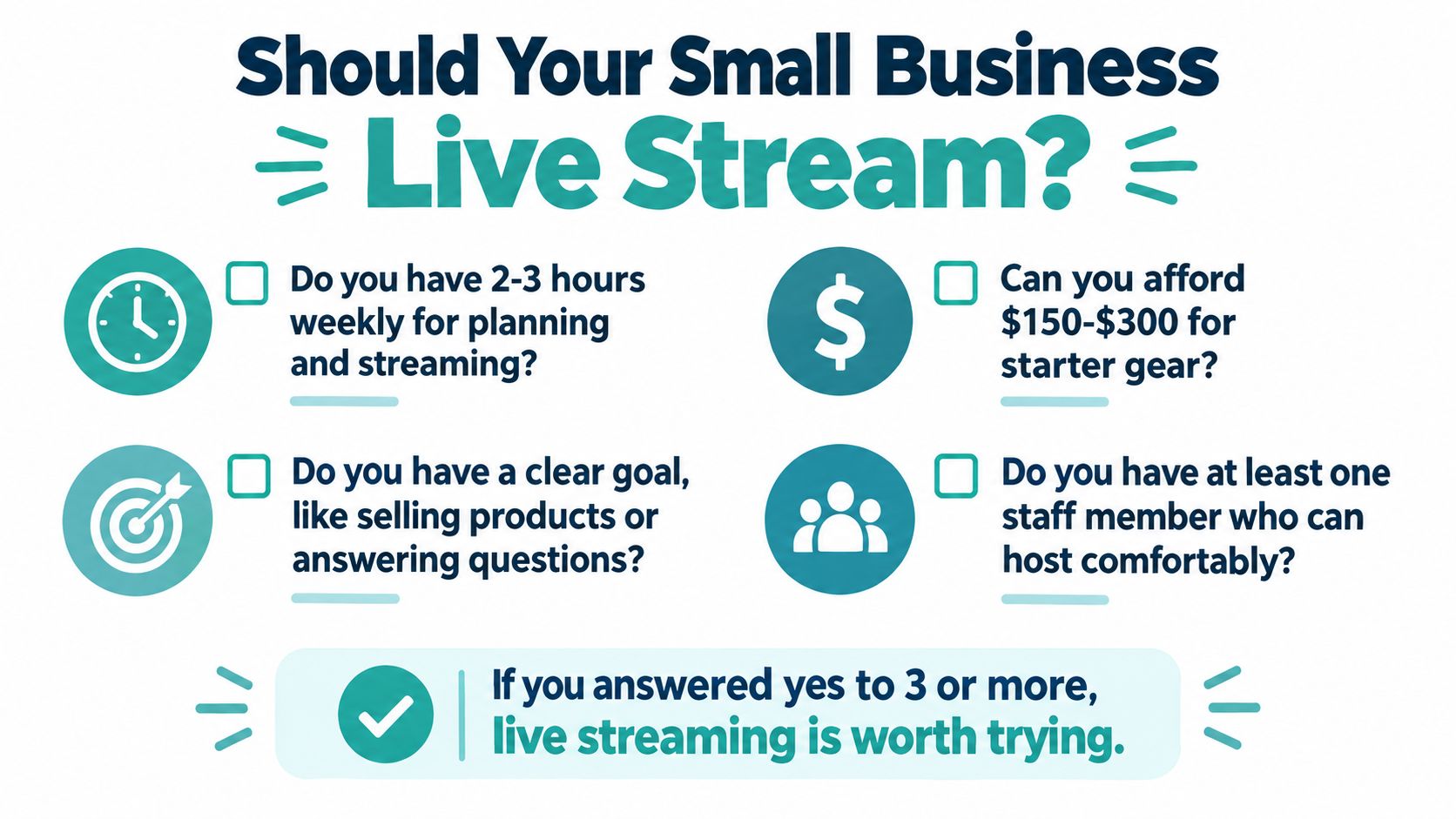
High-margin services can justify a stream if a demonstration or Q&A helps earn a booking. Event-driven retailers, restaurants with repeat customers, and real-estate agents with active listings have natural reasons to go live. A business without an available host, an offer worth demonstrating, or a way to follow up should fix those gaps before buying equipment.
Practical rule: If the stream has no specific customer action attached to it, you’re producing content without a business case.
Choosing a Platform That Fits How You Actually Sell
Choose the platform your customers already use, not the one with the loudest creator buzz. Facebook Live can suit community updates and local events; Instagram Live works naturally for visual demonstrations and behind-the-scenes access; YouTube Live is a stronger home for tutorials and streams you want people to find later. These are working starting points, not guarantees about who’ll show up.
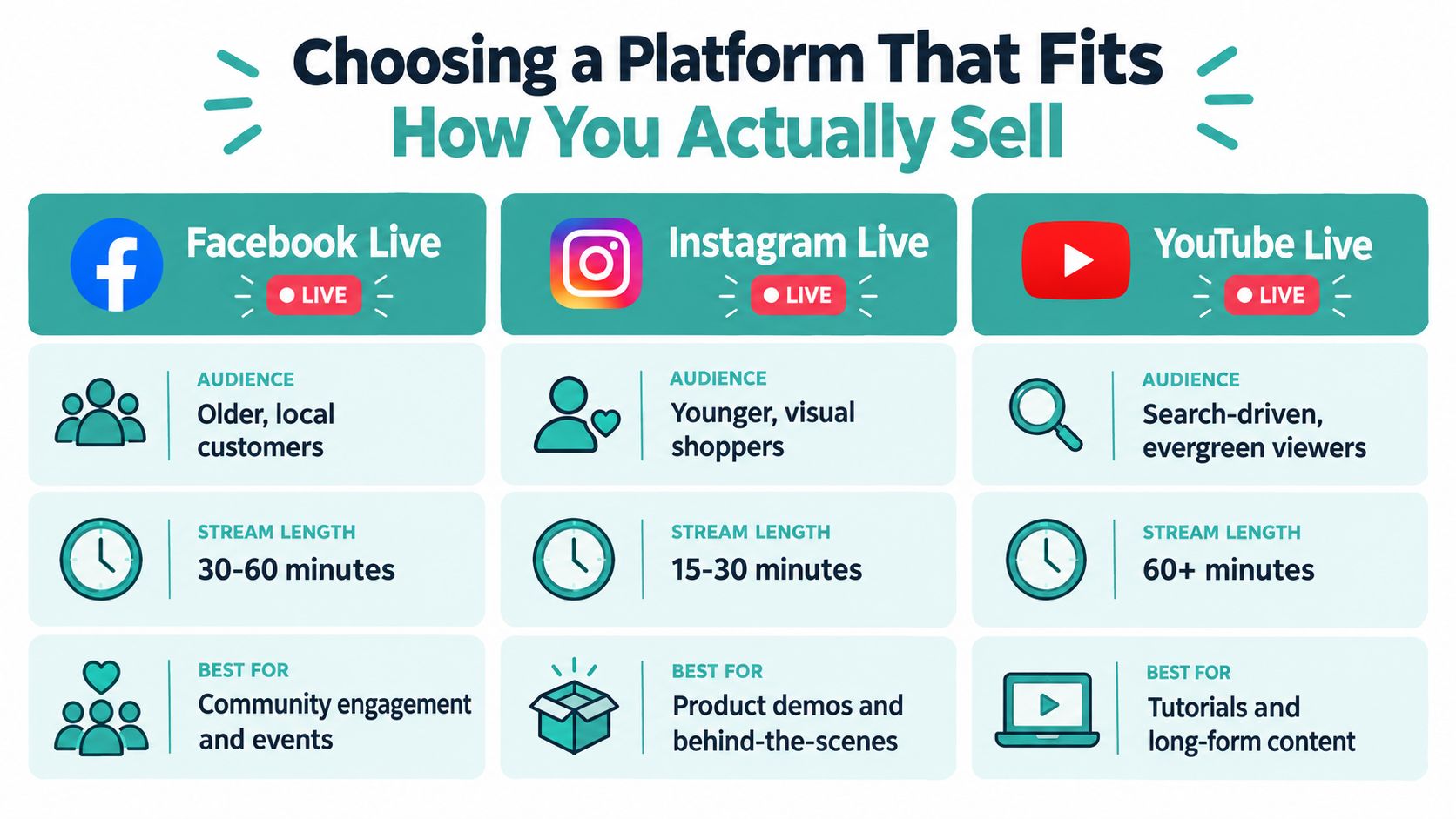
For a local business, platform choice is also an operations decision. Consider where your audience is, whether comments are easy to manage, whether the recording remains available, and whether the platform’s discovery tools support your kind of content. Live interaction needs a responsive feed; a tutorial that should keep drawing viewers after the broadcast needs a useful replay and discoverability.
Platform snapshot for small businesses
| Platform | Best fit for SMBs | Monetization threshold | Watch-out |
|---|---|---|---|
| Facebook Live | Existing local communities, events, and customer updates | No Twitch-style Affiliate threshold cited here | Don’t assume followers will see every broadcast |
| Instagram Live | Product demos and visual, informal interaction | No Twitch-style Affiliate threshold cited here | A strong live moment still needs a clear next step |
| YouTube Live | Tutorials and content with replay value | No Twitch-style Affiliate threshold cited here | Plan how viewers will find the stream and replay |
| Twitch | Businesses whose audience already uses Twitch and who can stream consistently | Affiliate eligibility requires 25 followers, at least 4 hours streamed, broadcasts on 4 different days, and an average of 3 concurrent viewers on 4 different days, evaluated over a 30-day period (Twitch Affiliate requirements) | The concurrent-viewer target means simultaneous viewers, not total views |
Twitch’s thresholds are worth understanding, but most local businesses shouldn’t pick Twitch just because monetization tools exist. Treat monetization as a later-stage possibility, not the reason to start. If you’re comparing social destinations and short-form channels, this TikTok guide for small businesses can help you think through where your audience spends attention.
My recommendation is simple: choose one primary platform and one backup for sharing or repurposing. Being everywhere creates more comments, more settings, and more chances for a small team to drop the ball.
Affordable Gear and Software That Actually Holds Up
Buy for intelligibility and stability, not for a studio look. Viewers will forgive a phone camera sooner than they’ll tolerate muffled speech, harsh backlighting, or a stream that keeps freezing. Start with a phone or webcam, a stable stand, a microphone close to the host, and soft light facing them.
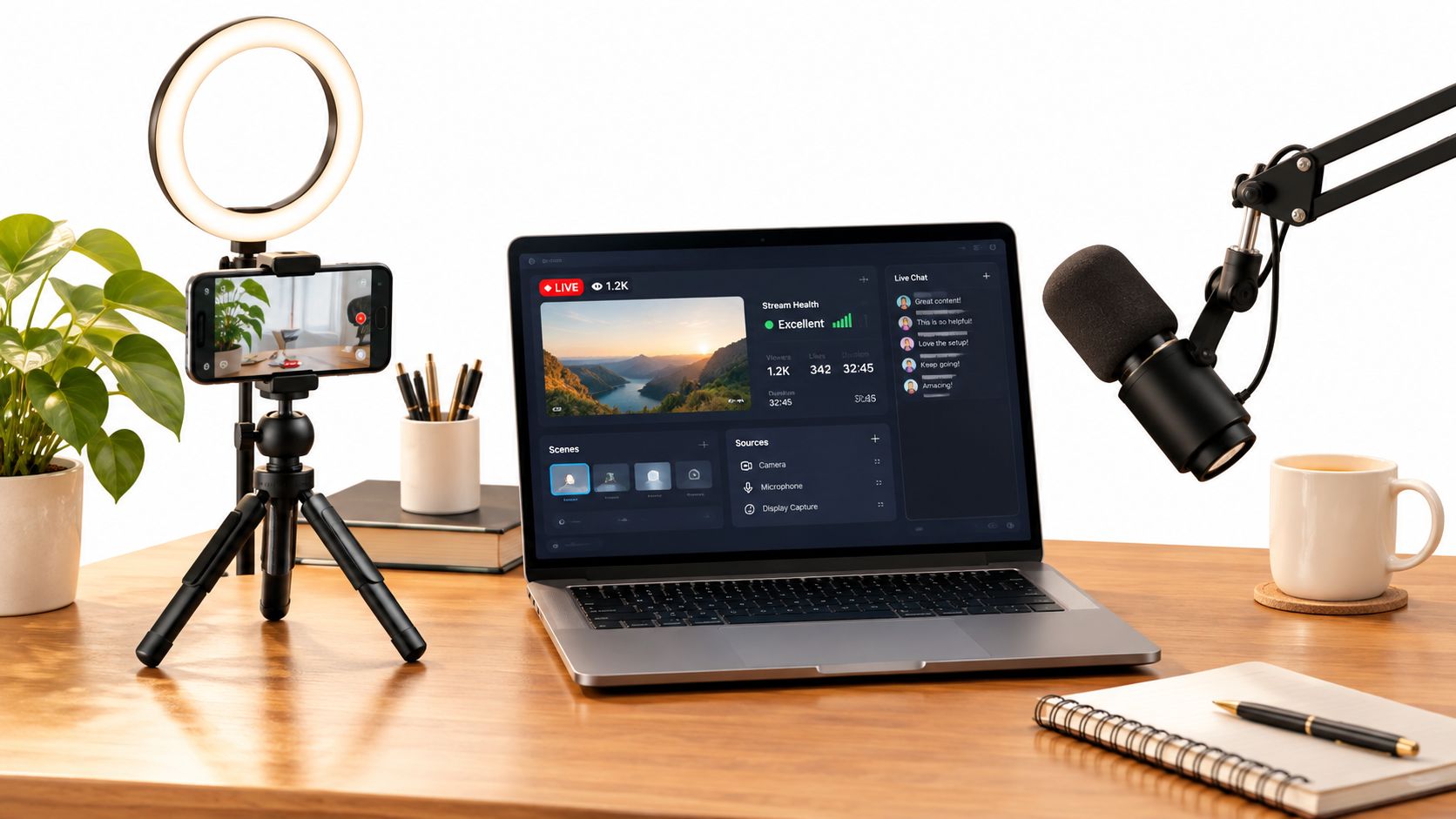
Build a setup you can run without a technician
Use a wired internet connection where possible. Wi-Fi contention and unstable upload are common causes of a shaky broadcast, and a better camera won’t fix either. Before choosing a resolution or bitrate, check the destination platform’s current recommendation and test from the actual location where you’ll stream.
For reliable 1080p/30 streaming, published guidance recommends upload capacity at 1.5 to 2 times the target video bitrate. The same engineering guide places Twitch’s approximate ceiling near 6,000 Kbps and YouTube’s H.264 guidance closer to 10,000 Kbps; check the destination’s current requirements before going live (reliable livestreaming guidance). Use constant bitrate encoding where available to help avoid sudden bandwidth spikes, and run a sustained test instead of trusting one speed check.
Keep the software stack lean. One tool for scheduling, reminders, and simulcasting is easier to operate than separate services for each job. If you also need to turn the recording into edited clips, an AI video creation tool can help streamline that post-stream task without adding another production workflow.
Before a real broadcast, run a private test on the same connection and device you’ll use. Check speech levels, framing, lighting, and whether the recording saves properly. If the stream stutters, reduce the bitrate or improve the connection before shopping for a different camera.
Formats and Run-of-Show for Real SMB Scenarios
A good live format doesn’t depend on improvisation. The host should know what to show, what questions to invite, and what viewers should do next. Three common small-business scenarios show how the structure changes with the goal.
Real estate open house: Before going live, clear clutter, check mobile reception, and decide which rooms or features deserve attention. Open by naming the property and the reason to stay, then tour the exterior, main living space, kitchen, and standout features. Pause between areas to answer questions. Close by telling viewers how to request a private showing or get listing details. Keep an agent available to watch comments so the host can focus on the tour.
Restaurant menu launch: Have the chef introduce the dish and explain what makes it distinct while the camera shows preparation and plating. Move from ingredients to cooking to the finished plate, then invite questions about the menu. End with a specific invitation to visit or order, with the relevant details visible on screen. A staff member should monitor comments and avoid making promises about availability that the restaurant can’t keep.
Clinic Q&A: Choose a topic patients commonly ask about, set clear boundaries around general information, and don’t invite viewers to share private medical details in public comments. The clinician can answer prepared questions, explain what a first appointment involves, and direct viewers to book or contact the clinic privately. Keep the tone calm and the call to action straightforward.
In each case, write a short run-of-show with an opening, a few planned beats, a question period, and a closing action. A 2024 study of 32 South Korean SMEs with no prior livestreaming experience found statistically significant improvements after adoption, including an average of 2.55 additional buyers and 309,859 KRW in revenue per sale (study information referenced here). That finding is encouraging, but it isn’t a forecast for your shop. Use your own results to decide whether the format earns another broadcast.
For ideas on building a repeatable mix of live and recorded content, consult this 2026 video strategy guide. The useful lesson is not to add more formats for their own sake. Choose a format that suits the decision your customer needs to make.
Scheduling and Promotion That Get Real Viewers
A stream with no audience plan is just a recording session with a live button. Promote the topic and the viewer benefit, not merely the fact that you’ll be online. “Watch the chef make our new dish and ask about the ingredients” gives customers a reason to show up.
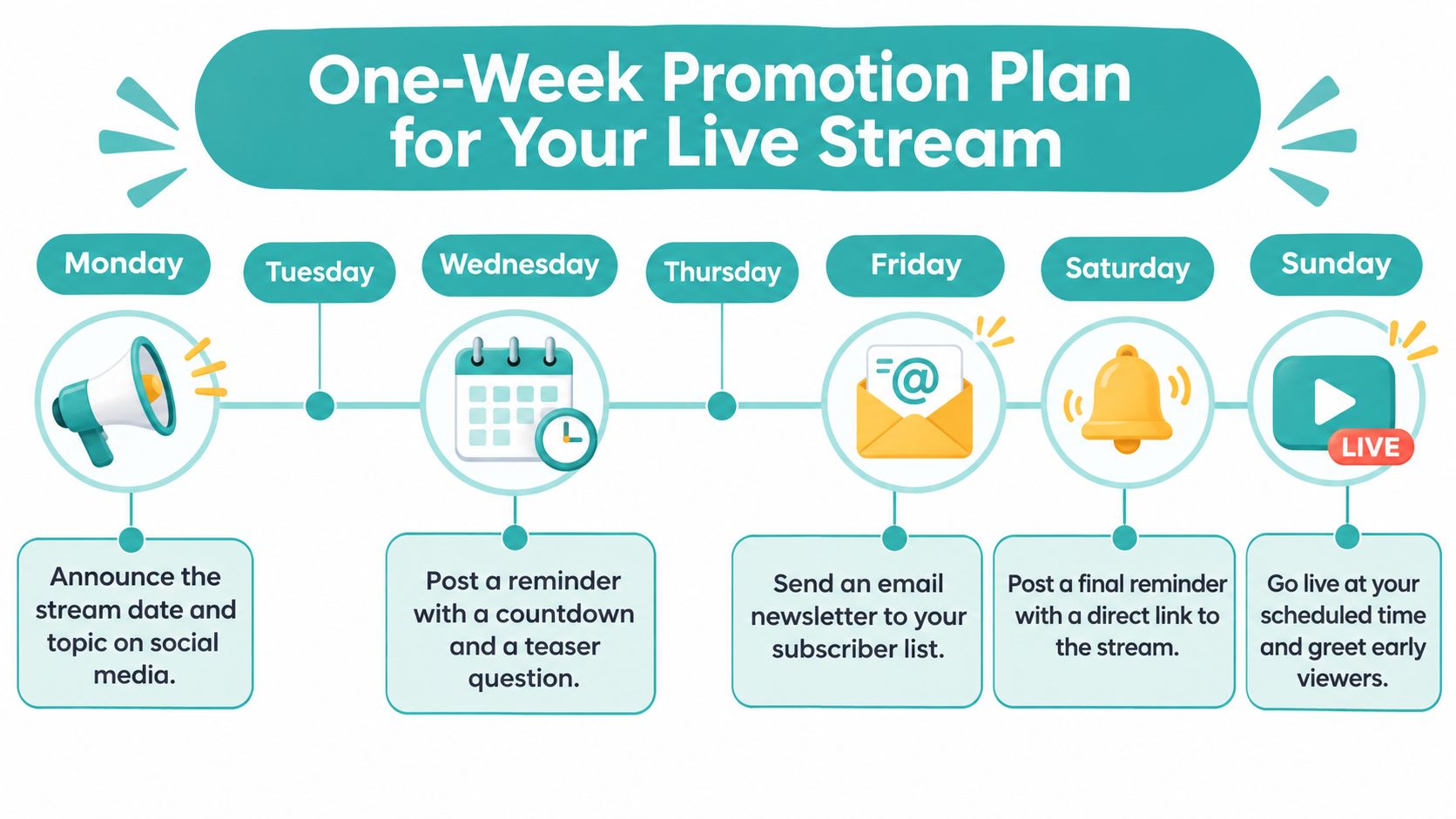
Use a simple promotion rhythm:
- Announce the topic and date: Share the event on the channel your customers already follow, and make the subject concrete.
- Post a teaser: Use a short clip, product shot, or question to show what viewers will get from the broadcast.
- Email existing customers: Invite people who already know your business. Give them the date, time, topic, and a direct way to watch.
- Remind people before the event: Share a final post or story with the stream link and a clear prompt to join.
- Ask partners to help: A neighboring business, local organization, or relevant community voice can share the event with people who have a reason to care.
Keep the first broadcast manageable. Tell regular customers in person, invite past clients who’d find the subject useful, and ask a trusted partner to share the announcement. Don’t buy fake viewers. A small, relevant audience that asks questions is more useful than an inflated number that doesn’t respond or take action.
The pandemic period showed how quickly viewing habits can shift: between March and April 2020, the live-streaming sector grew 45%, while year-over-year activity was reported as 99% higher (Cloudinary’s overview of live-streaming adoption). That’s historical context, not a promise that any particular stream will attract a crowd. To keep the process repeatable, choose a scheduling workflow your team can sustain and compare options in this guide to social media scheduling tools for small businesses.
Metrics, Optimization, and When to Retire a Format
Don’t judge a stream by its peak viewer count alone. A useful review asks whether the right people stayed, participated, and took the next step. Record a few measures consistently so you can compare one broadcast with another.
Track average and peak concurrent viewers, watch time, chat activity, replay views, and attributed actions such as a booking, inquiry, or purchase. Add notes about what you changed: topic, host, time, promotion, or call to action. Without that context, the numbers tell you what happened but not what to change.
Read the signals together
- Many viewers leave early: Tighten the opening, state the value quickly, and check the stream’s technical quality.
- Viewers stay but don’t interact: Make the topic more specific and ask a direct question that’s easy to answer.
- The replay gets attention: Add chapters or a short summary, then share the recording with people who couldn’t attend.
- Viewers click or book: Keep the format, and check whether the labor and costs still make sense for the return.
- The same format repeatedly underperforms: Change the topic or presentation once; if it still doesn’t serve a business goal, stop doing it.
Technical problems can drive people away even when the content is strong. One published benchmark reports that 53% of viewers abandon a stream when lag exceeds three seconds; treat that as a vendor-reported benchmark, not a universal outcome (Tencent Cloud’s latency guidance). Check playback from a viewer’s phone, not only the encoder dashboard.
Also protect the business while you’re live. Use music you have permission to broadcast, get consent before putting customers on camera, clarify whether you’ll publish a replay, and follow the platform’s rules. For a clearer way to separate useful performance signals from vanity metrics, see this guide to social media analytics that matter.
Turning Live Streams Into a Broader Local Reach Strategy
The broadcast doesn’t have to be the final product. Save the recording, identify the clearest demonstration or most useful answer, and cut it into short clips with one message and one next step. A useful clip can support an email, a social post, a product page, or a paid campaign after the live audience has moved on.
That repurposing step changes the economics. You’ve already spent time preparing the host, setting up the product, and explaining the offer. A strong excerpt can keep doing work without asking the team to stage the entire event again. For broader planning, this multichannel marketing approach helps connect live content with other ways customers encounter a local business.
Live video and paid television reach solve different problems. The stream creates immediate interaction with people who choose to attend; a paid ad can introduce the business to viewers beyond that live audience. Adwave is a good choice for small businesses that want to extend a strong video moment into broadcast-ready advertising: its website-based workflow generates ads, supports campaigns across more than 100 premium channels, and starts at $50, with automatic pacing that won’t exceed the set budget. Its targeting and performance tracking can complement a livestream for businesses in areas such as home services, real estate, restaurants, automotive, health, legal, and tourism.
Use live streaming when people need to see, ask, or respond in real time. Use edited clips and paid reach to keep the best parts working afterward. If the goal is broad local awareness, don’t force every message into a live event.
If you’ve captured a strong product demonstration, customer-friendly explanation, or local offer, turn it into a campaign that can reach beyond your live viewers. Adwave creates broadcast-ready ads from your website and helps you launch and measure campaigns across premium channels, with spending kept within your set budget. Visit Adwave to explore a practical paid-reach companion to your live video.