The first hint is usually a customer, not a notification. Someone mentions they couldn’t find you online, so you open Google Maps, type your own business name, and get a handful of competitors and a pin that isn’t yours. Inside your Business Profile dashboard the listing still sits there, verified and unchanged.
That gap between what the dashboard shows and what a customer sees is the whole problem. A Google Business Profile suspended by Google isn’t a stuck edit or a caching delay. It’s an eligibility decision, and it comes with a process you work through in order rather than a button you press until something happens.
Here’s that process as it runs: how to read the notice before you touch anything, which guideline violations cause suspensions in the first place, how to assemble one appeal and submit it once, and what to stop doing while you wait. Nobody can promise reinstatement. What you control is the quality of the record you hand Google.
What a Suspension Does to Your Listing
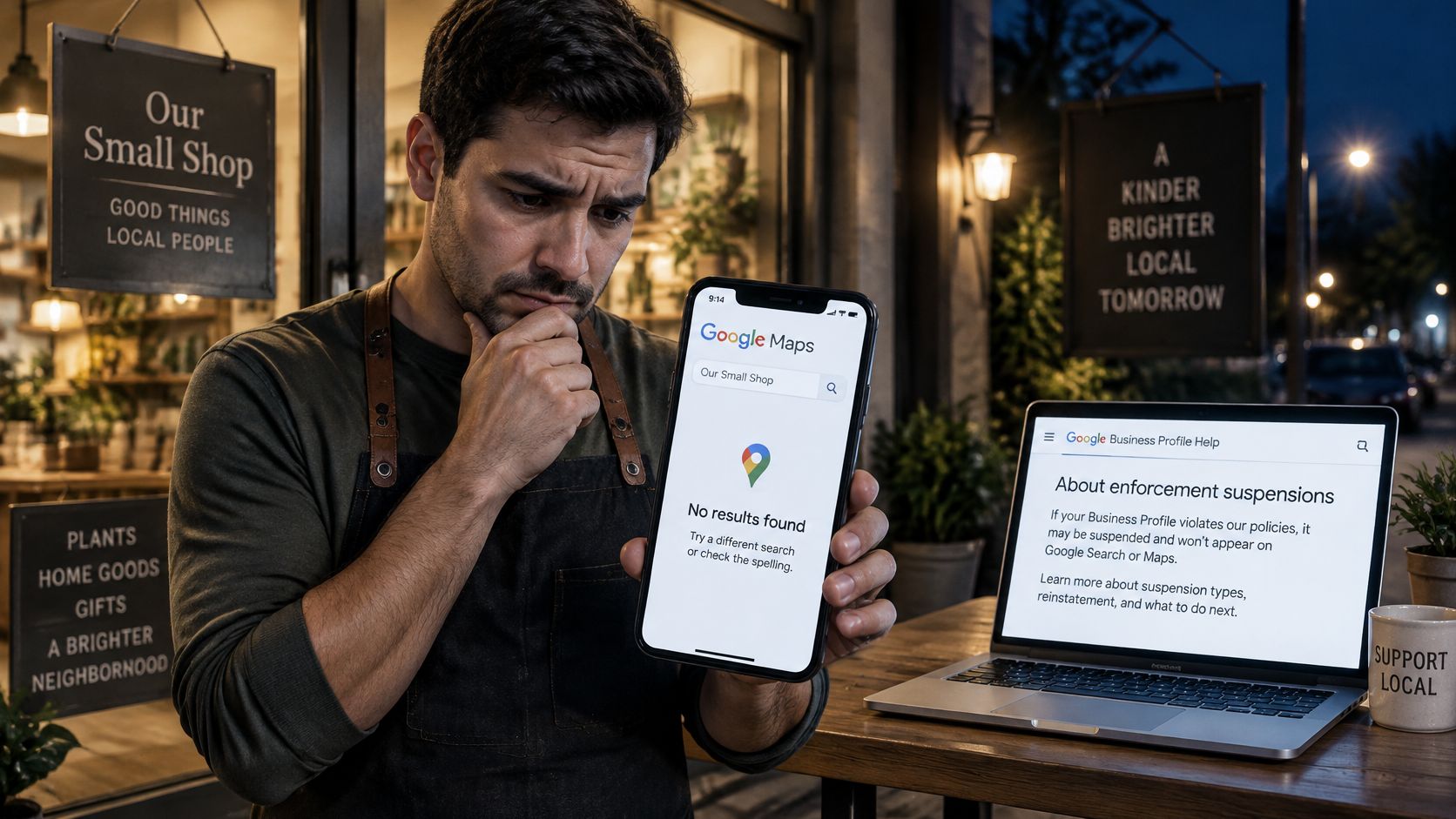
A suspension is an enforcement action. Google’s help center on suspended and disabled Business Profiles states that it may “suspend or disable profiles that do not follow its guidelines,” including its rules for representing businesses and establishing eligibility. Read that page yourself and write the date you read it at the top of a case file, because the wording in force on the day of enforcement is what you’re arguing against.
The practical effect is blunt. A suspended profile may stop appearing normally in Google Search and Maps, and the calls, direction requests and website clicks that come from those surfaces go with it. An auto detailing business with a spotless reputation, a real lease and a genuine address can go quiet for reasons that have nothing to do with the quality of its work.
The distinction that decides your next move: Google treats a profile-level suspension and a broader account restriction as two separate events. Lifting an account restriction does not automatically restore the profile, and the business may still need to submit its own appeal for the listing.
Scale, for context rather than comfort. Google removed or blocked more than 12 million fake Business Profiles in 2024, according to Google’s Maps Trust & Safety reporting, and placed posting restrictions on more than 900,000 accounts that repeatedly violated Maps policies, as Google reported. Those are totals about enforcement across the platform. They say nothing about the odds of any single appeal, and no consultant with a slide deck can promise your profile comes back.
What settles the question is the notice itself, not guesswork or a hunch about what changed last month. Once the profile is live again, the work of being found nearby is a different job, and Adwave’s guide to Google Maps marketing and getting found by nearby customers picks it up from there.
Read the Suspension Notice Before You Edit
The notice is the brief for the entire appeal. Every minute spent editing before you’ve read it is a minute spent guessing at what Google is asking for, and the tool gives you enough detail that guessing is unnecessary.
| Notice field | What it tells you | First action |
|---|---|---|
| Decision date | When enforcement took effect and how long the case has run | Record it and build your timeline from it |
| Stated reason | Google’s summary of the problem in plain terms | Match it to a trigger before you change a single field |
| Violated policy | The guideline the profile is accused of breaking | Read the linked policy page in full before editing anything |
| Appeal eligibility | Whether the appeals tool is open for this case | If it’s closed, check Google’s help page for the next route before acting |
| Status | Where the case stands in review | Don’t resubmit, because the tool takes one submission |
| Scope | Whether the whole profile or only specific content is affected | Plan a profile appeal separately from any content decision |
Scope is the one row you read rather than see. The other five are printed in the tool. Scope comes from the notice text: does it name the profile as a whole, or a specific piece of content, a photo set, a post, a review reply? That reading decides which evidence file you build.
Soft and hard are shorthand, so record what the page actually says
Teams talk about soft suspensions and hard suspensions as if the labels came from Google. They don’t. The help pages speak of profiles that are suspended or disabled and of account restrictions, and where a page uses neither of those shorthand terms, the honest entry in your file is unstated, not a guess dressed up as a quote.
Copy the exact wording from each help page you use and note the date you checked it. Six months later, when a policy page has been reworded, that note is the only thing that tells you which version you were working against. What carries real weight is scope, because a content-level action and a profile-level suspension need different evidence and shouldn’t be argued in the same submission.
Take a hypothetical. Say the stated reason points to address accuracy, the linked policy is the one on representing your business, and eligibility shows the appeals tool open. That combination means your next move is an address audit against a lease, a utility bill or signage, not a fresh listing and not a category change. Reverse it: if the reason names a specific photo or post while eligibility is open, the profile is intact and the fix is content, which is a shorter job with a different evidence set.
Export or screenshot the notice before your first edit. Your record of what Google said should be fixed before the profile changes underneath it.
The notice sets the scope of everything that follows. Every document you gather should trace back to the policy it cites, or it’s noise in an already crowded file.
Common Triggers for Address, Name and Service Area
Start from the policy named in the notice, then examine the trigger it points at. Auditing everything at once, which is what most owners do first, produces a pile of changes with no explanation attached to any of them.
Address and service-area configuration are eligibility questions, not optimization preferences. Google’s guidance on representing your business instructs owners to enter a complete, accurate street address, including legitimate suite, floor or unit information, and allows only details that belong to the official address. A business that doesn’t serve customers at its listed address has to remove or hide that address and use service-area settings instead, and a business with no customer-facing storefront has to hide its address, per Google’s address and service-area guidance.
Where the address rules actually bite
Two patterns account for most address problems I’d expect to see in a suspension file. The first is a visible address that shouldn’t be visible: a home address or a virtual office on a service-area business that never receives customers there. The second is an address that isn’t yours to list in the form it appears, such as a shared suite or a mailbox service the business doesn’t occupy.
Evidence that documents eligibility is more varied than most owners assume:
- Signage, inside and out. An exterior shot with the business name visible, plus an interior shot showing the workspace, is the fastest way to prove a storefront exists.
- Business license or registration. These tie the legal entity to the address on file and are the backbone of most appeals.
- A phone or utility bill. Independent, third-party issued, and dated within the last few months.
- A branded vehicle. For a service-area business with a hidden address, a photo of a van carrying the business name often does more work than any document.
The name field is a documentation field
Your name has to match the business and its official records. Adding keywords, city names or extra service descriptions to the name is the most common mismatch, and it’s also the easiest thing for a reviewer to check against a registration certificate. If the trading name differs from the registered name, be ready to explain the relationship in one sentence rather than restating both at length.
| Trigger | What Google expects | Evidence to gather | Common mistake |
|---|---|---|---|
| Address at a storefront | Complete, accurate street address; suite, floor or unit only if it belongs to the official address | Exterior and interior signage, business license, registration, phone bill | Listing a mailbox or a shared suite the business doesn’t occupy |
| Service-area business with no customer-facing address | Address hidden, with service-area settings used instead | Vehicle displaying the business, business license, registration | Leaving a home or virtual office address visible |
| Business name | Name matches the real business and its official records | Business registration, license or tax certificate | Adding keywords, city names or extra services to the name |
| Duplicate profile | One profile per business, with no replacement listing | Business registration or license showing a single business entity, plus the original profile record | Creating a new listing while the original is under review |
| Fake or inauthentic activity | Content and reviews that reflect real customers and real operations | Job records, invoices or booking history showing real customers | Buying reviews or posting from accounts with no real connection to the business |
Once the profile is compliant, the ongoing work becomes keeping it that way. MD TECH TEAM’s walkthrough on how to boost local visibility in 2026 covers the maintenance side, which matters because a profile that drifts back into a prohibited configuration tends to end up in the same queue again.
Service-area businesses misread their own setup more often than any other group, usually by assuming a hidden address is a broken listing. Adwave’s explainer on profiles for service-area businesses walks through how the settings should look, though the audit still begins with the policy printed on your notice.
How to Build and Submit One Complete Appeal
A reinstatement request is judged on two things: whether the profile now matches the policy cited, and whether the evidence makes that obvious without a reviewer having to interpret it. The sequence below is the order I’d use, and each step carries its own reason for sitting where it does.
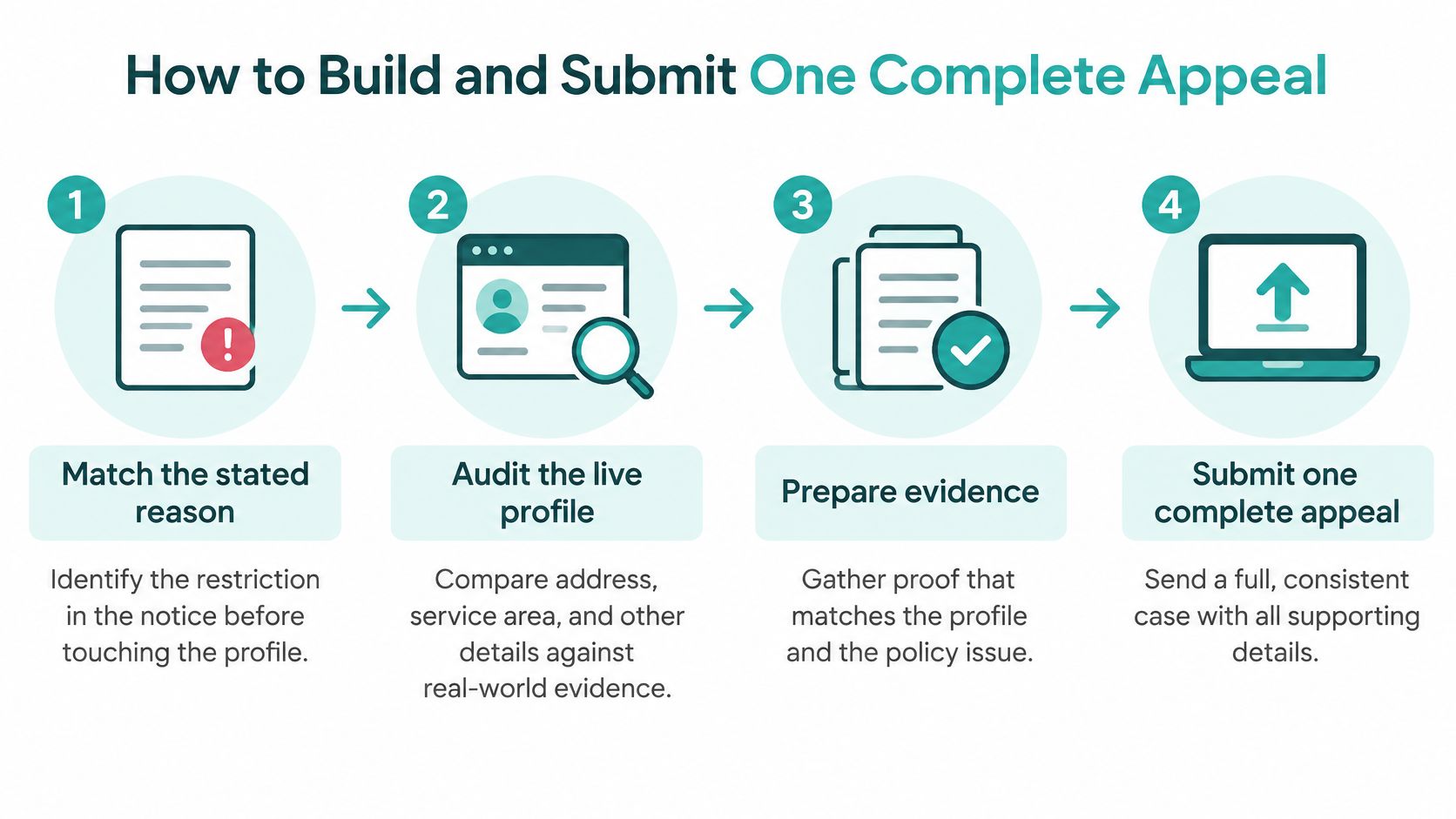
Google’s own guidance on appeals for suspended and disabled profiles sets the shape of this: identify the exact restriction and the policy link, audit against real-world evidence, correct only the noncompliant fields, and submit one complete appeal through the official tool.
- Match the stated reason to the cited policy. Open the linked policy page and read it thoroughly, including the examples, before you touch the profile. The appeal is measured against that specific rule, so a correction aimed at a different rule reads as a non-answer.
- Audit the live profile against real-world evidence. Walk the address, the service-area settings, the name and any possible duplicates against your lease, your registration and your signage. You can’t correct a field you haven’t compared to reality.
- Correct only the fields that fail the audit. Leave compliant fields alone. Gratuitous edits trigger fresh review, and they blur the record of what changed.
- Gather several independent documents. Business registration, a license or tax certificate, and a utility bill work because they come from different issuers. Confirm the business name and address match the profile and the official records exactly, down to the abbreviation.
- Check the service-area exposure. If the business serves customers at their location, verify that no virtual office or misleading storefront is displayed anywhere on the profile.
- Write one explanation that ties each correction to a document. One version, consistently worded. If a correction can’t be tied to a document, either the document is missing or the correction isn’t needed.
- Submit once through the official appeals tool and record the date. The tool’s evidence window is time-limited, so have every file ready before you open it. Google states an appeal can be submitted only once.
Evidence standard: the file should show what was wrong, what changed, and what proves the change. A reviewer who has to infer any of those three is a reviewer who denies the appeal.
Google publishes no general reinstatement success rate, so anyone quoting a percentage should be asked for the denominator, the time period, the suspension type and auditable outcomes. Without those four, the number describes somebody else’s cases. Readiness is measured in evidence completeness and policy-specific fixes, not in the volume of appeals filed.
Names and addresses are where appeals fall apart, because a mismatch between the profile, the certificate and the invoice looks like concealment even when it’s a typo. Adwave’s note on NAP consistency across your business name, address and phone covers the surfaces that need to agree.
What to Freeze While the Appeal Is Pending
The single most damaging thing an owner can do mid-review is create a replacement listing for the same business. It feels like progress. It introduces a duplicate entity, splits reviews that took years to collect, and hands the reviewer two profiles to reconcile instead of one record to verify.
Two more habits weaken otherwise strong appeals. Changing the business identity repeatedly during review, whether that’s the name, the category or the website, restarts the clock on anyone trying to match your documents to your profile. Sending explanations that contradict each other across submissions or support threads does the same damage more slowly, because each version gives the reviewer a new baseline to check against the documents.
Then there’s the counterintuitive part. More evidence isn’t automatically better. A bundle of irrelevant or inconsistent documents invites questions you then have to answer, and an unrelated tax form sitting next to a clean utility bill doesn’t add credibility, it dilutes it. Include what proves the cited violation and nothing else.
Consider a plumbing company that adds a second brand name to its listing while the review is open, then submits an appeal describing the business under the original name only. The documents say one thing, the live profile says another, and the reviewer resolves that conflict against the applicant. One consistent version, original name on the profile and on every document, would have been the stronger file.
Freeze list until the decision lands: no new or replacement listings, no name or category rework, no second set of documents that contradicts the first, and no other content appeals.
That last item isn’t caution for its own sake. Content and appeals tied to a suspended profile can be rejected before the suspension itself is resolved, so profile reinstatement comes first and everything else queues behind it.
Before any edit, ask two questions. Would this change appear in a document I’m submitting, and does it match the policy cited in the notice? If either answer is no, hold the change until the case closes. Doing nothing is a decision too, and during a pending review it is usually the right one.
Decide Your Next Step After the Appeal
Outcomes split the path, and the split happens the moment you have a decision.
If the profile is reinstated, confirm it appears in Search and Maps for your business name, then reopen the evidence file and check that the address and service-area settings still match what you submitted. A reinstatement that leaves a stale setting in place is a second suspension waiting. Once the listing looks right, Adwave’s guide on how to optimize your Google Business Profile for more calls is the sensible next read, because recovery and visibility are separate jobs.
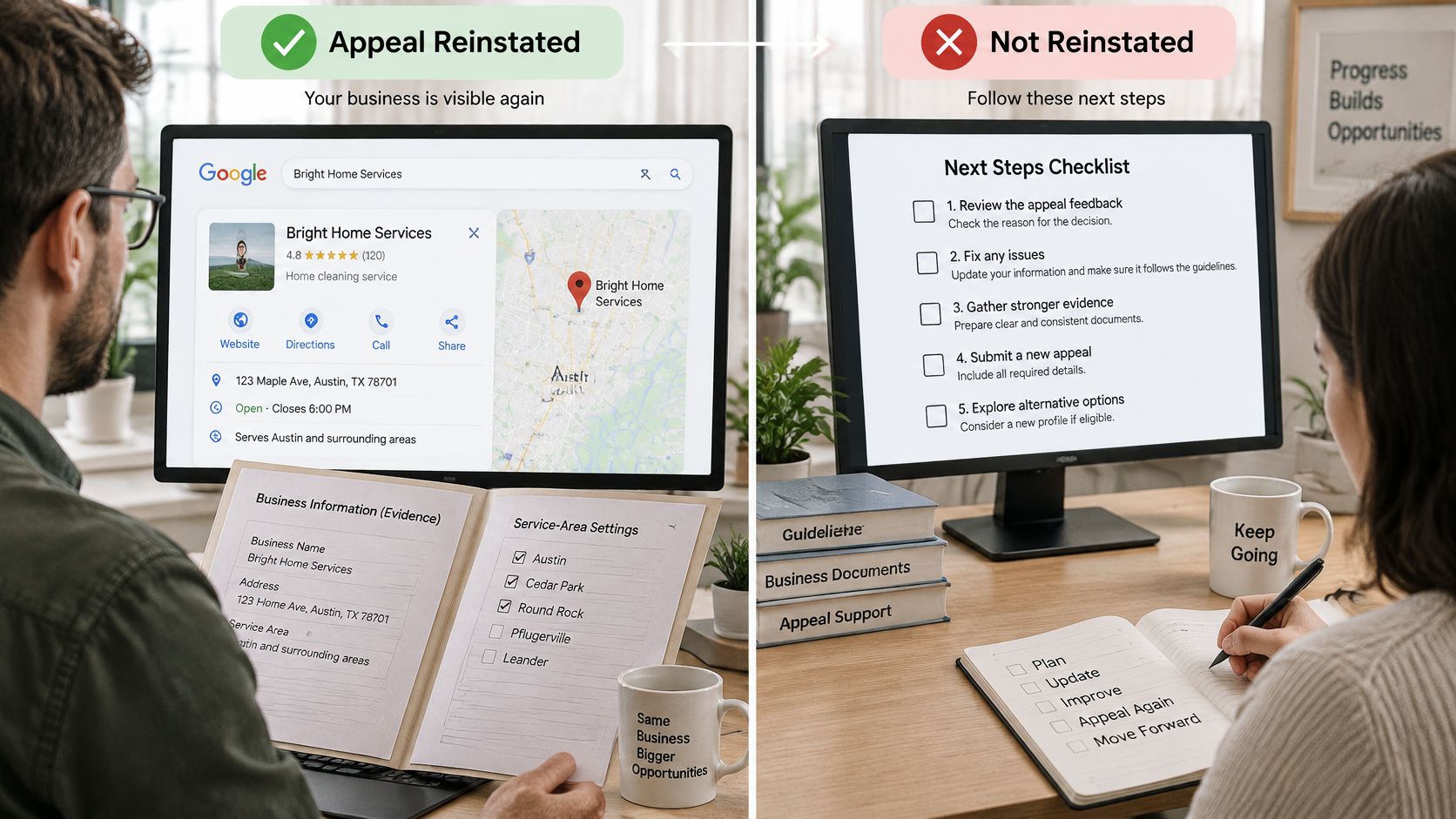
If the appeal is denied or stalls, go back to the notice and the cited policy rather than resubmitting the same story. Correct the underlying fact, check Google’s current help page for whatever routes remain open, and mark any timing the page doesn’t state as unknown rather than assuming a review window. Waiting on an invented timeline is how owners lose a month.
If the work around the listing is more than you want to carry in-house, a local SEO partner for service businesses is one route, though the appeal itself still runs on your documents. And if the business also advertises, Adwave’s overview of multichannel advertising for small business is the natural next step once the listing is stable.
Adwave publishes guidance for exactly this situation, including the advice to stop repeat-editing a profile and work through Google’s reinstatement flow instead. Our guides cover what to do around the appeal, but we don’t provide listing reinstatement, review management or SEO, so the appeal stays with you. Support can point you at the right walkthrough if you send your business website and the step you’re stuck on, or you can book a call with the team.
Three things stay true whatever the outcome. Keep the profile accurate, keep the evidence file, and pick one route based on what the decision says.
Adwave helps local businesses get in front of the customers already looking for them, and a listing that comes back from suspension tends to perform better once more of your market recognizes the name. Our platform turns your website into a broadcast-ready TV ad and places it across premium channels, with business campaigns starting at $30 a day from a prepaid wallet, no monthly subscription, and ads included in that price. We’re currently helping 3,000+ businesses get discovered, so visit Adwave, or send support your website and the step you’re working on, and we’ll show you how the process runs.