Ready in minutes
AI builds your ad from a single prompt


May 07, 2026
Eight optimization moves to turn your campaign data into more memberships, bookings, and conversions
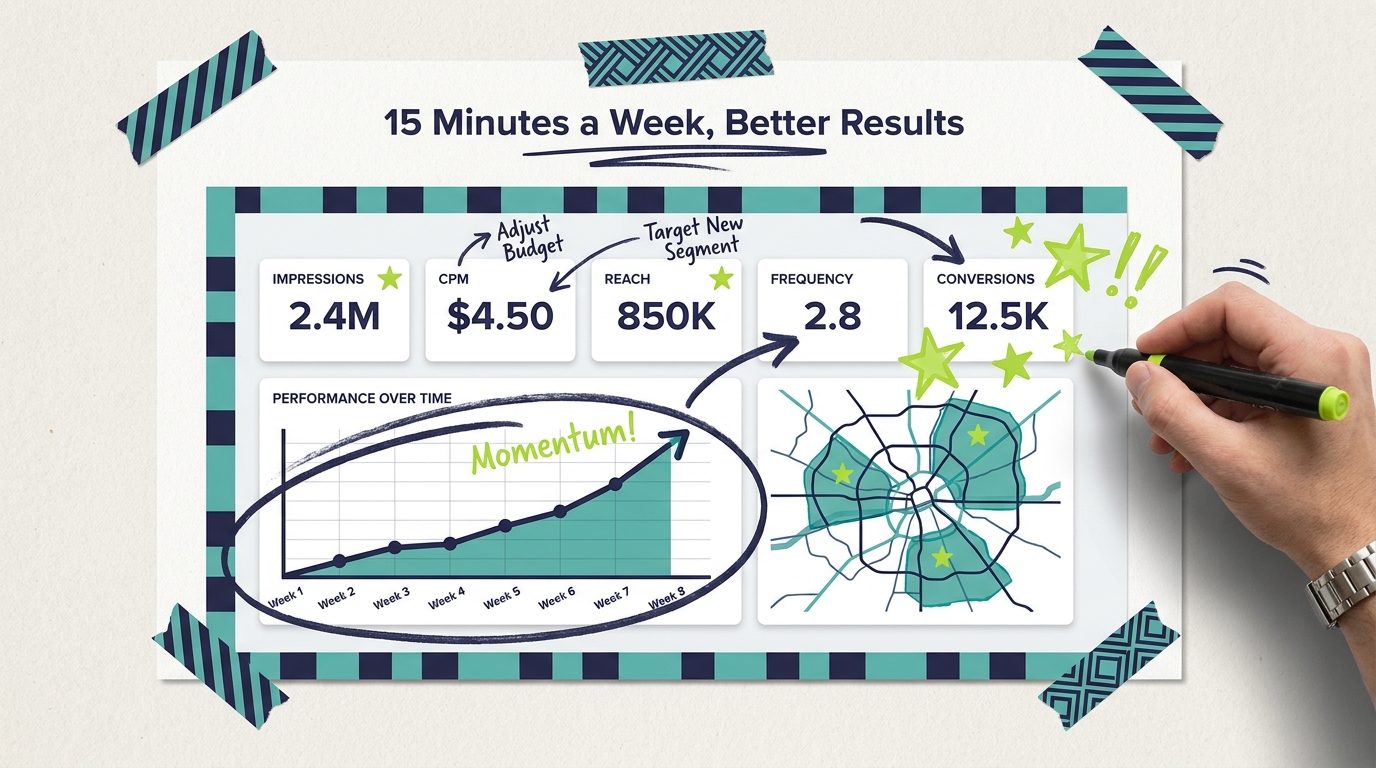
Launching your first Adwave campaign is the easy part. The harder, more rewarding part is what comes next: turning the data flowing into your dashboard into the small adjustments that double or triple what your ads do for your business.
Most small business owners running TV ads for the first time treat their campaign like a "set and forget" project. Pick a budget, pick a service area, hit launch, then check back at the end of the month. That works, but it leaves a lot of performance on the table.
The campaigns that actually drive memberships, bookings, calls, and walk-ins are the campaigns whose owners spend 15 minutes a week reviewing the data and making one or two adjustments. This guide walks you through the optimization moves that produce the biggest improvements, in the order you should make them.
Before you optimize anything, you need a baseline. Your first 7-14 days of data is your benchmark. Every adjustment after that gets measured against that baseline.
What to log on day 7:
Total impressions delivered. This tells you whether your ad is actually getting in front of people.
Total spend so far. Compare against your daily budget × days running.
Average CPM. This will fluctuate, but a 7-day average gives you a stable reference.
Frequency (average views per unique viewer). Crucial for the optimization decisions that come next.
Reach (unique households exposed). Tells you how broad the audience is.
Trial signups, form fills, calls, store visits, or whatever conversion you're tracking.
Don't change anything in the first 7 days. The Adwave platform needs that window to find inventory, settle into your service area, and start producing reliable data. Optimizing too early creates noise that makes everything harder to read.
Frequency is the single most overlooked metric in TV advertising. Most advertising research shows viewers need to see an ad 3-5 times before it converts to action. If your frequency is sitting at 1.2 after two weeks, your audience is only seeing your ad once, which is rarely enough to drive a behavior change.
The fix depends on what you're seeing:
Frequency under 2.0. Your audience is too broad. Tighten your geographic targeting (smaller radius around your business, fewer ZIP codes, or a single DMA instead of multiple). The same budget concentrated on a smaller area produces higher frequency, which produces more conversions per dollar.
Frequency between 3 and 5. This is the sweet spot for most small businesses. Hold steady and watch your conversions.
Frequency over 7. Your audience is too narrow. Your ad is hammering the same households repeatedly without producing more conversions. Expand your targeting (slightly wider radius, additional ZIPs, or layer in adjacent DMAs).
For most local businesses, the goal is a frequency between 3 and 5 with a reach broad enough to keep producing new prospects week after week.
If you've set up local targeting, the geographic section of your dashboard shows you exactly where impressions are landing. This is where small targeting tweaks produce big ROI improvements.

Open the geographic breakdown and ask:
Are my impressions concentrated where my customers actually live and drive? If you serve a 10-mile radius around your business but 30% of your impressions are landing 25 miles away, that's wasted spend. Reach out to Adwave support to tighten your targeting.
Which ZIPs or DMAs are converting? If you're tracking conversions by source (with a unique landing page URL or a "Heard about us on TV?" intake question), you can match TV impressions to actual revenue by area. Double down on the converters.
Are there premium areas I'm missing? If you're a wedding photographer based in Austin and your highest-revenue clients tend to come from one specific upscale ZIP, make sure your campaign is reaching that ZIP at adequate frequency, not just the broad metro.
A single hour spent matching your impressions map to your customer map often beats every other optimization move combined.
Most small businesses launch with one ad creative and run it for the entire campaign. The businesses that scale TV most successfully run 2-3 creative variations and pay attention to which one moves the needle.
With Adwave, generating a creative variation takes about 2 minutes. Try:
A "trust" version vs an "offer" version. The trust version emphasizes credentials, longevity, and reviews. The offer version emphasizes a specific deal (free trial, 20% off first visit, free consultation). Different audiences respond to different framings.
A short-form CTA vs a longer story. Some 30-second spots work as a quick offer with phone number. Others tell a 22-second customer story before the offer. Both approaches work; the question is which one works better for your business.
A seasonal version. If you're a gym in late December, a "New Year, new you" creative will outperform a generic year-round spot. Refresh creative for January, spring, fall, and your peak season.
To test cleanly, run one creative for two weeks, swap to the second creative for two weeks, then compare conversions per impression delivered. The creative with better conversion per impression wins.
Your campaign dashboard shows total spend against your campaign timeline. Two patterns require attention:
Spending too slowly. If you're halfway through the month and you've spent less than half your budget, your targeting is probably too narrow or your daily cap is too low for the inventory available in your area. Solutions: widen targeting, raise daily cap, or extend campaign dates so the same budget runs longer.
Spending too fast. If you're burning through your budget by day 18 of a 30-day campaign, your ads are in high demand. Solutions: lower daily cap to spread spend across the full month, or accept the burn-through and add budget to keep the campaign running.
Most local businesses do better with steady, daily delivery than with a few high-impression days followed by silence. Steady delivery builds the recall that drives action.
The same campaign delivered at the wrong time produces a fraction of the results. The right timing depends on your category:

Gyms and fitness studios. Lean into late December (resolution season), March-April (summer body push), and September (back-to-school routines). Pull back during May-August unless you have a specific summer offering.
Restaurants. Friday afternoon and Saturday morning impressions drive that weekend's reservations. Holiday weeks (Mother's Day, Valentine's Day) deserve heavier investment 2-3 weeks ahead of the date.
Home services. Match weather and seasonal triggers. HVAC ads in May (pre-summer service) and October (pre-winter service). Lawn care in late February. Roofing after major storms.
Retail and e-commerce. Heavy in November-December (holiday). Refresh for back-to-school in August. Watch your conversion data to find the weeks that overperform; those are your investment windows year over year.
Professional services (financial, legal, accounting). Tax season for accountants. Q1 for financial planners. Estate-planning attorneys see steady demand year-round.
Adjusting daily caps to be heavier in your peak weeks and lighter in your off weeks costs nothing and routinely produces 30-50% more conversions per dollar.
The single biggest reason small businesses underestimate TV's impact is poor attribution. TV ads aren't clickable; conversions happen across multiple touchpoints. If you're only counting "Heard about us on TV" survey responses, you're capturing 20-40% of your real impact.
Three quick fixes:
Add a TV-specific landing page URL or QR code. Mention "AdwaveDeal" or a unique URL like yourgym.com/tv in your spot. Track that page's visits separately.
Run a pre/post comparison. Compare your form-fill rate, foot traffic, or call volume during the campaign weeks to the same metric during a non-campaign baseline. The lift is your campaign's contribution.
Train your front desk. Have them ask new customers "How did you hear about us?" with TV as one of the explicit options. Adwave's dashboard combined with this conversational data gives you a clean picture of TV-driven business.
Even imperfect attribution that captures 60-70% of TV's impact is dramatically better than the 20-30% most businesses default to.
Even a great creative loses effectiveness over time. Viewers who've seen the same spot 8 times this month start to tune it out. Conversion rates drop, even though impression delivery stays steady.
The fix is simple: refresh your creative every 60-90 days. New script angle, new background music, updated offer, fresh visuals from your latest events or photo shoots. With Adwave, generating a refresh takes about 2 minutes.
Signs your creative needs a refresh:
Conversion rate declining week over week despite steady impression delivery
Frequency climbing into the 7+ range without conversion lift
Recent customers say "I've seen your ad" but aren't acting
The businesses that maintain TV momentum across years treat creative refresh as a regular cadence, not a one-time project.
TV builds the recall that supercharges every other channel you run. Track these intersections:

Branded search volume. If your TV campaign is working, searches for your business name should rise during the campaign. Watch your Google Search Console branded query trends.
Direct website traffic. TV-driven viewers often type your URL directly rather than clicking from search. Track direct traffic week over week against your campaign timeline.
Social media engagement. New followers, profile visits, and DMs typically rise during active TV campaigns. Particularly true for visual brands like fitness, food, beauty, and retail.
Conversion rate on other channels. Google Ads and Meta campaigns often convert at higher rates during weeks your TV campaign is running, because viewers exposed to TV recognize your brand by the time they encounter your digital ads.
Adwave campaigns rarely operate in isolation. The optimization moves that compound the most are the ones that lift your other channels at the same time.
How often should I check my Adwave dashboard?
Once a week is enough for most small businesses. Daily checks lead to overcorrection on noisy short-term data. Set a recurring 15-minute weekly review, look at frequency, geographic distribution, spend pacing, and conversions, and decide on at most one or two adjustments per week.
How long does it take for an Adwave campaign to start performing?
Plan for a 2-3 week ramp before you make optimization decisions. The first 7-14 days establish your baseline; weeks 3-4 are when you start seeing whether adjustments are improving conversions. Campaigns under 30 days rarely give enough data to optimize meaningfully.
Should I add more budget if my campaign is performing well?
If your conversions are strong, your frequency is in the 3-5 range, and your spend is pacing on schedule, scaling budget by 25-50% is a safe move. Avoid doubling budget overnight, since the increased competition for the same inventory often raises CPM and dampens efficiency.
What's the most common mistake small businesses make with Adwave campaigns?
Targeting too broadly. Most small businesses serve a 10-15 mile radius, but launch campaigns covering an entire metro area. The result is low frequency, fragmented reach, and fewer conversions. Tightening to your real service area is the single highest-ROI adjustment most owners can make.
Can I run multiple Adwave campaigns at once?
Yes, and many businesses do. Common patterns: a brand awareness campaign running year-round at lower budget plus seasonal "promotion" campaigns layered on top during peak periods. Each campaign can have different creative, targeting, and budget pacing.
When should I refresh my creative?
Every 60-90 days for active campaigns, or sooner if your conversion rate is declining despite steady impression delivery. Major events (new product launch, season change, holiday tie-in) are also natural creative refresh moments.
If you're running an active Adwave campaign right now and want to make it work harder, here's a 30-minute plan:
Step 1 (10 minutes). Log in to your dashboard. Pull a screenshot or note your week-1 baseline: impressions, spend, frequency, reach, average CPM, and any conversions you're tracking.
Step 2 (10 minutes). Check your geographic distribution against your real customer map. If more than 20% of your impressions are landing outside your service area, contact Adwave support to tighten targeting.
Step 3 (5 minutes). Look at frequency. If under 2.0, plan to tighten targeting next week. If over 7.0, plan to widen targeting next week. If between 3 and 5, hold steady.
Step 4 (5 minutes). Note your campaign's age. If you're more than 60 days into the same creative, plan to generate a refreshed creative this week. If under 60 days, hold creative steady.
Optimization is a habit, not a project. The small business owners who get the most out of TV advertising are the ones who treat their campaign dashboard like a coffee-and-data session every Monday morning. Fifteen minutes a week, one or two adjustments, and your campaign performance compounds month after month.
Ready to launch your first campaign and put these optimization moves to work? Create your first ad with Adwave in about two minutes, target your service area, and start your baseline week today.