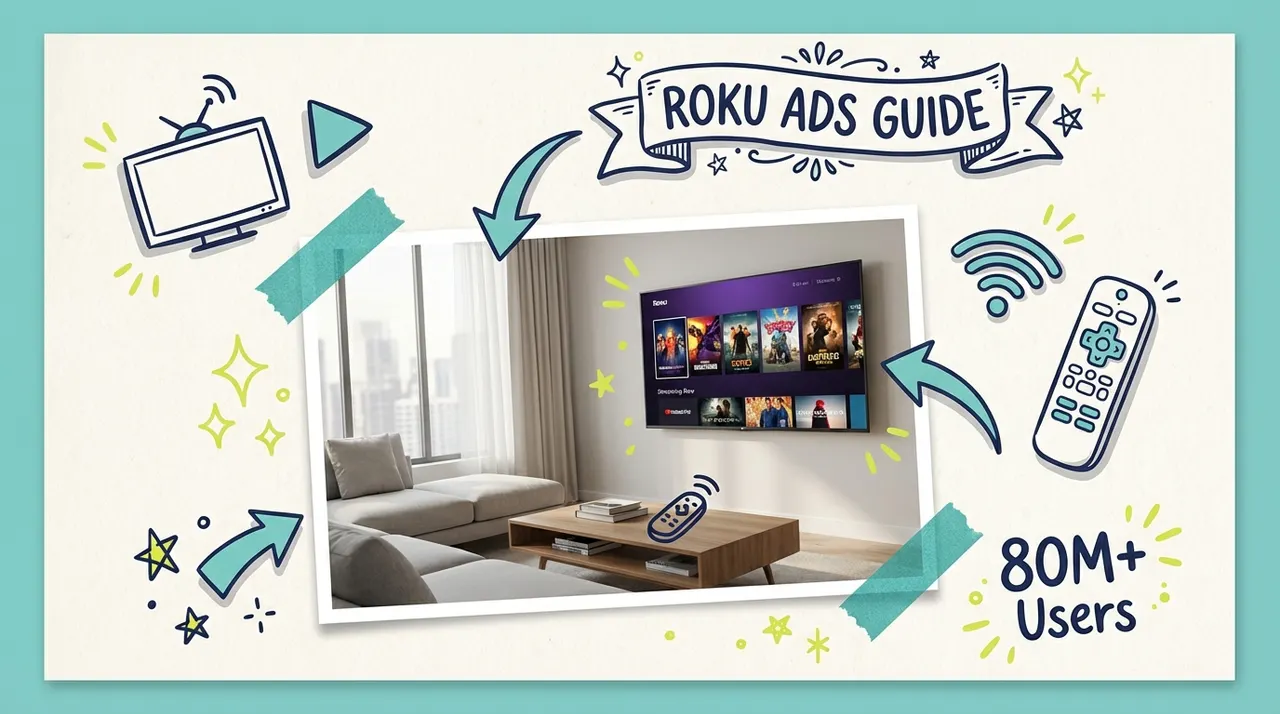
You've probably seen ads on Roku. Maybe a competitor's commercial popped up while you were streaming, and you thought: "How do I get my business on there?" If you're wondering how to advertise on Roku, you're in the right place.
Good news: Roku advertising for small business is more accessible than ever. With over 81 million active accounts and 47% of all U.S. TV streaming time happening on Roku devices, it's one of the most powerful ways to reach audiences on the biggest screen in their homes.
Here's everything you need to know about Roku ads for local business, including Roku ad costs, targeting options, and how to get started using Roku Ads Manager or alternative platforms.
Understanding Roku's Advertising Ecosystem
Before diving into tactics, it helps to understand what Roku is and how advertising works on the platform.
Roku is a streaming platform, not just a device. While many people know Roku as the little black box that connects to their TV, the company also makes Roku TVs (smart TVs with Roku built in) and powers the streaming experience for millions of households.
The Roku ecosystem includes:
The Roku Channel: Roku's own free, ad-supported streaming service with movies, shows, and live TV
Third-party streaming apps: Netflix, Hulu, Peacock, Tubi, and hundreds more accessible through Roku devices
The Roku Home Screen: The interface users see when they turn on their Roku device
Where ads appear:
Roku offers several advertising placements, and understanding them helps you plan your strategy:
Video ads within streaming content: 15, 30, or 60-second spots that play during shows and movies on The Roku Channel and other ad-supported apps
Home screen placements: Marquee ads and Showrooms that appear when users navigate the Roku interface
Screensaver ads: Cinematic ads that display when a Roku device is idle
For most small businesses, standard video ads within streaming content offer the best combination of reach and affordability.
Roku Advertising Costs: What to Really Expect
Let's talk numbers. What does it cost to advertise on Roku?
CPM (Cost Per Thousand Impressions): Industry sources suggest Roku CPMs typically range from $20 to $60. This means reaching 1,000 viewers costs between $20 and $60, depending on several factors.
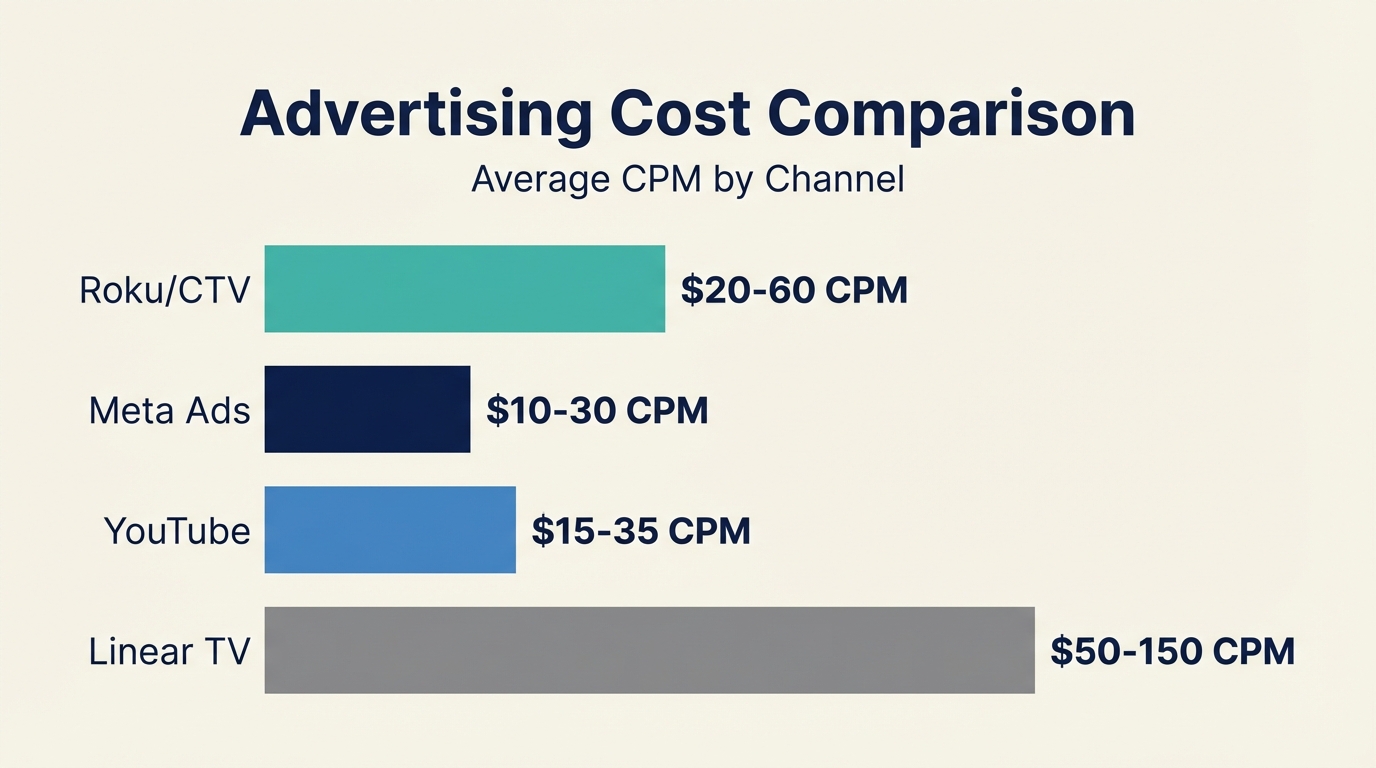
Factors that affect your costs:
Placement type: Video ads within content are generally more affordable than premium home screen placements
Targeting specificity: Highly targeted campaigns may cost more but deliver better results
Time of year: Expect higher CPMs during Q4 (holiday season) and major events
Ad format: Standard video ads are typically cheaper than interactive formats
Minimum budgets:
Roku's own self-serve platform (Roku Ads Manager) has varying minimum requirements. However, platforms like Adwave let you access Roku inventory with minimums as low as $50, making it far more accessible for small business testing.
A realistic small business budget:
Testing phase: $100-$500 to validate your message and targeting
Active campaign: $500-$2,000 per month for meaningful reach
Budget math: At a $30 CPM, a $300 budget gets you roughly 10,000 impressions
Targeting Options on Roku
One of Roku's biggest advantages over traditional TV is targeting precision. You're not buying time slots and hoping the right people are watching. You're reaching specific audiences.
Geographic targeting:
Target by state, DMA (Designated Market Area), or ZIP code
Perfect for local businesses that only serve specific areas
A pizza shop in Denver can reach households within their delivery radius, not the entire state
Demographic targeting:
Age ranges (e.g., 25-54)
Household income levels
Presence of children
Education level
Interest and behavioral targeting:
Viewers who watch specific content categories (sports, cooking, news)
Shopping behaviors and purchase intent
Device ownership and usage patterns
First-party data advantages:
Roku has something most advertising platforms don't: direct relationships with their users. When someone creates a Roku account, Roku knows what they watch, when they watch, and on which devices. This first-party data enables targeting that doesn't rely on cookies or third-party data sources.
How to Create Ads That Work on Roku
TV advertising has different requirements than digital ads. Here's what you need to know:
Technical specifications:
Resolution: Minimum 720x480p (1080p recommended)
Frame rate: Minimum 30fps
Length: 15, 30, or 60 seconds (30 seconds is most common)
File format: MP4 or MOV
Text on images: Keep below 20% of the frame
Creative best practices:
1. Design for the big screen. Your ad will be viewed on TVs, not phones. Text needs to be large enough to read from the other side of the room. Details that work on mobile may be invisible on TV.
2. Front-load your message. Make your key point in the first few seconds. Even though Roku ads are non-skippable, attention is precious.
3. Include a clear call to action. What do you want viewers to do? Visit your website? Call a number? Remember your brand? Make it explicit.
4. Prioritize audio quality. Many viewers will hear your ad before they look up from their phones. Strong audio ensures your message lands even without full visual attention.
5. Keep it simple. One message, one call to action. TV isn't the place for complex explanations.
Don't have video?
This used to be the biggest barrier to TV advertising. Production costs could run $5,000 to $50,000 for a professional commercial.
Today, AI-powered tools have changed the equation. Platforms like Adwave can generate broadcast-ready video ads from your website, social media, or existing images in minutes. You don't need to hire a production company or have video editing skills.
Step-by-Step: Launching Your First Roku Campaign

Ready to get started? Here are your options:
Option 1: Roku Ads Manager (Direct)
Roku offers a self-serve platform called Roku Ads Manager:
Create an account at ads.roku.com
Choose your campaign objective (awareness, consideration, or conversion)
Define your target audience using geographic, demographic, and interest-based targeting
Set your budget and campaign dates
Upload your creative (video file meeting their specifications)
Submit for approval (Roku reviews all ads for compliance)
Launch and monitor performance in the dashboard
Pros: Direct access to Roku inventory, full control over targeting
Cons: Higher minimums, requires existing video creative, Roku-only reach
Option 2: Platforms Like Adwave
Aggregator platforms offer an alternative path to Roku advertising:
Create an account and provide your business information (website URL works)
Generate or upload your ad (AI creation available if you don't have video)
Set your targeting (geography, demographics)
Set your budget (as low as $50 to start)
Launch your campaign on Roku and 100+ other streaming channels
Pros: Lower minimums, AI creative generation, reach beyond just Roku
Cons: Less granular Roku-specific controls
For most small businesses, starting with a platform like Adwave makes sense. You can test TV advertising with minimal budget and no production costs, then scale what works.
Measuring Roku Ad Performance
Unlike traditional TV where measurement was largely guesswork, Roku provides actual data on your campaign performance.
Key metrics to track:
Impressions: How many times your ad was shown
Reach: How many unique households saw your ad
Completion rate: What percentage of viewers watched your entire ad (CTV typically sees 90%+ completion rates)
Frequency: How many times the average viewer saw your ad
CPM: Your actual cost per thousand impressions
Attribution considerations:
TV advertising, including CTV, is primarily a brand-building channel. Unlike search or social ads where someone can click directly to your site, TV viewers need to take a separate action (type in your URL, search for your brand, visit your store).
Ways to measure impact:
Website traffic lift: Compare site traffic during and after campaigns
Branded search volume: Monitor increases in people searching for your business name
QR codes: Include scannable codes in your ads for direct tracking
Promo codes: Offer TV-specific discount codes to track conversions
Customer surveys: Ask new customers how they heard about you
Set realistic expectations: TV advertising builds awareness over time. Don't expect immediate direct-response results like you might from search ads.
Roku Advertising Through Adwave vs. Direct
For small businesses, the choice often comes down to simplicity versus control.
If you have existing video creative and want maximum control over Roku-specific campaigns, going direct through Roku Ads Manager gives you more options.
If you want to test TV advertising quickly with minimal budget and no production costs, Adwave is designed specifically for small businesses in your situation.
Getting Started Today
Roku advertising isn't just for big brands anymore. With 81+ million active accounts and the rise of self-serve platforms, reaching streaming viewers is accessible to businesses of virtually any size.
Here's your action plan:
Determine your budget: Even $100 is enough to test
Define your target audience: Geography and demographics at minimum
Create or generate your ad: Use existing video or AI tools
Choose your platform: Direct through Roku or via aggregators
Launch, measure, and optimize: Start small, learn, then scale
The viewers are there. The targeting is precise. The costs are manageable. The question isn't whether Roku advertising can work for your business. It's whether you'll get started before your competitors do.
Roku Ad Formats Beyond the 30-Second Spot
Most small businesses will buy standard 15 or 30-second video ads that play in streaming content on Roku devices. Roku also sells placements that need a direct deal with its sales team:
Home screen ads: banners and video on the screen viewers see when they turn on the device or switch apps.
Screensaver ads: brand placements in the screensaver that runs when the device is idle.
Shoppable ads: ads with a QR code or remote prompt that let viewers buy, built through Roku's Shopify integration.
These premium placements are built for large brand budgets. Standard video ads are the format available at every budget level.
Common questions answered
What's the minimum budget to advertise on Roku?
If you go directly through Roku Ads Manager, the minimum campaign spend is $500. However, you can access Roku inventory through aggregator platforms like Adwave starting at just $50. The aggregator approach gives you the same access to Roku viewers at a fraction of the minimum commitment.
Do I need to have a video already to advertise on Roku?
Through Roku's direct platform, yes. You'll need to upload a finished commercial that meets their broadcast specifications (typically 15 or 30 seconds). If you don't have video, platforms like Adwave can generate professional TV ads from your website content and images using AI, then distribute to Roku alongside 100+ other channels.
Can I target just my local area on Roku?
Yes, geographic targeting is available on Roku. You can target by zip code, city, DMA (designated market area), or state. This makes Roku advertising practical for local businesses that only want to reach viewers within their service area. Most campaigns can target a specific radius around your business location.
How do Roku ads appear to viewers?
Roku ads appear during commercial breaks in streaming content, just like traditional TV commercials. They're non-skippable and play at full screen with audio on by default. Viewers see your ads while watching content on apps like The Roku Channel, Pluto TV, Tubi, and other ad-supported streaming services available on Roku devices.
How long should my Roku ad be?
The standard length is 15 or 30 seconds. Most small businesses find 30 seconds provides enough time to introduce their brand, communicate a key message, and include a call to action. Shorter 15-second spots work well for reinforcement campaigns or when you have a simple, focused message.