
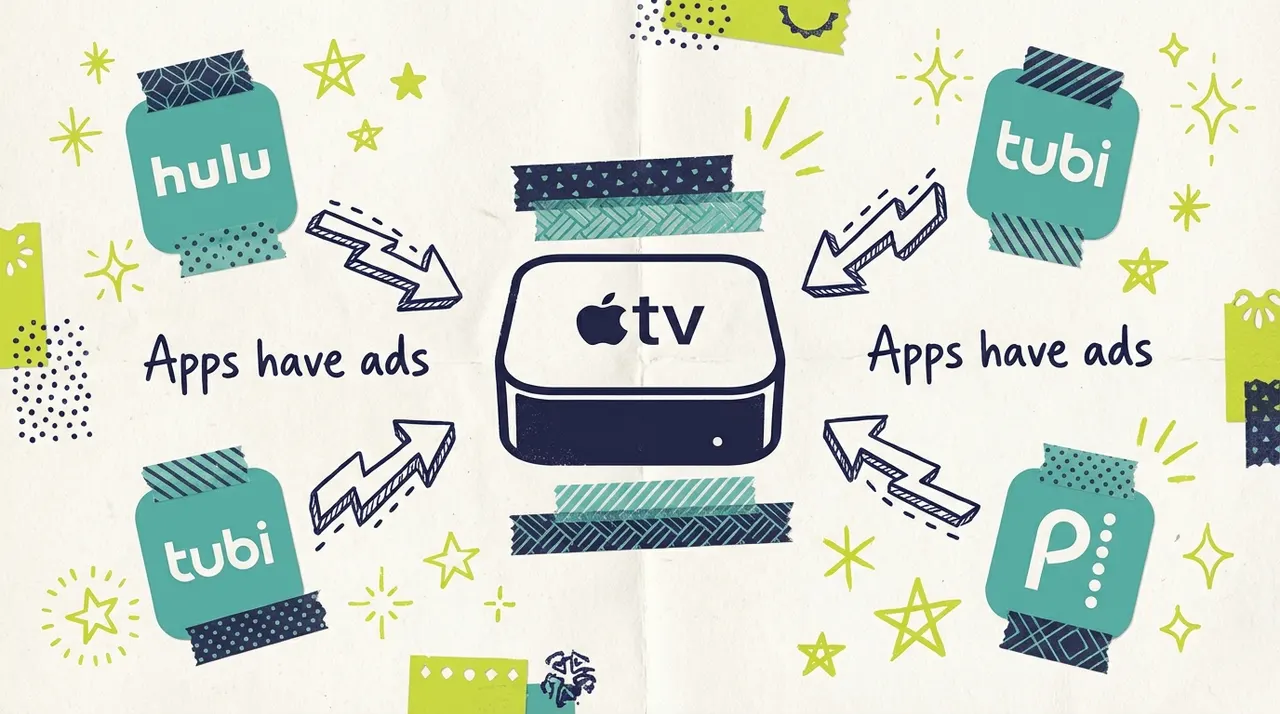
"Can I advertise on Apple TV?" is a question that comes with a lot of confusion. The short answer: it depends on what you mean by "Apple TV."
Apple TV the device and Apple TV+ the streaming service are two different things, and understanding this distinction is important before you spend any advertising dollars. This guide clears up the confusion and shows you how small businesses can reach Apple TV device owners through streaming TV advertising.
Does Apple TV Have Ads? Clearing Up the Confusion
Let's start with the basics that trip up most people.
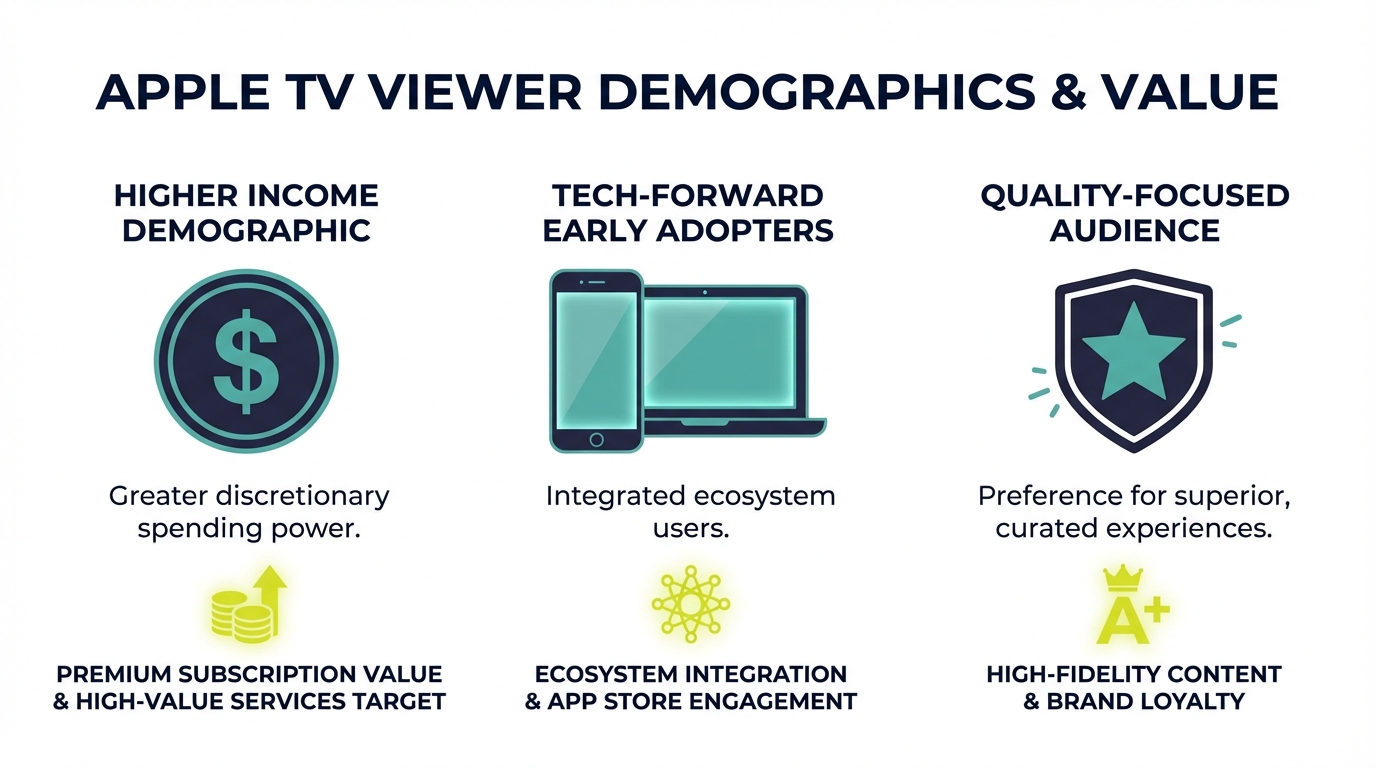
Apple TV+ (the streaming service): Apple TV+ is Apple's subscription streaming service featuring original content like Ted Lasso, The Morning Show, and Severance. Apple TV+ does NOT have advertising. The service is entirely subscription-based with no ad-supported tier. You cannot buy ad placements that run within Apple TV+ content.
Apple TV (the device): Apple TV is Apple's streaming hardware device that connects to your television. It's similar to a Roku or Amazon Fire TV. Apple TV devices run apps, including Hulu, Peacock, Tubi, HBO Max, and dozens of other streaming services that DO have advertising.
The advertising opportunity: You can't advertise "on Apple TV+" because it has no ads. But you absolutely can reach viewers who watch streaming content on Apple TV devices. When someone uses their Apple TV to watch Hulu, Peacock, or Tubi, they see the same ads as viewers on any other device.
Apple TV+ vs. Apps on Apple TV Devices
Understanding this distinction unlocks the actual opportunity.
Apple TV+ (No Ads):
Apple's proprietary streaming content
Subscription-only ($9.99/month or bundled with Apple One)
Award-winning originals (Ted Lasso, Severance, The Morning Show)
Zero advertising inventory available
Apps Running on Apple TV Devices (Yes, Ads):
Hulu (ad-supported tier)
Peacock (ad-supported tiers)
Tubi (100% ad-supported)
Pluto TV (100% ad-supported)
HBO Max (ad tier)
ESPN+ and other sports apps
Dozens of other streaming services
Your ads can run in ad-supported apps on Apple TV devices. These placements reach Apple TV hardware users; they are separate from Apple's own content.
How to Reach Apple TV Device Owners
If your goal is reaching the affluent, tech-savvy audience that owns Apple TV devices, here's how to do it.
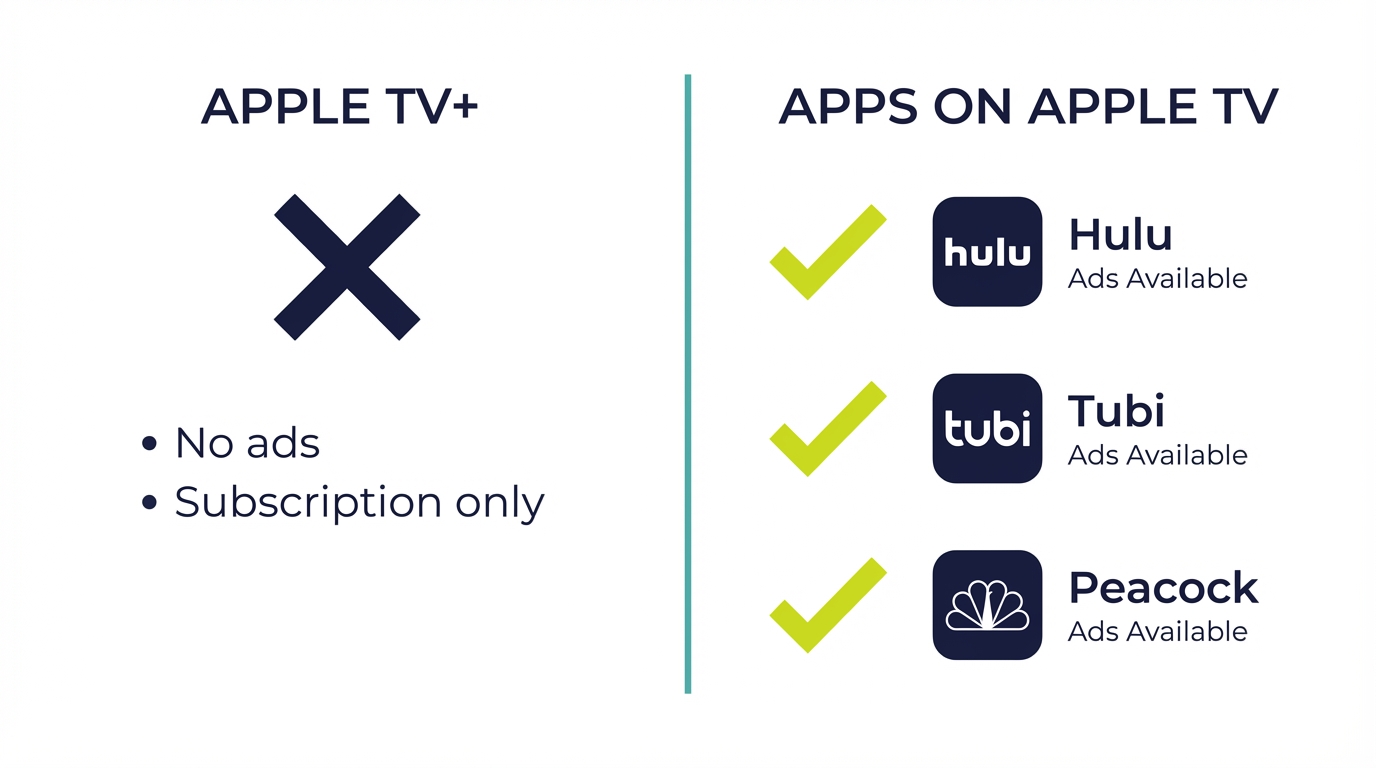
Option 1: Device Targeting (When Available)
Some programmatic platforms allow you to target specific device types. This means your ads only show when viewers are watching on:
Apple TV devices
Roku devices
Amazon Fire TV
Smart TVs
Mobile devices
Not all platforms offer this level of targeting, and Apple TV device targeting specifically may have limited availability. But when it's available, it's a direct path to Apple TV households.
Option 2: Audience-Based Targeting
Even without device-specific targeting, you can reach the type of people who own Apple TV devices through:
Income targeting: Apple TV hardware is premium-priced ($129-179). Apple TV households tend to have higher disposable income. Targeting higher income brackets reaches a similar audience.
Interest targeting: Apple TV owners tend to be tech-forward, early adopters. Targeting viewers interested in technology, premium products, or specific content genres can reach similar demographics.
Geographic targeting: Apple TV adoption is higher in urban and affluent suburban areas. Targeting specific zip codes known for higher income levels reaches Apple TV households at higher rates.
Option 3: Quality Content Alignment
Apple TV owners often have premium tastes in content. Targeting premium streaming content on services like Hulu, HBO Max, and Peacock puts your ads in front of viewers likely to also use Apple TV.
Why Apple TV Viewers Are Valuable
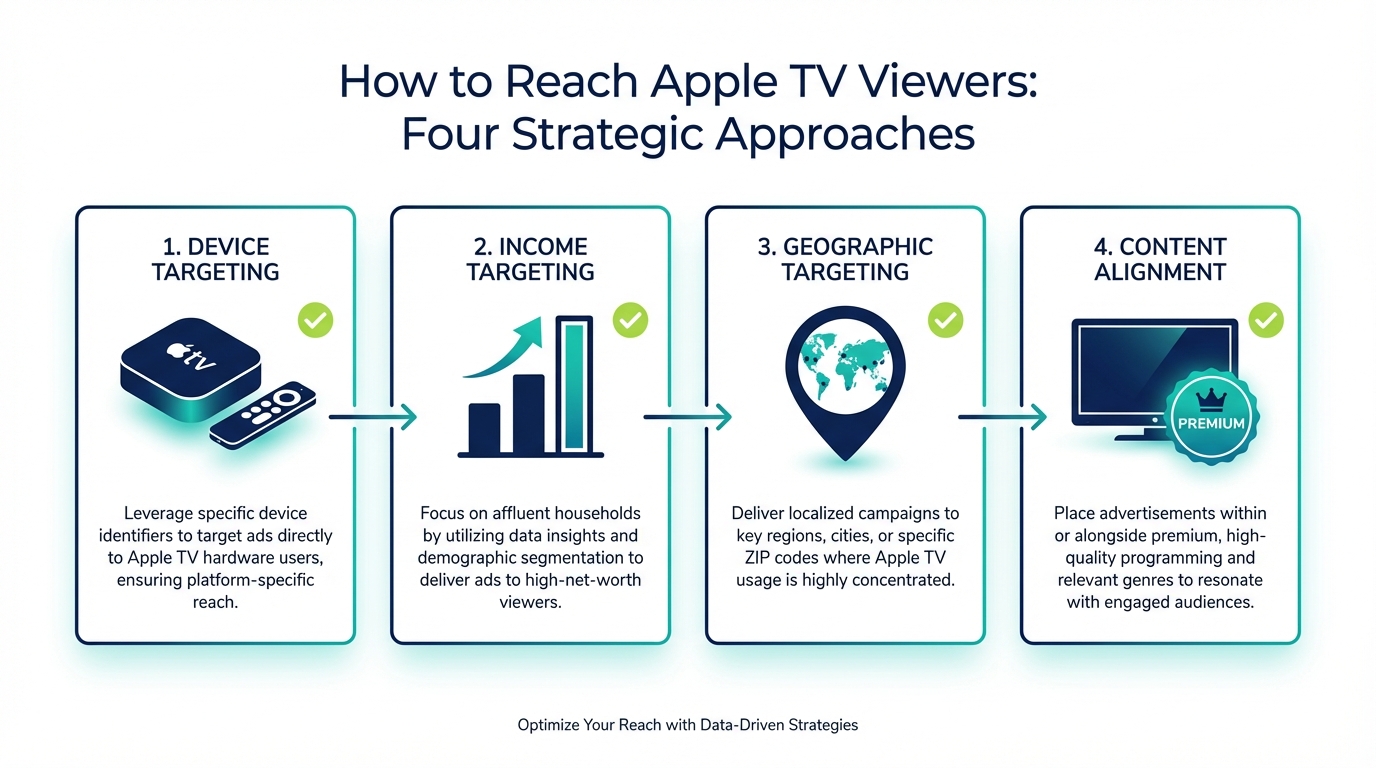
Apple TV households represent a distinct and valuable audience segment for advertisers. Understanding what makes these viewers different helps you decide whether targeting them specifically makes sense for your business.
Higher Household Income: Apple products command premium prices. Apple TV users have demonstrated willingness to pay more for quality, suggesting higher disposable income. This makes them valuable targets for:
Premium services (financial advisors, wealth management, high-end retailers)
Professional services (legal, medical practices, accounting firms)
Luxury goods and experiences (travel, dining, fashion)
Home improvement and renovation
High-consideration purchases (vehicles, real estate, education)
Tech-Forward Mindset: Apple TV owners are typically comfortable with technology and open to new products and services. They're more likely to:
Scan QR codes in commercials (higher QR engagement than average)
Research products online after seeing TV ads
Make purchasing decisions based on digital discovery
Use multiple Apple devices (iPhone, iPad, Mac) creating cross-device opportunity
Quality-Focused: The choice to buy Apple TV over cheaper alternatives (Roku Express starts at $29, Apple TV starts at $129) indicates prioritization of quality over price. This mindset often extends to purchasing decisions in other categories. Apple TV owners are less likely to be swayed by discounts alone; they respond to quality messaging and premium positioning.
Engaged Viewing: Apple TV is a dedicated streaming device. Unlike smart TVs with built-in operating systems, Apple TV owners made a conscious choice to add streaming capability. This suggests higher engagement with content and more intentional viewing behavior. They're watching because they chose to, not because it was the default option.
Targeting Apple TV Households
While you can't always target Apple TV devices specifically, several strategies help you reach similar audiences.
Geographic Precision: Apple TV adoption varies by area. Higher concentrations exist in:
Affluent suburban neighborhoods
Urban areas with high-income residents
Tech hub regions (Bay Area, Seattle, Austin, etc.)
Use zip code or radius targeting to focus on areas where Apple TV ownership is likely higher.
Demographic Targeting: Combine factors to approximate Apple TV households:
Household income: Upper-middle and high-income brackets
Age: 25-54 (peak Apple TV adoption)
Homeowner status: Homeowners over renters (when available)
Content Alignment: Target premium content where Apple TV owners are more likely to be watching:
Premium streaming services (Hulu, HBO Max, Peacock)
Quality entertainment content
Sports programming (sports fans index high for Apple TV ownership)
Behavioral Signals: When available, target viewers who have shown interest in:
Technology and gadgets
Premium brands
Home entertainment
How to Access Apple TV Inventory
The practical path for small businesses involves programmatic platforms that aggregate streaming inventory.
Step 1: Choose a Platform Select a programmatic CTV platform like Adwave that accesses inventory across multiple streaming services and devices.
Step 2: Set Your Targeting Define your campaign parameters:
Geographic area (where your customers are)
Demographics (income, age if it matters for your business)
Device type (if Apple TV targeting is available)
Budget
Step 3: Create Your Ad You'll need professional video creative. Options include:
Upload existing video creative
Use AI video generation tools (Adwave offers free AI creative)
Professional production
Step 4: Launch and Measure Start with a test budget to see performance. Your ads will run across streaming apps on Apple TV devices alongside other connected TV devices.
What to Expect: Your campaign will likely deliver impressions across multiple device types (Apple TV, Roku, Fire TV, Smart TVs). This diversified approach often makes sense for small businesses since you're reaching viewers wherever they watch rather than limiting yourself to one device ecosystem.
Apple TV Advertising Costs
Understanding the costs helps you plan budgets and set expectations for reaching Apple TV households.
CPM Ranges by Access Method:
Programmatic (via platforms like Adwave):
General CTV inventory: $15-30 CPM
With affluent household targeting: $25-40 CPM
Apple TV device-specific (when available): $30-45 CPM
Direct deals with streaming services:
Premium platforms: $35-60 CPM
Minimum spends typically $10,000+
Not accessible for most small businesses
What Different Budgets Achieve:
$250/month: At a $25 CPM, approximately 10,000 impressions reaching an estimated 3,500 unique households in your target area. This is a solid test budget to gauge performance.
$500/month: Approximately 20,000 impressions reaching an estimated 7,000 unique households. This provides meaningful frequency in a local market.
$1,000/month: Approximately 40,000 impressions reaching an estimated 13,000 unique households. This creates real awareness in a targeted geographic area, with viewers seeing your ad multiple times.
$2,500/month: Approximately 100,000 impressions providing strong market penetration with frequency that builds brand recognition.
Cost Efficiency Considerations:
Targeting Apple TV devices specifically (when available) commands a premium because of the audience's higher value. For most small businesses, the better approach is broader CTV targeting that reaches Apple TV users alongside other connected TV viewers. You'll capture the affluent Apple TV audience as part of a more cost-efficient campaign.
If your business specifically needs to reach only high-income households, consider combining device targeting with income-based demographic targeting rather than paying premium CPMs for device-only targeting.
The Apple Ecosystem Opportunity
Apple TV ownership rarely exists in isolation. Apple users tend to be deeply invested in the Apple ecosystem, creating multiple touchpoints for customer engagement.
Cross-Device Behavior:
Apple TV owners typically also own:
IPhones (primary device for most Apple users)
IPads (common household presence)
MacBooks or iMacs
Apple Watches
AirPods
What This Means for Advertisers:
When an Apple TV viewer sees your commercial and is interested, they're likely to research your business on their iPhone or iPad, often while still watching TV. This creates a natural second-screen behavior that advertisers can use.
QR Code Effectiveness: Apple device users are comfortable with QR codes (Apple pioneered native QR scanning in iOS). Including a QR code in your TV commercial taps into behavior that Apple TV households perform naturally.
Website Quality Matters: When Apple TV viewers visit your website, they're doing so on high-quality Apple devices. Ensure your website is optimized for Safari browsers and performs well on iOS devices. A poor mobile experience for this audience is a missed opportunity.
App Consideration: If your business has an iOS app, mentioning it in your commercial can resonate with Apple TV viewers who already have iPhones in hand.
Brand Alignment:
Apple users often identify with the Apple brand's values: premium quality, intuitive design, innovation, and attention to detail. Businesses that project similar values may find stronger resonance with Apple TV audiences. Consider whether your brand positioning aligns with the Apple aesthetic and philosophy.
Creative Considerations for Apple TV Viewers
Apple TV viewers are watching on premium hardware with high expectations. Your creative should reflect that.
Quality Matters More: Apple users are accustomed to premium design and production values. Ads that look cheap or amateurish stand out negatively on Apple TV more than on other devices.
Clean, Simple Design: Apple's design philosophy emphasizes simplicity and elegance. Ads that reflect these principles may resonate better with Apple TV viewers.
Tech-Forward Calls to Action: Apple TV owners are comfortable with technology. QR codes work well because these viewers will scan them. Website calls to action resonate because they'll visit.
Premium Positioning: If your business has premium positioning, emphasize it. Apple TV households respond to quality messaging.
Common questions answered
Can you advertise on Apple TV+?
No, Apple TV+ (Apple's streaming service with shows like Ted Lasso) has no advertising. It's a subscription-only service with no ad-supported tier. However, you can reach viewers who watch other streaming apps on Apple TV devices (the hardware). When someone watches Hulu, Peacock, or Tubi on their Apple TV device, they see ads just like on any other streaming device.
How do I reach Apple TV device owners?
Through programmatic CTV platforms that serve ads across streaming apps including those watched on Apple TV devices. While not all platforms offer Apple TV-specific device targeting, you can reach similar audiences through income targeting, geographic targeting (affluent areas), and premium content alignment. Your ads appear when viewers watch ad-supported apps on their Apple TV hardware.
Are Apple TV viewers worth targeting specifically?
Apple TV households represent a valuable demographic: higher income, tech-forward, quality-focused, and engaged viewers. For businesses targeting affluent customers or premium service buyers, Apple TV households are attractive. However, for most small businesses, a broader CTV approach reaching viewers across all device types provides better reach and value.
What's the difference between Apple TV and Apple TV+?
Apple TV is the hardware device (a streaming box that connects to your TV). Apple TV+ is Apple's subscription streaming service with original content. You can access ad-supported apps (Hulu, Peacock, Tubi) through Apple TV devices, but Apple TV+ itself has no advertising. This distinction matters because you can reach Apple TV device users but cannot advertise within Apple TV+ content.
How much does it cost to reach Apple TV viewers?
Costs are similar to other CTV advertising: $15-35 CPM depending on targeting and platform. Through Adwave, you can start campaigns at $50 with no minimums. Specific Apple TV device targeting, when available, may command premium CPMs due to the audience's higher value. Most small businesses benefit from broader targeting that reaches Apple TV viewers alongside other connected TV users.
Measuring Apple TV Campaign Performance
Understanding whether your campaigns are reaching Apple TV viewers requires tracking the right metrics.
Standard CTV Metrics:
Impressions: Total ad exposures across your campaign. If device targeting is active, you can see what portion delivered to Apple TV specifically.
Completion Rate: Percentage of viewers who watched your entire ad. Expect 90%+ on CTV, including Apple TV devices.
Reach and Frequency: Unique households reached and average ad exposures per household.
Geographic Distribution: Confirmation that your ads are delivering in the right markets.
Proxy Metrics for Quality:
Since you can't always isolate Apple TV device performance, look for indicators that you're reaching the premium audience:
Website Traffic Quality: Track metrics like pages per session, time on site, and bounce rate during campaigns. Apple TV audiences tend to show higher engagement metrics.
Conversion Quality: If you're generating leads or inquiries, assess their quality. Are they from serious buyers or tire-kickers?
Average Order Value: For e-commerce businesses, higher average order values during campaigns may indicate you're reaching more affluent viewers.
Business Impact Measurement:
For local businesses, measure what matters:
Are phone inquiries increasing?
Is website traffic rising?
Are new customers mentioning they saw your TV ad?
Is branded search volume increasing?
TV advertising builds awareness over time. Don't expect immediate direct response like digital campaigns. Track trends over weeks and months to gauge true impact.
Should Your Small Business Target Apple TV?
The honest answer depends on your business and target customer.
Apple TV Targeting Makes Sense When:
Your products or services target higher-income consumers
You operate a premium or luxury business
Your average transaction value is significant
You're in professional services (legal, financial, medical)
You sell high-consideration products (real estate, automotive, home improvement)
Your brand positioning emphasizes quality and sophistication
Broader CTV Targeting Makes More Sense When:
You serve customers across all income levels
Your business is value-oriented or budget-friendly
You need maximum reach for your advertising dollars
You're in an early testing phase for streaming TV
Your geographic target is relatively small (hyper-local businesses)
The Recommended Approach:
For most small businesses, start with broad CTV targeting that reaches viewers across all device types, including Apple TV. This maximizes your reach and provides baseline performance data.
Once you understand how streaming TV performs for your business, you can experiment with Apple TV-specific targeting (if available) or affluent demographic overlays to see whether the premium audience delivers better results worth the higher cost.
The Apple TV audience is valuable, but it's not the only valuable audience on streaming TV. A diversified approach often delivers better overall results than narrow device targeting.
Reach Premium Viewers on Apple TV
While you can't advertise on Apple TV+ content directly, you can absolutely reach the affluent, tech-savvy viewers who own Apple TV devices. The path runs through ad-supported streaming apps, accessed via programmatic platforms that make CTV advertising accessible to businesses of any size.
For most small businesses, the smart approach isn't Apple TV exclusivity. It's reaching viewers wherever they watch, including on Apple TV devices, through diversified streaming campaigns. This maximizes your reach while still capturing the valuable Apple TV audience.


