How To Make Marketing Videos That Convert
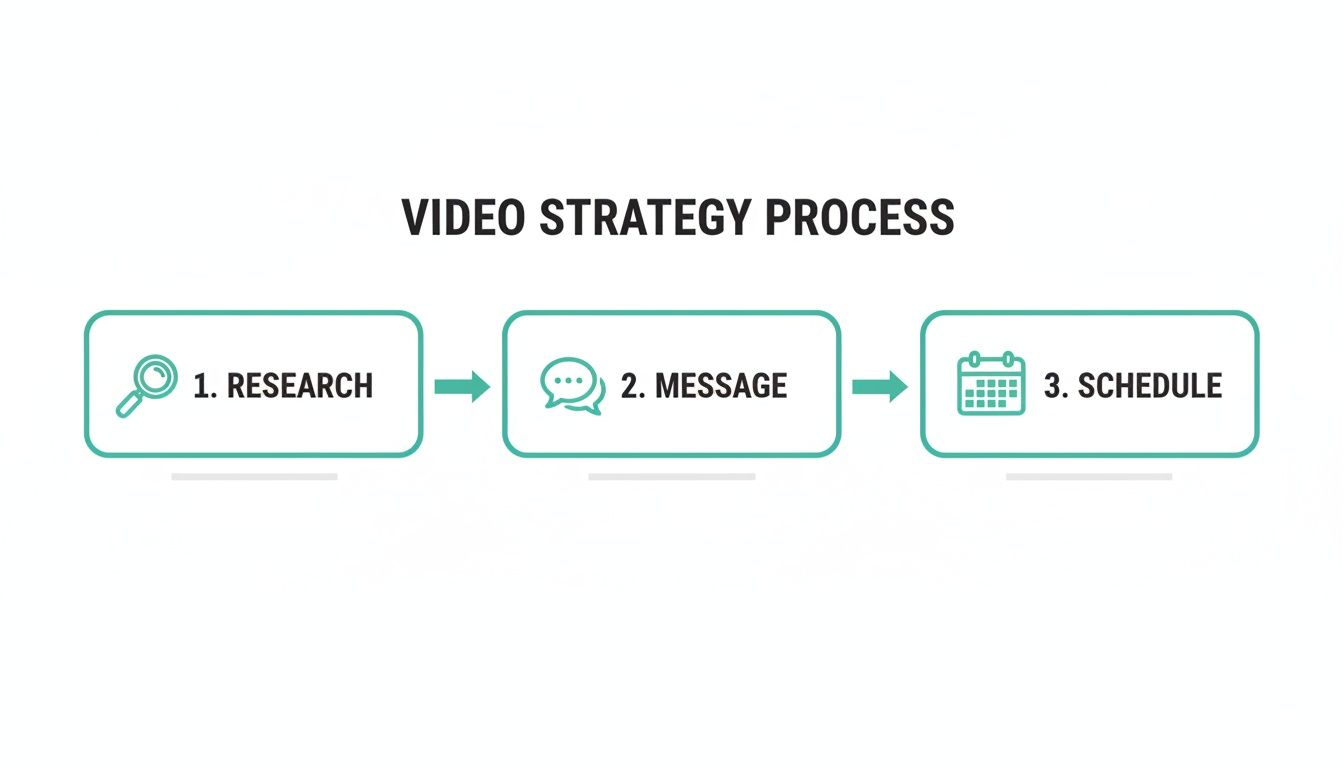
Research the audience, write the message, and plan production before making the video.
Key Phases For Effective Marketing Videos
Below is a quick snapshot of each phase, what you’re aiming for, and the main actions to tackle.
This table gives you a bird’s-eye view of the process. Keep it handy as you move from brainstorming to launch. With platforms like Adwave, you can centralize insights and streamline these steps under one roof.
Identify Your Target Audience
I once worked with a local coffee shop owner who zeroed in on regulars and their go-to drinks. Within two weeks, their videos saw a 40% lift in engagement.
Focus on collecting:
Demographics like age, location, income
Behavioral data such as purchase patterns and online habits
Challenges and preferences shaping purchasing decisions
By mapping out these details, every creative choice (from visuals to script) falls into place. Tools such as Adwave offer built-in analytics to segment audiences and pull real-time data.
Define Clear Goals
Turn your audience insights into measurable targets so you know exactly when you’ve hit the mark. If brand awareness is familiar, set view counts and click-through rates that matter.
Sample metrics:
5000 video views in the first week
500 website clicks from the video
10 new leads captured via online forms
Choosing the right benchmarks keeps production focused on real outcomes. Check out our guide on advertising account planning with Adwave to align budgets, channels, and timelines directly.
Align Brand Messaging
Every frame should echo your brand’s unique voice. Consistency in fonts, colors, and tone ensures viewers instantly connect the dots back to you.
Use your color palette and logo placement thoughtfully
Keep on-screen text concise and readable
Match voiceover pacing to the emotion you want to convey
Key takeaway: Align every phase with clear goals and a consistent voice to boost conversions and avoid wasted effort.
Review Brand Elements
Before rolling cameras, run through a final checklist:
Color palette and logo placement keep visuals cohesive
On-screen text style and character count maintain readability
Voiceover tone and pacing reinforce the desired mood
Adwave’s AI templates can help lock in these elements automatically, saving you precious time.
Get started with these tasks:
Map out three core phases in a shared document
Schedule deadlines for research, script reviews, and shoot days
Assign clear ownership for each phase to prevent bottlenecks
Gather initial feedback from stakeholders before rolling cameras
Analyze competitor videos to spot opportunities and gaps
Outline a feedback loop to refine scripts early
This planning roadmap sets you up for videos that grab attention and drive results. Next up: drafting your storyboard with precise shot lists, smoothly and efficiently.
Crafting Scripts And Storyboards
Treat your script as the backbone of every video. Nail the hook in the opening 5 seconds to make viewers pause and watch.
I once helped a fitness startup start with “What if one push-up changed your life?” That simple question drove a 30% lift in watch-through rates.
Surprise Stat: Drop an unexpected number right away.
Problem Statement: Open with a real pain point your audience knows.
Emotional Cue: Share a quick anecdote or visual that tugs at the heart.
Direct Address: Talk to “you” and make it feel personal.
Structuring Your Script For Impact
A strong script guides your audience on an emotional journey. Think of it like a three-act play: setup, development, resolution.
A charity film we produced layered urgency, hope, then a donation ask, and saw a 25% jump in contributions.
Here’s a simple outline to keep things tight:
Setup Context (first 10 seconds)
Highlight Core Message (next 15 seconds)
Show Transformation (following 15 seconds)
End With A Clear Call To Action
Write the ending as if you’re chatting, no lecturing.
Sketching Scenes Visually
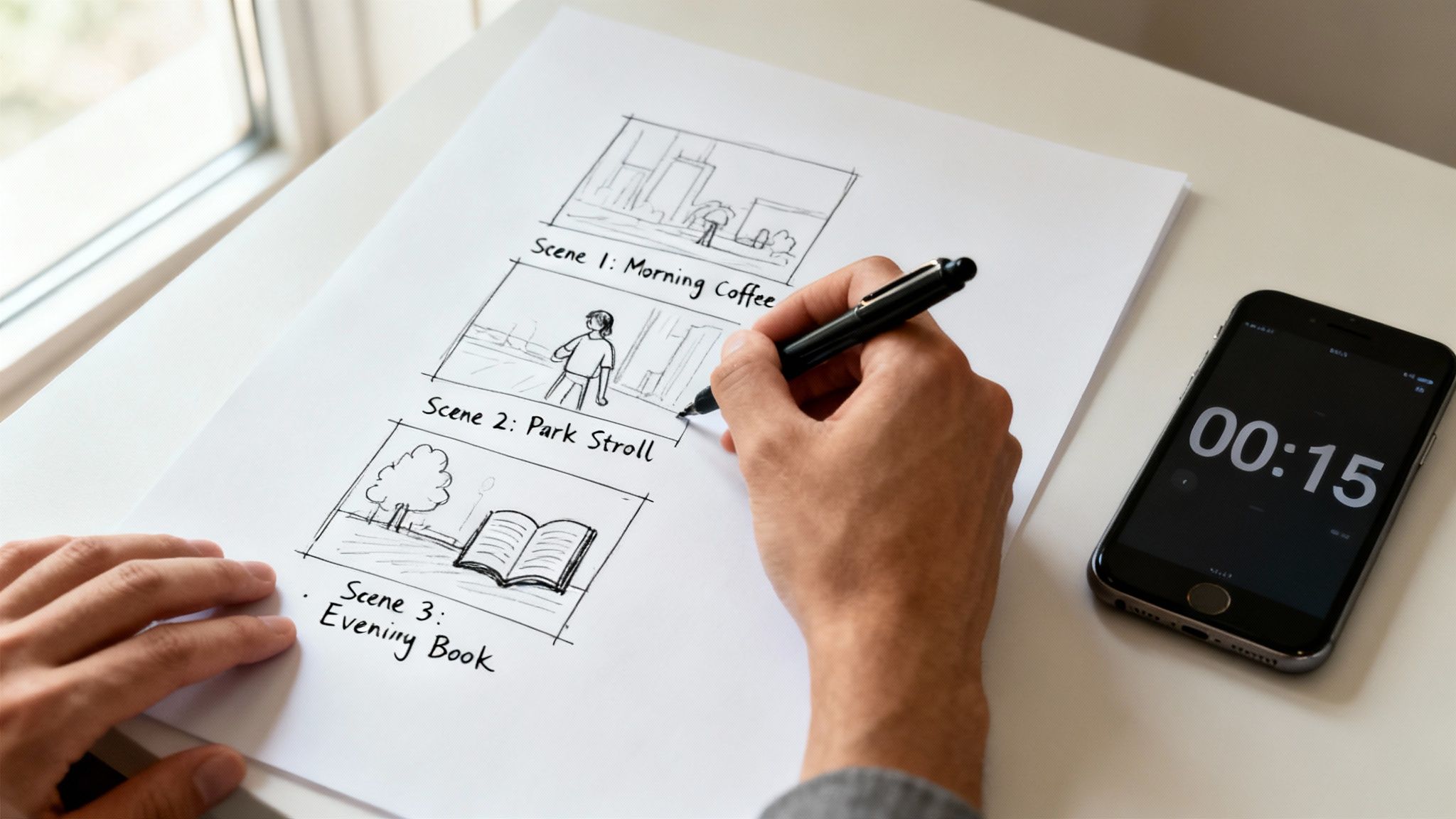
Before you roll the camera, sketch every shot. It’s the fastest way to spot gaps and confirm creative direction.
Note your camera angles, on-screen text, and transitions so you won’t get blindsided on shoot day.
A storyboard is your video’s GPS guiding every camera move and saving time on set.
Keep on-screen text minimal. Pick cuts, fades, or slides that fit the tone, skip the overused wipes and zooms.
Working Under Time Pressure
Tight deadline? Swap freehand sketches for a fill-in template and speed up approvals.
Use Adwave’s templates to auto-populate scene details from your URL in minutes. Then mix rough sketches with text cues so everyone can review quickly.
Choose a template matching your video’s length
Input key frames: hook, demo, CTA
Generate rough visuals and export a PDF
Gather feedback and lock in changes on the spot
For more on what makes an effective spot, check out our article on what makes a good TV commercial.
Writing Natural Dialogue
Real dialogue sounds unscripted. Ditch jargon and long monologues, write how people talk.
Read it aloud to catch any clunky lines or stumbles.
Keep sentences under 10 words
Use contractions to sound conversational
Match vocabulary to your audience’s everyday speech
Run a quick role-play with your team. That exercise helped a local bakery’s founder deliver lines that boosted shares by 15%.
Fine-Tuning On-Screen Text
Many viewers watch muted, so your overlays need to speak for themselves.
Limit each scene to two lines of text and give it at least a 2-second read time. Stick to brand fonts and use bold for emphasis.
Template And Next Steps
Grab the fill-in storyboard PDF to kick off your shoot. Each block should list shot number, description, dialogue, and visuals.
Print your storyboard and tape it near cameras
Assign someone to tick off each shot as you film
With your scenes mapped and dialogue refined, you’ll be all set to shoot efficiently, no surprises, just results.
Capturing High-Impact Video On A Budget
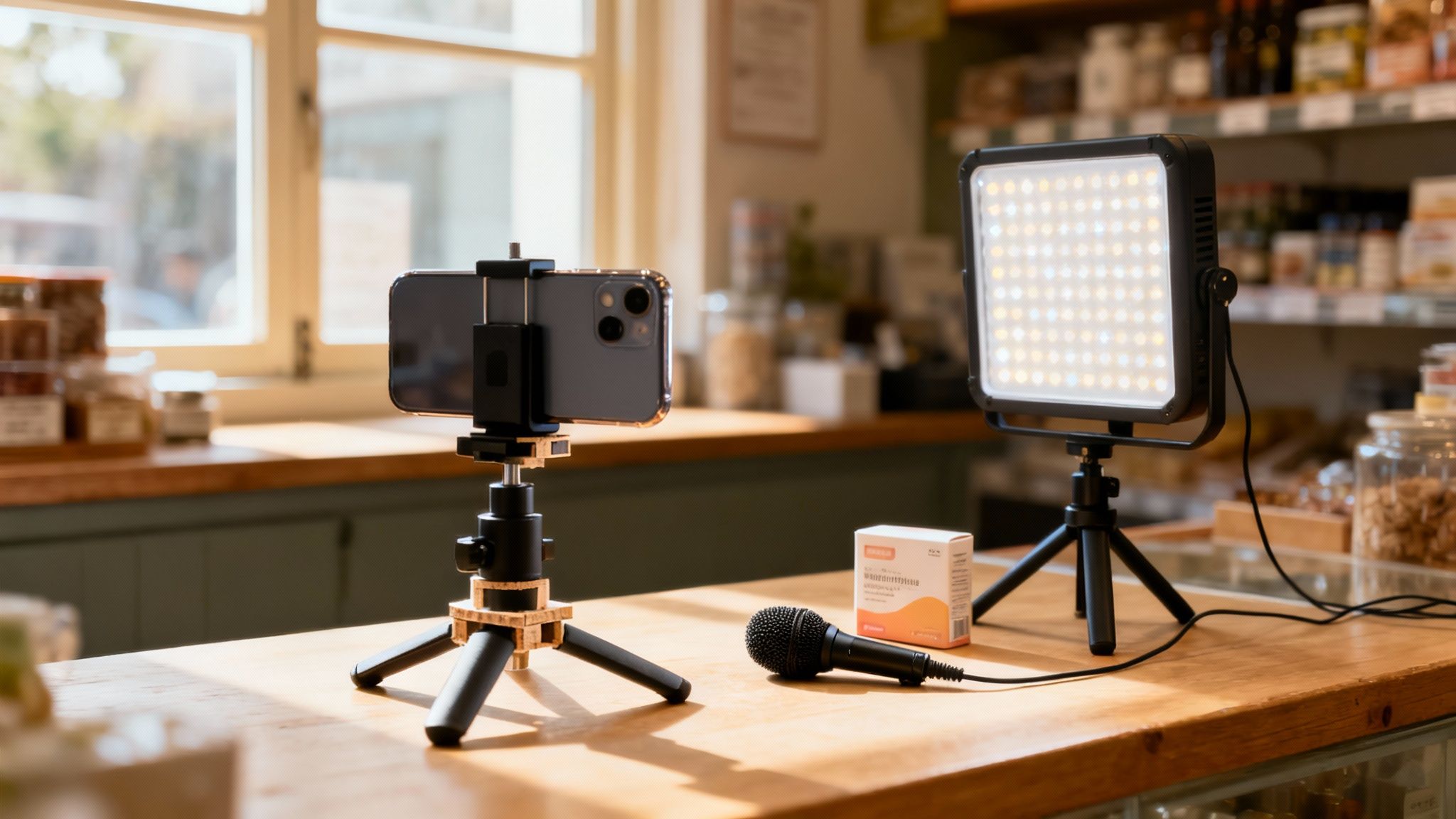
Working with almost no cash doesn’t mean settling for shaky, grainy footage. A simple smartphone rig (built from PVC, a clamp, and a few household weights) can replicate a pro stabilizer for under $20. Local bakeries have used this exact hack to freeze slow-motion flour clouds and catch every last crumb.
Meanwhile, crisp sound is essential. Clip-on lavalier mics under $30 plug right into your phone and instantly elevate a testimonial or interview. One neighborhood café owner swapped out their phone mic for a $25 lapel, and shares and trust went through the roof.
If your space looks flat, two LED panels (around $50 each) open up shadows and sculpt highlights. Position them at 45-degree angles for a classic three-point setup. A corner florist tried this trick and suddenly looked ready for network TV.
DIY Stabilizer And Lighting Hacks
DIY Stabilizer Setup PVC pipe + smartphone clamp = smooth sweeps
Small weights (coins, nuts, bolts) for balance
Tip: move slowly, jerks show up even at 60 fps
Budget Lighting Kit
Two 50W LED panels with diffusers
Gels in white or warm tones to set mood
Tripods or light stands sourced from thrift stores
“Smart gear hacks let you focus on story, not gear budgets.”
Embracing Cost-Free Locations
Shooting when foot traffic is low opens parks, streets, and plazas without permit fees. A local florist filmed at dawn in a nearby garden, trading rush-hour crowds for soft morning light and lush backdrops.
Community halls, college galleries, even painted alleyways often welcome free shoots, just ask permission and feature the venue on-screen. That shout-out builds goodwill and authentic local ties.
To keep shots steady, flip on your phone’s grid and lean into the rule of thirds. Move in gentle pans and tilts rather than jarring cuts.
Polishing Shots With Quick Fixes
Color casts from fluorescent bulbs? Free tools like DaVinci Resolve and built-in app filters will balance warmth and contrast in minutes. One small retailer used these tweaks to tame a greenish office glow, and suddenly all scenes matched.
A light pass in your audio editor evens out volume spikes and blends voiceovers with background music. Add subtle crowd murmur or shop ambiance from royalty-free libraries to anchor viewers in the scene. YouTube’s audio editor has basic EQ and compression at zero cost.
For deeper budgeting insight, check out our guide on TV ad production costs.
Key Insight Low-cost gear, paired with strong storytelling, can stand toe-to-toe with big-budget ads.
Incorporating Adwave’s AI-powered templates takes this even further. By feeding in your URL, you get instant shot lists and lighting notes, so you spend less time tinkering with gear and more time capturing moments that connect with local audiences.
Key Framing Tips
Push-in movements draw viewers in without cutting
Low angles give subjects an authoritative presence
Rule of thirds keeps compositions balanced and dynamic
These simple moves add polish without extra equipment.
Adwave offers broadcast-quality distribution starting at just $50 per campaign. Start experimenting with these hacks today and watch your video ROI climb.
Optimizing Video Editing For Performance
Editing raw footage into a compelling story is where your brand’s personality comes alive. For small businesses, faster turnarounds and smart cuts keep momentum high without drowning your team in hours at the workstation.
Trimming out silent pauses and unnecessary filler stops viewers from clicking away. Tight pacing pushes the narrative forward. Then, weave in on-brand graphics at just the right moments to reinforce your identity.
Streamlining Your Edit Workflow
Begin by grouping clips into folders labeled by scene or topic. Assemble a rough cut focused purely on story flow, then revisit to snip out any extra frames and nail your final run-time.
Group footage around key story beats.
Rely on keyboard shortcuts (J, K, L) for lightning-fast trimming.
Name graphic assets clearly so logos and lower thirds slide in directly.
A tight cut looks sharp, but it still needs polish. Next up: color correction and audio leveling.
Color Correction Basics
Consistent color gives every shot a unified look. First, fix white balance so no image feels too cold or too warm. Then adjust exposure to keep highlights from clipping and shadows from crushing.
Even out skin tones and backgrounds across shots.
Apply subtle contrast boosts for added depth.
Reserve LUTs for gentle style tweaks, not heavy-handed filters.
Audio quality is just as important. Target dialogue levels between -6 dB and -3 dB, then use a light compressor to smooth out peaks. Layer background music low enough that voices stay front and center.
Key Insight Consistent color and audio levels keep viewers focused on your message.
Speeding Up Mobile Delivery
Small, well-compressed files load faster on phones, and fewer dropped views mean better results. Converting to H.264 at a 3 Mbps bitrate typically strikes the right balance. Two-pass encoding preserves detail in busy scenes.
A local retailer tested moving their call-to-action to 20 seconds in and trimming five seconds off the intro. They saw a 25% boost in clicks and an 18% lift in completion rates on mobile.
“Putting the CTA up front kept people watching until the end,” notes video strategist Amy Cross.
Integrating Adwave For Faster Edits
Adwave’s AI templates handle the heavy lifting, auto-cutting subclips, marking in/out points, and even dropping in titles and transitions. You stay in creative control, while the platform speeds up the basics.
Upload your raw footage to Adwave.
Review the AI-generated rough cut and swap any off-brand moments.
Tweak timing, export your spot, and you’re broadcast-ready.
This workflow typically runs at about $15 to $35 CPM, including distribution to TV and streaming. Less time editing, more time optimizing performance.
Main Takeaway Lean workflows, precise color and audio balance, plus smart compression make your videos pop on any screen.
Always preview on phones, tablets and desktops. Watch for pixelation on small screens and test audio in noisy settings. Then archive your project:
MP4 for universal compatibility
AAC at 128 kbps for crisp sound
Fast start enabled for smooth streaming
Finally, dive into your analytics to spot playback issues and viewer drop-offs. Use that data to refine your next edit, and see engagement climb.
Start editing now with these techniques and watch your audience stick around.
Essential Video Creation Tools And Platforms
Choosing the right toolkit can save you hours (and dollars) when producing marketing videos. Smaller teams especially need a balance between power and usability to keep projects moving without a steep learning curve.
Whether you need an all-in-one suite or a single-purpose app, there’s a match for your workflow:
Compare tools that combine video creation with publishing or campaign management.
Specialized Apps zero in on tasks, think dedicated color grading or advanced audio mixing for maximum precision.
For vertical social clips, choose tools with mobile formats and readable captions. (Instagram)
Cloud Platforms let everyone jump into the same project, handling version control and feedback without any installs.
Teams we’ve worked with often cut editing time in half by combining mobile tools for quick cuts with a single hub for final tweaks.
Comparison Of Video Creation Platforms
Below is a quick overview to see which platform aligns with your team’s needs.
Introduction: This comparison table highlights key features of Adwave and two other popular tools. Use it to figure out which service fits your budget and skill level.
Conclusion: If you need everything in one place (templates, captions, and multi-channel publishing) Adwave clearly covers more ground.
Integrating Tools Into Your Marketing Stack
A video platform on its own is useful, but connecting it to your CRM and analytics dashboard makes it powerful. Push clips straight to your social queue or email list without manual exports.
Hook your editor up to your content calendar so new videos auto-schedule.
Sync subtitles with your hosting service for improved accessibility.
Automate uploads via Zapier or built-in connectors to TV and streaming outlets.
Feed performance metrics back into your dashboard for real-time insights.
Above, you can see Adwave’s timeline paired with its auto-caption panel, making last-minute edits painless.
Why Adwave Stands Out
In practice, small agencies cut rough-to-final edits by 50% once they lean on Adwave’s built-in AI and distribution features. Here’s what sets it apart:
AI Template Library breaks your script into scenes automatically.
Auto Subtitle Engine delivers perfectly synced captions in seconds.
One-Click Distribution pushes your video to over 100 channels, including NBC and Hulu.
Key Takeaway: A unified workflow means more time for creative storytelling and less time wrangling menus.
Real World Scenario
A neighborhood gym needed a 30-second TV commercial on a tight deadline. They turned to Adwave and hit their mark without blowing the budget:
Timeline: 10 minutes to spin website copy into a script, 5 minutes editing, then three clicks to place on 48 channels.
Results: 60% jump in class sign-ups and a 35% bump in site traffic.
This example proves you don’t have to trade speed for quality.
Whether you lean on Adobe Premiere Pro, InVideo, or Adwave, match the tool to your team’s rhythm. Test a few options, see what feels right, and watch your storytelling improve. Start experimenting today, and give your next video project the boost it deserves.
Measuring Video Performance And Driving Improvements
Once your marketing video goes live, the real journey begins. Pinpointing where viewers stick around or drop off is important for making smarter edits and higher-impact campaigns.
A reliable way to start is by tagging your links with UTM tags, which let you trace traffic back to its source. This clarity is priceless when you’re juggling Instagram posts, email newsletters, and website embeds.
UTM Source shows exactly which platform, Facebook, LinkedIn, or elsewhere, sent people your way.
UTM Medium breaks down the content type, like social or email.
UTM Campaign keeps each video push clearly labeled, so you never lose track of individual efforts.
Navigating Analytics Dashboards
After you’ve implanted UTM tags, dive into
and Facebook Insights. Focus on two key figures, Watch Time and View-Through Rate, to gauge both depth and breadth of engagement.Keep these points in mind as you explore:
Check average view duration to identify pacing hiccups.
Compare peak drop-off timestamps to refine your opening.
Apply demographic filters to find the audience segments that stick around the longest.
Make it a habit to review these dashboards every week. If you’re using Adwave, its built-in dashboard pulls all your metrics into one place, no hopping between tabs. When something underwhelms, zoom in on the exact timestamp. This drill-down tells you which scenes lose viewers so you can tighten or replace them.
“Continuous tracking turns raw numbers into smarter videos,” says a video strategist at Adwave.
Running A/B Tests For Thumbnails And CTAs
Dialing in thumbnails and calls-to-action can boost clicks more than most other tweaks. Here’s a straightforward approach:
Duplicate your video ad in the manager.
Swap out only the thumbnail or the CTA text.
Serve both versions under identical budgets and audience settings.
Wait for at least 1000 impressions before drawing conclusions.
A local bakery I work with swapped “Shop Now” for “See Fresh Bakes” and enjoyed a 12% lift in click-throughs on Facebook. Once you’ve identified the winner, apply it and then tackle the next element, creating a cycle of small but steady gains.
Simple Optimization Checklist
Before you wrap up each campaign, run through this quick list:
Confirm that UTM tags captured data correctly.
Review both watch time and view-through metrics.
Compare your A/B test outcomes and adopt the top performer.
Note any strange spikes or dips for closer investigation.
Plan specific tweaks for your next video based on these insights.
Learn more about advertising measurement best practices in our guide on Advertising Effectiveness Measurement.
Adopting A Continuous Improvement Mindset
True optimization never stops. After one run, a local retailer boosted conversions by 18% simply by trimming the intro and swapping out a few slow-moving scenes.
With Adwave’s real-time alerts and automated reports, you can pause underperforming spots and reallocate budgets to better time slots, no spreadsheet gymnastics required.
Review performance weekly rather than waiting a month.
Set clear thresholds for key metrics to trigger automatic alerts.
Change only one variable at a time to keep insights clean.
Archive older versions so you can compare edits or roll back if needed.
Key Takeaway Measuring performance and acting on insights isn’t optional, it’s how you ensure your marketing videos keep getting better.
Make tracking and testing part of your routine, and your videos won’t just launch, they’ll evolve into powerful conversion machines. Optimize continuously for lasting success.
Frequently Asked Questions
When you’re diving into making marketing videos, a few questions always pop up. Here’s a quick look at the biggest hurdles, and how to clear them.
There’s often confusion around ideal video length for different platforms:
TikTok and Instagram Reels: 15 to 30 seconds to grab attention
Facebook and LinkedIn: 60 to 90 seconds for in-feed scrolling
YouTube and TV spots: 2 to 3 minutes to tell a richer story
Tools like Adwave can even suggest the perfect runtime and optimize where your video shows up next.
Adding Captions On A Budget
Captions are important, but small teams often worry about costs. You don’t need a big budget to keep your videos accessible.
Consider these options:
Built-in auto-subtitles on Adwave at no extra charge
-
Exported transcripts courtesy of
A handful of free minutes every month from Otter.ai
Accurate captions boost both watch-time and reach. For instance, a neighborhood café we worked with turned one customer interview into five captioned clips, and stretched that single session into a month’s worth of social posts.
Repurposing content multiplies reach with minimal effort
Repurposing Content For Different Channels
Long videos are treasure troves when you know how to break them down. By slicing your master footage into bite-sized chunks, you’ll keep Facebook, TikTok, email newsletters and local TV spots fresh and engaging.
Here’s a simple workflow:
Spot the key moments in your full-length video
Clip highlights, think customer reactions or demo snippets
Add intros and outros that match each platform’s style
Use Adwave’s template library for on-brand graphics
This method can cut your editing time dramatically while feeding all your channels with new material.
Explore how Adwave can streamline your next campaign.