
If you're running a business with a physical location or a service area—like a local cafe, a plumbing company, or a real estate agency—you know that showing up in local search results is everything. It’s not just a nice-to-have; it's what brings customers through your door. The good news is you don't need a massive budget or expensive software to see what's working.
You can get a surprisingly clear picture of your local performance by piecing together insights from a few powerful, and completely free, Google tools. While these tools focus on organic visibility, remember that a strong brand presence powers everything. Services like Adwave make building that brand recognition accessible, driving the very searches you're about to track.
Why Free Local Rank Tracking Is a Game Changer

When a potential customer pulls out their phone and searches for "pizza near me" or "emergency roof repair," being one of the top results is the difference between getting their business or not. This isn't about vanity metrics. It’s about real-world dollars.
Tracking your local rankings is simply the process of measuring how well you’re showing up for these critical, high-intent searches. It’s not just about seeing if you’re #1. It's about understanding the entire journey, from the moment someone types in a query to when they tap to call your front desk or get directions to your shop.
The True Value of Local Visibility
The gap between appearing in the top three of the Google Local Pack versus just one spot lower is massive. In fact, businesses that consistently own those top spots see an average of 126% more traffic and 93% more interactions—like calls, website clicks, and direction requests—than those in positions 4-10. It’s a huge difference.
This is why you can't just "set and forget" your local SEO. You need to keep a close eye on it.
The most powerful part of tracking your local SEO is realizing it’s not just about a rank; it's about connecting with customers at the exact moment they need you. This is where free tools become your eyes and ears on the ground.
Building Your Free Tracking Toolkit
So, where do you start? Your entire free tracking strategy can be built on a foundation of a few core tools that, when used together, tell a powerful story about your local visibility.
To track your local SEO rankings with free tools, combine insights from Google Business Profile, Google Search Console, and manual geo-specific searches. This table summarizes the core tools covered in this guide.
These tools provide the raw data you need to make smarter marketing decisions without spending a dime on subscriptions.
Before you dive in, make sure your basic information is locked down. A critical first step is ensuring your business name, address, and phone must match everywhere online. In a crowded market, even small-budget efforts like a targeted TV ad campaign from Adwave can drive brand awareness and spark more local searches. By tracking the free metrics above, you can directly measure the lift from these kinds of campaigns.
Building Your Foundational Tracking System
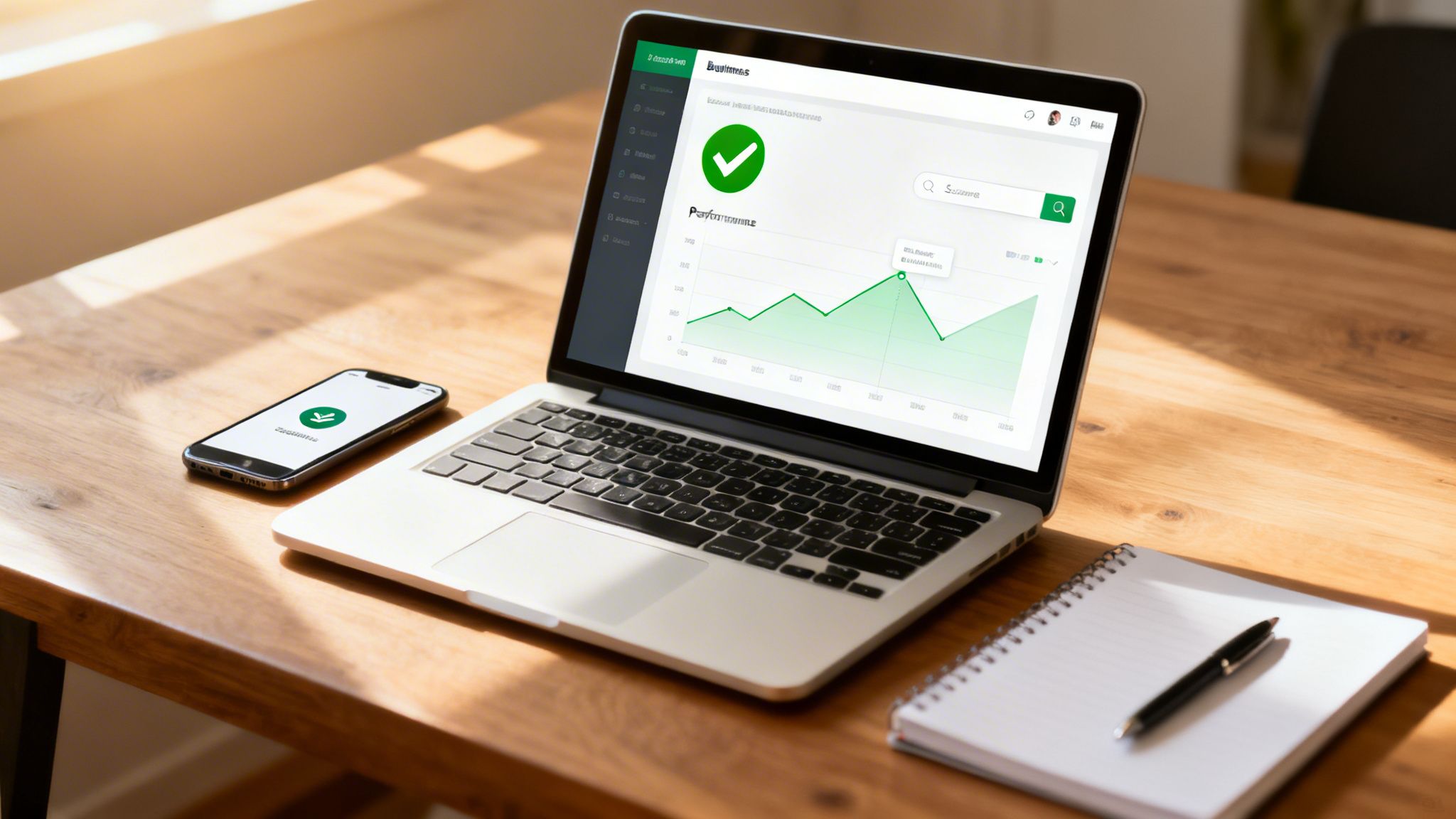
Alright, this is where we roll up our sleeves and get to work. To build a reliable local tracking system without spending a dime, we need to focus on two core Google platforms: __LINK_0__ and Google Search Console (GSC). Getting these two set up correctly is absolutely essential for understanding how local customers find you.
Think of it this way: GBP is your digital storefront. It’s what people see in the Local Pack and on Google Maps. GSC, on the other hand, is the diagnostic tool for your website, showing you what’s happening behind the curtain in organic search. When used together, they give you a surprisingly complete picture of your local visibility.
Optimizing Your Google Business Profile
First things first, you need to get your Google Business Profile in order. If you haven't already, head over to Google's GBP page to either create a new profile or, more likely, claim the one that probably already exists for your business. The verification process is a critical step—it’s how you prove to Google that you’re the real owner.
Once you're verified, your mission is to fill out every single section with detailed, accurate, and persuasive information. Don't skip anything.
Business Category: Be as specific as possible. Don't just list "Contractor"; choose "Plumber" or "Roofer." This precision helps Google match you to the right searches.
Service Areas: This is crucial for businesses that travel to customers, like a mobile car detailer. Pinpoint the exact towns and zip codes you serve so Google knows where to show your profile.
Business Hours & Details: If you run a brick-and-mortar shop, like a cafe, make sure your hours, menu link, and accessibility details are always up to date. This stuff matters. For example, research shows 73% of couples use Google to find wedding vendors, so a photographer's profile must be perfect.
Photos and Posts: Keep your profile fresh by regularly adding high-quality photos of your team, your work, or your location. Use Google Posts to share quick updates, announce specials, or highlight a recent project.
A complete, active Google Business Profile is a massive signal to Google that your business is legitimate and relevant. An incomplete or dormant profile is one of the biggest missed opportunities I see in local SEO.
Connecting Google Search Console
With your GBP looking sharp, it's time to connect its partner-in-crime, Google Search Console. GSC is all about how people find your website through organic Google search, which is the other half of the local visibility equation.
Setting it up is pretty straightforward. Go to the GSC website and add your website's domain as a new property. You'll need to verify you own it, which can usually be done by adding a small bit of code to your site or through your domain name provider.
Once you’re verified, find your sitemap (it's often at yourwebsite.com/sitemap.xml) and submit it to GSC. This simple action helps Google crawl and understand your site's structure more efficiently.
This initial setup won't give you ranking data overnight, but it kicks off the data collection process. Before moving on, it’s a great idea to run through Adwave’s free local SEO audit checklist to make sure you haven't missed any foundational issues. This ensures your profiles are primed and ready for the tracking methods we're about to dive into.
Using Google Business Profile Insights for Rank Clues
Think of your Google Business Profile (GBP) as more than just your business's online placard. It's a live feed of customer behavior, offering some of the most powerful clues you can get for tracking your local search performance. While it won’t give you a simple #1 or #2 ranking position, it shows you something much more meaningful: how real people are actually finding and interacting with you in local search.
Of course, none of this data is useful if your profile isn't set up correctly in the first place. You have to nail the fundamentals of optimizing your Google Business Profile for local success before you can start digging for insights. Once you're optimized, the "Performance" dashboard becomes your command center.
Decoding Your Performance Dashboard
When you open up your GBP dashboard and click on "Performance," you'll find a ton of data. It's easy to get sidetracked, but we're going to focus on the metrics that directly reflect your visibility and lead to actual business.
These are the numbers that show how your local SEO work is turning into real-world customer actions.
Searches: This is a goldmine. It shows you the exact search queries people used to find your business profile, telling you which keywords are hitting the mark.
Direction Requests: A fantastic signal of genuine intent. When someone asks for directions, you have a high-quality lead who is planning to walk through your door.
Website Clicks: This tracks how many people jump from your profile to your website. It’s a great sign that your GBP is successfully acting as a funnel to your main online hub.
Phone Calls: Simply the number of times people tapped the "call" button. For any service business, this is often the most important conversion of all.
Connecting Performance to Real-World Results
The real trick is to look for trends and connect the dots. Did you start offering a new service and then see a jump in related search terms? Or did running a Google Post about a weekend sale lead to more website clicks that week? This is exactly how you measure the direct impact of your efforts.
For example, a local bakery might add a new gluten-free line, create a post about it, and suddenly see a spike in searches for "gluten-free cupcakes near me." That's direct confirmation that they're now visible for that valuable, long-tail keyword. We've even seen this at Adwave when a simple, affordable TV ad created a noticeable lift in branded searches and direct profile interactions. The GBP performance dashboard is where that impact showed up first.
The true power of GBP Insights is its ability to link your marketing activities directly to customer actions. A surge in phone calls right after you optimize your service descriptions isn't just a coincidence—it's proof your work is paying off.
Looking Beyond the Obvious Metrics
While calls and clicks are the headline acts, don't sleep on the supporting cast. Engagement signals like photo views, Q&A interactions, and engagement with your Google Posts all build your profile's authority. High engagement sends a strong message to Google that your business is active and helpful, which can absolutely influence your rankings over time.
The numbers back this up. A fully optimized, verified Google Business Profile can generate around 200 clicks and 105 website visits every single month. Still, a staggering 58% of businesses haven't completely optimized their profiles, which makes these free tracking tools a huge competitive advantage for those who do. If you want to really dial things in, you can learn more about how to optimize your Google Business Profile for more calls.
Uncovering Local Keywords with Google Search Console
If your Google Business Profile is the front door to your business, think of Google Search Console (GSC) as the control room. It’s where you get the raw, unfiltered data on exactly how people are finding your website in Google's search results. This is where we move beyond just seeing that people found you and start understanding how.
GSC’s Performance report is a goldmine for local businesses. It lets you cut through all the random search noise and see the specific local queries that are driving traffic—or at least getting you seen. This is how you find out if you're really popping up for valuable searches like “plumber in downtown denver” or “best coffee shop near me.”
Finding Your Local SEO Opportunities
When you first open the GSC Performance report, the sheer amount of data can be a lot to take in. The trick is to know which filters to apply to surface the insights that actually matter for your local strategy. Just head to "Performance" and click the "+ New" button to start slicing the data.
I’ve found these filters to be the most powerful for local keyword discovery:
Query containing "near me": This is the most obvious one, but it's essential. It instantly pulls up every search where a user was explicitly looking for something in their immediate area.
Query containing your city/neighborhood: Next, I'll filter for terms that include specific locations, like "brooklyn" or "river north." This helps me gauge how well the business is penetrating key service areas.
Comparing data over time: Don't forget to use the "Compare" tab. Setting it to month-over-month or year-over-year can reveal trends. Did impressions for "roofer in miami" suddenly tank? That could be a new competitor muscling in or even a technical problem on your site.
You can get even more granular by stacking these filters. For example, try filtering for queries that contain both your service and your city to get a super-focused list of your most important local keywords.
From Data to Actionable Strategy
Once you have a filtered report, your job is to look for the stories in the data. I always hunt for keywords with high impressions but a painfully low click-through rate (CTR). These are your low-hanging fruit.
A query with 5,000 impressions and only 20 clicks is a massive red flag—and a golden opportunity. It tells you that you’re visible but not compelling. Optimizing that page's title and description could lead to a quick and significant boost in traffic.
This kind of analysis often uncovers keywords you didn't even know you were ranking for. I once had a landscaping client who discovered they were getting impressions for “backyard fire pit installation,” a service they offered but barely promoted. That's direct feedback from the market, telling you exactly what people want. It’s the perfect inspiration for a new service page or a series of blog posts.
Ultimately, digging into GSC isn't just about watching your rankings go up and down. It’s about truly understanding what your local customers are looking for and spotting where your strategy has gaps. When you pair these insights with other marketing initiatives, like a targeted TV campaign from Adwave, the picture becomes even clearer. A great ad can create a surge in both branded and non-branded local searches, and GSC is exactly where you’ll find the data to prove it.
Getting Granular with Geogrids and Manual Checks
Average rankings from Google Search Console are a fantastic starting point, but they don't tell the whole story. Local SEO is won on a block-by-block basis, not just city-wide. To really see what your customers see, you need to get granular. This is where geogrid rank tracking and smart manual checks come into the picture.
A geogrid tracker is a game-changer. It shows your rankings from multiple specific points across a map, instantly revealing your hyperlocal visibility. You might be shocked to find you're #1 when someone searches from your storefront but completely invisible just six blocks down the road. These are the kinds of blind spots that geogrids expose. While most advanced geogrid tools come with a price tag, many offer free trials or limited free versions that are perfect for periodic check-ins.
How to Perform Effective Manual Checks
If you don't have a geogrid tool, you can still get a surprisingly accurate snapshot by simulating the process yourself. All it takes is a little time and an incognito browser window.
Here’s a simple, repeatable process I use for spot-checking visibility in different parts of a service area:
First, open a new Incognito window. This is crucial because it prevents your personal search history, location, and signed-in Google account from skewing the results.
Next, manually set your location. Before you search for anything, scroll to the very bottom of the Google search page and click "Update location." From there, you can enter a specific address or zip code within the area you want to check.
Finally, search for your target keywords. Type in queries a real customer would use, like "emergency plumber near me" or "best tacos in east austin," and note your position in both the Local Pack and the standard organic results.
I recommend logging these findings in a simple Google Sheet. Over time, you'll build a historical record of your visibility across different neighborhoods. It’s a manual process, but it provides invaluable ground-level truth. While this is great for spot-checking, a more automated system is ideal for tracking local SERPs at scale.
The workflow below shows how you can use GSC to find the right keywords to focus on before you even start your manual checks.
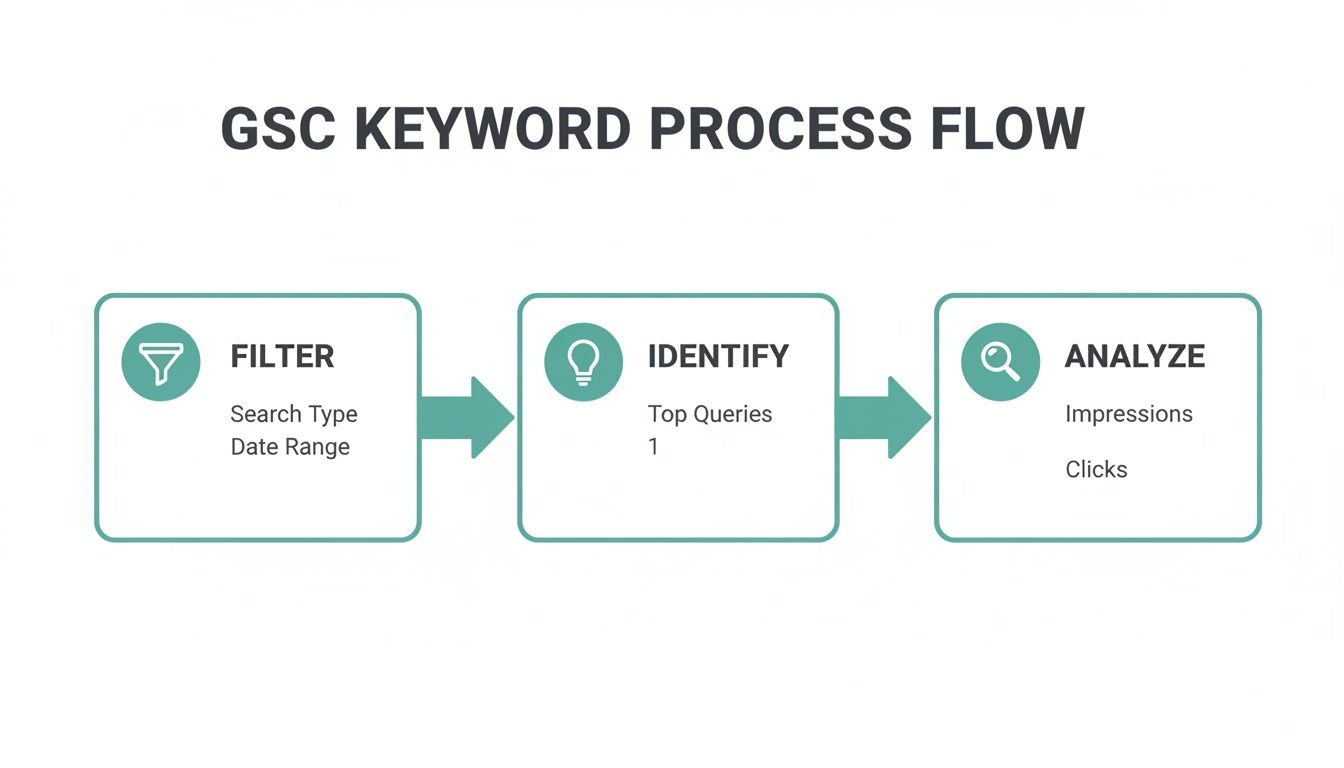
As you can see, filtering for high-impression keywords in GSC is the perfect way to identify the best opportunities to focus your manual tracking efforts on.
Why the Local Pack Is Everything
There's one overriding reason why this level of detailed tracking is so critical: winning the Local Pack. Think about this: a remarkable 52% of marketers now consider Google Local Pack positions their number one metric for SEO success. That puts it ahead of leads or even traditional organic rankings. For local businesses, free tracking tools are your secret weapon for climbing into those coveted top-three spots.
The real value of manual checks is catching the discrepancies that automated tools miss. You might discover your business is miscategorized in one part of town or that a competitor completely dominates a specific zip code—insights that allow you to take targeted action.
At Adwave, we see how this detailed tracking complements broader marketing efforts. For instance, a targeted TV ad can create a surge in "near me" searches, and using manual checks helps you see exactly where that new awareness is translating into better visibility on the ground. Of course, strong visibility also depends on having consistent business information everywhere, which is why we put together a guide on local citation building.
Connecting Local SEO with Broader Marketing Efforts
It's easy to get tunnel vision with local SEO, focusing only on rankings and map pack visibility. But that’s a mistake. Your local search performance is deeply tied to everything else you do to promote your brand.
Think about it. Every marketing move you make—sponsoring a local event, sending out a community mailer, or even running a TV ad—can create a ripple effect that ends up in a Google search. Someone hears your company's name, and what’s the first thing they do? They pull out their phone to look you up.
Measuring the Impact of Brand Awareness
This is where your free tracking toolkit really shows its worth, helping you connect the dots and prove ROI. Let’s say a local home services business decides to run a targeted TV ad campaign with a service like Adwave. Before a single ad airs, the smart move is to grab a baseline from their Google Business Profile and Search Console data. They'd want to know their average monthly branded searches, direct profile views, and impressions for "near me" queries.
Once the Adwave campaign is live on platforms like Hulu or ESPN, they just need to keep an eye on those same metrics.
The magic happens when you see a clear spike in branded search volume and direct traffic that lines up with your ad schedule. That's not just a hunch; it's hard data showing your advertising dollars are actively pushing people to find you online.
By tracking this, the business can now directly attribute that surge in local search interest to their Adwave campaign. It proves that affordable, AI-powered TV advertising isn't just some vague "brand awareness" play. It's actively boosting their digital footprint and fueling the online journey that leads right to their door.
A Few Common Questions
Here are a few questions I hear all the time when business owners start tracking their local rankings.
How Often Should I Really Be Checking My Rankings?
It's easy to get obsessed with checking your rankings every day, but that’s a quick way to drive yourself crazy with normal, everyday fluctuations. For most local businesses, a weekly check-in is the perfect rhythm.
This gives you enough data to see real week-over-week trends in your Google Business Profile Insights—like views, direction requests, and clicks. You can quickly spot if your performance on your most important keywords is trending up or down. Save the more time-consuming manual SERP checks or geogrid reports for a monthly or quarterly review.
What Do I Do If My Visibility Suddenly Tanks?
Okay, first thing's first: take a breath. Seeing your hard-earned visibility disappear overnight is jarring, but it's usually caused by something straightforward. Before you assume the worst, run through this quick diagnostic checklist.
Check Your Profile Status: The most common culprit is a profile issue. Log into your Google Business Profile and look for any red flags. Has your profile been suspended or disabled? Are there any alerts from Google about policy violations you need to fix?
Retrace Your Steps: Did you make any changes recently? Even a small update to your address, business hours, or primary category can cause a temporary dip while Google re-evaluates your information.
Scope Out the Competition: Take a look at the search results. Did a new competitor just open up down the street? Or maybe an existing one just got a flood of new 5-star reviews and revamped their profile.
How Can I Track a Business with Multiple Locations?
Tracking multiple locations doesn't have to be complicated, it just requires a bit more organization. The core principles are exactly the same.
You’ll need a separate, fully optimized Google Business Profile for each individual location. From there, the key is to create a master Google Sheet. In this sheet, you can log the key metrics from each location's GBP Insights—calls, website clicks, top search queries, and so on—side-by-side.
This gives you a powerful command center view. You can instantly compare how each storefront is performing and spot which locations might need a little extra marketing love.
While these free tools are incredibly powerful for tracking your organic presence, a truly effective local strategy often combines both organic and paid efforts. Adwave helps you amplify what you're doing with SEO by building brand awareness through affordable local TV advertising. A strong brand presence often leads to more direct searches—the very metrics you're working so hard to improve.
Discover how Adwave makes TV advertising accessible for your business.


