At its core, Local Schema Markup is simply a way of speaking Google’s language. It's a specific type of code you add to your website that translates all your key business information (your name, address, phone number, and services) into a format that search engines can read and understand instantly.
Your Digital Handshake With Google

Think about how a search engine "reads" your website. While a human visitor can easily spot your business hours or service area, a search engine crawler just sees a wall of text. It doesn't always have the context to know if a string of numbers is a phone number, a street address, or part of a product's model number.
This is where Local Schema Markup comes in. It removes all that guesswork. It's like handing Google a perfectly organized digital business card for your company, where every piece of information is clearly labeled.
Why Is Local Schema Non-Negotiable?
This isn’t just some technical tweak for web developers; it's a cornerstone of modern local SEO. Without it, you’re forcing Google to make educated guesses about your business, which can lead to it showing the wrong information, or worse, not showing your business at all.
Local schema markup puts you in control by explicitly telling search engines:
Who you are: Your official business name and logo.
Where you are: Your exact physical address, down to the zip code.
How to contact you: Your primary phone number and website.
When you're open: Your specific hours for every day of the week.
What you offer: The services or products you provide.
When Google is 100% confident in your data, it's far more likely to reward you. This means a better chance of landing in high-visibility spots like the Local Pack and Knowledge Panels. These results are rich with details like star ratings, maps, and hours, making your business stand out from a simple blue link.
Meet JSON-LD: The Modern Standard
In the past, adding this code meant weaving it directly into your website's HTML. This was messy and a single typo could break your site's layout. Thankfully, we now have a much cleaner method: JSON-LD (JavaScript Object Notation for Linked Data).
Think of JSON-LD as a simple, self-contained set of instructions. You can drop this block of code into your website’s header without touching any of the content your visitors see, making it much easier for anyone to manage.
This is the format Google officially recommends because it's so efficient and flexible. It allows you to provide a ton of organized information in one neat package. By learning how schema markup can simplify how Google understands your business, you’re matching your site with the best practices for being found online.
For businesses running broadcast-quality TV ads with Adwave, this creates a powerful connection. Your TV campaign builds brand recognition, and when those inspired viewers search for you online, a properly marked-up website ensures they find a detailed, trustworthy, and impressive result. It closes the loop perfectly between broadcast advertising and digital action. For more on strengthening your online footprint, check out our guide on local citation building and getting listed everywhere.
The Competitive Edge of Local Schema in SEO
When you add local schema to your site, you’re no longer just hoping Google figures out who you are and what you do. Instead, you're handing Google a detailed blueprint of your business. This clarity is what gets you featured in the most valuable spots on the search page: the Local Pack and the Knowledge Panel. These are the info-packed boxes you see for "near me" searches, and they're exactly where customers decide who to call.
Turning Visibility into Action
These snippets can include:
Star Ratings: Instantly builds trust by showing off your average review score.
Business Hours: Tells a potential customer if you're open right now, answering one of their most urgent questions.
Direct Actions: Adds buttons like "Book Now" or "Order Online," making it easy for customers to take the next step.
Price Ranges: Helps you attract the right customers by setting clear expectations from the very first glance.
All this extra visibility leads directly to real-world results. Studies have shown that pages with these rich snippets can see an 82% higher click-through rate compared to those without. More clicks from qualified customers mean more phone calls, more appointments, and more money in your pocket.
Local schema isn't a direct ranking factor in the traditional sense, but its effect on user engagement sends powerful signals to Google. When searchers consistently click your result over others, Google notices. Over time, this can absolutely give your rankings a boost.
The Adwave and Schema coordination
This advantage gets even stronger when you pair it with other marketing, like a local TV campaign. Imagine a homeowner sees a slick, professional TV ad for a local roofing company, an ad created and delivered by Adwave. The ad creates instant brand recognition and reaches thousands of ideal customers in a specific service area.
So, what does that homeowner do next? They grab their phone and search for the roofer's name.
This is the moment where your local schema becomes the most important link in the chain. A website optimized with schema ensures that the searcher is greeted by an authoritative, information-rich Knowledge Panel. They immediately see the roofer's 5-star rating, service area, and a click-to-call phone number. It’s a connected journey from the TV screen to the search result to a phone call, capturing the high-intent customer that Adwave's campaign just created. Broadcast advertising drives the awareness, and schema-powered SEO converts that interest into immediate business.
Seizing the Opportunity
Despite how powerful this is, a surprising number of businesses aren't doing it. Data from Schema.org shows that as of 2024, only about 12.4% of all domains are using any form of structured data. This leaves a massive opening for you. By putting local schema in place now, you can get a significant head start on competitors who are still practically invisible to search engines.
Use the same business name, address, and phone number in your website, schema, and listings. (improve local SEO for service businesses)
Essential Local Schema Types for Your Business
Alright, we’ve covered the "why" behind local schema. Now, let’s get our hands dirty and look at the "how." The great news is you don’t need to be a coding whiz to put this to work for your business.
The starting point for pretty much all local schema is the LocalBusiness type. Think of it as the main blueprint you hand over to Google, outlining the absolute basics of your physical business.
But here's where the magic really happens: getting more specific. While LocalBusiness is the general category, there are dozens of industry-specific subtypes that give Google much richer context about what you actually do. Nailing the right subtype is how you start connecting with customers who are ready to buy.
This isn't just some abstract technical task; it directly translates into real-world growth.
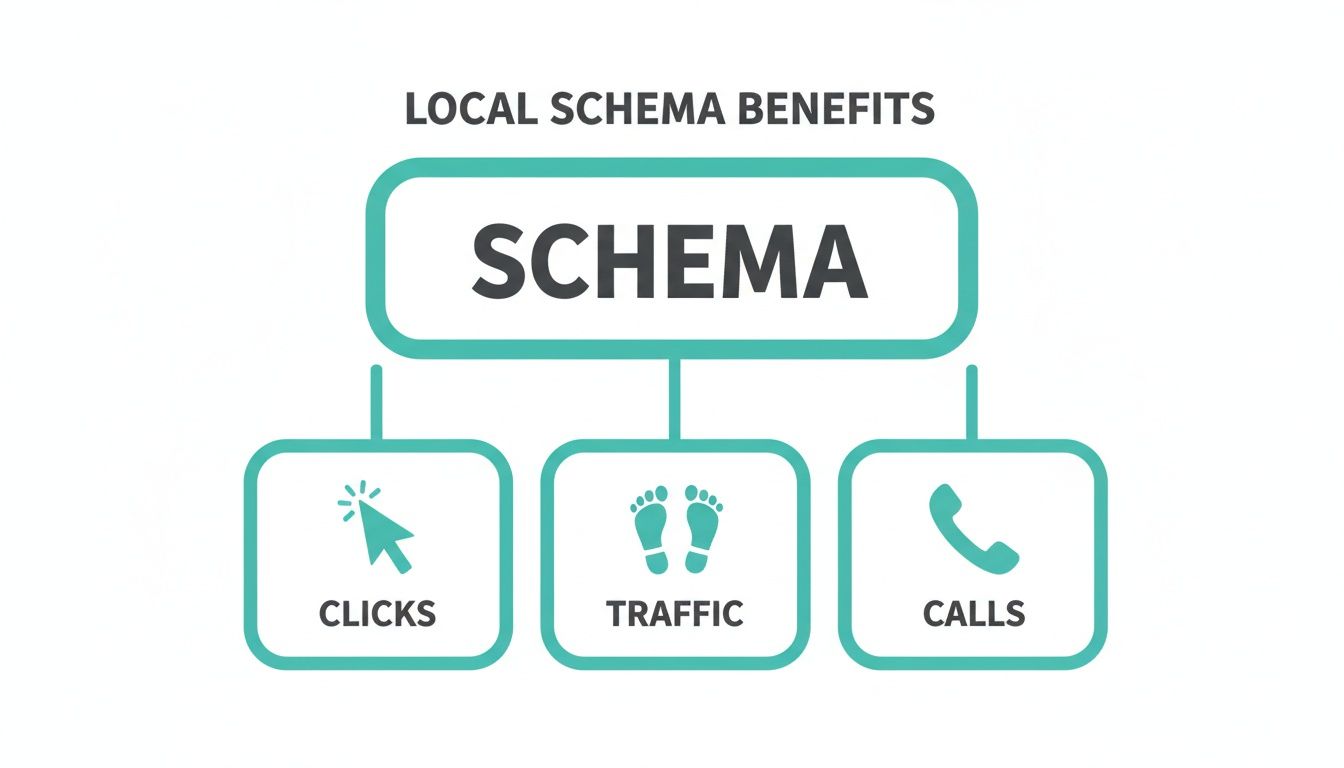
As you can see, structured data is a direct line to getting more clicks, more website traffic, and, most importantly, more phone calls from qualified local customers.
The Foundation: LocalBusiness Schema
Every single local business, no matter the industry, should start with the basic LocalBusiness schema. This code spells out the non-negotiables for Google, your name, address, and phone number (NAP). Getting this right and keeping it consistent everywhere is step one.
Here’s a simple template to get you started. Just copy this, swap the placeholder details with your own, and you're ready to go.
{ "@context": "https://schema.org", "@type": "LocalBusiness", "name": "Your Business Name", "image": "https://yourwebsite.com/logo.jpg", "@id": "https://yourwebsite.com/#business", "url": " https://yourwebsite.com", "telephone": "555-555-5555", "address": { "@type": "PostalAddress", "streetAddress": "123 Main Street", "addressLocality": "Your City", "addressRegion": "ST", "postalCode": "12345", "addressCountry": "US" }, "openingHoursSpecification": { "@type": "OpeningHoursSpecification", "dayOfWeek": [ "Monday", "Tuesday", "Wednesday", "Thursday", "Friday" ], "opens": "09:00", "closes": "17:00" } }
To make this code even more powerful, you should include a few more key properties. These details directly feed into Google's Knowledge Panel and can help you earn rich results.
Key Local Schema Properties and Their Purpose
Adding these properties gives Google a much clearer picture of your business, making it easier for the search engine to recommend you to the right people.
Industry-Specific Schema Examples
While the general LocalBusiness type is a fantastic start, choosing a more specific subtype is like giving Google a super-targeted clue about your niche. This goes hand-in-hand with selecting the right primary category for your Google Business Profile. In fact, making sure these two things match is a cornerstone of a powerful local SEO strategy.
We cover that topic in-depth in our guide on choosing the right Google Business Profile categories.
Let's look at a few common examples.
For a Restaurant:
Using the Restaurant schema lets you highlight details a hungry customer is actively searching for, like your cuisine type and whether they can make a reservation.
{ "@context": " https://schema.org", "@type": "Restaurant", "name": "The Corner Bistro", "servesCuisine": "Italian", "acceptsReservations": "True", "address": { "@type": "PostalAddress", "streetAddress": "456 Oak Avenue", "addressLocality": "Your Town", "addressRegion": "ST", "postalCode": "67890" }, "telephone": "555-123-4567" }
For a Home & Construction Business:
If you’re a plumber, roofer, or HVAC technician, the HomeAndConstructionBusiness schema immediately sets you apart. Imagine a roofer who just saw a flood of new interest from an Adwave TV ad. By using this schema, their website instantly confirms their expertise when those viewers search for them online, creating a connected journey from TV screen to qualified lead.
{ "@context": " https://schema.org", "@type": "HomeAndConstructionBusiness", "name": "Reliable Roofing Co.", "description": "Expert residential and commercial roofing services.", "address": { "@type": "PostalAddress", "streetAddress": "789 Pine Lane", "addressLocality": "Your City", "addressRegion": "ST", "postalCode": "54321" }, "telephone": "555-987-6543" }
For an Automotive Business:
For an auto repair shop, dealership, or tire center, the AutomotiveBusiness schema (or a subtype like AutoRepair) is important. It tells Google exactly what you do, helping you show up for valuable searches like "oil change near me" or "brake service in [Your Town]."
{ "@context": " https://schema.org", "@type": "AutoRepair", "name": "Main Street Auto Service", "description": "Full-service auto repair and maintenance.", "address": { "@type": "PostalAddress", "streetAddress": "101 Mechanic Drive", "addressLocality": "Another Town", "addressRegion": "ST", "postalCode": "11223" }, "telephone": "555-222-3333" }
By taking a few minutes to use these templates, you can implement local schema markup and give search engines the clarity they need to send more local customers your way.
Connect Your TV Ads to Search Results with Local Schema

Broadcast advertising is fantastic for building familiar awareness. When thousands of people in your service area see your compelling TV ad, your brand becomes their first thought. But what happens in those important moments after the ad ends? They reach for their phones.
This is where your digital presence needs to pick up the ball and run with it. Local Schema Markup is the bridge that turns the broad awareness from an Adwave campaign into direct, measurable action for your business.
From TV Screen to Search Result
This is the moment of truth. Without local schema, they might just see a basic blue link, or worse, a competitor's ad could show up first. But with a schema-optimized website, they’re greeted by an authoritative, info-packed search result.
The search result instantly shows the roofer's 5-star rating, a click-to-call phone number, a map to their office, and their exact service area. The customer doesn't have to hunt for information; it’s all right there. This smooth, easy experience turns a casual search into an immediate phone call.
This powerful combination ensures the investment you make in TV advertising pays off by capturing high-intent customers the second they decide to act. It’s a direct line from their TV screen to your phone line.
The Numbers Don't Lie
This one-two punch of broadcast ads and local schema isn't just a nice idea, it's backed by hard data. If you're a small business using Adwave to run affordable TV ads on platforms like NBC and Hulu, you're already reaching the right local audience. But what if your website could whisper its most important details directly to Google?
That's exactly what Local Schema Markup does. It’s structured data that clearly tells search engines your business name, address, phone number (NAP), hours, and services in a language they understand perfectly.
The results are pretty staggering. Studies show that adding Local Schema can:
Boost your impressions in rich results by 17%.
Increase click-through rates (CTR) by up to 25-30%.
When your search listing pops up with star ratings, a map, and business hours, it stands out in the local pack, those top map results for "near me" searches. Industry benchmarks show that businesses using LocalBusiness schema often see a 3-5 position improvement in local visibility. For a real estate agent or an auto shop, that translates directly into more foot traffic and phone calls.
One real-world example saw a chain of cafés add schema in 2023 and completely dominate their local pack rankings in three months. We're seeing similar results for service providers across the board. You can dive deeper into how local schema is driving these results on Visalytica.com.
A Serious Competitive Edge for Adwave Users
Here’s the kicker: this strategy is especially powerful because so few of your competitors are doing it. As of 2024, only 12.4% of all domains use structured data. This means Adwave clients who pair their TV campaigns with a schema-optimized website gain a massive advantage. While your competitors are just names, you become an interactive, trustworthy solution that's easy to contact.
As search engines evolve with AI Overviews and more conversational search, having this kind of detailed, machine-readable data is becoming non-negotiable. It’s what ensures your business gets pulled into these new answer formats. For local businesses, combining affordable, targeted TV advertising with the technical precision of local schema markup creates an unbeatable formula for growth. It’s how you make sure awareness always leads to action.
How to Test Your Schema and Measure Success
You’ve put in the work to add local schema markup to your site. That's a great first step, but how do you know if it's doing anything? Just pushing the code live and hoping for the best won't cut it. You need to confirm Google can read it properly and then track what impact it has on your search visibility.
Think of it like this: you wouldn't launch a new TV ad with a partner like Adwave without checking if the broadcast signal is clear and then tracking whether it brought more people into your store. The same applies here. Thankfully, Google gives us the tools to do both.
Validate Your Code with the Rich Results Test
Before your code even sees the light of day, you have to test it. One tiny typo (a misplaced comma or a missing quotation mark) can break the whole thing, making all your effort worthless. Google will simply ignore broken code.
This is where the Rich Results Test comes in. It’s a free, indispensable tool from Google. You can either paste your JSON-LD code snippet directly into it or give it a URL, and it will show you exactly how Google sees your markup.
Here is what the Rich Results Test interface looks like when you're ready to check your code.
The tool gives you immediate feedback. You’ll either get a green light confirming your code is valid or a red flag showing the specific errors that need fixing. This simple pre-flight check saves you from the frustration of discovering weeks later that your schema was never working in the first place.
Monitor Performance in Google Search Console
Once your schema is live and validated, the real work begins: measuring its performance. Your go-to tool for this is Google Search Console (GSC). If you don’t have your website set up with GSC, stop what you’re doing and get it done. It's the most direct line of communication you have with Google.
Inside the "Performance" report, you can track your total clicks and impressions. To gauge the impact of your schema, compare your site's performance from the period before you implemented it to the period after. A bump in impressions or a higher click-through rate (CTR) is a fantastic sign that your rich results are catching searchers' eyes.
For a more detailed look, head over to the "Enhancements" section in the GSC sidebar. This is where Google reports on the specific schema types it finds on your site, like 'LocalBusiness', 'Products', or 'FAQs'.
This report sorts your pages into three buckets:
Valid: Perfect! These pages have correct schema and are eligible for rich results.
Valid with warnings: The schema is working, but you're missing some recommended details that could make it even better.
Error: The schema on these pages is broken and can't be read. These need immediate attention.
From Data to Actionable Insights
Seeing an "Error" in Google Search Console can feel daunting, but the fixes are usually straightforward. Most problems come down to a missing comma, a bad URL, or using a property that doesn't belong. GSC pinpoints the exact issue on the exact page, which takes most of the guesswork out of troubleshooting.
By checking these reports regularly, you can ensure your local schema markup is not just technically sound but is actively driving real business results. This is especially important for businesses running TV ad campaigns with Adwave. The data in GSC can show you whether the search traffic from those ads is converting into higher engagement online, proving the powerful coordination between your broadcast and digital marketing. If you want to do a full review of your online presence, our local SEO audit checklist provides a great starting point.
Ultimately, consistent testing and measurement are what turn schema from a one-off technical task into a strategic asset for your business.
Common Questions About Local Schema Markup
Whenever I talk to business owners about local schema markup, the same few questions always pop up. It's a powerful piece of the local SEO puzzle, so it's only natural to have some questions before you dive in. Let's clear up some of the most common ones.
Think of this section as a quick FAQ to get you over any final hurdles. My goal is to show you exactly how this seemingly technical task translates into more customers for your business.
Does Local Schema Guarantee a Top Ranking?
This is always the first question, and the honest answer is no, local schema isn't a magic button that guarantees you the #1 spot. It’s better to think of it as a massive advantage, not a silver bullet. Local SEO is a complex recipe, and your ranking depends on many things: the quality of your website, your customer reviews, local backlinks, and a rock-solid Google Business Profile.
What schema does do is make your website eligible for rich snippets. These are the eye-catching extras in search results like star ratings, event details, or even pricing. They can drastically boost how many people click on your link, even if you aren't in the absolute top position.
A business ranking third with 5-star ratings and its hours clearly displayed is often far more tempting to a searcher than a plain blue link sitting at number one. Schema helps you win the click, and that’s a huge signal to Google.
Ultimately, while it won't guarantee a top rank by itself, trying to compete in today's local search results without it is getting next to impossible.
Is Adding JSON-LD Schema to My Website Difficult?
That "JSON-LD" acronym sounds pretty technical, I get it. But the good news is that adding it to your website is easier than ever. You definitely don’t need to be a coding whiz to get this done.
In fact, most popular website platforms have made implementing schema simple:
WordPress plugins such as Rank Math can generate local business schema from the details you enter.
Online Schema Generators: A quick search will turn up dozens of free tools that build the code for you. You tell it you're a LocalBusiness, fill in the fields, and it spits out a clean snippet of code.
Copy and Paste: From there, you just copy the code and paste it into the <head> section of your website's HTML. The examples earlier in this guide were designed for you to do just that, copy, customize, and paste.
The days of needing to write this code from scratch are long gone. This is a very manageable task for any savvy business owner. Of course, for those who want a completely hands-off solution, working with a partner like Adwave can ensure all technical SEO, including schema, is expertly handled.
How Is Local Schema Different From Google Business Profile?
Great question. It's confusing because they work so closely together. The best way to think about it is that they are two sides of the same coin, both working to prove your business information to Google.
Your Google Business Profile (GBP) is what you tell Google directly on its own platform. Local schema markup is the code on your own website that independently confirms that same information.
When your name, address, and phone number (NAP) on your GBP perfectly match the NAP in your website's schema, Google sees a strong, consistent signal. It becomes highly confident that your business data is accurate. This consistency is a major factor in local rankings and also unlocks more advanced search features that GBP can't enable on its own. For the best results, you need to optimize both.
Can I Use Multiple Schema Types on One Page?
Yes, and you absolutely should when it's relevant! Google is built to read and understand multiple, nested schema types on a single page. Doing this helps you paint a much richer, more complete picture of what your business offers.
For instance, a local restaurant's homepage could easily use:
Restaurant schema for its main business details.
Event schema to highlight an upcoming special dinner or live music night.
FAQPage schema to answer common questions about reservations or dietary options.
Layering your schema this way gives Google a ton of context about everything happening at your location. The only rule is to make sure the schema you add is directly related to the content on that page. This becomes even more powerful when you're running a TV ad with Adwave. A viewer who sees your commercial can search for you and instantly find a result packed with your business type, current promotions, and helpful Q&As all at once.