Ready in minutes
AI builds your ad from a single prompt


July 03, 2026
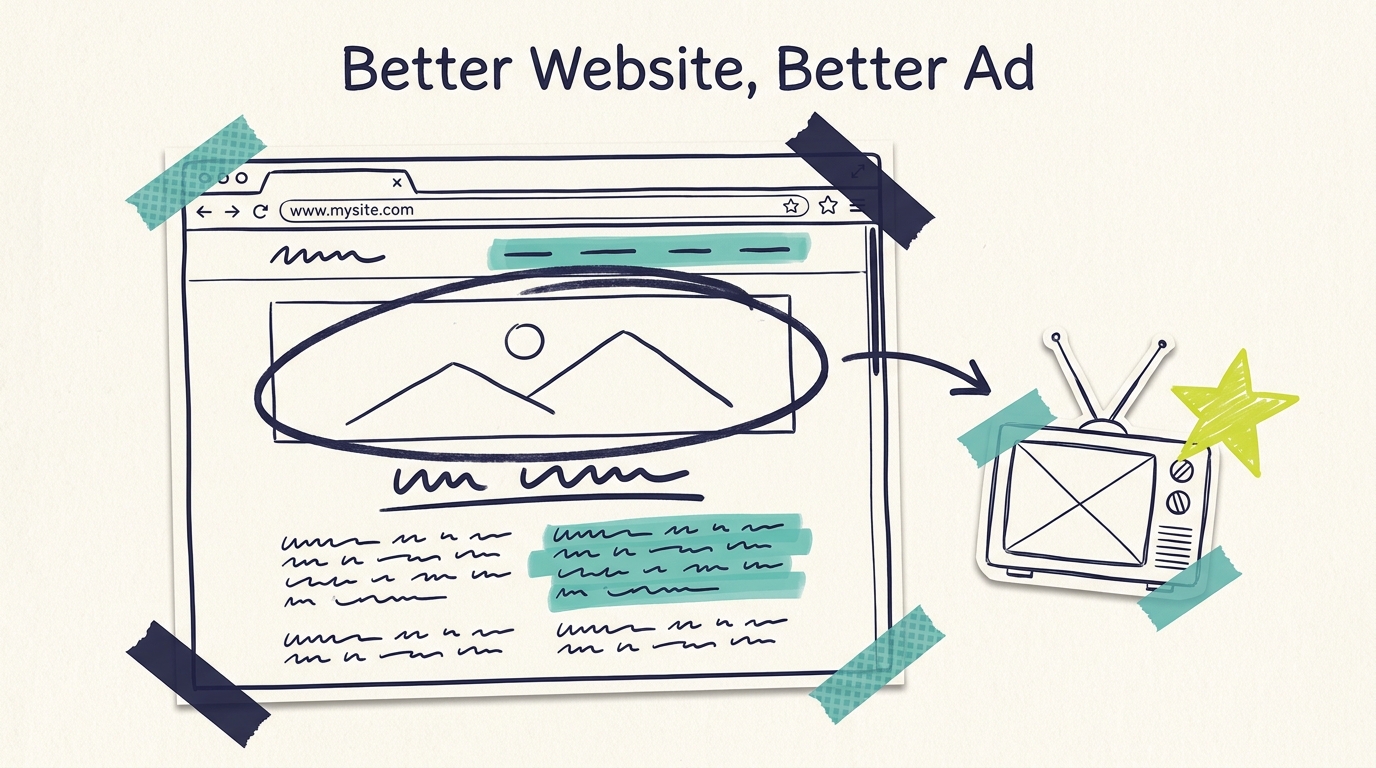
Adwave's AI builds your TV commercial from your website. That single fact is the key to getting a great ad: the quality of your source page directly shapes the quality of your 30-second spot. Preparing your website for your Adwave ad, which usually takes 15-30 minutes of light cleanup, is the highest-impact step in the whole creative process.
This guide covers exactly what the AI looks for, the pre-submission checklist we recommend, and the common website problems that lead to mediocre ads (all fixable in minutes).
When you submit your URL, Adwave's AI gathers your business identity, imagery, messaging, and offerings from the page and turns them into a complete commercial with script, visuals, voiceover, and music in about 2 minutes.
Three inputs matter most:
Images. The AI favors prominent, high-quality visuals. These become the visual backbone of your spot.
Core messaging. Headlines, taglines, and service descriptions feed the script. Clear, specific language on the page produces clear, specific voiceover in the ad.
Business identity signals. Your name, location, and what makes you different. These anchor the ad's framing and call to action.
Notice what's not on the list: your site's design polish, its blog, or its SEO. The AI cares about substance it can see on the page you submit.
Run through this list on the page you plan to submit (usually your homepage) before generating:
1. Put your best real photos up top. Swap stock photography for actual photos of your work, your space, your team, or your products, at least in the most prominent positions. Real photos make the difference between an ad that looks like your business and an ad that looks like anyone's business. Even good phone photos beat generic stock.
2. Make your headline say what you do and where. "Springfield's same-day AC repair, trusted since 1998" gives the script generator gold. "Welcome to our website" gives it nothing. Specific beats clever.
3. Surface your differentiator. Whatever makes customers choose you (24/7 availability, family-owned, award-winning, guaranteed pricing) should appear in visible page text, not buried on an about page.
4. Feature the offer you want in the ad. If you want your spring special or free consultation in the commercial, make sure it's stated plainly on the page you submit.
5. Check your basics. Business name spelled consistently, current phone number, accurate service area. The AI reflects what it reads, so outdated details on the page can become outdated details on TV.
6. Remove or update anything expired. That banner for last November's promotion? If it's on the page, it's a candidate for your ad.

Your homepage is the default, and for most businesses it's right. But the page you submit steers what the ad emphasizes, and that's a creative decision worth making deliberately:
Homepage: best for general brand-awareness ads covering your whole business
Service or product page: best when you want the ad focused on one high-margin offering (a med spa submitting its laser treatments page gets a very different spot than its homepage)
Offer or landing page: best for promotion-driven seasonal campaigns
Social or Yelp profile: a workable alternative if your website is thin; Adwave accepts these URLs too, and a review-rich Yelp page can produce a surprisingly strong trust-focused ad
Generating variations from two different pages is free and takes about 4 minutes total. It's the cheapest creative test in advertising. Our AI creative tips guide covers more variation strategies.

Problem: All stock photos. The resulting ad feels generic. Fix: spend 20 minutes taking phone photos of your actual business and place 3-4 prominently. This is the single most impactful fix on this list.
Problem: Vague messaging. "Quality service you can trust" could describe a plumber or a law firm. Fix: rewrite your headline with the formula "what you do + where + why you." One sentence is enough.
Problem: Wall-of-text homepage. Key points get lost. Fix: pull your top 3 selling points into short, scannable statements near the top of the page.
Problem: Outdated content. Old hours, old offers, a closed location. Fix: a 10-minute accuracy pass. This prevents the most embarrassing category of ad mistakes.
Problem: The site is genuinely minimal. A one-page placeholder gives the AI very little. Fix: either add a paragraph of real substance and a few photos, or submit your most complete profile (Yelp, Facebook) instead.
These fixes pay dividends beyond your TV ad, incidentally. The same clarity helps every visitor who lands on your site, including the ones your ad sends there.

Once your website is prepped, generate your ad and review it with fresh eyes. If something in the ad misses, trace it back to the page: nearly every miss is a source-material issue, and the fix is another quick website tweak plus a free regeneration.
From there, the path is short: review and refine using our guide to editing your Adwave AI ad, then follow the getting started with Adwave walkthrough through targeting, budget, and launch (with the step-by-step first ad guide for the click-by-click detail). Remember that your website is also where ad viewers will land when they search for you after seeing your spot, so the cleanup does double duty.
Do I need a professional website for this to work?
No. The AI needs substance, not polish: real photos, clear descriptions of what you do, and accurate business details. A simple site with good raw material outperforms a beautiful site with vague stock content.
What if I don't have a website at all?
You can submit a social media profile or Yelp page instead. Adwave creates ads from any URL. A well-maintained Facebook or Yelp presence with photos and reviews gives the AI plenty to work with, though a basic website gives you the most control over the result.
Which page should I submit, my homepage or a service page?
Submit the page that best represents what you want the ad to sell. Homepage for general awareness, a specific service page for a focused campaign. Since generation is free, try both and compare.
Will the AI use text from anywhere on my site?
The AI works primarily from the page you submit, which is why this guide focuses on preparing that one page rather than overhauling your whole site.
How do I get a specific promotion into my ad?
State it plainly on the page you submit before generating. The AI features what it can see. If the offer is prominent on the page, it's likely to make the cut.
Do I need to update my website every time I make a new ad?
Only the details that changed. Many businesses keep a simple routine: before each new campaign, spend 10 minutes updating the featured offer and any seasonal content, then regenerate. The evergreen prep work from this guide carries over.
The good news is that everything in this guide is within your control today. No production budget, no agency, no waiting. Thirty minutes of website cleanup, then paste your URL into Adwave and watch what the AI builds from it, free, in about 2 minutes.
See how it works and put your best page forward.