Ready in minutes
AI builds your ad from a single prompt

July 03, 2026
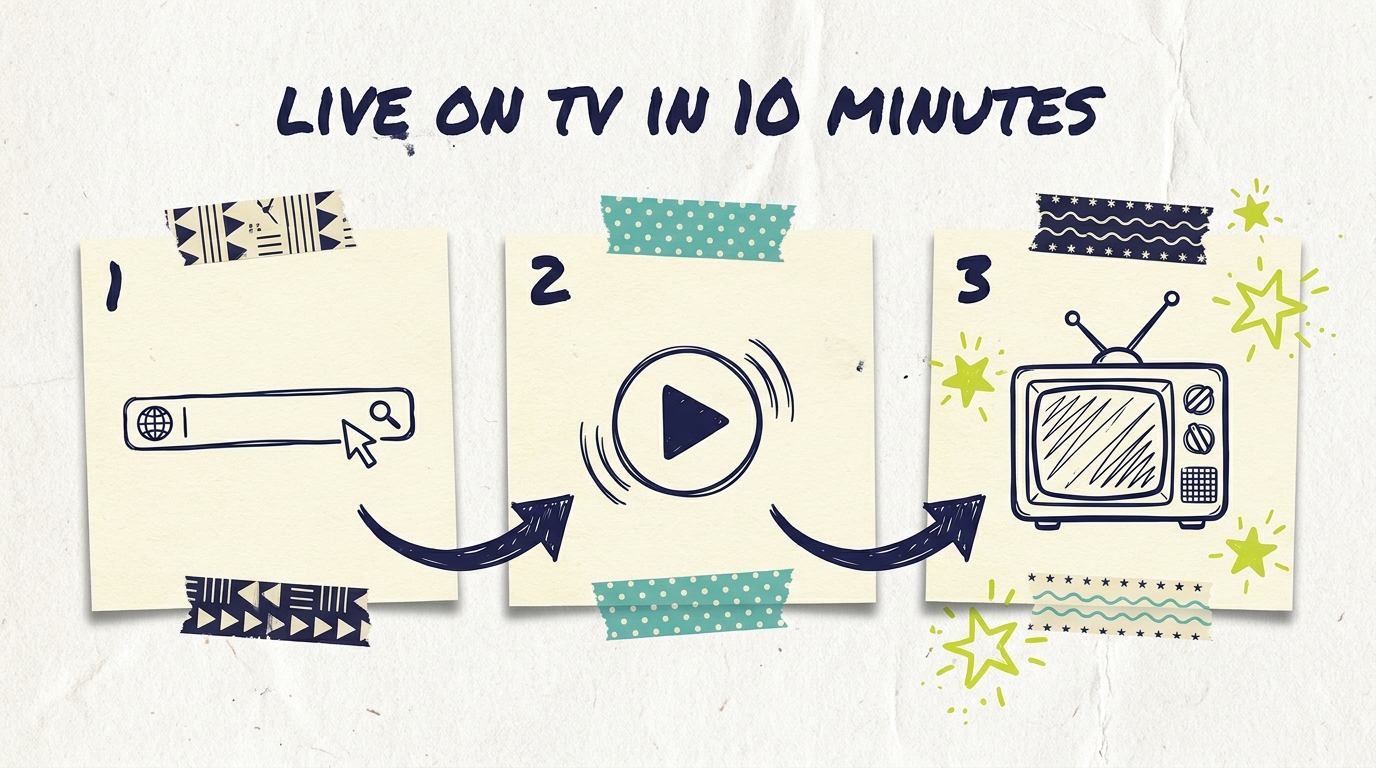
Getting started with Adwave takes less time than most people spend picking a Netflix show. You paste in your website URL, the AI builds a broadcast-quality 30-second TV commercial in about 2 minutes, and you can have a live campaign running on streaming TV in under 10 minutes total. No production crew, no agency, no media buyer.
This guide is the front door to everything. We'll walk through the full journey from "I have a website" to "my ad is running on Hulu," and point you to the deeper guides for each step along the way. Think of it as the table of contents for using Adwave.
Adwave is an AI-powered platform that creates TV commercials from any URL (your website, social profile, or Yelp page) and runs them on 100+ premium streaming networks like NBC, Hulu, and ESPN. Ad creation is free. Running your campaign starts at $50, with typical CPMs between $15 and $35. You choose local or national targeting, and a real-time dashboard shows you exactly how your campaign performs.
That's the whole pitch. Here's how to actually do it.
Everything starts with a URL. Paste in your website, and Adwave's AI pulls your branding, images, and business details, then generates a complete 30-second commercial with script, voiceover, music, and pacing already handled.
A few things worth knowing before you hit generate:
You don't pay anything at this stage. Ad creation is free, and you can generate variations until you find one you love.
The better your website, the better your ad. The AI works with what your site gives it. Our guide to preparing your website for your Adwave ad covers the quick fixes that make a noticeable difference.
All ads are 30 seconds. That's the standard broadcast length, and it's the format streaming networks expect.
For the full click-by-click walkthrough, see how to create your first Adwave TV ad.

The first generated ad is usually strong, but you're not stuck with it. You can regenerate, adjust, and refine before anything goes live. Two resources help here:
How to edit your Adwave AI ad covers what you can change and how.
Adwave AI creative tips shows how to generate better variations, including how small changes to your source material produce meaningfully different spots.
The good news is that because generation is free and fast, testing two or three creative directions costs you nothing but a few minutes.
Once your ad is ready, you tell Adwave who should see it. Targeting comes down to two big decisions:
Geography. Local businesses should target their real service area, not their whole state. A 10-mile radius around your shop usually beats a metro-wide buy for cost efficiency. National campaigns are available when your customers are everywhere.
Audience. Demographics, interests, and behaviors let you narrow toward the households most likely to become customers.
Our Adwave targeting deep dive walks through each option with examples by business type.

Campaigns start at $50, and subscriptions scale up from there based on how much reach you want. With CPMs averaging around $25, a modest budget still puts your ad in front of thousands of local households on premium networks.
One thing to know before launch: your ad runs across Adwave's full network of 100+ channels rather than hand-picked individual platforms. That's by design, and it works in your favor. Our guide on where your Adwave ads run explains how delivery works and why broad distribution beats channel-picking for small budgets.
Curious what you'll actually pay? How Adwave pricing works breaks down the subscription model, CPMs, and what to expect at different budget levels. You can also review plans directly on our pricing page.
Once your campaign is live, the dashboard shows impressions, delivery, and performance in real time. Two guides cover this stage:
How to read your Adwave dashboard for your first week
Understanding your campaign dashboard and analytics for the deeper metrics
TV ads aren't clickable, but that doesn't mean you can't track response. QR codes on screen let viewers scan and land on your site, and you'll typically see branded search and direct traffic rise while your campaign runs.
Give your campaign 10-14 days before judging it. Then use how to optimize your Adwave campaign to tighten things up.

Once your first campaign is running, a few paths open up depending on your business:
Seasonal business? Using Adwave for seasonal campaigns shows how to time pushes around your demand windows.
More than one location? Adwave for multi-location businesses covers running campaigns per location.
Want the numbers story? Learn to calculate your TV advertising ROI so you can compare TV against your other channels.
How long does it take to get a campaign live?
Under 10 minutes for most businesses. Ad generation takes about 2 minutes, and targeting plus budget setup takes a few more. The longest part is usually deciding which creative variation you like best.
Do I need any video experience or existing footage?
No. The AI generates the entire commercial from your website, including visuals, script, voiceover, and music. If you have great photos or video you want featured, you can supply them, but nothing is required beyond a URL.
How much does it cost to start?
Ad creation is completely free. Running a campaign starts at $50, with subscription plans that scale based on your goals. There are no production fees, agency retainers, or hidden costs.
Can I change my campaign after it launches?
Live campaigns can't be modified directly in the dashboard, so it pays to double-check targeting and budget before launch. If you need to adjust a running campaign, contact support and they'll help you make the change.
Where will my ad actually appear?
Across 100+ premium streaming networks, including channels like NBC, Hulu, ESPN, CBS, ABC, and Fox, shown to households within your targeting. You don't pick individual channels; Adwave delivers wherever your audience is watching.
How do I know if it's working?
Your dashboard tracks impressions and delivery in real time. For response tracking, QR codes bridge the TV-to-web gap, and most advertisers watch branded search volume, direct traffic, and calls or bookings during the campaign window.
Here's the thing about TV advertising in 2026: the hard parts (production, media buying, minimum spends) have been automated away. What's left is the part only you can do, which is knowing your business and your customers.
Paste your URL into Adwave, and see what your business looks like on TV. Creating the ad is free, and if you like what you see, your first campaign can be live tonight. Visit how it works to start.