
A lot of small businesses lose bookings in the same quiet way. A prospect is ready to act, visits your site at night, can't find a simple scheduling option, calls the office, hits voicemail, and moves on.
That's why online appointment booking matters more than convenience. It's a demand capture system. If your marketing creates interest but your scheduling process creates friction, you paid to generate intent and then made it hard to convert. Online Appointment Booking: Making It Easy for Customers to Schedule isn't really about software alone. It's about making sure every marketing dollar has somewhere productive to land.
Why Your Business Needs to Capture Every Opportunity
A missed call after hours doesn't feel dramatic. But for service businesses, it's often the exact moment revenue slips away. People usually try to book when the need is fresh. If they can't reserve a slot in under a minute, many won't wait for your team to call back.

That shift has been visible for years. In a large UK dataset covering 1,327,693 survey respondents, 45.11% of patients who tried to book an appointment were aware their practice offered online booking, but only 15.61% utilized it, with major variation between organizations according to this JMIR study on awareness and use of online appointment booking. The lesson for small businesses is simple. Offering a booking tool isn't enough. Customers use the option that feels easiest, clearest, and safest.
Convenience is only half the job
Many owners think the fix is adding a “Book Now” button. That helps, but only if the path behind that button is clean. If your scheduler asks for too much information, hides availability, forces account creation, or looks broken on mobile, customers read that as extra work.
Practical rule: Treat your booking flow like your front desk. If it's confusing, slow, or unwelcoming, people leave.
A good scheduling setup does three jobs at once:
Captures ready buyers: It turns interest into action while the customer is still motivated.
Protects staff time: It reduces back-and-forth calls, voicemails, and manual calendar updates.
Makes marketing pay off: It gives every ad, email, and referral a direct path to conversion.
Visibility, trust, and follow-through
The businesses that get the most from online booking don't treat it as an add-on. They make it central. The booking link is on the homepage, contact page, Google Business Profile, social bios, and every campaign that asks people to take the next step.
If you want to see how that kind of low-friction next step should look, Adwave's own book a call scheduling page is a useful example of turning intent into a direct appointment action.
Choosing the Right Online Booking Platform
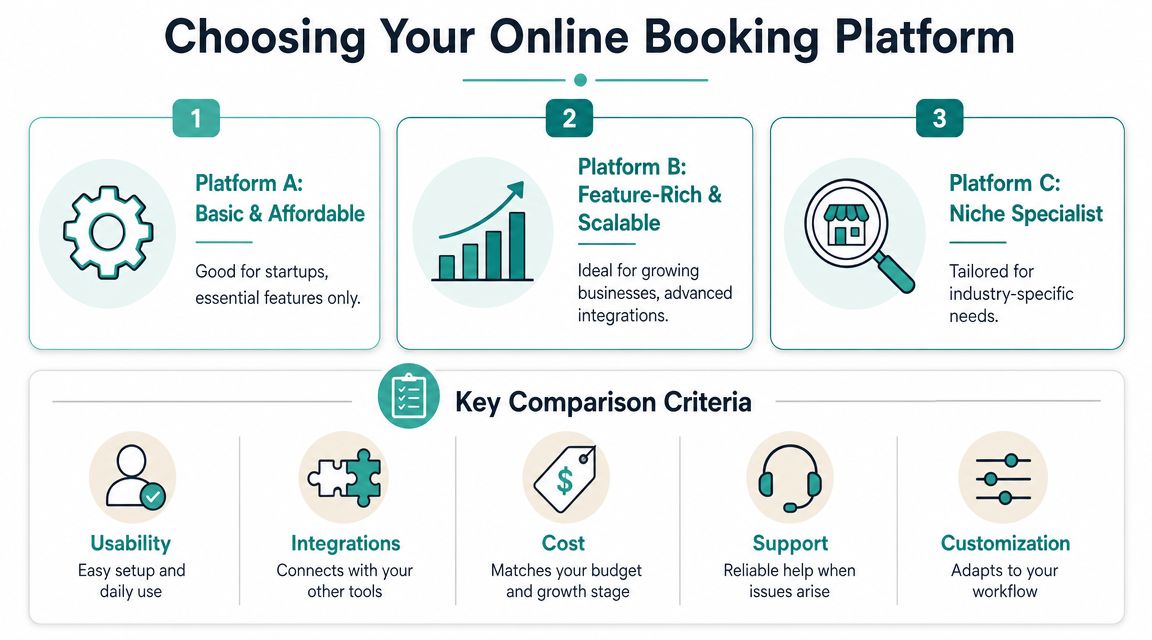
Most scheduling tools promise the same thing. Easy setup, fewer calls, better organization. The actual difference shows up after launch, when customers start using it and your team has to live inside it every day.
A platform is worth paying for if it removes admin work, keeps your calendar accurate, and helps fill time you'd otherwise lose. That operational angle matters. A study of a medical practice and hospital found that online scheduling reduced unused appointments from 22.7% to 10.3% and never-booked appointments from 8.6% to 1.6% after implementation, as reported in this study on online appointment scheduling and utilization. That's not just convenience. That's capacity management.
What matters more than the feature list
Founders often compare tools by counting features. A better method is to ask where friction will show up.
The right tool depends on how you sell and deliver service. If customers book one simple appointment type, a lightweight platform may be enough. If you have multiple staff, locations, durations, deposits, or intake requirements, cheap tools often become expensive through staff workarounds.
The checklist I'd use before signing up
Look for these five criteria first:
Usability for customers: Can someone choose a service, pick a time, and confirm without confusion?
Calendar control: Does it sync with Google Calendar or Outlook and prevent double-booking?
Service flexibility: Can you create different durations, staff assignments, buffers, and booking windows?
Integrations: Will it connect with payments, CRM, reminders, and follow-up workflows?
Support and reliability: When something breaks, can you get help quickly?
If your team needs a manual workaround for a routine booking scenario, the platform doesn't fit your business yet.
For education businesses, a niche example is tutoring scheduling software, where recurring lessons, student records, and timetable management often matter more than generic salon-style booking features.
Free tool or paid platform
Free tools are fine when you're validating demand. They're less fine when missed appointments, messy intake, or staff confusion start costing you time. A paid system usually earns its keep when it helps you standardize how appointments get booked, changed, and confirmed.
Don't buy for today's chaos alone. Buy for the version of the business you're trying to run six months from now.
Designing a Flawless Customer Booking Experience
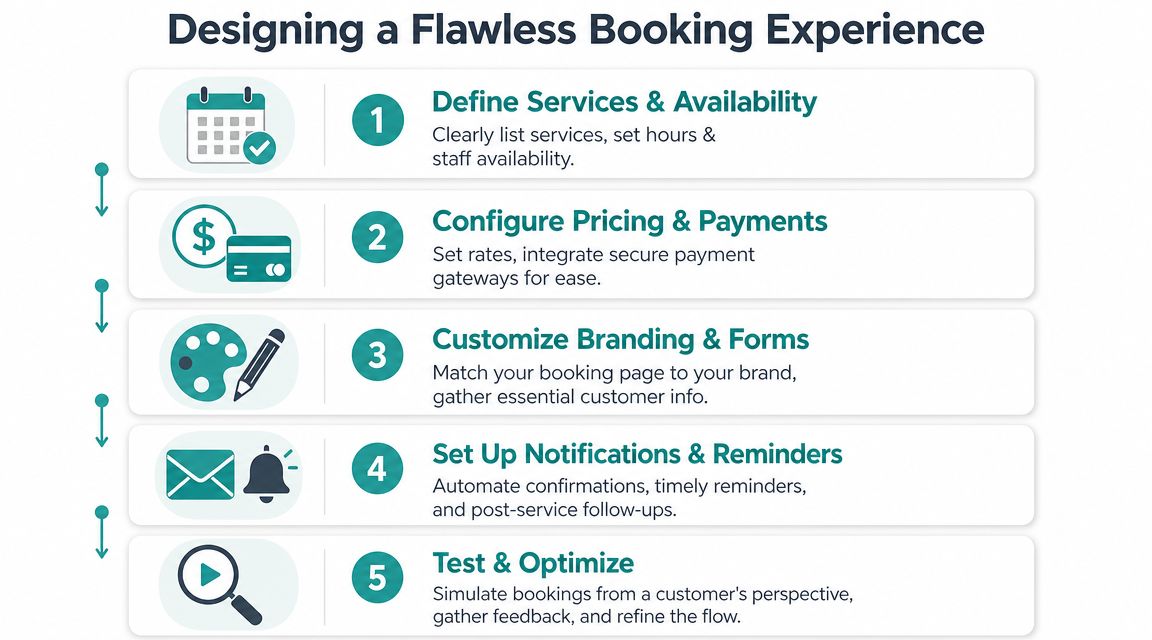
Once the platform is chosen, setup becomes the make-or-break factor. A decent tool with a smart configuration will outperform an advanced tool with a clunky flow almost every time.
Customer behavior tells you where to focus. 40% of appointments are booked outside standard business hours, and 67% of customers prefer businesses that offer online booking, according to these appointment scheduling statistics. That means your booking page is often doing its job when nobody on your team is available to help.
Build the flow for speed first
Most businesses ask for too much, too early. Customers don't want to fill out a mini application just to reserve a time.
Use this order instead:
Choose the service
Choose the staff member or “first available”
Choose the date and time
Enter only essential contact details
Confirm and receive clear next steps
That sequence works because it gives the customer progress quickly. They see real availability before hitting a wall of form fields.
What to simplify
A booking flow usually improves when you remove things, not add them.
Cut unnecessary fields: If you can collect it later, don't ask for it now.
Show availability clearly: Hidden calendars and vague “request an appointment” buttons create hesitation.
Design for thumbs: Mobile users won't tolerate tiny buttons, awkward date pickers, or long forms.
Name services plainly: “Initial consultation” is clearer than an internal label your staff uses.
Add buffer time: Protect your schedule from back-to-back overruns and late arrivals.
The customer isn't judging your software. They're judging how easy your business is to buy from.
Make your booking page match the rest of your site
A sudden switch from your branded site to a generic-looking scheduler can make users hesitate. Keep the colors, tone, and service language consistent. The booking page should feel like part of the same business, not a handoff to an unfamiliar system.
That same principle applies to your contact experience more broadly. If you're tightening every conversion path, Adwave's guide to contact page optimization for getting more leads from a single page is worth reviewing alongside your scheduler.
A practical setup standard
Use a short checklist before going live:
Book on mobile: Complete a real test booking from your phone.
Book after hours: Check what the experience feels like when no staff member is available.
Cancel and reschedule: Make sure customers can change plans without calling you for routine cases.
Read confirmations: Verify that emails and texts are clear, accurate, and branded.
Check edge cases: Test long service names, different staff schedules, and blocked times.
A flawless experience doesn't mean fancy. It means customers never have to stop and ask what to do next.
Automating Payments and Reminders to Save Time
Once your booking flow works, the next gains come from automation. Two upgrades usually matter most. Collecting payment at the right moment, and sending reminders without staff involvement.
Use payment rules to qualify commitment
Not every business should require full prepayment. But many should at least decide, service by service, whether to ask for a deposit, full payment, or card-on-file. The right setup depends on the value of the appointment, how often customers cancel, and whether you're reserving scarce staff time.
A practical way to think about it:
High-demand time slots: Consider a stronger payment commitment.
Long appointments: Protect schedule blocks that are hard to refill.
Low-friction introductory services: Keep the first booking easy if the primary goal is conversion into a larger sale.
Payment automation also cleans up admin. Staff don't have to chase invoices, manually note who paid, or reconcile booking records against separate systems.
Build a reminder sequence that helps, not nags
Most reminders fail because they're written like warnings. Better reminders reduce confusion. They answer the customer's likely questions before the appointment happens.
Use a basic sequence like this:
Confirmation immediately after booking: Include service, time, location, and what happens next.
Reminder before the appointment: Include any prep instructions, parking details, or access notes.
Final short reminder: Keep it brief and action-oriented.
Post-appointment follow-up: Invite rebooking, feedback, or review requests where appropriate.
Keep each message useful. If it sounds like a generic blast, people tune it out.
Connect booking to the rest of your follow-up
Many businesses often leave value on the table. The appointment shouldn't sit in a silo. It should trigger the next communication automatically, whether that's a welcome email, prep checklist, renewal reminder, or reactivation campaign.
For a solid starting framework, Adwave's resource on email automation for small business and the campaigns to set up first pairs well with a booking system because it helps turn one appointment into an ongoing customer relationship.
A booking confirmed without follow-up still creates work. A booking tied to payments, reminders, and post-visit communication creates use.
Promoting Your Booking System to Drive Growth
A booking tool hidden three clicks deep on your website won't do much. Businesses get results when they promote the booking link as aggressively as they promote the service itself.
That matters even more when you're investing in brand awareness. If you run local campaigns and people remember your business name later that night, your scheduler has to be ready to convert that delayed response. Marketing creates intent. Booking captures it.
Put booking at the center of your calls to action
Most small businesses still treat scheduling like a support function. It should be a primary call to action.
Make your booking link visible in these places:
Homepage hero section: Give visitors one clear next step.
Service pages: Let people book from the page where interest peaks.
Google Business Profile: Add appointment access where local searchers are already looking.
Email signature: Turn daily communication into passive demand capture.
Social bios and posts: Reduce the distance between discovery and action.
Why this matters for paid reach
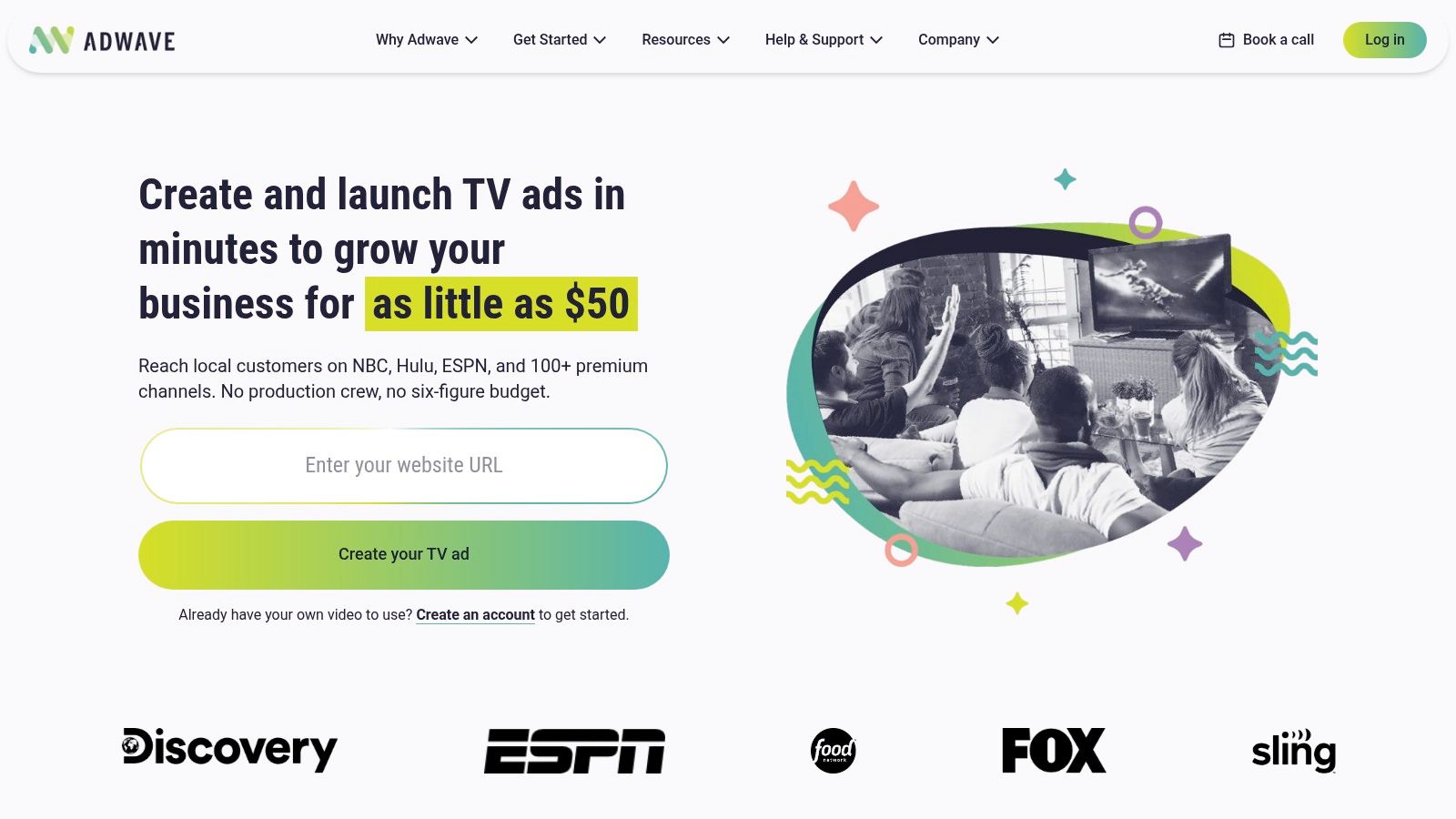
If you're using TV to generate local awareness, the booking page becomes the conversion bridge. Adwave is one option here. It's an AI-powered TV advertising platform that helps small businesses create, launch, and measure ads across premium channels. For appointment-based businesses, that matters because broad local visibility works a lot better when the next step is simple and immediate.
That same thinking applies across channels. A strong campaign should point people toward one action, not a menu of vague possibilities. “Book your estimate.” “Schedule your consultation.” “Reserve your appointment.” Clear beats clever.
Track what your scheduler is telling you
Your booking data can improve your marketing if you pay attention to it. Look at patterns such as:
Top booking sources: Which channels bring people who schedule
High-intent pages: Where customers are most likely to click into booking
Peak scheduling times: When people prefer to book, even if your team is offline
Drop-off points: Where users quit before confirming
If customer acquisition is a focus, Adwave's article on how to get customers is useful because it reinforces the same principle: awareness only matters if there's a low-friction path to action.
A campaign doesn't fail only when nobody sees it. It also fails when interested people can't take the next step fast enough.
Advanced Strategies and Common Pitfalls to Avoid
The most mature scheduling setups don't force every customer through the same path. They guide routine appointments into self-service and route edge cases to a human.
That distinction matters because online booking doesn't replace phones in every context. Many organizations still use a hybrid model, offering online scheduling for routine appointments while keeping phone support for new clients or more complex situations, as shown on AHN's online scheduling and appointment support page.
Keep the phone for the right situations
A hybrid model usually works better than an all-or-nothing one.
Use online booking for:
Routine services
Repeat customers
Straightforward appointment types
Use phone or assisted scheduling for:
Urgent needs
Complex intake
Customers who need help choosing the right service
If you don't give guidance, people guess. That's when they book the wrong thing, staff spend time fixing it, and everyone gets irritated.
Trust, privacy, and access still matter
Some customers won't self-schedule because convenience isn't their main concern. They may worry about privacy, feel uncertain about what information they're sharing, or prefer a person for reassurance. Research on rural and remote telehealth highlights concerns around privacy, data security, workload, and access barriers in lower-connectivity settings in this review of telehealth in rural and remote contexts.
That doesn't mean online booking is the wrong move. It means the setup should acknowledge real hesitation instead of pretending it doesn't exist.
Common mistakes I see most often
No channel guidance: Customers don't know when to book online versus call.
Overbuilt intake forms: Businesses ask for information they don't need yet.
Weak confirmation messaging: People book but aren't sure what happens next.
No accessibility fallback: Customers who can't or won't use the tool have no clear alternative.
The businesses that get this right make online booking easy without making it mandatory for every situation.
If you're investing in demand generation, make sure you've got a booking system that can capture it. Then connect that conversion path to your marketing. Adwave helps small businesses launch TV advertising that builds local awareness, and that awareness becomes more valuable when customers can move directly from interest to a scheduled appointment.


