
You're probably looking at a familiar pattern right now. Your site gets visitors, a few people browse service pages, maybe some even spend time on pricing or location pages, but the contact page stays quiet. The instinct is to buy more traffic, post more on social, or launch another campaign.
That's often the wrong first move.
For many SMBs, the contact page is the last step before a lead becomes a conversation. If that page creates hesitation, confusion, or extra work, you lose people who were already close to reaching out. Contact page optimization: getting more leads from a single page is less about design polish and more about removing the small points of friction that stop qualified prospects from acting.
Why Your Contact Page Is a Hidden Goldmine
A lot of business owners treat the contact page like an utility page. It has an address, a form, maybe a phone number, and that seems good enough. In practice, it's often one of the highest-impact pages on the site because it sits at the point where interest turns into inquiry.
Treat your contact page as a place to convert interest into an inquiry. Monitor completed forms and calls, and test changes against your own results. (landing page conversion statistics from Involve.me)
Traffic isn't the real bottleneck
If your contact page gets visits but few submissions, the problem usually isn't awareness alone. It's friction. Visitors hit the page and start asking themselves questions:
Is this the right place to request a quote or ask a question?
How long will this take to fill out?
Will someone respond?
Do I need to give away too much information just to start a conversation?
Those questions slow people down. Slowing people down lowers conversions.
Practical rule: Don't treat the contact page as an afterthought. Treat it like a sales page with one job.
For local businesses, this page also reinforces trust. If your contact details look inconsistent across your site and local listings, buyers notice. That's one reason details like NAP consistency for your business name matter. They support confidence right when someone is deciding whether to contact you.
Small fixes can create outsized gains
You don't need a redesign to improve results. Most underperforming contact pages fail for boring reasons:
The opportunity is simple. Before you spend more to drive traffic, make sure the page that captures inquiries is built to convert the traffic you already have.
Build a Frictionless User Experience
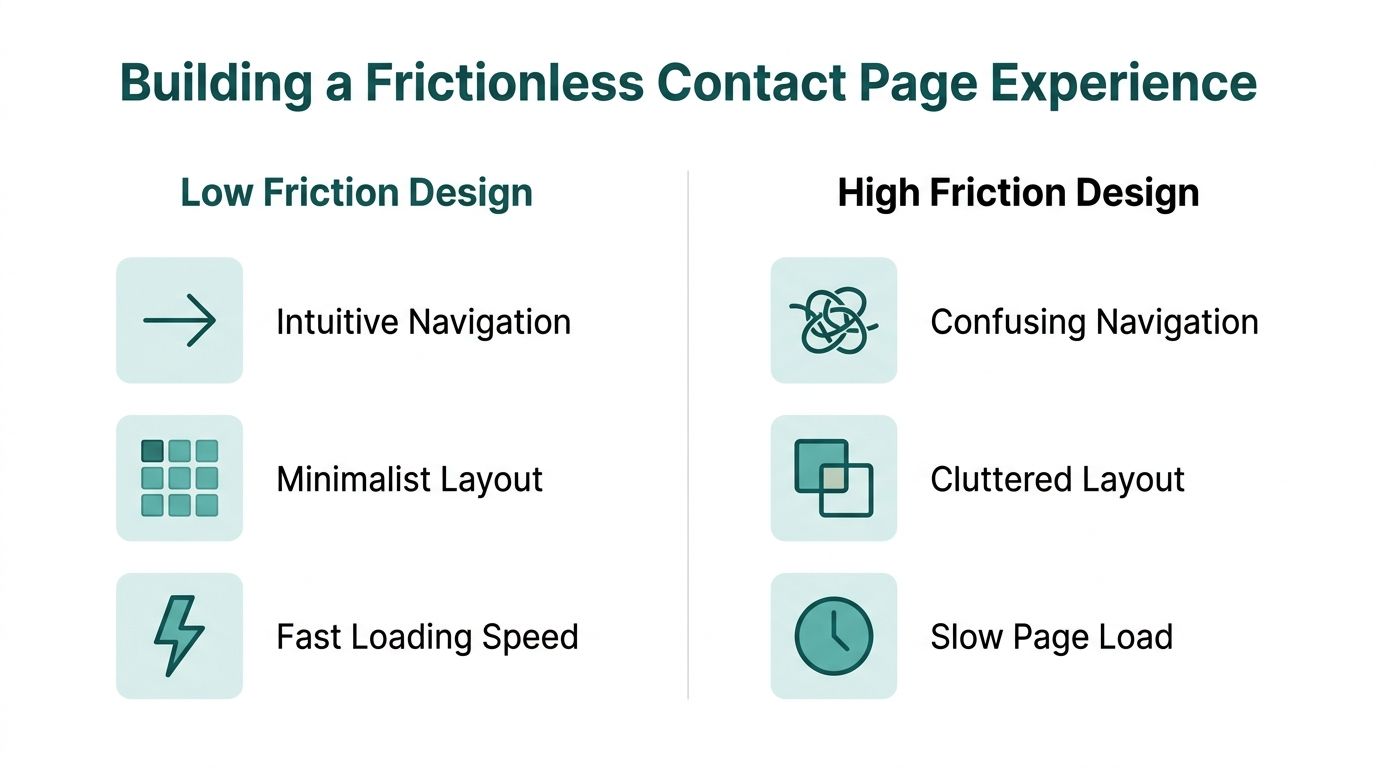
The fastest way to hurt contact page performance is to make people think too much. When the page feels crowded, unclear, or slow, visitors start processing the interface instead of taking action. That mental effort is cognitive load, and on a contact page it works against you.
Landing-page research reports that nearly half of website visitors never get beyond the primary landing page, which is why responsive, mobile-first design matters so much for reducing friction, as noted in this contact page conversion guidance.
Reduce choices on the page
A good contact page has one primary job. Help the visitor reach out. That sounds obvious, but many SMB sites sabotage this by adding sidebar offers, full navigation menus, unrelated promotions, popups, or long company history blocks.
Clean pages convert better because they lower decision fatigue. Keep these elements visible near the top:
A clear page headline that matches why the person came
A short intro that explains what happens next
One primary action such as requesting a quote, booking a call, or sending a message
Contact alternatives for people who prefer not to use forms
If you offer multiple paths, don't make them compete. The form can stay primary while phone and email remain easy to find.
Design for the mobile visitor first
Many SMB owners still review their contact page on desktop and assume it's fine. The prospect using a phone has a different experience. A button may sit below a large image, fields may feel cramped, and dropdowns may be annoying to use.
Use this quick standard:
Open the page on your own phone
Try to submit the form with one hand
Notice every point where you hesitate
That short exercise reveals more than a long internal debate.
If the form feels mildly annoying on mobile, it's already costing you leads.
Fast loading matters too. Even if the page looks attractive, heavy images and extra scripts add friction. Contact pages don't need much. A headline, a short supporting paragraph, the form, trust cues, and alternate contact methods are usually enough.
Offer contact options without creating chaos
Not every prospect wants to fill out a form. Some want to call. Some want an email address. Local businesses may also benefit from showing an address, service area, or map if that helps confirm legitimacy.
A practical layout is:
Primary column: short form
Secondary column or block: phone, email, hours, location details
Supportive element: a link to guidance on live chat for small business websites if you're evaluating faster-response options
That approach gives visitors control without burying the main action.
Design a Contact Form That People Complete
Most form advice is too simplistic. “Make it shorter” is often directionally right, but it's incomplete. A contact form doesn't exist to collect submissions. It exists to collect useful submissions.
That distinction matters. A form that gets more low-intent messages may look better in reports and create more work for your team. A form that asks for just enough information to route and respond well usually performs better as a business tool.

Lead generation guidance consistently points to a trade-off here. Shorter forms often improve completion rates, while multi-step forms and CRM integration can improve lead qualification by collecting more details later in the funnel, according to this lead-gen best practices article.
Start with minimum viable data
Most SMBs ask for too much too soon. Before you keep a field, ask one question: do we need this to respond intelligently?
A strong baseline form often only needs:
Name
Email or phone
A short message
One routing field if necessary, such as service type or project type
That's enough for many service businesses to start a conversation.
Fields that often create drag include full address, large text areas with no prompt, budget questions with awkward ranges, and “how did you hear about us” on a first-touch form. Those may be useful, but they aren't always necessary at the initial step.
When more fields make sense
There are cases where a few extra fields help. If your team wastes time sorting unqualified leads, adding one or two smart qualifiers can improve the process. The key is to choose fields that help action, not curiosity.
For example:
Fix the mechanics that kill completion
Even a short form can underperform if the experience is clumsy. Improve the mechanics first:
Use clear labels instead of relying only on placeholder text
Show inline validation so people can fix errors immediately
Keep field formats obvious for phone or email
Avoid captcha friction that blocks legitimate users
Make the submit button prominent and easy to tap
Field test: Fill out your own form quickly, then make one typo on purpose. If error handling feels irritating, prospects feel it too.
For businesses actively refining lead capture, landing page best practices that increase conversions can help frame the form as one part of a broader conversion path rather than an isolated widget.
A useful rule is this: collect less upfront, qualify through follow-up, and tighten the form only when low-quality volume becomes a real operational problem.
Write Compelling Copy CTAs and Trust Signals
Most contact pages don't fail because of the form alone. They fail because the words around the form don't answer the last questions in the buyer's mind.
A strong contact page should work like a single-intent, conversion-focused landing page. That means clear headings, short paragraphs, and a responsive experience that matches user intent immediately, as explained in this guidance on intent-matched content optimization.
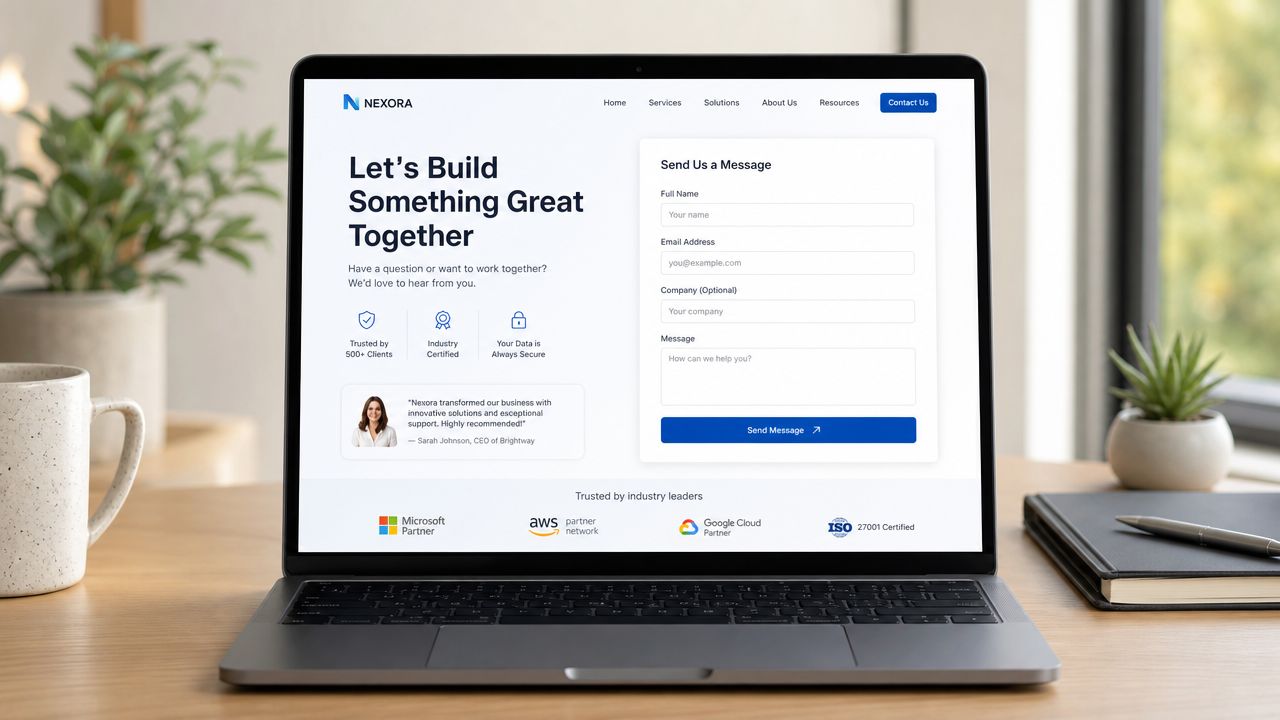
Write a headline that answers the visitor’s question
“Contact Us” is serviceable, but it's weak. It doesn't confirm what the visitor is about to do. Better headlines match the action and reduce ambiguity.
Examples:
Request a Quote
Book Your Consultation
Talk With Our Team
Get Help With Your Project
The supporting text under that headline should answer two things quickly:
What can the visitor contact you about
What happens after submission
A short line such as “Send a few details and we'll follow up to discuss your project” does more work than a generic welcome sentence.
Replace weak CTA buttons
“Submit” is one of the least persuasive buttons on a lead page because it describes the action from the company's perspective, not the buyer's. Your button should promise the outcome.
Better options include:
Get My Quote
Schedule My Call
Send My Request
Talk to a Specialist
If you want practical button examples, this guide on call-to-action buttons words and placement that get clicks is a useful reference.
People click when the next step feels clear and low-risk.
Add trust where hesitation happens
Trust signals work best near the form, not buried elsewhere on the site. Right before submission, people want reassurance that they're contacting a credible business and won't be ignored.
Good trust elements include:
Short testimonials
Client logos
Licenses or certifications
Response expectation copy such as when someone will reply
A privacy reassurance that you won't misuse their information
You don't need a long proof section. One testimonial, a few recognizable logos, and a clear response promise often do more than a page full of generic claims.
Measure Success and Discover What Works
A contact page earns its keep when it creates conversations, not when it collects pageviews. For an SMB owner, that distinction matters because more traffic only helps if the page turns interest into inquiries.
Start with one measurement: completed form submissions.
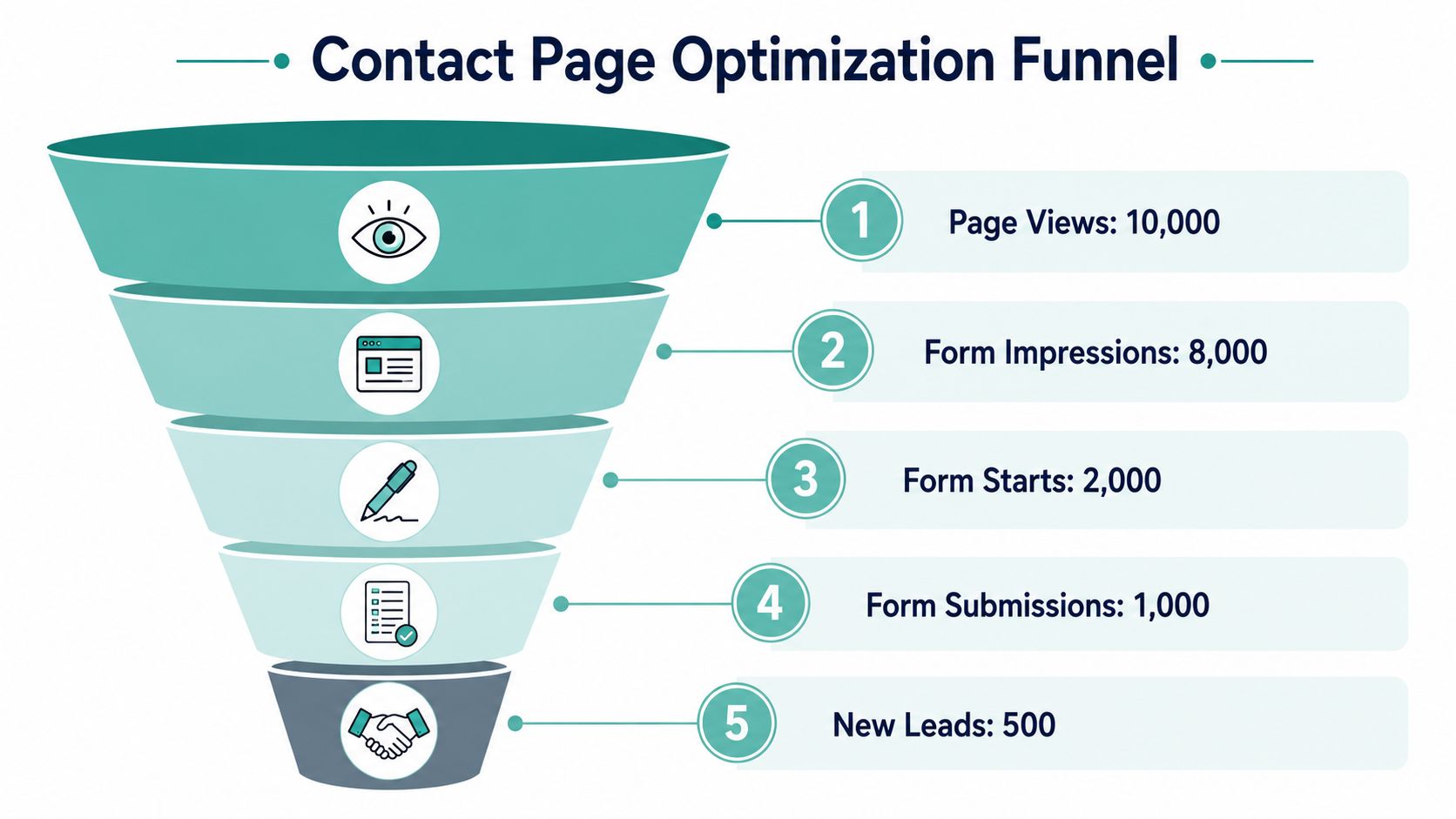
Set up form submissions as a conversion event in your analytics platform. That small step gives you a practical baseline. You can stop debating whether the page “feels better” and start tracking whether it produces more leads.
For a small business without a marketing team, simple beats elaborate. Once submission tracking is in place, look at four things during your monthly review:
Traffic sources that produce actual inquiries
Device performance, especially mobile vs desktop
Pages that send visitors to the contact page
Form starts vs completed submissions
Those four checks usually show where the leak is. If mobile visitors reach the page but rarely submit, the form or layout is probably getting in the way. If one service page sends qualified traffic that converts well, that page is doing more sales work than you may have realized.
Test small changes that can move lead volume
Skip complicated testing plans. Change one meaningful element at a time and give it enough time to produce a pattern.
Two tests I recommend often because they are easy to run and usually worth the effort:
Keep the rest of the page steady while the test runs. If you change the headline, form length, and button text at the same time, you will not know what improved the result.
A broader review can help too. If you want to turn remodeling website visitors into leads, that guide is useful because it connects contact page improvements to the full path from visit to inquiry.
Know what “better” looks like
Improvement is not limited to a higher submission count. Better results can also mean better-fit leads, fewer abandoned forms, or a stronger conversion rate on mobile.
That matters before you spend more on traffic. If the page is already wasting existing demand, buying more visits usually buys more waste. Fix the contact page first. Then you have a stronger foundation for any future campaign, whether that traffic comes from search, referrals, local ads, or offline promotion.
Quick Wins and Your Next Growth Step
A small business contact page usually does not need a redesign project. It needs a cleanup. In practice, the biggest gains usually come from removing hesitation, tightening the ask, and making the next step feel safe.
If you only have an hour this week, spend it here.
Do these today
Use this checklist to improve the page without pulling in a developer:
Rewrite the headline to match the reason a prospect came to the page
Replace “Submit” with button text that tells people what they get next
Remove extra fields and ask only for details your team will use
Add one proof point near the form, such as a testimonial, review snippet, or client logos
Set response expectations so people know when they will hear back
Check the mobile version and fix any small text, cramped spacing, or hard-to-tap buttons
Keep phone and email visible for buyers who do not want to use a form
Confirm tracking works so you can see whether changes improve lead flow
Strong contact pages usually improve through subtraction.
Contact page optimization checklist
For SMBs, this page has a direct connection to revenue. A cleaner contact page means more qualified conversations from the traffic you already paid for, earned, or generated through referrals. That matters even more if no one on your team has time to babysit campaigns all week.
There is also a sequencing issue here. Fix the contact page before you try to scale traffic. If the page still creates friction, more traffic just means more missed inquiries, more wasted ad spend, and more calls your team never gets a chance to close.
Once the page converts reliably, sending more qualified visitors to it starts to make sense. As noted earlier, Adwave is one option SMBs use to launch TV campaigns with targeting and measurement in one platform. That step works better after the contact page is ready to turn new attention into real leads.


