
So, you’ve noticed your emails aren’t getting the traction they used to. Maybe open rates have plummeted, or worse, customers are telling you they never even saw your message. There's a good chance they're ending up in the one place no marketer wants to be: the spam folder.
This happens for a few key reasons, usually boiling down to a shaky sender reputation, a lack of technical authentication, or content that just looks spammy to providers like Gmail and Outlook. The good news is, you can fix it. The goal is to prove your emails are legitimate, valuable, and (most importantly) wanted by the people you're sending them to.
The Hidden Problem Sinking Your Marketing ROI

Let's imagine a common scenario. You've just invested in a brilliant TV advertising campaign with Adwave, getting your brand in front of thousands of potential customers on major channels like Hulu and ESPN. The leads are flowing in, your website traffic is up, but the follow-up emails you send (the ones meant to seal the deal) are vanishing.
This isn't just an annoying IT hiccup. It's a direct hit to your marketing ROI. Every email that lands in spam is a wasted opportunity, a conversation that never starts. All the awareness and excitement you built with your Adwave ads evaporate the moment your message is flagged as junk.
The Core Reasons You’re Landing in Spam
I’ve seen this happen time and again, and it almost always comes back to a handful of core issues. Mailbox providers are sophisticated now, and they look at everything from your server settings to your sentence structure to decide if you’re a good sender.
Before we dive into the step-by-step fixes, let's get a clear picture of the main culprits. This table breaks down the most common reasons your hard work is getting filtered out.
Top Reasons Your Emails Hit the Spam Folder
As you can see, it's a mix of technical setup and content strategy. Getting just one of these wrong can have a ripple effect that undermines everything else.
Show the offer: Link to a service, explain who it helps, and give the reader one next step, such as viewing available appointments or requesting a quote.
This nightmare is often driven by a poor sender reputation, which research from experts like Valimail suggests is behind up to 80% of all deliverability problems. Your reputation is your everything in the email world, built on your entire sending history.
Monitor deliverability so subscribers receive the emails they requested.</p>
This guide is designed to walk you through fixing these root causes, one by one. By tackling these issues, you can rescue your deliverability, make sure your leads are nurtured correctly, and protect your marketing budget. To get a better handle on how this all fits together, it’s worth reviewing how to measure marketing ROI.
Your Email's Technical Passport: SPF, DKIM, & DMARC
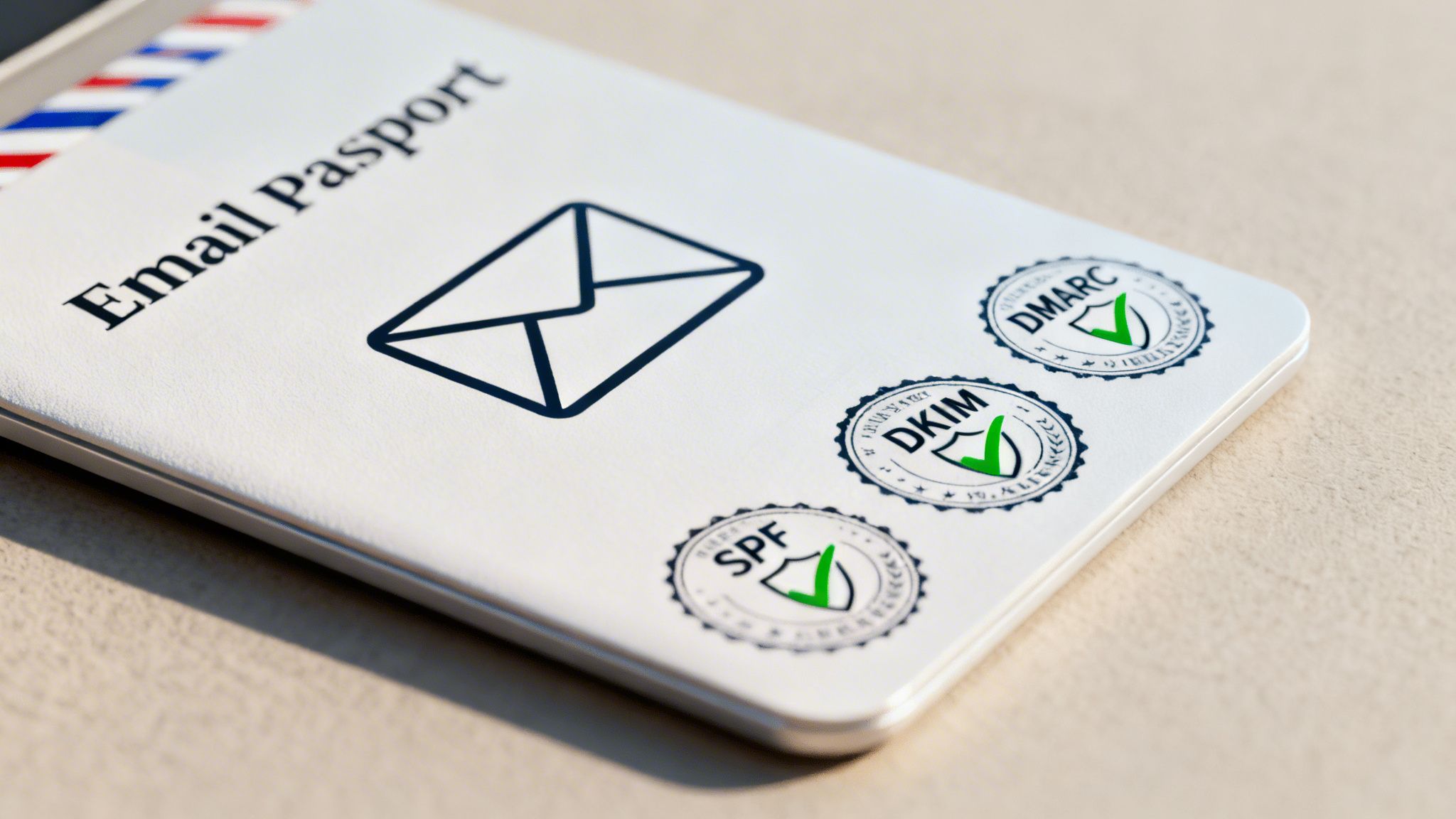
Think of your sender reputation as your email's credit score. In that same vein, think of your technical authentication as its official passport. Without this passport, your messages are basically undocumented travelers, making it far too easy for gatekeepers like Gmail and Outlook to turn them away at the border, or worse, send them straight to spam.
This "passport" is a set of three security protocols: SPF, DKIM, and DMARC. The names sound complex, but their job is straightforward: to prove your emails are from you and not a fraudster impersonating your brand. It’s your first and best defense against scammers who could destroy your reputation.
I’ve seen it happen countless times. A local restaurant runs a brilliant Adwave campaign on Hulu, driving tons of interest in their new menu. But when they send a follow-up email with a special offer, it vanishes into the spam folder. Why? Because they skipped the technical setup. In fact, over 70% of small businesses don't have proper email authentication in place, leaving them vulnerable. For a great overview of other potential culprits, check out this post on why emails go to spam.
What Are SPF, DKIM, and DMARC?
Let's cut through the jargon. Imagine your email is going through airport security.
SPF (Sender Policy Framework): This is like the airline checking your ticket against the flight manifest. Your SPF record is a public list of all the servers and tools (like your email provider) that are authorized to send email from your domain. If an email shows up from a server that isn't on the list, it fails the check. Simple as that.
DKIM (DomainKeys Identified Mail): Think of this as the tamper-proof seal on your luggage. DKIM attaches a unique, encrypted digital signature to every email you send. The receiving server looks for this signature to verify that the message hasn't been messed with during its journey. If the seal is broken, the message is immediately flagged as suspicious.
DMARC (Domain-based Message Authentication, Reporting & Conformance): This is the airport's head of security. DMARC looks at the results of the SPF and DKIM checks and then follows your instructions. It tells mailbox providers what to do with an email that fails authentication, should it be quarantined in spam, rejected entirely, or allowed through? It also sends you reports, giving you incredible insight into who might be trying to spoof your domain.
These three protocols work in concert to build a powerful shield for your sender identity. SPF says who is allowed to send, DKIM proves the message is authentic, and DMARC sets the rules for what to do with fakes.
Getting all three of these protocols configured correctly is no longer a "nice-to-have", it's a requirement. As of recent updates, major providers like Google and Yahoo demand it from bulk senders. Skipping this is the fastest way to land your campaigns in the junk folder.
A Practical Approach to Implementation
Here's the good news: setting up SPF, DKIM, and DMARC is usually a one-time fix. You'll make these changes in the DNS settings of your domain registrar, the company where you bought your domain, like GoDaddy or Namecheap. Your email service provider will give you the exact values you need to copy and paste.
Your choice of email hosting services also plays a role here, as a solid provider can make managing these records much easier. Think of your hosting environment as the foundation for your entire deliverability strategy.
This technical groundwork is what allows your marketing to shine. When you’ve invested in an Adwave campaign to generate high-quality leads, you absolutely need your follow-up emails to reach them. Proper authentication ensures your welcome messages, special offers, and newsletters get seen, turning the interest you generated into real revenue.
For small businesses, getting the technical side of email right is just as important as writing a great subject line. If you're looking to build out your email strategy from the ground up, our guide to email marketing for small businesses is the perfect place to start.
How to Build an Unshakeable Sender Reputation
Think of your technical authentication (SPF, DKIM, DMARC) as your passport. It proves you are who you say you are. But your sender reputation? That's the visa. It's what grants you entry into the inbox, and it's something you have to earn.
Mailbox providers like Gmail, Outlook, and Yahoo assign a dynamic score to your sending domain. This score is their way of deciding if you're a trusted sender or just another spammer clogging up their servers. A good score gets you prime real estate in the primary inbox. A bad one sends you straight to spam, or worse, gets you blocked entirely.
Every single email you send influences this score. The providers are constantly watching, trying to protect their users from junk. They’re judging you based on how your recipients react to your messages.
The Metrics That Define Your Reputation
So, what exactly are they looking at? Your sender reputation isn't just a single number; it's a composite score built from several key signals. Getting a handle on these is the first step to taking control of your deliverability.
Of all the signals, high spam complaint rates are the absolute worst. They're a direct, unambiguous message from a user to their provider that they do not want your email.
Beyond complaints, providers are tracking these behaviors very closely:
Bounce Rate: What percentage of your emails failed to deliver? A high rate of hard bounces (from invalid addresses) tells providers your list is stale or poorly maintained.
Engagement Levels: This is the good stuff. Opens, clicks, forwards, and even replies all signal that people want your emails. When someone moves your email from spam to their inbox, that's a massive gold star for your reputation.
Spam Trap Hits: These are the landmines of email marketing. They are pristine email addresses, often old or intentionally created, that providers use to identify spammers. If you send an email to one, it's a dead giveaway that you aren't managing your list properly, likely because you bought it or scraped it.
Sending Volume and Frequency: If you suddenly go from sending 1,000 emails a month to 100,000 overnight, you’ll set off every alarm bell. Providers value consistency and predictability.
It helps to think of it like a credit score. Consistent, positive behavior (like high engagement) builds your score over time. On the other hand, negative marks (like spam complaints) and erratic behavior (like huge volume spikes) will tank it. And just like a credit score, a damaged reputation takes time and a lot of positive actions to repair.
Your sender reputation is earned, not given. Every campaign you send either strengthens or weakens it. The goal is to consistently prove that your audience wants to hear from you.
Strategies for Building a Positive Reputation
Whether you're starting with a brand-new domain or doing damage control on a tarnished one, the game plan is fundamentally the same. It's all about proving you're a responsible sender who prioritizes the subscriber experience. This is especially important for making the most of the leads you generate with powerful tools like Adwave.
Practice Impeccable List Hygiene
I can't stress this enough: your email list is your most valuable marketing asset. Keeping it clean is non-negotiable. A messy list is the number one cause of high bounce rates and low engagement, the two fastest ways to destroy your sender reputation.
Here’s how you keep it pristine:
Implement Double Opt-In: When someone subscribes, send a confirmation email with a link they must click. This simple step confirms the email address is valid and, more importantly, that the person wants to hear from you.
Regularly Prune Inactive Subscribers: Let's be honest. If someone hasn't opened one of your emails in six months, they're dead weight. You can try a re-engagement campaign to win them back, but if that doesn't work, it's time to say goodbye. Removing them is better for your reputation.
Never, Ever Buy Email Lists: This is the cardinal sin of email marketing. I see people make this mistake when they're desperate to grow, and it always backfires. Purchased lists are riddled with spam traps, outdated addresses, and people who will mark you as spam in a heartbeat. Instead, check out our guide on how to build an email list from scratch for the right way to grow.
Warm Up Your IP and Domain
If you’re sending from a new domain or a fresh dedicated IP address, you can't just flip a switch and send to 50,000 people. Mailbox providers are wary of high-volume sends from an unknown source. It looks like spam, plain and simple.
You have to "warm up" your sending infrastructure. Start by sending a small batch of emails to your most engaged subscribers, your superfans who you know will open and click. From there, you slowly and steadily increase your sending volume each day. This gradual ramp-up builds a positive sending history and teaches providers that you're a legitimate player.
The same logic applies if you're recovering from a reputation problem. After you've cleaned up your act, you need to re-earn that trust. Start small with highly targeted campaigns before you even think about returning to your previous sending volume.
Crafting Campaigns That Get Opened, Not Flagged
Alright, you’ve sorted out the technical backend. Your SPF, DKIM, and DMARC are all in place, and your sender reputation is solid. That’s a huge win, but don’t celebrate just yet. You've passed the first two major tests, but the final hurdle is the email itself.
Even with a perfect technical setup, an email that looks and feels like spam will be treated like spam. It's a tough pill to swallow, but it's the truth. Mailbox providers like Gmail and Outlook run every single message through sophisticated filters that scrutinize everything, your subject line, the words you use, your formatting, even how much text you have versus images. This is where the art of communication meets the science of deliverability.
Avoiding Common Content Traps
Think of spam filters as overzealous bouncers at an exclusive club. They have a list of red flags, and if you tick too many boxes, you’re not getting in. The frustrating part? So many businesses walk right into these traps without even realizing it. They think they're using savvy marketing tactics, but they’re just waving a giant red flag at the inbox gatekeepers.
I’ve seen these mistakes sink countless campaigns. Here are the most common offenders:
Deceptive Subject Lines: Nothing screams "spam" faster than starting a subject line with "Re:" or "Fwd:" to fake a personal connection. It's a tired trick, and inbox providers see it as a manipulative tactic that lands you directly in the spam folder.
Overloading on "Spammy" Words: We all know them. Words like "Free," "$$$," "Act Now," "Limited Time," and "Guaranteed" are classic triggers. A single use won't kill you, but when they're stuffed into a subject line or used in all caps, the filters' alarm bells start ringing.
Aggressive Punctuation and Formatting: Are you using multiple exclamation points (!!!) or a string of dollar signs? How about using ALL CAPS to create urgency? These tactics don't create excitement; they make your email look cheap and desperate. The same goes for garish, bright red or green fonts.
The All-Image Email: An email that's just one big image with little to no text is a massive red flag. Spammers used this tactic for years to hide trigger words from filters, so providers are extremely suspicious of it. It’s also an accessibility nightmare.
Your goal is to craft a message that feels personal, helpful, and valuable, not a generic, high-pressure sales pitch from a stranger.
Your email is a direct conversation with your subscriber. If it feels more like a megaphone blasting sales jargon than a helpful note from a trusted source, mailbox providers will assume it’s unwanted and filter it accordingly.
The Adwave Connection: From Awareness to Action
This is where your email strategy needs to connect directly with your other marketing efforts. Let's say you just launched a successful Adwave TV campaign. You've invested in building brand awareness and sparking curiosity on major networks like NBC or ESPN. Viewers saw your professional ad, felt a connection, and visited your site to trade their email for a promised discount or guide.
That first interaction sets a powerful expectation. They aren't anticipating a flashy, hard-sell email packed with urgent commands. They expect a continuation of the trustworthy, professional brand they just saw on television.
Sending a poorly crafted email at this critical moment shatters that trust. It wastes the incredible momentum your Adwave campaign generated. Your email content must be the natural next step in that customer's journey, delivering on the promise your ad made and reinforcing the value you offer.
Your Pre-Send Content Checklist
Before you hit "send," take five minutes and run your campaign through this quick sanity check. It's a simple habit that can spot problems before they torpedo your engagement and damage your sender reputation.
Is the Subject Line Honest and Compelling? It needs to accurately reflect what's inside without resorting to clickbait. A great subject line sparks curiosity; a bad one feels like a lie.
Does It Sound Human? Read your email out loud. Seriously. Does it flow like a normal conversation, or does it sound like a corporate robot? Always write for a person, not a machine.
Is There a Healthy Balance of Images and Text? A good rule of thumb is to aim for at least 60% text to 40% images. And always, always use descriptive alt text for your images, it's important for accessibility and a mark of a professional sender.
Are Your Links Clear and Trustworthy? Every link should point directly to your own domain. Avoid using popular URL shorteners like bit.ly in your email body. They're a favorite tool of spammers, which makes them a target for filters.
Is There an Obvious Unsubscribe Link? Hiding your unsubscribe link is a terrible practice. It infuriates users (who will just mark you as spam anyway) and violates anti-spam laws. A clear, one-click unsubscribe process is a sign of confidence.
Ultimately, fantastic deliverability is the natural result of a healthy, engagement-first marketing strategy. When you pair the powerful brand-building reach of Adwave with thoughtful, valuable email content, you create a connected experience that guides prospects toward becoming loyal customers.
For a deeper look into writing compelling copy, be sure to check out our guide on how to write marketing emails that don't sound like spam.
Your Plan for Fixing Deliverability and Getting Back to the Inbox
Alright, so you understand the why behind emails landing in spam. Now comes the important part: what do you do about it? This is your roadmap for diagnosing the problem, fixing it, and making sure it stays fixed. We'll start with the biggest, most impactful fixes first.
Think of it this way: you’ve put in the work with a tool like Adwave to get people interested. That’s the hard part! The last thing you want is for your follow-up emails to get lost in a spam folder. Let's make sure every single one of those valuable leads hears from you.
First Things First: A Technical Authentication Check
Your absolute first stop should be your email authentication. I can't stress this enough. If your SPF, DKIM, and DMARC records are broken or missing, nothing else you do will matter much. Mailbox providers like Gmail and Outlook see this as a huge red flag (a sign you might be an imposter) and it's the most common reason I see legitimate emails get junked.
Use an email-authentication checker such as DMARCian to review your domain records.
What you're looking for: You want to see a green "pass" status for both SPF and DKIM. For DMARC, just having a valid record is a great start, even if the policy is set to p=none.
The fix: Seeing an error? Don't panic. Your email provider (whether it's Google Workspace, Microsoft 365, or a marketing platform) has guides for this. They'll give you the exact text you need to copy and paste into your domain's DNS settings. It's typically a one-and-done task.
Getting your authentication right plugs the biggest hole in the boat. Seriously, this one step can often solve the majority of your spam problems overnight.
Next, Check Your Sender Reputation
Once your technicals are solid, it's time to see what the world thinks of you. Your sender reputation is basically your credit score for email. A bad one will get your messages filtered, even if your authentication is perfect.
Think of your sender reputation as your email marketing credit score. Keeping tabs on it helps you catch problems before they snowball and tank your ability to reach the inbox.
Here are a few simple ways to keep an eye on your reputation without needing a massive budget:
Find Your Sender Score: Head over to Validity's Sender Score and check your domain. It gives you a score from 0 to 100. Anything above 90 is great. If you're dipping below 80, it's time to pay close attention.
Scan for Blacklists: Use a tool like MXToolbox's blacklist check. Being on even one major blacklist is bad news. If you find your domain on a list, the tool usually links you to the blacklist's site with instructions on how to request removal.
Get to Know Google Postmaster Tools: If you send to a lot of Gmail addresses, this is a must. Google Postmaster Tools is a free dashboard that shows you exactly how Gmail sees your domain. You get data on your reputation, spam complaint rates, delivery errors, and more. It's an invaluable window into the world's biggest mailbox provider.
Making this a regular habit (maybe a quick check once a week) is one of the smartest things you can do for your email program.
Finally, Look Inward at Your Lists and Content
With the technical side sorted, the final piece of the puzzle is what you're sending and who you're sending it to. A clean, engaged list and high-quality, relevant content are what keep your sender reputation strong for the long haul.
A quick pre-flight check before you hit "send" can save you a world of trouble.
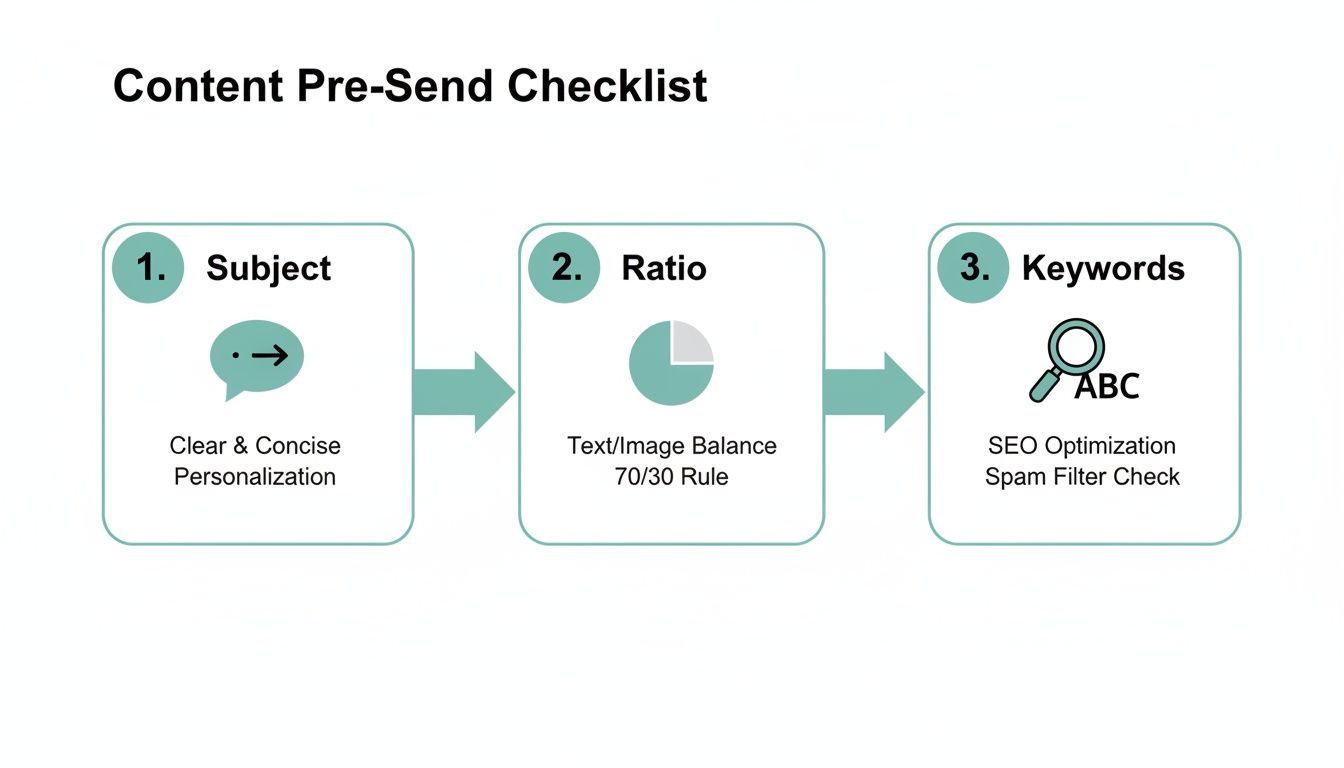
This simple workflow helps you spot and fix the common content mistakes that give spam filters a reason to flag your emails.
To tie it all together, having a systematic troubleshooting process is your best bet for fixing deliverability for good. This checklist is designed to walk you through diagnosing and fixing the root causes, step-by-step.
Email Deliverability Troubleshooting Checklist
When you work through these checks, you're not just putting out fires, you're building a fireproof system for the future. It ensures those hard-won leads you generated with Adwave get your messages, giving you the chance to turn that initial interest into a real customer relationship. Consider this your best defense against the spam folder.
Frequently Asked Questions About Email Deliverability
Even after you've dotted your i's and crossed your t's on deliverability, some questions always seem to linger. Let's tackle some of the most common ones I hear from business owners who are trying to get their emails back into the inbox for good.
How Long Does It Take to Fix a Bad Sender Reputation?
I get this question all the time, and the honest answer is: it depends. There’s no magic wand here. Fixing a bad sender reputation is a marathon, not a sprint, and it can take anywhere from a few weeks to several months based on how much damage was done.
Think of it as rebuilding trust with mailbox providers like Gmail and Outlook. First, you have to get your technical house in order, that means nailing your SPF, DKIM, and DMARC records. Once that's solid, it's time for some serious list cleaning. You've got to be ruthless about removing hard bounces, dead addresses, and anyone who hasn't opened an email in ages.
Only when your list is sparkling clean should you start a "warm-up" campaign. This involves sending highly engaging emails to your most active subscribers first, then slowly, deliberately increasing your volume over time. Patience is the name of the game.
Will Switching Email Providers Solve My Deliverability Problem?
It’s a tempting thought, but switching your Email Service Provider (ESP) is almost never the quick fix people hope for. Your reputation is fundamentally tied to your sending domain, not just the IP address your ESP uses.
Sure, a new provider might give you a fresh, clean IP to start with. But if you bring the same old habits (a stale list, spam-triggering content) to the new platform, you'll burn that new reputation to the ground in no time. It's much smarter to fix the root cause of the problem first.
Switching providers without fixing your underlying sending practices is like moving to a new city to escape debt. The problem will follow you. Focus on solving the core issues first.
Is It Okay to Buy Email Lists to Grow My Audience?
Let me be crystal clear: never, ever buy email lists. This is the single fastest way to obliterate your sender reputation, land your domain on a permanent blacklist, and get flagged by every spam filter on the planet.
Bought lists are a deliverability nightmare. They’re always packed with:
Invalid Addresses: These cause high bounce rates, which immediately signal to mailbox providers that you're a risky sender.
Spam Traps: These are pristine-looking email addresses set up by anti-spam organizations specifically to catch senders who buy lists. Hitting just one can tank your reputation.
Uninterested People: These individuals never asked to hear from you, so they’re far more likely to report your emails as spam, the ultimate reputation killer.
Organic growth is the only sustainable path. Create valuable content, design compelling lead magnets, and make it easy for people to sign up. The high-quality leads you can generate from top-of-funnel channels like Adwave are the perfect foundation for a healthy, engaged email list that drives business.


