Let’s cut to the chase. The main difference between Apple Business Connect and Google Business Profile isn't complicated. While Google is the undisputed king of web search, Apple Business Connect is your direct line to over 1.5 billion affluent iOS users right inside their most-used native apps, Maps, Siri, and Wallet. If you're not there, you're essentially invisible to a huge, high-spending slice of the market.
Why Apple Business Connect Is Your Untapped Local SEO Goldmine

Every local business owner knows that a Google Business Profile (GBP) is non-negotiable. But here’s something I see all the time: a surprising number of those same businesses completely ignore its powerful Apple counterpart. This is a massive oversight, and for those who see the gap, it’s a golden opportunity to get ahead.
Claiming your free profile on Apple Business Connect (ABC) isn't just about covering your bases. It's about meeting your customers where they are. When an iPhone user asks Siri for "coffee near me" or pulls up directions in Apple Maps, it's your ABC profile (or your competitor's) that gets served up.
The Power of A Dual-Platform Foundation
Thinking of these platforms as an "either/or" choice is a fundamental mistake. A solid local presence on both Google and Apple forms the foundational layer that makes all your other marketing, especially paid ads, work harder.
A well-maintained local listing is the digital equivalent of a bright, welcoming storefront. It assures customers you are open, credible, and ready for business before they step inside.
Before you spend a dime on advertising, you need to get this groundwork right. For a step-by-step guide, our local SEO audit checklist with 15 things to fix today is the perfect place to start.
Keep your Apple Business Connect listing current so people searching for your business on an iPhone can find your location and contact details.
Comparing the Local Search Giants
To really grasp why you need both, it helps to see their core strengths side-by-side. Each one plays a unique role in a customer's journey from discovery to purchase.
The table makes it clear: GBP is your gateway to the entire open web, while ABC is your exclusive pass into the dedicated Apple community.
When you use them together, you create a powerful coordination. This combination is especially potent when you add high-impact advertising into the mix. A compelling TV ad, like one easily created and deployed with Adwave, drives interest, and your complete, accurate profiles on both GBP and ABC provide the instant, frictionless path for that new customer to walk right through your door.
Understanding The Two Dominant Local Ecosystems
When you think about how customers find your business online, it’s easy to get tunnel-vision on Google. But that’s only half the story. Today, your customers live in one of two massive digital worlds, and to reach them all, you need a presence in both. These aren't just competing map apps; they're entirely separate ecosystems with different user behaviors.
Google Business Profile (GBP) has become much more than a simple map listing. It’s deeply integrated into Google Search and Google Maps, effectively acting as the digital front door for most businesses. For better or worse, it's the center of the local search universe for a huge portion of the population.
Apple Business Connect (ABC), on the other hand, is your direct line into Apple's walled garden. It gives you a clean, simple way to manage your information across the 1.5 billion Apple devices people use every day, showing up in Maps, through Siri voice searches, and even in Apple Wallet.
The Google Monopoly vs. The Apple Opportunity
For a long time, the only name that mattered in local search was Google. That dominance is understandable, given the sheer volume of users. But focusing only on Google has created a massive blind spot for countless businesses, leaving a surprisingly valuable audience on the table.
The numbers paint a clear picture. While it's true that 88% of people use Google Maps compared to just 12% for Apple Maps, the real story is in the adoption rate by businesses. A shocking 59% of small businesses are completely unaware of what Apple Business Connect can do, and another 58% haven't even bothered to claim their free listing. For a smart business owner, this isn't a problem, it's a wide-open playing field with almost no competition.
Apple Business Connect isn't about dethroning Google. It's about capturing a loyal, high-value customer base that your competitors are actively ignoring.
This is a huge deal for retail, automotive, and home service industries. The average Apple user is known to be more affluent and spends more than their Android counterpart. If your business isn't showing up correctly on Apple Maps, you are literally leaving money on the table. For a deeper dive into maximizing your reach, check out our guide on Google Maps marketing and getting found by nearby customers.
A Complementary Strategy for Total Coverage
The smartest approach isn’t to pick a side. Instead, think of these platforms as complementary channels that, together, give you total market coverage. The goal is to optimize your presence on both so you can connect with customers no matter where they're looking.
Here's a simple way to look at it:
Google Business Profile is your busy main street storefront. It attracts tons of foot traffic from every direction, thanks to the world’s biggest search engine.
Apple Business Connect is your upscale boutique in an exclusive shopping center. It caters to a dedicated, loyal clientele that values a clean, native experience built right into their phone.
By maintaining both, you guarantee that your business is visible, accurate, and ready to engage, regardless of the device a customer uses. This dual-presence becomes the foundation that makes all your other marketing work harder. When you run a local TV campaign with Adwave, this complete local search strategy ensures the awareness you build translates directly into foot traffic and phone calls, whether someone finds you on Google or just asks Siri for directions.
Key Differences in Features and Functionality
Compare how Google Business Profile and Apple Business Connect handle updates, customer actions, and reporting.
Let's start with how you promote yourself. The promotional tools on each platform couldn't be more different, and that's by design. Google's approach is all about what's happening right now, while Apple is built for your evergreen, core messages.
Promotional Tools and Brand Storytelling
On Google Business Profile (GBP), you have Posts. Think of these like updates on your social media feed. They're perfect for timely, short-term announcements: a 24-hour flash sale, news about an event this weekend, or a special discount that expires soon. They are meant to be temporary and drive immediate action.
Apple Business Connect, on the other hand, gives you Showcases. These are completely different. A Showcase is more like a durable, digital billboard. It’s the place for your foundational offers or the key pillars of your brand story.
Here’s how that plays out in the real world:
A local restaurant: You'd use a GBP Post to announce "Taco Tuesday this week!" but an Apple Showcase to feature your "Farm-to-Table Catering Menu" that's always available.
A real estate agent: A Post is perfect for "Open House this Saturday from 1-3 PM." A Showcase, however, would be the ideal spot for your "First-Time Homebuyer Success Program."
The strategy is simple: use GBP for the "now" and ABC for the "always."
Use Google Posts for timely, expiring content and Apple Showcases for evergreen storytelling. This simple rule prevents you from posting the wrong message on the right platform.
It's a critical distinction that most businesses miss. The data is pretty telling. While Google Business Profile is the undisputed giant, pulling in 93% of total map impressions according to a 2023 EU study, Apple is quietly gaining ground. In a direct, maps-only comparison (stripping out web search), Apple Business Connect has already captured a 7% share and is growing.
Despite this, a shocking 59% of businesses have no idea that features like Showcases even exist. You can explore the full study about this growing platform competition to see the trend for yourself. This represents a massive untapped opportunity to get in front of Apple's loyal user base.
Customer Engagement and Direct Actions
The way customers interact with your business profile also splits along different philosophies. GBP is designed to be a public square for community interaction, while ABC focuses on getting a customer from point A to point B with as little friction as possible.
Google’s Q&A feature is a great example. Anyone can ask a question on your profile, and anyone (you, other customers, even a random user) can answer. This can be great for building social proof, but it also means you have to constantly monitor it to stamp out bad information.
Apple, in its classic style, prioritizes a clean, direct path to a transaction. The "Actions" feature is all about this. It lets you plug third-party services like DoorDash or OpenTable directly into your profile on Apple Maps. This means a customer can book an appointment, order delivery, or reserve a table right from the map, without ever leaving the app.
The infographic below really paints a clear picture of where things stand. It shows Google's current dominance, the big opportunity Apple presents, and just how many businesses are sleeping on it.
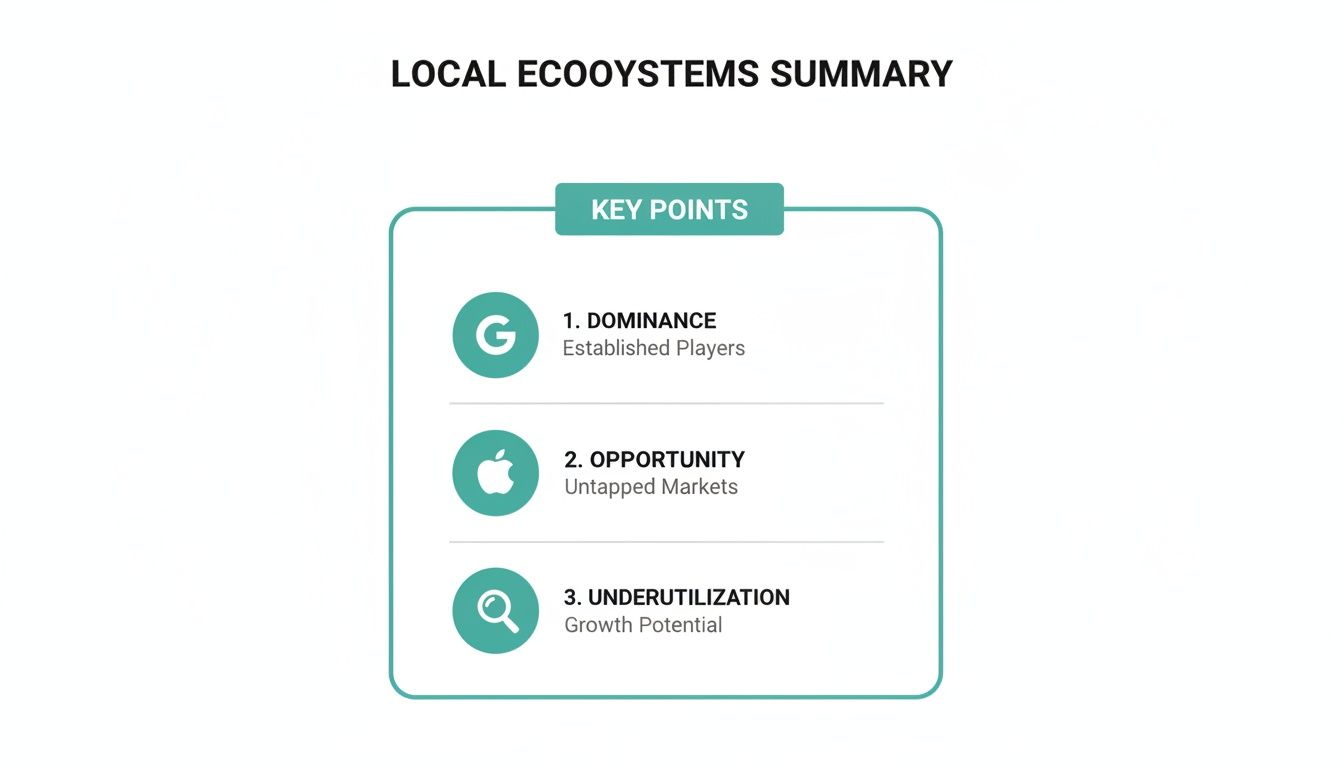
The takeaway here is pretty straightforward. While Google is the 800-pound gorilla, a huge, valuable audience is waiting for you within Apple's ecosystem.
Verification and Management
Even the setup and verification process reveals the different mindsets of each platform. Getting verified on Google can sometimes feel like a bit of an ordeal, involving postcard mailers, video calls, or other steps to prove you're physically located where you say you are.
Apple ties verification to your Apple ID, which often makes for a simpler, fully digital process. Once you're in, the dashboard is clean and to the point. It focuses on core business info and high-impact features, not the constant content churn that GBP often demands.
For a busy small business owner, this means Apple Business Connect is often less of a time suck. After the initial setup, you might only pop in to update your Showcases quarterly or when you launch a new major campaign. For example, if you run a TV ad with a partner like Adwave, you can create a matching Showcase in minutes. This creates a fantastic link between your broadcast ad and your digital presence, catching interest from motivated iOS users without adding a heavy daily management task to your plate.
By using both platforms intelligently, you ensure that whether a potential customer is searching on Google or asking Siri for directions, they find a polished, consistent, and professional brand.
How to Optimize Your Apple Business Connect Profile
To make the differences even clearer, here's a side-by-side look at what each platform offers.
Google Business Profile vs Apple Business Connect Feature Comparison
This table breaks down the core features and strategic value of each platform, helping you see where each one shines.
Ultimately, this isn't about choosing one over the other. The smartest local businesses understand that these platforms serve different purposes and reach different (though sometimes overlapping) customer segments. Using both correctly is the key.
How To Optimize Your Apple Business Connect Profile
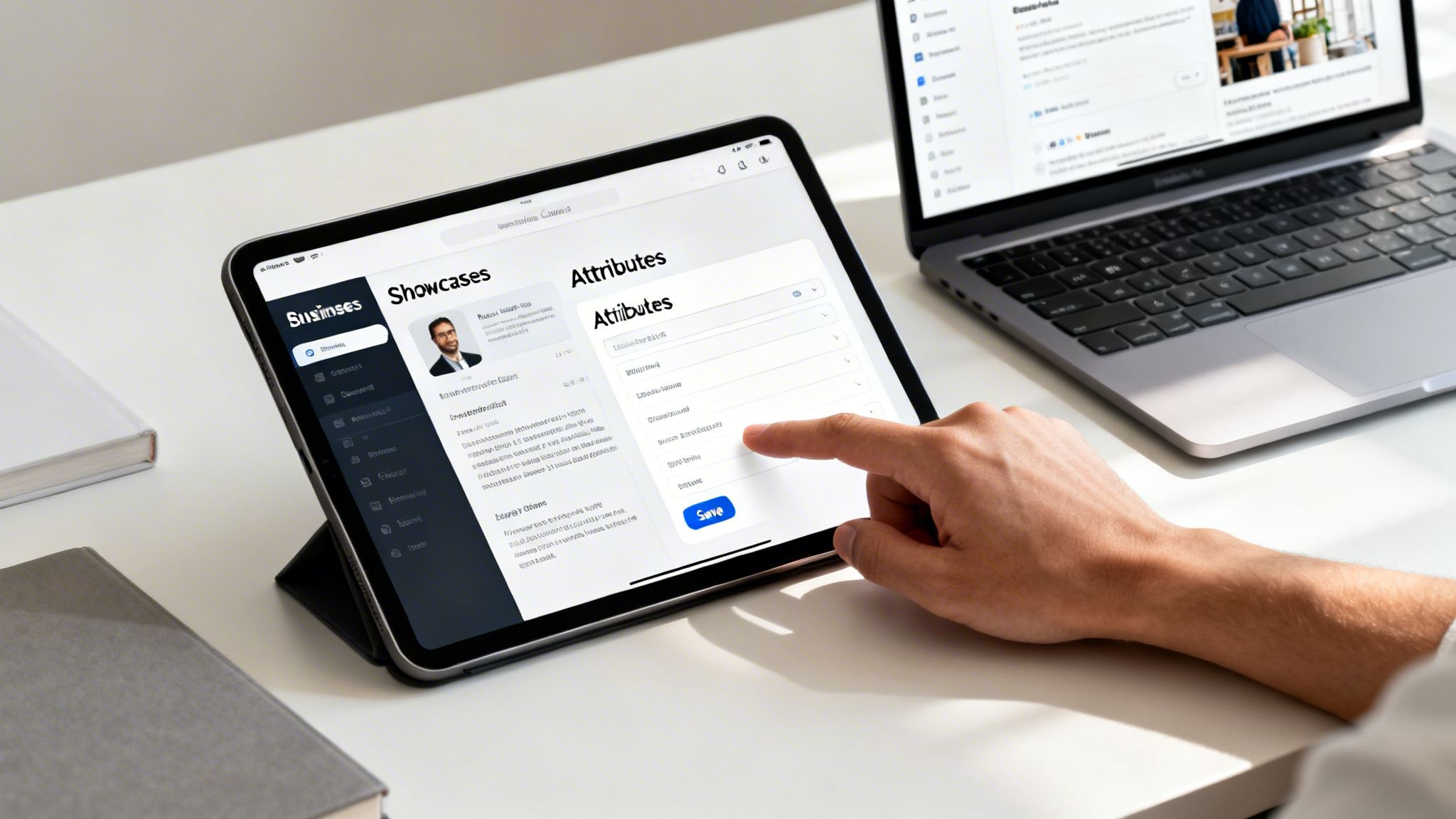
So, you’ve claimed your Apple Business Connect profile. That's a great first step, but a bare-bones listing won't bring anyone through your doors. To really make it work for you, you need to fill out every field with care and turn it into a genuine customer-magnet.
Let's walk through how to build a top-tier profile, from the basic setup to using its most effective features. The process starts by claiming your location and verifying it with your Apple ID, which, frankly, is often a lot simpler than other platforms. Once you’re in, think of your profile as a digital storefront. Don't just fill in the blanks; tell your story.
Crafting Your Core Business Information
This is where consistency is king. The smallest difference between your profile and your website, like using "St." instead of "Street," can throw off both search algorithms and potential customers. Make absolutely sure your business name, address, and phone number (NAP) are identical across every single online platform.
Next up is your business description. This isn't the spot to just jam in a bunch of keywords. Instead, write a clear and compelling summary of what makes you special. What do you do for your customers that no one else does?
Finally, let's talk about photos. These are often a customer's first visual handshake with your brand, so make them count. Ditch the blurry, low-resolution shots.
Primary Photo: This should be your logo or a crisp, professional photo of your storefront. Make it instantly recognizable.
Gallery Photos: Show off what you do. Add photos of your products, your team at work, or the inside of your location to give people a real sense of your business.
Your Apple Business Connect profile should be a perfect, polished reflection of your brand. Think of it as a digital handshake with every potential customer using an Apple device.
Getting these details right is what builds trust and encourages someone to take the next step. And it doesn't have to be a ton of work. After the initial setup, most business owners find a quick monthly check-in is all it takes to keep everything current.
Mastering Showcases for Evergreen Promotions
Where Google Posts have a short shelf life, Apple's Showcases are more like permanent digital billboards for your most important offers. These aren't meant for your daily lunch special; they're designed to highlight your core services, ongoing promotions, or key features that set your brand apart.
Think of it this way:
A dental clinic could create a Showcase for "Invisalign Consultations." They'd add a great photo, a clear description, and a button for people to book an appointment right away.
An auto shop could run a Showcase for its "Comprehensive Winter Maintenance Package," spelling out exactly what the service includes.
To build an effective Showcase, you need a powerful combination: a high-quality image, a benefit-focused title, and a clear call-to-action (CTA). That CTA is your opportunity to tell the user exactly what to do next, whether it’s "Learn More," "Book Now," or "View Our Menu."
Turning Your Profile into a Conversion Tool with Actions
The Actions feature is arguably one of the most valuable parts of Apple Business Connect. It lets you plug third-party services directly into your profile, creating a connected path from discovery to conversion. Someone can find you on Apple Maps and book a service or place an order without ever leaving the app.
Here are a few practical ways to put Actions to work:
Reservations: Connect a service like OpenTable to let customers book a table on the spot.
Food Orders: Link your DoorDash or Instacart account so people can order for delivery or pickup.
Appointments: Integrate your scheduling software so clients can book their next visit in just a couple of taps.
This is what turns your profile from a simple information card into a direct source of revenue. If you're looking to maximize your ROI, implementing Actions is a no-brainer. This becomes even more powerful when you're running a paid campaign with a partner like Adwave. Imagine a customer sees your TV ad, searches for your business on their iPhone, and can immediately book your service, it's a perfect, unbroken journey from awareness to sale.
Making Your TV Ads Work Harder with Local Listings
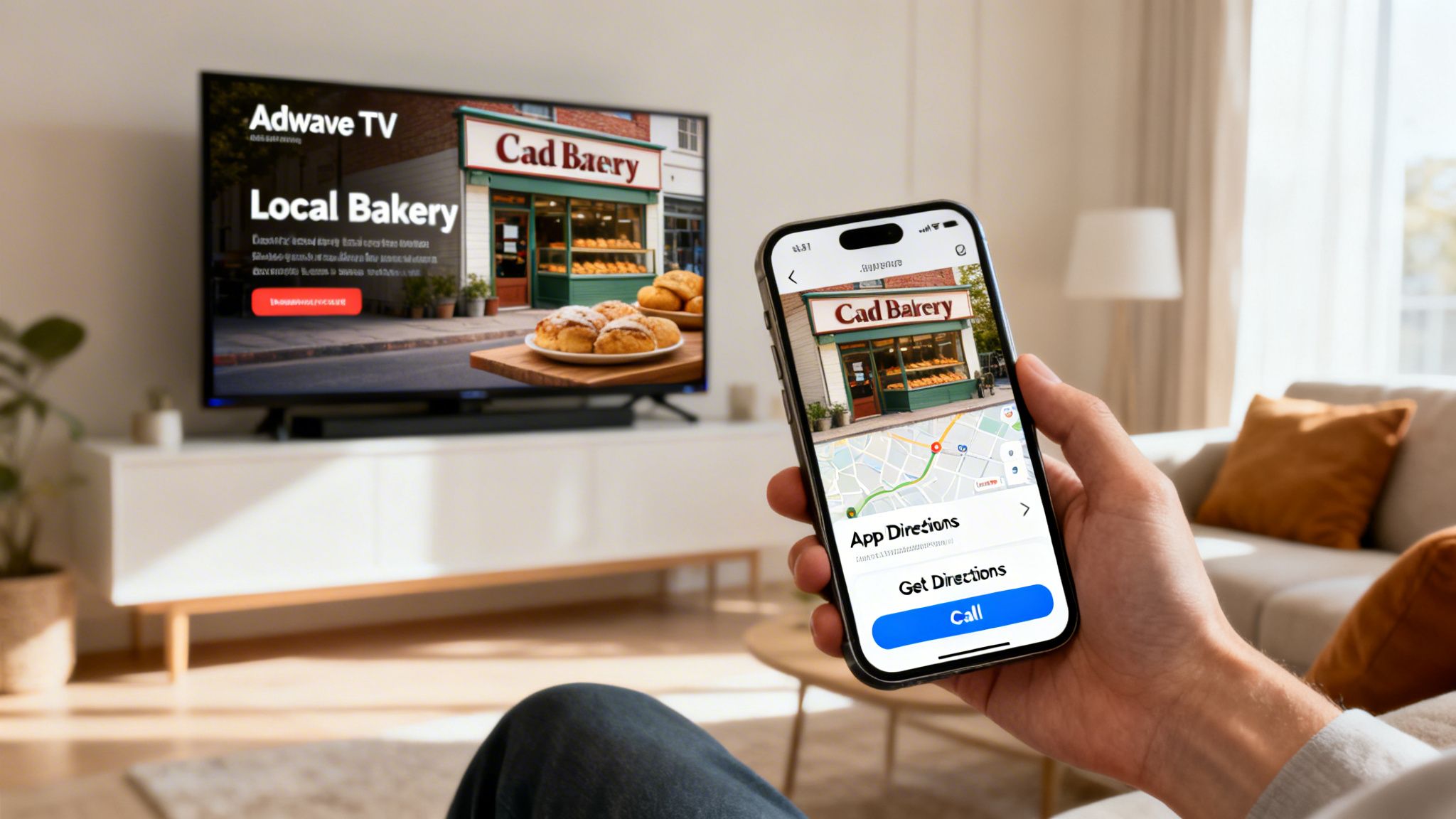
Having polished profiles on both Google Business Profile and Apple Business Connect isn't just about digital housekeeping. It's the bedrock that ensures every dollar you spend on advertising goes further, especially for high-impact campaigns like local television that build brand recognition and drive immediate interest.
Think of it this way: your TV ads grab attention on a massive scale, but your local listings are what make you findable the moment a customer decides to act. When you pair them, you get a powerful growth loop that turns viewers into paying customers. This is the kind of smart integration platforms like Adwave are designed to fuel.
From the Living Room to Your Front Door
Here’s how this plays out in the real world. A homeowner sees a compelling TV spot for your plumbing business. The ad, created and placed affordably through Adwave, highlights your 24/7 emergency service. That homeowner’s next move isn't to scramble for a pen and paper, it's to grab their phone.
What happens next is make-or-break:
On an iPhone, they might ask Siri, "Find a 24/7 plumber near me." A properly optimized Apple Business Connect profile puts you right at the top, complete with a tap-to-call button.
On an Android or a laptop, they'll almost certainly use Google. A well-maintained Google Business Profile gets you in front of them instantly in the search results and on Google Maps.
In either case, the journey from seeing the ad to contacting your business is connected. The interest sparked by TV is immediately captured by your digital front door. Without that solid local foundation, your advertising dollars can easily evaporate as potential customers can't find you and simply call a competitor instead.
The Adwave Edge: Connecting Awareness to Action
When a customer sees your Adwave TV ad, your optimized Apple Business Connect and Google Business Profile listings act as the perfect digital handshake, guiding them from interest to immediate action.
This strategy ensures your advertising investment delivers a tangible return. For instance, a home services client using Adwave could run a TV campaign promoting a seasonal special. By creating a matching Showcase in their Apple Business Connect profile, they create a direct, frictionless path for interested iPhone users to book that exact service. You can see more on how this strategy works in our guide to local television advertising.
Ultimately, this integrated approach means you're not just buying ad time; you’re building a reliable system for customer acquisition. You capture attention with broadcast and convert it with a polished, trustworthy presence on the platforms your customers are already using every single day.
How To Measure Success On Each Platform
So, you’ve claimed your listings on Apple Business Connect and Google Business Profile. That's a solid first step, but how do you know if all that effort is bringing in customers? Measuring success on these platforms means looking at two very different sets of data, but the goal is the same: turning numbers into real-world business insights.
Google Business Profile gives you a detailed look behind the curtain. Its performance dashboard shows you the exact search terms people used to find you, how many views your photos are getting, and even how many people called you directly from your profile. This kind of data is fantastic for figuring out what your customers are thinking and looking for.
Apple Business Connect, on the other hand, keeps things more streamlined. It focuses on the direct actions people take within the Apple ecosystem. You'll primarily see high-level KPIs like:
Profile Views: The total count of how many people saw your business card in Apple Maps.
Taps-to-Call: The number of users who tapped your phone number to start a call.
Direction Requests: How many times someone asked for directions to your storefront.
Think of it this way: Google tells you how people found you, while Apple shows you what they did next on their iPhone. They’re two sides of the same coin.
Deriving Actionable Insights
The real trick is learning how to piece this information together. Let's say your Adwave TV commercial just aired. If you see a sudden spike in direction requests on Apple Maps the next day, that's a powerful indicator your ad is driving iPhone users straight to your door. At the same time, an increase in "near me" searches on your Google profile points to a general lift in local awareness.
The only metric that matters is one you can connect to a real-world result, whether that's foot traffic, a phone call, or a sale. Your free local listings are only valuable if they contribute to your bottom line.
To get better at connecting these digital signals to actual business outcomes, it helps to start understanding marketing attribution. This will give you a framework for tracing a customer's journey from a click to a purchase.
Connecting Metrics to Business Goals
Review photo views and clicks on your business listings. Update weak photos or unclear calls to action, then check whether responses improve.
You can also apply many of the same principles from paid advertising to your organic efforts. Our guide on how to measure advertising effectiveness offers some great tips that are just as relevant for tracking your local listings.
Frequently Asked Questions
Diving into local search tools can feel a bit overwhelming, so let's clear up some of the most common questions business owners have about Apple Business Connect and Google Business Profile. Here are the straightforward answers you need.
Is Apple Business Connect Free To Use?
Yes, Apple Business Connect is completely free to use. You won't pay a dime to claim your location, manage your business information, upload photos, or create promotional Showcases. Even the platform's analytics are included at no cost.
Apple provides this as a free tool to help businesses manage their appearance across its entire ecosystem. The only time you might run into a cost is if you choose to connect a third-party service through the "Actions" feature, like a subscription-based booking or ordering platform. The core functionality of Apple Business Connect, however, is 100% free.
Do I Really Need Both Google And Apple Profiles?
Absolutely. I see a lot of businesses treat this as an either/or decision, but for maximum visibility, you really need to be on both. A Google Business Profile is non-negotiable for reaching the widest possible audience, as it dominates web and map searches.
But Apple Business Connect is your direct line to the massive, and often very engaged, iOS user base. These are people who naturally turn to Apple Maps and Siri to find local businesses. If you skip Apple Business Connect, you're essentially invisible to a huge segment of potential customers who might not even think to look for you on Google. Maintaining both profiles is the new standard for a complete local marketing strategy.
How Much Time Does Managing Apple Business Connect Take?
Getting started will take the most time. Expect to spend about one to two hours claiming your business, going through verification, and filling out your profile with great photos and a solid description. After that initial push, the ongoing maintenance is surprisingly minimal.
Unlike Google Business Profile, which benefits from frequent updates like Posts, Apple Business Connect is more of a 'set it and refine it' platform. It’s a low-effort, high-reward marketing activity.
You should plan on spending maybe 30 minutes each month checking your analytics and updating your promotional Showcases. This is especially powerful when you want to align your profile with a new campaign. For instance, if you launch a new TV ad with a service like Adwave, you can create a matching Showcase in minutes. This reinforces your message to iPhone users who just saw your ad, creating fantastic coordination without a major time commitment.