

Monday starts with good intentions. By Wednesday, you're posting whatever you can pull together between customer calls, fulfillment problems, and the next fire drill. Friday arrives, and your marketing looks like three unrelated ideas, one rushed email, and a social post that should have been tied to an offer but wasn't.
That pattern doesn't mean you need more creativity. It usually means you need a faster system.
A strong quarterly plan doesn't have to take half a day. You can build a usable version in one sitting if you stop trying to plan every caption and start making a few smart decisions in the right order. That includes more than social posts. For most small businesses, the biggest impact comes from planning one message across several channels so your blog, email, organic social, and paid promotion all point in the same direction.
What matters is the idea behind Content Calendar Template: Plan Three Months in 30 Minutes. You are not building a perfect editorial masterpiece. You are building a working production map for the next quarter. If you want a head start, Adwave has a useful roundup of planning templates for every season that fits this kind of sprint.
Escape the Content Chaos with a 30-Minute Plan
The biggest content mistake small businesses make is treating every post like a new decision. That creates friction before the work even starts. You sit down to market the business and immediately burn time deciding what to say, where to say it, and whether it matters.
A short planning sprint fixes that because it replaces daily guessing with a repeatable rhythm.
What the 30-minute sprint actually does
In half an hour, you can decide:
What the quarter is trying to achieve
Which themes deserve repeated attention
What your main weekly topic will be
How each topic shows up across channels
Where paid amplification belongs
That last point gets skipped too often. Small businesses may plan social and email, then leave bigger-reach channels out because they assume TV is out of reach or too slow to produce. In practice, it belongs on the same calendar if you're promoting an event, launch, seasonal offer, or local awareness push.
A calendar works when it reduces decisions during the week, not when it creates more of them.
What works and what doesn't
What works is simple. Pick a quarter, choose a realistic publishing rhythm, and map themes before you create assets.
What doesn't work is opening a blank spreadsheet and filling random dates with disconnected ideas. That gives you activity, not momentum.
The point of a quarterly view is control. You can still adjust later. But once your next three months have a shape, your week gets easier. Your team knows what is coming, your offers get repeated enough to stick, and your channels stop competing with each other.
Set Your Foundation Goals and Content Pillars
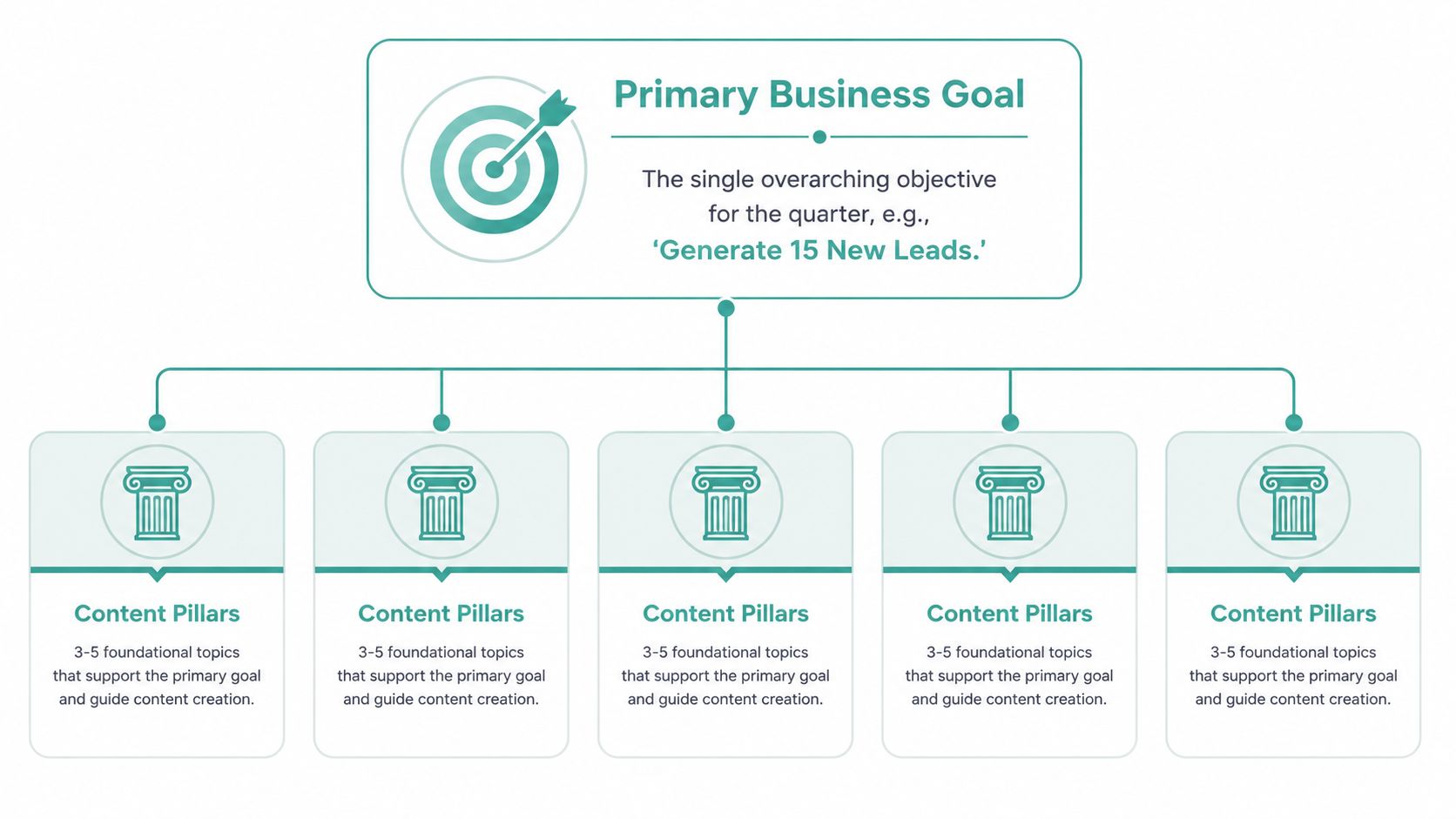
Fast planning only works when the foundation is narrow. If you try to support five business goals at once, your calendar turns into a junk drawer. Pick one primary objective for the quarter, then build a few repeatable content pillars around it.
Start with one goal, not a wish list
Your goal should answer one question: what should this quarter's content help the business do?
Examples:
A local gym might focus on getting consultations for a seasonal membership push.
A restaurant may want to drive reservations around key weekends and private events.
A service business might center the quarter on estimate requests.
A real estate team could focus on generating listing appointments in a target area.
Keep it singular. Awareness, lead generation, retention, and recruiting are all valid. They should not all be the main goal at the same time.
Choose pillars that can carry the quarter
Once the goal is set, define a small group of themes that support it. One planning guide recommends building around four horizons and says each pillar should support 8–15 related posts, with brands often working from 3–5 content pillars for a quarter, leaving room for launches and seasonal moments. That same structure treats the calendar as an operating tool with fields like owner, channel, CTA, and success metric, not just a list of topics. You can review that planning model in this content calendar structure guide.
For a local business, pillars usually look like this:
A quick filter for weak pillars
If a pillar fails any of these tests, drop it:
It doesn't support the quarter's goal
You can't create multiple angles from it
It only works on one channel
It sounds interesting but doesn't move a buyer
Practical rule: If a pillar can't produce blog ideas, email talking points, and social angles, it's probably too thin.
Audience clarity sharpens this step. If your offers serve different customer groups, review a simple framework for what audience segmentation means before you lock the pillars. That keeps your quarter from sounding generic to everyone.
Map Your Cross-Channel Content in Minutes
Monday starts with a blank calendar. By Monday 30 minutes later, you should know the message for each week, which channels will carry it, who owns each piece, and where paid support belongs. That is the job here.
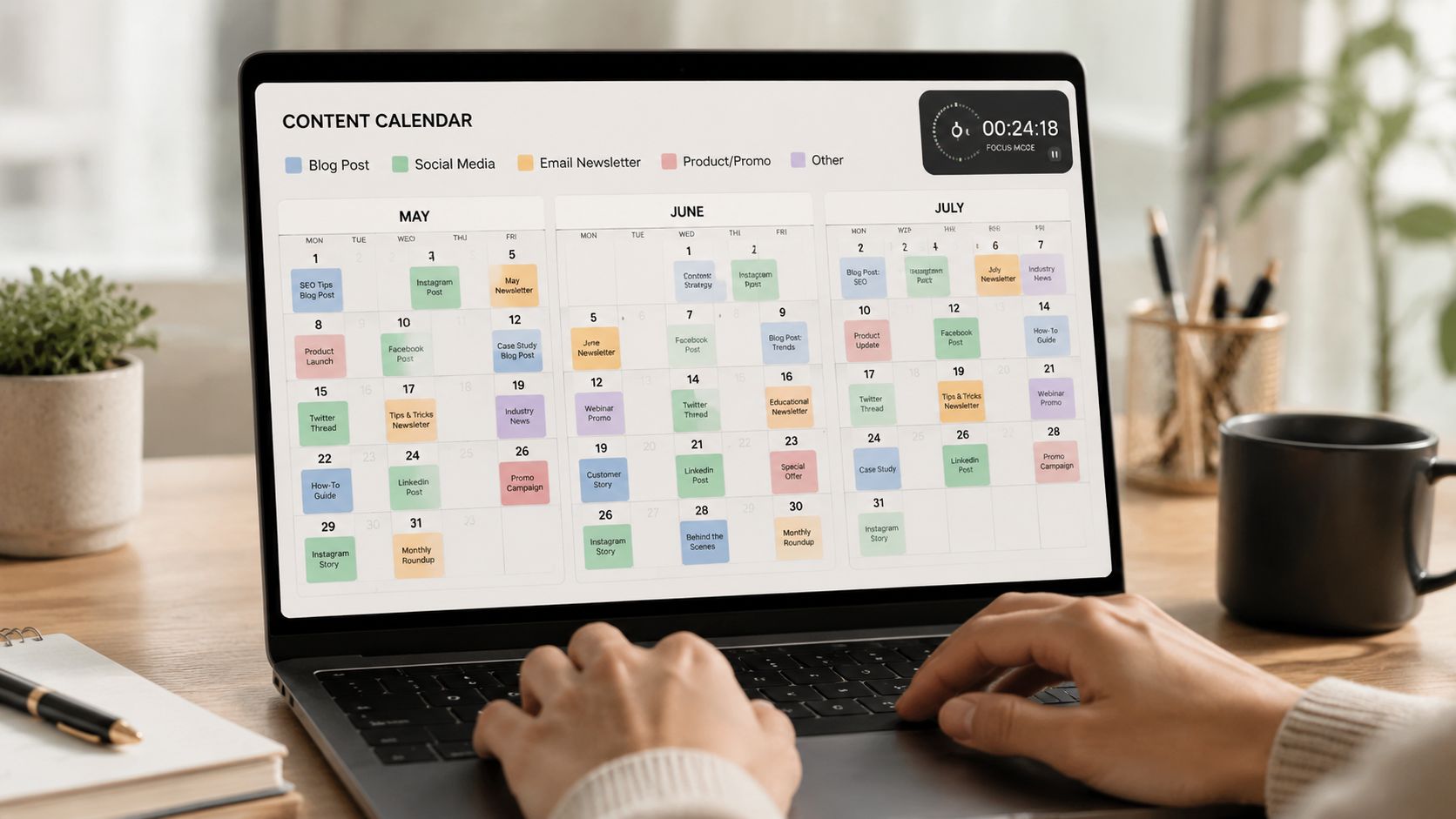
Use the pillar of the week method
Plan by week, not by isolated posts. Assign one pillar to each week of the quarter, then choose one anchor asset that gives the rest of the channel mix something to say.
That anchor asset can be:
A blog post
A short video
A promotion page
A customer story
A local event tie-in
The sprint goal is simple. Pick the weekly centerpiece and decide how it spreads across your channels. Save drafting, design, and polishing for production time.
A quarter usually gives you about 12 weekly opportunities. That is small enough to map fast and large enough to keep your marketing consistent. I usually plan the full quarter at the theme level first, then fill in channel details only for the first few weeks. That keeps the calendar useful without turning a 30-minute sprint into a two-hour writing session.
Turn one idea into a week of marketing
Use this sequence:
Pick the weekly theme Example: “Spring curb appeal tips” for a real estate business.
Choose the anchor asset One blog post or one short video becomes the source material.
Pull supporting angles from it Create three social posts, one email placement, and one clear CTA from the same idea.
Assign the work Name the person who writes, designs, schedules, and approves.
Reserve one amplification slot Mark the week that deserves paid support because the offer, timing, or audience reach matters.
This approach works because buyers do not experience your marketing one platform at a time. They see your business in fragments across Instagram, email, your site, paid media, and sometimes TV. A clear multi-channel marketing approach keeps those fragments aligned without forcing you to build a separate campaign for every channel.
A simple row structure for your template
Keep the sheet plain. Make it usable.
That row structure does two jobs at once. It gives you visibility across the quarter, and it exposes weak plans fast. If a row has no CTA, no owner, or no obvious channel fit, fix it now instead of carrying confusion into production week.
Where TV fits into a small business calendar
TV belongs on the same calendar as your blog, email, and social posts when you need concentrated local reach around a specific message. Good examples include an open house, a seasonal promotion, a limited-time service, or a brand push in a defined market.
For many small businesses, TV gets ignored because it feels like a separate project with extra production work and too many decisions. Adwave changes that equation by letting a business start with a website URL and turn TV into a scheduled media line item inside the quarterly plan. That makes TV a practical choice for the weeks that deserve broader local visibility, not a someday idea that never gets scoped.
Example Plan for a Local Real Estate Agent
For a creative example, explore the fictional Harbor & Pine campaign brief. It shows how a business goal can shape the hook, message, and next step across TV, search, and social, without making claims about customer results.
The central idea is simple. One strong theme gets adapted across several channels so the audience sees a consistent message in different formats.
Sample week in action
Why this weekly structure works
Each piece plays a different role. The blog gives depth and search value. Social gives visual proof and repeat exposure. Email reaches people already interested. The TV spot expands local awareness fast around the event window.
This is also where many business owners overcomplicate the plan. They think every channel needs a different idea. It doesn't. It needs a different expression of the same idea.
One weekly message repeated well usually beats five unrelated posts.
A real estate business can use this model every week with a different pillar. New listings one week. Neighborhood expertise the next. Buyer education after that. The template stays the same even when the subject changes.
If you want more campaign ideas built for agents and brokerages, Adwave has a practical list of real estate lead generation ideas that pairs well with this style of calendar planning.
Turn Your Plan into Action with Batching and Automation
A good quarterly plan still fails if execution happens in fragments. Write one caption, answer email, resize one graphic, chase one approval, then repeat. That pattern burns time and slows every channel, including TV, because production never gets enough focus to move.
Batch by task, not by date
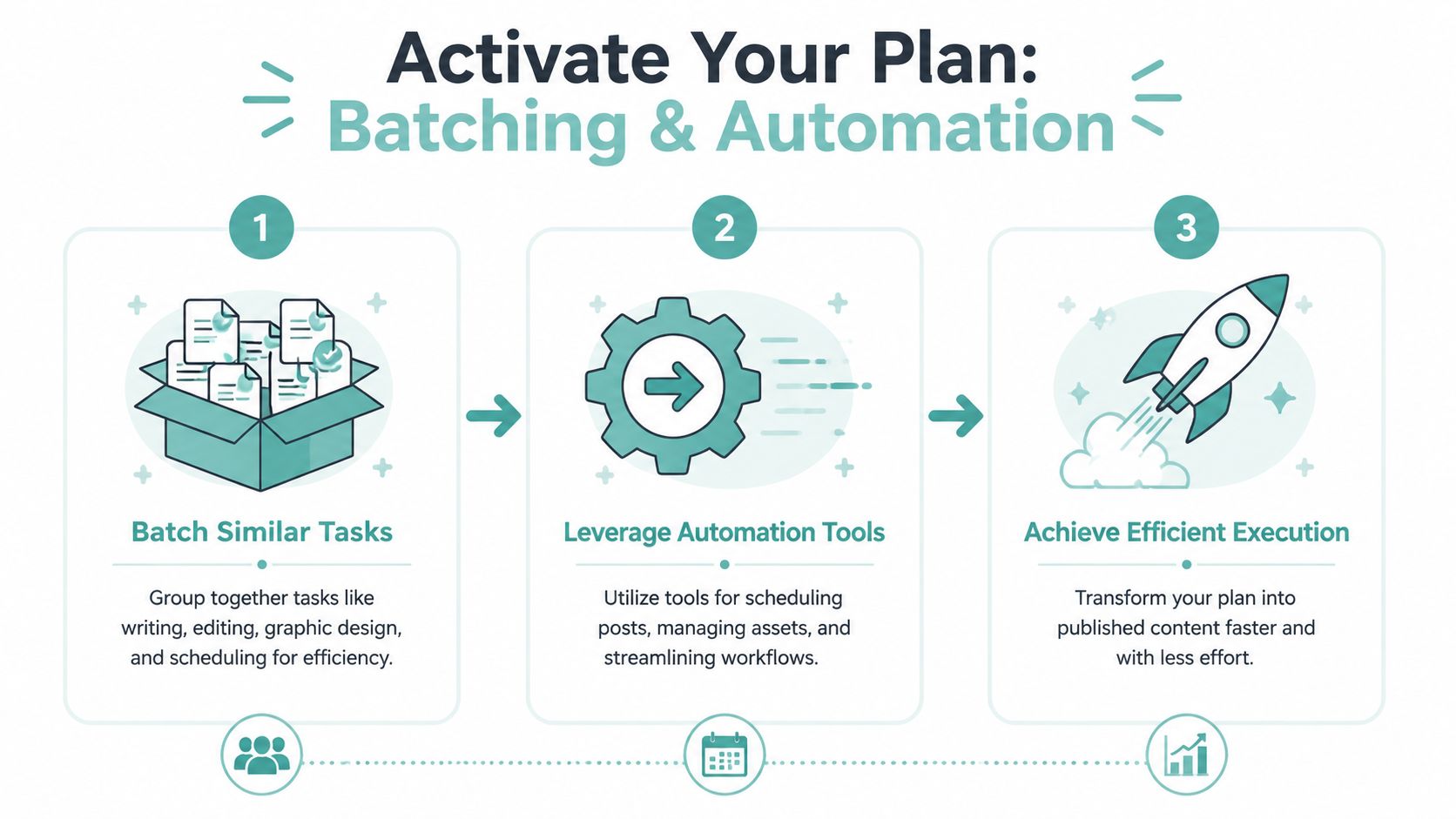
Run the quarter in production blocks. It is faster to write all email drafts in one sitting than to jump between email, social, blog, and ad scripts for a single week.
A simple batching setup looks like this:
Writing block for blog outlines, email copy, captions, and TV script drafts
Design block for social graphics, thumbnails, and simple promo assets
Recording block for short videos, voiceovers, or founder talking points
Review block for approvals, CTA checks, and final edits
Scheduling block for loading assets into your publishing and ad tools
The trade-off is real. Batching gives you speed, but it can make content feel rigid if you plan every slot too tightly. Leave a few open spaces each month for timely updates, market changes, or a strong promotion you want to push harder.
What to automate first
Start with the steps no one needs to do manually twice.
Automate status tracking, approvals, file storage, and publishing wherever possible. Those are the delays that turn a clean calendar into a pile of half-finished assets. If your team already knows what to create, the next bottleneck is usually handoffs.
Focus on these first:
Status tracking so everyone can see what is in draft, in review, or ready
Scheduling for social posts, email sends, and campaign launches
Asset storage so logos, photos, links, and scripts live in one place
Approvals so feedback does not get buried in text threads
Recurring campaign setup for repeatable promotions, event reminders, and local ads
Businesses with a lot of operational admin often learn this lesson faster than marketing teams do. Resources like these automation tools for moving companies show the same pattern. Remove repetitive steps first, then use the recovered time on message quality, offer strength, and channel fit.
That matters even more if your quarterly plan includes TV. A small business can now add TV with tools like Adwave, but TV still needs the same production discipline as email or social. One script owner, one asset folder, one approval path, one launch date.
Accountability keeps the plan alive
Content rarely stalls because the idea was weak. It stalls because nobody owns the next step.
Use three operating rules:
Every asset gets one owner
Every asset gets one internal due date
Every campaign gets one primary CTA
If a blog post supports a listing launch, one person owns the draft. If a TV spot promotes the same offer, one person owns the script and upload. Shared visibility is useful. Shared ownership is where projects get stuck.
Do this well and your content calendar stops being a planning document. It becomes a working production system.
Your Quarter Is Planned What Is Next
Once the quarter is mapped, the pressure changes. You no longer need to invent marketing from scratch every morning. You have a working system: one goal, a few pillars, weekly anchor ideas, and a production plan built around batching.
That matters more than most business owners realize. Clarity saves time, but it also improves message quality because your channels stop pulling in different directions.
Keep the workflow simple:
Set one quarterly goal
Choose a few durable pillars
Map one weekly anchor across channels
Batch production and scheduling
Leave a little room for timely updates
If you're ready to use this process immediately, the next move is simple. Download a ready-to-use version of your Content Calendar Template: Plan Three Months in 30 Minutes and fill the next quarter in one sitting. Then pressure-test it by asking one question: does every planned item support the same business objective?
If you want to add broader local visibility to that plan, include TV in the same calendar from day one. It doesn't need to live in a separate marketing universe. When it is planned alongside blog, email, and social, it becomes easier to deploy around launches, events, and high-value promotions.
If you want to add TV to your quarterly marketing plan without turning it into a separate production project, Adwave is worth exploring. It helps small businesses create and launch broadcast-ready TV ads from a website URL, which makes TV easier to schedule alongside the rest of your content calendar.


