
You already know the pattern. You spend hours outlining, drafting, editing, and polishing an article for your business. You publish it, share it once, maybe twice, and then move on to the next thing because the inbox is full, the phone is ringing, and marketing can't eat your whole week.
That one-and-done approach wastes good material.
Content repurposing fixes that. Instead of treating one article like a single post, you treat it like source material for a full campaign. That matters because repurposing has become a standard workflow. One industry roundup cites Referral Rock data showing that 94% of marketers repurpose content, and HubSpot's 2026 marketing statistics report that 48% of social media marketers share similar or repurposed content across platforms with minor adaptations, as summarized in these repurposing statistics.
Choose several useful extracts from each article and schedule them for the channels your customers use. Track which versions attract relevant readers. (AI content creation guide)
For a local business, the payoff is simple. One article can become your social posts, your emails, your sales follow-up, your short videos, and even a TV ad. If you're using a platform like Adwave, the jump from written content to broadcast-ready creative is much more practical than most small businesses assume.
1. Social Media Video Clips & Reels
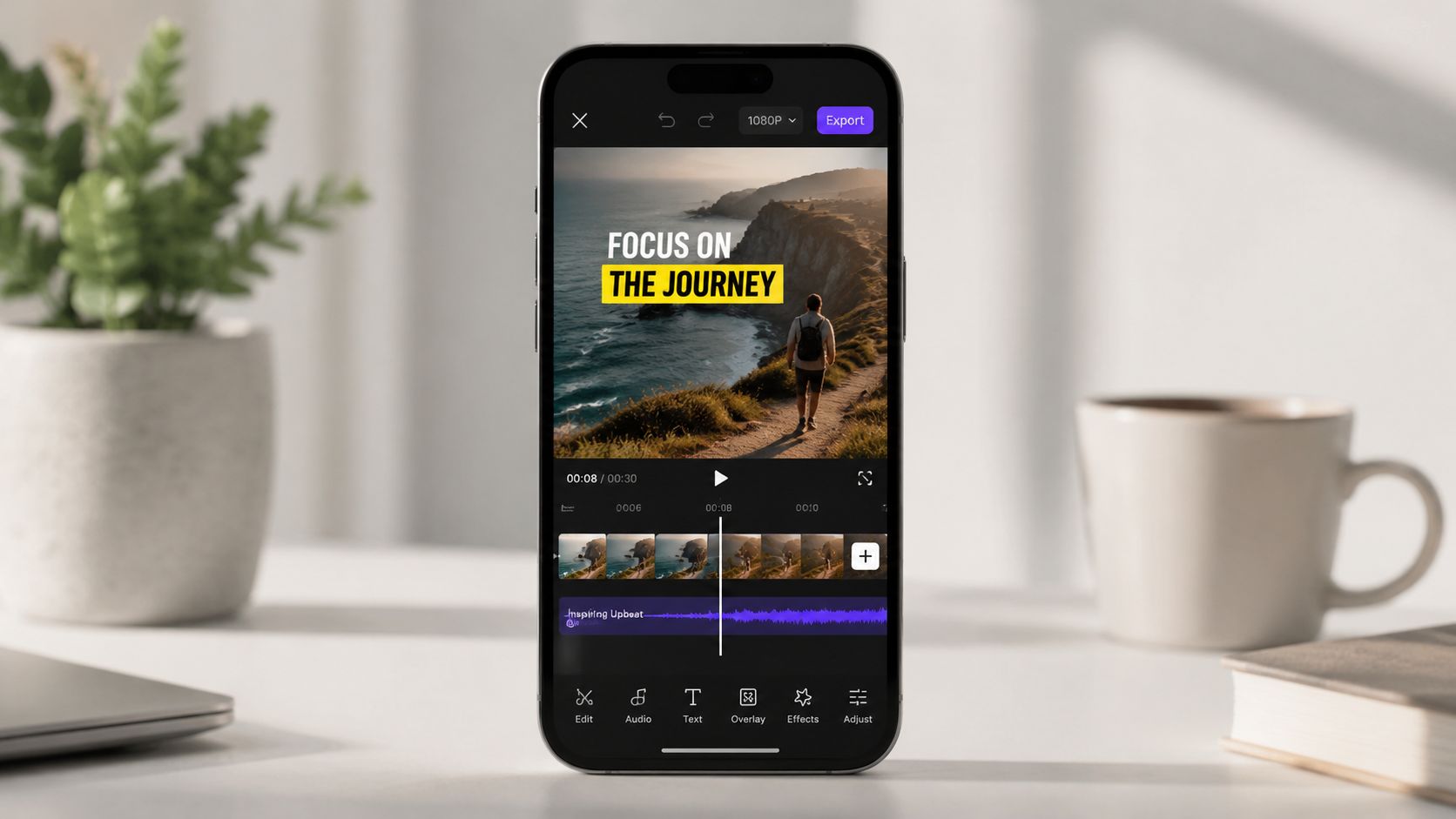
Short-form video is usually the fastest win because your article already contains the hard part: the message. You're not inventing new ideas. You're pulling out one tip, one myth, one mistake, or one customer question and turning it into a quick script.
HubSpot's 2026 marketing statistics report that short-form video led overall content usage in 2025 at 60%, while blog posts remained common at 38%, as summarized by ClearVoice's repurposing guide. That's the practical reason this format works so well. The article gives you the substance, and video gives you another distribution channel.
A local SMB example
Say a roofer publishes “5 Signs You Need a New Roof.” That single article can become five separate Reels.
Video 1: Water stains on ceilings
Video 2: Missing shingles
Video 3: Granules in gutters
Video 4: Sagging roof lines
Video 5: Storm damage after high winds
Each clip only needs one point, one visual, and one call to action. That's what keeps the video watchable. When owners try to cram the full article into one Reel, retention drops because the clip feels like a lecture.
Practical rule: One article section should become one video. Don't force five ideas into one post.
Mini-template for the script
Use this structure for a 30 to 60 second clip:
Hook: “One sign your roof may need replacement.”
Explain: “If you see dark water spots on the ceiling, moisture may already be getting through.”
Local angle: “In older homes, this often shows up after heavy rain.”
CTA: “Book an inspection on our site.”
A dentist can use the same model with “Teeth Whitening Myths.” A real estate agent can turn “First-Time Homebuyer Tips” into a tip series. If you're already running TV creative through Adwave, clip a short excerpt from that spot and use it as a teaser on Instagram, Facebook, or YouTube Shorts. For more tactical ideas, Adwave's Instagram Reels for local business quick-start guide fits this workflow well.
2. An Insight-Packed Email Mini-Series
A strong article doesn't need to become one giant newsletter. It usually works better as a short series. That gives each point room to breathe and gives your audience multiple chances to engage.
This is especially useful for local service businesses because trust often builds through repetition. A single email can be ignored. A short, well-paced sequence keeps your business in view without forcing a hard sell too early.
A simple 4-email structure
Take one article and split it like this:
Email 1: The main problem
Email 2: The common mistake
Email 3: The practical fix
Email 4: The next step or offer
If you're a financial advisor with an article about retirement planning, one email can focus on savings habits, another on account choices, another on timing mistakes, and the last on booking a consultation. If you own a home services company, an article about HVAC maintenance can become a four-part seasonal education series.
What doesn't work is dropping your whole blog post into an email and calling it done. Most inbox readers don't want a wall of text. They want one useful point and a clear action.
Mini-template you can reuse
Write each email in this order:
Subject line: “[Part 1] The mistake most homeowners miss before winter”
Opening: Name the problem in one sentence
Body: Teach one idea from the article
CTA: Link to your service, booking page, or full article
P.S.: Tease the next email
Keep each email tight. If the article is educational, your mini-series becomes a nurture sequence. If the article is product-led, the series can guide people toward a consultation, quote request, or demo. If you want a stronger conversion structure around this kind of follow-up, Adwave's welcome email sequences that turn subscribers into buyers is a good reference point.
Short emails usually win because readers can finish them quickly and act immediately.
3. A Shareable, Branded Infographic
Some topics are easier to understand visually than in paragraph form. That's where an infographic earns its keep. It condenses the article into a quick-scan asset you can post on LinkedIn, Pinterest, email, or your own site.
This format works best when your article has a process, a comparison, or a clean sequence. It works poorly when the article is mostly opinion or nuance. If your original piece depends on long explanation, don't force it into a single visual.
What to pull from the article
Choose one of these approaches:
A process infographic: “How to prepare your house for listing”
A myth-vs-fact visual: “Cosmetic dentistry myths”
A checklist-style visual: “What to bring to your first consultation”
A timeline visual: “What happens after a personal injury claim starts”
For local SMBs, the simplest infographics often outperform the prettiest ones because clarity matters more than decoration. A vertical design made in Canva is usually enough.
Mini-template for layout
Build it in this order:
Headline: State the promise clearly
Subhead: Explain who it's for
Section blocks: Pull 5 to 7 key steps or takeaways from the article
Branding: Add logo, website, and contact info
CTA footer: Invite readers to book, call, or learn more
If you run a local campaign, the infographic can also become a support asset for TV and streaming. A remodeler, for example, can use the same “Before You Start a Kitchen Renovation” visual as a landing-page companion to an Adwave campaign. Your ad gets attention. The infographic helps the click convert because the message stays consistent.
4. A Quick-Hit Podcast Episode or Audio Clip
Not every customer wants to read. Some would rather listen while driving, walking the dog, or working between appointments. That's why articles with good structure often translate cleanly into short audio.
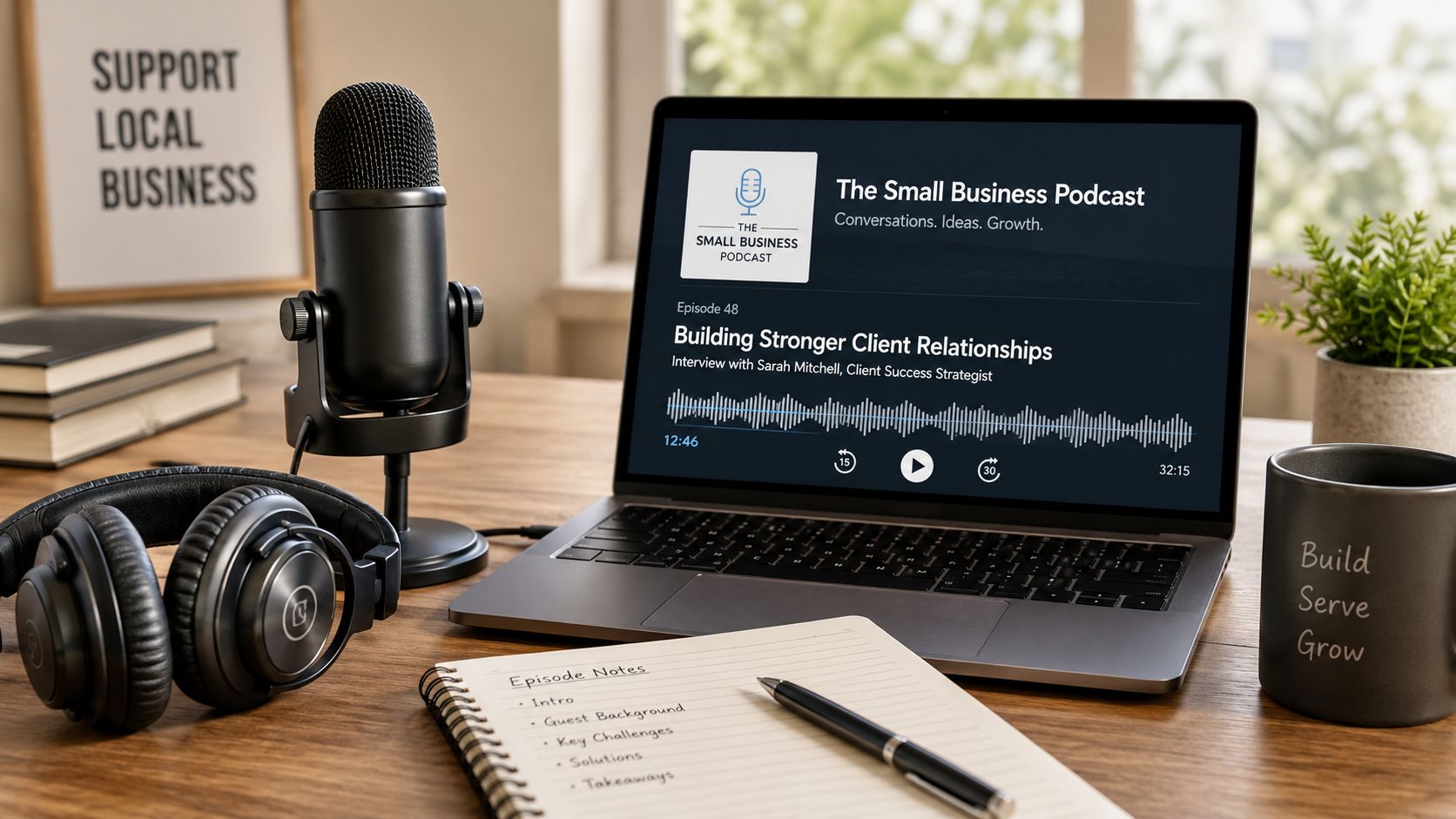
You don't need a formal show with intro music and polished production. A clear voice memo recorded with a USB mic and cleaned up in Audacity can be enough. For many small businesses, a direct, useful audio episode feels more trustworthy than a heavily produced one.
When audio works best
Use audio when the article includes:
Explanations: Good for topics that need context
Stories: Strong for client situations and lessons learned
Advice with nuance: Helpful when simple bullet points would feel too shallow
A home services company can turn “How to Winterize Your Home” into a short seasonal audio guide. A law firm can turn a FAQ-style article into a calm, clear explainer. An Adwave-focused version might be an episode on how to turn your website messaging into a TV ad script without rewriting your whole brand story.
Mini-template for a 10-minute episode
Try this format:
Minute 1: State the problem
Minutes 2 to 7: Walk through 3 key points from the article
Minutes 8 to 9: Share one common mistake
Minute 10: CTA to site, booking page, or offer
The best repurposed audio doesn't sound like someone reading a blog post word-for-word. It sounds like a business owner or expert explaining the same idea naturally. After recording, cut one short clip from the episode and reuse it as a social audiogram or part of your next email.
5. A Live Webinar or Recorded Training
A webinar is what happens when your article grows up into a lead-generation event. Instead of keeping the topic static on a page, you turn it into a training session with slides, examples, and live Q&A.
This works especially well for service businesses with longer buying cycles. If a customer needs education before they hire you, a webinar gives you time to build confidence and answer objections in real time.
How to build it from the article
Use your article outline as the webinar agenda. If the article has five sections, you already have five slide groups.
A practical structure looks like this:
Opening: Why the topic matters now
Core lesson 1: The first key section from the article
Core lesson 2: The second key section
Core lesson 3: The third key section
Q&A: Answer real objections
Offer: Consultation, quote, estimate, or next step
A real estate broker can turn an article about selling a home quickly into a homeowner training. A clinic can turn an educational article into a patient webinar. If your business is testing TV, a session built around how your website and existing messaging become a local streaming ad is a clean fit with Adwave because the content you already wrote becomes the script, the slides, and the offer.
A webinar doesn't need a huge audience to pay off. It needs the right audience and a topic tied to a real buying decision.
What usually goes wrong
Owners often overbuild the deck and underprepare the offer. If the session is useful but the next step is vague, people leave informed and do nothing. Your final slide should make the next action obvious.
Record the webinar, trim it, and now you've created another asset that can live on your site, in follow-up emails, and in sales conversations.
6. A Downloadable Checklist or Worksheet
A checklist is often the easiest repurposed asset to build and one of the most useful. It turns your article from information into action. That's why it works well as a lead magnet.
For local businesses, checklists perform best when they help someone prepare, compare, or avoid a mistake. They feel concrete. They save time. They also filter for buying intent because people who download them usually have a problem they want solved soon.
What to turn into a checklist
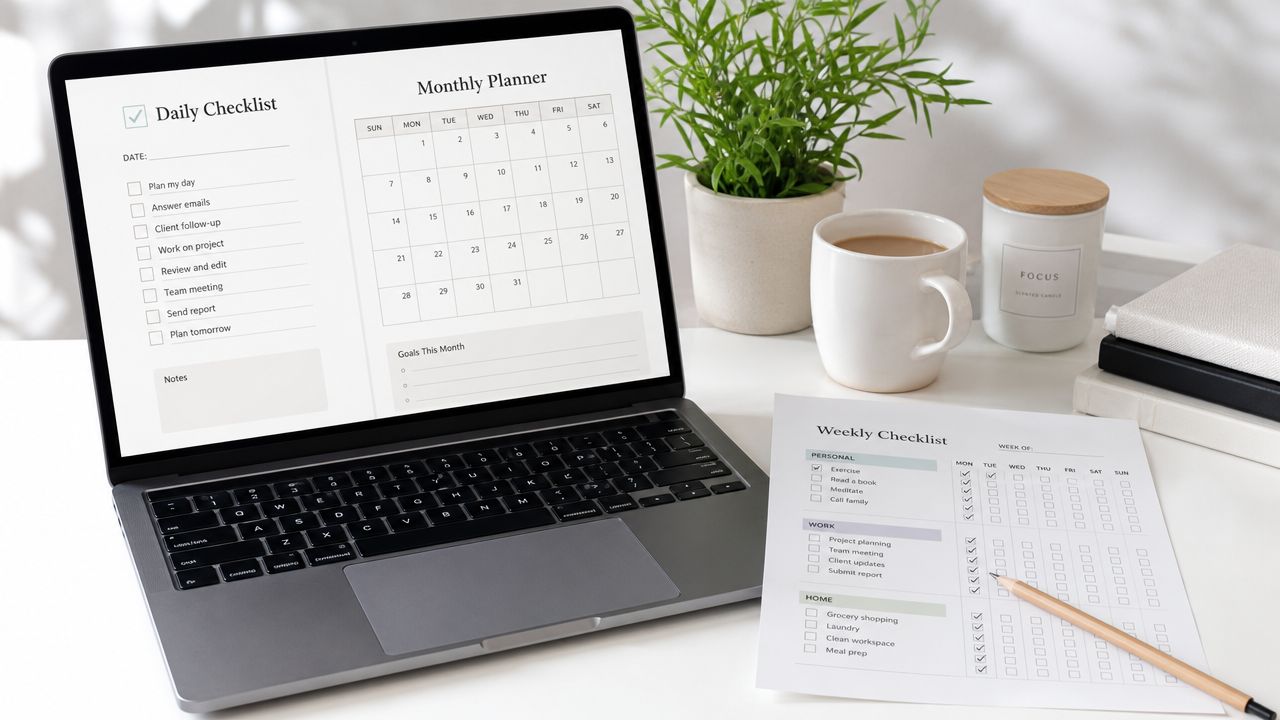
Look for action verbs in your article. Those are your worksheet sections.
Examples:
A med spa: “Questions to ask before booking a cosmetic treatment”
A roofer: “Storm damage inspection checklist”
A real estate team: “Pre-listing home prep worksheet”
A local retailer: “Holiday promotion launch checklist”
Build it in Canva and keep it to one or two pages. If it turns into a guidebook, you've made a different asset.
Mini-template for the page
Use this structure:
Title: Promise a practical outcome
Short intro: One sentence on when to use it
Checklist items: Clear command-style actions
Notes section: Space for decisions or observations
Footer CTA: How to contact your business
A strong Adwave-related example would be a “Pre-Launch Checklist for Your First TV Campaign.” That could include audience definition, offer selection, landing page review, logo files, and approval notes. If your article already explains local promotion strategy, the checklist gives readers a simple way to apply it without rereading the whole piece.
The trade-off is that checklists don't carry much nuance. If your topic requires explanation, pair the download with the original article or a follow-up email.
7. A Thought Leadership LinkedIn Article
LinkedIn isn't the place to repost your article unchanged. Readers there want perspective, not just information. The repurposed version should sound more like a point of view and less like a blog archive.
Here, owners, founders, and local operators can stand out. You don't need to sound corporate. You need to sound specific. Explain what you've seen clients misunderstand, what local buyers care about, or what changed your approach.
How to reshape the original piece
Start with a stronger opinion than you used on your site.
If your article was “How Local Businesses Can Use Video Marketing,” your LinkedIn version might become “Most Local Businesses Don't Need More Content. They Need Better Distribution.” That's a better native fit because it invites discussion.
Use this pattern:
Opening: State a clear opinion
Middle: Pull 2 or 3 ideas from the article
Example: Show how the idea plays out in a business situation
Close: Ask a real question
A marketing consultant can publish a post about why one article should fuel a full campaign. A founder using Adwave can write about why TV is no longer reserved for enterprise brands, then connect that point to the reality of repurposing existing website and article content into creative. If you're targeting other businesses, Adwave's LinkedIn marketing for small B2B companies is relevant to this distribution angle.
Good LinkedIn repurposing adds judgment. It doesn't just copy and paste.
8. A SlideShare or Presentation Deck
Some buyers don't want a long article and don't want a webinar either. They want the fast version. A deck solves that. It turns your article into a visual sequence that sales teams, prospects, partners, and event attendees can scan quickly.
This format works best for educational topics with a clear progression. If your article already has strong subheads, you're halfway there. Each subhead can become a slide.
A practical deck structure
A simple article-to-deck conversion looks like this:
Slide 1: Big promise or problem
Slide 2: Why the issue matters
Slides 3 to 8: One key point per slide
Slides 9 to 12: Examples, objections, or mistakes
Final slide: CTA and contact information
For local businesses, decks are underrated sales tools. A contractor can turn an article into a presentation for in-home estimates. A broker can turn a market-education article into a listing presentation add-on. A retailer can turn a seasonal buying guide into staff training material.
What makes a deck work
Use fewer words than you think. If a slide looks like a paragraph, it's still a blog post wearing a new outfit.
Strong decks rely on three things:
One idea per slide: Don't stack multiple lessons
Visual proof: Use screenshots, examples, or simple diagrams
Direct CTA: Tell viewers what to do next
If you're exploring TV or streaming promotion, your deck can also bridge the gap between content and campaign. The same points from your article can become the talking points in a sales deck and the message hierarchy in an Adwave ad creative.
9. A Series of Twitter (X) Threads
Threads are useful when your article has sharp, standalone points. You're taking the core argument and breaking it into short, linked statements that people can scan in seconds.
Nuance isn't at its best here. Clarity prevails instead. If your article is soft, abstract, or overloaded with caveats, the thread will feel weak. The best source articles for this format have bold claims, direct takeaways, and practical examples.
A thread formula that works
Draft the whole thing before posting. Start with a first tweet that earns attention.
Example opening: “Most small businesses don't need more marketing ideas. They need to get more mileage from the article they already published.”
Then structure the rest like this:
Tweet 1: Strong claim or problem
Tweet 2: Why businesses get stuck
Tweets 3 to 7: One lesson per tweet
Tweet 8: A practical example
Tweet 9: CTA to article, guide, or offer
A local agency can turn a marketing article into a thread of tactical lessons. A dental office can create a thread about common treatment misconceptions. A business using Adwave can post a thread about taking one article, extracting the strongest message, and adapting it into a streaming ad concept.
What not to do
Don't write your thread like a squeezed-down blog intro. Lead with the insight people can use right now. And don't post a thread that only exists to say “read my article.” The thread itself has to be valuable.
If one of your tweets gets traction, that's a clue the underlying section may deserve its own Reel, email, or ad script next.
10. Broadcast-Ready TV & Streaming Ad Creatives
This is the repurposing move most local businesses overlook. They assume TV and streaming require a separate campaign, a separate budget, and a separate creative process. In practice, your article often contains the exact ingredients needed for a short ad: a problem, a solution, a proof point, and a call to action.
For a local SMB, repurposing ceases to be merely a content exercise and transforms into media strategy.
How to turn an article into an ad
Pull the single strongest promise from the article. Not the full story. Just the clearest message.
A real estate article about selling fast can become a short spot focused on speed and simplicity. A dental blog about cosmetic options can become a creative centered on confidence and booking a consultation. A home services article about emergency repairs can become a direct-response ad with urgency built in.
Use this mini-template:
Opening problem: Name the issue fast
Business solution: Show what you fix
Why trust you: Pull one claim or differentiator from the article
CTA: Visit, call, book, or request a quote
Repurposed TV creative works best when it sticks to one audience problem and one business promise.
Why Adwave fits here
Adwave is a practical fit for this step because its platform is built around turning existing business content into broadcast-ready ads. If you already have a website, article, service page, or social profile, you're not starting from zero. You can use those materials to shape the creative instead of briefing a production process from scratch. For the actual mechanics, Adwave's guide on how to make a commercial connects well to this workflow.
This matters for busy local teams because the message continuity is better. Your article teaches the problem. Your social clips reinforce it. Your emails nurture it. Your TV or streaming ad delivers it to a wider audience in a format built for reach. That's how content repurposing turns one article into 10 pieces of content that work together.
Repurpose One Article: 10-Format Comparison
A local business rarely needs more ideas. It needs the right format for the right job, with a production load the team can handle.
Use this table to decide what to make first based on effort, payoff, and whether the asset can also feed a low-cost TV or streaming campaign through Adwave.
From One Article to an awareness and conversion Campaign
Monday morning, the blog post is live. By Friday, it has already done more than bring in a few pageviews. It has supplied the script for two short videos, three emails, a checklist for leads, a sales deck for local meetings, and the core message for a TV or streaming ad. That is the standard to aim for.
Small businesses get better results when each article is treated as source material, not a finished product. One strong piece should feed awareness, consideration, and conversion. That approach saves time, but, above all, it keeps the message consistent across channels your customers use, from Instagram and email to local TV and streaming.
Repurposing only works if each format is rebuilt for its job. A Reel needs a strong first line and visual proof. An email needs one takeaway and one action. A webinar needs teaching points. A TV ad needs one problem, one promise, and one clear CTA. Copying the same text into ten formats is fast, but it usually produces weak content and mixed results.
For local SMBs, the practical workflow is simple. Start with an article that already answers a question customers ask all the time. Pull out three strong points. Turn those into the first few assets with the shortest path to distribution, usually short video, email, and a checklist. Then review what gets clicks, replies, watch time, or calls, and use that feedback to shape the higher-cost asset: your broadcast-ready creative.
That last step matters. TV and streaming campaigns perform better when they are built from messages that have already shown some traction in cheaper channels. If one section of your article consistently drives replies in email or strong completion rates in video, that is often the best candidate for a 15 or 30-second ad. Adwave fits into that process by helping local businesses turn proven themes from existing content into broadcast-ready creative without starting from zero.
There is still a trade-off. Quality control gets harder as output increases. I have seen teams publish one good article, then rush the repurposing work and end up with ten pieces that feel generic. A better rule is to build in batches, approve the core message once, and adjust the format around it. That keeps the campaign efficient without flattening every asset into the same thing.
If historical data is thin, use practical signals instead. Reuse topics prospects bring up on calls, questions your staff answers every week, and sections of your article that clearly explain value in plain language. That performance-first filter remains a smart way to choose what deserves to become a video, an email series, or a local ad.
Start with one article. Turn it into the next two assets, measure the response, then expand. That is how content repurposing becomes an awareness and conversion system instead of a pile of disconnected posts.
If you're ready to turn your existing website and content into a TV or streaming campaign, Adwave gives local businesses a practical way to create, launch, and measure broadcast-ready ads from the materials they already have.


