A lot of small business owners hit the same wall. The calendar says you need a blog post, an email, a social post, maybe even a local campaign, and all you've got is a vague sense that “we should post something useful this week.”
That's usually where weak content starts. It comes from internal brainstorming, recycled competitor ideas, or last-minute guesses about what customers might care about. Sometimes that works. Often, it doesn't.
Google Trends gives you a better starting point. Instead of asking, “What should we publish?” you ask, “What are people already paying attention to?” That shift matters. It helps you create content around existing demand, not wishful thinking.
Beyond Guesswork Your Introduction to Trend-Based Content
Use customer questions and current search interest to plan topics for your content calendar.
Google Trends is one of the simplest ways to stop guessing. It shows how interest in a search topic changes over time, which lets you spot whether a subject is growing, seasonal, stable, or fading. For a local business, that means you can align your marketing with what people are actively looking for instead of relying on intuition alone.
The biggest mistake I see is treating content planning like a creativity problem. It's usually a listening problem. Your audience is already telling you what they care about through search behavior. Google Trends helps you read those signals.
That doesn't mean every spike deserves a blog post. It means you can separate three useful buckets:
Steady interest: topics that deserve evergreen pages, FAQs, and educational posts
Seasonal demand: topics that need to go live before interest peaks
Emerging curiosity: topics that can fuel quick-turn content, timely emails, and local promotions
Practical rule: Don't start with the format. Start with the demand signal, then decide whether it should become a blog post, landing page, video, email, or ad.
If you already have foundational content, trend research gets even more valuable. You can pair timely topics with durable assets, which is how smart teams keep publishing without filling their sites with disposable content. A useful companion to that approach is this guide to evergreen content writing posts that drive traffic for years.
Search activity reveals urgency, confusion, desire, and timing. That's why learning how to use Google Trends to find timely content ideas isn't just an SEO exercise. It's customer research you can act on right away.
Mastering the Google Trends Dashboard
Google Trends looks simple, and that's part of its strength. The interface doesn't bury you in reports. It gives you a few levers that matter, and each one changes the story the data tells.
Use a simple term the first time you explore. A phrase like local honey works well because it's easy to imagine different customer intents around it.
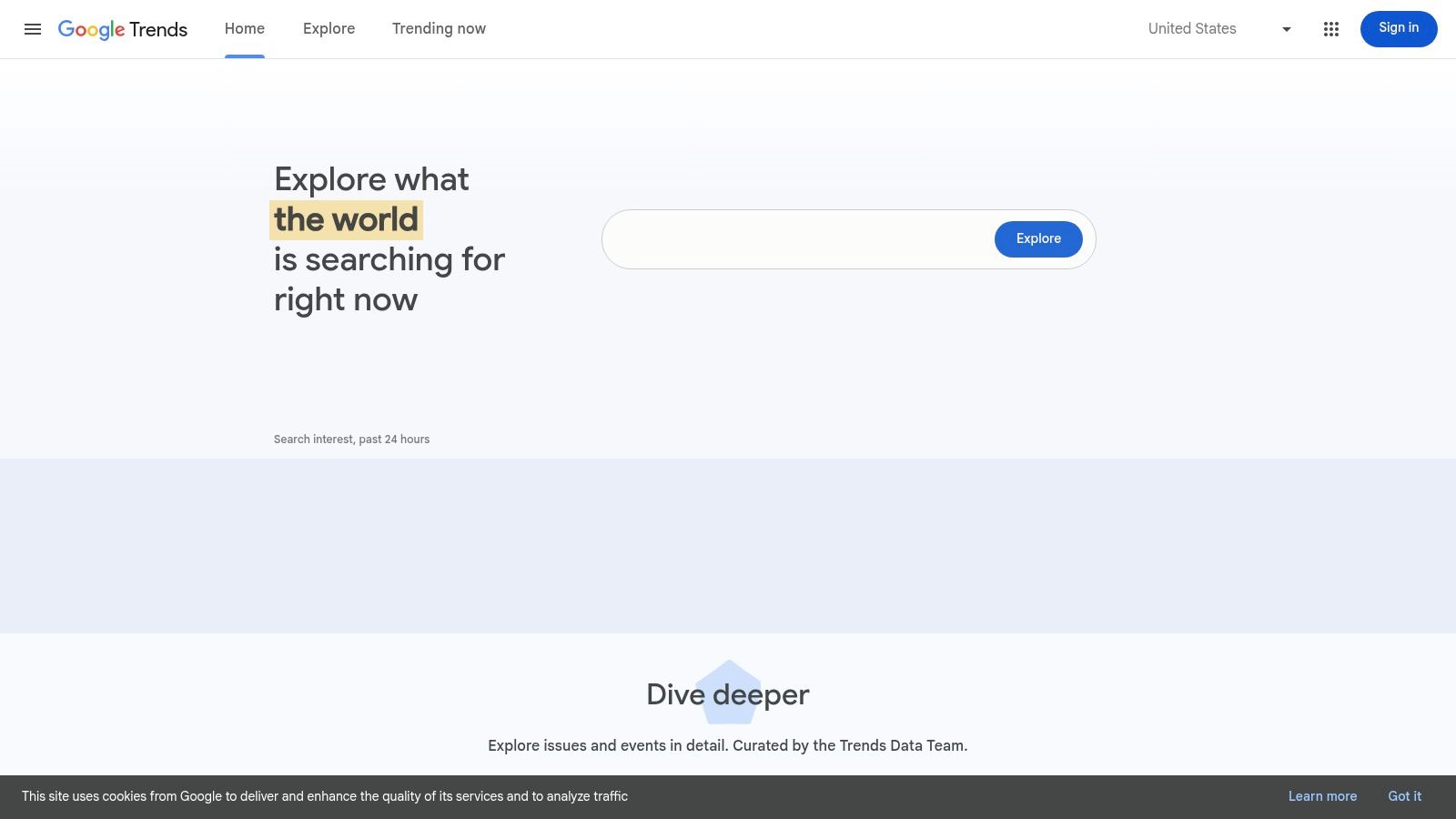
Start with the main search field
Enter your topic and look first at the interest over time graph. Don't overcomplicate this step. You're trying to answer a practical question: is this topic stable, cyclical, rising, or erratic?
If you own a farm shop, a specialty grocery store, or a local gift business, “local honey” might show a recurring pattern tied to seasons, gift-buying periods, or wellness interest. That tells you whether you should build a permanent content asset or move quickly on a timely angle.
A few ways to read the graph well:
Smooth, recurring peaks: often a seasonal topic worth planning around
Consistent baseline: a good candidate for evergreen content
Sharp isolated spikes: usually needs context before you invest time
Recent upward movement: worth checking in related queries before competitors react
Use location to make the data useful
This filter is where most local businesses go from curiosity to strategy. National data can be interesting, but your sales come from a service area, storefront radius, region, or set of cities.
Switch from broad geography to the market you serve. If you're a realtor, med spa, bakery, or contractor, city and regional filters often tell a much more useful story than country-level data.
For example, “local honey” may show one pattern nationally and a different one in your state or metro. That affects your messaging. A generic article aimed at everyone is less effective than a local page, campaign, or post tuned to what your nearby customers are searching for.
Broad trend data is fine for brainstorming. Local trend data is what changes marketing decisions.
Change the timeframe before making any decision
A lot of bad content choices happen because someone looks only at the recent view and mistakes a blip for a business opportunity.
Use multiple time ranges on the same term:
Short range: helps spot recent movement and timely hooks
Mid range: reveals whether the recent movement is part of a broader pattern
Long range: helps you distinguish repeatable seasonality from noise
If “local honey” jumps in the short view but looks flat across longer periods, you may be seeing a news-driven moment rather than a durable topic. That could still be useful, but it calls for a lightweight response, not a major content investment.
Adjust category and search type on purpose
These settings are easy to ignore, but they matter.
Category helps narrow ambiguous terms. If a phrase has multiple meanings, selecting the right category reduces messy data and gives you a cleaner picture of user intent.
Search type helps you understand the format people may prefer. Google Trends lets you view interest across options such as web, image, news, and shopping searches. A retailer researching “local honey gift set” might care more about shopping behavior. A food blogger may learn more from web search. A PR team reacting to a food trend might check news search.
Use this as a decision tool, not a novelty filter.
Web Search: best for general content research
Image Search: helpful when visual inspiration drives demand
News Search: useful when a trend is tied to current events
Shopping Search: strong for product-led and retail planning
If you want your findings to turn into publishable assets, not just notes in a spreadsheet, pair your research with a process for drafting stronger pages. This guide on how to write a blog post that ranks on Google helps bridge that gap.
Uncovering Content Gold with Related Queries
The most useful part of Google Trends often sits below the chart. Related queries is where rough topic research turns into actual content ideas.
This section does two jobs. It tells you what people connect to your main topic, and it helps you decide whether that connection belongs in your evergreen library or your fast-response pipeline.
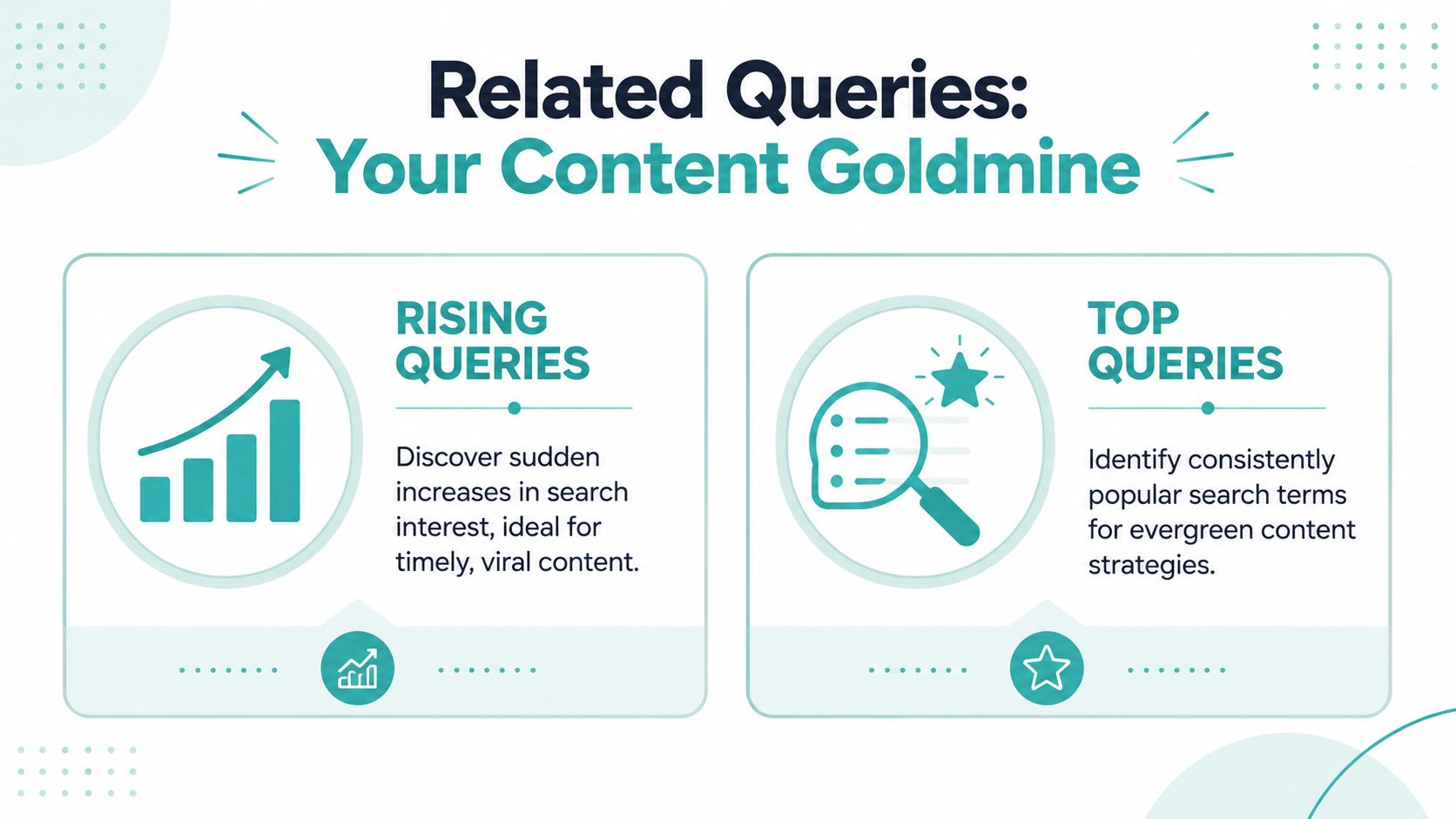
Top queries are your popular classics
Think of Top queries as the songs people always come back to. They aren't necessarily flashy, but they're dependable. If you run a financial advisory practice and you see a top query around retirement planning, that's not a passing fad. It's a sign that the audience regularly wants foundational guidance.
Top queries are excellent for:
Core service pages: topics that deserve permanent placement on your site
Evergreen blog posts: educational content customers will still need later
FAQ hubs: recurring questions that support trust and conversion
Email nurture content: reliable issues buyers keep revisiting
A bakery might find top queries around birthday cakes, gluten-free options, or custom desserts. Those belong in pages and posts you can update over time, not in one-off reactive content.
Rising queries are your hot new hits
Rising queries deserve a different mindset. They point to increased momentum. Sometimes that means a short-lived buzz topic. Sometimes it means a meaningful shift in what customers want.
Local businesses possess an agility that allows them to move faster than larger brands. If a neighborhood bakery sees a dessert style beginning to rise in local search interest, it can create an Instagram reel, a landing page, an email, and an in-store promotion almost immediately. A larger competitor may still be waiting for a committee meeting.
Some rising queries get marked as Breakout inside Google Trends. Treat those as a prompt to investigate, not as an automatic green light. Search the term, check what's driving interest, and ask whether your business has a real angle.
A rising query is an opportunity only if you can add relevance, speed, or local context.
How to turn related queries into publishable ideas
The strongest workflow is to group your findings by business use, not just by keyword list. That keeps the research tied to outcomes.
Compare search trends with relevant social conversations to understand what customers are discussing. (SuperX's social data insights)
For deeper brainstorming once you've identified a pattern, this resource on how to find content ideas your audience searches for helps turn query lists into a workable editorial slate.
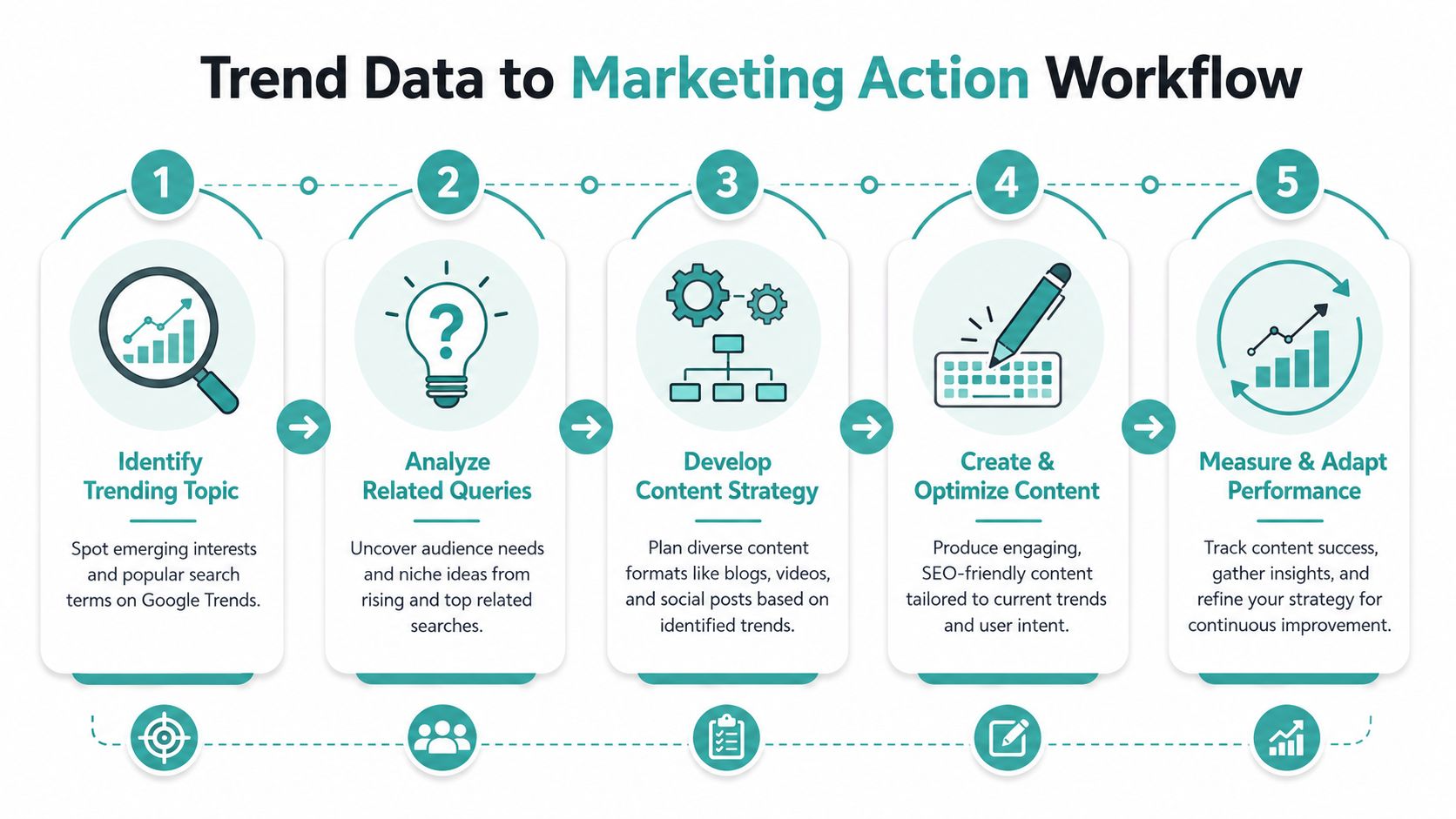
From Trend Data to Strategic Marketing Action
Finding a trend is not the win. Acting on it before it goes stale is the win.
A lot of businesses use Google Trends as a research toy. They search a few terms, get excited, then never connect that insight to timing, geography, creative, or channel choice. Good marketing happens when you turn observed demand into a specific plan.
Read the pattern before you choose the tactic
Start by asking what kind of trend you're seeing.
A recurring seasonal pattern deserves scheduled preparation. A regional spike may call for local messaging. A sustained rise across several related queries may justify a larger campaign because it signals changing customer demand, not just temporary curiosity.
In such situations, many small businesses either underreact or overreact.
Underreacting looks like spotting a useful trend and doing nothing until the moment passes.
Overreacting looks like rebuilding your marketing plan around one strange spike that had no staying power.
The better move is to match the response to the pattern. A blog post might be enough for one topic. Another trend might justify a landing page, social series, promotional email, and paid support.
Use seasonal and geographic data together
Seasonality is easier to spot when you check longer views, but the useful part is what you do with it. If a home services company sees recurring search demand around a weather-sensitive service, that should affect campaign timing, staffing conversations, creative angles, and lead capture pages.
Geographic data sharpens the message further. Search interest can vary by city, region, or local market. That changes the examples you use, the neighborhoods you mention, and the offer you put in front of people.
Field note: A trend becomes more valuable when you can answer two questions clearly. Where is demand building, and when should your message go live?
Build a simple action chain
Once you identify a timely topic, move through a repeatable sequence:
Confirm relevance: Make sure the trend connects to your product, service, or local audience.
Choose the angle: Educational, promotional, comparative, seasonal, or reactive.
Pick the format: Blog, local landing page, email, short video, social post, or ad.
Launch before the peak: Publish while interest is building, not after everyone else piles in.
Review performance: Keep the winners, refresh what still matters, and drop what was only temporary.
That process keeps you from treating every trend the same way.
Content idea templates from Google Trends data
A strong content system doesn't have to stop at organic channels. When a local trend is clearly relevant, speed matters. That's where paid distribution can make the difference between riding the moment and missing it.
Adwave is especially useful in that situation because Adwave enables small businesses to launch broadcast-ready TV ads across 100+ premium channels with campaigns starting at just $50, making it possible to act on timely trends without a six-figure budget. For a business that sees local demand rising and wants to move beyond blog content alone, that creates a practical path to wider visibility fast.
The key isn't “do content” or “do ads.” It's knowing when trend data supports both. Organic content captures intent and builds authority. Timely advertising helps you reach people while the topic is still active in the market.
Real-World Examples for Your Business
Theory gets clearer when you see how an actual business would use the tool. These examples are simple on purpose. You don't need a research team. You need a business goal, a few relevant terms, and the discipline to act on what the data suggests.

A real estate agent choosing the right listing narrative
A local agent wants to know which audience deserves more attention in current marketing. The question isn't abstract. Time spent promoting the wrong category can dilute listing visibility and lead quality.
They enter starter homes and compare it with luxury condos, filtered to their city or metro area. Then they check related queries for each term.
If starter-home interest looks stronger or more active in that local market, the content response becomes clear:
Website content: neighborhood guides for first-time buyers
Email content: financing and buying-prep education
Social content: short videos explaining what buyers should prioritize
Listing copy: language focusing on value, flexibility, and long-term upside
If luxury condos show stronger local interest, the strategy shifts toward amenities, lifestyle positioning, relocation content, and higher-end visual storytelling.
The important part isn't that one category is always better. It's that local demand should shape the message.
A retail owner spotting product momentum before buying decisions
A boutique retailer wants to decide whether to feature linen pants more aggressively. This is a classic case where trend research can influence both inventory presentation and marketing.
They search the term, narrow to their region, and compare recent movement against a broader apparel phrase if needed. Then they review related queries to understand what style questions buyers are asking.
That can produce multiple actions from one insight:
A product collection page optimized around the style shoppers are already exploring
A blog post that answers fit, styling, or seasonal wear questions
A window display and social campaign built around the same theme
A customer email that highlights “how to wear” or “what to pair with” content
If a product trend appears in search before it becomes obvious in your store, that's a useful lead, not just an interesting chart.
This approach also prevents bad promotions. If interest looks weak or too short-lived, the retailer can keep the trend in lightweight content instead of overcommitting merchandising space.
A home services contractor timing demand instead of chasing it
A contractor offering exterior services wants to promote deck staining more efficiently. Google Trends often pays off in this situation because service demand usually follows a rhythm.
The contractor searches the term across a longer timeframe in the local service area. The pattern reveals when people start researching the job, not just when they're ready to buy.
That distinction matters. Good marketing should show up before demand reaches its busiest point.
The resulting campaign could look like this:
A contractor could also layer in broader visibility once the local signal is clear. A blog post helps capture search intent. A targeted campaign helps create awareness among nearby homeowners who may need the service but haven't searched yet.
That's the broader lesson across all three examples. Google Trends doesn't just help you come up with content ideas. It helps you decide which audience to speak to, what angle to take, and when to put that message into the market.
Putting Your Trend Insights into a Content Calendar
Trend research only matters if it changes what gets published and when. Otherwise, Google Trends becomes another tab you open, poke around in, and forget by Friday.
The best content calendars separate ideas into two tracks. One track holds your dependable topics, the pieces built from top queries and recurring demand. The other holds your flexible slots, where you can react to rising interest without tearing apart your entire schedule.
A simple working rhythm is enough:
Monthly review: check your core topics for seasonal movement and local shifts
Quarterly planning: map predictable demand to service pages, guides, promos, and updates
Weekly scan: look for rising queries worth turning into fast content or local campaigns
Use trends alongside recurring customer questions when choosing what to publish.
Use a planning system your team will maintain. If you need a practical starting point, this content calendar template to plan three months in 30 minutes is a solid way to organize trend-based ideas without overengineering the process.
One final point matters more than often assumed. Track what happens after publication. Did the topic bring qualified traffic, better engagement, more inquiries, or stronger local response? If yes, build on it. If not, treat that as insight, not failure.
Learning how to use Google Trends to find timely content ideas is really about learning how your customers think in the moment. Start there, stay consistent, and your marketing gets sharper fast.
If you're ready to turn local trend signals into faster market visibility, Adwave is worth a look. It gives small businesses a practical way to launch broadcast-ready TV ads across premium channels without the usual production barrier, which makes it a strong fit when you want to act on timely demand and get your message in front of the right local audience quickly.