Ready in minutes
AI builds your ad from a single prompt


July 10, 2026
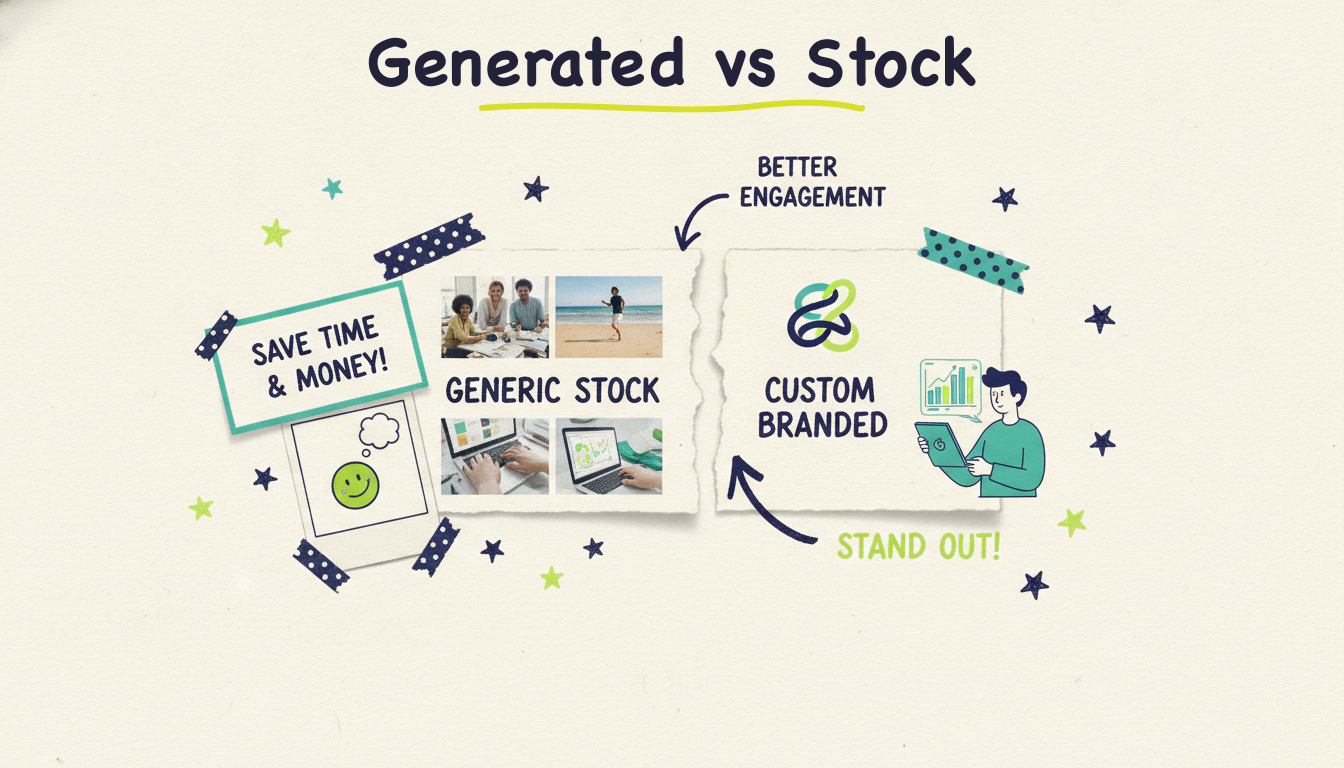
Looking for a Pictory alternative? The best one for you comes down to a single question: do you want a video assembled from stock footage, or a video with visuals made for your exact idea? Pictory is fast and genuinely easy for turning a script or blog post into a narrated stock-footage slideshow. But that same approach is its ceiling. Tools like Wavemaker, VEED, InVideo, Synthesia, and Canva each solve that ceiling differently, and the biggest split in this whole category is generated visuals versus stock clips. This guide compares seven alternatives, tells you who each one is best for, and keeps the pricing qualitative so you can focus on fit.
Let's break this down.
Pictory takes text, a script, a blog post, or a long recording, and turns it into a short video. It pulls matching clips from a stock library, adds captions, and lays an AI voiceover or your own audio over the top. For repurposing written content into social-ready video, it's quick and the learning curve is close to zero.
Here's the thing, though. Every video Pictory makes is built from the same raw material everyone else pulls from: shared stock footage. The b-roll of a person typing at a laptop, the drone shot of a city skyline, the smiling handshake, you've seen those exact clips in a hundred other videos. Pictory is a smart assembler of existing footage. It doesn't create anything new for your specific topic. That's the trade-off you're weighing when you look at alternatives.
Lumen5 and Fliki work the same way at their core: script or article in, stock-footage slideshow out. Fast, easy, familiar. And for a lot of quick social clips, that's fine. But if your video needs to look like it was made for you, not stitched together from a library, you're in the market for a different kind of tool. If you're specifically comparing input methods, our guides on text to video and turning a URL into a video go deeper on how the newest tools handle each one.
There are two camps in this category, and understanding the difference will save you a lot of trial-and-error.
Stock slideshow tools (Pictory, Lumen5, Fliki) match your words to pre-existing footage. You type a sentence about coffee, and the tool drops in a stock clip of someone pouring coffee. The video is a sequence of library clips narrated over. Speed is the win. Originality is the cost.
Generated-visual tools (Wavemaker leads here) create the visuals from scratch based on your idea. Instead of searching a library for the closest match, an AI generates images and video clips that fit your specific script, brand, and story. The result is a bespoke finished video, not a slideshow of clips you share with strangers.
This distinction matters more every year. As stock-footage videos flood every feed, the ones that stand out are the ones that don't look like everyone else's. When your competitor's explainer uses the same three drone shots as yours, "custom" stops being a nice-to-have.

Below are seven alternatives worth your time, starting with the one that most directly answers Pictory's biggest limitation. For each, you'll get what it is, who it's best for, its strengths, its limitations, and how to think about its pricing.
What it is: Wavemaker is an agentic video creator, which is a different category from a text-to-slideshow tool. You type an idea, paste a URL, or upload documents, images, or existing footage, and an AI production team handles the whole job: research, script, generated visuals, AI voiceover, BPM-aware music, and a final AI vision QC pass. You get a finished video in minutes, not a timeline of clips to arrange yourself.
Best for: Anyone who wants a video that looks made-for-them rather than assembled from stock. Creators building faceless channels, marketers who need original brand videos, educators turning documents into explainers, and business owners who want a real ad instead of a slideshow.
Strengths:
Generated visuals, not stock. This is the core difference from Pictory. Wavemaker generates custom images and video clips for your specific script, with subject consistency across scenes and multi-provider fallback so a scene never fails silently. Your video isn't sharing footage with anyone.
Any input becomes a video. Free-form prompt, a topic the AI researches and scripts for you, a URL it scrapes for brand colors and messaging, PDFs and documents, images, or an existing video. Most rivals do one input mode well. Wavemaker does all of them.
Finished videos, not clips. The full pipeline runs end to end: script, AI storyboard with 21 presets, generated visuals, custom voiceover, music with automatic audio ducking, then an AI vision QC review that actually checks the output.
Chat editing, no timeline. Want a change? Type "make the intro longer" or "swap the music." No layers, no keyframes, no learning curve.
API and MCP built in. A REST API and a 13-tool MCP server (works in Cursor, Claude Desktop, Windsurf, and any MCP client) mean developers can generate video programmatically. None of the stock-slideshow tools offer anything like this.
The only one where "publish" can mean television. A finished Wavemaker video can run as a real streaming TV commercial on 100+ networks through Adwave, starting from $50, alongside Google, YouTube, Meta, and Reddit. No other tool on this list can take your video to actual TV.
Limitations: Generated visuals take a touch more processing than grabbing a stock clip off a shelf, so most videos land in the 2-to-5-minute generation window rather than near-instant. If your only goal is the absolute fastest possible slideshow of library footage, a pure stock tool will feel snappier. The free plan exports at 480p with a watermark, so you'll want a paid tier for higher-resolution, watermark-free output up to 4K.
Pricing (qualitative): There's a genuinely free plan with 75 credits, enough to make your first video without a card. Paid tiers scale up from there with more credits, higher resolution up to 4K, no watermark, more seats, API and MCP access, and credit packs that never expire. You can start free and only upgrade when volume calls for it.
What it is: VEED is an online video editor that has bolted a growing set of AI features onto a familiar timeline. You can trim, add subtitles, generate voiceovers, remove backgrounds, and use some AI generation, but at its heart it's still an editor you drive manually.
Best for: People who want hands-on editing control and are comfortable with a timeline, plus quick tasks like subtitling and clip trimming.
Strengths: Strong subtitle and caption tools, a clean browser interface, screen recording, and a wide feature set for manual editing. Good if you like to tweak every detail yourself.
Limitations: It's an editor first, so you do more of the work. Its AI-generated visuals aren't its focus, and for most projects you'll still be assembling stock or your own footage on a timeline. If you wanted to escape manual editing, VEED only partly gets you there.
Pricing (qualitative): Free tier with watermarks and limits, then subscription tiers that unlock resolution, length, and AI feature caps. Mid-range for the category.
What it is: Fliki turns scripts and blog posts into videos, with a standout library of realistic AI voices in many languages. Like Pictory, the visual side is stock footage and images matched to your text.
Best for: Voiceover-heavy content, podcasts turned into video, and multilingual narration where the voice quality matters more than the visuals.
Strengths: Excellent, natural-sounding AI voices across a lot of languages. Simple text-to-video flow. Good for narration-first projects.
Limitations: Same core limit as Pictory: the visuals are stock clips and stock images, not generated for your topic. If two Fliki users write about the same subject, they'll likely pull from the same footage pool. The video looks like a narrated slideshow because that's what it is.
Pricing (qualitative): Free tier with limited minutes, then subscription plans priced by monthly output. Reasonable for narration-focused work.

What it is: Lumen5 is one of the original blog-to-video tools. Paste an article, and it storyboards the text into scenes with matching stock footage and on-screen text. It leans toward marketing and social repurposing.
Best for: Marketing teams repurposing blog posts and articles into quick, on-brand social videos at volume.
Strengths: Fast blog-to-video workflow, decent brand kit controls for colors and logos, and a large media library. It's built for teams that publish written content and want a video version without much effort.
Limitations: The visuals are stock, and the output is unmistakably a text-over-footage slideshow. It's great at what it does, but "what it does" is the same assembly approach as Pictory. There's no custom-generated visual layer, so originality is capped by the library.
Pricing (qualitative): Free plan with watermarking and limits, then tiered subscriptions that unlock brand kits, resolution, and more output. Mid-range and team-oriented at the higher tiers.
What it is: InVideo is a large template-driven editor that has added prompt-to-video AI. You can start from thousands of templates or type a prompt and let it assemble a draft you then refine.
Best for: People who like starting from templates and want a huge library of layouts, plus the option to prompt an AI for a first draft.
Strengths: Enormous template library, prompt-to-video generation, and broad format support. Flexible if you enjoy customizing templates.
Limitations: The AI drafts still lean heavily on stock media and template structures, so originality depends on how much you rework them. Pricing has drawn criticism, credits don't roll over on some plans, and the free experience is limited. It's powerful but can feel like a lot of editor to manage.
Pricing (qualitative): A limited free option, then subscription tiers with credit systems. Watch the credit rules, since unused credits can expire on some plans.
What it is: Synthesia generates videos with realistic AI avatars, or presenters, speaking your script. It's the leader in the talking-head and corporate training space.
Best for: Corporate training, internal communications, and any video that needs a presenter on camera without filming a real person.
Strengths: High-quality AI avatars, many languages, and a polished workflow for presenter-led content. If your video needs a face delivering a script, this is a top choice.
Limitations: It's built around avatars, so it's a poor fit if you want cinematic b-roll, product footage, or story-driven visuals instead of a person talking to camera. The style can feel formal, and it's not aimed at creator or social content. Higher price point for the avatar category.
Pricing (qualitative): No free-forever creation tier in the usual sense; paid plans priced per minute of avatar video and per feature set. On the premium end.
What it is: Canva added video and some AI generation to its massive design platform. If you already make graphics and social posts in Canva, video lives right alongside them.
Best for: Existing Canva users, social media managers, and non-designers who want video to sit in the same tool as their graphics and slides.
Strengths: Familiar drag-and-drop design, a big template and asset library, brand kit support, and easy handoff between graphics and video. Convenient if Canva is already your home base.
Limitations: Video is one feature among hundreds, not the core focus, so the AI generation and video-specific tooling are lighter than dedicated tools. Visuals rely on stock and templates. It's a design tool that does video, not a video creator that does design.
Pricing (qualitative): Free tier with generous design features, then a subscription that unlocks premium assets, brand kits, and more. Strong value if you'd pay for the design side anyway.
Here's the whole field side by side. The column that matters most is visuals, generated versus stock, because that single factor shapes how original your finished video looks.
Read the table for the pattern: only one tool generates visuals custom to your idea and can carry that finished video all the way to television. Everything else either assembles stock, drives a timeline, or generates a presenter. For a wider field, our roundup of the best AI video generators compared covers more tools head to head.

Match the tool to the job. A few quick guides:
You want original visuals, not shared stock: Wavemaker. It generates images and clips for your specific script, so nothing looks recycled.
You want the fastest possible stock slideshow: Pictory, Lumen5, or Fliki. If speed and simplicity beat originality for your use case, these are honest choices.
You love hands-on editing: VEED or InVideo. You'll do more work, but you control every frame.
You need a presenter on camera: Synthesia. Nobody does avatars better.
You live in Canva already: Canva's video features keep everything in one place.
You want video plus real distribution: Wavemaker again, because it's the only one that hands off a finished video to a live streaming TV campaign through Adwave.
The good news is you don't have to guess. Wavemaker's free plan gives you 75 credits, enough to make a full first video and see generated visuals next to whatever stock-based tool you're comparing. Make the same 30-second video in both and the difference is obvious in about five minutes.
Is Pictory the same as an AI video generator? Not quite. Pictory is an AI-assisted video assembler. It uses AI to match your text to stock footage and to generate voiceovers and captions, but it doesn't generate the visuals themselves. A true generated-visual tool like Wavemaker creates the images and clips from scratch for your specific script, which is a different process and a different-looking result.
What's the main difference between generated visuals and stock slideshows? Stock slideshows pull pre-existing clips from a shared library and narrate over them, so many videos end up using the same footage. Generated visuals are created for your exact idea, brand, and story, so the finished video is unique to you. Stock is faster; generated is more original. Which matters more depends on your goal.
Which Pictory alternative is best for social media creators? For quick repurposing of written posts, Fliki and Lumen5 are strong stock-based picks. For a channel that needs to stand out with original visuals, Wavemaker is the better fit because it generates custom footage and supports vertical formats for TikTok, Reels, and Shorts, plus chat editing so you can iterate fast. If you're building a faceless YouTube channel, generated visuals matter even more, since there's no host on screen to carry the video.
Do any of these tools let me put my video on TV? Only Wavemaker. A finished Wavemaker video can run as a real streaming TV commercial on 100+ networks through Adwave, starting from $50, along with Google, YouTube, Meta, and Reddit. If you're curious how that works, our walkthrough on how to make a commercial covers the full path from idea to aired spot. The other tools stop at the file export; the video is yours to distribute manually.
Is there a free Pictory alternative worth trying? Yes. Wavemaker has a genuinely free plan with 75 credits, enough to make your first full video (480p with a watermark on the free tier). Several others offer free tiers too, though many watermark output or cap minutes. Free plans are the easiest way to compare generated visuals against stock before you pay for anything.
Can I edit an AI-generated video without a timeline? With Wavemaker, yes. You refine videos through natural-language chat: type "make the intro longer" or "swap the music" and it applies the change, no layers or keyframes. Most other tools on this list still route edits through a traditional timeline editor.
Stock slideshows have their place, but if you want a video that looks made for you and not stitched together from a shared library, generated visuals are the difference. Wavemaker turns any idea, URL, document, or image into a finished, original video in minutes, complete with voiceover, music, and an AI quality check.
Create your first video free with 75 credits. And when your video's ready, Adwave can put it on real streaming TV from $50.